
crosspost automatically
Crosspost Automatically: Save Time by Syndicating to X, Bluesky, and Mastodon
Learn how to crosspost automatically across X, Bluesky, and Mastodon with proven tools to save time and grow your reach.

Let's be honest, trying to keep up with X, Bluesky, and Mastodon all at once can feel like a losing battle. You pour your energy into creating something great, only to get stuck in the copy-paste-reformat loop for each platform. This isn't just a time-sink; it's a surefire way to let your content strategy fall apart.
Why Smart Creators Crosspost Automatically
When your audience is spread out, showing up on just one platform means you're missing huge chunks of your community. The reality is, your followers aren't just in one place. The average person hangs out on 6.75 different social platforms every month. And there’s a massive overlap—a staggering 81.8% of TikTok users are also on Facebook, for instance.
This proves that sticking to a single platform just doesn't cut it anymore. Manually posting everywhere, though, is a recipe for burnout. It's simply not sustainable.
The True Cost of Manual Posting
The problem with doing everything by hand goes way beyond the clock. It actively works against your goals.
- Your Message Gets Muddled: Tiny, unintentional changes in your text, links, or images when you post manually can create an inconsistent brand voice that confuses followers.
- You Miss Real Conversations: Every minute spent copying and pasting is a minute you could have spent replying to comments and actually building relationships.
- You Hit a Wall (Hard): The relentless pressure to be everywhere leads straight to creative exhaustion. This is why so many creators go quiet on certain platforms, losing the audience they worked so hard to build.
This is exactly where a good automation tool comes in. It's not about cutting corners; it's about working smarter.
A solid automation strategy isn't about being lazy; it's about being strategic. By automating the repetitive tasks, you free up your mental energy to focus on what truly matters: creating high-quality content and engaging with your audience.
Solutions like MicroPoster are built to give you your time back. They let you crosspost automatically across your accounts without sacrificing the unique feel of each platform. To see just how much efficiency can change your game, it's worth exploring the benefits of automated social media posting. In this guide, you’ll see that for any serious creator, an automated system is no longer a "nice-to-have"—it's a must.
Before we dive into setting things up, it helps to understand the subtle but important differences between these platforms. Each one has its own quirks that can affect how your content lands.
Platform Nuances for Crossposting
Here's a quick rundown of what you need to keep in mind for X, Bluesky, and Mastodon.
| Platform | Character Limit | Key Feature | Best For |
|---|---|---|---|
| X (Twitter) | 280 characters (or more with Premium) | Fast-paced, public conversations | Breaking news, quick updates, and viral content |
| Bluesky | 300 characters | Decentralized, community-driven "skeets" | Niche communities and more in-depth discussions |
| Mastodon | 500+ characters (varies by server) | Federation and content warnings (CWs) | Fostering tight-knit communities, long-form thoughts |
As you can see, a one-size-fits-all post won't always work perfectly. A 400-character thought that shines on Mastodon will get cut off on X. That's why having a crossposting tool that can handle these differences is so important.
Choosing the Right Automatic Crossposting Tool
Not all automation tools are created equal. Once you decide to crosspost automatically, you’ll find yourself at a crossroads, choosing between general-purpose automation platforms and specialized social media suites. The right choice really boils down to your specific goals, how comfortable you are with technical tinkering, and how much time you genuinely want to save.
You've probably heard of the big generalist tools like Zapier or IFTTT. These things are powerful, no doubt. They're like digital Swiss Army knives, letting you connect thousands of different apps with simple "if this, then that" logic. It's cool that you can set up a workflow where, say, a new entry in an RSS feed triggers a post on X.
But that power and flexibility come with a catch. The setup can be a real headache, often forcing you to piece together different triggers and actions like you're building with digital LEGOs. You might even find yourself needing to write a bit of custom code just to do something that seems simple, like grabbing an image from a link. These tools just don't have the built-in smarts to understand the specific rules of platforms like Bluesky or Mastodon.
The Specialist Advantage for Text-First Networks
This is where a specialized tool like MicroPoster completely changes the game. Unlike a generic connector, it was built from the ground up with the unique needs of text-first social networks in mind. It already knows the character limits, gets the formatting quirks, and understands the API of each platform you’re posting to.
So, what does that actually mean for you?
- One-Click Publishing: Write once, publish everywhere. MicroPoster sends your content to X (Twitter), Mastodon, and Bluesky simultaneously, eliminating the repetitive copy-paste cycle.
- Live Previews: As you type, see exactly how your post will appear on each platform. This instant feedback helps you catch formatting errors and character limit issues before they go live.
- Platform-Specific Customization: Easily tweak your message for each network. A unified editor allows you to make quick adjustments, ensuring your content feels native to every audience without starting from scratch.
The real difference is this: a general tool forces you to become the system administrator, making you solve every little platform-specific problem. A specialized tool like MicroPoster is more like an expert social media assistant, handling all the technical stuff so you can just focus on your message.
Comparing the Approaches
I like to think of it this way: you could build a car from a generic kit of parts. But it would demand a ton of time, specialized expertise, and endless troubleshooting. Or, you could just get a car designed by engineers who have already perfected the engine, transmission, and safety features. The second option gets you on the road a whole lot faster and more reliably.
Here’s a quick breakdown of what to expect from each approach:
| Feature | General Automation (e.g., Zapier) | Specialized Tool (e.g., MicroPoster) |
|---|---|---|
| Setup Time | Hours, maybe even days of trial and error. | A few minutes. Just connect your social accounts. |
| Platform Rules | You have to manually account for everything—character limits, formatting, etc. | Handled for you, with live previews and warnings. |
| Maintenance | Your setup can easily break when a platform updates its API. | The provider handles all maintenance to keep things working. |
| Ease of Use | You really need a technical mindset to build and debug the workflows. | Intuitive. It's designed for writers and creators, not developers. |
For anyone whose main goal is to share their thoughts and content efficiently across X, Bluesky, and Mastodon, a purpose-built tool is simply the most direct route. It gets rid of the friction and technical headaches, letting you crosspost automatically with confidence while saving a ton of time.
Your First Crossposting Workflow with MicroPoster
Alright, enough theory. Let’s get our hands dirty and set up your first real crossposting workflow. You'll be surprised at how quickly you can get a system in place to crosspost automatically, especially when you use a tool built for exactly this purpose. I'll walk you through it using MicroPoster to show just how fast you can be up and running across X, Bluesky, and Mastodon.
The initial setup is refreshingly simple. Instead of getting tangled up in complex "if this, then that" automation recipes, you just connect your social accounts. It all happens through standard, secure authentication (OAuth), so you never have to share your passwords directly. Once they're linked, all your accounts pop up in a single dashboard, ready to go.
Crafting Your First Multi-Platform Post
Let's run through a common scenario: you’ve just published a new blog post and want to get the word out. This is the perfect job for automated crossposting.
You'll start by opening MicroPoster's unified editor, which is basically your command center for all three platforms. This is where the magic happens. You write your main message once, and as you type, you’ll see live previews for X, Bluesky, and Mastodon update in real-time. This instant feedback is a game-changer—it shows you precisely how your post will look on each network, so there are no surprises later.
For instance, your core announcement might look something like this:
- "Just dropped a new guide on how to crosspost automatically! It covers everything from choosing the right tools to avoiding common mistakes. Check it out and save hours every week: [your-link-here] #SocialMedia #ContentStrategy"
That message is probably good to go for Bluesky and Mastodon, but you might want to tweak it for X.
Applying Platform-Specific Rules and Previews
This is where smart automation really shines. Instead of writing three separate posts from scratch, you just click on the preview for a specific platform and make quick edits. The original draft stays intact, but you can tailor the message for each audience.
- For X: You might trim it down and use a punchier hashtag. "New guide on automatic crossposting is live! Learn how to save time and stay consistent across platforms. Read more: [your-link-here] #Automation"
- For Mastodon: Maybe you want to add a Content Warning (CW) if the topic is really technical, or add a community-specific tag like
#MastoTips. - For Bluesky: The original post might be perfect as-is. No changes needed.
This whole customization process takes just a few seconds for each network. Once you're happy with how each version looks, you can either hit "publish" to send them all out at once or schedule them for the best time on each platform. That's it. You've just created a thoughtful, multi-platform announcement in a fraction of the time it would normally take.
To really see what's possible, it's worth exploring all the features. You can get a deeper look at MicroPoster's auto-crosspost capabilities on their site.
This infographic breaks down the typical thought process when picking a crossposting tool, showing how you might move from general options to more specialized ones.
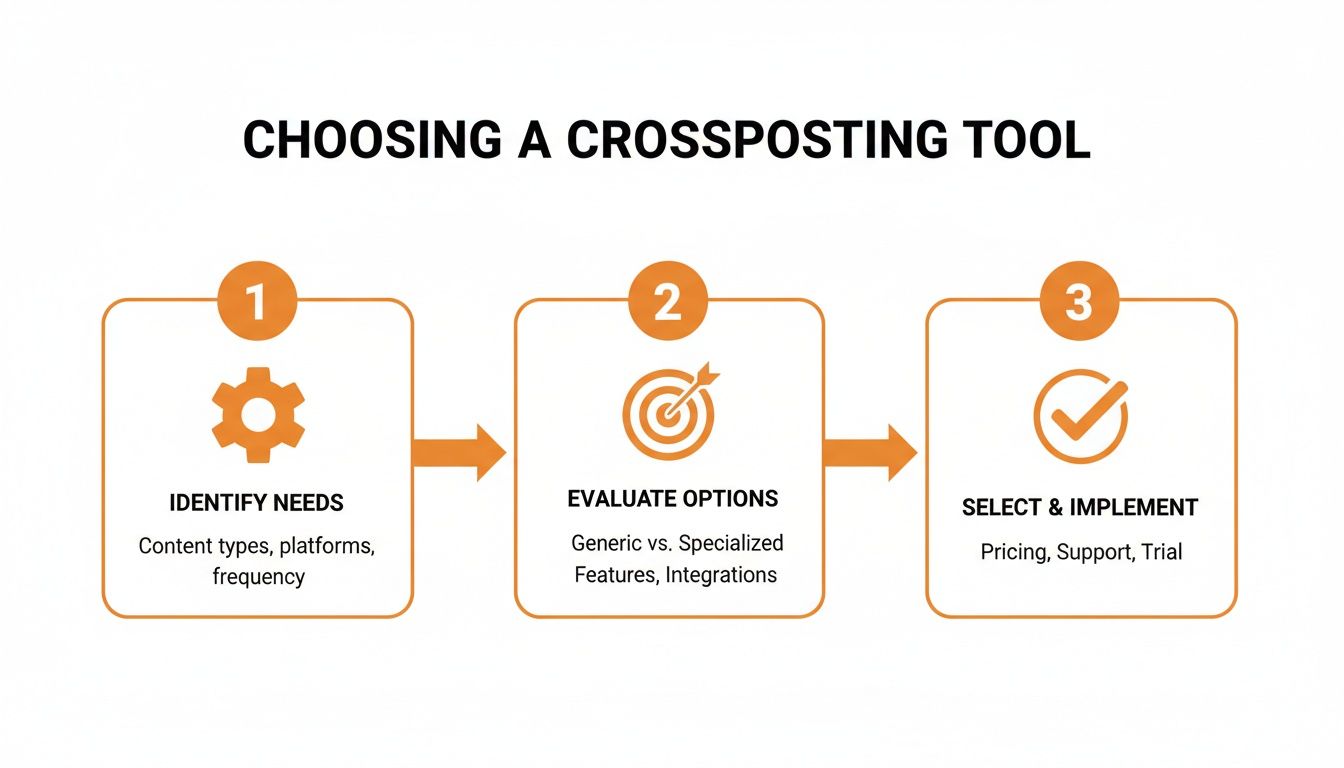
As you can see, a dedicated tool cuts out the confusing configuration steps you often get with generic automation services.
The real goal of smart automation isn't to make every post identical. It's to handle 90% of the grunt work so you can focus your time on the 10% that actually matters—tweaking the message to connect with each audience.
Moving Beyond Basic Content Mirroring
So, you've got a basic workflow to crosspost automatically. That’s a fantastic start, but it's really just the foundation. The real magic happens when you shift from simple content mirroring to a smarter, more deliberate content distribution strategy. Your goal shouldn't be just to show up everywhere; it’s to make an impact everywhere.
This means your automation needs to do more than just copy and paste. It should intelligently adapt your message to fit the unique vibe and expectations of each network. You've hit the efficiency jackpot when you can tailor your content without piling more manual work onto your day.
Making Your Automated Content Feel Native
Think about it like speaking different dialects. The casual, slang-filled language you use with friends isn't what you'd use in a formal business email. Social media platforms are the same way. A post that crushes it on the fast-paced, meme-driven culture of X might feel completely out of place in the more thoughtful, community-oriented conversations on Mastodon.
Thankfully, modern crossposting tools like MicroPoster are designed for this very challenge, giving you features to customize content on a large scale.
- AI-Powered Tone Adjustment: You can use AI to tweak the tone of your core message. For instance, take a standard announcement and, with a click, generate a more inquisitive version for one platform or a funny, lighthearted take for another.
- Custom Calls-to-Action (CTAs): A generic "check out my link" isn't going to cut it. You can craft specific CTAs for each audience—maybe asking your X followers for a quick retweet while prompting your Mastodon followers to share a detailed thought in the replies.
This kind of customization makes sure that even though the process is automated, the post that lands in front of your audience feels like it was written just for them.
Strategic Scheduling for Maximum Impact
When you post is just as crucial as what you post. Every platform has its own peak hours for engagement, so hitting "publish now" across all your accounts at once is almost always a missed opportunity. Smart automation is all about scheduling your content to go live when each specific audience is online and ready to interact.
A common mistake is treating automation as a "set it and forget it" tool. Instead, view it as a way to execute a more complex, effective strategy without the manual overhead. The automation handles the when and where, so you can focus on the what and why.
You might notice your X audience is most active during their morning commute, but your Bluesky followers tend to scroll more in the evenings. A good tool lets you schedule the same core post to hit X at 8 AM and Bluesky at 7 PM, all from one dashboard. This one change can make a huge difference in your post's initial reach and engagement.
For those who really want to get under the hood and connect their crossposting with custom-built tools, exploring the OpenAPI specifications for advanced automation offers a roadmap for building sophisticated workflows. The core idea remains simple: let the software manage the tedious work of timing and formatting, so you can keep full strategic command of your message.
How to Automate Without Sounding Like a Robot

Let's be honest, the biggest fear with automatic crossposting is sounding like a bot. It’s a totally valid concern. Nobody wants their social media feed to feel cold or generic. But here's the thing: smart automation isn't about sacrificing your voice; it's about freeing up your time to be more human where it actually matters.
The secret is to separate the broadcast from the conversation.
Let the tools handle the tedious work of getting your initial post out there on X, Bluesky, and Mastodon. This takes care of consistency, which is a massive piece of the puzzle for building an audience that trusts you.
Then, once your post is live, that's when your real job starts. Jump into the replies on each platform individually. This is where the magic happens and community gets built—not in the initial shout, but in the discussions that follow. Automation gives you that time back.
Build Trust Through Consistency
A steady posting schedule does a lot more than just keep the algorithms happy; it shows you're reliable. When people know they can count on you for regular, valuable content, they're far more likely to stick around. Automation makes being consistent practically effortless.
In fact, posting 3–5 times a week can net you around 12% more reach per post than if you only post once or twice. On a fast-moving platform like X, that frequency boost is huge. You can get a deeper look into the numbers in this research on social media frequency.
The whole point of automation isn't to replace you. Think of it as your assistant, handling the publishing logistics so you can pour your energy into the creative and community-focused work that only a person can do.
Sidestep Common Automation Pitfalls
Of course, bad automation can backfire spectacularly. We've all seen it: posts with broken formatting, links that look weird, or text that gets awkwardly chopped off because of character limits. Those little mistakes instantly break the illusion and scream "I'm a bot!"
This is exactly why using a tool built for the job is so important. A service like MicroPoster is designed to sidestep these specific problems. It gives you live previews, so you know precisely how your post will look on each network before you publish. No more ugly formatting surprises or embarrassing slip-ups. You can see how to build a better workflow in our complete guide to effective crossposting strategies.
By getting ahead of these common errors, you keep your profiles looking sharp and professional everywhere. It’s proof that you can automate your posting without automating your personality.
Got Questions About Crossposting?
Even after laying out the perfect strategy, a few nagging questions can pop up. It's totally normal. Let's walk through some of the most common concerns I hear from people before they dive into setting up an automated crossposting system.
How Do I Handle Different Character Limits?
This is probably the biggest headache when you're doing things by hand, but it's exactly the kind of problem a good crossposting tool is built to fix. For example, a specialized app like MicroPoster solves this right inside its editor.
As you type out your main post, you get live previews for X, Bluesky, and Mastodon side-by-side. The moment you go over the character limit on one of them, it flags it instantly. You can then just click on that specific preview and whip up a shorter, tailored version for that platform. No more juggling tabs or editing posts after the fact.
Will My Engagement Drop if I Crosspost Automatically?
I get this question a lot. It's a valid fear, but in my experience, the opposite usually happens—engagement actually goes up. Why? Because automation helps you show up consistently, and social media algorithms love consistency.
The trick is to avoid that lazy, one-size-fits-all copy-paste job. A smart crossposting tool knows the rules of each platform. It will automatically tweak your mentions, hashtags, and links so the content feels right at home everywhere it lands. Your posts won't look like they were phoned in by a robot.
Don't confuse automation with disengagement. Think of it as a tool for efficiency. It handles the broadcast, freeing you up to do what really matters: having real conversations with the people who respond to your work.
Can I Automatically Crosspost to Threads?
Ah, the Threads question. As of right now, direct automatic crossposting to Threads is tricky because of its API limitations. Most third-party tools are essentially in a holding pattern, waiting for Meta to open the doors for full integration.
The good news is that platforms like MicroPoster are ready to flip the switch and add Threads support the moment the API allows it. In the meantime, the best workaround is to use your tool to craft the perfect post, then just copy that optimized version and manually publish it to Threads. It only takes a few seconds and is still a massive time-saver compared to writing everything from scratch.
Ready to stop juggling tabs and start building your audience with a smarter workflow? MicroPoster has everything you need to crosspost automatically and intelligently across X, Bluesky, and Mastodon. Give the free trial a spin and see how it feels.


