
LinkedIn headline generator
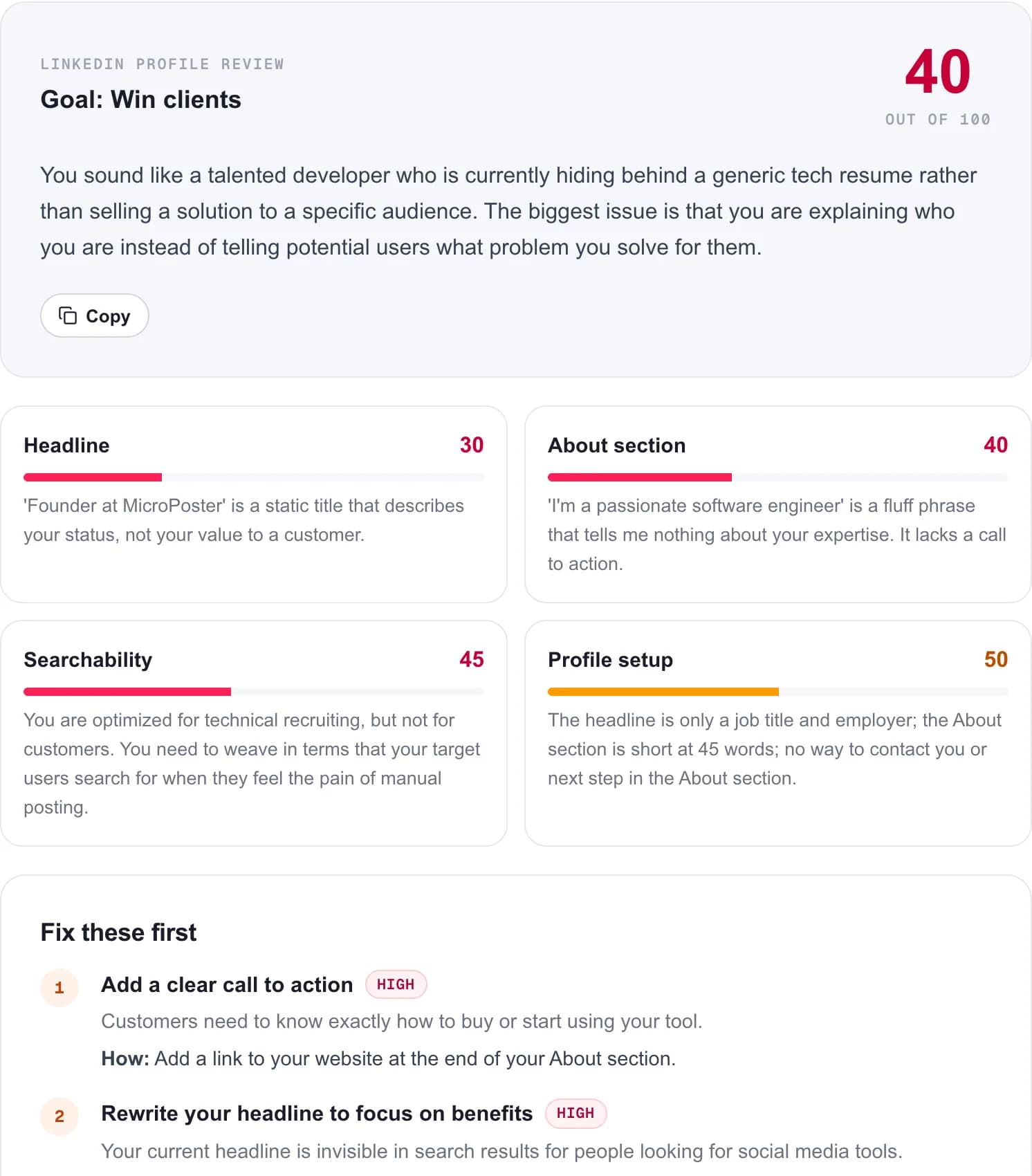
Paste the headline you have now, and your About section if you want better results. Get five headlines under 220 characters written for your goal, plus a review of what your current one says to a stranger.
What makes a good LinkedIn headline?
A good LinkedIn headline tells a stranger what you do, who you do it for, and one reason to believe you, with the most important words first. It shows next to your name in search results, comments and invitations, often cut off after the first few words, so the start carries most of the weight.
Your job title alone is the weakest option because it describes a position, not what you are good at. A stronger headline adds the problem you solve or the result you get, in the words your audience searches for. You have 220 characters, which is room for that without stuffing in every skill you have.
LinkedIn headline examples by role
These are written for made-up people, so you can see the structure. Adapt the pattern, not the words.
| Role | Example headline | Formula |
|---|---|---|
| Software engineer | Backend engineer at a fintech startup | Payments, Postgres and APIs that do not fall over at 2am | Role + specialties + personality |
| Job seeker | Product designer open to remote roles | B2B SaaS, design systems and user research | Ex-agency | Role + what you want + proof |
| Freelancer | I help physiotherapy clinics get booked out with Google Ads | 40+ clinics in the UK | Who you help + result + proof |
| Founder | Founder of Ledgerly | Bookkeeping software for small agencies | Writing about running a profitable studio | Company + what it does + what you post |
| Sales | Account executive for healthcare software | Helping hospital IT teams replace paper workflows | Role + market + problem solved |
| Student | Computer science student at University of Leeds | Interested in data engineering | Open to summer internships | Study + direction + what you want |
| Recruiter | Tech recruiter for early-stage startups in Berlin | Engineering and product roles | DMs open | Role + niche + open door |
How to write a LinkedIn headline in five steps
Decide who it is for
Recruiters, clients, peers or followers. One headline cannot speak to all of them equally.
Lead with the searchable words
Start with the role or service people would type into LinkedIn search, not a slogan.
Add who you help or what you do best
"For B2B SaaS teams" or "design systems and accessibility" narrows it to the right people.
Add one proof point
A number, a well-known employer, a result or a credential. One is enough.
Read it cut off
Look at only the first six or seven words. If that alone makes sense, the headline works everywhere it is shown.
LinkedIn headline mistakes
Only a title and employer
It is LinkedIn's default for a reason: it takes no effort. It also tells people nothing about you.
A stack of buzzwords
"Visionary | Innovator | Thought leader" is unprovable and unsearchable. Use concrete words.
Every skill you have
Ten skills separated by bars reads as a keyword dump. Three that matter beat ten that do not.
Clever over clear
"Chief Chaos Wrangler" is memorable to your team and invisible in search.
Post on LinkedIn without writing everything twice
A strong profile gets visits. Recent posts are what turn those visits into connections. MicroPoster publishes what you already write on X, Threads, Bluesky or Mastodon to LinkedIn as a native post, so your profile never looks abandoned.
7-day free trial · No credit card
Frequently asked questions
How long can a LinkedIn headline be?
220 characters. That is the limit when you edit your profile on desktop or mobile. Use the room to add who you help and one proof point, but keep the most important words at the start.
Should my LinkedIn headline be my job title?
Your job title can be part of it, especially if you want recruiters to find you for that role. On its own it is weak, because it says nothing about what you are good at. Add your specialty, who you help or a result.
Can I use emoji in my LinkedIn headline?
You can. One can work as a separator or a touch of personality. Several look like a template and take space from words people search for.
Why do I paste my profile instead of entering a URL?
LinkedIn does not let other apps read a member's profile, and we do not scrape it. Pasting takes ten seconds: open your profile, copy the headline and the About text, and paste them in.
Is what I paste saved?
No. Your text is sent to an AI model to write the review and is not stored by MicroPoster. Nothing is posted to LinkedIn and you do not need an account.
Which parts are AI and which are rules?
The profile setup score uses fixed rules: headline length, whether the headline is only a job title, the length of your About section, whether it ends with a way to reach you, and stock phrases. The headline, About and searchability scores, the rewrites and the keyword suggestions come from an AI model that is told never to invent employers, numbers or credentials.
Is it free?
Yes. Three reviews a day, no account and no credit card.
MicroPoster is not affiliated with LinkedIn. The review only uses the text you paste. Last reviewed on October 10, 2026.