
of social media managers are burnt out
Link in Bio's 2025 salary survey of about 2,500 social media professionals found that 77% are burnt out now or were recently.
Source: Link in Bio, November 2025
For agencies, social teams and creators
Your clients already post on X, Threads, Bluesky or Mastodon. MicroPoster publishes each post to their other accounts, LinkedIn included, so one post can cover all five networks. Schedule what you plan, watch every account's health, and pay per account, not per seat.
7 days free. No credit card needed.
See the cost per accountThe problem
Threads and Bluesky gave every client two more places to show up, and LinkedIn still matters for B2B. Copying each post into each app by hand takes time nobody pays for, and it's the first thing to slip in a busy week.
Link in Bio's 2025 salary survey of about 2,500 social media professionals found that 77% are burnt out now or were recently.
Source: Link in Bio, November 2025
Time (66%) and content volume (60%) drive most agency pricing. Adding Threads or Bluesky to a client rarely raises the retainer, so the extra posting comes out of your hours.
Only 26% plan to write unique posts for it. Reusing what already works is how most teams cover a new network.
How it works for an agency
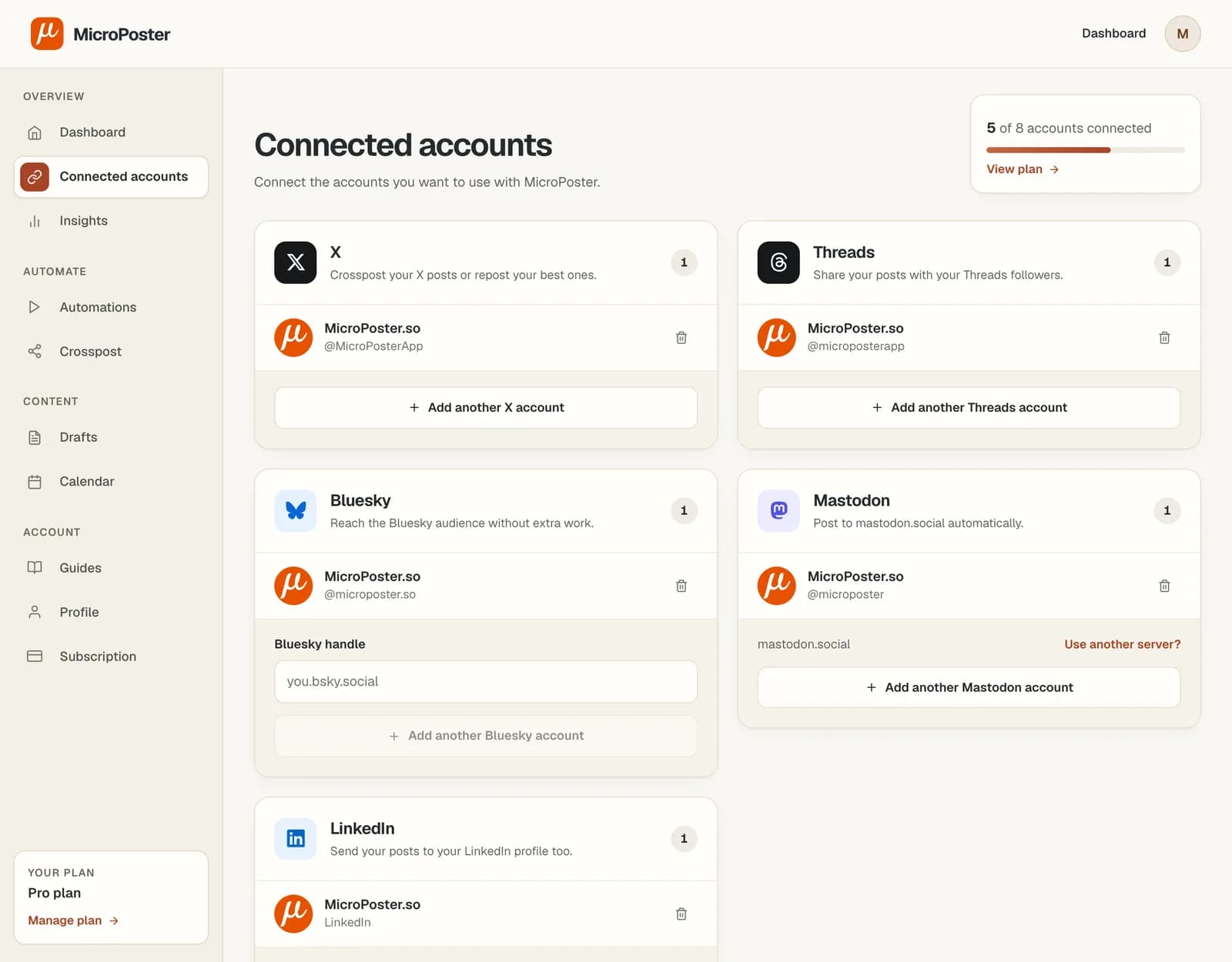
Add each client's X, Threads, Bluesky, Mastodon and LinkedIn accounts, with as many accounts on one network as your plan allows. Every account connects through that network's own sign-in, so MicroPoster never sees a password.
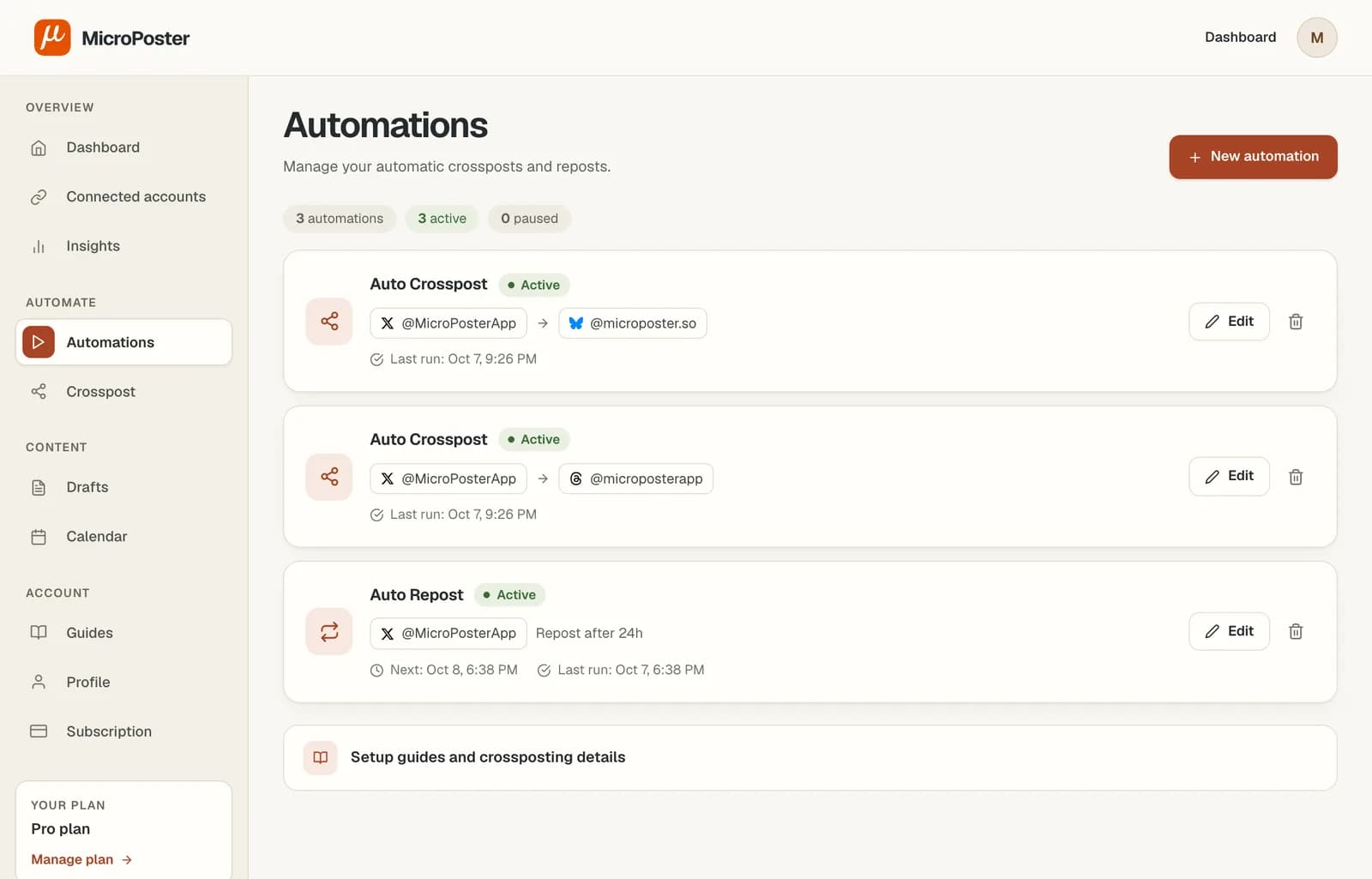
Create an automation per client. The account they post on is the source and their other accounts are the destinations. A route only copies between the accounts you pick, so one brand's posts never reach another brand's feed.
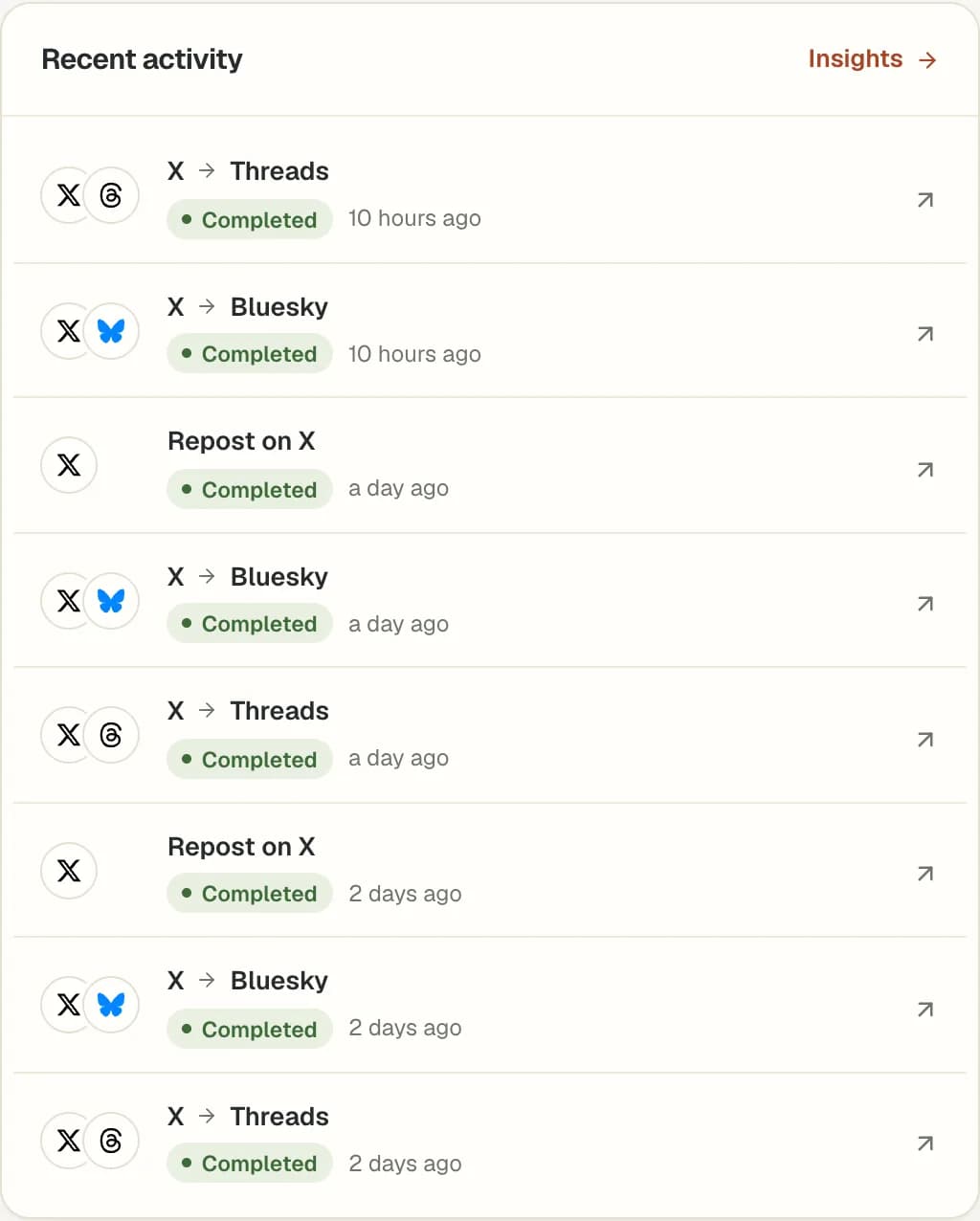
MicroPoster looks for new posts every 10 or 30 minutes, publishes each one sized to every network, and logs it with a link to the copy. Anything that needs you shows up in the dashboard and the monthly report.
Built for many accounts
Automatic crossposting
Many founders, experts and creators want to post in their own app, in their own words. MicroPoster takes what they publish on X, Threads, Bluesky or Mastodon and posts it to their other accounts. The copy says exactly what the client already published, so there's nothing extra to send for sign-off.
Scheduling and reposts
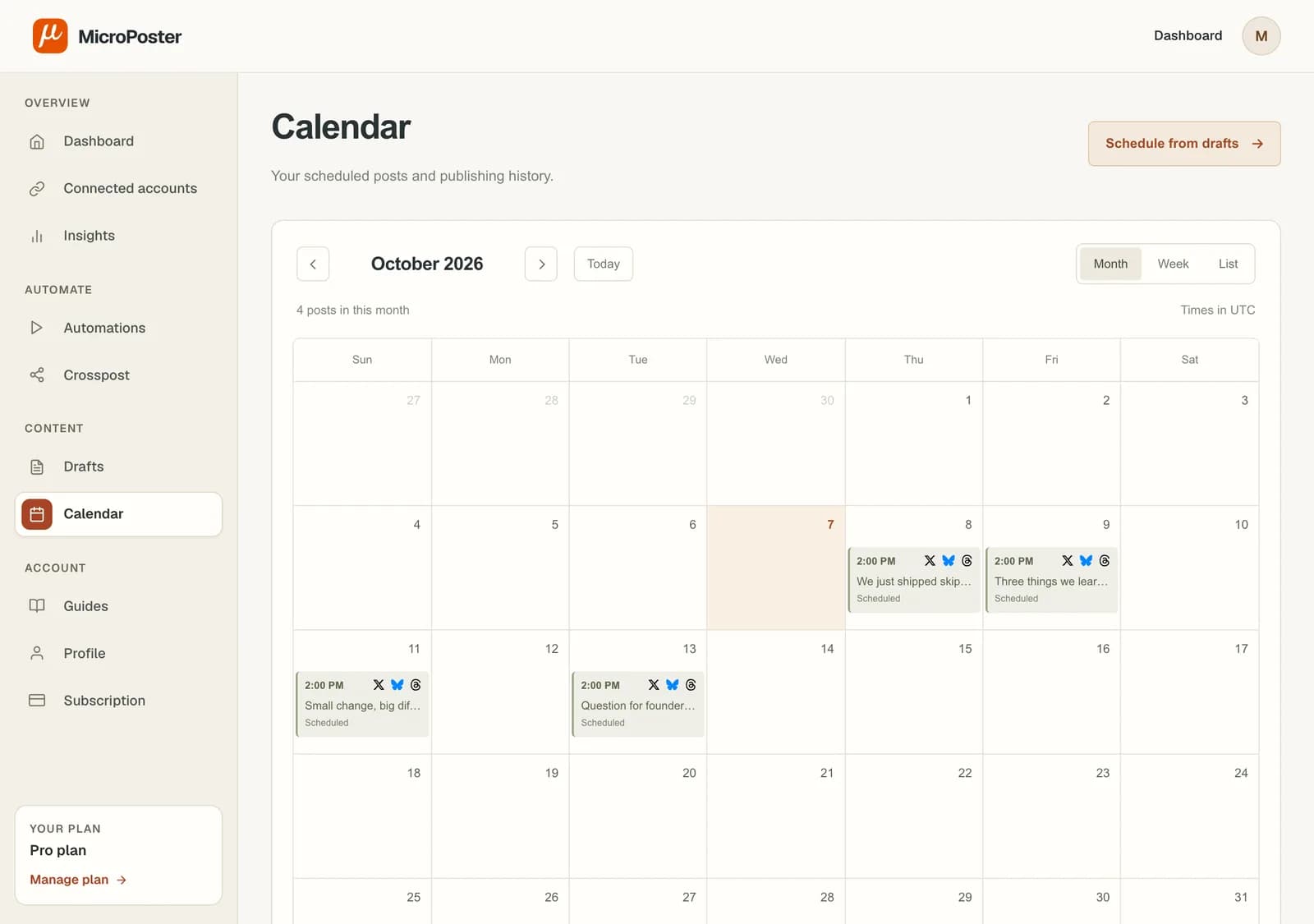
Write a post once, pick the client accounts it should go to and schedule it. The calendar shows what is going out where. Auto Repost brings a client's recent posts back with a native repost for followers in other time zones.
Account health
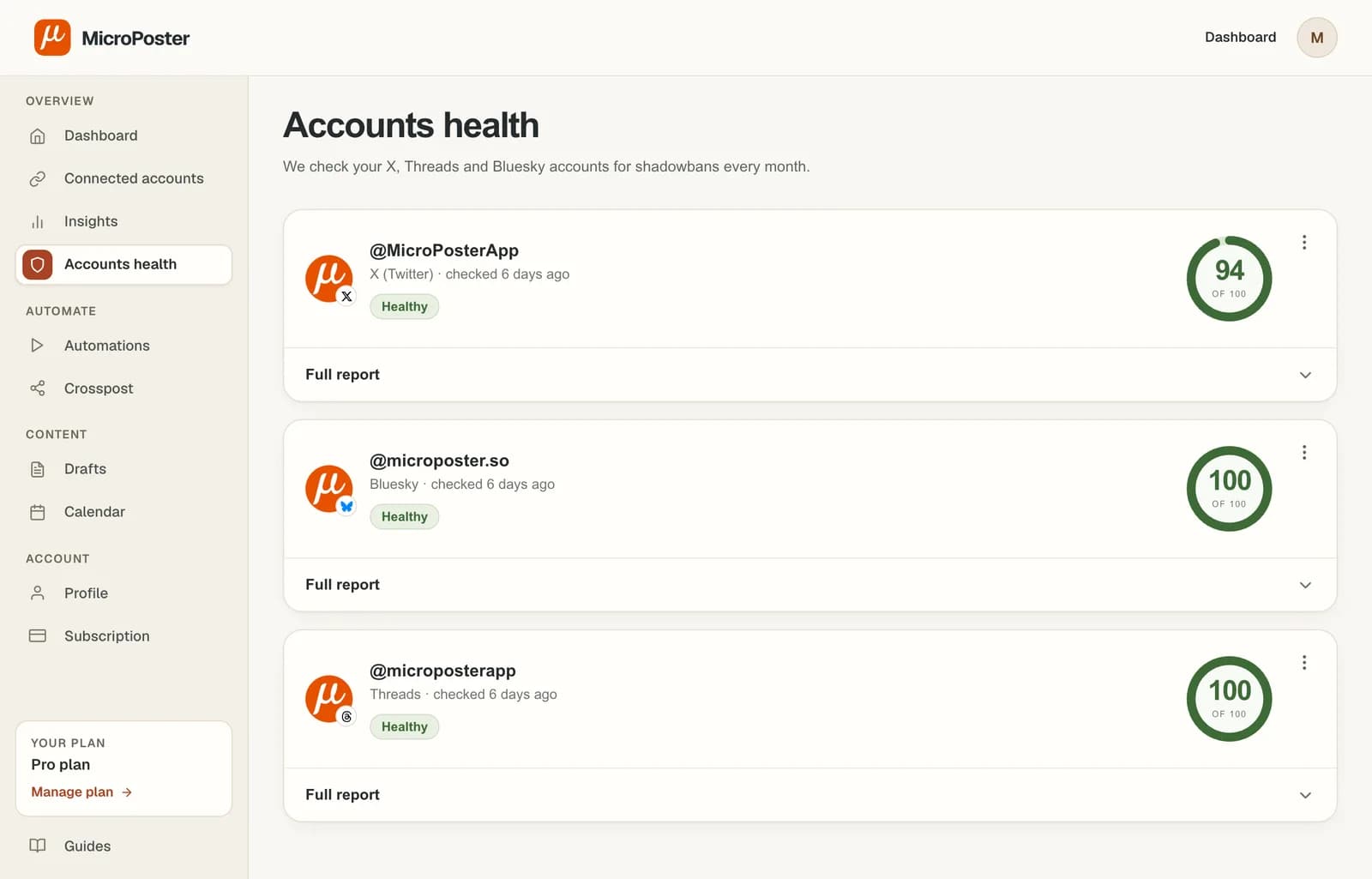
A shadowbanned account can lose reach for weeks before anyone notices. Once a month MicroPoster checks each connected X, Threads and Bluesky account the way a logged-out visitor sees it, and gives it a health score out of 100.
Pricing for agencies
Count one account for each client profile you connect. A client on X, Threads, Bluesky and LinkedIn is four accounts. There are no seat fees and no charge per workspace.
| Plan | Accounts | Price | Per account | Per account, billed yearly | Clients | Per client |
|---|---|---|---|---|---|---|
| Creator | 4 | $12 | $3 | $2.25 | 1 | $12 |
| Pro | 8 | $29 | $3.63 | $3 | 2 | $14.50 |
| Power | 12 | $59 | $4.92 | $4.10 | 3 | $19.67 |
Example: a freelancer with 2 clients, each on X, Threads, Bluesky and LinkedIn, connects 8 accounts. That fits Pro at $29 a month, or $14.50 per client. Many suites charge more than that for a single seat.
Compare every plan limitHonest fit
MicroPoster is the posting layer for text networks, not a full agency suite. Here is where it fits and where another tool will serve you better today.
“Microposter automated my Bluesky posting completely.”
 Jamie RalphDigital Marketing Consultant
Connect one client's accounts, set up their first route and let their next post do the rest.
7 days free. No credit card needed.
Yes. Connect up to the number of accounts in your plan (Creator 4, Pro 8, Power 12), including several accounts on the same network. Each automation copies posts only between the accounts you choose, so one client's posts never go to another client's accounts.
MicroPoster never asks for or stores a password. Each account connects through the network's own sign-in page, including Bluesky, which uses OAuth instead of an app password. Whoever connects the account signs in to it there. MicroPoster keeps only an access token, and you or the client can disconnect it at any time.
MicroPoster publishes through each network's official API, the way scheduling tools do, and we don't claim it raises or lowers reach. Crossposted accounts usually look automated because nobody replies there. Use the time you save to answer replies on each network.
X's rules don't allow posting duplicate or substantially similar content across multiple X accounts you operate. MicroPoster copies a client's post to that client's accounts on other networks. Keep each X account for its own client's content rather than mirroring one post into several X accounts.
Each copy is sized to its network. Long posts are split into a thread on Bluesky (300 characters) and Threads (500), joined into one post on LinkedIn and trimmed past 3,000 characters, and Mastodon uses your server's own limit. Links and hashtags carry over. Mentions are copied as written and only link to a profile when that handle exists on the destination network.
Automatic crossposts publish the same text, adapted to each network's limits. When a post needs a different version somewhere, add #nocrosspost or #keephere to keep it on its original network, then publish the other version yourself or schedule it from your drafts.
MicroPoster has no approval workflow. Crossposting copies posts the client or your team already published, so the copy says what was already approved. For posts you write for a client, get sign-off the way you do today, then schedule them in MicroPoster.
None of those. Each plan includes a number of connected accounts (Creator 4, Pro 8, Power 12). There are no seat fees and no client workspaces: one sign-in manages every connected account. MicroPoster does not have separate team logins or permissions yet.
Not yet. Crossposts go to a personal LinkedIn profile. LinkedIn can only be a destination, because LinkedIn doesn't let apps read your posts.
A failed crosspost is retried automatically. The dashboard lists every crosspost with a link to the copy, or the error if it failed. The monthly report flags accounts that need reconnecting, access that is about to expire and automations that paused.
MicroPoster checks for new posts on a schedule set by your plan: every 30 minutes on Creator, every 10 minutes on Pro, every 10 minutes on Power. The trial uses Creator limits. The copy is published right after the check finds the post. Network outages or slow media processing can add time.
Yes. New accounts get a 7-day trial with Creator plan limits and no credit card. A trial without payment details does not turn into a paid subscription.