
LinkedIn summary generator
Paste your About section, also called your LinkedIn summary, and see what people read before they click "see more". Get a review for your goal and two rewrites that keep your facts, with a clear next step at the end.
What should a LinkedIn summary say?
Your LinkedIn summary, now called the About section, should say what you do now, who you do it for, how you do it differently, and what someone should do next if they want to work with you. Write it in the first person, in short paragraphs, the way you would explain your work to someone at a dinner.
The opening matters most. LinkedIn shows only the first two or three lines before "see more", so a summary that starts with where you studied hides the interesting part. Lead with what you do now or the problem you solve, then back it up with experience, results and a few specifics, and finish with how to reach you.
LinkedIn About section examples by goal
Opening lines and structure for made-up people. The first line is what shows before "see more".
| Goal | Opening lines | Then cover |
|---|---|---|
| Get hired | I build the data pipelines analysts actually trust. Six years in Python and dbt, most recently cutting a retailer's reporting delay from a day to an hour. | Your strongest projects, the tools you use, the role you want next, how to reach you. |
| Win clients | Most clinic websites look fine and book nobody. I rebuild them so patients can see prices, pick a time and book in under a minute. | Who you work with, how a project runs, a result or two, how to start. |
| Grow an audience | I write about the money side of freelancing that nobody explains: pricing, contracts and getting paid on time. | Why you are worth following, what you post and how often, where else to find you. |
| Career change | After eight years teaching maths, I now design learning products. Same goal, helping people understand hard things, at a bigger scale. | What carries over, what you have built since, what you are looking for. |
How to write a LinkedIn summary in five steps
Write the hook first
One or two sentences on what you do now or the problem you solve. This is all most visitors read.
Add how you do it
Your approach, the kind of work you take on or the tools you use. Specifics beat adjectives.
Prove it once or twice
A result with a number, a known client or employer, or a short story. Two good examples are plenty.
Use the words people search for
Name your role, your industry and your main skills plainly, so LinkedIn search can match them.
End with a next step
Tell people what to do: message you, email you, book a call or read your newsletter.
LinkedIn profile character limits
| Field | Limit | What to do with it |
|---|---|---|
| Headline | 220 characters | Put the words people search for first. Only the start shows next to your name in feeds and comments. |
| About | 2,600 characters | Use the first two or three lines as a hook. Everything after them is behind "see more". |
| Job title | 100 characters | Use the title people search for, not only your internal one. |
| Custom profile URL | 3 to 100 characters | Claim linkedin.com/in/yourname so the link looks clean on a CV or email signature. |
Post on LinkedIn without writing everything twice
A strong profile gets visits. Recent posts are what turn those visits into connections. MicroPoster publishes what you already write on X, Threads, Bluesky or Mastodon to LinkedIn as a native post, so your profile never looks abandoned.
7-day free trial · No credit card
Frequently asked questions
How long should a LinkedIn summary be?
Long enough to say what you do, prove it and give a next step, which is usually 150 to 300 words. The limit is 2,600 characters, about 400 words. A short About section that is specific beats a long one that repeats your CV.
Should a LinkedIn summary be written in the first person?
Yes. "I help clinics..." reads like a person talking. "Jane is a results-driven professional..." reads like a press release, and LinkedIn is a place where people expect to talk to you.
What are the [number] placeholders in the rewrites?
The AI is told never to make up results. Where a number would make a sentence stronger, it leaves [number] for you to fill in with a real figure, or to delete.
Why do I paste my profile instead of entering a URL?
LinkedIn does not let other apps read a member's profile, and we do not scrape it. Pasting takes ten seconds: open your profile, copy the headline and the About text, and paste them in.
Is what I paste saved?
No. Your text is sent to an AI model to write the review and is not stored by MicroPoster. Nothing is posted to LinkedIn and you do not need an account.
Which parts are AI and which are rules?
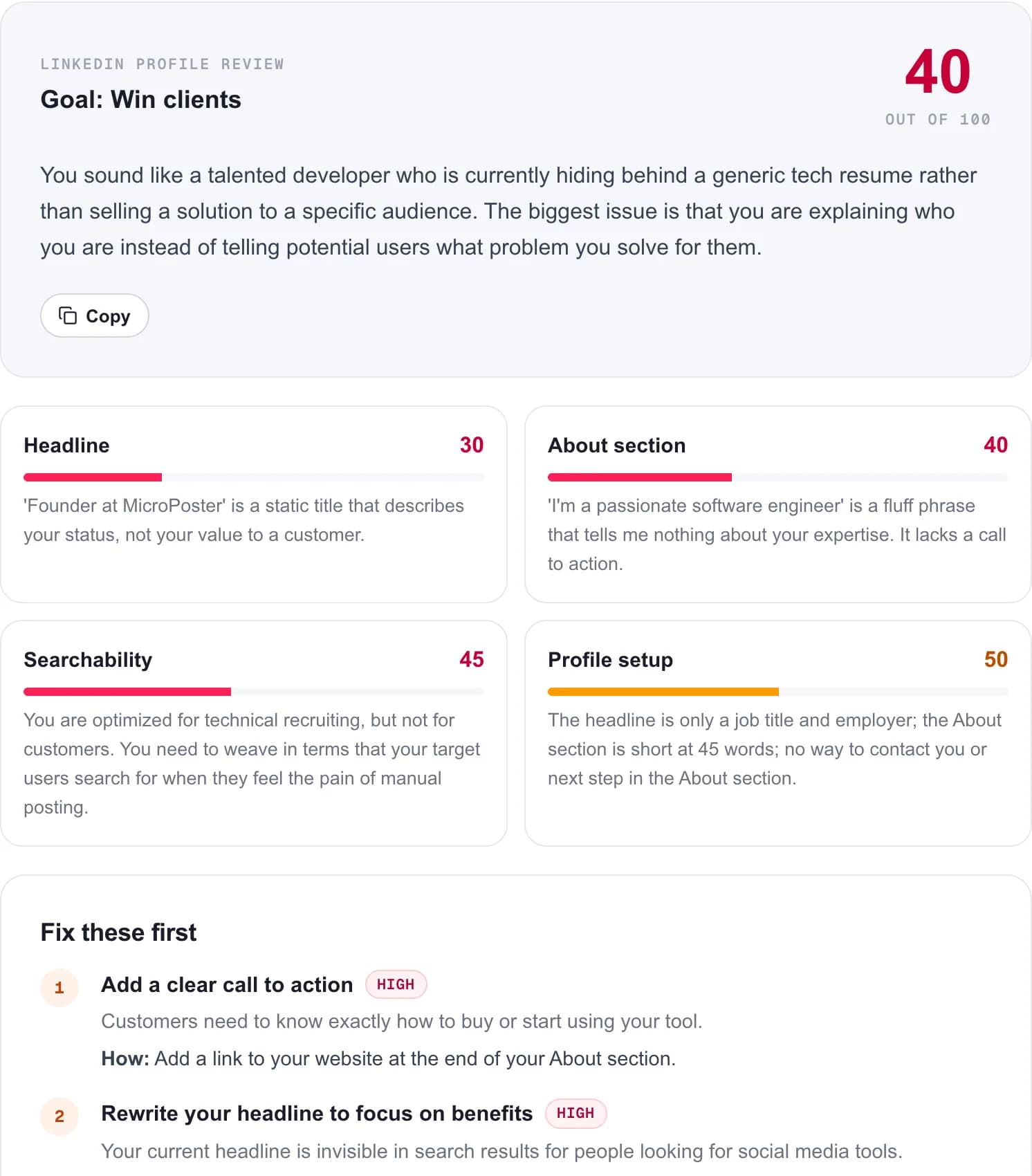
The profile setup score uses fixed rules: headline length, whether the headline is only a job title, the length of your About section, whether it ends with a way to reach you, and stock phrases. The headline, About and searchability scores, the rewrites and the keyword suggestions come from an AI model that is told never to invent employers, numbers or credentials.
Is it free?
Yes. Three reviews a day, no account and no credit card.
MicroPoster is not affiliated with LinkedIn. The review only uses the text you paste. Last reviewed on October 10, 2026.