
Text styles for Twitter posts
7 Best Text Styles for Twitter Posts to Boost Engagement
Discover the top 7 text styles for Twitter posts to make your content stand out. Learn bold, italic, and creative font tricks to capture attention instantly.
In the crowded, fast-scrolling world of X (formerly Twitter), default text is invisible. Standing out requires more than just great ideas; it demands strategic presentation. Standard tweets blend into a monotonous stream, failing to capture the fleeting attention of your audience. The solution lies in using clever text styles for Twitter posts-not just for decoration, but as a powerful tool for emphasis, clarity, and engagement.
These styles, created using special Unicode characters, allow you to add bold, italics, and other unique fonts directly into your tweets, making your key messages pop. But manually finding, copying, and pasting these styles for every post is a tedious, time-consuming chore that breaks your creative flow. This is where dedicated generators and smarter scheduling tools come in.
This article rounds up the 7 best and most reliable tools to generate these styles instantly, complete with screenshots and direct links. More importantly, we'll explore the 'why' behind effective styling-how to use it to structure viral threads, highlight critical calls-to-action, and build a recognizable brand voice. We'll also show you how a platform like MicroPoster eliminates the need for these manual tools by integrating styling directly into a powerful, automated, cross-platform scheduling workflow.
1. YayText
YayText has cemented its position as a go-to tool for social media managers and creators looking for reliable text styles for Twitter posts. Its interface is straightforward: you type your text into a primary field, and it instantly generates dozens of Unicode-based variations below. This allows you to quickly grab styles like bold, italics, 𝕠𝕦𝕥𝕝𝕚𝕟𝕖, and even more decorative scripts like 𝖋𝖗𝖆𝖐𝖙𝖚𝖗 or 𝚖𝚘𝚗𝚘𝚜𝚙𝚊𝚌𝚎.
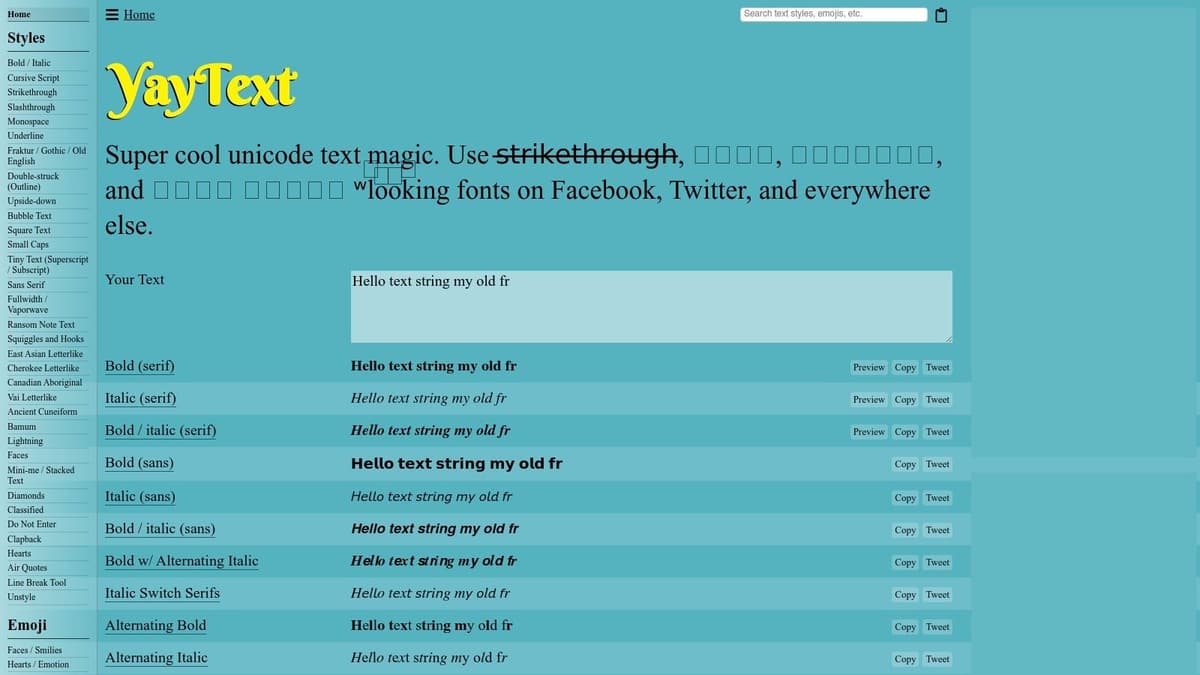
The site’s longevity is a testament to its dependability; these styles consistently render correctly across Twitter's web and mobile apps. It’s an ideal choice when you need to make a single word or phrase stand out without fuss. Applying a style is as simple as clicking the "copy" button next to your desired font and pasting it directly into your tweet composer.
Key Features & User Experience
What makes YayText particularly useful is its focus on readability. While it offers many ornate styles, the platform prioritizes variants like serif bold, script, and small caps that remain legible on small screens. The user experience is direct and ad-supported, which means you get full access without a subscription. The main drawback is its one-style-at-a-time limitation, making it less efficient for complex, multi-styled paragraphs.
Pro Tip: Use YayText for highlighting key terms, creating visually distinct thread openers, or styling your Twitter bio. For crafting longer posts with a mix of styles and then scheduling them, a tool like MicroPoster can save significant time. It allows you to style directly in its editor and schedule posts across multiple platforms, eliminating the need for copy-pasting from external sites.
- Access: Free, ad-supported
- Best For: Quick, single-style conversions and profile styling
- Pros: Reputable, broad selection of readable fonts, no cost
- Cons: Contains ads, no multi-style formatting for paragraphs
Website: https://yaytext.com/
2. LingoJam – Twitter Fonts
LingoJam’s dedicated "Twitter Fonts" generator offers a minimalist and rapid solution for applying unique text styles for Twitter posts. This tool is built for speed: it features a simple, two-panel interface where you input your text on the left and a vast gallery of stylized options appears instantly on the right. You can find everything from standard 𝗯𝗼𝗹𝗱 and 𝘪𝘵𝘢𝘭𝘪𝘤 to more distinctive styles like ˢᵐᵃˡˡ ᶜᵃᵖˢ, s̷t̷r̷i̷k̷e̷t̷h̷r̷o̷u̷g̷h̷, and 𝒸𝓊𝓇𝓈𝒾𝓋𝑒 scripts.
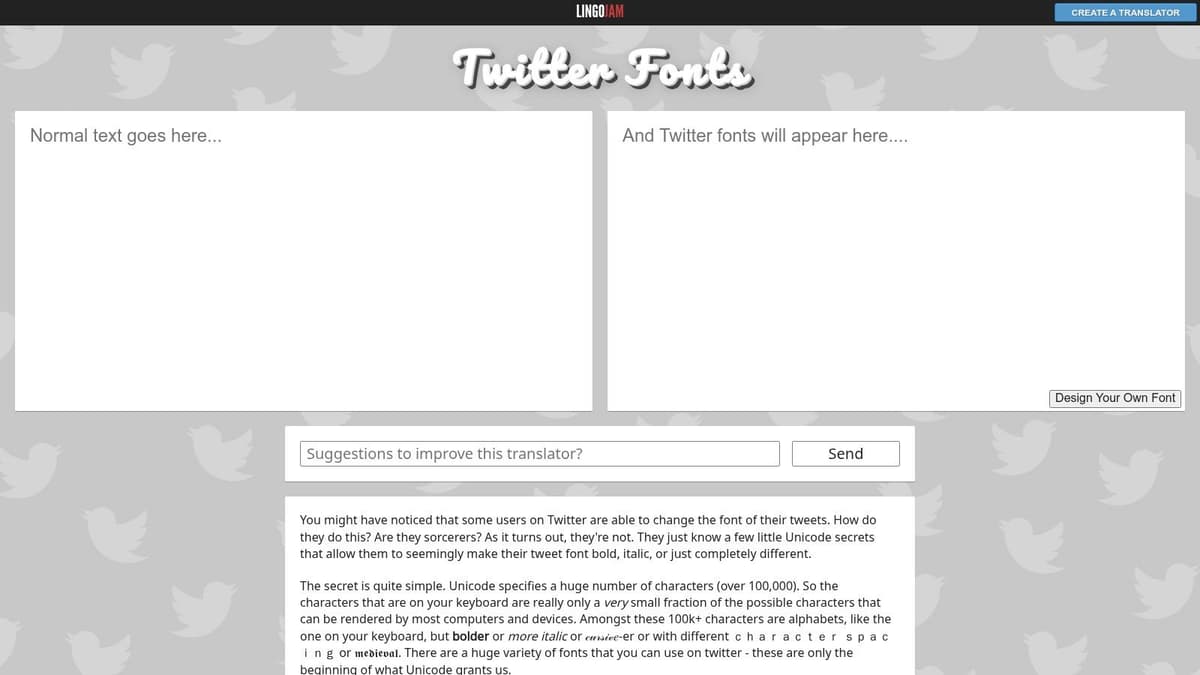
The platform is explicitly labeled for Twitter, giving users confidence that the generated Unicode characters will render correctly within tweets, replies, and bios. Its no-frills, no-account workflow makes it perfect for creators who need to quickly style a snippet of text and get back to their content. Just type, find a style you like, and click to copy it to your clipboard.
Key Features & User Experience
What sets LingoJam apart is its pure, unadulterated speed. The live preview gallery loads dozens of fonts simultaneously, allowing for quick visual comparison without extra clicks or navigation. This makes it an excellent tool for spontaneous creativity or when you need to make a tweet stand out on a tight schedule. The user experience is immediate and completely free, supported by minimal on-page ads.
However, its simplicity is also its primary limitation. The tool provides little guidance on how ornate fonts affect screen reader accessibility or your post's character count, as some Unicode symbols use more than one character. Several of the more decorative styles can also be difficult to read on smaller mobile screens, potentially reducing your message's impact.
Pro Tip: Use LingoJam for quick, one-off styling tasks like emphasizing a call-to-action or creating a stylized headline hook. To escape this manual copy-paste loop, consider a platform like MicroPoster. It includes a built-in rich text editor, so you can apply styles and schedule your content to multiple platforms from one central dashboard, a far more efficient approach.
- Access: Free, ad-supported
- Best For: Extremely fast text conversions and generating a wide variety of styles at once
- Pros: Very quick to use, no account required, large selection of fonts
- Cons: Some styles have poor readability, lacks accessibility guidance
Website: https://lingojam.com/TwitterFonts
3. Piliapp – Bold/Italic Text
For creators who value clarity over ornamentation, Piliapp’s Bold/Italic Text generator is a perfect tool. This minimalist platform strips away the complexity found in other generators, focusing entirely on producing clean, highly readable bold and italic Unicode text. Its core strength lies in its simplicity; you enter your text and are presented with a concise list of six serif and sans-serif variations optimized for maximum legibility on any device.
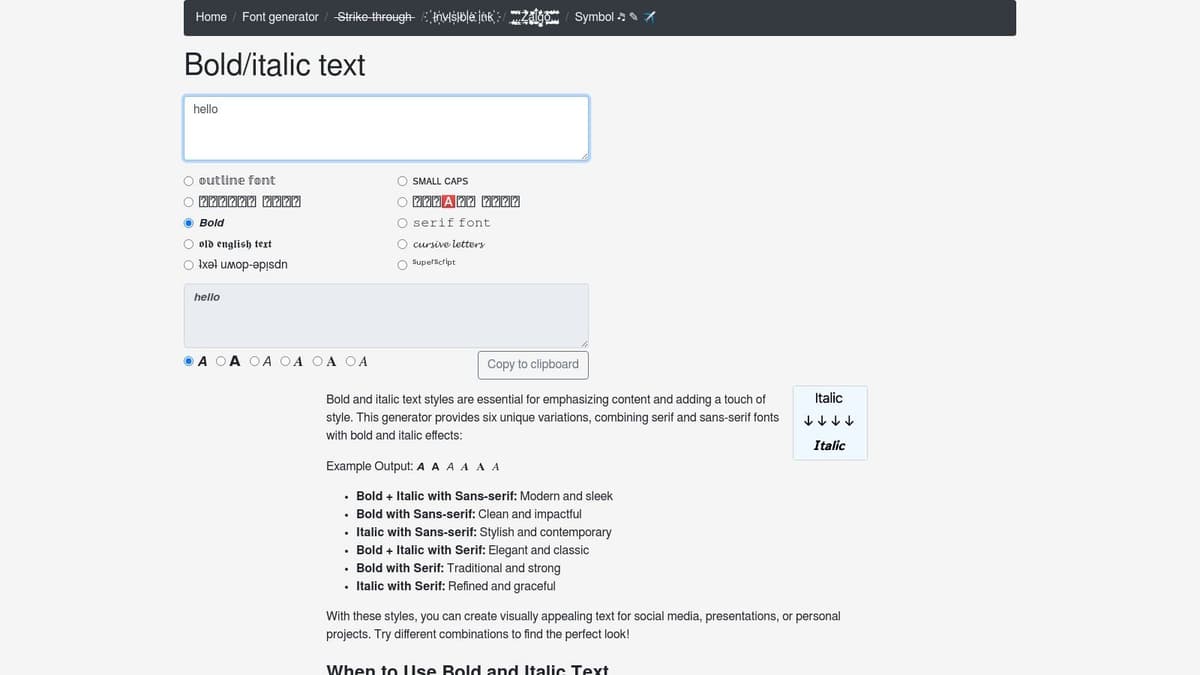
The site explicitly notes compatibility with X (Twitter), Facebook, and Instagram, making it a safe and reliable choice for brands and professionals. When you need to emphasize a point in a product update or announcement without risking distracting or unreadable characters, Piliapp delivers. The workflow is direct: type, click to copy your preferred style, and paste it into your tweet. It’s designed for speed and precision.
Key Features & User Experience
Piliapp’s standout feature is its disciplined focus on readability. By limiting options to only the most legible bold and italic styles, it helps prevent common formatting mistakes that can harm engagement. The user experience is exceptionally clean and distraction-free, with no ads or unnecessary elements to slow you down. This minimalist approach is ideal for quickly grabbing text styles for Twitter posts. The main drawback is its specialization; you won’t find decorative scripts, symbols, or other extras here.
Pro Tip: Pair Piliapp’s clean bold and italic text with a strategic content scheduler like MicroPoster. You can write your content directly in MicroPoster's editor, apply formatting, and automate its delivery to Twitter, Threads, and more. This combination ensures your key messages are both well-formatted and seen by your audience at the right time, without ever leaving your dashboard.
- Access: Free
- Best For: Professional announcements, product updates, and ensuring readability
- Pros: Extremely minimalist and fast, focuses on highly legible styles, no ads
- Cons: Very limited selection of styles, no decorative or novelty fonts
Website: https://www.piliapp.com/cool-text/bold-italic/
4. Publer – Twitter Bold & Italic Tool
Publer, a well-regarded social media management suite, offers a free and focused utility specifically for applying bold and italic text styles for Twitter posts. This tool is ideal for professionals who already use or trust scheduling platforms and prefer a vendor-backed option. Its interface is minimal and effective: paste your text, and it immediately generates serif and sans-serif versions of bold, italic, and bold italic Unicode text.
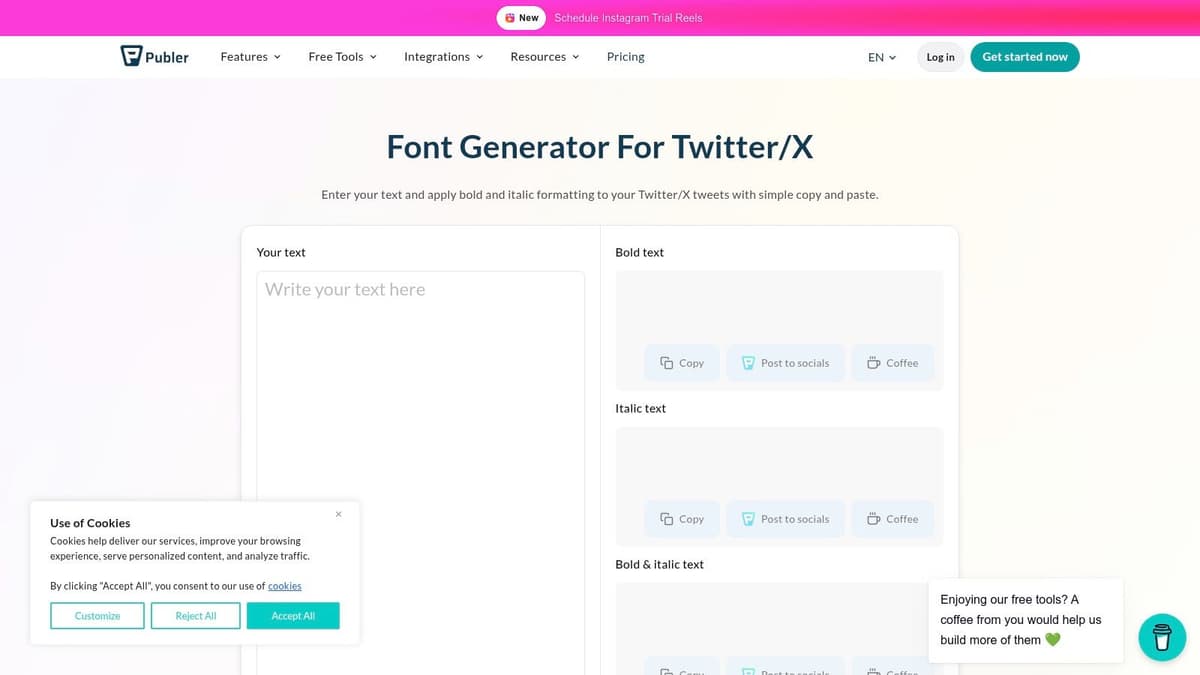
Unlike general-purpose font generators, Publer’s tool is tailored for one job: creating clean emphasis that works reliably on Twitter/X. The output is designed for maximum compatibility and readability, avoiding overly decorative styles that can clutter a message. Copying your styled text is a one-click process, making it a fast addition to any social media manager's workflow.
Key Features & User Experience
What distinguishes Publer's tool is its directness and backing by an established SaaS company. It lives alongside Publer's other free utilities, like a hashtag generator and trend tracker, giving it a professional feel. The user experience is clean and mobile-friendly, with no distracting frills beyond what's needed to get the job done. The primary drawback is its narrow focus; if you need script, outline, or other creative fonts, you’ll have to look elsewhere. The page also includes marketing links to Publer’s main paid platform, which may be a minor distraction for some.
Pro Tip: Use Publer’s tool for quick, professional emphasis. However, for a fully integrated approach, platforms like MicroPoster offer a superior workflow. Instead of using a separate tool for styling, MicroPoster lets you format, schedule, and automate your Twitter content in one place, ensuring your posts go live at the perfect time without manual intervention.
- Access: Free, no ads (but contains promotional links)
- Best For: Fast and clean bold/italic styling from a trusted source
- Pros: Backed by an established social media brand, clean output, no distracting ads
- Cons: Limited to only bold and italic styles, promotes its own paid platform
Website: https://publer.com/tools/twitter-bold-italic
5. CoolSymbol
CoolSymbol expands beyond simple text generators by positioning itself as a complete visual toolkit. It’s incredibly useful when your goal is not just to add emphasis but to structure your content with visual cues. The platform offers a wide range of stylish text for Twitter posts, but its main strength lies in its enormous library of symbols, decorative elements, and emojis.
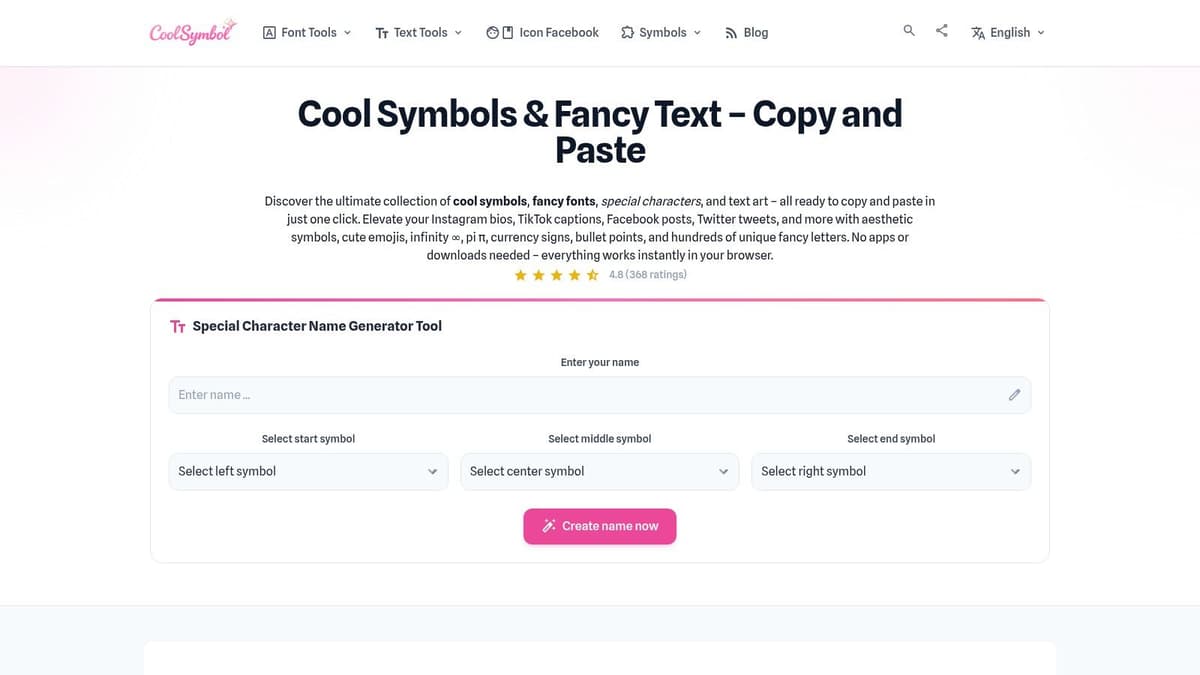
This makes it a fantastic resource for improving the scannability of your tweets and threads. You can find everything from custom bullet points (→, ➤, •) and checkmarks (✓) to line separators and brackets. The interface is mobile-friendly with a simple copy-on-tap function, making it easy to grab what you need while drafting a post on your phone.
Key Features & User Experience
What sets CoolSymbol apart is its 'toolbox' feel; it provides both the fancy text generator and the supplementary symbols needed to build a well-formatted post in one place. You can generate a 𝖇𝖔𝖑𝖉 𝖘𝖊𝖗𝖎𝖋 headline and then immediately find arrow symbols to create a list, all without leaving the site. The user experience is straightforward and ad-supported, giving you full access for free.
Pro Tip: Use CoolSymbol to create visually appealing lists. For a more organized workflow, you can prepare these styled snippets and schedule them with a tool like MicroPoster. By building a content library of pre-formatted, ready-to-publish tweets, MicroPoster ensures your posts are always visually engaging without the last-minute formatting stress of external tools.
- Access: Free, ad-supported
- Best For: Adding visual structure like lists and separators to tweets
- Pros: Combines text styles and symbols, improves scannability in threads, great mobile interface
- Cons: Overuse of symbols can look unprofessional, some glyphs may not render correctly on all devices
Website: https://coolsymbol.net/
6. BoldText.io
BoldText.io earns its place by prioritizing speed and focus. Unlike sprawling generators with hundreds of decorative options, this tool is designed for one primary purpose: creating bold and italic text styles for Twitter posts quickly and efficiently. Its single-page interface is stripped of all clutter, allowing you to input your text and get the most common, high-impact styles like serif bold, italic sans, and bold italic in an instant.
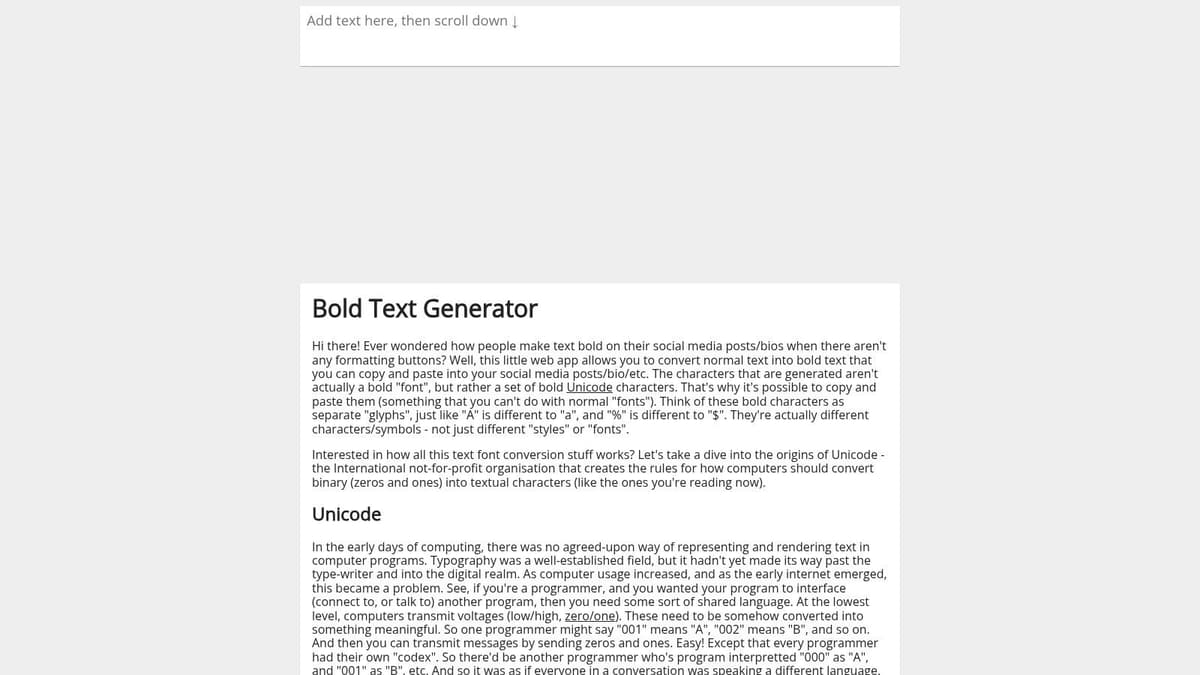
The platform is built for action, displaying a curated selection of styles that are known for their reliable rendering on social media. This minimalist approach removes decision fatigue and makes it the perfect utility for creators who need to add emphasis without getting lost in a sea of options. You just type, click the "copy" button next to your preferred style, and paste it directly into your tweet.
Key Features & User Experience
What makes BoldText.io stand out is its commitment to a fast, zero-friction user experience. The site loads almost instantly on both desktop and mobile, with no pop-ups or complex menus to slow you down. It also includes clear compatibility notes, explaining how and why these Unicode styles work on platforms like Twitter/X, which is a helpful touch for new users.
The main trade-off for this speed is a smaller font catalog. You won't find obscure decorative scripts or an extensive library of symbols here. The focus remains squarely on the essential text styles for Twitter posts that provide clarity and emphasis, which is exactly what many social media managers need.
Pro Tip: While BoldText.io is great for quick, one-off styling, this manual process doesn't scale. A tool like MicroPoster integrates styling directly into your content creation process. You can draft, format, schedule, and automate posts for Twitter and other platforms, making your content pipeline efficient and powerful.
- Access: Free, no ads
- Best For: Extremely fast bold and italic conversions
- Pros: Minimalist and fast, good default styles, no clutter or ads
- Cons: Limited selection of styles, lacks extra tools like symbols
Website: https://boldtext.io/
7. TextFormatter.tools – Twitter/X Text Formatter
TextFormatter.tools offers a utility page specifically built for creating text styles for Twitter posts. Unlike generalist font generators, this tool is framed entirely around the X (formerly Twitter) platform, providing clear, platform-specific guidance. You simply type your text, and it presents you with a focused selection of Unicode styles like bold, italic, and strikethrough, all designed for optimal rendering on Twitter's interface.
The primary advantage is its no-nonsense, lightweight design. The page loads instantly and gets straight to the point, making it an excellent resource for quick edits to posts or bios. This platform-specific focus is particularly useful for teams looking to standardize how they emphasize text, ensuring everyone uses the same, readable styles without getting lost in overly decorative options.
Key Features & User Experience
What sets this tool apart is its explicit Twitter-centric approach. While other sites offer a sea of fonts, TextFormatter.tools provides a curated set that is known to work well on the platform. The user experience is frictionless; there is no sign-up, and you can generate and copy your styled text with a couple of clicks. Its simplicity is also its main limitation, as it lacks a wide variety of decorative fonts or any additional utilities like symbol libraries.
Pro Tip: Use this tool for quick formatting. However, to truly scale your content, you need to eliminate these extra steps. A platform like MicroPoster provides a unified solution where you can write, style, schedule, and automate a batch of high-impact tweets in advance, freeing you to focus on community engagement.
- Access: Free, no sign-up required
- Best For: Standardizing team-wide text styles, quick formatting for posts and bios
- Pros: Twitter-specific guidance, fast and lightweight, easy to use
- Cons: Limited style selection, no extra features like symbols or scheduling
Website: https://textformatter.tools/twitter
7-Tool Comparison: Twitter Text Styling Tools
| Tool | 🔄 Implementation complexity | ⚡ Resource requirements | ⭐ Expected outcomes | 📊 Ideal use cases | 💡 Key advantages |
|---|---|---|---|---|---|
| YayText | Low — single-click per style (no bulk formatting) | Minimal — web copy/paste; ad-supported | ⭐⭐⭐⭐ — broad, generally readable variants | Tweets, profile fields, quick emphasis across networks | Broad style catalog; social-specific guidance |
| LingoJam – Twitter Fonts | Very low — minimalist interface | Minimal — instant preview & one-click copy | ⭐⭐⭐ — extremely quick but some ornate styles less readable | Quick tweet styling, bios, one-off decorative text | Fast workflow; no account required |
| Piliapp – Bold/Italic Text | Low — focused options with simple UI | Minimal — optimized bold/italic variants | ⭐⭐⭐⭐ — high legibility for professional posts | Product updates, brand announcements, readable emphasis | Legibility-first styles; reduces styling mistakes |
| Publer – Twitter Bold & Italic Tool | Low — straightforward bold/italic conversion | Minimal — mobile-friendly; vendor-backed page | ⭐⭐⭐⭐ — clean emphasis suited to scheduling workflows | Users of scheduling suites, team workflows | Vendor-backed utility; integrates with social tools |
| CoolSymbol | Medium — more features and a large symbol library | Low–Moderate — browse symbols; copy-on-tap | ⭐⭐⭐⭐ — improved scannability when used judiciously | Threads, lists, bios needing bullets or separators | Text styles plus extensive symbol/emoji library |
| BoldText.io | Very low — speed-first single-page generator | Minimal — compact, uncluttered toolset | ⭐⭐⭐ — very fast defaults but smaller catalog | Quick emphasis for single tweets or posts | Very fast; clear copy-paste compatibility notes |
| TextFormatter.tools – Twitter/X Text Formatter | Low — button-based for key styles with guidance | Minimal — lightweight; no sign-up required | ⭐⭐⭐ — consistent platform-specific output | Team standards, quick conversions for tweets and bios | Twitter-specific framing; easy to standardize usage |
From Manual Styling to Automated Growth: The MicroPoster Advantage
You now have a powerful toolkit of generators and formatters at your disposal. From the Unicode font options in YayText and LingoJam to the simple bold and italic functions of Piliapp and Publer, these tools are excellent for crafting standout, individual posts. They prove that mastering the art of text styles for Twitter posts isn't just about aesthetics; it's about commanding attention, clarifying your message, and creating a memorable brand presence.
The key takeaway is that strategic formatting is a form of communication. It guides the reader’s eye, adds emphasis where needed, and makes your content far more digestible. Whether you’re using structured lists, bold headlines, or subtle italics, you’re actively shaping the reader's experience and increasing the likelihood they will stop scrolling and engage.
The Bottleneck of Manual Formatting
However, the very process of using these one-off tools reveals a critical friction point for any serious creator, founder, or social media manager. The constant cycle of writing, switching tabs, generating styled text, copying, pasting, and then scheduling creates a disjointed and inefficient workflow. This manual effort, repeated for every single post across multiple platforms, quickly becomes a significant time drain that pulls you away from what truly matters: creating valuable content.
This is where the conversation shifts from manual styling to intelligent automation. Instead of treating formatting as a separate, tedious chore, what if it was an integrated part of a "write once, grow everywhere" system? This is the core principle behind MicroPoster. It's not just another scheduler; it's a content-mirroring engine built for efficiency.
A Smarter Path to Multi-Platform Growth
With MicroPoster, you write your content once. The platform's rich-text editor allows you to apply formatting like bold and italics directly as you type, completely eliminating the copy-paste routine. From there, MicroPoster intelligently adapts and syndicates that single post across X (Twitter), Threads, Bluesky, and Mastodon.
The system handles the complex details for you:
- Automatic Threading: Long-form content is perfectly split into numbered threads for each platform.
- Handle Mapping: It correctly maps user handles (@username) across different social networks.
- Media Resizing: Images and videos are automatically adjusted for optimal display on each platform.
Imagine writing a detailed product update, scheduling it, and letting the 24/7 automation publish it flawlessly everywhere, with all your formatting preserved. You stop being a manual content distributor and become a strategic creator. To streamline your social media marketing and move towards automated growth, consider exploring a comprehensive guide to top social media automation tools. Platforms like MicroPoster represent the next logical step beyond basic scheduling, focusing on true cross-platform synchronization. Stop wasting time on repetitive tasks and start investing it in building your audience.
Ready to stop the copy-paste cycle and automate your content growth? MicroPoster integrates text styling directly into a powerful "write once, grow everywhere" workflow. Start your 7-day free trial of MicroPoster today (no credit card required) and experience how effortless multi-platform content management can be.


