twitter post scheduler
Your Guide to Using a Twitter Post Scheduler for Growth
Discover how a Twitter post scheduler can save you hours, boost engagement, and grow your audience. This guide provides actionable strategies and expert tips.
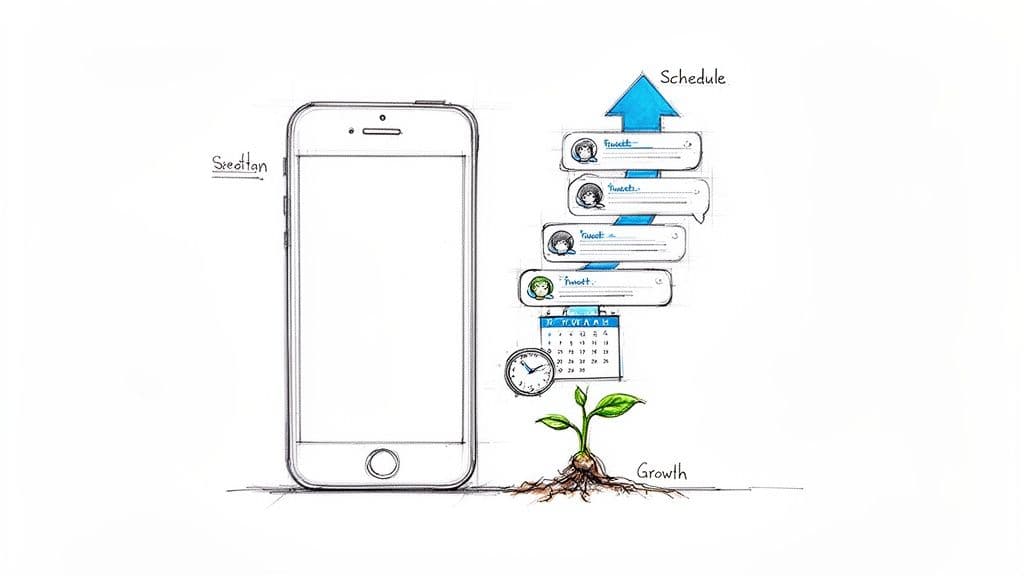
At its core, a Twitter post scheduler is a tool that lets you publish content on X (formerly Twitter) automatically at a time and date you choose. Think of it as your secret weapon for maintaining a consistent presence, hitting your audience's most active hours, and reclaiming a ton of time from manual posting. It turns your social media grind into a well-oiled growth machine.
Why a Twitter Post Scheduler Is a Growth Multiplier
Ever feel like you have to be glued to X just to stay relevant? You’re not alone. The platform’s algorithm loves consistency and frequent engagement, but that relentless demand is a fast track to burnout for creators and brands trying to do it all by hand.
This is exactly where a scheduler becomes less of a simple tool and more of a core part of your strategy.
It's about more than just saving time. Strategic scheduling is what fuels real audience engagement. You can get into a creative flow and batch-create a week's worth of content at once, then set it to go live precisely when your audience is most likely to see and interact with it—even if that’s at 2 AM on a Saturday.
Achieving Optimal Posting Frequency
Growing on X means hitting a high posting volume without your quality dropping off a cliff. For most brands, the sweet spot is posting 3-5 times per day. That’s a staggering 21-35 posts every single week.
Trying to manage that manually is not just a headache; it's a nearly impossible pace to maintain for anyone who isn't a full-time social media manager.
A twitter post scheduler makes this goal totally manageable. It turns your content strategy from a daily scramble into a smooth, automated process. This kind of consistency tells the X algorithm that you're an active, valuable account, which is a key factor in boosting your visibility and growing your follower count.
A scheduler isn't just a queue. It’s a content pipeline. It frees you from the tyranny of the "post" button so you can focus on what really matters: talking with your community, refining your strategy, and actually creating great content.
To see the difference in black and white, let's compare the two approaches.
Manual Posting vs Scheduled Posting: A Quick Comparison
| Aspect | Manual Posting | Using a Twitter Post Scheduler |
|---|---|---|
| Time Investment | High daily effort; constant monitoring required. | Low daily effort; batch work in focused blocks. |
| Consistency | Often inconsistent; prone to missed posts. | Highly consistent; posts go out on a set schedule. |
| Peak-Time Posting | Difficult to hit global time zones or off-hours. | Effortless; schedule posts for any time, any day. |
| Strategic Planning | Reactive; difficult to plan long-term campaigns. | Proactive; easily plan content weeks or months ahead. |
| Burnout Risk | Very high; the "always-on" pressure is draining. | Low; frees up mental space for creative work. |
| Content Quality | Can suffer due to rushed, last-minute posting. | Generally higher quality due to planned batch creation. |
The takeaway is clear: scheduling gives you a strategic advantage that manual posting just can't match.
The Strategic Edge of Automation
When it comes down to it, a scheduler gives you a massive strategic edge. You can map out entire campaigns, perfectly time your posts with product launches or live events, and maintain a balanced content mix that keeps your feed from getting stale. You're guaranteeing your brand is always part of the conversation, solidifying your presence.
This level of planning and automation is fundamental to modern marketing. To see how other advanced tools can drive growth, checking out a list of the Top 9 AI Marketing Software can offer some valuable perspective. By automating the repetitive tasks, you're buying back the time and mental energy you need for genuine strategic thinking and community building.
Selecting the Right Twitter Post Scheduler
Picking a Twitter post scheduler is a big deal. The right tool can feel like a partner in your growth, but the wrong one will just get in your way. There are a ton of options out there, and it’s easy to drown in endless feature lists. The trick is to look past the marketing fluff and focus on what actually helps you succeed on a platform like X.
Your real goal isn't just to put posts in a queue; it's to create better content, faster. That's why the content editor itself is one of the most important things to check out. Does it feel natural to use? Can you easily write, edit, and see exactly how your posts will look on the live timeline?
If you find yourself constantly fighting with a clunky interface just to format a post, the tool has already failed—it’s slowing you down instead of speeding you up.
Evaluating Core Functionality
Before you pull out your credit card, you need to make sure the tool nails the essentials for X. The platform is all about fast-moving, multi-part conversations, and your scheduler has to keep up.
Here’s what I always look for:
- Thread Creation: How good is it at building threads? You need to be able to easily create and schedule threads with up to 25 posts. The best tools make this feel intuitive, not like a feature that was tacked on at the last minute.
- Polls and Media: Can it handle native polls? What about posts with multiple images, a video, and a GIF? These are standard content types on X, and your scheduler needs to support them flawlessly.
- User Interface: Is the calendar actually useful? A good visual calendar lets you see your whole week or month at a glance. Can you drag and drop posts to quickly reschedule them? Life happens, and you'll need that flexibility.
These are the absolute basics. If a tool can’t handle these well, no amount of fancy "AI-powered" extras will make it worth your time.
Your scheduler should simplify complexity, not add to it. The best platforms are designed with the specific nuances of X in mind, making advanced formats like threads and polls feel just as easy as scheduling a single post.
Beyond Scheduling to Strategic Growth
The truly great schedulers do more than just publish your posts. They give you the data and insights to make your entire strategy smarter. This is what separates a simple utility from a genuine growth platform. To get a better sense of the market, it's worth exploring the best tools for social media content creation to see how schedulers fit into the bigger picture.
Look for intelligent features that help you improve your content before it even goes live. For example, some of the more advanced tools will analyze your draft and give you a predicted engagement score or tell you if your tweet is easy to read.
Getting that kind of feedback in real-time is incredibly valuable. As you research, you can also check out other social media scheduling tools to see how different platforms handle these advanced features. At the end of the day, you want a tool that doesn’t just automate the busywork, but actually helps you post content that connects with people and gets real results.
Building Your Content Workflow for Peak Efficiency
Having a powerful Twitter post scheduler is one thing, but knowing how to build a smart system around it is what really saves you time and scales your impact. A solid content workflow stops you from scrambling to post every day and instead puts you in a proactive, streamlined rhythm. It’s all about creating a content pipeline that works for you, not the other way around.
The first mental shift is to ditch the "one-off" post. Try dedicating a focused block of time—maybe a couple of hours on a Monday morning—to plan and draft your content in batches. This lets you get into a real creative flow, which almost always leads to higher-quality posts and a more consistent voice for your brand.
Before you can even get to batching, you need the right tool. This is where a clear selection process comes in handy.
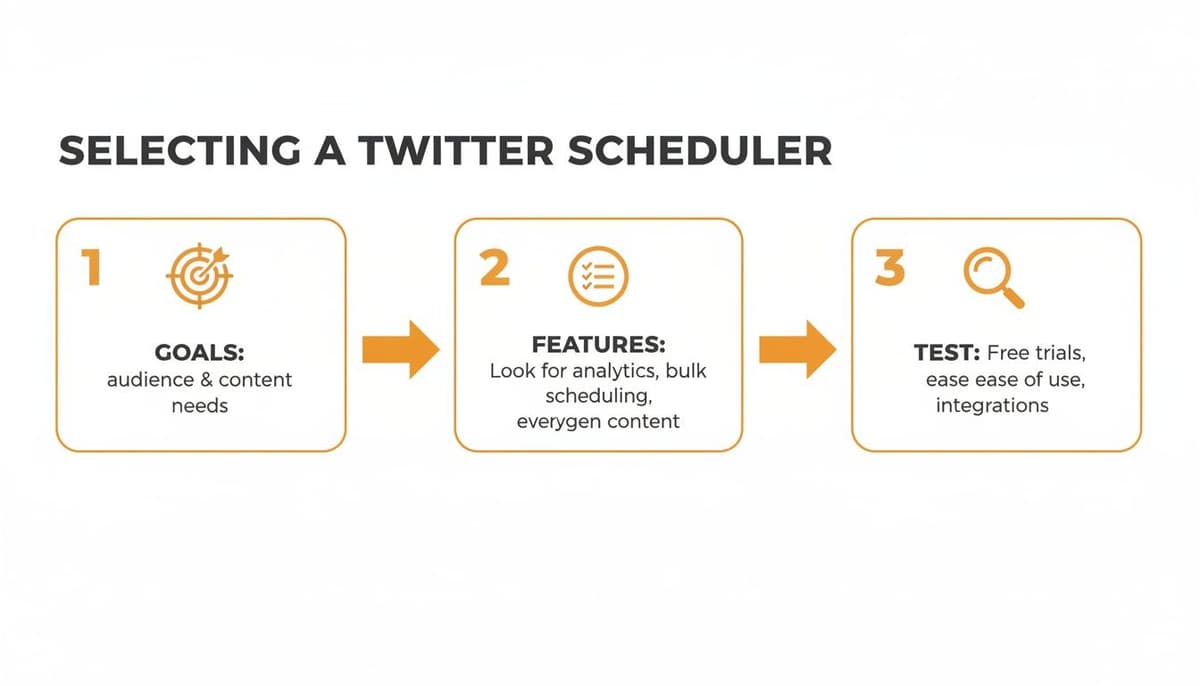
As you can see, it starts with your goals, moves to the features you need, and ends with actually testing the tools. Choosing a platform that supports an efficient workflow from the very beginning is the foundation of everything else.
Establishing Your Content Pillars
To make batching work without pulling your hair out, you need some structure. This is where content pillars come in. These are simply the 3-5 core themes or topics your account consistently talks about.
Let’s say you’re a freelance graphic designer. Your pillars might look something like this:
- Educational Content: Quick design tips, tutorials, and common mistakes to avoid.
- Promotional Content: Showcasing recent client work and talking about your services.
- Community Engagement: Posing questions to your audience and sharing industry news.
- Behind-the-Scenes: A peek into your creative process or your workspace.
Once you’ve defined these pillars, you have a ready-made framework for your content calendar. You can even create reusable templates for each pillar right inside your scheduler. For a promotional post, a template might include a specific call to action and a placeholder for a portfolio link, saving you from rewriting the same things over and over. This system keeps your content mix balanced and saves you from that dreaded feeling of staring at a blank screen.
A great workflow isn’t about being rigid; it’s about creating a flexible system that removes friction. When you have pillars and templates, you’re not starting from scratch every time—you’re building on a solid foundation.
Centralizing Your Content Creation
Think of your Twitter post scheduler as the command center for all your content. Get into the habit of using its draft feature as your primary workspace for writing, editing, and polishing your posts. Many modern tools even come with AI assistants that can help you sharpen a weak hook, suggest relevant hashtags, or check for readability, all without leaving the platform.
This centralized approach keeps you organized and prevents half-finished ideas from getting lost in random Google Docs or notes on your phone. When everything is in one place, you can see your entire schedule at a glance, easily drag and drop posts to different days, and make sure every tweet aligns with your bigger strategy.
This kind of efficiency is a game-changer for creators and agencies. The time savings alone are massive; top tools can save teams hours every single week by enabling bulk scheduling and simplifying approval workflows. The days of manually trying to time the optimal 3-5 posts per day are long gone. With 42% of users checking the platform daily, schedulers ensure your content shows up when it matters most. You can find more insights on how these tools improve social media workflows on SocialRails.com.
Mastering Advanced Scheduling and Automation
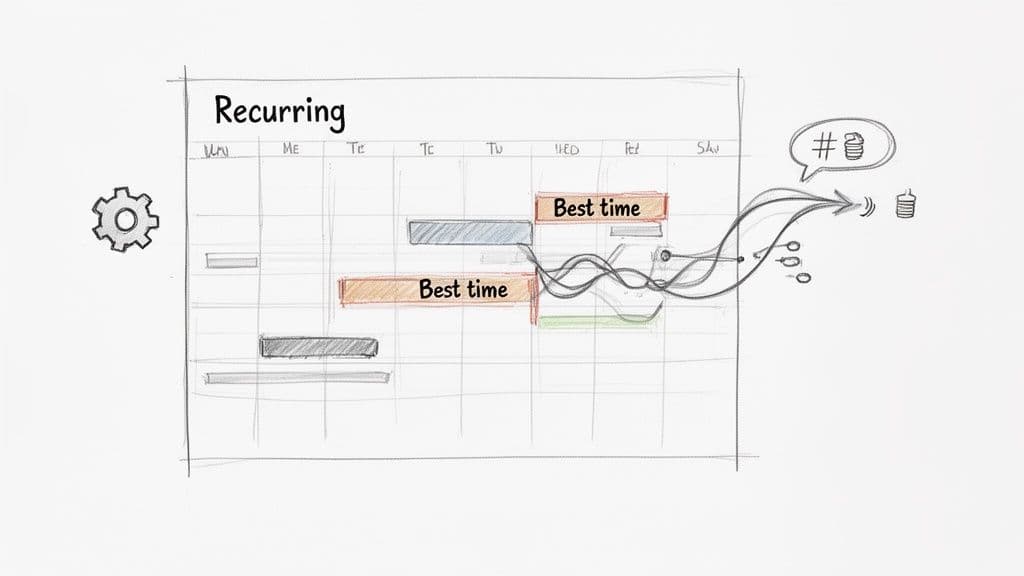
Once you've got a comfortable workflow, it's time to dig into the features that really separate a basic Twitter post scheduler from a powerful growth engine: advanced automation. This is where the magic happens. You’ll move from just queuing up posts to using smart, data-driven tools that boost your content’s reach and impact.
Think of the visual calendar as your command center. A high-quality scheduler gives you that bird's-eye view of everything planned for the week or month. It lets you instantly spot gaps, ensure you're balancing different content pillars (like educational, promotional, and behind-the-scenes), and avoid sounding like a broken record.
Using Intelligent Posting Times to Your Advantage
One of the most valuable automation features you'll find is a "best time to post" algorithm. Let's be honest, guessing when your audience is most active is a shot in the dark. These tools take the guesswork out of the equation by analyzing your specific follower data to identify the golden hours when they’re scrolling, liking, and replying.
Leaning on this data is a total game-changer for engagement. It ensures your most important content—like a product launch or a big announcement—gets in front of the maximum number of people.
For your evergreen content (think timeless tips, core brand messages, or popular blog posts), recurring slots are your best friend. This lets you automatically re-share your greatest hits at set intervals. It's a "set it and forget it" strategy that keeps valuable content circulating to new followers without you lifting a finger.
Here are a couple of real-world examples:
- Weekly "Pro-Tip" Post: Set up a recurring slot that pulls from a library of your best tips and posts one every Tuesday at 8:45 AM.
- Monthly Performance Recap: Schedule a post to share a key win or case study on the last Friday of every month.
This simple automation keeps your feed active and your brand visible, even when you're swamped with other work.
Automating Threads, Hashtags, and Other Formats
A good scheduler knows X (Twitter) isn't just about single 280-character posts. The ability to build, edit, and schedule entire threads in advance is a massive time-saver. You can map out a detailed story, a step-by-step tutorial, or a deep dive on a topic—complete with images, links, and GIFs for each part—and schedule it to post flawlessly.
Many tools also offer smart features like auto-hashtag suggestions. Based on the text of your post, they'll recommend relevant and trending hashtags to help you reach conversations happening outside your immediate circle of followers. You can even set up and schedule native polls to spark conversation and get direct feedback from your community.
To see how these features directly tie into your growth, let's break down the most common ones.
Key Automation Features and Their Impact on Growth
This table shows how specific automation tools found in schedulers can directly influence key growth metrics for your account.
| Automation Feature | How It Works | Primary Growth Impact |
|---|---|---|
| Best Time to Post | Analyzes your unique follower activity to find peak engagement windows and publishes content then. | Higher Engagement Rate. Posts get more likes, replies, and reposts by reaching the most active users. |
| Recurring Queues | Automatically re-publishes pre-approved evergreen content at set intervals (e.g., every 7 days). | Consistent Follower Growth. Keeps your feed active and valuable, attracting new followers over time. |
| Auto-Hashtagging | Suggests relevant and trending hashtags based on the content of your post. | Increased Reach & Impressions. Your content gets discovered by users following those specific hashtags. |
| Thread Scheduling | Allows you to compose and schedule multi-part threads that post automatically in sequence. | Deeper Audience Connection. Enables long-form storytelling that builds authority and keeps users engaged longer. |
| First Comment | Automatically adds a first comment to your post, often used for adding links to avoid algorithm penalties. | Improved Click-Through Rate (CTR). Drives more traffic to your website or landing pages without hurting initial reach. |
By building these automated processes into your strategy, you move from simply managing your content to actively optimizing it for performance.
Automating the right features turns your content strategy from an art into a science. You're no longer just posting—you're strategically deploying perfectly timed content designed to get results.
When you master these capabilities, your Twitter post scheduler becomes an indispensable part of your team. It handles the tedious, repetitive work, allowing you to focus your energy on what really matters: creating great content and having real conversations with your community.
Use Analytics to Optimize Your Strategy
Pushing out scheduled content is one thing, but real growth happens when you let data guide your next move. A good Twitter post scheduler does more than just publish your posts; it gives you the analytics to figure out what’s actually connecting with people and why. This feedback loop is what separates a static content plan from a dynamic, results-focused strategy.
Forget obsessing over vanity metrics like your follower count. The real story is in the numbers that signal genuine engagement and impact.
To get started, you need to pinpoint your top-performing content. Hunt for the posts that sparked conversations, earned a ton of link clicks, or drove a spike in profile visits. These are your content goldmines.
Find the Patterns in Your Best Content
Once you've found your winners, don't just give yourself a high-five—put them under a microscope. You need to ask the right questions to understand the 'why' behind their success. For a complete rundown, this guide on understanding your Twitter account analytics is a great place to start digging into the metrics that truly matter.
Look for the common threads that tie your best posts together:
- Format: Are videos killing it, or do simple text-based threads get more replies?
- Hook: What’s the common denominator in your opening lines? Do you get more traction starting with a question, a bold claim, or a surprising stat?
- Topic: Which of your main content pillars consistently gets the most love from your audience?
- Time: Is there a magic window? Maybe weekend mornings are outperforming weekday afternoons.
Answering these questions gives you a data-backed roadmap. You’re no longer just guessing what your audience wants to see; you’re serving them more of what they’ve already told you they love.
A/B Test for Constant Improvement
With these insights in hand, you can start running small experiments. This is where your scheduler’s analytics dashboard really shines. For instance, you could post a similar idea but with two different hooks—one framed as a question, the other as a direct statement—and measure which one performs better.
True optimization isn't a one-and-done task. It's an ongoing cycle: post, analyze, learn, and refine. Your scheduler's analytics are the engine that powers this whole process.
The payoff for this data-driven approach is huge. While typical organic posts on X might get a 0.5%-1% engagement rate, brands using schedulers to maintain a consistent presence often see a significant bump in interactions.
Think about it: retweets make up a whopping 50% of all interactions on the platform. And with 125 million hashtags flying around every single day, using a scheduler to nail your timing can make all the difference. For more on this, check out this Twitter marketing strategy guide for 2025. This feedback loop turns your scheduler from a simple publishing tool into the command center for your entire growth strategy.
Got Questions About Twitter Schedulers? Let's Clear Them Up.
Jumping into automation with a Twitter post scheduler always stirs up a few questions. That's a good thing. It's smart to know exactly what you're getting into before you change up your workflow and commit to a new tool.
Let's tackle some of the most common worries I hear, so you can start scheduling with confidence.
"Will Using a Scheduler Hurt My Engagement?"
This is probably the number one concern, and it’s a fair question. But the short answer is no, it won’t—provided you use it thoughtfully.
The X algorithm doesn't see a post published by a third-party tool and automatically penalize it. What it really cares about is the quality of your content and how people react to it. A good scheduler is designed to help you post better content at the best possible times, which can actually give your engagement a serious boost.
"Will This Make My Account Seem Robotic?"
This one comes down to the person, not the platform. Your Twitter post scheduler is just the delivery truck; you're still the one packing the boxes. If you load it up with generic, bland, or overly promotional content, then yes, your account will feel robotic.
The trick is to use the time you save on posting to be more human.
- Batch your creative work. Dedicate a block of time to writing a week's worth of genuinely interesting posts that sound like you.
- Show up in real-time. With your content publishing automatically, you’re free to jump into conversations, reply to comments, and engage with others as things happen.
- Keep things interesting. Don’t just schedule links to your blog. Plan out questions, run polls, and share behind-the-scenes content that reveals a bit of personality.
A scheduler should free you up to focus on genuine connection, not turn you into an automaton.
The point of scheduling isn’t to "set it and forget it." It’s to "set the content, then engage with the community." The tool handles your consistency, but you still have to provide the authenticity.
"Can a Scheduler Handle Threads, Polls, and Videos?"
A great technical question. While most modern schedulers are pretty solid, their capabilities definitely vary. The best ones are built from the ground up to handle everything X can throw at them.
Before you commit, make sure any tool you're considering can manage the content you actually create. For instance, a top-tier Twitter post scheduler will let you build and schedule complex threads—even up to 25 tweets long—and allow you to add images or GIFs to each tweet in the sequence.
It should also have no trouble with native polls, videos, or posts with multiple images. The official API gives these tools access to all the good stuff, so a quality scheduler will make creating this content feel seamless. Always use a free trial to test these specific features for yourself.
"What If I Want to Post Something Spontaneously?"
Go for it! Using a scheduler doesn't lock you out of your account. You can, and absolutely should, post on the fly whenever a great idea hits or a topic starts trending.
Think of it this way: your scheduled content is your baseline, the steady drumbeat that keeps your account active and your audience engaged. Your spontaneous posts are the timely, relevant riffs that show you’re paying attention. They work together perfectly to build a content strategy that’s both consistent and dynamic.
Ready to put these answers into action? MicroPoster has all the advanced scheduling and automation features you need to grow on X without losing your authentic voice. Start your free trial today and see how easy it is to publish smarter, not just more often.