
social media post scheduler
Your Guide to a Smarter Social Media Post Scheduler
Discover how a social media post scheduler can transform your workflow. Learn key features, proven strategies, and how to choose the right tool to save time.
Ever feel like you're chained to your phone, constantly trying to keep up with the demand for fresh social media content? A social media post scheduler is your key to breaking free. It's a tool that lets you prepare and schedule your posts to go live automatically at a later time.
What Is a Social Media Post Scheduler
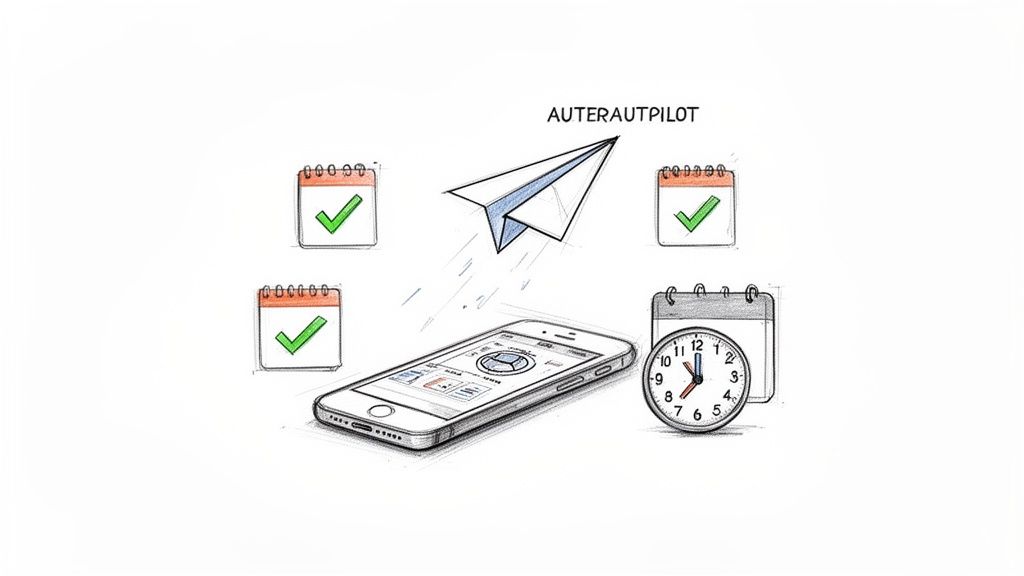
Think of a scheduler as your personal content autopilot. Instead of the daily scramble to come up with something witty or insightful on the spot, you can plan, write, and load everything up in one go. It’s the difference between manually piloting a plane through a long flight and letting the autopilot take over while you focus on the destination.
This directly solves one of the biggest headaches for anyone trying to build an audience: the relentless need for consistency. To stay relevant and keep your followers engaged, you have to show up regularly, especially during the peak hours they're online. On fast-paced, text-heavy platforms like X (formerly Twitter), Bluesky, and Mastodon, this can mean posting several times a day just to stay in the conversation.
The Power of Automated Consistency
Trying to manage that kind of schedule manually is a recipe for burnout. A post scheduler changes the game entirely by enabling you to batch your work. You can set aside a few hours on a Monday to create an entire week's worth of content. Once it's all written, you just load it into the scheduler, pick the dates and times for each post to go live, and you're done. The tool takes it from there.
This simple shift frees you from the daily content treadmill. Now you have time to focus on what really matters—like engaging with your community, refining your strategy, or just taking a well-deserved break. You’ll never have to stress about missing the best time to post or having your account go quiet just because you're busy.
The core benefit is simple: A social media post scheduler transforms your social strategy from a reactive, daily chore into a proactive, manageable system.
Ever since platforms like Twitter first launched back in 2006, brands and creators have been wrestling with this constant demand for new content. Today, these tools are no longer a luxury; they're essential. The global social media management market is even projected to hit $39.14 billion by 2026. You can discover more insights about the social media scheduling market to see just how critical these platforms have become.
To see the difference clearly, let’s quickly compare the old way with the new way.
Manual Posting vs Scheduled Posting at a Glance
| Aspect | Manual Posting | Using a Post Scheduler |
|---|---|---|
| Consistency | Inconsistent; depends on daily availability. Prone to gaps. | Highly consistent; posts go out on a set schedule, day or night. |
| Time Management | Reactive and time-consuming. You post "in the moment." | Proactive and efficient. You can "batch" a week's content in one session. |
| Stress Level | High. Constant pressure to create and post throughout the day. | Low. Set it and forget it, freeing up mental space for other tasks. |
| Strategic Focus | Difficult. Too busy with daily tasks to see the bigger picture. | Easy. Frees up time to analyze performance and plan long-term. |
| Peak Hours | Often missed if they fall outside your working hours or time zone. | Never missed. You can schedule posts for any time, anywhere. |
As the table shows, a scheduler isn't just a convenience—it's a strategic advantage that gives you back your time and sanity.
Who Needs a Post Scheduler?
Honestly, a scheduler is a must-have for anyone serious about growing an online presence. It's not just a tool for big corporations with massive marketing teams. It’s an absolute game-changer for:
- Creators and Influencers: To maintain a steady stream of content while juggling video production, brand deals, and other projects.
- Small Businesses: To build brand awareness and connect with customers without needing a full-time social media manager.
- Marketing Agencies: To seamlessly manage dozens of client accounts from a single, organized dashboard.
Ultimately, a social media post scheduler helps you work smarter, not harder. It ensures your voice is consistently heard, even when you’re not the one pressing "publish."
Why Some Schedulers Just Don't Work for Text-First Platforms
Let's be honest: not all social media post schedulers are built the same. A lot of the big names on the market were born in an era dominated by Instagram and Pinterest. Their DNA is fundamentally visual, designed around scheduling a single, perfect image or video.
But when you try to use these image-first tools for text-heavy networks like X, Bluesky, or Mastodon, things get awkward. Fast.
It’s like trying to write a novel in a photo editor. Sure, you can probably type words in a text box, but the tool is fighting you every step of the way because it wasn't made for that. Generic schedulers often bolt on support for microblogging as an afterthought, and for creators who live and breathe by the written word, that friction is a huge problem.
This mismatch isn't just a minor annoyance; it creates real roadblocks that can slow your growth and turn content management into a tedious chore.
The Problem with One-Size-Fits-All Tools
One of the most glaring issues is how they handle clunky thread creation. Threads are the lifeblood of text-first platforms, allowing you to tell a story or unpack a big idea piece by piece. Yet, many generic schedulers make building them a painful, disjointed process. You end up pasting chunks of text into separate boxes, with no real preview of how the final thread will flow.
Then there are the formatting errors. Each platform has its own quirks—character limits, the way it handles links, and how it formats mentions. A one-size-fits-all scheduler often stumbles here, leading to broken links, posts that get awkwardly cut off, or mentions that fail to ping the right person. These little mistakes chip away at your credibility and make your content look sloppy. The nuances of different text-based social platforms demand a smarter tool.
A scheduler built for text understands that a post is more than just a caption for an image—it's the main event. It respects the unique grammar and etiquette of each platform, from character counts to community norms.
Missing the Features That Actually Matter
Beyond the basics of just getting a post out, generic tools are missing the specialized features that actually drive conversation and engagement on text networks. A purpose-built social media post scheduler for microblogging should feel like an extension of the platform itself.
Here are a few key features that are often absent in generic, image-first schedulers:
- Native Polls: The ability to create and schedule engaging polls directly from the scheduler, not just post a text question.
- Advanced Community Posting: Support for features like posting directly to specific X Communities, which is crucial for niche engagement.
- Nuanced Analytics: Data that goes beyond simple likes and retweets to focus on text-specific metrics, like the virality of your replies.
At the end of the day, using an image-focused scheduler for a text-first platform like X or Bluesky is like fighting with one hand tied behind your back. A specialized tool is designed to work with you, respecting the power of text and giving you the features you need to create better content and build a more loyal community.
What to Look For in a Powerful Post Scheduler
Forget the simple "set it and forget it" tools of the past. A modern social media post scheduler is your strategic command center. It’s not just about pushing posts out on a schedule; it’s about making every single post smarter, sharper, and more effective. To pick a tool that actually helps you grow—not just one that saves you a few minutes—you need to know what features truly matter.
And the demand for these tools is exploding for a reason. The social media automation market hit a staggering $4.5 billion in 2024 and is projected to race past $12.8 billion by 2033. Why? Because 5.42 billion people are spending nearly 2.5 hours scrolling every single day. Cutting through that noise requires more than just showing up; it requires a strategy powered by the right tech. You can see the full rundown of social media automation trends to get a sense of just how big this is.
An Advanced Content Editor
A great scheduler’s editor should feel less like a simple text box and more like a creative sparring partner. Don't settle for the basics.
- AI-Powered Suggestions: The best editors now use AI to help you find a stronger hook, tweak your tone, or even brainstorm post ideas from a single thought.
- Virality and Readability Scores: Imagine getting instant feedback on how likely your post is to take off or how easy it is to read. That's what a top-tier tool provides.
- Integrated Hashtag and Poll Creation: You shouldn't have to leave the editor to build out a native poll or find the right hashtags. Everything should be in one seamless interface.
This shifts your writing process from a guessing game to a data-backed creative exercise.
Cross-Platform Formatting
One of the most tedious parts of managing social media is tweaking the same post for different platforms. A truly powerful scheduler completely gets rid of this headache. No more manually shortening a post for X, then reformatting it for Bluesky, then adjusting it again for Mastodon.
Key Takeaway: The goal is to write your core message once. The tool should then automatically handle the rest—adjusting character counts, link formats, and @mentions to perfectly fit the native rules of each network. This alone can save you hours every week.
A Visual Content Calendar
Your strategy doesn't feel real until you can see it laid out. A visual, drag-and-drop calendar is an absolute must-have. It’s how you map out your content for the coming weeks and months, making sure you have a healthy mix of promotional content, helpful tips, and community engagement.
It lets you spot gaps in your schedule at a glance and helps you maintain a consistent, reliable presence without constant effort. For anyone managing multiple accounts, this isn't just a feature; it's mission control. We dig deeper into this in our complete guide to scheduling tools for social media.
Actionable Analytics and Smart Automation
Finally, a scheduler needs to close the loop. It should not only post your content but also tell you what worked and then help you act on that information.
- Actionable Analytics: Forget vanity metrics like raw follower counts. You need analytics that explain why something worked. Look for insights on the absolute best times to post based on your audience's activity, which topics they love, and how your engagement is trending.
- Smart Automation Rules: This is where the real magic happens. A great tool lets you set up rules to automatically retweet or re-share your best-performing evergreen content. Your top posts get in front of new followers, and you don’t have to lift a finger.
How to Build an Efficient Scheduling Workflow
Having a great social media post scheduler is one thing, but building a smart, repeatable workflow is what really moves the needle. When you have a solid system, content creation stops being a daily scramble and becomes a strategic part of your week, giving you back precious time to focus on actually growing your audience.
The secret to an efficient system? Content batching. Seriously, this is a game-changer. Set aside a specific block of time—maybe a few hours on a Monday morning—and write all of your social media content for the week, or even the whole month. It’s the difference between a focused creative sprint and a daily, frantic search for ideas.
Once all your posts are written, it’s time to lay them out visually. This is where your scheduler’s calendar view really shines.
Map Your Content on the Calendar
Spreading your batched posts across a visual calendar lets you see the bigger picture. You can drag and drop posts to make sure you have a healthy mix of content going out each day. It’s the best way to avoid accidentally posting three promotional updates in a row or forgetting to share a community-focused post all week.
This high-level view helps you tell a consistent story and keeps your feed from feeling stale or repetitive. Think of it like meal prepping for the week instead of figuring out what to cook three times a day—it’s way more strategic and a lot less stressful. The results can be pretty dramatic, too. One case study showed that using dedicated social media scheduling software led to a 40% increase in Substack growth in just 30 days.
A well-mapped content calendar isn't just about filling slots. It's about being intentional with your communication, making sure you're delivering the right blend of educational, entertaining, and promotional content.
This simple graphic nails down the core process into three clear steps.
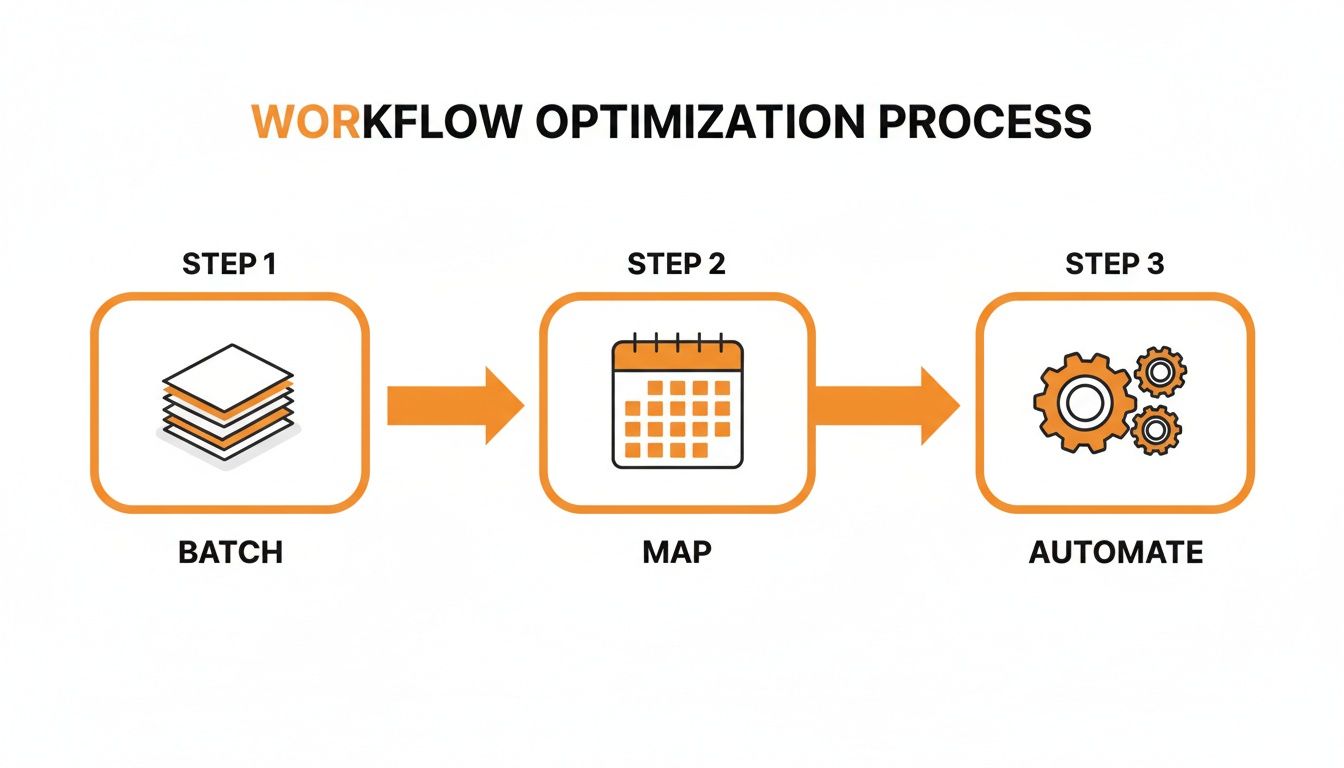
You can see how batching your content, mapping it out, and then letting automation take over creates a smooth, repeatable system that just works.
Use Automation and Content Buckets
Ready to take your workflow to the next level? Start organizing your evergreen content into content buckets (some tools call them categories). These are just themed collections of posts you can reuse, like "Industry Tips," "Success Stories," or "Behind-the-Scenes Fun."
Once you have your buckets set up, you can create simple automation rules. For example, tell your social media post scheduler to grab one post from your "Industry Tips" bucket every Tuesday and one from "Success Stories" every Thursday. This trick intelligently fills the gaps in your content calendar, keeping your profiles active with great stuff even when you're swamped. It’s how you scale your content strategy without burning out.
Using Your Scheduler for Real Organic Growth
A social media post scheduler is much more than a time-saving gadget; it’s a powerful engine for learning and genuine growth. Once you move past simply loading up a queue, you can tap into its features to build a real competitive advantage. With a few smart strategies, the tool starts working for your growth, not just your calendar.
The most successful creators I know use their schedulers to figure out what their audience truly wants. They treat every scheduled post as a tiny experiment. When you adopt this mindset and pair it with the right tactics, the results can be massive. For instance, one focused experiment using dedicated social media scheduling software drove a 40% increase in Substack growth in just 30 days.
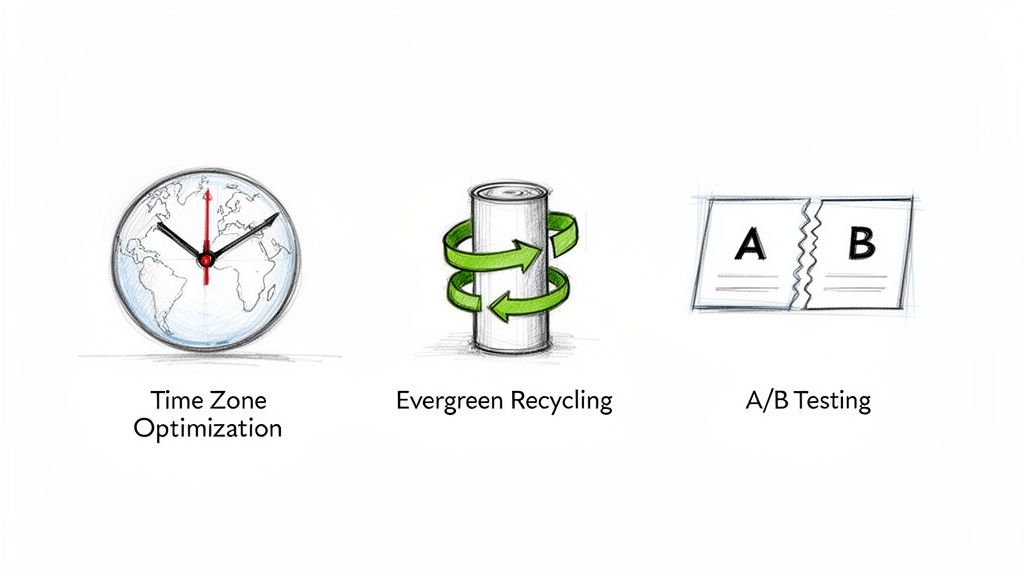
That kind of success doesn't happen by accident. It comes from a deliberate, data-backed strategy. Let's dig into three key tactics that can turn your scheduler from a simple assistant into a true growth partner.
Optimize for Every Time Zone
If you have an audience that spans the globe, posting only during your 9-to-5 means a huge chunk of your followers will never see your content. A scheduler makes time zone optimization incredibly simple.
Forget posting at 9 AM your time every single day. Instead, figure out the peak activity hours for your key audience regions—maybe North America, Europe, and Asia. From there, you can schedule unique posts or re-share successful content to go live right in those prime-time windows. It's a simple way to make sure your posts land at the top of their feeds when they're actually online and scrolling.
Recycle Your Evergreen Content
Your best content deserves more than one shot at glory. You're gaining new followers every day, and they've almost certainly never seen that killer post you wrote six months ago. This is where evergreen content recycling becomes your best friend.
Most schedulers let you build a content library or a recurring queue for your best, most timeless posts. You can then set rules to automatically re-share this content every so often, ensuring it’s constantly reaching a new audience with zero extra work from you.
A/B Test Your Posts with Analytics
Finally, a scheduler with built-in analytics is your secret weapon for making smarter content decisions. You can use it to run simple A/B tests all the time. For example, take one core idea and schedule two different versions of it:
- Post A: Use a straightforward, direct hook.
- Post B: Frame the same idea with a question.
Schedule them to go out at similar times on different days, then pop into your analytics. Which one got more likes, clicks, or replies? Over time, these small tests give you invaluable data on the exact language, formats, and topics that light up your audience, letting you fine-tune your strategy with real-world proof.
Getting Started with Your First Scheduler
Alright, we’ve covered a lot of ground. You now have a solid game plan for taking back control of your social media. Think of a social media post scheduler as your personal content autopilot—it’s the key to ditching the daily grind while keeping your profiles active and engaging. You know what features matter and how to build a workflow that actually drives growth.
So, what's next? It’s time to jump in and get your hands dirty. Choosing the right tool isn’t about finding the one with the longest feature list; it’s about finding the one that just clicks with how you work. And the only way to figure that out is to try a few.
Take the Leap with a Free Trial
Almost every scheduler worth its salt offers a free trial, and you should take full advantage of it. This is your no-risk opportunity to test drive the interface. How does the content editor feel? Is the scheduling calendar a breeze to use or a total headache? A tool can have all the power in the world, but if using it feels like a chore, you won’t stick with it.
Here's your goal for any trial period: Can you sit down and comfortably plan out a week's worth of content without constantly reaching for the help guide? If the answer is yes, you're on the right track.
While you're testing things out, pay attention to the little things. How responsive is their customer support? Are their tutorials and guides actually helpful? A company that invests in getting you up and running smoothly is a company that's serious about your success. When you're ready to start exploring options, checking out tools like Chromesocial can give you a good feel for the features available on the market.
At the end of the day, picking a scheduler is a real investment in your brand and your sanity. It’s the first step toward building your community more effectively, connecting with your audience on your own terms, and finally getting some of your valuable time back.
Got Questions? We've Got Answers
Let's clear up a few common questions that pop up when people start thinking about using a social media post scheduler. Getting these sorted will help you feel much more confident about making the leap.
Will Using a Scheduler Hurt My Engagement?
This is probably the biggest myth out there, and the short answer is no. Social media platforms care about two things above all else: quality content and consistent posting. A good scheduler actually helps you nail both of these by making sure your best stuff goes live exactly when your audience is ready for it.
What really drives engagement is the value you provide, not whether you hit "publish" manually. Think about it: by taking the daily pressure off, a scheduler frees you up to spend more time creating amazing content and actually talking to your community. That's a huge win.
How Far in Advance Should I Schedule Posts?
I've found the sweet spot is about 1-2 weeks in advance. This gives you a solid buffer, so your accounts don't go silent just because you get swamped with other work. It’s the perfect balance between being prepared and staying agile.
Scheduling a week or two out creates a reliable stream of content. More importantly, it leaves you plenty of room to jump on trending topics or share something spontaneous without scrambling. You can even create a queue of evergreen posts to automatically fill any gaps that pop up.
Can I Still Post Spontaneously?
Of course! In fact, you absolutely should. The most effective social media strategies mix planned content with in-the-moment posts. Your social media post scheduler is there to handle your foundational content—the posts that keep the lights on and your audience engaged every single day.
This baseline of scheduled content acts as your safety net. It gives you the freedom to dive into real-time conversations, react to breaking news, or share a cool behind-the-scenes thought without worrying that your feed will go dry. It’s not about being rigid; it’s about being smart.
Ready to stop treating your social media like a daily chore and start using it as a strategic tool? MicroPoster was built from the ground up for creators on X, Bluesky, and Mastodon. Give the free trial a spin and see for yourself how a scheduler designed for text-first platforms can help you publish smarter and faster. Try MicroPoster today!


