
scheduling tools for social media
Top Social Media Scheduling Tools for 2026 to Maximize Reach
Discover the top 12 scheduling tools for social media in 2026. Compare features, pricing to automate your workflow & grow your audience.
If you're a creator, founder, or social media manager, you know the drill: write a great post, then spend the next hour manually copying, pasting, and reformatting it across multiple platforms. This content hamster wheel is exhausting, unsustainable, and a major barrier to real growth. The secret to breaking free isn't just posting less; it's working smarter.
The right scheduling tools for social media don't just queue up posts. They automate the tedious parts, adapt your content for each platform, and give you back your most valuable asset: time. To truly escape the social media treadmill and maximize your reach, understanding how to automate social media posts is crucial. This guide provides a detailed roadmap to finding the perfect tool for your specific needs.
We're going beyond generic feature lists to provide a real-world analysis of the top 12 platforms. We’ll examine their specific strengths, honest limitations, and ideal use cases to help you choose the solution that will truly transform your social media workflow. Each review includes direct links and screenshots so you can see the tool in action.
Whether you're managing multiple agency clients, building a brand as an indie hacker, or scaling your creator business, this list has a solution. We'll explore massive enterprise suites, nimble creator-focused tools like MicroPoster for microblogging workflows, and everything in between. Let's find the perfect fit for your goals and budget.
1. MicroPoster
MicroPoster stands out in the crowded field of scheduling tools for social media by focusing on doing one thing exceptionally well: native cross-posting for microblogging platforms. It’s engineered for creators, founders, and small teams who prioritize authentic engagement and want to “write once, publish everywhere” without the content feeling automated. Its core strength lies in its intelligent automation, which detects new posts on a source account and republishes them to X (Twitter), Threads, Bluesky, and Mastodon, automatically adapting the content for each network's unique format.

This isn’t just a simple copy-paste function. MicroPoster auto-splits long updates into native threads, correctly maps user handles and mentions across platforms, and uploads media directly so images and videos appear natively. The result is content that looks and feels like it was manually posted on each platform, preserving the natural flow and context that audiences expect.
Key Strengths and Use Cases
- True Native Crossposting: Where other tools simply push the same text everywhere, MicroPoster intelligently reformats content. This makes it ideal for founders sharing product updates or creators posting thought leadership pieces who need their message to resonate authentically on text-first networks like X and Mastodon.
- Effortless Automation: The "set it and forget it" workflow is a massive time-saver. Simply connect your accounts, designate a source, and the tool handles the rest. New posts are detected within seconds and queued for distribution, perfect for busy indie hackers and solo creators.
- Built-in Content AI: Beyond scheduling, it offers a suite of AI helpers. The CoWriter, readability scoring, and comment analysis tools help you refine your message and extract audience insights without leaving the platform.
- Security and Simplicity: MicroPoster uses official OAuth integrations, meaning you never share your passwords. Its bootstrapped, creator-first ethos is reflected in its simple, transparent pricing and a sharp focus on features that matter to individual users, not bloated enterprise teams.
Pricing and Onboarding
MicroPoster offers a straightforward pricing structure with a 7-day free trial that doesn’t require a credit card.
- Creator Plan: $12 per month for up to 200 smart cross-posts.
- Pro Plan: $29 per month for unlimited cross-posting and advanced features.
The company also runs occasional promotions, like a Spring Sale offering 50% off with a code, making it an even more accessible option. For a deeper dive into its capabilities, you can explore their insights on how to effectively schedule social media posts and maximize your reach.
Why It's Our Top Pick
MicroPoster earns its top spot by providing a highly practical solution for a specific, underserved need. While it doesn't try to be an all-in-one scheduler for every platform, its mastery of the X, Threads, Bluesky, and Mastodon ecosystem is exceptional. It is the definitive choice for anyone whose social media strategy is centered on text-based platforms and who values authenticity and efficiency above all else.
Website: https://microposter.so
2. Buffer
Buffer has long been a go-to for creators and small teams seeking straightforward, effective social media scheduling. Its reputation is built on a clean interface and a user-friendly queue system that simplifies content planning. You simply add posts to your queue, and Buffer publishes them based on a preset schedule, removing the need for manual timing for each individual post.
The platform stands out for its early adoption of newer, text-centric networks. It was among the first major scheduling tools for social media to offer full support for Threads and Bluesky, including post-threading capabilities. This makes it an excellent choice for founders and writers looking to build a presence on these emerging platforms without adding more manual work to their day. Its AI assistant is also a practical tool for quickly repurposing a single idea into multiple captions suited for different social channels.
Key Features & Pricing
- Core Functionality: Visual content calendar, queue-based scheduling, and a simple engagement inbox to manage comments and replies.
- Unique Edge: Strong support for cross-posting and creating threads on newer networks like Threads and Bluesky.
- Best For: Solo creators, writers, and small teams focused on content creation rather than deep analytics.
- Pricing: Starts with a free plan for up to 3 channels. Paid plans begin at $6 per month per channel, which can become costly for agencies managing many brands.
While Buffer's visual calendar is great for planning, understanding the strategy behind it is key. To get the most from it, review the fundamentals of what a content calendar is and how it can organize your entire marketing workflow.
Our Take: Buffer is a fantastic starting point. Its gentle learning curve is ideal for those new to scheduling tools. However, as your needs grow, you may find its analytics and reporting features less robust than more specialized suites. For microblogging-heavy workflows on platforms like X and Bluesky, a tool like MicroPoster offers more focused and powerful native automation.
3. Hootsuite
Hootsuite is one of the original, full-stack social media management platforms, and it remains a powerhouse for teams requiring a single hub for all their social activities. More than just a scheduler, it combines publishing, engagement, analytics, and team collaboration tools into one mature, established ecosystem. Its strength lies in providing a structured environment where multiple users can manage complex social media workflows, from drafting and approval to publishing and reporting.
The platform offers a unified inbox that pulls in messages and comments from Facebook, Instagram, LinkedIn, X, and even WhatsApp, making it a strong choice for businesses that prioritize customer service on social channels. Its built-in listening and analytics tools are also well-regarded, providing insights into brand sentiment, industry trends, and competitor performance, making it one of the most complete scheduling tools for social media available.

Key Features & Pricing
- Core Functionality: Multi-network scheduling with best-time recommendations, a unified social inbox, and built-in social listening features.
- Unique Edge: A mature ecosystem with a large app directory, extensive educational resources, and robust tools for team workflows and ad campaign management.
- Best For: Medium-to-large businesses and agencies that need a single, all-in-one solution for marketing, sales, and support on social media.
- Pricing: Professional plans start at $99 per month. Its enterprise-level features and pricing can be a significant investment for freelancers or small teams.
To maximize Hootsuite's value, teams should dedicate time to learning its deeper features, particularly the Owly-AI writer and analytics dashboards, which can justify the higher cost.
Our Take: Hootsuite is an enterprise-grade workhorse. If your team needs granular permissions, ad boosting, and deep analytics under one roof, it’s a top contender. However, its complexity and cost are overkill for individuals or teams primarily focused on rapid-fire content for microblogging networks. For that specific need, a more focused and affordable tool like MicroPoster will provide a faster, more streamlined experience.
4. Sprout Social
Sprout Social is a powerhouse among scheduling tools for social media, offering an enterprise-grade suite that goes far beyond simple post-publishing. It is designed for larger brands and agencies that require sophisticated reporting, team collaboration, and deep market insights. The platform integrates scheduling with advanced analytics, social listening, and customer care functionalities, all within a unified interface.
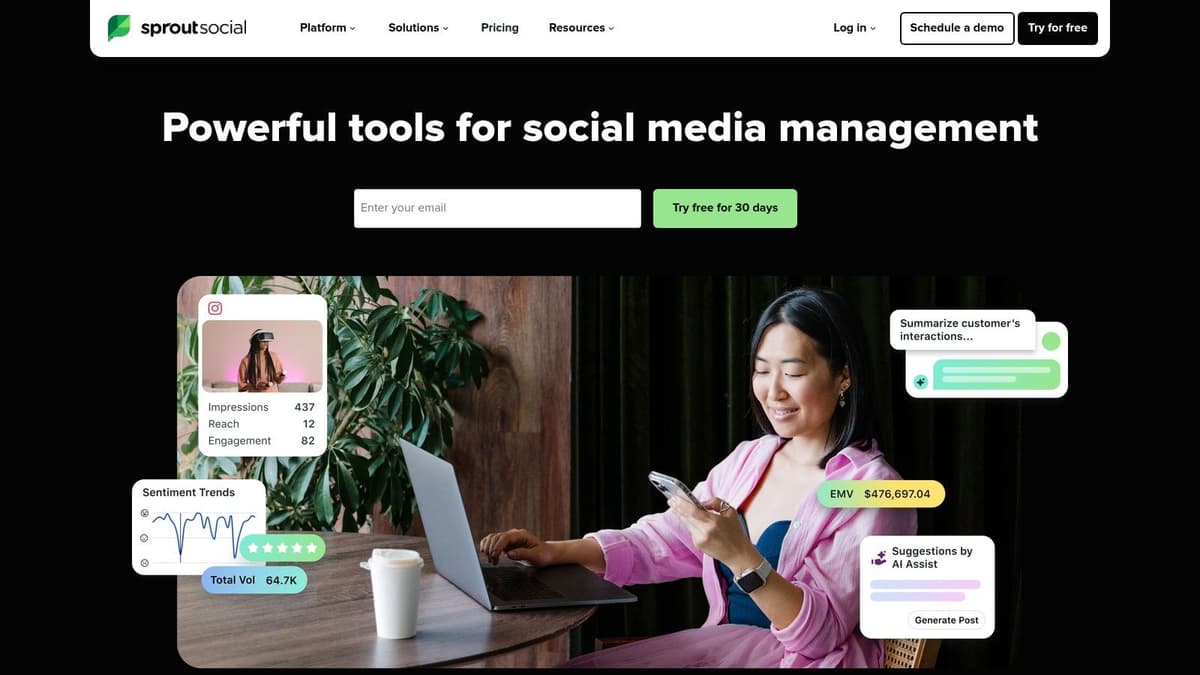
Its strength lies in transforming raw social data into actionable business intelligence. Sprout Social excels at creating stakeholder-friendly reports, managing multi-user approval workflows, and handling customer service through its social inbox. This makes it an ideal choice for teams where social media is a core part of the marketing and customer support strategy, not just a content distribution channel.
Key Features & Pricing
- Core Functionality: Advanced cross-network analytics, multi-user approvals, role-based workflows, and a combined social inbox for customer care case management.
- Unique Edge: Best-in-class reporting and social listening depth, making it a top choice for market research and brand health monitoring.
- Best For: Larger teams and agencies needing robust governance, deep analytics, and integrated customer support tools.
- Pricing: Plans are premium, reflecting its enterprise focus. The Standard plan starts at $249 per month for one user, with each additional user costing more. A 30-day free trial is available.
The platform's advanced features are a key part of its value. To truly maximize your investment, you should familiarize yourself with social media analytics and how they can inform your broader business goals.
Our Take: Sprout Social is overkill for solo creators and small teams simply looking to schedule posts. Its per-user pricing can quickly become prohibitive. If your main goal is efficiently managing a high volume of content on text-first platforms like X or Bluesky, a focused tool like MicroPoster will provide superior speed and workflow at a fraction of the cost.
5. Later
Later has built its reputation as the go-to platform for visually-driven brands, especially those prioritizing Instagram, TikTok, and Pinterest. Its interface is designed around a visual planner, making it easy to see your feed's aesthetic at a glance and drag-and-drop posts into your calendar. This focus on media management and bulk scheduling for short-form video makes it a powerful choice for e-commerce brands and creators whose strategy hinges on visual storytelling.

The platform organizes your accounts into "Social Sets," where one set includes profiles for Instagram, Facebook, TikTok, and other networks for a single brand. This model simplifies cross-platform publishing and reporting. Later also provides smart scheduling suggestions based on when your audience is most active, helping you optimize post timing without manual guesswork. Its approval flows are a key benefit for teams needing a second set of eyes on content before it goes live.
Key Features & Pricing
- Core Functionality: Visual-first calendar, bulk media uploader, smart scheduling recommendations, and link-in-bio tools.
- Unique Edge: Excellent visual planning for Instagram and TikTok, with a clear “Social Set” model for managing multiple platforms per brand.
- Best For: E-commerce brands, creators, and social media managers focused heavily on Instagram, TikTok, and Pinterest.
- Pricing: Starts with a free plan for 1 Social Set. Paid plans begin at $25 per month for 1 Social Set and 1 user, with extra costs for additional users.
Later’s strengths are in visual-heavy social media, but its text and thread scheduling can feel secondary. For a more direct workflow centered on text-based platforms like X (Twitter) and Bluesky, a specialized tool like MicroPoster will be more efficient and powerful.
Our Take: Later is a top-tier choice for any team where the "look" of the feed is paramount. Its visual planner is second to none. However, if your strategy is more text-focused, you'll get more value from a tool built for that purpose, like MicroPoster's intelligent microblogging automation.
6. Loomly
Loomly is designed for teams that prioritize clarity and collaboration in their social media workflow. It offers a straightforward approach to content planning, scheduling, and approval, making it a strong choice for agencies or marketing departments that need sign-off from multiple stakeholders, including non-technical clients. The platform provides helpful post ideas and optimization tips right in the editor, guiding your content creation process.
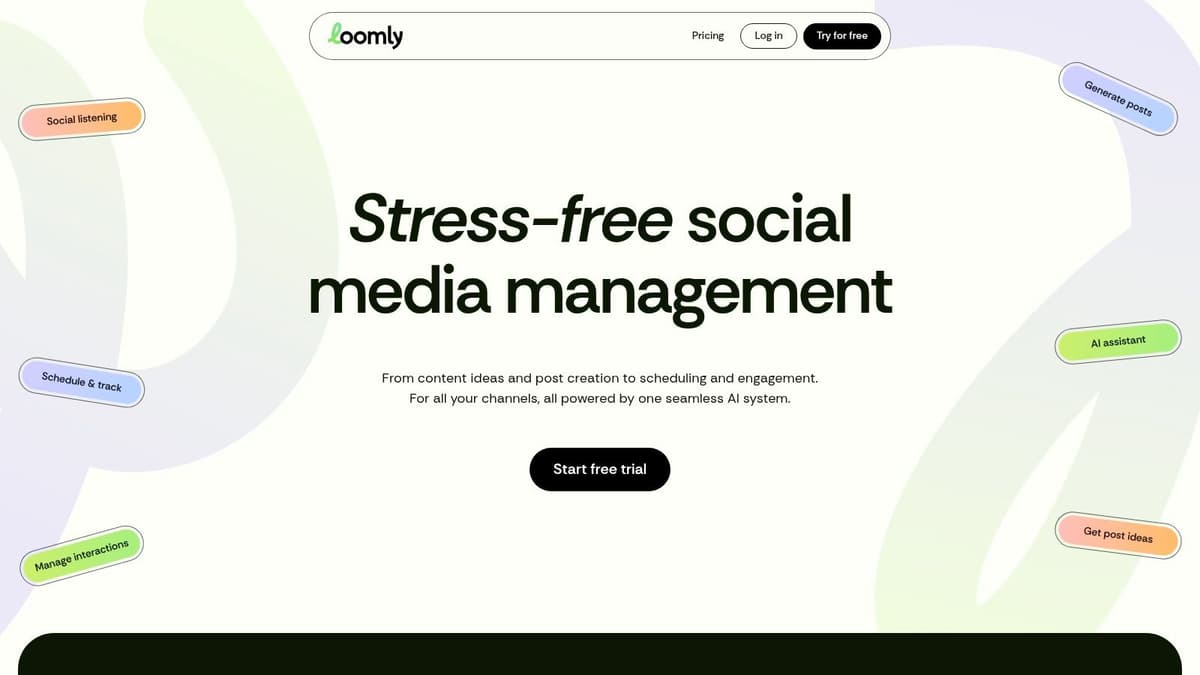
What sets it apart is the built-in Loomly Studio, which allows for quick asset tweaks without leaving the platform. This is a practical time-saver for making small adjustments to images or adding branding. Like other modern scheduling tools for social media, it has added support for Bluesky and Threads, recognizing the shift toward new text-based platforms. Its clear approval steps ensure everyone is aligned before a post goes live, reducing errors and miscommunication.
Key Features & Pricing
- Core Functionality: Visual calendar with approval workflows, post ideas and optimization tips, and an asset library with editing tools.
- Unique Edge: Strong emphasis on team collaboration and client-friendly approval processes that are easy for anyone to use.
- Best For: Marketing teams, agencies, and businesses that require a formal content review and approval process with multiple stakeholders.
- Pricing: Plans start at $32 per month (billed annually) for 2 users and 10 channels. Pricing is transparent, but always verify current terms, as some users have noted changes.
While Loomly excels at team-based approval, it's important to have a solid content strategy in place first. A well-defined plan makes the review process smoother and more effective for everyone involved.
Our Take: Loomly is an excellent tool for structured teams that need a clear, auditable trail for content approvals. For creators focused purely on the rapid-fire nature of microblogging on platforms like X and Bluesky, a more specialized tool such as MicroPoster will deliver a faster, more direct scheduling experience without the overhead of team workflows.
7. SocialBee
SocialBee is designed for small and medium-sized businesses that need efficiency and automation baked into their social media strategy. Its core strength lies in content categories, which allow you to group posts by theme or campaign. You can then create a publishing schedule for each category and let SocialBee automatically pull from the right bucket, ensuring a balanced content mix without constant manual intervention.
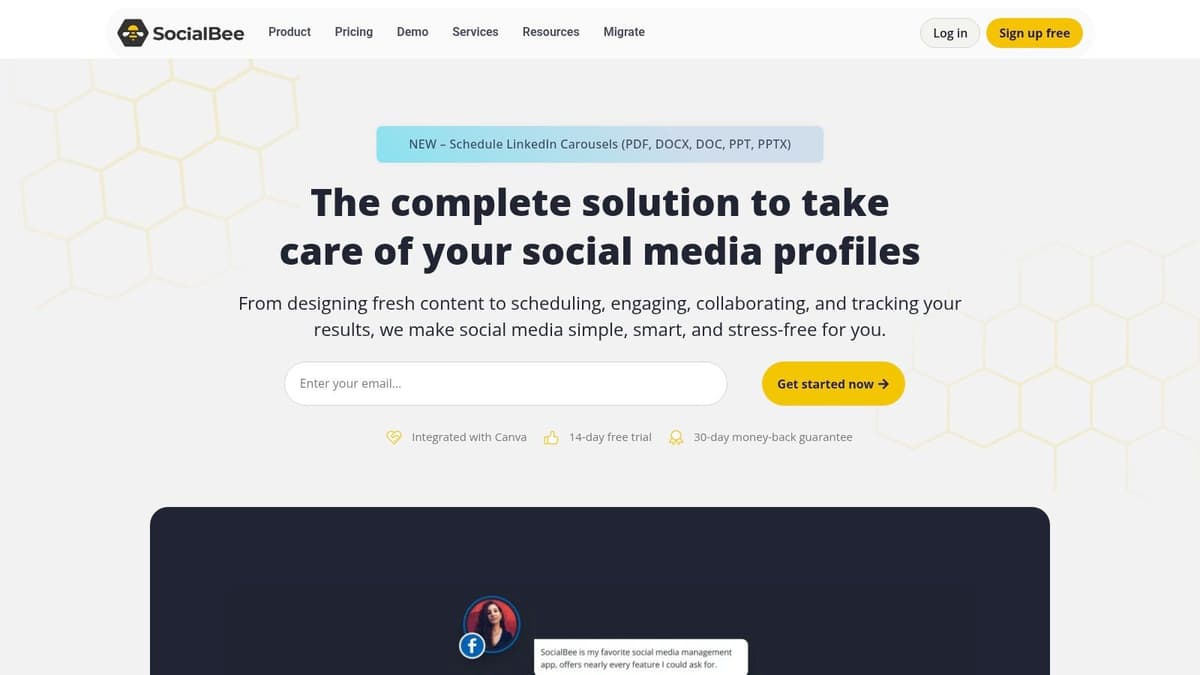
This "evergreen recycling" feature is a major time-saver, as it can automatically re-share your best-performing posts after a set period. SocialBee has also added support for newer networks like Threads and Bluesky and an AI Copilot for generating captions. This makes it one of the more versatile scheduling tools for social media managers juggling multiple responsibilities. The ability to add users and workspaces via add-ons provides a clear path to scale.
Key Features & Pricing
- Core Functionality: Content categories with evergreen post recycling, an AI assistant for captions, and a unified engagement inbox.
- Unique Edge: Powerful automation through content categorization and recycling, which significantly reduces the daily workload of filling a calendar.
- Best For: SMBs, agencies, and entrepreneurs who want to "set and forget" their evergreen content strategy.
- Pricing: Plans start at $29 per month for 5 social profiles. Costs increase with add-ons for extra users or workspaces, so it's best to map out your needs first.
The platform provides a solid structure for content management. It’s important to organize your categories thoughtfully to prevent your feed from feeling repetitive.
Our Take: SocialBee is a workhorse for teams focused on automation. The evergreen content feature is its standout capability. While it supports text-based platforms, if your strategy is heavily concentrated on X (Twitter), Mastodon, and Bluesky, the specialized threading and drafting features of a tool like MicroPoster will provide a more focused and powerful workflow for native cross-posting.
8. Publer
Publer has carved out a niche as a powerful and highly flexible scheduler, appealing to agencies and creators who demand granular control and broad platform support. Its strength lies in a per-account pricing model and robust features that go beyond simple scheduling, making it a formidable tool for managing multiple, distinct online presences.
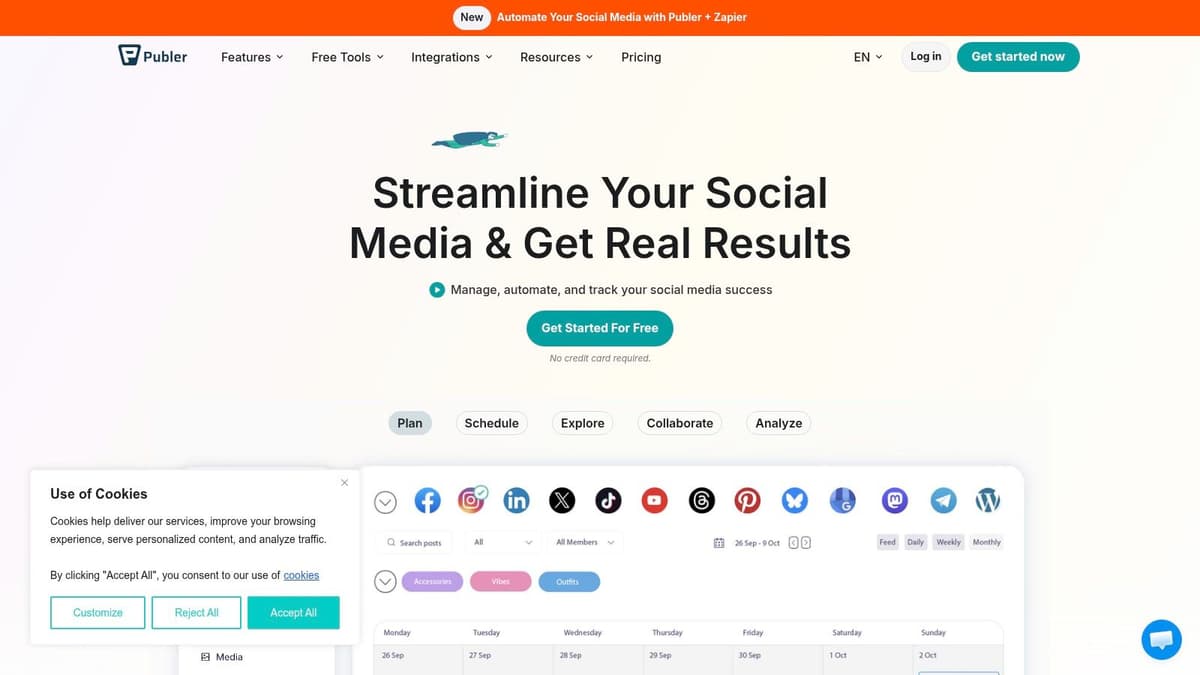
The platform shines with its early and deep integration of decentralized and emerging networks. It offers excellent support for Mastodon and Bluesky, alongside Threads, complete with cross-platform threading capabilities. This makes it a go-to for tech-focused brands and community builders active in these spaces. Publer’s AI assistant and powerful bulk-uploading tools also simplify the process of creating and distributing large volumes of content efficiently.
Key Features & Pricing
- Core Functionality: Bulk content uploader, AI content assistant, link-in-bio pages, and detailed post recycling options.
- Unique Edge: Strong support for threaded posts across X, Threads, Mastodon, and Bluesky, plus a cost-effective per-account pricing model.
- Best For: Agencies and freelancers managing a diverse but limited number of client accounts, and creators focused on emerging networks.
- Pricing: Starts with a free plan for up to 3 accounts. Paid plans operate on a per-account basis with volume discounts, starting at $12 per month for the Professional plan.
To maximize Publer, use its bulk CSV upload feature. You can plan hundreds of posts in a spreadsheet, including text, image links, and specific times, then upload them in a single action to fill your calendar for weeks.
Our Take: Publer is an excellent choice for those managing several key accounts who need advanced features without a high fixed cost. Its threading workflow is a standout. However, for creators focused primarily on native, intelligent automation across the microblogging ecosystem (X, Bluesky, Mastodon), a more specialized tool like MicroPoster can offer a cleaner, more focused "set it and forget it" experience.
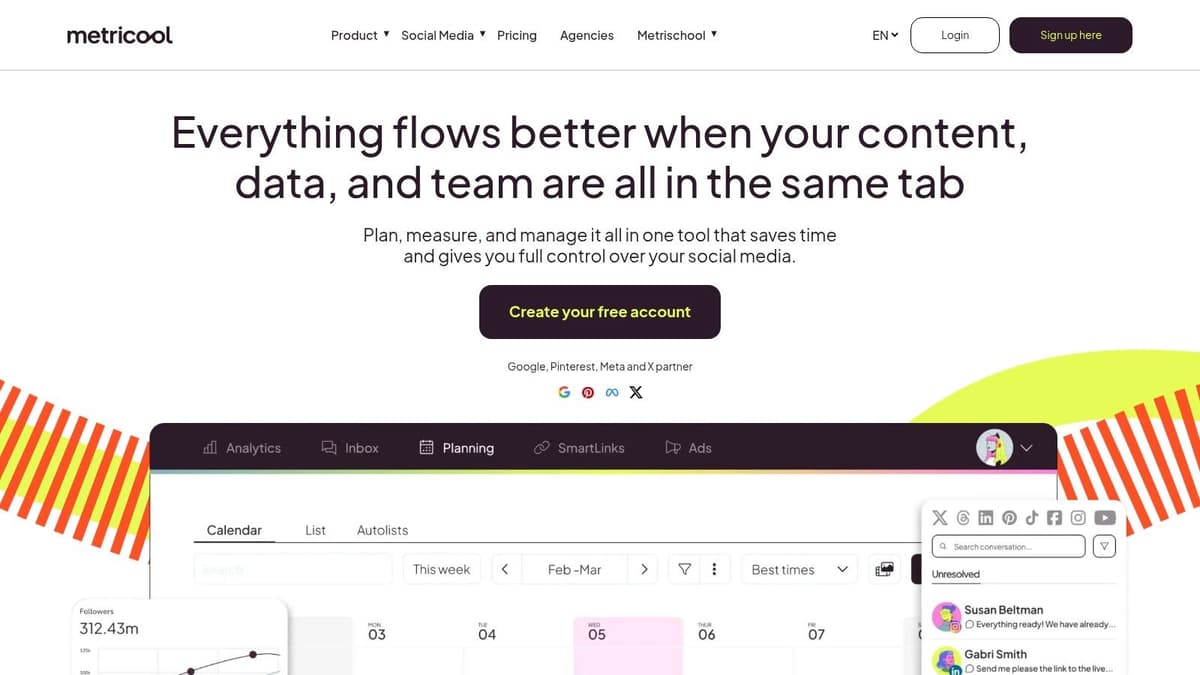
9. Metricool
Metricool is a powerful all-in-one platform built for agencies and data-driven marketers who need to manage publishing, analytics, and advertising under one roof. It is particularly strong for those juggling multiple brands, offering a unique pricing model that scales per brand rather than by users or sheer number of accounts, making it highly cost-efficient. The platform integrates scheduling with robust reporting and ad management, providing a unified view of performance.
The platform provides excellent support for newer networks like Threads and Bluesky, including scheduling threaded posts. This makes it a solid choice for small agencies wanting to offer clients a presence on emerging platforms without breaking the bank. Its transparent feature matrices clearly show what’s supported on each network, removing guesswork.
Key Features & Pricing
- Core Functionality: Unified content calendar, social inbox, social media ad management (Meta/Google/TikTok), and white-label reporting with a Looker Studio connector.
- Unique Edge: Granular, brand-based pricing that is extremely cost-effective for managing multiple client portfolios.
- Best For: Small agencies, freelance social media managers, and businesses needing integrated analytics and ad reporting with their scheduling tools for social media.
- Pricing: A free plan is available for one brand. Paid plans start at $22 per month for 5 brands, scaling up from there. Some advanced X/Twitter features may require an add-on.
While Metricool’s analytics are extensive, getting the most out of its per-brand setup requires an initial time investment. Understanding how to configure each brand's dashboard and reports is crucial for efficient workflow.
Our Take: Metricool is an analytics powerhouse for the price, especially for agencies. Its all-in-one approach is a huge plus. However, for founders and creators primarily focused on effortless text-first content distribution on X, Bluesky, and Mastodon, a more specialized tool like MicroPoster will deliver a faster, more streamlined writing and scheduling experience.
10. Agorapulse
Agorapulse is built for teams and agencies that need more than just scheduling. It combines content publishing with a powerful, unified social inbox, robust client management tools, and detailed analytics, positioning it as a strong contender against much higher-priced enterprise suites. The platform excels at managing conversations, with tools for assigning comments, requiring approvals, and tracking response times, making it ideal for brand-focused organizations.

The platform is consistently praised for its excellent usability and customer support, offering a polished experience without a steep learning curve. While it provides a comprehensive feature set for major platforms like Instagram and Facebook, its focus is less on the emerging, text-first networks. This makes it a great choice for agencies managing established brand presences but less suited for individuals focused on building communities on X or Bluesky.
Key Features & Pricing
- Core Functionality: A unified inbox with moderation, team collaboration features, client approval workflows, and competitive reporting.
- Unique Edge: Balances a wide range of agency-grade features with a surprisingly intuitive user interface and top-tier support.
- Best For: Small to mid-sized agencies and marketing teams needing strong collaboration, reporting, and inbox management capabilities.
- Pricing: Offers a 30-day free trial. Paid plans are priced per user, starting around $49 per user per month (when billed annually), which can add up for larger teams.
A smart way to manage costs is to combine tools. Use Agorapulse for your core brand channels on Instagram and Facebook, then supplement with a specialized tool for your text-centric platforms.
Our Take: Agorapulse is a fantastic all-in-one platform for team-based social media management, especially for client work. It’s a step up from simpler schedulers. However, the per-user pricing model can become a significant expense. For teams with heavy microblogging needs, pairing Agorapulse with a tool like MicroPoster for X, Bluesky, and Mastodon offers a more cost-effective and powerful workflow.
11. Sendible
Sendible is engineered for teams and agencies that need to manage multiple client accounts without chaos. Its structure is built around a clear separation of client profiles, making it one of the most organized scheduling tools for social media when juggling various brands. It offers a powerful, all-in-one dashboard that balances a deep feature set with a surprisingly manageable price point for its target market.
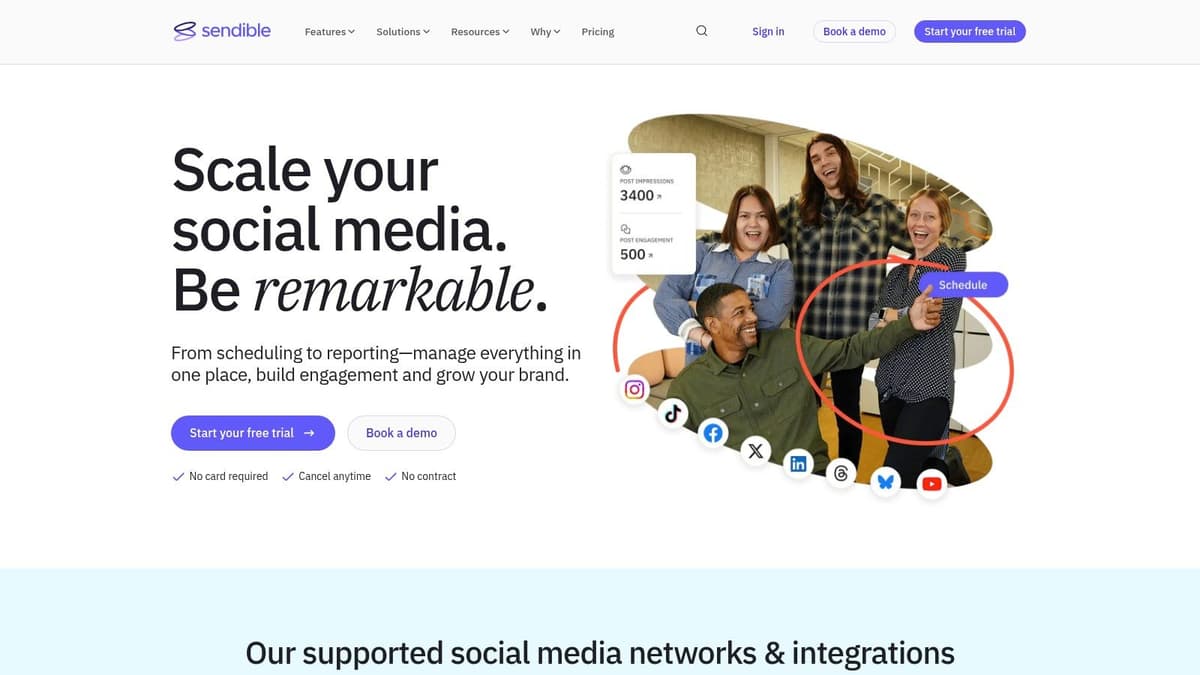
The platform’s strength lies in its agency-centric features, such as tailored client reporting templates and the ability to scale both users and profiles together in its plans. An AI writer is also included to assist with content creation, helping teams maintain speed. While direct posting covers major networks like Instagram and LinkedIn, its white-label solution, a key feature for agencies, is an optional add-on rather than a bundled-in benefit.
Key Features & Pricing
- Core Functionality: A smart inbox for engagement, bulk scheduling capabilities, and direct posting to Google Business Profile.
- Unique Edge: Strong focus on client management with distinct workspaces and robust, customizable reporting options.
- Best For: Marketing agencies and social media managers handling a portfolio of client accounts.
- Pricing: A 14-day free trial is available. Paid plans start at $29 per month for 1 user and 6 social profiles, scaling up to agency-level packages.
To make the most of Sendible, teams should establish clear internal workflows for client approvals and reporting. This ensures you are using its organizational structure to its full potential from day one.
Our Take: Sendible is a top-tier choice for agencies needing to professionalize their service delivery. Its reporting and client management tools are excellent for proving ROI. For creators who are more focused on rapid, text-first content for X, Threads, and Bluesky, a more specialized tool like MicroPoster will provide a faster, more direct, and more affordable workflow.
12. Planable
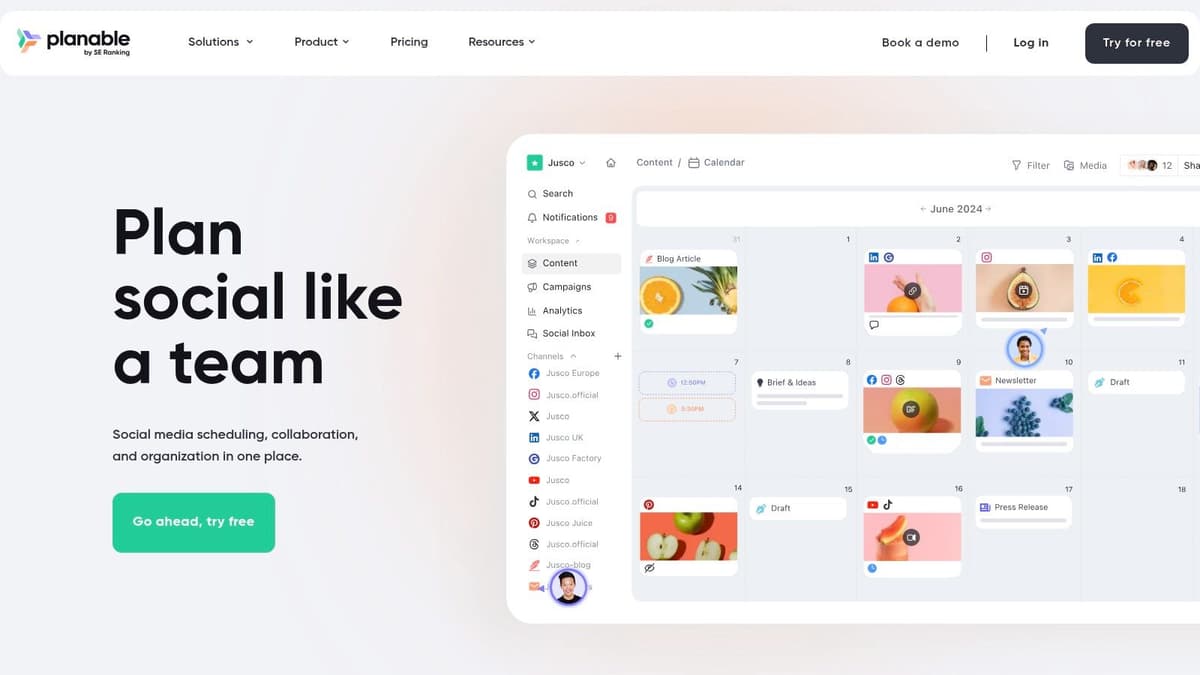
Planable is purpose-built for teams that prioritize collaboration and stakeholder approval above all else. It shifts the focus from a simple scheduling queue to a visual, collaborative workspace where every post can be drafted, commented on, and approved before it ever goes live. This approval-centric model is its greatest strength, making it one of the best scheduling tools for social media when dealing with clients or internal brand committees.
Its interface provides realistic post previews across different formats like feed, calendar, and grid views, so reviewers see exactly what the audience will. This eliminates misunderstandings and speeds up the sign-off process. For agencies or marketing departments juggling multiple brands, Planable’s organized workspaces prevent confusion and keep client feedback cleanly separated.
Key Features & Pricing
- Core Functionality: Visual content planning with realistic previews, multi-level approval workflows, and separate workspaces for different brands.
- Unique Edge: An unparalleled user experience for client and non-technical stakeholder reviews. Unlimited users on paid plans encourage full team participation.
- Best For: Agencies, marketing teams, and freelancers who need a bulletproof client approval process before publishing.
- Pricing: Starts with a free plan for the first 50 posts. Paid plans begin at $11 per month per workspace, but analytics and engagement tools are paid add-ons.
The platform excels at organizing a complex review chain. For best results, use its multi-level approvals to set up a clear sequence, from junior creator to client, ensuring everyone signs off in the correct order.
Our Take: Planable is the gold standard for collaborative approval. If your primary bottleneck is getting content signed off, this tool will solve it. However, its core focus is on pre-publishing, and for teams whose main work involves rapid-fire posting and engagement on microblogging platforms, a specialized tool like MicroPoster will deliver more focused power and automation for X, Bluesky, and Mastodon.
Top 12 Social Media Scheduling Tools Comparison
| Product | Core features | UX ★ | Pricing & Value 💰 | Target audience 👥 | Unique selling points ✨ |
|---|---|---|---|---|---|
| MicroPoster 🏆 | Native cross‑posting (X/Threads/Bluesky/Mastodon), auto‑threading, AI tools, visual calendar | ★★★★★ | 💰 Creator $12/mo · Pro $29/mo · 7‑day free trial (no CC) | 👥 Founders, creators, small teams | ✨ True native reposts, auto-split threads, OAuth security, built‑in AI |
| Buffer | Visual calendar, queues, browser extension, basic analytics, AI captioning | ★★★★☆ | 💰 Tiered plans; pricing scales by channels | 👥 Solo creators & small teams | ✨ Easy queueing, quick adds, early Threads/Bluesky support |
| Hootsuite | Multi‑network scheduling, unified inbox, listening, best‑time recommendations | ★★★★☆ | 💰 Higher‑priced; enterprise modules often upsold | 👥 Teams & enterprises | ✨ Mature ecosystem, robust analytics & app integrations |
| Sprout Social | Scheduling, advanced reporting, listening, approvals & workflows | ★★★★★ | 💰 Enterprise‑grade; per‑user pricing can be costly | 👥 Brands, agencies, large teams | ✨ Best‑in‑class reporting, deep listening & stakeholder exports |
| Later | Visual planner, media management, bulk Reels scheduling, link‑in‑bio | ★★★★ | 💰 Creator tiers (add seats extra) | 👥 Visual creators, IG/TikTok teams | ✨ Excellent visual content planning & bulk short‑form workflows |
| Loomly | Planning + Loomly Studio (asset tweaks), calendar, approval workflows | ★★★★ | 💰 Transparent monthly/annual pricing with discounts | 👥 Teams needing client approvals | ✨ Client‑friendly approvals & built-in asset editing |
| SocialBee | Evergreen content categories, AI captions, comment mgmt, add‑ons | ★★★★ | 💰 Good price‑to‑capability; add‑ons may raise cost | 👥 SMBs, founders, small teams | ✨ Evergreen recycling automation for steady posting |
| Publer | Mastodon/Bluesky support, thread scheduling, bulk uploads, AI assistant | ★★★★ | 💰 Budget‑friendly per‑account pricing, volume discounts | 👥 Creators & small agencies on decentralized nets | ✨ Strong threading + Mastodon/Bluesky focus |
| Metricool | Scheduling, cross‑network analytics, ads integrations, brand pricing | ★★★★ | 💰 Brand‑based tiers; cost‑efficient for multi‑brand agencies | 👥 Small agencies, multi‑brand teams | ✨ Ads integrations & Looker Studio connector |
| Agorapulse | Unified inbox, approvals, client reporting, role management | ★★★★ | 💰 Per‑user pricing; competitive for mid‑market | 👥 Agencies & brands needing client workflows | ✨ Polished inbox, great support & usability |
| Sendible | Direct posting, client org vs users, reporting templates, white‑label | ★★★★ | 💰 Agency‑focused pricing; white‑label as add‑on | 👥 Agencies managing clients | ✨ Client organization + white‑label & reporting templates |
| Planable | Realistic post previews, multi‑level approvals, calendar views | ★★★★ | 💰 Plans with post caps; analytics/inbox are add‑ons | 👥 Teams & agencies needing sign‑off workflows | ✨ Best approvals UX with realistic previews for clients |
Making Your Final Decision: Automation Is the Answer
We've explored a dozen of the most powerful and popular scheduling tools for social media, from enterprise-level powerhouses like Sprout Social and Agorapulse to visually focused platforms like Later and Planable. Each tool presents a unique approach to managing your content calendar, but the sheer volume of options can feel overwhelming. The key to moving forward isn't to find a tool with the longest feature list; it's to identify the single biggest point of friction in your social media workflow and choose the tool that solves it best.
Your final decision should come down to a clear diagnosis of your primary pain point. Are you drowning in client feedback cycles? Planable's collaboration features are built for you. Is your main goal to prove ROI to stakeholders with detailed analytics? Sprout Social or Agorapulse will deliver the reports you need. Are you a visual brand that lives and dies by your Instagram grid? Later is your undisputed champion.
This process of self-assessment is critical. Before you sign up for a single free trial, ask yourself these questions:
- Where do I waste the most time? Is it logging into multiple platforms, trying to make content fit different formats, or pulling performance data?
- What is my primary content format? Are you a video-first creator, a visual artist, or a writer focused on text-based updates and threads?
- Which platforms are most important for my growth? Are you focused on established networks like Instagram and Facebook, or are you building an audience on emerging microblogging sites like X (formerly Twitter), Bluesky, and Mastodon?
From Simple Scheduling to Intelligent Automation
For a growing number of founders, creators, and lean marketing teams, the most significant bottleneck isn't just planning content-it's the repetitive, soul-crushing task of manually repurposing every single idea. The copy-paste-tweak cycle across multiple platforms is a hidden time sink that drains creative energy and limits your reach.
This is where a new generation of scheduling tools for social media provides an outsized return. If your goal is to "write once and grow everywhere," you need more than a scheduler. You need an automator.
Consider the focused approach of a tool like MicroPoster. It intentionally avoids being an all-in-one suite that does everything moderately well. Instead, it dedicates its entire design to solving one high-value problem perfectly: turning a single piece of content into native, intelligent, multi-platform distribution across text-centric networks. By automatically handling threading, media resizing, and even mapping user mentions across platforms, it eliminates hours of manual work each week. This allows you to effortlessly build a presence and engage with communities on the platforms where authentic conversation is happening now.
Your Actionable Next Steps
The path forward is through practical application. Don't just read reviews; get your hands dirty.
- Shortlist Your Top 3: Based on your primary pain point, select three tools from this list that seem like the best fit.
- Start the Trials: Sign up for the free trial of each. Don't just explore the dashboard; use it for your real-world workflow for at least a week.
- Measure the Impact: Did the tool actually save you time? Did it reduce frustration? Did it enable you to do something you couldn't do before, like consistently posting to a new platform?
While social media schedulers are a key part of the puzzle, they are one component of a larger efficiency strategy. To gain a broader perspective on streamlining your entire online presence, consider exploring other powerful digital marketing automation tools. The goal is to build a system where technology handles the repetitive tasks, freeing you to focus on strategy and creation.
The right platform won't just help you check "post to social media" off your to-do list. It will fundamentally change how you create, distribute, and scale your message, turning social media from a chore into a growth engine.
Ready to stop the copy-paste grind and start building a real presence on X, Bluesky, and Mastodon? MicroPoster is designed specifically for founders and creators who value their time. See how our intelligent automation can transform your microblogging workflow by visiting MicroPoster and starting your free trial today.


