api for social media
A Guide to Using an API for Social Media Automation
Discover how an API for social media works. This practical guide explains APIs, automation, and how to connect your tools for powerful results.

An API for social media is the magic that lets different software programs talk to each other. It’s like a universal translator that allows a scheduling tool, such as MicroPoster, to communicate directly with platforms like X (formerly Twitter) or Instagram without you having to do anything manually.
This connection is the secret sauce behind all the automation, analytics, and other slick features that make modern social media management possible.
What Is a Social Media API and Why Should You Care?
Think of it like ordering food at a restaurant. You don't walk into the kitchen and tell the chef what you want. Instead, you give your order to a waiter, who then takes it to the kitchen and brings your food back out to you.
In this analogy, the waiter is the API (Application Programming Interface). You, using an app, don't need to understand the complex inner workings of the kitchen (the social media platform). You just need a reliable way to send a request (your post) and get a result (that post appearing on your feed). An API is that trusted messenger between your software and the social network.
The Engine Behind Modern Social Media
At its heart, an API is simply a set of rules that defines how one program can ask for services from another. Without them, every tool you use would be stuck on its own little island. Your scheduling app couldn't publish posts, your analytics dashboard couldn't pull data, and your social inbox couldn't fetch comments.
APIs are the foundation of the entire social media ecosystem, giving developers the power to build platform features directly into third-party tools. The business impact is huge. For example, TikTok's API helped over 67 million companies connect with their audience, generating an estimated $14.7 billion in direct revenue for small businesses in 2024 alone.
And it's not just TikTok. Instagram's API has created a marketing environment where 90% of users follow at least one business. You can dive deeper into these key social media statistics to see just how much APIs are shaping the digital economy.
Key Takeaway: An API isn't a product you can hold; it's a digital contract. It provides a set of rules that, when followed, allows different software to work together smoothly, securely, and efficiently.
Grasping this concept is the first step toward unlocking real automation. It explains why some features work on one platform but not another, and it’s why tools like MicroPoster can offer sophisticated scheduling and deep analytics. APIs are the hidden engine powering a smarter, more connected workflow, and they’re essential for anyone serious about scaling their social media efforts.
Navigating the World of Social Media APIs
Not all social media APIs are built the same. If you've ever tried to use one scheduling tool for all your accounts, you know this firsthand. It can feel like trying to use one key for a dozen different locks—some open effortlessly, while others won't budge.
Understanding these differences is the first step toward building a social media strategy that actually works. Each platform, from Meta (Facebook and Instagram) to X and LinkedIn, offers an API with its own set of rules, features, and blind spots. This is exactly why a feature like posting a multi-image carousel works flawlessly on Instagram but might be completely unavailable for another network, even within the same management tool. Their APIs are just wired differently.
Think of an API as a translator. It sits between an app you use (like a scheduler) and the social media platform itself, turning your requests into actions the platform understands.
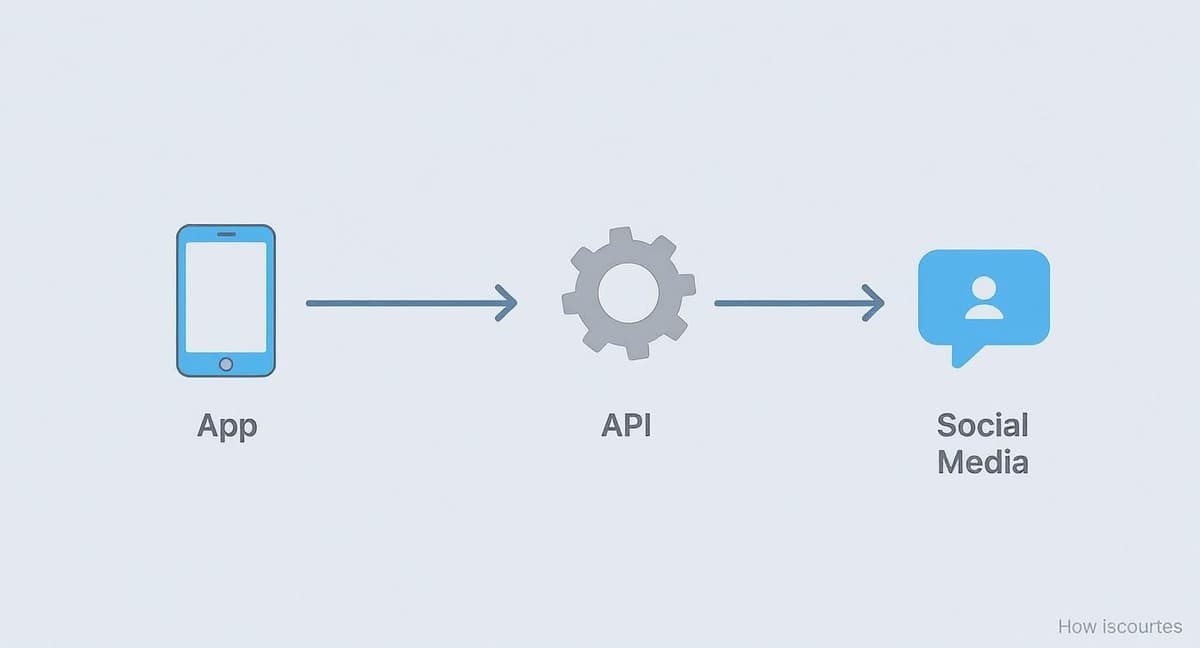
This diagram shows how the API acts as that critical bridge, making sure the commands from a third-party app are properly executed by the social network.
A Look at the Major Platform APIs
The functionality of each platform's API is a direct reflection of what that platform cares about most. Some are all about content creation, others are focused on professional networking, and their APIs are designed to match those priorities.
For instance, Meta’s APIs for Facebook and Instagram are fantastic for publishing all sorts of content, from Stories to Reels. But getting access isn't a walk in the park; it involves a rigorous approval process where developers have to prove their app follows every single rule, often with detailed explanations and video walkthroughs.
X (formerly Twitter), on the other hand, has an API that has historically been amazing for tapping into real-time conversations and data. However, recent changes have put a hefty price tag on high-volume access. LinkedIn’s API is much more buttoned-up, concentrating on company page management to maintain a professional atmosphere and heavily restricting what can be done with personal profiles.
Key Insight: A platform’s API tells you what it values. Instagram’s is for visual creators, LinkedIn’s is for B2B marketers, and TikTok’s is for viral video. Your strategy needs to align with what their APIs are built to do.
The only reason these platforms can support billions of users is because of their APIs. In the United States alone, 84% of adults are on YouTube and 71% use Facebook. That kind of scale is only manageable because APIs allow tools to securely connect with these massive networks. Even newer platforms like Bluesky have gained traction by offering an open API that gives users more control, proving just how central these gateways are. You can explore more data on how Americans use social media in 2025.
Social Media Platform API Capabilities At-a-Glance
To give you a clearer picture, I've put together a table breaking down what the big players generally allow and where they draw the line. This helps set realistic expectations for what a tool like MicroPoster can accomplish on any given network.
| Platform | Key API Capabilities | Common Restrictions |
|---|---|---|
| Meta (Facebook & Instagram) | Strong support for publishing photos, videos, Stories, and Reels. Robust analytics for business profiles. | Strict and lengthy app review process. Direct messaging is limited to business accounts. Personal profile access is minimal. |
| X (Twitter) | Excellent for real-time data streaming, posting text, images, videos, and polls. Powerful for social listening. | Access is now tiered and can be very expensive. Certain historical data is limited without paying for higher-tier access. |
| Focused on Company Page management: posting updates, articles, and retrieving analytics. | Heavy restrictions on personal profile automation. Limited access to user data to maintain professional context. | |
| TikTok | Primarily built for uploading videos directly. Allows scheduling and analytics for business accounts. | The publishing process is asynchronous (requires a webhook to confirm). Analytics are less detailed than Meta's. |
| Strong for scheduling Pins and creating new boards. Detailed analytics on Pin performance. | Video upload capabilities can be less reliable than static images. Limited direct messaging or engagement features. | |
| YouTube | Allows video uploads, updating video metadata (titles, descriptions), and managing playlists. Extensive analytics data. | Live streaming controls are limited. Comment moderation can be complex. Strict quotas on daily uploads. |
As you can see, there’s no one-size-fits-all API. Each one is a unique ecosystem with its own set of advantages and hurdles, which is something you always have to account for when planning your social media automation.
Understanding API Keys and Rate Limits
Before your app can start talking to a social media platform's API, it needs to play by a couple of fundamental rules. It has to prove it’s allowed to be there, and it has to respect the platform's resources. This whole dance is governed by two things: API keys for getting in the door and rate limits for how you behave once you're inside.
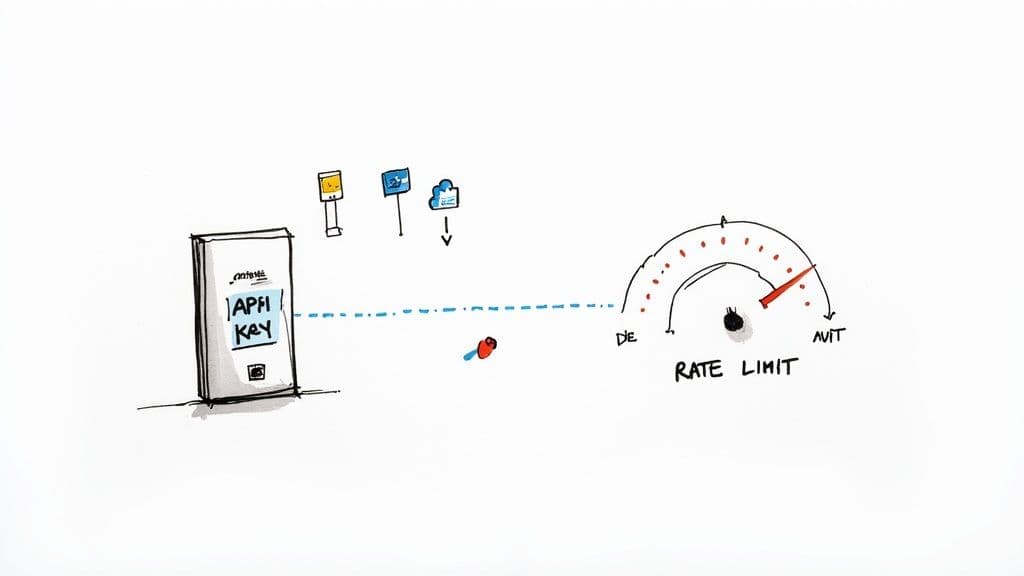
Think of an API key as your app's unique digital passport. When your scheduling tool wants to post to X (formerly Twitter) or pull analytics from Instagram, it flashes this passport. The social network’s server looks at the key, confirms the app’s identity, and checks that it has permission to do what it's asking. No valid key, no entry.
This authentication step is a crucial security measure. It's how platforms make sure only legitimate, authorized applications can access user data, which helps prevent misuse and protect everyone's privacy. It's the digital handshake that establishes trust between your tools and the social networks.
Staying Within the Speed Limit
Once your app has shown its passport and is authenticated, it has to mind its manners. This is where rate limits come in.
Picture the API as a busy highway. Rate limits are the posted speed limit, controlling how many requests (or "calls") your app can make in a certain amount of time. For example, a platform might limit you to 50 posts in 24 hours or 100 data fetches per hour.
These limits are absolutely essential for keeping the platform stable and responsive for all users. They prevent a single app—whether it's buggy or just overly aggressive—from flooding the system with requests and slowing things down for everybody else.
So what happens if your app gets a lead foot and speeds past the limit? The platform will usually give you a temporary timeout, blocking your requests and sending back an error message (you'll often see a "429 Too Many Requests" status code). If you keep breaking the rules, you could face longer suspensions or even lose your API key entirely.
A platform’s rate limit is really just a fair-use policy. It ensures the system stays healthy and prevents any one app from hogging all the resources, which would ruin the experience for everyone else.
How to Manage API Usage Effectively
Successfully using a social media API means learning to work within these constraints. It's just part of the game. Thankfully, well-designed tools and smart coding practices can handle these rules gracefully in the background. For example, platforms like the MicroPoster API are built from the ground up to manage these interactions efficiently, so your automations run smoothly without hitting annoying roadblocks.
Here are a few best practices for staying on the right side of rate limits:
- Cache Your Data: Don't ask for the same information over and over. If you need a user's profile info, grab it once and store it locally for a little while instead of fetching it with every single action.
- Embrace Webhooks: Instead of constantly knocking on the API's door to ask "anything new?" (a process called polling), use webhooks. This lets the platform notify you instantly when something changes. It's far more efficient.
- Optimize Your Code: Be mindful. Make sure your application only makes API calls when absolutely necessary and that it handles the platform's responses efficiently.
By understanding these rules of the road, you can build powerful and, more importantly, reliable workflows. If you’re ready to get more technical, you can delve deeper into API rate limits to learn more advanced management techniques.
Powerful Ways to Use a Social Media API
Okay, let's get past the technical stuff. The real magic of an api for social media is what it lets you actually do. These connections are the secret sauce for making your social media work smarter, not harder. They help you automate the boring, repetitive tasks and get a much clearer picture of what your audience actually wants.
Essentially, APIs transform social media management from a constant, manual grind into a smart, scalable part of your business.
The most obvious win is being able to manage all your content from one place. Instead of logging into five different apps to share the same update, you can use one tool to push it everywhere simultaneously. This is a massive time-saver and keeps your brand's voice consistent across all your profiles.
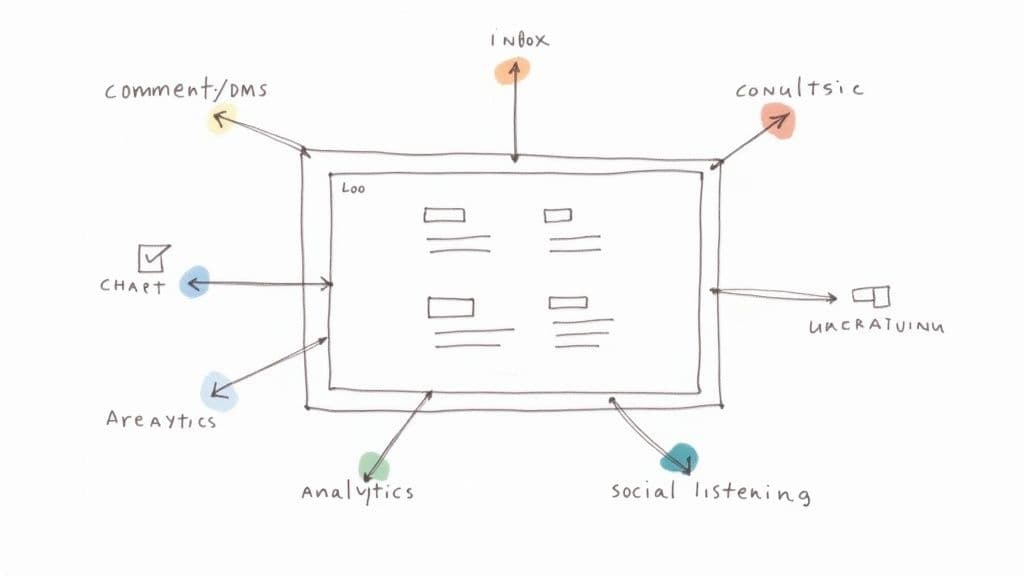
But it’s not just about pushing content out; it's also about pulling crucial information in. A good API integration can funnel all your comments, DMs, and notifications from every platform into a single, unified inbox. Suddenly, a chaotic mess of conversations becomes a clear, manageable workflow.
Automating Your Entire Workflow
This goes way beyond just scheduling posts. With APIs, you can set up sophisticated automations that practically run your social media presence on their own, freeing you up to focus on big-picture strategy and actually talking to your community.
Here’s where it gets really good:
- Advanced Content Scheduling: You can queue up hundreds of posts for weeks or months in advance. Better yet, you can let the tool decide the perfect time to publish based on when your audience is most active or even set up evergreen content to be re-shared automatically.
- Unified Social Inbox: Imagine managing every comment, reply, and DM from X, Instagram, and Facebook without ever leaving one dashboard. An API makes this possible, ensuring you never miss an important message.
- Social Listening and Monitoring: APIs can constantly scan social platforms for mentions of your brand, your competitors, or specific keywords. This lets you jump into relevant conversations, protect your reputation, and spot trends as they happen.
The Big Picture: An API turns your social media channels into data sources and action points that other software can interact with. This is the foundation of all modern social media automation.
The table below breaks down some of the most common ways businesses use these APIs and the direct impact it has on their marketing efforts.
Popular Social Media API Use Cases and Their Business Impact
| Use Case | How the API Enables It | Primary Business Benefit |
|---|---|---|
| Cross-Platform Publishing | Allows a third-party tool (like MicroPoster) to post content to multiple social networks (X, Facebook, LinkedIn) from a single interface. | Time Savings & Consistency: Drastically reduces manual effort and ensures a consistent brand message across all channels. |
| Unified Social Inbox | Pulls comments, direct messages, and mentions from all connected accounts into one centralized dashboard for easy management. | Improved Engagement: Prevents missed messages and enables faster response times, leading to better community management. |
| Automated Analytics Reporting | Aggregates performance data (likes, shares, reach, etc.) from all platforms into a single, customizable report. | Data-Driven Decisions: Provides a clear, holistic view of what's working, making it easier to optimize content strategy. |
| Social Listening | Monitors social media for specific keywords, brand mentions, or hashtags and funnels the results into a dashboard. | Reputation Management: Enables proactive customer service and real-time insights into brand perception and industry trends. |
As you can see, the benefits go far beyond simple convenience; they directly contribute to a more effective and efficient social media strategy.
Unlocking Deeper Analytics and Reporting
One of the most powerful things a social media API can do is pull all your data together. Instead of trying to compare analytics reports from five different platforms, an API can consolidate all your key metrics into one comprehensive dashboard.
This bird's-eye view allows you to:
- Track Performance Across Networks: Instantly compare engagement, reach, and follower growth side-by-side to see which platforms are giving you the best bang for your buck.
- Generate Custom Reports: Build reports that focus only on the KPIs that matter to your business, cutting through the noise of vanity metrics.
- Identify Top-Performing Content: Quickly spot the posts, videos, or campaigns that truly connected with your audience, no matter which platform they were on.
Trying to get this level of insight manually is a nightmare. By using an API to bring all your analytics into one place, you can start making smarter, data-backed decisions about your content. To put these powerful uses into practice, you might want to explore the best social media automation tools available, helping you streamline your efforts.
How AI Is Supercharging Social Media APIs
Think of a social media API as a messenger, faithfully carrying instructions back and forth. Now, imagine artificial intelligence (AI) as the brilliant strategist whispering in the messenger's ear, telling it exactly what to say and when to say it. This combination is where the magic really happens, pushing social media management beyond simple scheduling into the world of smart, predictive strategy.
It's the difference between just posting something and knowing precisely what post will get the most attention.
AI tools tap into social platforms through an api for social media to pull in massive datasets. From there, they get to work learning patterns, predicting results, and even creating content. This partnership is making social strategy more intelligent and effective than we could have imagined just a few years ago.
From Automation to Intelligence
The rise of AI-driven API tools is fundamentally changing the marketing game. These aren't just tools that do tasks for you; they’re starting to make better, data-backed decisions on your behalf.
Here are a few ways this is playing out:
- Predictive Performance: AI can sift through your past content—and even your competitors'—to forecast which topics, images, or opening hooks are most likely to hit a nerve with your audience.
- Intelligent Content Creation: Forget writer's block. Advanced tools can draft compelling captions, suggest a mix of popular and niche hashtags, and brainstorm post ideas based on what's currently buzzing in your industry.
- Smart Scheduling: Instead of guessing the best time to post, AI analyzes real-time audience activity data from the API to pinpoint the optimal moment for maximum visibility and engagement.
This isn't just theory; it delivers real results. Industry reports show that AI adoption in social media marketing has already hit 88%. More importantly, businesses are seeing 15-25% higher engagement by using AI to fine-tune their campaigns. You can dig into more stats on how AI is transforming social media strategy.
AI takes the raw data an API provides and turns it into actionable insights. It transforms a list of follower counts and engagement metrics into a strategic roadmap for growth.
The Future of Social Engagement
This powerful duo is also reshaping how brands talk to their communities. AI-powered chatbots, plugged in via an API, can now handle instant customer support, answer frequently asked questions, and even qualify leads right inside a user's DMs.
Beyond that, AI-backed social listening tools can perform sentiment analysis at a massive scale, gauging the emotional tone of brand mentions across the web. This gives teams a heads-up on potential PR fires before they spread and helps them identify their most enthusiastic fans. API integrations are no longer just a convenience—they're the key to the next generation of marketing.
Choosing the Right API Integration Tool
Picking the right tool to manage your social media API connections is a lot like choosing a new team member. You're looking for something reliable, efficient, and that fits seamlessly into your existing workflow. A rushed decision here can lead to a lot of frustration and wasted time with a tool that just doesn't quite get what you need.
The first, most obvious check is platform support. Does the tool actually connect to the social networks where your audience spends their time? A brilliant X and Bluesky tool is completely useless if your entire community is on Instagram. Look beyond just the logo on their features page—dig into how deep the integration actually goes for each platform. Some tools offer powerful publishing features for one network but only surface-level analytics for another.
Aligning Features with Your Goals
Beyond basic compatibility, the tool you choose has to line up with what you're actually trying to achieve. A slick interface is nice, but it's meaningless if the features don't help you do your job better and faster. It's really important to map the tool's capabilities directly to your daily tasks and bigger strategic objectives.
As you're looking at different options, ask yourself a few practical questions:
- Content Creation: How good is the editor? Can it help you draft great content, find the right hashtags, or schedule posts intelligently?
- Automation Power: Can it handle the heavy lifting? Think about complex schedules, evergreen content queues, or recurring posts. Our guide on how to automate social media posts dives deeper into what's possible here.
- Analytics and Reporting: Is it giving you data you can actually use? You need more than just vanity metrics to make smart decisions about your strategy.
- Community Management: Does it offer a unified inbox? Juggling DMs and comments across multiple platforms is a headache that a good tool should solve.
Security and Reliability Matter Most
This can't be overstated: never, ever overlook security and reliability. You're handing over the keys to your valuable social media accounts, so the provider's reputation is everything. Stick with established companies that are open about their security measures and have a proven history of being dependable.
The best API integration tool is one that feels like a natural extension of your team. It should simplify your process, provide clear insights, and reliably execute your strategy without adding extra complexity to your day.
This is why a specialized tool like MicroPoster can be a great fit. It's purpose-built for microblogging platforms, which means its features are deeply integrated and finely tuned for that specific environment, rather than being a jack-of-all-trades and master of none.
Still Have Questions About Social Media APIs? Let's Clear Them Up
Even with a solid grasp of the basics, a few common questions tend to surface when creators and managers first start exploring social media APIs. Let's tackle them head-on so you can move forward with confidence.
Do I Actually Need to Know How to Code to Use an API?
Nope, not at all. This is probably the biggest misconception out there.
While developers are the ones who write the code to connect directly with an API, you don’t need to be a developer to use a tool that’s powered by one. Think of it like driving a car—you don't need to be a mechanic to get behind the wheel.
Platforms like MicroPoster do all the heavy lifting for you. They build the integration, handle the technical stuff, and give you a simple, clean interface to connect your accounts. You just click a few buttons to grant permission, and the tool takes care of the rest.
What's the Big Deal Between an "Official" and "Unofficial" API?
This one is incredibly important. An official API is the front door that a social media platform builds for developers. It's documented, supported, and the approved way to interact with their system. Think of the APIs from Meta, X, and others.
An unofficial API is like someone sneaking in through a back window. It’s usually created by reverse-engineering the platform to scrape data or mimic actions. It’s not approved, and it's a huge risk.
Always, and I mean always, stick with tools that use official APIs. Unofficial methods are brittle, unreliable, and a fast track to getting your social media accounts permanently banned for violating the platform's terms of service. It's just not worth it.
Are These APIs Even Secure?
When done right, absolutely. Official social media APIs are built with security as a top priority.
They use industry-standard protocols like OAuth 2.0, which is just a fancy way of saying you can grant a tool like MicroPoster permission to post on your behalf without ever handing over your password.
Instead, the platform gives the app a special, limited-access token. You stay in complete control and can revoke that access from your social media account settings at any time.
Ready to see what a purpose-built API integration can do for your microblogging? MicroPoster provides a seamless, secure connection to X (Twitter), Bluesky, and Mastodon, designed specifically for creators focused on growth.
Start your free 7-day trial of MicroPoster today and feel the difference.