twitter shadowban tester
Twitter Shadowban Tester: Your 2026 Diagnostic Guide
Worried you're shadowbanned on X/Twitter? This guide provides a full diagnostic workflow using manual checks and a twitter shadowban tester to find and fix it.
You posted something solid. Maybe it was a product update, a sharp take, or a thread that usually gets at least some traction. This time, nothing happened. Impressions feel dead. Replies seem invisible. Search can't find a tweet you know you published.
That's the moment most creators start searching for a Twitter shadowban tester.
The frustration is real. So is the confusion. X has never been eager to explain visibility filtering in plain language, and most guides make the situation worse by reducing everything to a binary answer. Shadowbanned or not. Pass or fail. That's not how this usually works in practice.
For creators, founders, and small teams, the question is simpler and more useful. Is your account being suppressed, is your content being de-ranked because your behavior looks automated, or did you just hit one of the platform's many indexing and search glitches?
Are You Talking into the Void Understanding Shadowbans
A common pattern looks like this. Your follower count hasn't collapsed. Your account is still live. You can post, reply, and like as usual. But discovery dries up. A non-follower can't find your recent tweet through search. A reply you left on a larger account barely appears. Hashtags stop doing anything.
Users often refer to that as a shadowban. X doesn't like the term, but creators use it because it matches the lived experience of visibility dropping without a clear notice.
That concern isn't niche. By 2023, more than 35% of power users who regularly monitored their own metrics had used a shadowban-tester tool at least once to check whether their tweets were still discoverable, according to independent survey findings summarized by Multilogin. That tells you two things. First, this problem is common enough that serious users actively test for it. Second, distrust in the platform's own transparency is high.
What creators usually notice first
The first signal usually isn't a warning from X. It's a pattern break.
- Search stops working: Your tweet doesn't appear when someone searches your exact handle or a phrase from the post.
- Replies lose visibility: You reply to a public tweet, but non-followers can't easily see it.
- Engagement flattens abruptly: Not a slow content slump. A sudden deadening of reach.
Practical rule: Don't diagnose a ban from one weak post. Diagnose from visibility checks across search, profile access, and replies.
What this usually is, in plain English
In day-to-day account management, I treat “shadowban” as a shorthand, not a precise technical label. The useful distinction is between three states:
| Situation | What it feels like | What's probably happening |
|---|---|---|
| True visibility filtering | Tweets or replies consistently fail basic discovery checks | Platform-level suppression or restriction |
| Algorithmic de-ranking | Posts still exist but reach less new people | Ranking systems decided your content or behavior looks low quality or automated |
| Platform glitch | Results look inconsistent across checks and timing | Search indexing, caching, or API weirdness |
If you treat all three as the same thing, you'll make bad decisions. You'll delete good content, panic over a temporary glitch, or keep using posting patterns that lower your reach.
Quick Manual Checks to Test Your Visibility
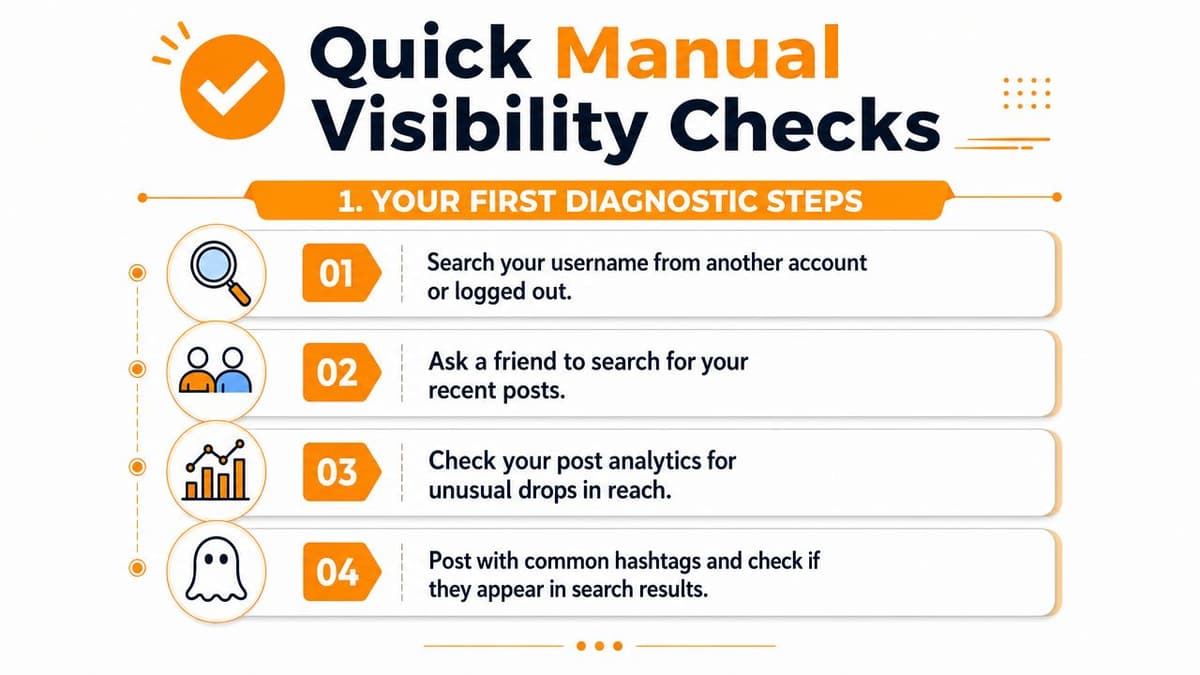
Before you use any tool, run a manual check. It forces you to look at your account the way a stranger would. It also gives you a baseline so you can tell whether a tester is helping or just echoing noise.
Check your profile and recent tweets in search
Open an incognito window or log out. Search for your handle using from:username. Then search for the exact text of a recent tweet.
If your recent posts appear, that's a good sign. If they don't, especially when the tweet is fresh and public, that points to a search visibility problem.
A lot of creators stop here, but that's too shallow. Search can fail for one query and still pass another. Use more than one path.
Run a unique hashtag check
Publish a normal tweet with a unique hashtag that isn't crowded. Wait a short while, then search that hashtag from an incognito window. If the tweet never shows, that's another sign your content may not be indexing properly.
This is also where advanced Twitter search operators help. If you know how to combine exact phrases, handles, and filters, you can isolate whether the issue is broad invisibility or just one broken surface.
Don't use a generic hashtag for this test. You need something distinctive enough that your tweet should be easy to spot.
Test your reply visibility
Reply to a public tweet from another account. Copy the parent tweet URL. Open it in incognito and look for your reply in the thread.
This matters because some accounts aren't fully hidden. Their posts still exist, but their replies get buried or filtered in conversation view. That's why reply testing often catches issues that a simple profile search misses.
Why three checks beat one
A stronger diagnostic pattern uses all three. In fact, a combinatorial test using username search, a unique hashtag, and a reply URL from an incognito window can raise detection accuracy to about 90%, though it requires consistent timing and multiple test tweets to reduce noise, based on the testing workflow described by Unfollr.
Use this simple interpretation guide:
- All three pass: You're probably not dealing with a true visibility restriction.
- Search fails, replies pass: Likely search indexing or partial suppression.
- Replies fail, search passes: Thread-level deboosting is more likely than a full account issue.
- Everything fails repeatedly: Treat it as a serious visibility problem and move to tool-assisted testing.
Using Third-Party Shadowban Testers Safely
Third-party testers are useful, but only if you understand what they're doing. Most of them aren't peeking inside X moderation systems. They're checking public behavior and making inferences.
How most testers work
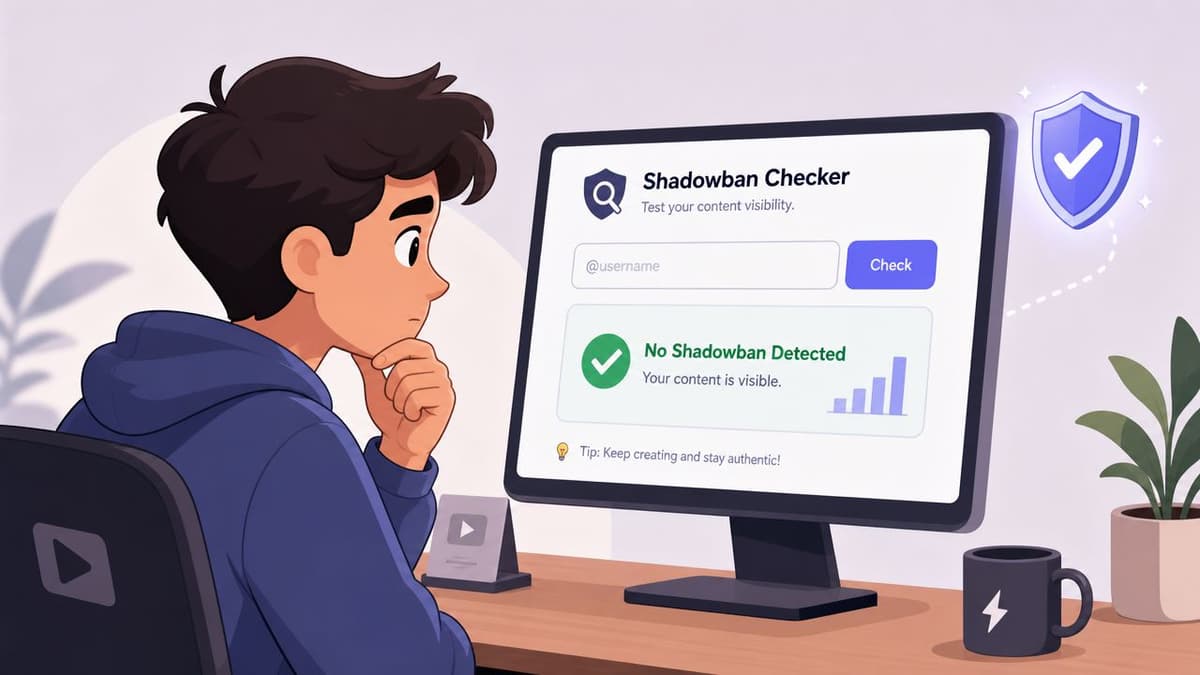
A typical Twitter shadowban tester runs searches like from:@username, checks whether recent tweets appear, and sometimes inspects reply visibility inside thread context. That's the same core idea used by independent tools such as Yuzurisa. Its published workflow explains that for search-ban detection, it runs from:@username queries and assumes suppression when recent tweets don't appear despite prior activity, as described on the Yuzurisa shadowban checker.
That's useful because it mirrors what a real user can see. It's limited because public search behavior is not the same thing as internal enforcement data.
What a good tester should and should not ask for
A decent checker is lightweight. It may ask for a username. Some account-connected tools use OAuth. What it should never ask for is your password directly.
Here's the filter I use when evaluating a tester:
- Good sign: It explains whether it checks search, reply visibility, or profile accessibility.
- Good sign: It makes clear that results are inferred from public visibility, not official moderation status.
- Bad sign: It gives dramatic labels with no hint of method.
- Bad sign: It asks for credentials in a sketchy form or overclaims certainty.
Circleboom-style tools, for example, present themselves as visibility checkers based on the platform's own search behavior rather than official moderation access. That's a fair model, as long as you read the result as a signal, not a verdict.
Use tools as a second opinion
The right way to use a tester is after you've done manual checks. If both line up, your confidence rises. If they disagree, you don't have clarity yet.
A tool that says “banned” after one failing search query is not proving anything. It's giving you one data point.
For a visual walkthrough of how these checks usually look in practice, this short explainer is useful before you start comparing tools:
The safest mindset
Think of testers the way you'd think about a site uptime monitor. Helpful, fast, imperfect. Good for catching patterns. Bad as a sole authority.
If the tester confirms the same issue across repeated checks and your manual workflow shows the same weak spots, you have something real to work from. If results swing wildly from one check to the next, the next section matters more than the badge on the tool.
Interpreting Test Results and Spotting False Positives
A common misunderstanding occurs when individuals run a checker once, see a warning, and assume the account is suppressed. In reality, failed tests often come from three different buckets. Persistent visibility limits, temporary indexing issues, or test infrastructure problems.
When a failed test probably isn't a true ban
If a tester says your account is hidden, but your tweets reappear later the same day, don't jump to cleanup mode yet. Search indexing on X can be inconsistent. So can account checks that rely on official APIs.
That's not speculation. Recent testing suites that depend on official X APIs note that API-level errors and throttling can mimic shadowban behavior, especially when checking multiple accounts or high-volume users quickly, which can generate false positives, as noted by OpenTweet's shadowban checker documentation.
A practical interpretation framework
Use this table instead of the usual panic spiral:
| If you see this | It could mean | What to do next |
|---|---|---|
| One failed search test | Indexing delay or a weak query | Retry later with exact text and from:username |
| Tester flips between pass and fail | API throttling, caching, or unstable tool behavior | Switch tools or rely on manual checks |
| Replies disappear but tweets still show | Thread-level deboosting | Test multiple replies on different public threads |
| Everything fails across repeated checks | Persistent visibility restriction | Pause risky behavior and begin recovery steps |
Timing matters more than people think
If you test too soon after posting, you can mistake indexing lag for suppression. If you test the same account repeatedly through a high-volume checker, you can trigger noisy results. If an agency checks many client accounts in one burst, the tooling itself can become the problem.
That's why I look for consistency, not a single red flag.
- Repeat the same test later: If the result stabilizes, you learned something.
- Use different surfaces: Search, replies, and profile visibility should tell a coherent story.
- Treat “inconclusive” as a real outcome: Not every weird result is actionable.
The worst move is changing everything after one flaky test. You need a pattern before you need a fix.
What a persistent problem looks like
A real issue usually has staying power. Search fails more than once. Replies stay hard to find. Visibility problems survive different devices, sessions, and timings.
What doesn't qualify is one failed checker result followed by normal discoverability. That's noise. The platform produces a lot of it, and a good diagnostic process has to account for that.
The Creator's Dilemma Automation and Account Health
Many founders and small teams don't get into trouble because they're malicious. They get into trouble because they're busy. They cross-post too aggressively, reuse the same copy, or let a scheduler create robotic timing patterns that look spammy from the outside.
That's where a lot of “shadowban” complaints start.
Heavy automation can look worse than it is
Independent X API-centric testers have pointed out that accounts with heavy automation often show reduced search visibility even when no policy violation is logged, which suggests that a lot of what creators call a shadowban is content de-ranking rather than complete invisibility, according to Sorsa's shadowban check notes.
That distinction matters. If you're de-ranked, your account may still be visible. It's just being shown less aggressively. A tester may label that as a ban because it sees weaker search behavior, but the underlying issue is often your posting pattern.

What usually triggers suspicion
In practice, the risky patterns are familiar:
- Same post everywhere: Identical wording across platforms can look low effort and machine-driven.
- Rigid timing: Posting on a mechanical cadence makes an account feel synthetic.
- Repetitive replies or promos: Even if they're technically allowed, they often degrade visibility.
- Bulk account checking and posting: Agencies and operators create noise both in testing and publishing.
This is also why creators sometimes use guides on anonymous Twitter browsing in 2026 during visibility checks. Browsing from a clean session can help separate account-specific issues from personalized search behavior. It won't fix reach, but it can improve diagnosis.
Smart automation versus dumb automation
I'm not in the “never automate” camp. That's unrealistic for small teams. The better rule is to automate distribution without automating yourself into spam patterns.
If you're using scheduling or reposting tools, review whether they let you vary presentation, adapt posts by platform, and avoid obvious duplication. If they just blast the same message everywhere at the same rhythm, they're making your account harder to trust.
For teams working on sustainable workflows, it's worth reading about Twitter automation patterns that reduce friction without inviting platform risk. The useful takeaway isn't “post more.” It's “stop posting in ways that look manufactured.”
Automation should remove repetitive work. It shouldn't remove judgment.
A Practical Roadmap to Restore and Protect Your Reach
If your checks point to a real visibility issue, don't overcomplicate the response. Most recovery work comes down to reducing suspicious signals and returning to normal, human-looking behavior.
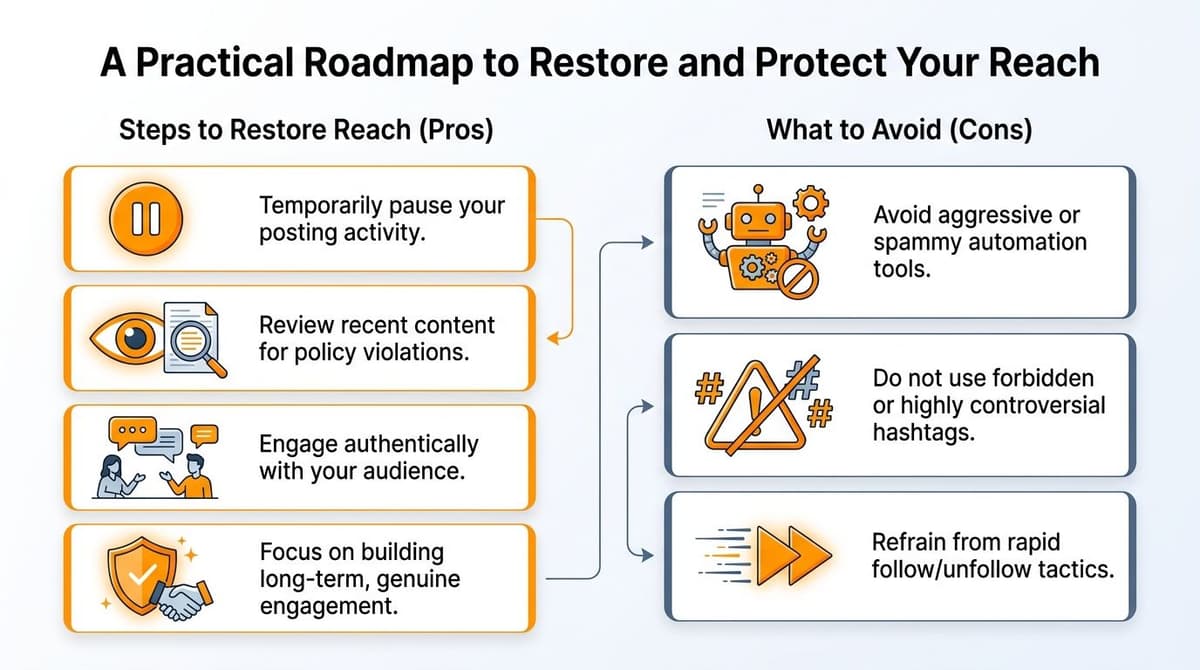
What to do if the issue looks real
Start with restraint.
- Pause aggressive activity: Stop rapid posting, mass replies, and any obvious automation loops.
- Review recent posts: Look for duplicate copy, repetitive links, or needlessly provocative hashtags.
- Check connected apps: Remove anything you don't trust or no longer need.
- Resume like a person: Post less, vary your format, and engage in normal conversation.
A lot of people make this harder by trying to “beat” the system with more volume. That usually deepens the problem.
What helps protect reach long term
Long-term account health is less glamorous, but it works better than hacks.
| Do more of this | Avoid this |
|---|---|
| Vary post structure and tone | Repeating the same copy across every post |
| Join relevant conversations naturally | Spraying generic replies under larger accounts |
| Use scheduling with oversight | Letting tools run without reviewing outputs |
| Test visibility when something feels off | Obsessing over every single underperforming post |
A no-nonsense maintenance routine
Keep it simple.
- Once in a while, verify discoverability: Use incognito and check search plus replies.
- When results are odd, wait and retest: Don't react to one failed reading.
- When the pattern is persistent, simplify your behavior: Fewer moving parts make diagnosis easier.
- Treat account trust like infrastructure: Slow to build, easy to damage.
Recovery usually starts when you stop trying to force reach and start removing the signals that suppress it.
The big takeaway is this. A Twitter shadowban tester is useful, but only when you use it as part of a workflow. Manual checks tell you what strangers see. Testers add speed. Repeated patterns separate real restrictions from glitches. And your own posting habits often explain more than the tool does.
If you want a cleaner publishing workflow that helps you distribute consistently without resorting to clumsy, repetitive posting habits, MicroPoster is worth a look. It's built for creators and small teams who want to write once, adapt content across platforms, and keep scheduling under control. There's a 7-day trial, so you can test the workflow without committing upfront.