time-saving social media tools for startup founders
8 Time-Saving Social Media Tools for Startup Founders (2026)
Our 2026 guide to time-saving social media tools for startup founders. Save hours with our curated list of schedulers, analytics, and automation platforms.

Your startup doesn't run out of ideas first. It runs out of founder attention.
Most early-stage teams treat social media like a side task. Then it starts eating the day. You write a launch update on X, copy it into Threads, trim it for one network, expand it for another, upload the same image twice, fix a broken mention, then remember you forgot LinkedIn. By the time you're done, the post is live everywhere and you've lost the block of time you meant to spend shipping product.
That's why time-saving social media tools for startup founders matter. Not because they're “nice to have,” but because they stop repetitive work from taking over your week. Research cited in startup automation coverage says founders can save an average of 10 to 13 hours per week with automation, depending on the workflow and tools involved (Crowley Media Group's startup automation research). If you're operating with a tiny team, that's not a marginal gain. That's real execution time back.
The trap is picking the wrong type of tool. Some tools are built for scheduling. Others are built for mirroring what you already post natively. That distinction matters more than most feature lists admit.
I use a simple framework: Schedule vs. Mirror.
- Schedule tools work best when you plan content in batches and want a queue.
- Mirror tools work best when you post naturally on one platform and want the rest handled automatically.
- Hybrid setups usually work best for founders who publish both planned company updates and spontaneous personal posts.
If your calendar is already packed, this is the part worth fixing first, right alongside Approved Lux's guide to time management.
1. MicroPoster

You post a quick product thought on X between meetings. It does well. Then the usual follow-up starts. Copy it to Threads, trim it for Bluesky, fix the formatting for Mastodon, re-upload the image, then get back to work. For a founder, that is the primary cost of social media. Not strategy. Repetition.
MicroPoster is a mirror tool first. That matters in the Schedule vs. Mirror decision from the intro. Instead of building posts inside a separate publishing dashboard, you post natively on your main platform and MicroPoster sends that post to the other networks you chose. If your best content comes from real-time founder commentary rather than a prebuilt calendar, that workflow usually saves more time than a classic queue.
In practice, the gain is simple. You keep the habit you already have.
Minutes saved per week
For founders who post several times a week on one primary text platform, MicroPoster can remove a surprising amount of cleanup work. The time savings usually come from four small tasks:
- rewriting the same post for each app
- splitting long posts into threads
- fixing broken @handles across platforms
- resizing or reattaching media
Individually, each task only takes a minute or two. Across a week, they add up fast.
MicroPoster handles those adaptation steps automatically across X, Threads, Bluesky, and Mastodon. If you want the underlying workflow, its guide on automating social media posts across platforms shows the mirror approach clearly.
That cross-network support matters because newer platforms are still unevenly supported by many traditional schedulers. Forge and Smith's breakdown of cross-posting gaps highlights that problem directly. For founders trying to stay visible across fragmented audiences, manual reposting becomes a recurring tax on the week.
Where MicroPoster fits best
MicroPoster works well for founders with a native posting habit already in place. I would put it in three common setups:
- founder-led distribution from X or Threads
- indie products building in public across text-first networks
- small teams that want broad presence without a full social media operating system
The setup cost is low. Connect accounts, choose source and destination platforms, test formatting rules, then leave it alone. After that, the tool tends to save time in the background rather than asking you to adopt a new content workflow.
That is the main upside.
Trade-offs you should know before choosing it
MicroPoster is not trying to replace a full planning suite, and that is part of its appeal. It also means you should be honest about what job you need done.
- Strongest for text-first publishing: It fits X, Threads, Bluesky, and Mastodon better than visual-first campaign management.
- Better for mirroring than calendar-heavy planning: If your team works from approvals, content pillars, and monthly campaign grids, a scheduler will give you more control.
- Best for consistency, not exact timing across every channel: Automation helps with coverage, but it is not the tool I would pick for highly coordinated multi-channel launches down to the minute.
MicroPoster also includes visual scheduling and manual reposting, so you are not boxed into one pattern. That hybrid option is useful if you want to mirror spontaneous founder posts while still queuing a few planned updates.
The honest summary is straightforward. If your bottleneck is posting everywhere after you already wrote the post once, MicroPoster can save real time every week. If your bottleneck is campaign planning, approvals, or analytics across many brand accounts, you will outgrow it and should start with a scheduler instead.
Post where you already have momentum. Let the mirror handle distribution.
2. Buffer
Buffer is the scheduler I recommend when someone says, “I just need something simple that won't fight me.”
Its strength is not novelty. It's restraint. You add posts to a queue, set your publishing times, and Buffer keeps your channels active without forcing you into a heavy enterprise workflow. For solo founders, that's often enough.
Why founders stick with it
Buffer reports that its free tier supports 3 social channels and 10 scheduled posts per channel, and its Essentials plan starts at $6 per month per channel (Conbersa's tool roundup citing Buffer details). That low entry point matters when you're testing whether scheduling even fits your routine.
The practical win is batching. You can sit down once, load a week's worth of announcements, product clips, hiring posts, or customer quotes, then stop thinking about publishing every day. Buffer also gives you a universal inbox and basic analytics, which is enough for many early teams.
Where Buffer works, and where it doesn't
Buffer works best when your posting is planned. It is less helpful when your strongest content comes from in-the-moment founder commentary. If your best posts happen because you reacted to a customer conversation or industry news, a queue-only workflow can feel stiff.
A setup I like is simple:
- Use Buffer for planned content: product updates, blog posts, launch reminders, evergreen company posts.
- Use a mirror tool for spontaneous content: founder takes, thread-style commentary, reactive updates.
- Keep the system small: too many channels quickly turns low-cost scheduling into account sprawl.
If you want the scheduling side of that workflow, MicroPoster has a useful guide on how to automate social media posts.
Buffer is a good default because it doesn't try to be everything. It's reliable, clean, and easy to hand to a founder who has no time for training. What it won't do is replace a real analytics suite or advanced listening tool. If you need deep reporting, approvals, or customer support workflows, you'll outgrow it.
For early consistency, though, Buffer still earns its place.
3. Sprout Social
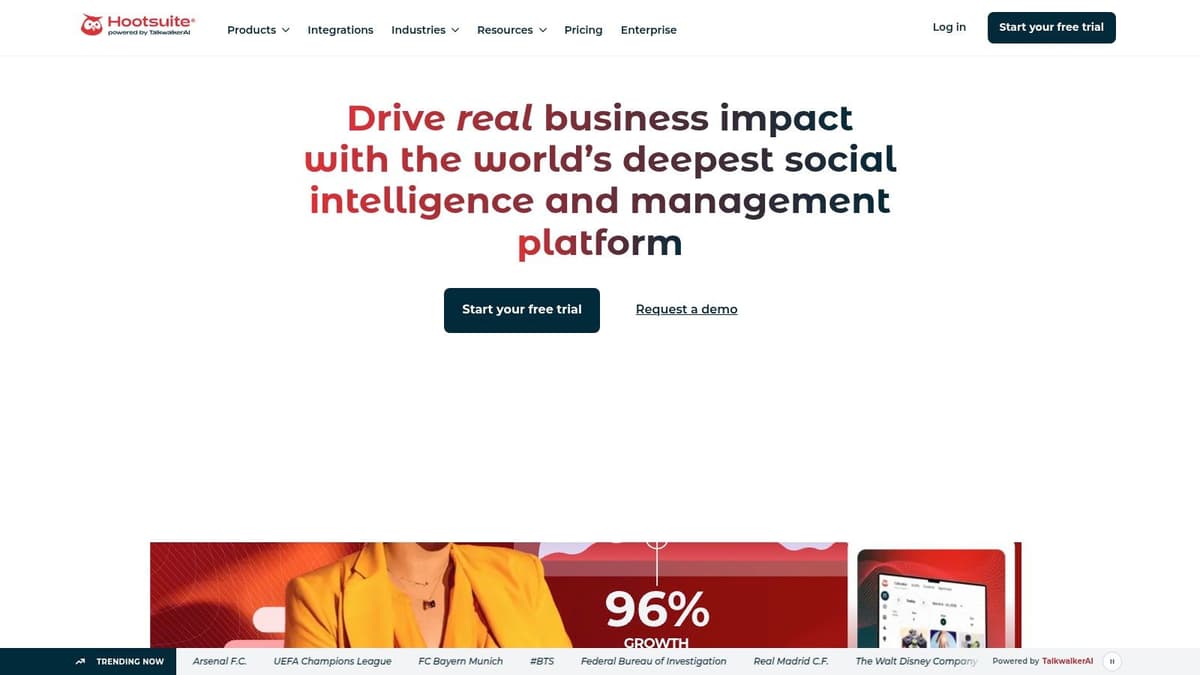
Sprout Social is what you buy when social media has stopped being a side channel and turned into an operating function.
This is not the leanest option in the list. It's the premium one. That matters because a lot of startup founders don't need premium software. But if you have a marketing hire, multiple stakeholders, and a real need for reporting and engagement management, Sprout can save time in places cheaper tools can't.
What you're paying for
Sprout Social generated Q3 2024 revenue of $102.6 million, reported annual recurring revenue of $385.2 million in 2023 with 30% year-over-year growth, and serves more than 30,000 brands globally according to market analysis of social media software companies (Gaps market overview of social media platforms). That scale shows up in the product. It's built for structured publishing, unified inbox workflows, analytics, approvals, and broader team operations.
Pricing starts at $249 per month and runs to $499 per month in the same market overview, which puts it firmly in the “serious investment” category. For a solo founder, that's usually too much. For a funded startup where social supports sales, customer experience, and brand, it can be justified.
The real time savings
Sprout's time savings come from consolidation. Instead of checking platform-native inboxes, exporting reports, and stitching together performance views in spreadsheets, your team gets one system for publishing and analysis.
That doesn't make you faster at writing. It makes you faster at running the machine around the writing.
When a tool costs more, it needs to replace process, not just clicks.
Sprout makes the most sense when social content isn't owned by one person anymore. If a founder, a marketer, and support or community teammates all touch the same channels, the overhead of loose workflows starts to hurt. That's the point where Smart Inbox, approvals, and polished reporting save time.
For founders still pre-product-market-fit, this is usually overkill. Too many teams buy enterprise software before they have an enterprise problem. Sprout is excellent, but only when the complexity is real.
4. Later
Later is the easiest pick on this list if your social strategy is visual first.
Some founders are trying to build authority through text. Others are selling products, lifestyle, design, food, or creator-led brands where the grid, Reel, or short-form video matters more than the caption. Later was built for that world, and it still feels strongest there.
Why visual founders use it
The drag-and-drop planning experience is the main reason to choose Later. If you care about how your feed looks before anything goes live, this saves you from the messy loop of posting, deleting, rearranging, and second-guessing assets. It's a practical tool for anyone who wants a more cohesive Instagram or TikTok presence.
I wouldn't reach for Later if your main growth channel is X, LinkedIn, or founder-led text commentary. I would reach for it if you're running a D2C brand, promoting product visuals, or trying to keep a consistent aesthetic across visual channels.
Good workflow, narrower use case
Later tends to be a strong fit when you already have assets to work with. Brand photos, short clips, product demos, creator content, testimonials, packaging shots. In that setup, visual planning saves real time because it reduces decision fatigue.
A few honest trade-offs:
- Great for visuals: feed planning, asset organization, and visual scheduling are its core strengths.
- Less compelling for text-heavy strategy: if your growth comes from threads, commentary, and fast reactions, it's not the natural home base.
- Best with a content library: if you rarely have visuals ready, the planner won't solve that underlying problem.
For startup founders, this is one of those tools that either clicks immediately or doesn't. If your team says “we need our Instagram to look intentional,” Later is usually a better fit than a generic scheduler. If your team says “we keep forgetting to repost founder thoughts to other text networks,” look elsewhere.
5. Loomly
Loomly solves a problem that appears the moment you stop being the only person touching social.
At first, approvals happen in DMs, Slack messages, or comments in a doc. Then someone posts an outdated image, uses the wrong product positioning, or forgets that the founder wanted a different CTA. You don't need a giant team for this to get annoying. One freelancer and one internal reviewer is enough.

Where Loomly saves hours
Loomly's strength is process. Drafting, reviewing, approving, and publishing happen in one place. That reduces the back-and-forth that usually eats more time than the post itself.
For founders hiring their first marketer or working with contractors, this matters a lot. You want content moving without being the bottleneck on every caption. Loomly gives you enough structure to delegate without losing control.
Best for growing teams, not solo speed
I wouldn't put a solo founder with a fast personal brand into Loomly as their primary publishing tool. It can feel too structured for that. But if you're managing brand accounts with multiple hands involved, the structure is the point.
What works well:
- Approval trails: fewer lost comments and fewer “which version is final?” moments.
- Channel mockups: useful when non-marketers need to review posts before they go live.
- Delegation without chaos: interns, freelancers, and junior hires can work inside guardrails.
What doesn't:
- Not ideal for founder spontaneity: it slows down in-the-moment posting.
- Less compelling for deep analytics: collaboration comes first here.
- Can feel heavy early on: if your team is still tiny, process can become overhead.
A tool like Loomly earns its keep when it removes interruptions from the founder's day.
That's the key trade-off. If your problem is messy coordination, Loomly saves time. If your problem is publishing quickly from one brain to many networks, it probably doesn't.
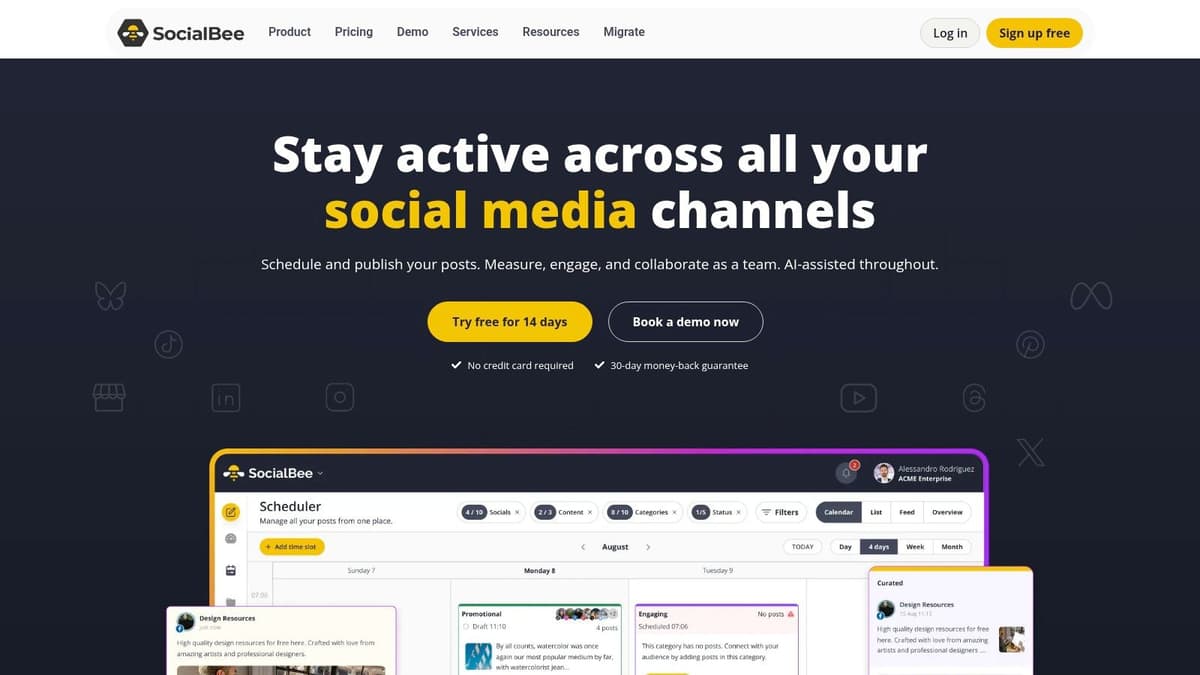
6. SocialBee
SocialBee is the tool I'd pick when you already have useful content and you're underusing it.
A lot of startup founders keep creating from scratch because old posts feel “used.” In practice, most of your audience missed them the first time. Evergreen content systems solve that. SocialBee is built around categories and recycling, which makes it one of the better fits for founders with blog archives, resource libraries, repeatable tips, and educational content.
The automation payoff
If your startup has articles, explainers, product lessons, onboarding advice, or customer education posts, SocialBee can keep redistributing that material without you manually rebuilding the queue every week. That's the kind of automation that compounds. The setup takes some effort, but the maintenance load drops after that.
This is especially useful for bootstrapped teams where no one has time to “feed the channels” every day. Once categories are built, SocialBee can keep your presence active while you focus on product and sales.
Strong for repurposing, weaker for reactive posting
SocialBee is practical, not glamorous. That's mostly fine. The value is in systematizing content that already exists.
Use it when you have things worth resurfacing:
- Evergreen posts: product education, customer pain points, frequently answered questions.
- Blog promotion: articles that can be shared repeatedly with refreshed angles.
- Content buckets: behind-the-scenes updates, founder lessons, testimonial snippets.
If repurposing is your main bottleneck, this guide to content repurposing strategies pairs well with a SocialBee-style workflow.
The downside is obvious. SocialBee is not where you go for the sharpest analytics or the best real-time engagement workflow. It's much better at making your existing content library work harder. For a founder with a lot of good material and not enough time, that's often the smarter priority anyway.
7. Publer
Publer is one of the more interesting tools in this category because it supports a wider mix of newer networks and thread-style posting than many mainstream schedulers.
That matters if your audience hangs out in more technical or early-adopter communities. A lot of startup conversations now happen outside the old default stack. If you're active on Bluesky, Mastodon, Threads, and X, Publer is one of the more practical places to manage that mix from one interface.
Schedule versus mirror
Publer is where the Schedule vs. Mirror framework gets useful.
If you like to sit down on Monday, write three planned threads, tailor each one, and queue them up across networks, Publer makes sense. If you tend to write in the moment inside your native app, then you'll probably find mirroring workflows smoother.
That's the core distinction. Publer helps you schedule thread-based content across emerging platforms. It's strongest when you want to control and customize before publishing.
Best use case
Publer fits founders who are active on newer communities and don't want to sacrifice formatting quality just because they're cross-posting. It also suits teams who want affordable breadth. You get useful scheduling flexibility without paying enterprise pricing.
The trade-offs are familiar:
- Good breadth: broad support is valuable if your audience is spread out.
- Better for planners: queue-first users get more out of it than spontaneous posters.
- Can feel busy: power often comes with a denser interface.
I'd describe Publer as a strong tactical tool. It doesn't try to become your full marketing operating system. It helps you publish across fragmented social platforms without a lot of manual setup.
If your strategy depends on threads and newer platforms, it deserves a close look.
8. Metricool
Metricool is the tool for founders who are tired of guessing what social media is doing for the business.
A lot of schedulers help you publish faster. Fewer help you see social activity next to website data and paid campaigns in a way that changes decisions. Metricool leans into that analytical side.
Why this saves time
The time savings here come from reporting consolidation. Instead of pulling performance from several social platforms, checking ad dashboards separately, and trying to compare what happened, you get a more unified view in one place.
That's useful when you're running both organic and paid efforts. You can see which channels deserve more attention and which ones are mostly creating work.
Don't just save posting time. Save analysis time too.
Best for founders who make decisions from data
Metricool is a good fit if you're the kind of founder who wants to know whether social content supports traffic, campaigns, or conversions, not just engagement. It's less polished on the publishing side than some scheduler-first tools, but that's the trade. You're choosing insight over publishing elegance.
I'd use Metricool when:
- You run ads and organic together: one dashboard reduces context switching.
- You need quick reporting: especially useful for small teams and founder reviews.
- You want channel clarity: it helps identify where your effort is paying off.
One caution. Analytics can become another form of procrastination. If you don't have enough content volume yet, detailed dashboards won't fix that. Metricool works best once you're publishing consistently enough to need better feedback loops.
8-Tool Comparison: Social Media Time-Savers for Startup Founders
| Tool | Core features | Quality (★) | Value & Price (💰) | Target audience (👥) | Unique selling point (✨) |
|---|---|---|---|---|---|
| 🏆 MicroPoster: Native‑First Crossposting | Auto-detect native posts, adapt per network (threads, media, handles), AI copy/timing, visual calendar, OAuth | ★★★★☆ | 💰 $12 Creator / $29 Pro · 7‑day trial · unlimited scheduling | 👥 Founders, creators, small teams who post natively | ✨ Write once, auto-mirror & native adaptation across X, Threads, Bluesky, Mastodon |
| Buffer: Simple Set‑and‑Forget | Queue scheduler, engagement inbox, browser & mobile apps, AI captions | ★★★★☆ | 💰 Free up to 3 channels · paid ~ $6/channel | 👥 Solo founders, small teams wanting low-friction scheduling | ✨ Extremely simple, reliable queue-based publishing |
| Sprout Social: Premium Analytics & Teams | Smart Inbox, advanced reporting, listening, approval workflows | ★★★★★ | 💰 $249+/user · enterprise pricing | 👥 Funded startups, marketing teams needing deep analytics | ✨ Best‑in‑class analytics + team collaboration tools |
| Later: Visual Planning for Creators | Visual drag‑drop calendar, media library, best‑time suggestions, Linkin.bio | ★★★★☆ | 💰 Free plan · from ~$25/mo | 👥 Visual brands, D2C, Instagram/TikTok creators | ✨ Visual grid planning and media-first workflow |
| Loomly: Structured Collaboration | Content approvals, post mockups, content library, workflow automation | ★★★★☆ | 💰 from $32/mo (2 users) | 👥 Teams working with freelancers/interns, brand managers | ✨ Built‑in approval flows and audit trail for brand consistency |
| SocialBee: Evergreen & Recycling | Content categories, evergreen recycling, AI copilot, RSS import | ★★★★☆ | 💰 from ~$29/mo · founder-friendly | 👥 Founders with evergreen content/back‑catalog | ✨ Automated category-based recycling to keep queues full |
| Publer: Thread & Emerging Network Focus | Native thread scheduling (X/Threads/Bluesky/Mastodon), bulk scheduling, Canva | ★★★★☆ | 💰 Free tier · Pro from $12/mo | 👥 Tech‑savvy founders, community builders on new platforms | ✨ Robust native thread scheduling across newer networks |
| Metricool: Analytics-First Dashboard | Unified analytics (social, web, ads), competitor tracking, autolists | ★★★★☆ | 💰 Free (1 brand) · from ~$22/mo | 👥 Data-driven founders running organic + paid ads | ✨ Consolidates social + ad performance in one dashboard |
Stop managing social media and start building your business
It's Tuesday night. You meant to ship a product update, reply to customers, and tee up three posts for the week. Instead, you're resizing the same image, rewriting the same caption for different networks, and trying to remember whether the company account already posted today. That is the true social media problem for founders. It is not lack of tools. It is attention getting chopped into low-value tasks.
The right tool fixes the repeatable part of your workflow first. That is the filter that matters.
I use a simple test. Ask where your time goes each week, then buy for that bottleneck. If you lose time because posts never go out, use a scheduler. If you already post consistently on one network and waste time recreating that post elsewhere, use a mirror-first tool. If the delay comes from approvals, pick a tool built around review and signoff. If reporting eats Friday afternoon, add analytics only then.
That split is easier to choose if you use a Mirror vs. Schedule framework.
Pick for the job you already do
Mirror tools and scheduling tools solve different problems.
Scheduling works best when you already know what needs to go out: launch posts, hiring announcements, webinar promos, customer stories. The gain comes from batching. Spend 45 minutes once, save yourself 10 to 15 minutes of context switching every day after that.
Mirror tools work best when your strongest content starts as a native post from a founder account. You post a quick take on X or Threads, then want that same idea published to Bluesky or Mastodon without opening four tabs and cleaning up formatting each time. The savings are smaller per post, but they stack fast if this is your real habit.
Founders frequently err in their decision. They buy a full calendar because it looks organized, then keep posting off the cuff anyway. The calendar sits there half-empty. The tool is not bad. The workflow never matched the work.
Setup cost matters more than feature count
A tool can save time later and still be the wrong choice today.
Early-stage teams usually need software that fits current behavior with minimal setup. If a platform asks you to redesign approvals, content planning, asset storage, and reporting before you see any benefit, the time payback may be too far out. That trade-off can make sense for a larger team. It rarely makes sense for a founder with one marketer and a product roadmap slipping behind.
That is why simple products keep winning in early-stage companies. Buffer works when you need a straightforward queue and do not want to train anyone. MicroPoster makes sense when your habit is already native posting and the waste is in manual cross-posting. Sprout Social can earn its cost once social becomes an actual function inside the company, not a side task squeezed between hiring and sales calls.
Use a hybrid setup if your content has two modes
A single tool does not have to do everything.
For a lot of startups, the lowest-friction system is a hybrid:
- One tool for planned brand content such as launches, partnerships, job posts, and blog distribution
- One tool for founder-led distribution such as reactions, threads, and quick market commentary
- One reporting layer only after posting volume is high enough to justify weekly review
That setup maps to how startups communicate. The company account needs consistency. The founder account needs speed. Forcing both into one workflow usually creates extra admin, not less.
Count minutes saved, not features added
Features are easy to compare. Time savings are harder, but they matter more.
A good tool should remove a repeated action from your week. Maybe it saves you from rewriting captions for four platforms. Maybe it cuts reporting from an hour to 15 minutes. Maybe it prevents the all-too-common scramble of realizing on Friday that nothing shipped on social all week. Those are real gains because they return time to product, sales, hiring, or customer work.
That is the standard to use.
If social media feels heavier than it should, fix the largest time leak first and ignore everything else for now. One founder might need a scheduler. Another might need mirroring because their best content already starts on one network. Another might need approvals because too many posts stall in Slack.
Start there. Set up one system that saves real minutes every week, then get back to building.
If you already post on one platform and keep meaning to share the same updates elsewhere, try MicroPoster. It turns one native post into distribution across X, Threads, Bluesky, and Mastodon without forcing a new workflow. The 7-day trial is enough to test whether mirroring saves more time for your team than manual cross-posting.