
If you've ever felt chained to your phone, trying to post on X (formerly Twitter) at the "perfect" time, you know it’s a fast track to burnout. When you learn to schedule posts on Twitter, you’re not just saving time; you’re shifting from a reactive, chaotic approach to a proactive, strategic one. It's a simple change that makes all the difference, helping you stay consistent, hit those key engagement windows, and reclaim your week.
Why Scheduling Your Twitter Content Is a Game Changer
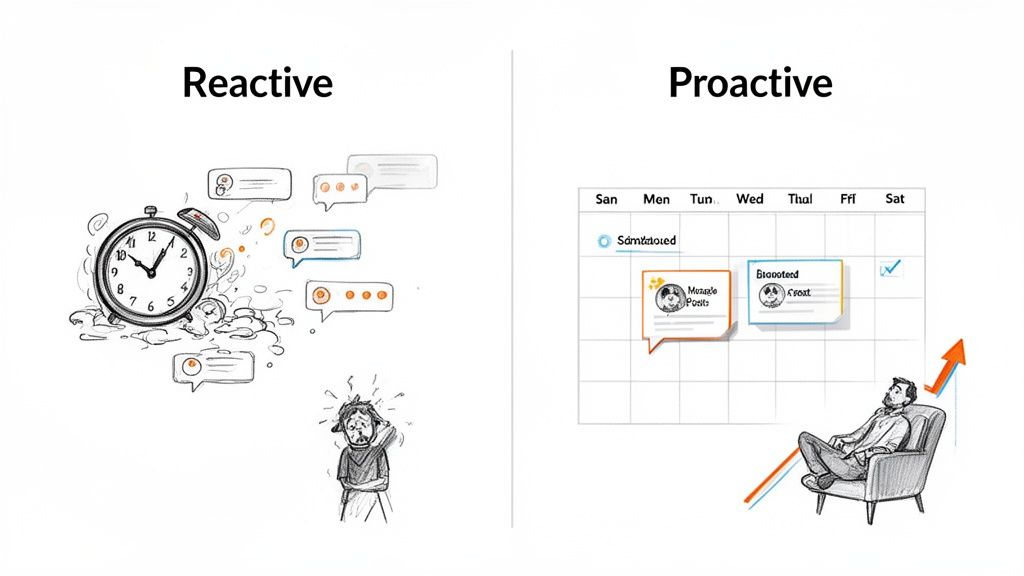
Let's be real: consistency is everything on X. But being consistent doesn't mean you have to be online 24/7. That constant pressure to think of, write, and publish tweets on the fly is a major cause of creative fatigue and, ironically, leads to sporadic posting. This is exactly why scheduling is a non-negotiable tool for any serious creator or manager.
When you plan your content ahead of time, you get your mental energy back. Instead of scrambling for what to say next, you can set aside dedicated blocks of time for creativity and strategy. This "batching" approach lets you build a thoughtful content calendar that tells a clear story and keeps your brand voice sharp with every single post.
From Daily Grind To Strategic Growth
The difference between posting manually and scheduling your content is night and day. One feels like a never-ending to-do list; the other is a forward-thinking plan for growth.
When you have a scheduling system in place, you can suddenly:
- Hit Peak Engagement Windows: Get your best content in front of your audience when they're most active, even if that's at 3 AM your time.
- Maintain a Global Presence: Easily connect with followers in different time zones without disrupting your own life or sleep schedule.
- Free Up Time for What Matters: With the publishing handled, you can spend your time where the real growth happens—in the replies, building community and having actual conversations.
It's similar to how finding the right tools, like when you discover how speech to text software can revolutionize your entire content creation workflow, frees you up to focus on the big picture instead of getting bogged down in manual tasks.
The real power of scheduling isn't just the automation. It's the freedom it buys you to be more human. When your content is flowing automatically, you can show up for the spontaneous, in-the-moment interactions that truly build a loyal following.
Ultimately, scheduling your posts on X means taking command of your content strategy. You turn your profile from a random stream of thoughts into a reliable source of value. The table below really drives home this difference.
Manual vs Scheduled Posting A Creator's Workflow
This table breaks down the day-to-day reality of both approaches. It’s a clear look at how a simple workflow change can completely alter your effectiveness and well-being as a creator.
| Activity | Manual Posting (The Daily Grind) | Scheduled Posting (The Strategic Approach) |
|---|---|---|
| Morning | Wake up, immediately check X. Scramble to find something interesting to post to "start the day right." | Wake up, check notifications. Morning posts are already live. Spend 15 minutes engaging with replies and mentions. |
| Content Creation | Throughout the day, try to find small pockets of time to write and post, often feeling rushed and uninspired. | Dedicate a 2-hour block on Monday to write and schedule the entire week's core content. Creativity is focused. |
| Engagement | Post something, then get pulled into the timeline, losing focus and reacting to whatever is trending. | With posts automated, time is intentionally set aside for proactive engagement, DMs, and community building. |
| Peak Times | Often miss peak engagement hours due to meetings, personal commitments, or different time zones. | All content is pre-scheduled for optimal times based on audience analytics, maximizing reach without being online. |
| End of Day | Feel stressed about not posting enough or missing opportunities. The content "chore" is never truly done. | Log off knowing the content plan is executing automatically. Time to recharge without worrying about the feed. |
As you can see, scheduling isn't about being lazy—it's about being smart. It transforms your role from a content machine into a community architect, giving you the space to build relationships, analyze performance, and plan your next big move.
Using the Native Scheduler on X for Quick Wins
Before you even think about third-party tools, it's worth getting comfortable with the free, built-in scheduler X provides. It’s surprisingly good for basic needs and is the quickest way to get started.
Think of it as your go-to for simple tasks. Need to queue up a one-off announcement, share a thought over the weekend, or make sure a post goes live while you're in a meeting? The native tool handles it perfectly without any extra cost or complicated setup. It just works.
How to Schedule a Single Post on X
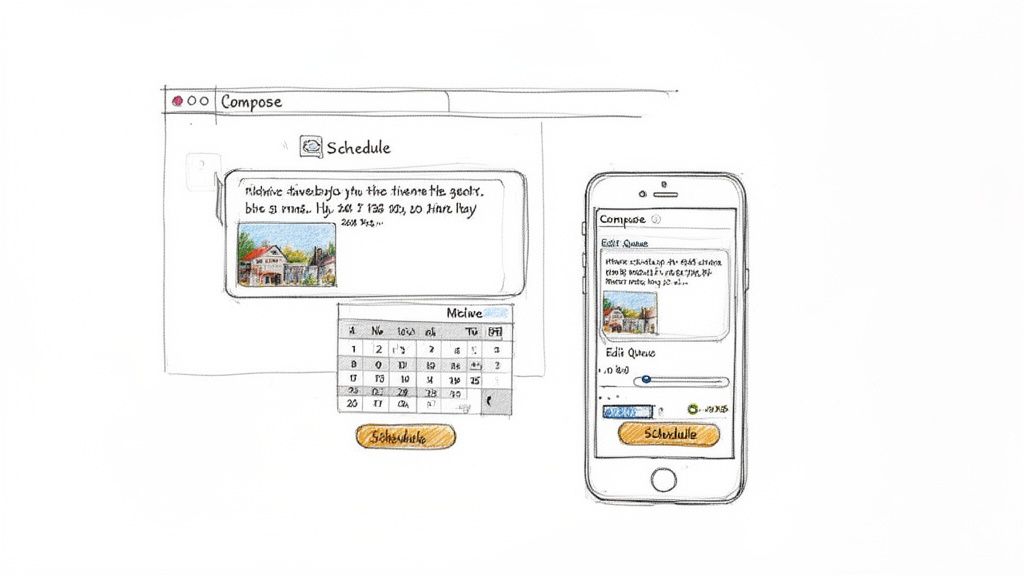
Scheduling a post directly on X couldn't be easier. Just start writing your post in the composer on the desktop or web app, adding your text, images, GIFs, or a poll like you normally would.
Once it looks right, find the small calendar icon with a clock in the toolbar at the bottom. That's your entry point to the scheduler.
Clicking it brings up this simple pop-up, which lets you pick the exact date and time—right down to the minute—for your post to publish.
The whole process is pretty intuitive:
- Click the schedule icon (the little calendar with a clock).
- Pick your date from the calendar.
- Set the specific hour and minute you want it to go live.
- Hit Confirm in the top-right corner.
- Finally, click the main blue Schedule button. That’s it! Your post is now in the queue.
Scheduling a Full Thread Natively
One of the best, and maybe a bit overlooked, features of the native tool is that you can schedule entire threads. This is a game-changer for planning tutorials, breaking down complex topics, or telling a story over multiple posts.
To get started, just write your first post. Then, click the little plus icon (+) in the bottom-right corner of the composer to add the next part. Keep doing this until you've built out your full thread.
Once the entire thread is written, the scheduling part is exactly the same. You click the schedule icon, choose your time and date, and confirm. The platform treats the whole thread as a single item and will publish all the parts in order at your chosen time.
Managing Your Scheduled Posts
What happens if you find a typo or need to shift the timing? No problem. X makes it simple to manage everything you have queued up.
To find your scheduled content, click the "Post" button again and look for the "Unsent Posts" option.
Pro Tip: I make it a habit to check my scheduled queue at least once a week. This quick five-minute review helps me catch anything that's become outdated, adapt to breaking news, or just polish a post with a fresh set of eyes before it goes live.
Inside the "Unsent Posts" section, you’ll see a “Scheduled” tab. This is where you'll find a list of everything you've got lined up. From here, you can:
- Edit: Click on a post to open it back up in the composer for changes.
- Reschedule: Easily adjust the date or time.
- Delete: Remove a post entirely if your plans change.
While the native scheduler is fantastic for getting your feet wet, it definitely has its limitations. It won't let you set up recurring posts, there's no visual content calendar, and it lacks the deeper analytics you'll need to really scale a content strategy.
Leveling Up with Advanced Scheduling Tools
X's built-in scheduler is a decent place to start. But once you get serious about growing your account, you'll feel its limitations pretty quickly. This is where dedicated scheduling tools step in. Platforms like MicroPoster are more than just post queues; they're complete command centers for your content strategy.
Think of it like trying to build a house with only a hammer. Sure, you can get a few things done, but you're missing the specialized gear that makes the job faster, better, and more professional. Sticking only with the native tool means you're leaving powerful features on the table—things like visual calendars, recurring posts, and cross-platform publishing that are built for efficiency.
Automate Your Consistency with Recurring Posts
One of the toughest challenges for any creator is just showing up consistently. Advanced tools crush this problem with recurring posts, sometimes called content slots. This feature is a lifesaver. You can set aside specific times for different types of content, and the tool will automatically pull from a queue you've already approved.
For example, you could create dedicated slots like:
- A "Weekly Thread" that goes out every Tuesday at 9:00 AM.
- A "Quick Tip" that posts every weekday at 1:00 PM.
- A "Community Question" slot every Friday at 4:00 PM.
All you have to do is load up a bank of your best tips or thread ideas, and the tool takes care of the rest. Your profile stays active and delivers value even when you're swamped. This is the secret behind how top accounts post so frequently without burning out.
See Your Entire Strategy with a Visual Calendar
While the native scheduler shows you a basic list of what's coming up, a professional tool gives you a full visual content calendar. This completely changes the game for planning. You can see your entire month laid out, instantly spot content gaps, and make sure you have a healthy mix of promotional, educational, and fun posts.
The ability to drag and drop posts on a calendar might seem like a small detail, but it transforms how you plan. It shifts your mindset from "What do I post today?" to "What story are we telling this month?"—a crucial step for building a cohesive brand narrative.
This bird's-eye view makes it effortless to coordinate campaigns, time posts with product launches, and keep your content feeling balanced and on-brand. Say goodbye to messy spreadsheets and forgotten sticky notes.
Write Once, Publish Everywhere
Let's face it, your audience isn't just on X. They're on Bluesky, Mastodon, and a dozen other places. Advanced schedulers like MicroPoster offer cross-platform posting, which lets you write your content once and then tweak it for multiple networks at the same time.
And this is much more than a simple copy-paste job. A good tool will help you reformat your content to match each platform's unique vibe, character limits, and audience expectations. For social media managers and brands, this saves an unbelievable amount of time, turning what used to be a multi-hour chore into a few quick clicks.
To really scale your content, you also need to think about frequency. The old "one post a day" rule is long gone on X. Recent data shows that accounts posting between 3-10 times daily get much better results. In fact, the median frequency across industries has climbed to 3.91 tweets per day, making a robust scheduler an absolute necessity to keep pace.
Beyond X's own tools, you can take your strategy even further with powerful social media automation tools that often integrate with schedulers for even more functionality. We also have a deeper dive into the best social media scheduling tools you might want to check out. By combining these systems, you're no longer just scheduling posts; you're building a complete, multi-platform content engine that drives real growth.
Discovering Your Best Times to Post on Twitter
Putting great content out at the wrong time is like telling a brilliant joke to an empty room. To really get ahead when you schedule posts on Twitter, you have to understand that when you publish is just as important as what you publish. The platform moves a mile a minute, and a tweet’s lifespan can be brutally short.
Timing isn’t just about tossing a post into the void and hoping for the best. It’s about syncing up with how people actually use the platform. They scroll on their morning commute, they take a quick break at lunch, and they catch up on the day’s events in the evening. Hitting these peak activity windows is essential for getting your content seen. This is especially true when you realize that 50% of all engagement a post will ever get happens within the first hour.
Finding Your Unique Engagement Window
While general advice can give you a solid starting point, the absolute best times for you to post are unique to your audience. Their specific habits, time zones, and daily routines are what truly dictate your optimal schedule. Generic tips are fine, but personalized data is where the real results come from.
The best place to start is by digging into your own X Analytics. Look for the patterns hidden in your most successful posts:
- Day of the Week: Are Tuesdays outperforming Saturdays for you?
- Time of Day: Is your audience more engaged first thing in the morning or late at night?
- Content Type: Do your threads get more traction during business hours, while polls take off after dinner?
This data is your personal roadmap. Sifting through it helps you move from pure guesswork to a data-backed strategy, making sure every scheduled post lands with maximum impact.
The real goal is to find that sweet spot where your audience is most active and your content is most relevant. It sounds simple, but it’s the bedrock of every successful X strategy. Stop posting when it’s convenient for you; start posting when it’s prime time for them.
Automating Your Timing for Peak Performance
Trying to manually track and hit these perfect posting windows is a massive headache, especially if your followers are scattered across different time zones. This is exactly where advanced schedulers like MicroPoster become a game-changer. These tools can analyze your follower data for you and recommend the best times to post, taking all the manual work out of the equation.
Precision really matters here. The highest-performing time slots are often between 7:00 AM and 9:00 AM and again from 5:00 PM to 8:00 PM. In fact, some studies have shown that posts published between 9:00 and 10:00 AM received 30% more retweets on average. That shows just how much of a difference a single hour can make.
The chart below shows some of the key features modern schedulers offer to help you nail your timing consistently.
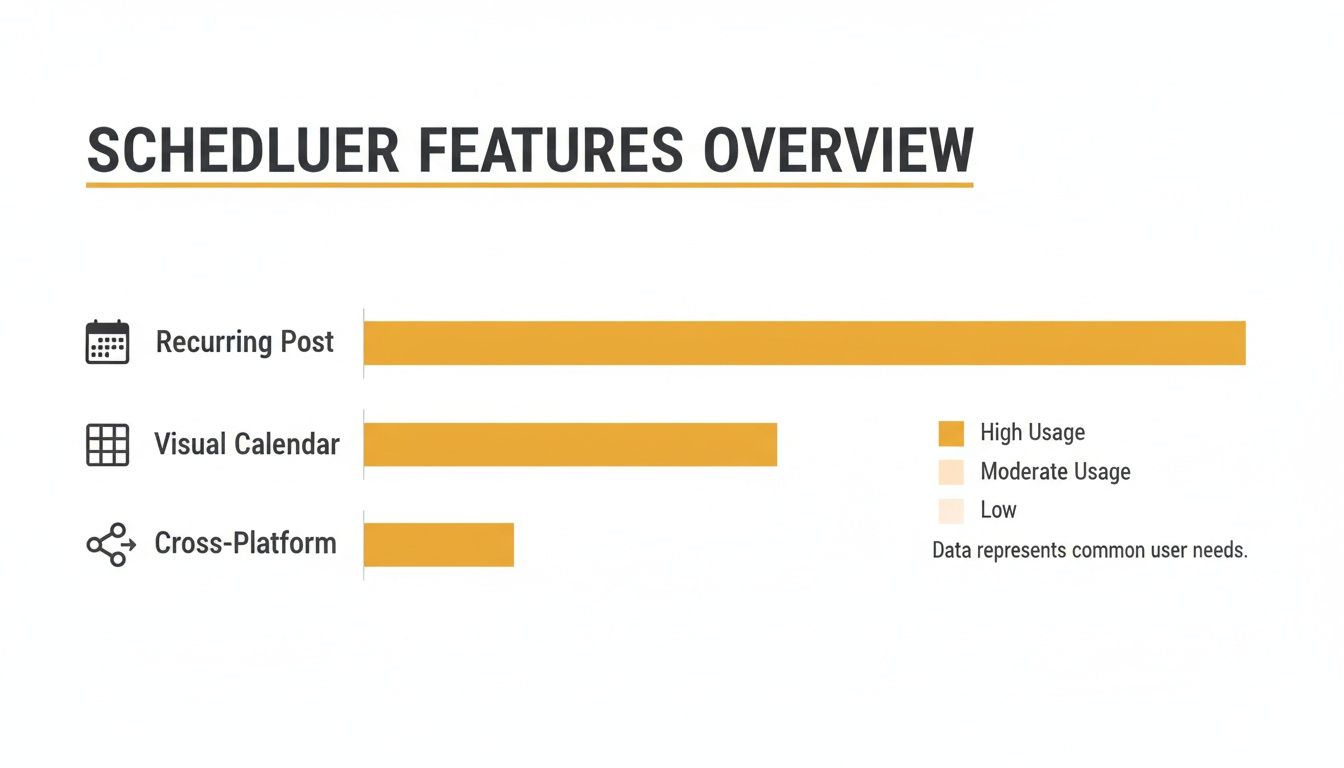
As you can see, features like recurring posts, visual calendars, and cross-platform sharing are central to pulling off a consistent and well-timed content plan. For a deeper dive into the data, check out our full guide on the best times to post on Twitter. By using these tools, you stop chasing the clock and start making it work for you.
How to Build a High-Frequency Posting Strategy That Doesn’t Burn You Out
If you want to grow on X, you need to post consistently. A lot. But the thought of coming up with multiple fresh ideas every single day is enough to make anyone want to quit.
The secret isn’t working harder or being chained to your phone. It's about building a smart, sustainable content pipeline. This is where you graduate from simply using a scheduler to actually implementing a real content strategy. A good system saves you from that daily panic of, "What on earth do I post right now?"
Instead, you can block off just a few focused hours once a week to plan, write, and schedule everything. This is how you keep your quality high and your variety interesting without feeling like you're on a content treadmill.
Define Your Content Pillars
The bedrock of any solid workflow is your content pillars. Think of these as the 3-5 core themes you'll always talk about. They’re your go-to topics that your audience expects from you.
For example, if you're a startup founder, your pillars might be product development, leadership lessons, and commentary on industry news. A freelance writer might choose storytelling tips, book recommendations, and personal essays about the writing life.
Once you have your pillars, content creation gets so much easier. You’re no longer staring at a blank screen wondering where to start. You’re simply filling in specific buckets, which makes brainstorming a breeze and ensures your feed stays focused and valuable.
Here’s what that looks like in a typical week:
- Monday (Set aside 2 hours): This is your content block. Brainstorm and write out all your main posts for the week, making sure you touch on each of your pillars.
- Schedule Everything: Get all that content loaded into your scheduler. You can queue up a weekly thread, a daily insight, and even a poll in a matter of minutes.
- The Rest of the Week: With your core content running on autopilot, you can focus purely on what matters in real-time—replying to comments, jumping into relevant conversations, and actually connecting with people.
The best X accounts are built on systems, not just hustle. Batching your content creation turns a chaotic daily scramble into a calm, focused weekly task. This is the key to scaling your presence without scaling your stress.
Create Templates for Your Go-To Formats
Look, not every post needs to be a groundbreaking piece of art. Save yourself some serious time by creating simple templates for your recurring content. Think weekly Q&As, polls, or a "tip of the day" format.
This small step drastically cuts down your writing time and creates a familiar rhythm your followers will start to look forward to. For example, a template for a weekly poll might have a standard opening line and call to action; all you have to do is plug in a new question and options each week.
The data backs this up, too. Accounts that post 10 or more times a week see the most significant growth, earning nearly 3x the engagement per post compared to those posting just once. The trick is to space your posts out by at least 30 minutes during peak hours to give each one room to breathe and maximize its reach. You can find more data on social media frequency to really dial in your timing.
Ultimately, having an efficient system isn't just a nice-to-have—it’s a real competitive edge.
Common Questions About Scheduling Twitter Posts
Once you start scheduling posts on X, you'll inevitably run into a few common questions. I see them pop up all the time. Getting these sorted out will help you build a content plan with confidence, so let's clear them up.
Does Twitter Penalize Scheduled Posts?
Straight answer: no. There's zero evidence that X's algorithm punishes you for using its own scheduler or a trusted third-party tool. The algorithm cares about engagement, relevance, and timing—not how the post got there.
The real game is content quality. A fantastic post scheduled for peak time will always crush a mediocre post you hit "publish" on manually. Your focus should stay on creating things your audience actually wants to see.
How Far in Advance Can I Schedule Tweets?
If you're using X's built-in scheduler, you can line up your content for a whopping 18 months into the future. That’s a huge runway for planning out big campaigns, holiday messages, or your library of evergreen content.
Most professional tools like MicroPoster offer a similar or even more flexible timeline. This is where serious creators and brands really benefit, as they can map out an entire quarter's content calendar in one go.
It's not just about filling a queue. It's about strategic foresight. When you see your content laid out for weeks, you can start building real narratives, time your product launches perfectly, and make sure your brand voice stays consistent.
Can I Edit a Tweet After It Is Scheduled?
Of course. You can always edit, reschedule, or completely delete a scheduled tweet before it goes live. Both the native scheduler and advanced tools give you a dedicated queue or calendar view for this.
Think of it as your command center for upcoming content. It’s the perfect spot to fix a last-minute typo, swap out a link, or bump a post to a different time if something newsworthy suddenly drops.
Which Is Better: The Native Scheduler or a Third-Party Tool?
For the casual user just scheduling a post here and there, the native tool is perfectly fine. It’s simple and does the basic job.
But if you're serious about growing your account—whether you're a creator, brand, or social media manager—a dedicated third-party tool becomes a necessity. They pack in critical features the native scheduler just doesn't have, like:
- A visual content calendar
- Recurring post functionality
- In-depth analytics
- Cross-platform scheduling
These aren't just nice-to-haves; they're essential for running a smart, high-frequency content strategy without burning yourself out.
Ready to go beyond basic scheduling and build an automated content machine? MicroPoster gives you the advanced calendar, recurring post, and cross-platform tools needed to grow on X, Bluesky, and Mastodon. Start your free trial and schedule posts smarter, not harder. https://microposter.so