
online scheduling tools free
Free Online Scheduling Tools for Creators: Top Picks
Discover online scheduling tools free options for creators and small teams. Compare features, pros, cons, and choose the best booking tool.

The endless back-and-forth emails to find a meeting time that works for everyone are a significant drain on productivity. For independent creators, small businesses, and social media managers, every minute saved is a minute that can be reinvested into growth, content creation, or community engagement. This is where dedicated online scheduling tools free you from the administrative burden of manual appointment setting. By automating the booking process, you can present a professional, streamlined experience for clients, collaborators, and potential customers, allowing them to book time with you effortlessly.
This comprehensive guide is designed to help you navigate the crowded market of free scheduling solutions. We've gone beyond surface-level feature lists to provide a detailed analysis of the top 12 platforms available today. For each tool, you will find a clear breakdown of its core functionality, honest pros and cons, and specific limitations of its free plan. We also identify the ideal user for each platform, whether you're a consultant booking client calls, a creator scheduling interviews, or a team coordinating internal meetings.
Inside this resource, you'll discover:
- In-depth reviews of tools like Calendly, Cal.com, and HubSpot Meeting Scheduler.
- Direct comparisons to help you make a fast, informed decision.
- Actionable insights and screenshots for a clear view of each user interface.
While this article focuses on calendar and appointment management, optimizing your entire digital workflow is key. If you're also looking to manage your content pipeline, you might be interested in exploring the landscape of the best social media scheduling tools for comprehensive digital organization. Let's find the perfect free scheduling tool to reclaim your time.
1. Calendly
Calendly is arguably one of the most recognizable names in the world of online scheduling, and for good reason. It has built a reputation on simplicity and reliability, making it an excellent starting point for individuals and small teams looking for free online scheduling tools. Its core strength lies in its frictionless user experience; you can connect your calendar, set up your first event type, and share your booking link in minutes.
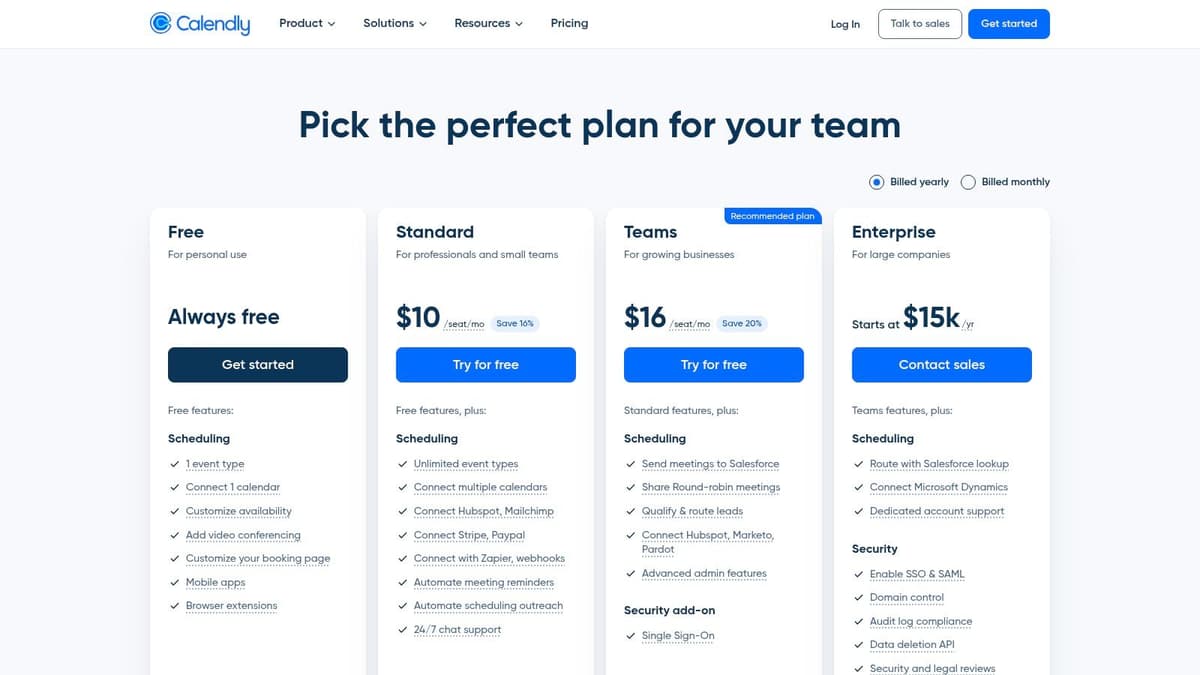
This platform excels at eliminating the back-and-forth emails typically required to find a meeting time. For creators and freelancers, this means you can drop a booking link in your social media bio or email signature and let clients or collaborators schedule calls without any manual intervention. For a deeper dive into one of the most popular options, explore more about Calendly.
Core Features & Limitations
The free plan is robust enough for many solo users. You get one active event type, which is perfect for a standard "30-Minute Intro Call" or "15-Minute Consultation." It connects to a single calendar (Google, Microsoft 365, or iCloud) to check your real-time availability.
Key Features (Free Plan):
- 1 active event type (e.g., a single meeting duration and type).
- Connect one personal calendar.
- Integrations with major video conferencing tools (Zoom, Google Meet, Microsoft Teams).
- Unlimited one-on-one meetings.
- Embeddable booking page for your website.
Limitations to Note:
- The single event type is the biggest constraint. If you need to offer multiple meeting types (e.g., 15-min, 30-min, and 60-min calls), you'll need a paid plan.
- Team features, group events, and advanced automations like customized reminders are locked behind the paywall.
Best Use Case
Calendly's free plan is ideal for solo creators, consultants, and service providers who need a simple, fire-and-forget way to schedule a single, standardized type of meeting. If your primary goal is to share a link on X (formerly Twitter) or in your email signature for discovery calls, it's a top-tier choice. Check out more details in our complete overview of scheduling tools on microposter.so.
2. Cal.com
For those who value open-source transparency and a remarkably generous free tier, Cal.com presents a powerful alternative. It has quickly gained favor among developers, privacy-conscious users, and individuals who need more flexibility than typical free online scheduling tools offer. Cal.com operates as an open-core company, providing both a hosted cloud service and the option for users to self-host the platform on their own infrastructure for ultimate control.
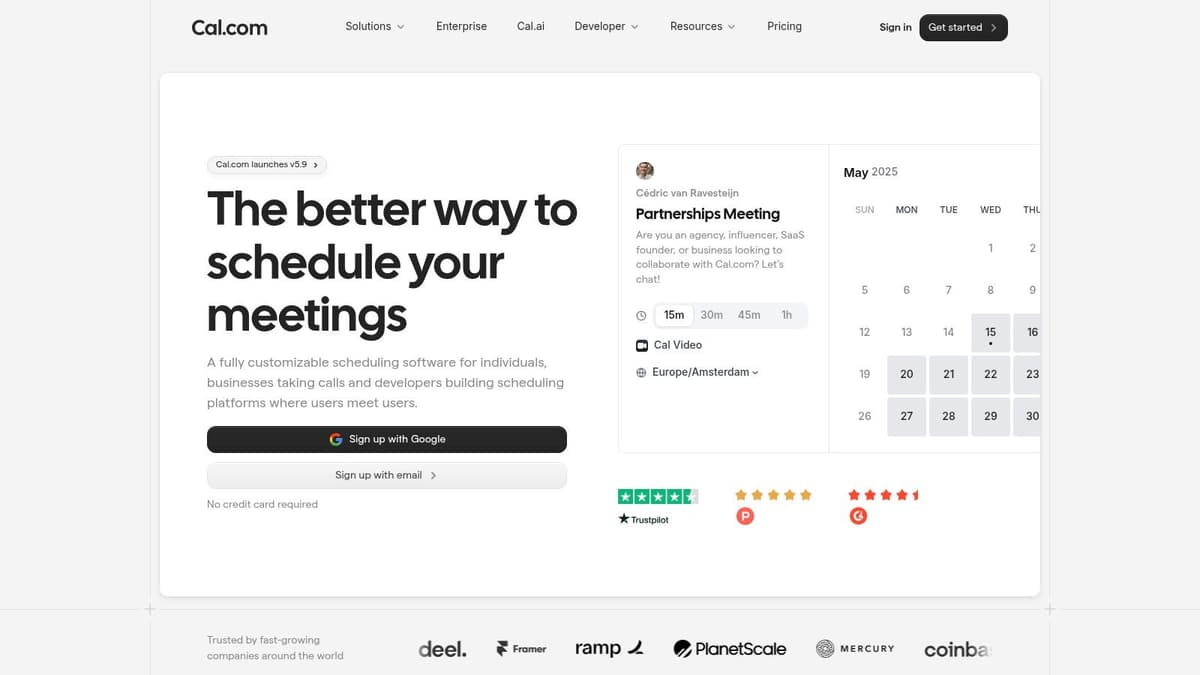
This modern platform stands out by offering features in its free plan that competitors often charge for, such as unlimited event types. For creators managing different kinds of appointments, like "Podcast Guest," "Coffee Chat," and "Client Onboarding," this is a significant advantage. This flexibility allows you to present a full menu of scheduling options without hitting an immediate paywall. Discover the open-source scheduler at Cal.com.
Core Features & Limitations
The free Individual plan is arguably the most feature-rich for a solo user in the market. It goes far beyond the basics, providing unlimited event types, customizable booking pages, and even workflow automations to send reminders or follow-ups.
Key Features (Free Plan):
- Unlimited active event types.
- Connect one personal calendar.
- Integrations with Zoom, Google Meet, and other video conferencing tools.
- Basic workflows for event reminders.
- Stripe integration to accept payments for meetings.
Limitations to Note:
- While the individual plan is robust, all team-based features like round-robin scheduling or collective events require a paid subscription.
- The platform's focus on developers and APIs can sometimes make its pricing and documentation feel slightly confusing for non-technical users.
Best Use Case
Cal.com's free plan is perfect for individual entrepreneurs, consultants, and creators who need to offer multiple types of appointments without paying a subscription. If you want to list "15-Min Quick Chat," "45-Min Strategy Session," and "60-Min Paid Consultation" all from a single link in your X bio, Cal.com is an exceptional choice. The open-source nature also makes it ideal for users who prioritize data ownership and customizability.
3. Square Appointments
Square Appointments is the ideal solution for service-based creators, consultants, and small businesses that need more than just scheduling. It tightly integrates a robust booking system with a full-fledged payment and point-of-sale ecosystem, making it a standout among free online scheduling tools if you also sell products or need to process payments for your services seamlessly. Its unique strength is combining appointment management and commerce in one place.

This platform provides you with a free, customizable online booking site that lets clients schedule appointments and even prepay for services. For creators who offer coaching sessions, paid consultations, or sell digital guides alongside their services, this integrated approach streamlines the entire client workflow from booking to payment without needing to stitch together multiple tools. Explore the full feature set directly on the Square Appointments website.
Core Features & Limitations
The free plan is incredibly generous for a single-location business, offering unlimited appointments and staff members. The business model is transaction-based, meaning the platform is free to use, and you only pay standard processing fees when a client pays you through the system.
Key Features (Free Plan):
- Unlimited appointments and staff members at a single location.
- A free, customizable online booking website.
- Integrated payment processing and invoicing (standard fees apply).
- Automatic email and text reminders for clients.
- Integration with Instagram and Google for direct booking.
Limitations to Note:
- While the plan is free, transaction fees (e.g., 2.6% + 10¢ for in-person payments) are a core part of its model.
- The interface can feel more commerce-focused, which might be overkill for users who only need simple meeting scheduling.
Best Use Case
Square Appointments is perfect for solo service providers like coaches, consultants, and tutors who need to manage bookings and accept payments efficiently. If you want a single tool to handle your entire client pipeline from scheduling a consultation to sending an invoice and getting paid, Square's free plan is an unmatched, all-in-one solution.
4. Setmore
Setmore positions itself as a powerful appointment scheduler for growing businesses, and its free plan is one of the most generous for those starting with a small team. It moves beyond simple one-on-one meetings to offer a more comprehensive platform that feels like a lightweight business management tool, making it one of the more robust online scheduling tools free of charge. The inclusion of up to four user logins on the free tier is a significant differentiator.
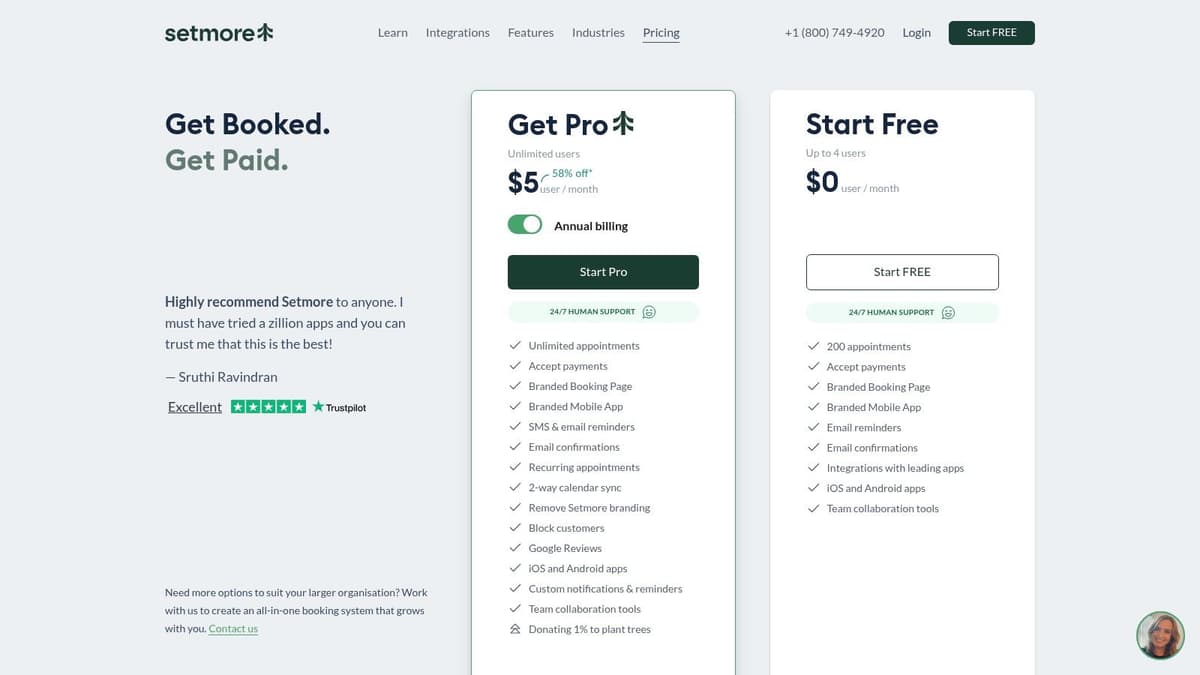
This platform is great for service-based creators or small agencies that need to manage appointments for multiple team members or services right from the start. You can create a public-facing Booking Page where clients can see your services and book with the right person. For more details on their offerings, you can visit the official Setmore website.
Core Features & Limitations
The free plan's support for four users, each with their own calendar and login, is its standout feature. It also includes unlimited appointments, automated email reminders, and integrations for social booking.
Key Features (Free Plan):
- Up to 4 user accounts, each with a unique calendar.
- Unlimited appointments.
- Customizable public Booking Page.
- Integrations with social media for direct booking (e.g., "Book Now" on Instagram/Facebook).
- Accept payments via Square.
- 24/7 in-app and email support.
Limitations to Note:
- The free plan lacks two-way calendar sync, meaning Setmore won't check your personal Google or Microsoft calendar for conflicts.
- Customized notifications, recurring appointments, and SMS reminders are reserved for paid tiers.
Best Use Case
Setmore is the perfect choice for small teams, like a creator with a virtual assistant or a small coaching business with multiple coaches, who need a unified scheduling system without an initial investment. If you need to manage different staff calendars and offer a variety of services from a single booking page, Setmore’s free plan is exceptionally well-suited for your needs.
5. Zoho Bookings
For those already invested in or considering the Zoho ecosystem, Zoho Bookings is a natural and powerful choice. As part of a massive suite of business applications, its strength lies in seamless integration with tools like Zoho CRM, making it one of the best free online scheduling tools for businesses looking to centralize their operations. It presents a clean, professional interface that is easy for both you and your clients to navigate.
While it works perfectly as a standalone scheduler, its true value unlocks when paired with other Zoho products. This allows creators and small businesses to manage client relationships from the first scheduled call all the way through project completion without leaving a single software family. You can explore the full offering directly on the Zoho Bookings website.
Core Features & Limitations
The free plan from Zoho Bookings is competitive, mirroring the structure of many rivals but with the added benefit of its ecosystem integrations. It provides a solid foundation for any individual user to start automating their appointment scheduling immediately.
Key Features (Free Plan):
- 1 active event type for a single service offering.
- Connect one calendar (Google, Microsoft 365, Zoho Calendar).
- Integrations with major video conferencing platforms (Zoom, Google Meet, Microsoft Teams).
- Payment gateway support (Stripe, PayPal, Razorpay).
- Customizable booking page and embeddable widgets.
Limitations to Note:
- Like many competitors, the free plan is limited to a single user and one event type, which can be restrictive if you offer varied consultation lengths.
- Advanced features like round-robin scheduling, automated workflows, and removing Zoho branding are reserved for paid plans.
Best Use Case
Zoho Bookings is the ideal free scheduling tool for solo entrepreneurs and consultants who already use or plan to use other Zoho applications, particularly Zoho CRM. If you want a scheduler that grows with your business and plugs directly into a larger suite of business management tools, this is an excellent starting point.
6. SimplyBook.me
SimplyBook.me is a comprehensive booking system tailored for service-based businesses, from solo coaches to multi-location salons. Unlike simpler tools focused solely on meetings, it provides a full-fledged platform for managing appointments, classes, and services. It stands out by offering industry-specific templates and a wide array of integration channels, even on its free plan.
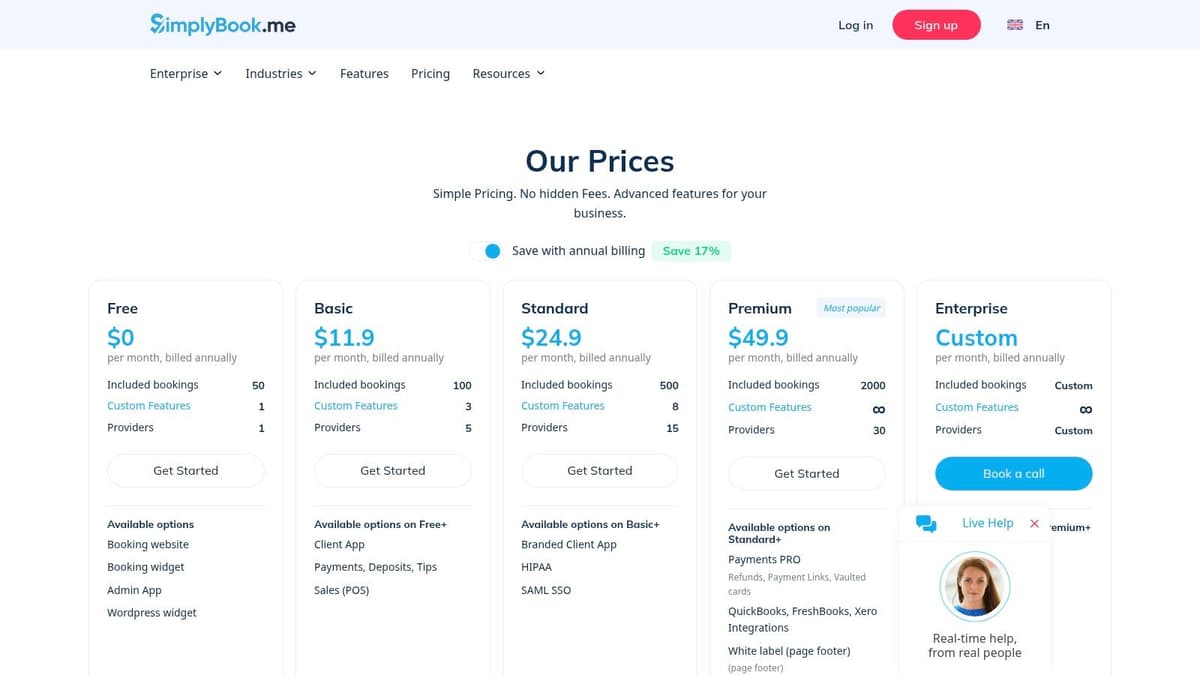
This platform goes beyond a simple link, giving you a customizable booking website and widgets for social media, Google, and WordPress. For creators offering paid coaching sessions or workshops, it provides a scalable solution that can grow with their business, eventually handling payments and more advanced client management. You can learn more directly at SimplyBook.me.
Core Features & Limitations
The free plan is designed for low-volume users but includes powerful business features. The concept of "custom features" allows you to enable one specific add-on, like accepting deposits or adding intake forms, which provides nice flexibility.
Key Features (Free Plan):
- Up to 50 bookings per month.
- 1 provider and 1 custom feature (e.g., intake forms, coupons).
- Includes a dedicated booking website and client-facing app.
- Integration with Google My Business, Facebook, and Instagram.
- Admin mobile app for managing bookings on the go.
Limitations to Note:
- The 50 bookings/month cap is quite restrictive for anyone with steady client flow.
- The "custom feature" system can be confusing; you must choose carefully as you only get one.
- Advanced features like payment processing (via Stripe, PayPal), HIPAA compliance, and SOAP notes are reserved for paid tiers.
Best Use Case
SimplyBook.me is an excellent free online scheduling tool for service providers who are just starting out and have a low volume of appointments, such as a part-time consultant, tutor, or therapist. It's ideal if you need more than just a calendar link and want a mini-website and the ability to integrate bookings directly into your social media profiles.
7. Appointlet
Appointlet is a versatile and user-friendly scheduler that stands out for its generous team features on its free plan, making it a strong contender for small teams, startups, and educators. It offers a clean, straightforward interface that simplifies the process of creating booking pages and managing appointments without overwhelming new users. Its permanent free tier is particularly appealing for those testing out scheduling workflows before committing to a paid service.
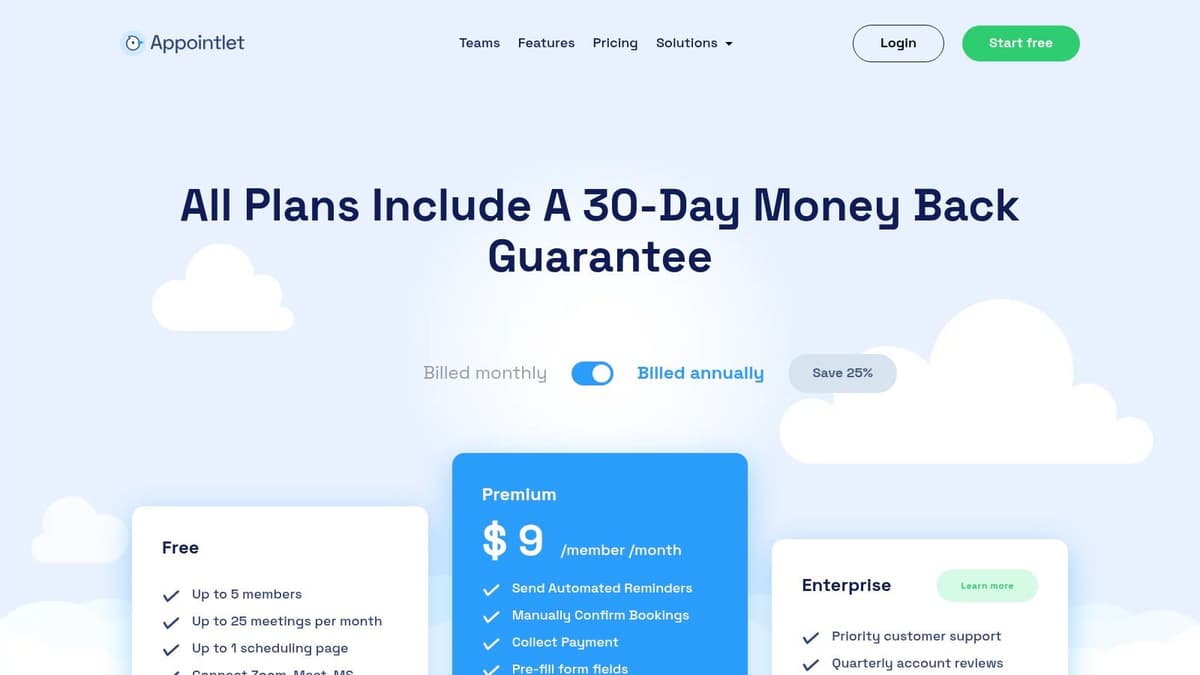
Unlike many free online scheduling tools that limit you to a single user, Appointlet supports multiple team members right from the start. This makes it an excellent choice for a small business or a group of collaborators needing to manage collective availability. The setup is minimal, allowing you to connect your calendar and share booking links quickly. For a closer look, you can explore the details at Appointlet.
Core Features & Limitations
The free plan includes many core functionalities needed for basic scheduling, although it does have a booking limit. It supports team scheduling and provides unlimited booking pages, which is a significant advantage over many competitors.
Key Features (Free Plan):
- Unlimited booking pages and form fields.
- Team scheduling features for multiple members.
- Integrations with Google Calendar, Office 365, Zoom, Google Meet, and Zapier.
- Automatic booking confirmations and reminders.
- All new signups get a 14-day trial of the Premium plan.
Limitations to Note:
- The free plan is capped at 1,000 bookings, which is generous but not unlimited.
- Advanced features like customizable branding, automated workflows, and payment integrations are reserved for paid tiers.
Best Use Case
Appointlet's free plan is perfectly suited for small teams, startups, or educational groups that need a collaborative scheduling tool without an immediate budget. If you need to manage bookings across several team members for client meetings or internal coordination, Appointlet provides a robust, cost-effective starting point. Its simplicity makes it easy to adopt for any team looking to streamline their scheduling process.
8. Doodle
Doodle is a household name in scheduling, but it’s most famous for a specific task: finding a meeting time that works for a large group. Its core strength is the group poll, a simple and universally understood way to let multiple participants vote on their preferred time slots. This makes it an incredibly effective tool for coordinating team meetings, client workshops, or community events without endless email chains.
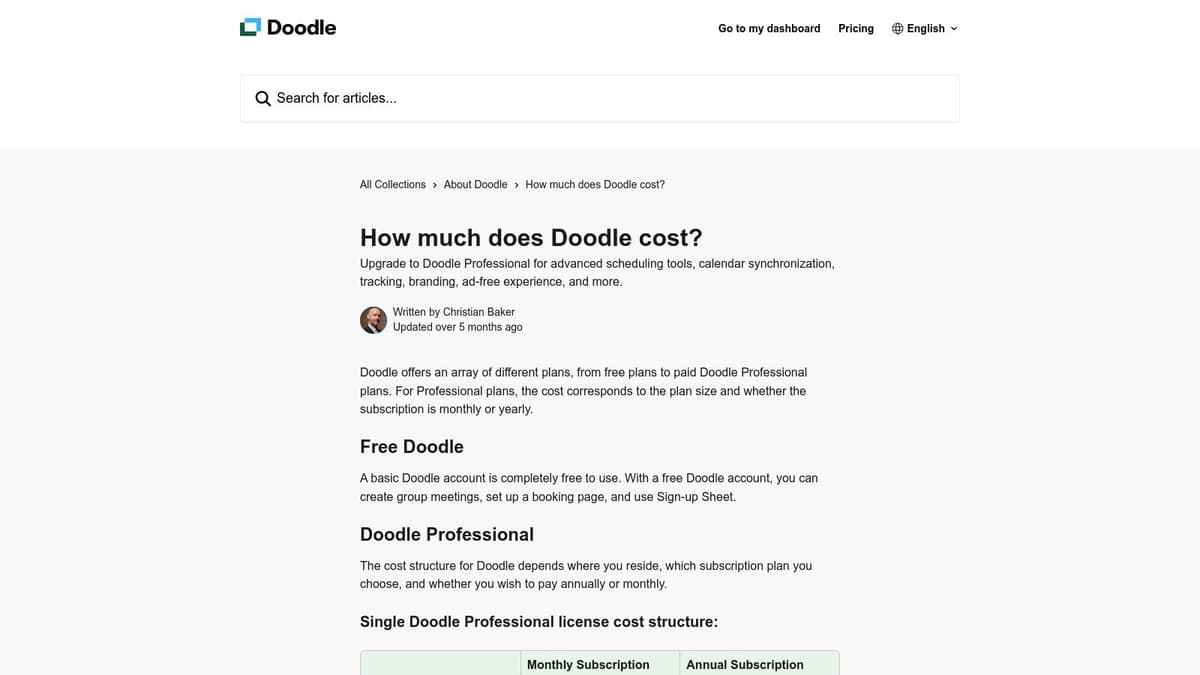
While its reputation is built on polls, Doodle also offers a standard booking page feature, allowing individuals to book time with you directly. This combination of group and one-on-one scheduling makes it a versatile, if not fully-featured, option among free online scheduling tools. Many people are already familiar with its interface, which significantly reduces friction when sending a scheduling link to new contacts.
Core Features & Limitations
The free plan provides the essential polling functionality that made Doodle famous, along with a basic booking page and sign-up sheets. It's built for quick consensus rather than deep integration.
Key Features (Free Plan):
- Unlimited group polls to find the best time for multiple participants.
- One basic booking page for one-on-one meetings.
- Sign-up sheets for events or volunteer slots.
- Integration with Zoom, Google Meet, and Webex.
Limitations to Note:
- The free plan is supported by ads, which can appear unprofessional.
- No calendar sync on the free tier; you must manually check for conflicts.
- Lacks advanced features like automated reminders, custom branding, or payment processing found in more dedicated appointment schedulers.
Best Use Case
Doodle is the undisputed champion for coordinating schedules with multiple people. It's the perfect tool for community managers organizing a group call, a creator scheduling a panel with several guests, or a project lead trying to find a meeting time for a busy team. Its free booking page is a nice-to-have, but the group poll is its standout feature. Explore more at the official Doodle website.
9. Koalendar
Koalendar positions itself as a simple, fast, and remarkably generous free online scheduling tool. Its main appeal is a "free forever" plan that isn't nearly as restrictive as many competitors, making it a standout choice for creators and freelancers who need more flexibility without an immediate cost. The platform is built for speed and simplicity, allowing you to create a booking page and share your link within minutes.
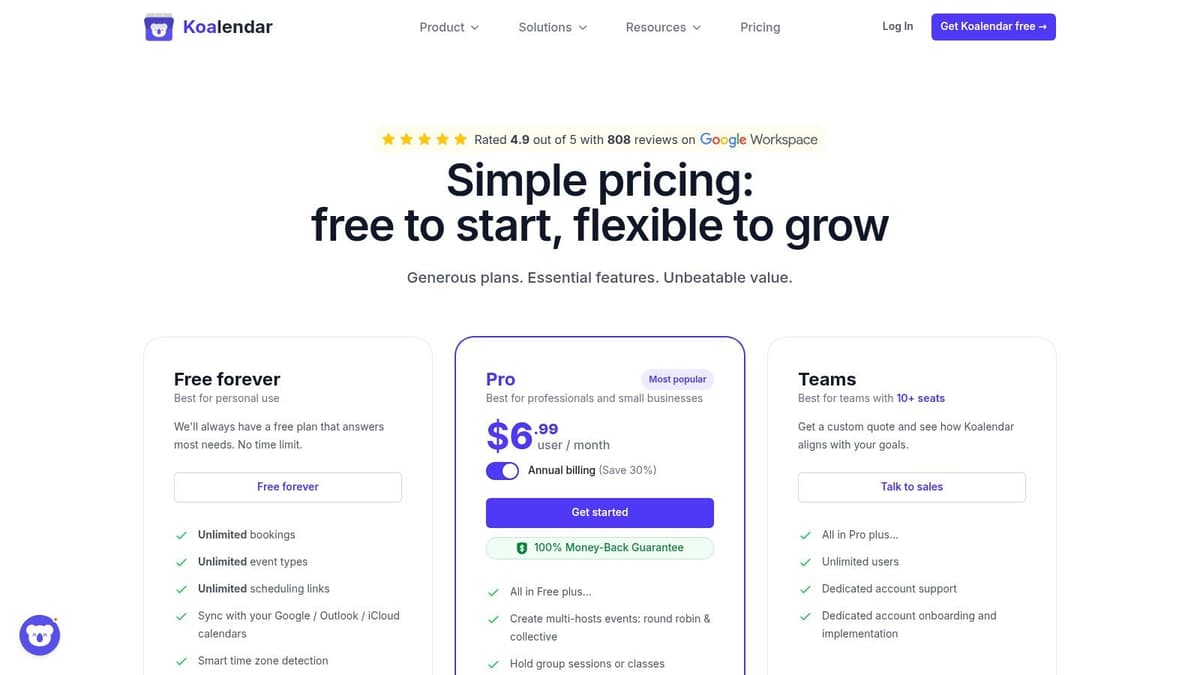
Unlike platforms that limit you to a single event type, Koalendar allows you to create unlimited booking pages for different meeting types right from the start. This is a significant advantage for anyone offering varied services, like a 15-minute intro call, a 45-minute coaching session, and a 60-minute project deep dive. You can find more details at their official site, Koalendar.
Core Features & Limitations
The free plan's generosity is its defining characteristic. Offering unlimited bookings across unlimited event types is a game-changer for solo operators who need to present a professional and flexible scheduling front.
Key Features (Free Plan):
- Unlimited bookings and unlimited event types.
- Syncs with Google Calendar, Outlook, and iCloud.
- Automatic time-zone detection for a global audience.
- Customizable questions on your booking form.
- Embeddable directly onto your website.
Limitations to Note:
- The free plan is strictly for one-on-one meetings; group events require an upgrade.
- Advanced features like payment integrations (Stripe, PayPal), team scheduling, and removing Koalendar branding are reserved for the Pro plan.
Best Use Case
Koalendar is perfect for solo creators, consultants, and coaches who need to offer multiple types of appointments without paying a subscription. If you need to list separate booking links in your social media bio for "Discovery Calls," "Podcast Interviews," and "Mentoring Sessions," Koalendar’s free plan supports this workflow flawlessly, making it a powerful and cost-effective scheduling solution.
10. Picktime
Picktime stands out in the crowded field of free online scheduling tools by offering an exceptionally generous free plan that feels almost premium. It caters well to service-based businesses, freelancers, and small teams that need more than just a basic meeting link. Its main differentiator is the inclusion of multi-user and multi-location support right out of the box, a feature typically locked behind a paywall.
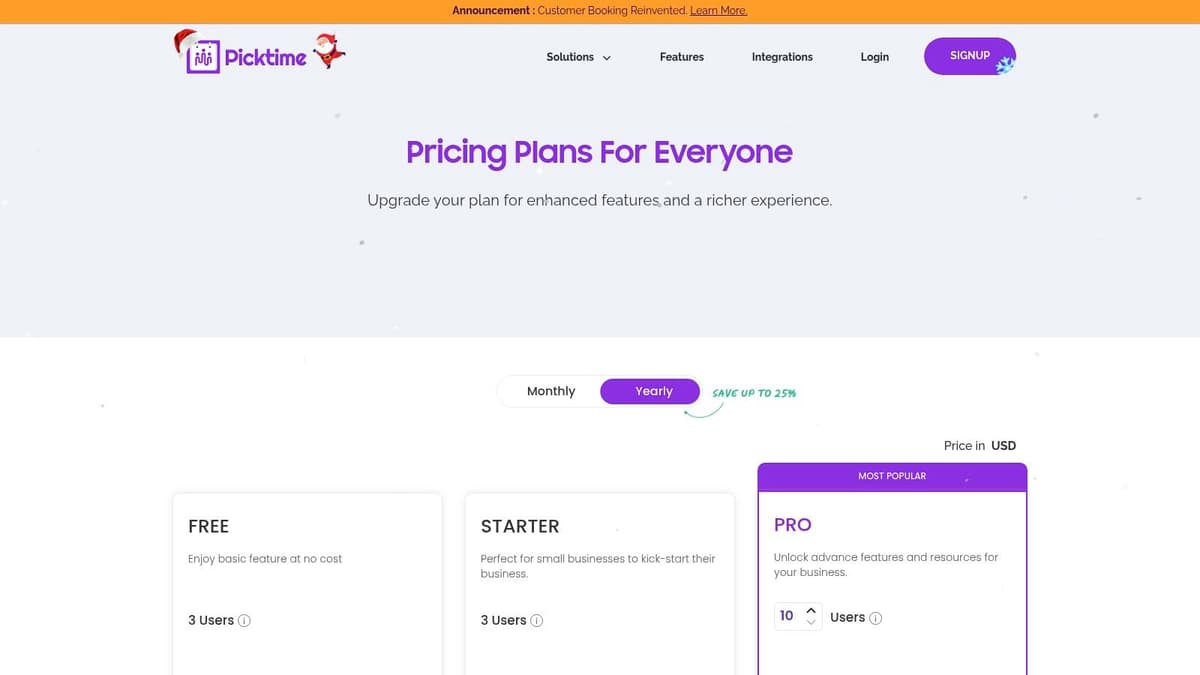
This platform allows users to manage appointments, classes, and resources, making it a versatile choice for everything from consulting calls to yoga studio sessions. The ability to accept payments via PayPal on the free tier is another significant advantage, allowing creators and small businesses to monetize their time directly from their booking page without an initial investment. For a closer look, you can explore Picktime's features.
Core Features & Limitations
The free forever plan is surprisingly robust, offering features that competitors often charge for, such as team scheduling and unlimited bookings. This makes it a powerful starting point for growing businesses.
Key Features (Free Plan):
- 3 team members included.
- Unlimited appointments and services.
- Multi-location and resource booking (e.g., specific rooms or equipment).
- Payment processing via PayPal.
- Customizable booking page and email notifications.
- Mobile apps for iOS and Android.
Limitations to Note:
- The free plan offers only a 1-way calendar sync; full 2-way synchronization requires a paid upgrade.
- Advanced integrations, SMS reminders, and removing Picktime branding are reserved for premium tiers.
Best Use Case
Picktime is the perfect free scheduling tool for service-based solo entrepreneurs and small teams who need to manage multiple staff members, locations, or bookable resources. If you're a tutor managing different subjects, a small salon with several stylists, or a consultant with various service packages, Picktime's free plan provides the infrastructure to manage that complexity without any cost.
11. HubSpot Meeting Scheduler
For those who view scheduling as part of a larger sales or lead-nurturing process, the HubSpot Meeting Scheduler is a standout. It isn't just a standalone tool; it’s a core feature of the free HubSpot CRM. This integration is its defining strength, automatically logging every booked meeting to a contact’s record, providing a complete history of interactions for more effective follow-up.
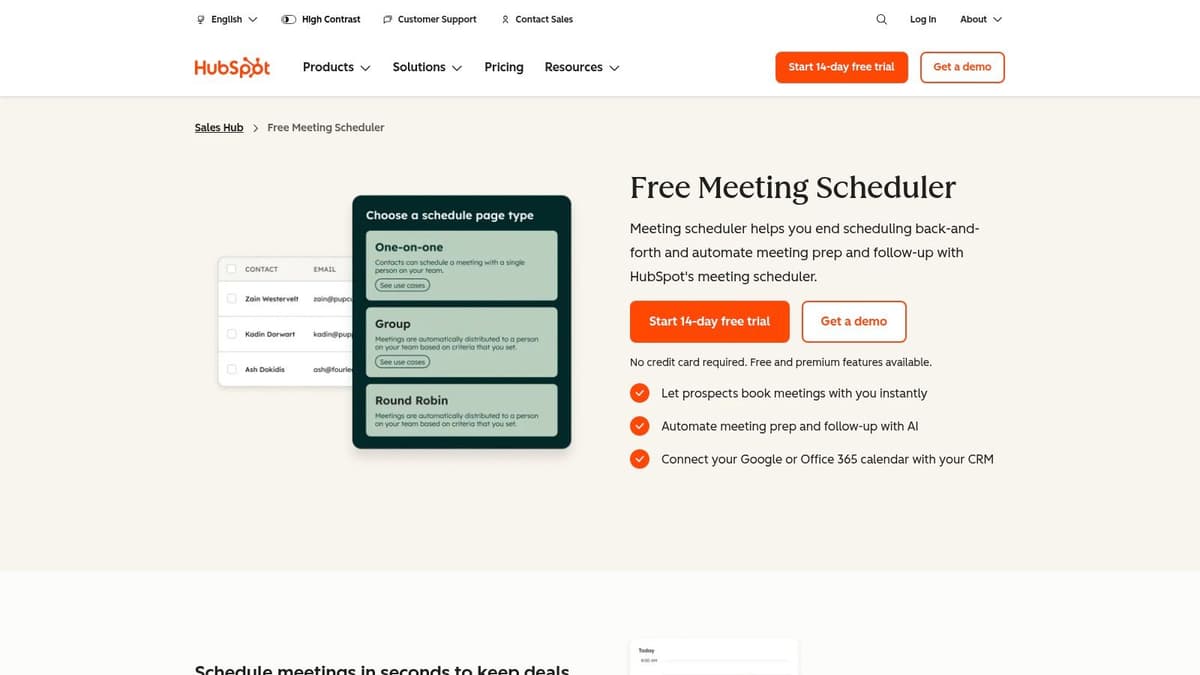
This platform is designed for users who want their scheduling to work in tandem with their sales and marketing efforts. When a potential sponsor or client books a call via your link, they are automatically added as a contact in your CRM. You can then track the entire relationship, from the initial booking to follow-up emails and eventual deals, all within one ecosystem. For a full look at its capabilities, visit the official HubSpot Meeting Scheduler page.
Core Features & Limitations
The free version provides powerful scheduling tools directly linked to a robust CRM, which is a combination many competitors charge for. It syncs with your Google or Microsoft 365 calendar to ensure your availability is always current.
Key Features (Free Plan):
- 1 personal meeting link.
- Integration with the free HubSpot CRM.
- Syncs with Google Calendar and Microsoft 365.
- Bookings and follow-ups are logged to contact records.
- Embeddable calendar on your website.
Limitations to Note:
- The tool's main value is unlocked when you fully commit to using the HubSpot CRM; as a standalone scheduler, it's less feature-rich than others.
- Advanced features like round-robin meeting assignment and removing HubSpot branding require upgrading to a paid Sales Hub plan.
Best Use Case
HubSpot's free scheduler is the perfect choice for creators, consultants, and small businesses focused on converting leads into clients. If you’re managing sponsorship outreach or sales calls and want a seamless way to track every interaction without manual data entry, this tool is invaluable. It’s one of the best online scheduling tools free for sales-oriented workflows.
12. YouCanBook.me
YouCanBook.me is a powerful contender among free online scheduling tools, particularly for users who crave more control over the booking experience. While many free plans offer a rigid, one-size-fits-all approach, this platform gives you significant customization options for your booking page, forms, and the notifications your clients receive. It strikes a great balance between robust features and ease of use.
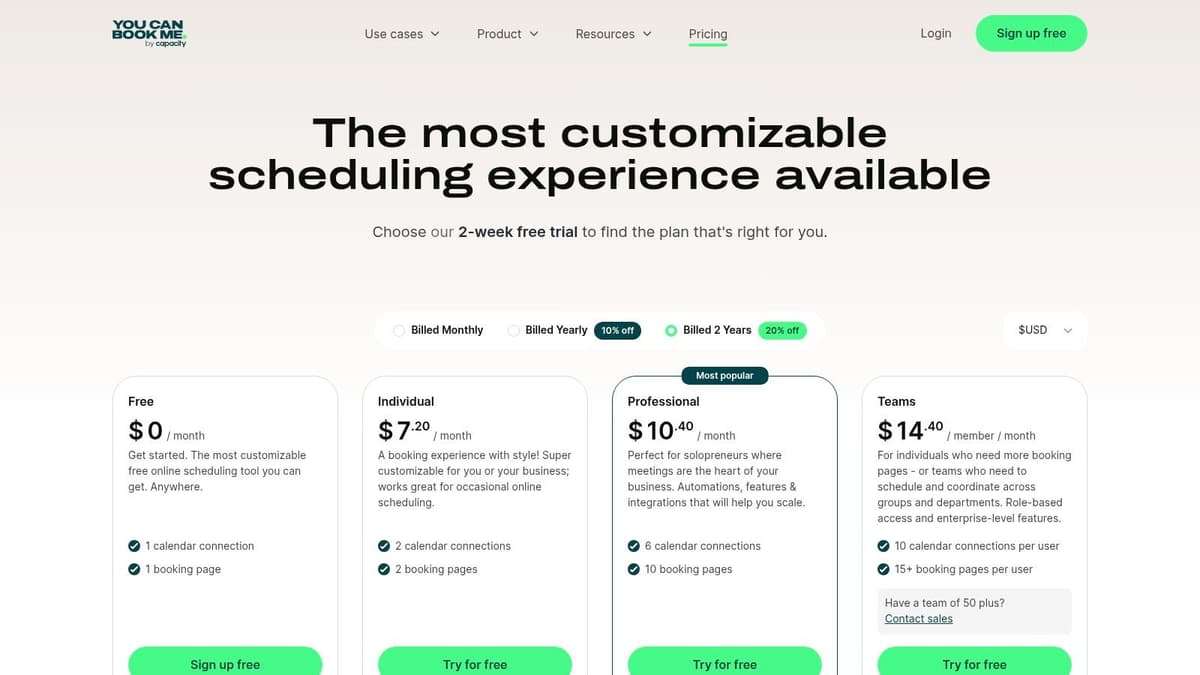
This level of control is perfect for creators and service providers who want the booking process to feel like a seamless extension of their brand. By customizing the questions on your booking form, you can gather essential information upfront, saving time during the actual meeting. This thoughtful setup complements an efficient workflow, especially when paired with other strategies. You can explore more ways to streamline your processes by learning how to automate social media posts.
Core Features & Limitations
The reinstated "Forever Free" plan from YouCanBook.me is quite generous, providing one booking page linked to a single calendar. It includes core integrations that are often reserved for paid tiers on other platforms, such as Zapier and Stripe, making it a surprisingly capable free option.
Key Features (Free Plan):
- 1 booking page with unlimited bookings.
- Connect one personal calendar (Google or Microsoft).
- Customizable booking forms to pre-qualify clients.
- Integrations with Zoom, Google Meet, Microsoft Teams, Stripe, and Zapier.
- Automated confirmation and reminder emails.
Limitations to Note:
- The free plan includes "Powered for free by YouCanBook.me" branding on your booking page and in emails.
- Team features, multiple booking pages, and advanced customization options (like CSS) are reserved for paid subscribers.
Best Use Case
YouCanBook.me's free plan is ideal for the detail-oriented solo professional or creator who needs more than a basic link. If you want to ask specific pre-call questions, connect to Zapier for simple automations, or even accept payments via Stripe without upgrading, this is an outstanding choice. It's a step up in functionality from the simplest schedulers.
12 Free Online Scheduling Tools: Feature Comparison
| Tool | Core features ✨ | UX & quality ★ | Price / value 💰 | Target audience 👥 | Standout / USP 🏆 |
|---|---|---|---|---|---|
| Calendly | Calendar sync, embeddable pages, video integrations ✨ | ★★★★☆ Reliable, very easy onboarding | 💰 Free (1 event); paid for automations | 👥 Creators, consultants, small teams | 🏆 Wide ecosystem & shareable links ✨ |
| Cal.com | Open-source, unlimited event types (Individual), Stripe, self-host option ✨ | ★★★★☆ Modern UI, dev-friendly | 💰 Generous free; SaaS or self-host | 👥 Makers, developers, privacy-minded users | 🏆 Open-source + self-host flexibility ✨ |
| Square Appointments | Booking + built-in payments/POS, multi-location, mobile apps ✨ | ★★★★☆ Commerce-first, stable | 💰 Free plan; pay processing fees 💰 | 👥 Solo creators, service businesses | 🏆 Native payments + Square ecosystem ✨ |
| Setmore | Free up to 4 users, booking page, 24/7 human support ✨ | ★★★☆☆ Good for starters; free limits | 💰 Free tier (4 users); Pro for extras | 👥 Small teams, agencies, beginners | 🏆 24/7 human support on free plan ✨ |
| Zoho Bookings | Zoho CRM integration, calendar/video/payments support ✨ | ★★★★☆ Smooth inside Zoho suite | 💰 Free (1 event type); paid tiers | 👥 Zoho customers, solo operators | 🏆 Native CRM & app ecosystem linkage ✨ |
| SimplyBook.me | Industry templates, booking site/widget, 50 bookings/mo free ✨ | ★★★☆☆ Mature, scalable but free caps | 💰 Free 50 bookings/mo; paid for POS/HIPAA | 👥 Salons, coaches, education providers | 🏆 Rich industry templates & channels ✨ |
| Appointlet | Core booking links, confirmations, small-team free plan ✨ | ★★★☆☆ Minimal, straightforward setup | 💰 Free (25 bookings/mo, 5 members) after trial | 👥 Educators, nonprofits, startups | 🏆 Lightweight for testing workflows ✨ |
| Doodle | Group-time polls, booking pages, sign-up sheets ✨ | ★★★★☆ Familiar; reduces scheduling friction | 💰 Free polls; Pro adds sync/branding | 👥 Panels, community scheduling, interviews | 🏆 Best for multi-participant scheduling ✨ |
| Koalendar | Free forever: unlimited bookings & event types, calendar sync ✨ | ★★★★☆ Fast, clean UX | 💰 Free forever; affordable Pro for teams | 👥 Solo creators needing simple links | 🏆 Truly unlimited free bookings ✨ |
| Picktime | Free up to 3 users, unlimited appointments, multi-location support ✨ | ★★★★☆ Feature-rich free plan | 💰 Free with unlimited appts; paid for advanced | 👥 Freelancers, small agencies | 🏆 Unlimited appointments on free plan ✨ |
| HubSpot Meeting Scheduler | Shareable links tied to HubSpot CRM, logging & AI follow-up ✨ | ★★★★☆ Excellent with HubSpot CRM | 💰 Free with HubSpot CRM; paid upgrades | 👥 Sales teams, outreach-focused creators | 🏆 Deep CRM contact & activity tracking ✨ |
| YouCanBook.me | Custom booking forms, email/SMS, reschedule flows ✨ | ★★★★☆ Strong customization & notifications | 💰 Free (1 calendar + branding); paid for pro | 👥 Creators needing granular customization | 🏆 High form & booking-page customization ✨ |
Beyond Free: When to Consider a Paid Upgrade
Navigating the landscape of online scheduling tools free can feel like both a blessing and a challenge. We've explored a dozen powerful platforms, from Calendly's streamlined simplicity to Cal.com's open-source flexibility and Square Appointments' integrated payment processing. The key takeaway is clear: you no longer need a significant budget to automate your booking process, reclaim your time, and present a professional image to your clients, followers, and collaborators.
The "free forever" plans offered by tools like Zoho Bookings, Picktime, and HubSpot Meeting Scheduler provide a robust foundation for independent creators and fledgling businesses. They effectively eliminate the tedious back-and-forth of finding a mutual time, allowing you to focus on what truly matters: creating content, engaging your audience on platforms like X or Bluesky, and growing your brand. For many, a well-chosen free tool is the only scheduling solution they will ever need.
However, as your operations scale, the limitations inherent in these free tiers will become more apparent. The moment you find yourself manually managing multiple calendars, wishing for automated reminders via SMS, or needing to remove a platform's branding to maintain your own, you've likely hit the ceiling of what a free plan can offer.
Pinpointing the Upgrade Triggers
Recognizing the signs that it’s time to invest in a paid plan is crucial for sustainable growth. Free tools are your launchpad, but a paid subscription is the booster rocket that can propel your efficiency to new heights.
Consider upgrading when you consistently encounter these scenarios:
- You need more than one calendar connection. A free plan typically syncs with a single personal calendar. If you’re managing separate calendars for personal appointments, client work, and team meetings, a paid plan that offers multi-calendar sync is essential to avoid double bookings.
- Branding becomes a priority. As your brand matures, presenting a cohesive, professional image is non-negotiable. Removing the scheduler's logo from your booking page and emails and using a custom domain (e.g.,
meet.yourbrand.com) are premium features that signal a higher level of professionalism. - Manual follow-ups are consuming your time. The ability to send automated email and, more importantly, SMS reminders is a game-changer. This single feature, almost always part of a paid tier, dramatically reduces no-shows and saves you from the administrative drain of sending manual confirmations.
- You require multiple event types with different rules. If you offer various services like a 15-minute intro call, a 60-minute consultation, and a 90-minute strategy session, paid plans allow you to create unlimited, distinct event types, each with its own availability, buffer times, and custom questions.
- Payment processing is essential. For creators, consultants, and coaches, the ability to require payment at the time of booking via Stripe or PayPal is a powerful feature. This secures commitment, simplifies invoicing, and is a hallmark of premium scheduler plans.
Making the Right Choice for Your Future
Choosing the right online scheduling tools free from our list is your first step. The next is to anticipate your growth. Before committing deeply to one ecosystem, review its paid tiers. Does the next level up solve the specific problems you foresee? If Setmore’s free plan works for now, will its paid features support your future team? If you love Cal.com's open-source nature, are you prepared to manage its more complex workflows as you scale?
Ultimately, these tools are about leverage. They leverage technology to buy back your most valuable asset: time. Start with the powerful free options available, master their features, and integrate them into your social media workflow. When you feel the friction of a free plan's limitations, don't view it as a failure; see it as a clear sign of your success and a smart signal that it’s time to invest in the next stage of your growth.
Once you've streamlined your client and collaboration bookings, the next step is to optimize your content workflow. MicroPoster helps you schedule, automate, and analyze your posts across X, Bluesky, Mastodon, and more, ensuring your content pipeline is as efficient as your meeting calendar. Supercharge your social media presence by visiting MicroPoster and start scheduling your content with the same ease you now schedule your time.


