
can you schedule tweets on twitter
Can You Schedule Tweets on Twitter A Complete Guide
Wondering can you schedule tweets on Twitter? This guide shows you how to use the native scheduler and advanced tools to automate posts and grow your audience.

Yes, you absolutely can schedule tweets. In fact, if you're serious about growing your presence on X (formerly Twitter), it's not just a nice-to-have feature—it’s a cornerstone of a solid content strategy.
Scheduling lets you post consistently during peak hours, even when you're busy with other things. It's the difference between randomly posting when you have a spare moment and intentionally building a content pipeline that works for you around the clock.
Why Scheduling Tweets Is a Smart Growth Play
Think of scheduling less as a simple time-saver and more as a strategic lever. When you plan your content in advance, you're turning sporadic updates into a well-oiled communication machine. A steady flow of valuable posts keeps your audience hooked and your profile buzzing with activity.
This consistency is a huge signal to the X algorithm that you're a reliable voice, which can seriously boost your visibility.
The real magic, though, is in the details:
- Catch Your Audience at the Right Time: You can schedule a tweet for 8 AM when your followers are on their morning commute, even if you’re still asleep. It’s all about meeting them where they are, whenever they're there.
- Keep Your Brand Voice on Point: When you batch-create and schedule your content, it’s much easier to maintain a cohesive tone and message. No more rushed, off-brand posts.
- Free Yourself Up for What Matters: With your core content scheduled, you can jump into real-time conversations, reply to comments, and engage with trending topics as they unfold. That’s where real community is built.
Ever since Twitter rolled out its own scheduling tool, it's become an essential practice for social media pros. It’s no surprise that accounts posting on a regular, planned schedule often see 30-50% higher engagement than those that post on a whim. If you want to dive deeper into the data, check out these insights on effective posting frequencies from TweetArchivist.
Ready to get started? This guide will walk you through exactly how to do it right.
Using the Built-In X (Twitter) Scheduler
If you're just dipping your toes into content planning, the scheduler built right into X.com is a fantastic starting point. It’s simple, free, and gets the job done without needing to leave the platform. I find it’s perfect for queuing up a handful of posts for the day or week ahead.
Getting started is a breeze on the web version. Just compose your tweet like you always do—write your text, drop in an image or GIF, or set up a poll.
But instead of hitting that big blue "Post" button, look for the little calendar icon with a clock. It's sitting right there in the toolbar at the bottom of the composer.
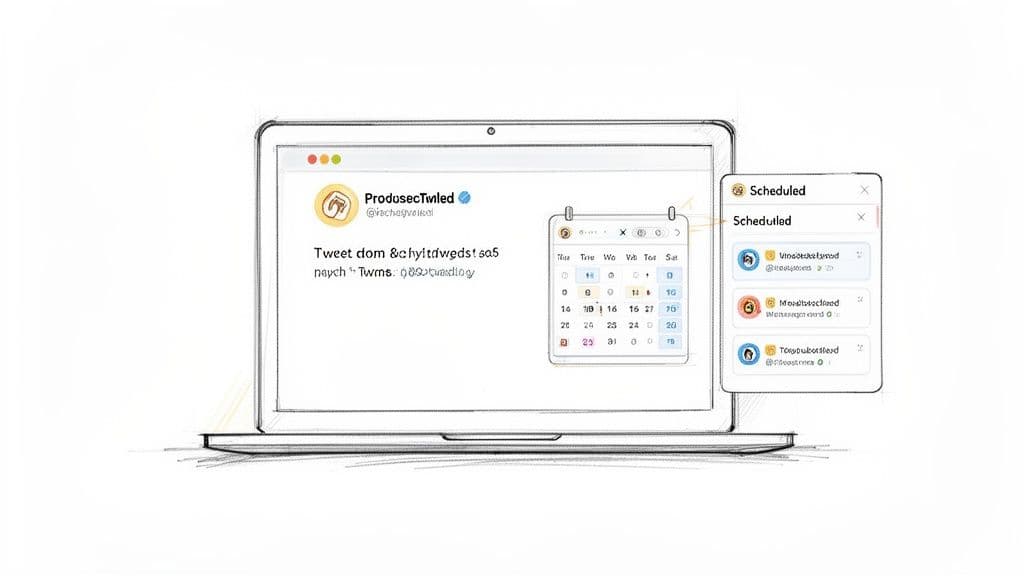
Give that a click, and the scheduling menu will pop up. From here, you can dial in the exact date and time you want your tweet to go public. X conveniently displays your current time zone, which helps prevent any mix-ups. Once you’ve picked your time and hit "Confirm," the "Post" button transforms into a "Schedule" button. Click it, and you're all set.
Finding and Managing Your Scheduled Tweets
So, what if you need to make a last-minute change? It happens. Maybe you noticed a typo, or some breaking news makes your planned post feel a bit tone-deaf. Don't worry, editing your queue is just as easy as setting it up.
Head back to the tweet composer and click that same calendar icon again. This time, look for the "Scheduled posts" link at the bottom of the pop-up. Clicking this takes you to a clean list of everything you have waiting in the wings.
From this screen, you have full control. You can edit the tweet's content, push the publication time back, or just delete it altogether if it's no longer relevant.
A Quick Note on Mobile: The process is a little different on the X mobile app. You can’t schedule directly from the main composer. Instead, you have to save your post as a draft first, then navigate to your drafts folder to find the scheduling option. It’s a bit clunky, which is why most people I know (myself included) stick to the desktop version for planning content.
Discovering Your Best Times to Post
Scheduling your tweets is a great first step, but posting at the right time? That’s what unlocks real engagement. The lifespan of a tweet is incredibly short—most of its traction happens within the first few hours. If you post when your audience is offline, you're basically shouting into the void.
Generic advice can only take you so far. While big-picture trends are a decent starting point, the absolute best times depend entirely on your specific audience. Think about it: a B2B crowd of tech professionals in San Francisco has completely different online habits than a community of gamers spread across Europe.
Finding General Peak Hours
To get a solid baseline, it's smart to look at industry-wide data. For example, one analysis of over 700,000 posts found that Wednesday at 9 AM is often a prime slot. The study also highlighted weekday windows between 8-11 AM and around 3 PM as strong performers. This makes perfect sense when you consider people are often scrolling during their morning commute or coffee breaks.
Use these peak hours as a launchpad for your own scheduling experiments.
Pinpointing Your Unique Audience Activity
The real gold, however, is buried in your own data. Your X Analytics is your best friend here. Head over to the "Tweets" tab in your analytics dashboard and check out the impressions and engagement data from the last month. You'll quickly spot patterns and see which days and hours consistently get the best results for your account.
Don’t just chase impressions. Pay close attention to your engagement rates. A tweet at 10 PM might get fewer eyeballs, but it could get a much higher rate of replies and likes from your most dedicated followers.
Ultimately, your goal is to find the sweet spot where broad trends and your specific audience behavior overlap.
Start by testing those widely accepted peak times, then get granular and refine your schedule based on what your own analytics are telling you. This data-driven approach transforms scheduling from a simple convenience into a powerful growth strategy. By understanding these nuances, you can truly figure out the best times to post on Twitter for your specific goals.
Unlocking Growth with Third-Party Tools
While X's built-in scheduler is fine for occasional posts, it's pretty basic. If you're serious about growing your audience, you'll quickly outgrow it. This is where dedicated third-party tools come in, shifting your approach from simply posting content to strategically publishing it.
These platforms offer sophisticated features you just won't find natively. Imagine having an AI assistant to sharpen your hooks, or seeing a "virality score" that predicts a post's potential before it even goes live. That kind of insight is a massive advantage.
Beyond Basic Scheduling
The real magic of these tools is how they bring everything together. Instead of a simple chronological list of posts, you get a full-blown content calendar. This gives you a bird's-eye view of your entire strategy, making it way easier to spot gaps, plan campaigns, and ensure you have a good mix of content going out.
Many creators also rely on comprehensive social media content management tools to juggle all their accounts from one place. It’s a huge time-saver.
Take a look at this calendar view from MicroPoster, for example.
You can immediately see how a visual layout like this helps you map out your content for the week, making strategic planning feel much more natural.
Automating for Scale and Consistency
For anyone running multiple accounts or cross-posting to platforms like Bluesky and Mastodon, these tools are essential. You can write your content once, and the tool will automatically adapt it for each platform—tweaking the length and format for you. No more manual copy-pasting.
Scheduling isn't just a convenience; it's a core growth tactic. We've seen that consistent posting alone can lead to a 20-40% lift in reach. For creators, automation tools handle the day-to-day posting and templating, which is a lifesaver for preventing burnout while keeping your content engine running.
This frees you up to focus on what actually matters: creating great content and engaging with your audience. If you're ready to take your strategy seriously, exploring the different social media scheduling tools out there is the clear next move. It's all about working smarter, not harder.
Creating a Winning Scheduling Workflow
To really get the most out of scheduling, you need to think beyond just filling up a calendar. The goal is to build a smart, repeatable system that boosts your presence on X without you having to be glued to your screen 24/7.
One of the best ways I've found to do this is through content batching. Seriously, it's a game-changer. Just block out a few hours once a week to knock out all your tweets for the upcoming days. This keeps your voice consistent and saves you from the daily "what should I post?" scramble.
Balance Your Content Mix
A huge mistake I see people make is turning their feed into one long advertisement. Nobody wants that. To keep your audience genuinely interested, you have to mix it up. A healthy balance is key.
Here’s a simple framework that works wonders:
- Educational Content: Give away your knowledge. Share tips, quick tutorials, or industry insights that actually help people.
- Community Posts: Talk with your audience, not just at them. Ask questions, start a poll, or jump into relevant replies. This is how you build real connections.
- Promotional Tweets: Yes, you can (and should) talk about your products or services. Just make sure it’s part of a broader conversation, not the whole conversation.
This process—from brainstorming to automatic publishing—is what makes a social media strategy scalable.
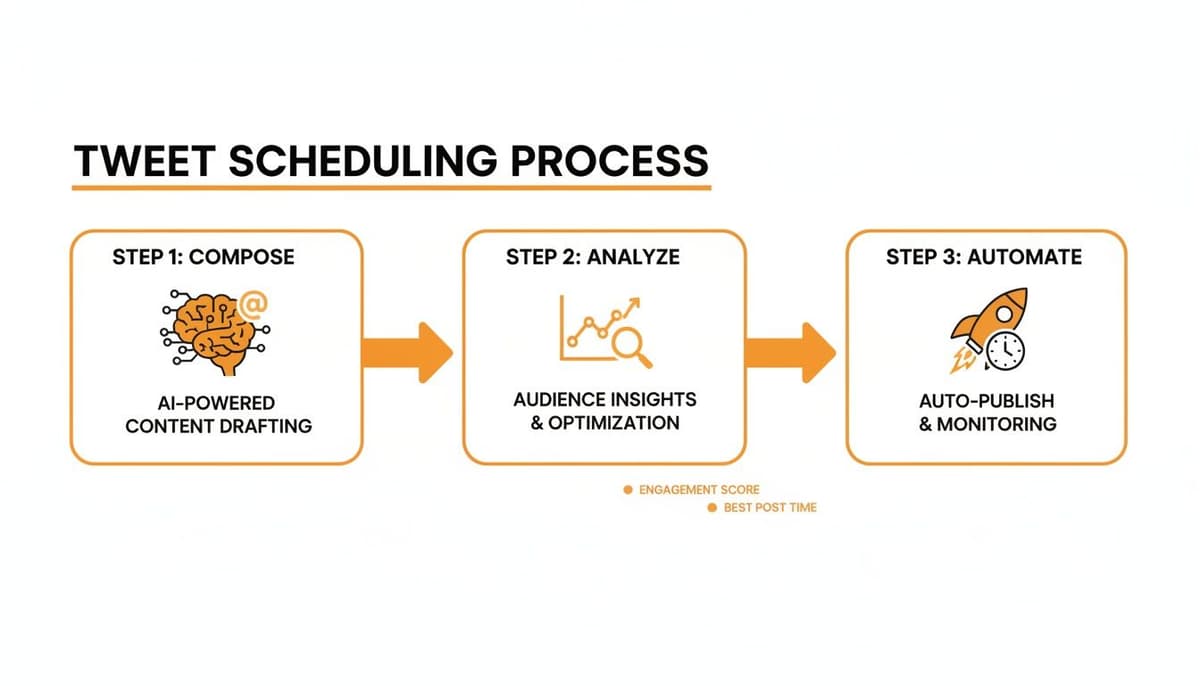
When you nail this down, scheduling becomes just one part of a much larger, more efficient content creation workflow that frees you up for more important things.
Key Takeaway: The whole point of automating your posts is so you can be more human, not less. With your core content scheduled, you have the freedom and mental space to engage in real-time conversations and hop on trends as they happen.
Don’t Forget Threads and Spontaneity
While a solid plan is your foundation, always leave a little room for spontaneity. Some of the best-performing tweets are the ones that are timely and off-the-cuff. Think of your schedule as the backbone of your strategy, not a rigid cage.
And for those bigger ideas that can't fit into a single tweet? Schedule them as threads. A great story or a deep-dive tutorial often needs more space. Tools like MicroPoster are perfect for this, letting you write and schedule an entire thread in one go. This ensures your message lands exactly when your audience is most likely to be listening, turning a simple scheduling task into a powerful growth tactic.
Common Questions About Scheduling Tweets
Even after you've got the hang of scheduling, a few questions tend to pop up. Let's tackle some of the most common ones so you can feel completely confident about your content strategy.
Can You Schedule Tweets with Media?
Yes, absolutely. Whether you're using X's built-in tool or a third-party scheduler, you can include all the good stuff.
This means you can queue up tweets with:
- Polls
- Multiple images (up to four)
- GIFs
- Videos
Just compose your tweet like you always do, attach your media, and set the time. There's no special trick to it.
Does Scheduling Tweets Hurt Engagement?
This is a stubborn myth that just won't go away. The short answer is no, the X algorithm doesn't care if a tweet was scheduled or posted live. In fact, it’s usually the other way around.
Scheduling helps you post consistently when your audience is most active. By hitting those peak engagement windows every time, you'll almost always see better reach and interaction than if you were just posting whenever you had a free moment.
How Do I Edit a Scheduled Tweet?
Mistakes happen, or maybe you just thought of a better way to phrase something. Editing your scheduled content is simple.
If you're using the X website, just open the composer (the "Post" button) and click the little calendar icon. You'll see a "Scheduled" button that takes you right to your queue. From there, you can click on any post to edit the text, change the scheduled time, or just delete it altogether.
Third-party tools are often even easier, usually giving you a visual calendar or list where you can drag, drop, and edit your posts with a few clicks.
Ready to build a powerful content engine that goes beyond the basics? MicroPoster gives you an advanced content studio with AI writing help, virality scores, and easy cross-posting to X, Bluesky, and Mastodon. Give it a try with a free trial.


