
free scheduling tools online
The Top 12 Free Scheduling Tools Online for 2025
Discover the best free scheduling tools online to automate social media and appointments. Compare features, limits, and use cases to save time and grow.

In today's fast-paced digital environment, time is your most valuable asset. Manually posting to social media or coordinating appointments via email isn't just inefficient; it's a bottleneck that stifles growth. Consistency is key to building an audience on platforms like X (formerly Twitter), Bluesky, or Mastodon, but juggling different platforms and time zones can lead to missed opportunities and burnout. This is where automation through free scheduling tools online offers a powerful solution, allowing you to batch content creation, publish at optimal times, and provide seamless booking experiences without spending a dime.
Reclaiming those hours lets you focus on what truly matters: creating valuable content, engaging your community, and scaling your business. To truly overcome the inefficiencies of manual processes, understanding a broader framework on how to increase productivity at work is paramount. These tools are a critical component of that strategy.
This guide cuts directly to the chase, providing a comprehensive roundup of the best free platforms for both social media and appointment scheduling. We will analyze each tool's free-tier limits, key features, and best-fit use cases to help you find the perfect match for your specific needs. Each entry includes direct links and screenshots, so you can make a quick, informed decision and start streamlining your workflow today.
1. Buffer
Buffer is a veteran in the social media management space, renowned for its clean user interface and reliable performance. It stands out as one of the most approachable free scheduling tools online for creators and small businesses just starting to organize their content strategy. The platform’s forever-free plan offers a solid foundation for managing a nascent social media presence without overwhelming new users.
The user experience is exceptionally straightforward, making it quick to connect accounts and begin scheduling. While some advanced tools can feel cluttered, Buffer maintains a minimalist workflow that focuses on core scheduling tasks, which is a significant advantage for those who value simplicity and efficiency.
Key Features and Limitations
Buffer’s free plan provides a generous multi-network offering, supporting up to three channels from a list that includes X (formerly Twitter), Instagram, Facebook, LinkedIn, TikTok, and more.
- Free Plan Limits: You can schedule up to 10 posts per channel at any given time and are limited to a single user.
- Core Functionality: The free tier includes a basic post queue, a landing page tool, and access to an AI Assistant to help refine your post copy.
- Notable Drawbacks: The 10-post limit can be restrictive for active accounts. Advanced features like a first-comment scheduler for Instagram, hashtag suggestions, and detailed analytics are reserved for paid plans.
Who is it Best For?
Buffer is ideal for solo creators or small businesses looking for a no-cost, dependable scheduler to manage a few key social profiles. Its simplicity is perfect for those who need to set up a basic content calendar and learn more about how to automate social media posts without a steep learning curve.
Website: https://buffer.com/pricing
2. Meta Business Suite
Meta Business Suite is the official, first-party management hub for Facebook and Instagram. It stands out among free scheduling tools online because it is completely integrated and built by Meta, offering deep, native functionality for its own platforms without requiring any third-party connections. For creators and businesses heavily invested in the Meta ecosystem, it provides a powerful and cost-free way to manage their content pipeline.
The user experience consolidates all interactions, including messages and comments, into a single dashboard. Its planner offers a clear calendar view to visualize your content schedule across both Facebook and Instagram, making it easy to spot gaps and plan campaigns. While its focus is narrow, the depth of its native features is unmatched by external tools on a free tier.
Key Features and Limitations
As Meta’s own product, Business Suite offers unlimited scheduling for Facebook Pages and Instagram accounts, which is its most significant advantage. It’s designed to encourage users to manage their presence directly within the ecosystem.
- Free Plan Limits: There are no limits on the number of posts you can schedule or the number of Meta accounts you can connect. It is 100% free with no paid tiers for scheduling.
- Core Functionality: The suite includes a content calendar, inbox for messages and comments, basic analytics, an A/B testing tool for posts, and a file manager for creative assets. It also suggests optimal times to post based on audience activity.
- Notable Drawbacks: Its functionality is strictly limited to Facebook and Instagram. Users have occasionally reported bugs and a clunky user interface, particularly on the mobile app, which can disrupt workflow.
Who is it Best For?
Meta Business Suite is the perfect choice for social media managers, brands, and creators whose strategy is centered exclusively on Facebook and Instagram. If you need robust, native scheduling and analytics for these two platforms and don't want to pay for a third-party tool, this is the most effective and feature-rich option available.
Website: https://business.facebook.com
3. X (Twitter) — native scheduled posts via Ads/Creatives
Before seeking a third-party solution, it's worth noting that X (formerly Twitter) offers a powerful, albeit hidden, native scheduler. This built-in feature, found within the Ads interface under 'Creatives', is one of the most direct free scheduling tools online for anyone focusing solely on the X platform. It allows users to schedule organic posts directly, ensuring perfect compatibility and zero cost.
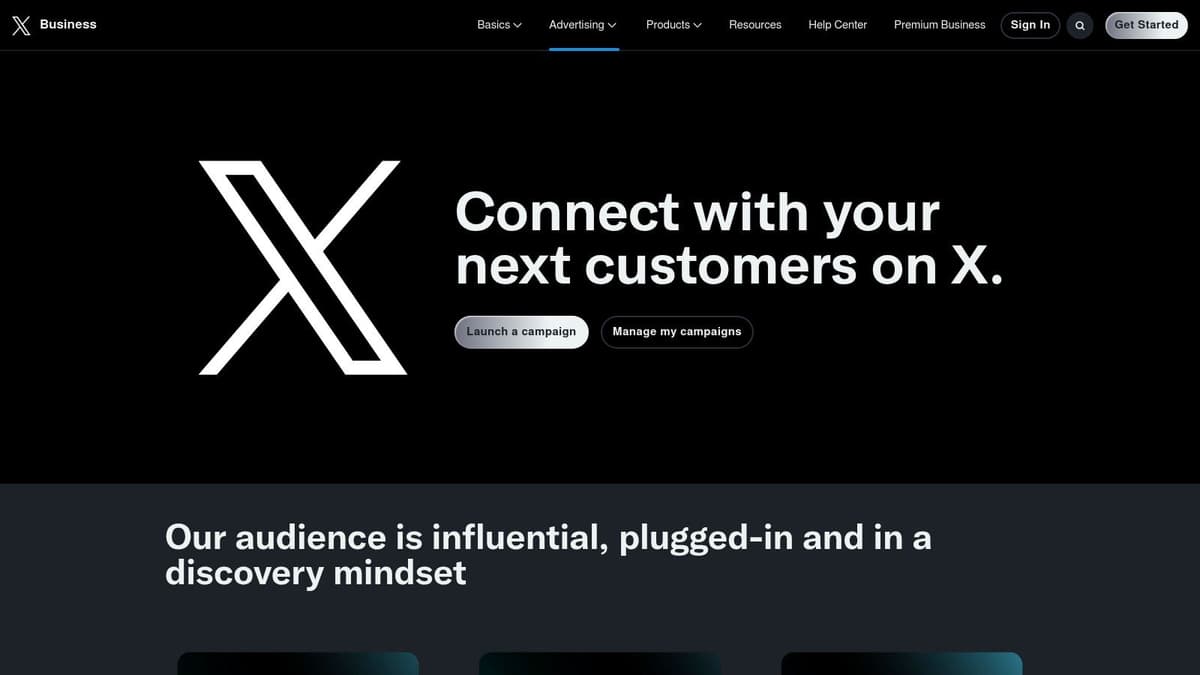
The user experience is slightly unconventional since it’s located in the business/ads backend, but the composer itself is robust. It supports all standard post elements, including media and cards, and provides a straightforward way to plan content without leaving the platform. This native approach is a great starting point before exploring a dedicated post scheduler for social media that manages multiple platforms.
Key Features and Limitations
X's native scheduler is surprisingly flexible for a free, first-party tool. It allows you to schedule posts with text, images, videos, and cards up to a year in advance. Beyond traditional social media platforms, understanding specific native scheduling options, such as how to schedule YouTube Shorts, can significantly boost consistent channel growth.
- Free Plan Limits: There are no hard limits on the number of organic posts you can schedule, offering a significant advantage over freemium third-party tools.
- Core Functionality: You can schedule both organic and promoted-only posts. The tool is perfect for setting up content for weekends, holidays, or after-hours without third-party integrations.
- Notable Drawbacks: Its location within the Ads interface can be confusing for new users. The feature is desktop-centric and is not optimized for scheduling threads, a popular X format.
Who is it Best For?
The native X scheduler is ideal for solo creators, community managers, and small businesses whose primary social channel is X. It's perfect for those who need a simple, reliable, and completely free way to maintain a consistent posting schedule without the complexity or cost of external applications.
Website: https://ads.x.com
4. Publer
Publer stands out in the crowded market of free scheduling tools online with one of the most generous free plans available, especially for creators managing a diverse portfolio of social networks. It goes beyond the typical offerings by including support for emerging platforms like Mastodon, Bluesky, and Threads, making it a forward-thinking choice for those building communities on multiple fronts.
The platform is designed to be a comprehensive social media command center, even on its free tier. Its interface cleanly organizes multiple accounts and provides features that are often paywalled elsewhere, such as a link-in-bio tool, making it an excellent all-in-one solution for users on a budget.
Key Features and Limitations
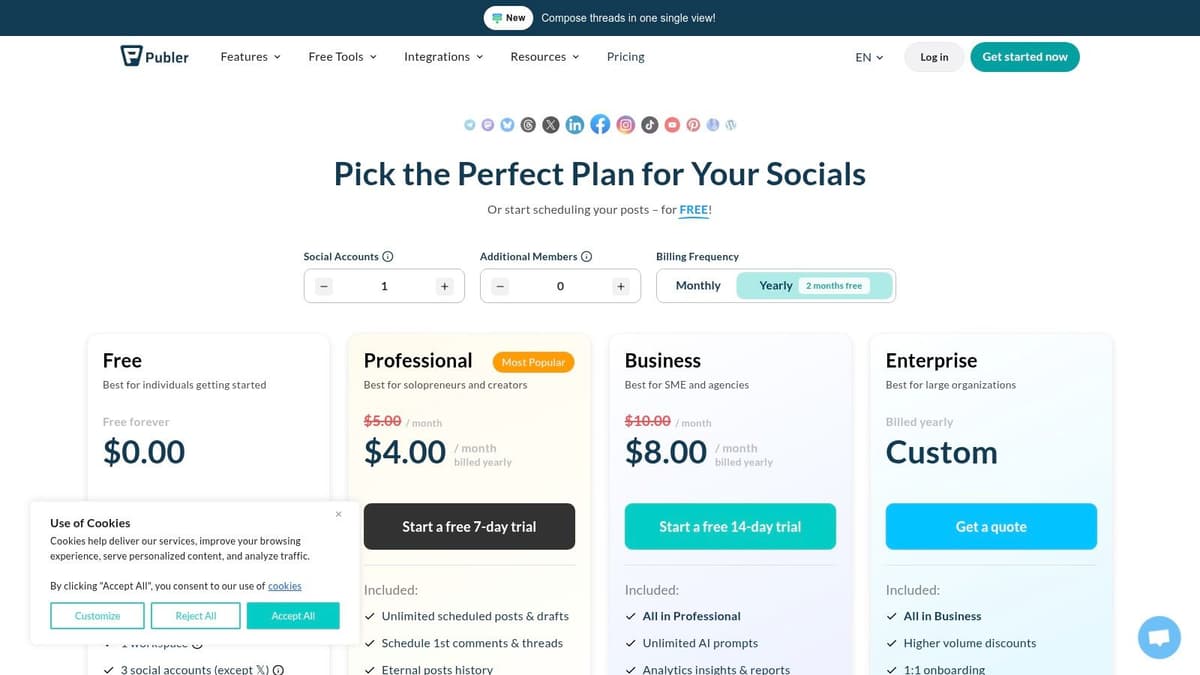
Publer’s free plan is robust, supporting a wide range of channels including Facebook, Instagram, TikTok, LinkedIn, Pinterest, Google Business, YouTube, Telegram, Mastodon, Bluesky, and Threads.
- Free Plan Limits: You get 1 user and 1 workspace with up to 3 social accounts. The scheduling limit is set at 10 pending scheduled posts per account.
- Core Functionality: The free tier includes a link-in-bio page, a media library, and basic scheduling capabilities. Its broad network support is a significant advantage.
- Notable Drawbacks: X (formerly Twitter) is not available on the free plan, which is a major limitation for users focused on that platform. Additionally, the post history is limited to the last 24 hours, hindering performance review.
Who is it Best For?
Publer is perfect for creators and small businesses who are active on a variety of social platforms beyond X. If your strategy involves Instagram, TikTok, LinkedIn, or newer decentralized networks like Mastodon and Bluesky, Publer’s free plan offers unparalleled value and functionality without an immediate need to upgrade.
Website: https://publer.com/plans
5. Planable
Planable is designed from the ground up for collaboration, positioning itself as a content calendar and approvals hub for teams and agencies. While many free scheduling tools online focus on solo use, Planable’s free plan provides a full-featured sandbox for teams to test sophisticated approval workflows, making it unique for client demonstrations and internal process refinement.
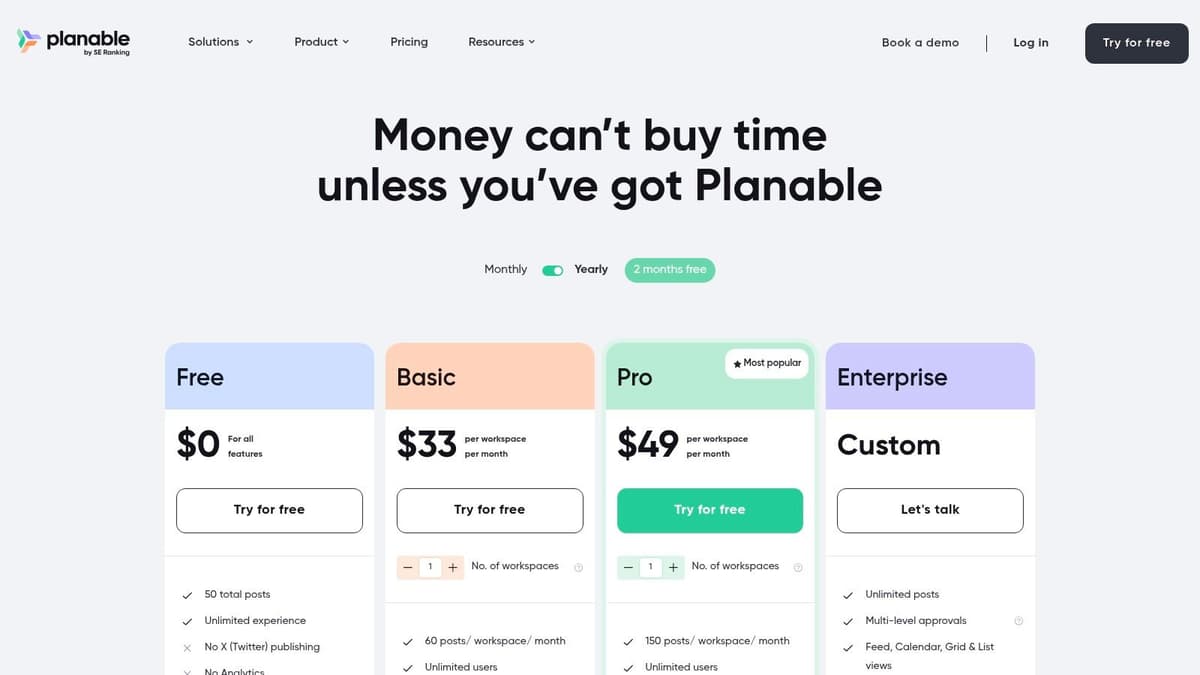
The user interface is exceptionally visual and intuitive, offering feed, calendar, and grid views that mimic the actual social media platforms. This allows stakeholders to preview content exactly as it will appear, which is invaluable for getting clear, contextual feedback before anything goes live.
Key Features and Limitations
Planable’s free tier is less a long-term scheduling solution and more of a powerful trial. It supports Facebook, Instagram, LinkedIn, TikTok, YouTube, and more, but it’s the workflow features that shine.
- Free Plan Limits: The free plan allows for unlimited users and workspaces but is strictly capped at a lifetime total of 50 created posts.
- Core Functionality: Key features include multi-level approval workflows, version history, internal and external commenting, and mockups for various post types.
- Notable Drawbacks: The 50-post lifetime cap makes it unsuitable for ongoing scheduling. X (formerly Twitter) is excluded from the free plan, and analytics are only available as a paid add-on.
Who is it Best For?
Planable is ideal for marketing agencies or social media teams who need to demonstrate a professional, streamlined content approval process to potential clients. It’s also perfect for organizations evaluating new collaborative workflows before committing to a paid subscription, allowing them to test the full range of planning and feedback tools.
Website: https://planable.io/pricing/
6. Metricool
Metricool positions itself as more than just a scheduler, offering a powerful blend of social media management and basic analytics on its forever-free plan. It stands out among free scheduling tools online by providing valuable performance data alongside its publishing capabilities, making it a great starting point for those who want to connect content strategy with results.
The platform provides a unified planner with a post calendar and auto-publishing, which feels intuitive for visualizing a content pipeline. While the interface packs in a lot of data, it remains manageable for users who want to see post performance without upgrading to a paid analytics tool immediately.
Key Features and Limitations
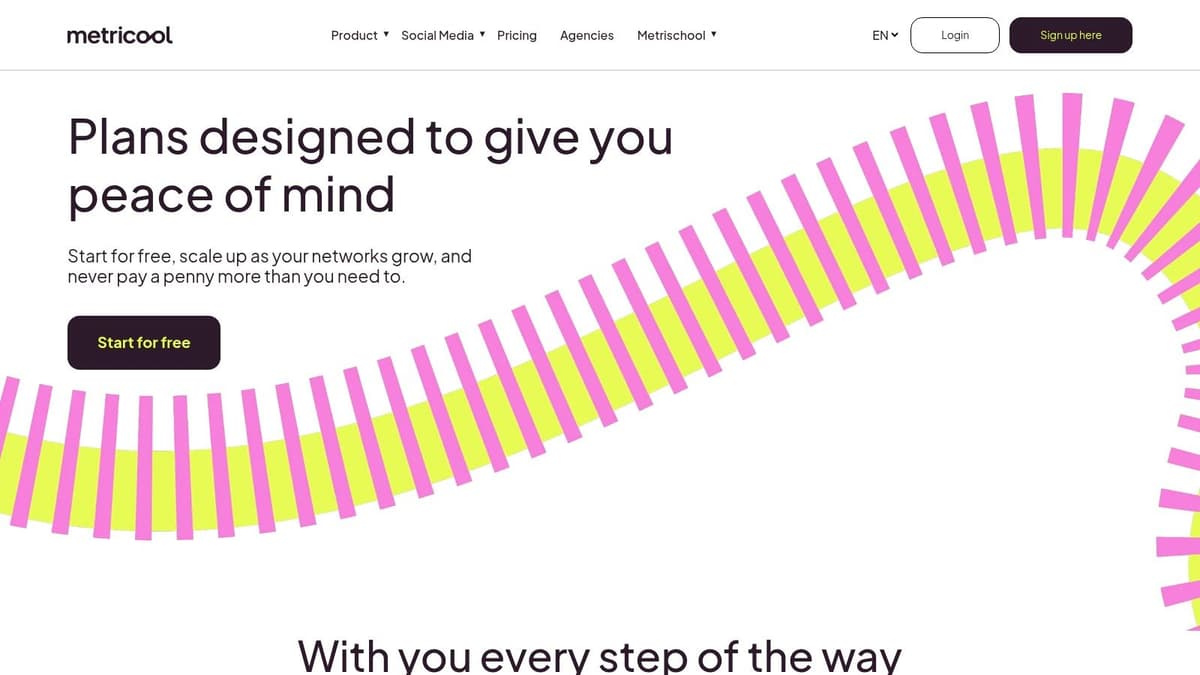
Metricool’s free plan is designed to give users a taste of its data-driven approach. It supports scheduling for one brand across various networks, including Instagram, Facebook, TikTok, and more, though some key platforms are excluded from the free tier.
- Free Plan Limits: You are limited to 20 posts per month across all connected profiles and a single user. LinkedIn and X (formerly Twitter) integrations are not available on the free plan.
- Core Functionality: The free tier includes 30 days of analytics data, simple competitor benchmarking, and a number of credits for its AI Assistant to help with content creation.
- Notable Drawbacks: The 20-post monthly limit is quite restrictive for active brands. The exclusion of X and LinkedIn from the free scheduler may be a deal-breaker for B2B marketers or those focused on text-based platforms.
Who is it Best For?
Metricool is best for data-curious solo creators, influencers, and small businesses who need basic scheduling combined with performance insights. It’s an excellent choice for users who manage platforms like Instagram or Facebook and want to track follower growth and post engagement without paying for a separate analytics service.
Website: https://metricool.com/pricing/
7. Calendly
Calendly is a giant in the appointment-booking world, transforming how professionals manage their time. While it’s not for social media, it excels as one of the best free scheduling tools online for coordinating meetings, consultations, and interviews. Its core function is to eliminate the back-and-forth emails typically required to find a meeting time that works for everyone.
The platform provides a personal booking link you can share anywhere, allowing others to see your availability and book a slot directly in your calendar. The user experience is polished and intuitive, making setup a breeze. For individuals, the free plan is often more than enough to streamline their entire scheduling process.
Key Features and Limitations
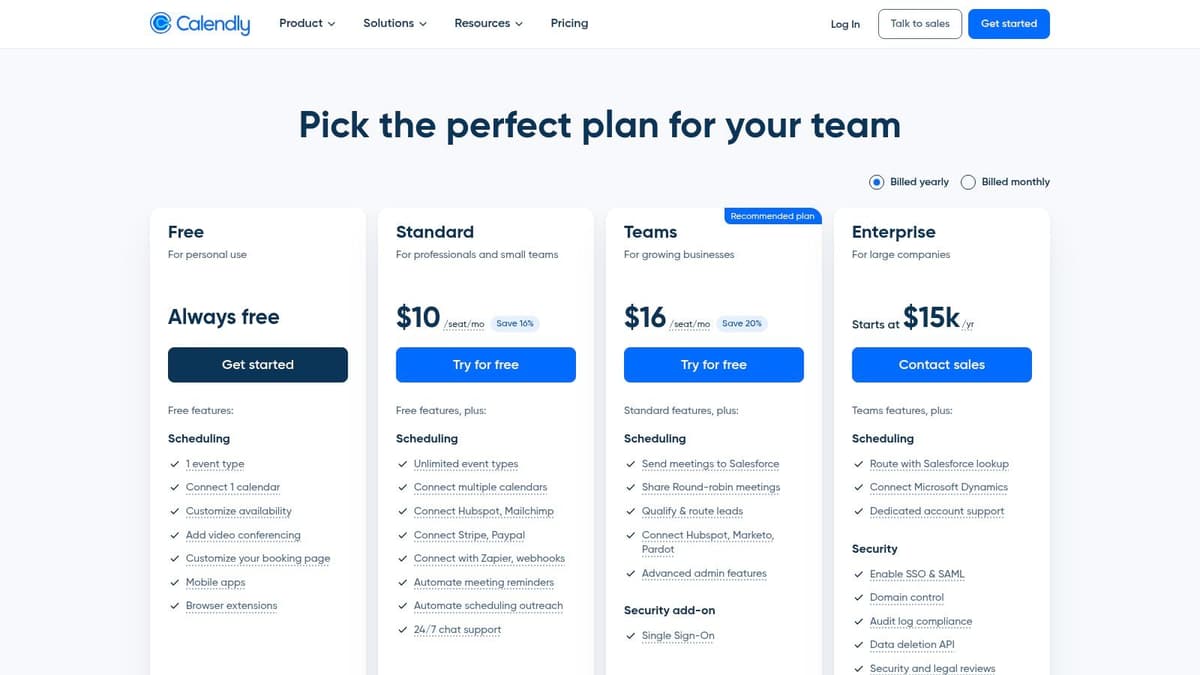
Calendly’s free plan is robust, offering unlimited meeting bookings with one connected calendar (Google, Office 365, Outlook, or iCloud) and one active event type.
- Free Plan Limits: You get one event type (e.g., a "30-Minute Consultation") and can connect one calendar per user.
- Core Functionality: The free tier includes unlimited one-on-one meetings, customizable booking links, automated event notifications, and integrations with video conferencing tools like Zoom and Google Meet.
- Notable Drawbacks: The single event type can be limiting if you offer different kinds of meetings. Features like team scheduling, routing forms, and advanced integrations with tools like Salesforce are reserved for paid tiers.
Who is it Best For?
Calendly is the perfect free tool for solo entrepreneurs, consultants, freelancers, and sales professionals who need a simple, reliable way to let clients and colleagues book time with them. Its mature ecosystem and ease of use make it a go-to choice for anyone looking to professionalize their appointment management without any initial investment.
Website: https://calendly.com/pricing
8. Cal.com
Cal.com positions itself as the open-source, privacy-first alternative in the world of appointment scheduling. It stands out among free scheduling tools online for its powerful free tier aimed at individuals and its developer-friendly nature, offering both a cloud-hosted version and the ability to self-host the entire platform for ultimate control and customization.
While the interface is modern and clean, its extensive customization options can present a slightly steeper learning curve compared to more minimalist tools. However, this depth is precisely what makes it so powerful, allowing users to tailor their booking pages, workflows, and integrations to match their exact needs without hitting a paywall for core features.
Key Features and Limitations
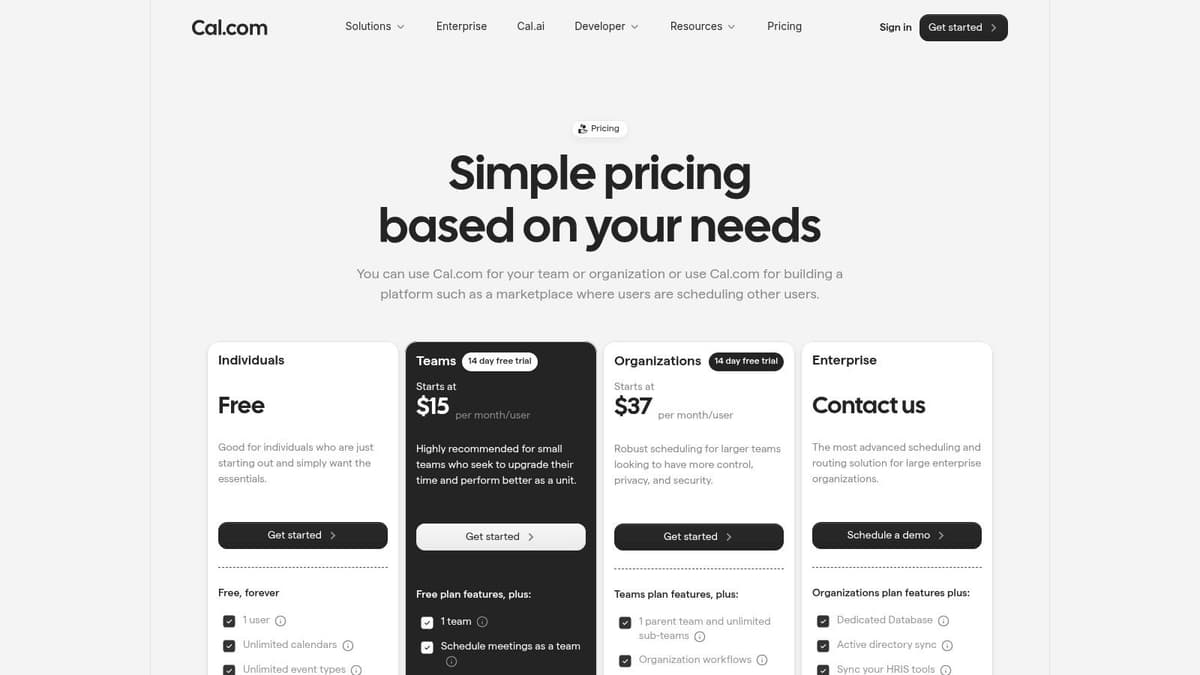
The free plan from Cal.com is exceptionally generous for solo users, providing functionality that competitors often charge for. It supports unlimited calendars, event types, and bookings, making it a sustainable long-term choice.
- Free Plan Limits: The free tier is for one user but includes unlimited event types, unlimited connected calendars, and powerful workflow automation.
- Core Functionality: Key features include integrations with Google Meet, Zoom, and Stripe for payments. It also offers a robust app store and API access for extensibility.
- Notable Drawbacks: Advanced team features, such as round-robin routing and managed event types for organizations, are reserved for paid plans.
Who is it Best For?
Cal.com is the perfect fit for individual entrepreneurs, developers, and privacy-conscious professionals who need a highly customizable and scalable scheduling solution without a monthly fee. Its open-source nature and self-hosting option also make it a top choice for tech-savvy users who want complete ownership of their scheduling infrastructure.
Website: https://cal.com/pricing
9. Setmore
Setmore is a powerful appointment-booking platform that doubles as one of the best free scheduling tools online for service-based businesses. It shines with a free plan designed to get small teams operational, providing essential tools to manage client bookings without any initial investment. The platform focuses on streamlining the entire appointment lifecycle, from booking to reminders.
The user experience is clean and geared towards efficiency. Setting up a branded booking page is simple, allowing customers to self-schedule based on your availability. This automation saves significant administrative time, making it a valuable asset for businesses focused on delivering services rather than managing calendars.
Key Features and Limitations
Setmore’s free tier is impressively generous, particularly its support for multiple users, which is rare in the free scheduler market. It offers a professional booking experience right out of the box.
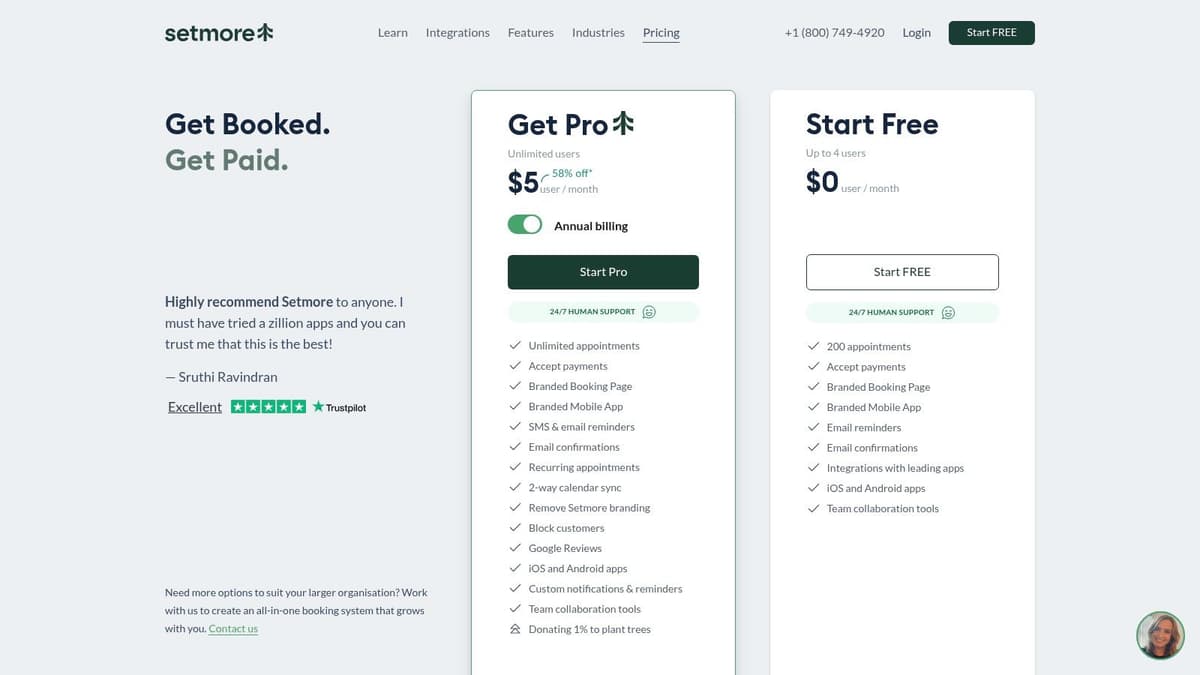
- Free Plan Limits: You get unlimited appointments for up to 4 user profiles, each with their own calendar.
- Core Functionality: The free plan includes a custom booking page with a unique URL, website and social media booking widgets, and automated email confirmations and reminders.
- Notable Drawbacks: Two-way calendar sync with Google or Office 365 is a paid feature, as are SMS reminders and payment processing. The free booking page also includes Setmore branding.
Who is it Best For?
Setmore is an excellent choice for small service businesses, teams, or solo practitioners like consultants, barbers, or tutors who need a robust system for managing client appointments. The four-user limit on the free plan makes it ideal for small teams that need a centralized, no-cost booking solution to get started.
Website: https://www.setmore.com/en/pricing
10. Square Appointments
Square Appointments is a powerful, integrated solution from the payment processing giant Square. It is specifically designed for service-based businesses that need to manage client bookings and payments in one place. While it differs from social media schedulers, it stands out as one of the best free scheduling tools online for solo professionals who need a robust system for managing their time and revenue.
The platform is designed to handle the entire client lifecycle, from booking an appointment on a custom webpage to sending automated reminders and processing payments. This all-in-one approach eliminates the need to juggle multiple tools, streamlining operations for freelancers, consultants, and service providers.

Key Features and Limitations
Square’s free plan is remarkably generous for a single user, offering an end-to-end business management system without a monthly software fee. The primary cost is the standard payment processing fee on transactions.
- Free Plan Limits: The software is completely free for a single staff member at one location. You only pay standard card processing fees when you accept a payment.
- Core Functionality: It includes a customizable online booking site, automated text and email reminders, client profiles, no-show protection with prepayment options, and seamless integration with Square’s Point of Sale (POS) system.
- Notable Drawbacks: While the software is free, you will incur payment processing fees on every transaction. The free plan is strictly limited to one user; adding any staff requires upgrading to a paid plan.
Who is it Best For?
Square Appointments is the perfect choice for individual service providers like hair stylists, personal trainers, consultants, or therapists. It is ideal for anyone who needs a reliable, professional system to let clients book appointments and pay for services online without the monthly cost of dedicated scheduling software.
Website: https://squareup.com/us/en/appointments/pricing
11. Appointy
Appointy focuses on appointment and service booking, making it a powerful choice for service-based businesses that need a client-facing scheduler. It offers a generous forever-free plan that provides solo operators with the essential tools to manage bookings directly from their website or a dedicated booking page, standing out among free scheduling tools online for its business-centric features.
The platform is designed to streamline client intake, reduce no-shows with automated reminders, and integrate directly into an existing business workflow. Its interface is clean and functional, prioritizing the setup of services, availability, and client management, making it accessible even for those who are not tech-savvy.
Key Features and Limitations
Appointy’s free plan is robust, offering core functionalities like a booking page, website widget, automatic reminders, and basic integrations.
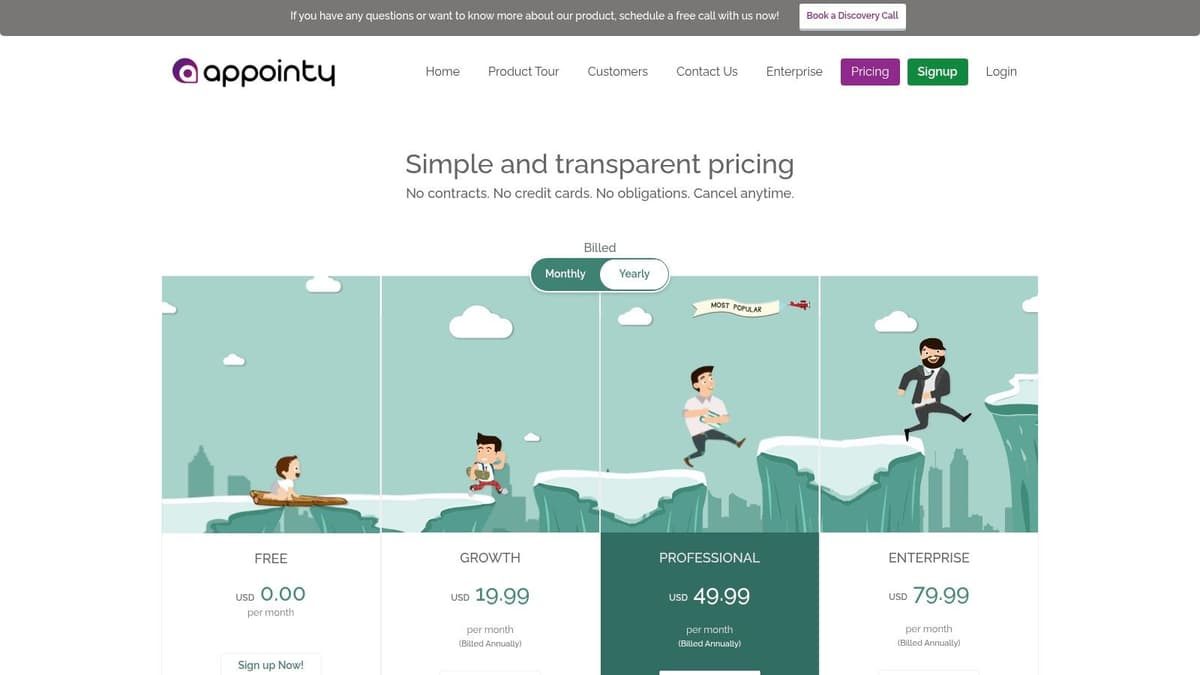
- Free Plan Limits: The plan is limited to 1 staff user, 5 services, and a cap of 100 appointments per month.
- Core Functionality: It includes key integrations with Square POS for payments and Zapier for connecting to other apps. Users also get access to mobile apps for on-the-go management.
- Notable Drawbacks: The 100-appointment monthly limit can be restrictive for growing businesses. Removing Appointy branding and accessing more advanced features like recurring bookings or gift certificates require upgrading to a paid plan.
Who is it Best For?
Appointy is ideal for solo entrepreneurs, freelancers, consultants, or therapists who need a professional and reliable system for clients to book appointments. Its clear, practical limits are perfect for individuals starting their service-based business, offering a straightforward path to scale up as their client base expands.
Website: https://www.appointy.com/pricing/
12. Doodle
Doodle is a household name in meeting coordination, known for its dead-simple approach to finding a time that works for everyone. While often used for personal events, it also serves as one of the most effective free scheduling tools online for professionals and small teams needing to coordinate group availability or offer a simple booking option without a complex setup. The platform’s strength lies in its universally understood polling system.
The user experience is incredibly focused, guiding you to create a poll or a booking page in just a few clicks. Doodle excels at the singular task of eliminating back-and-forth emails when scheduling with multiple participants. Its straightforward workflow makes it a go-to choice for quick, ad-hoc scheduling needs where efficiency is paramount.
Key Features and Limitations
Doodle’s free plan is ad-supported but offers powerful core features for group and individual scheduling. It provides unlimited group polls, which is its most popular feature for finding the best meeting time.
- Free Plan Limits: You get unlimited group polls and can create one personal booking page. The free tier is ad-supported, which may not be ideal for some professional contexts.
- Core Functionality: The free plan includes integrations with Google Calendar, Outlook Calendar, and Zoom. You can set meeting durations and specify your availability for others to book.
- Notable Drawbacks: Advanced features like removing ads, custom branding, automated reminders, and multiple booking pages are locked behind paid plans (Pro/Team).
Who is it Best For?
Doodle is perfect for anyone who frequently needs to schedule meetings with groups of external clients, partners, or committees. It is also an excellent starting point for freelancers or consultants who need a simple, no-cost booking page to let clients schedule calls. Its ease of use makes it a reliable tool for one-off coordination tasks.
Website: https://doodle.com/pricing
Top 12 Free Scheduling Tools Comparison
| Tool | Core focus / Networks | UX & reliability ★ | Value & Pricing 💰 | Best for 👥 | Standout ✨/🏆 |
|---|---|---|---|---|---|
| Buffer | Multi‑network scheduler (X, IG, LinkedIn, TikTok, YT) | ★★★★ — clean, fast onboarding | 💰 Free (10 posts/channel) + paid | 👥 Solo creators, small teams | ✨ Simple workflow, forever‑free |
| Meta Business Suite | Official Facebook & Instagram manager | ★★★ — solid desktop, mobile quirks | 💰 Free first‑party tool | 👥 Brands focused on Meta | ✨ Calendar + recommended times |
| X (native scheduler) | Native scheduling via Ads/Creatives (X) | ★★★ — desktop‑centric, ads UI | 💰 Free native scheduling | 👥 Active X publishers | ✨ Schedule organic + promoted |
| Publer | Wide network support incl. Bluesky, Mastodon, Threads | ★★★★ — creator‑oriented | 💰 Free: 3 accounts, 10 posts/account | 👥 Creators expanding platforms | ✨ Broad network support 🏆 |
| Planable | Collaborative content calendar & approvals | ★★★★ — rich review UX | 💰 Free (50 posts lifetime) | 👥 Agencies, approval workflows | ✨ Versioning & approvals |
| Metricool | Scheduling + basic analytics & competitor snapshots | ★★★ — handy mix of sched + analytics | 💰 Free: 20 posts/mo + 30d analytics | 👥 Small brands wanting analytics | ✨ Free competitor insights |
| Calendly | Appointment booking, shareable links & integrations | ★★★★★ — polished, easy to use | 💰 Free: 1 event type, unlimited meetings | 👥 Solo creators, consultants | ✨ Mature integrations 🏆 |
| Cal.com | Open‑source, privacy‑minded scheduling | ★★★★ — powerful, slight learning curve | 💰 Free cloud + self‑host option | 👥 Developers, privacy‑first users | ✨ Open‑source + self‑hosting 🏆 |
| Setmore | Booking with website widgets & mobile apps | ★★★ — solid free features for teams | 💰 Free: up to 4 users (branded) | 👥 Small teams needing booking | ✨ 4 users on free plan |
| Square Appointments | Booking + integrated payments (Square) | ★★★★ — smooth payments + booking | 💰 Free for 1 staff (card fees apply) | 👥 Salons, studios, solo services | ✨ POS + payments integration 🏆 |
| Appointy | Booking page, widgets, clear free limits | ★★★ — straightforward & reliable | 💰 Free: 1 staff, 5 services, 100 appt/mo | 👥 Solo operators | ✨ Practical free quotas |
| Doodle | Group "find a time" polls & simple booking page | ★★★ — dead‑simple group scheduling | 💰 Free: unlimited polls (ads), 1 page | 👥 Groups & ad‑supported scheduling | ✨ Unlimited group polls |
Ready to Put Your Growth on Autopilot?
Navigating the landscape of free scheduling tools online can feel overwhelming, but as we've explored, the right solution is within reach for every type of creator, business, and manager. The journey from manual posting to an automated, strategic workflow is transformative. It frees up invaluable time, ensures consistent engagement with your audience, and lays the groundwork for sustainable growth across platforms like X, Bluesky, and Mastodon.
The key takeaway is that "free" does not equate to "basic." From the robust, all-in-one capabilities of tools like Buffer and Publer to the powerful appointment management of Calendly and Square Appointments, there’s a no-cost option designed to solve your specific bottleneck. The true power lies not in the tool itself, but in how you leverage it to achieve your goals.
Making Your Final Decision: A Quick Recap
Choosing your ideal scheduler isn’t about finding a single "best" tool; it's about finding the best fit for your unique workflow. To simplify your decision, let's revisit the core considerations:
- For Social Media Management: If your primary focus is scheduling content for platforms like X, your best starting points are tools with generous free tiers, such as Buffer for its simplicity, Publer for its wide platform support, or Metricool for its added analytics. Don’t overlook X’s native scheduler for a straightforward, no-frills approach.
- For Appointment and Service Booking: If your goal is to manage client meetings, consultations, or service-based appointments, your choice hinges on integration needs. Calendly excels at simple, embeddable booking, while Cal.com offers a powerful open-source alternative. For businesses needing payment processing, Square Appointments and Setmore provide seamless, integrated solutions.
- For Team Collaboration: When working with a team, features like approval workflows and shared content calendars are critical. Planable shines in this area, offering a visual and collaborative environment that streamlines the entire content creation and approval process, even on its free plan.
From Selection to Implementation: Your Actionable Next Steps
Once you've shortlisted a few contenders, the next phase is practical application. Don't commit to a single tool immediately. Instead, treat this as a trial period to see which platform genuinely enhances your productivity.
- Define Your Core Need: Are you trying to save time, analyze performance, or streamline client bookings? Your primary objective will dictate which features are non-negotiable.
- Test Your Top Two: Sign up for the free plans of your top two choices. Use them simultaneously for a week. Schedule the same types of content or create similar booking pages to compare the user experience directly.
- Evaluate the Workflow: Ask yourself critical questions. How intuitive is the interface? How long did it take to schedule a week's worth of content? Did you encounter any frustrating limitations on the free plan? The tool that feels the least like a chore is often the winner.
- Consider Future Growth: While a free plan may suffice now, look at the features offered in the paid tiers. Does the tool offer a clear upgrade path that aligns with your long-term business goals? Choosing a platform that can scale with you prevents a complicated migration down the road.
Embracing one of these free scheduling tools online is more than a productivity hack; it's a strategic decision to invest in your brand's consistency and professionalism. By automating the repetitive tasks, you reclaim the mental space needed for what truly matters: creating valuable content, engaging with your community, and building meaningful connections. The right tool will fade into the background, becoming a silent, reliable partner in your digital growth journey.
Ready to move beyond basic scheduling and build a powerful content engine specifically for text-based platforms? While the tools in this list are excellent starters, MicroPoster offers a dedicated growth workspace for creators and brands serious about mastering X, Bluesky, and Mastodon. MicroPoster combines a unified content studio with advanced scheduling, analytics, and community-building features designed to turn your ideas into impactful growth.


