
how to share youtube videos on facebook
How to Share YouTube Videos on Facebook (2026 Guide)
Learn how to share YouTube videos on Facebook with our 2026 guide. We cover link sharing, native uploads, and automation to maximize your reach and save time.
You uploaded a new YouTube video. Then you did what many founders do. You copied the link, pasted it into Facebook, added a quick caption, and moved on.
A few hours later, the post barely moved.
That result isn’t random. It’s the predictable outcome of using a beginner workflow on a platform that rewards platform-native behavior. If you want to learn how to share youtube videos on facebook, you need more than button-click instructions. You need a distribution strategy.
The situation is simple. Manual sharing works for occasional posting. It breaks the moment you care about consistency, reach, or your own time. Founders and small teams don’t have a content problem. They have a distribution problem.
Why Just Pasting a Link Is Costing You Reach
The easiest method is usually the weakest one.
When you paste a YouTube link into Facebook, you get a clickable preview. That’s useful. It gives people a thumbnail, title, and direct path back to your YouTube video. If your main goal is channel growth, that can be the right move.
But Facebook has no incentive to help you send users somewhere else.
Facebook and YouTube want different outcomes
YouTube wants the click. Facebook wants the session.
That conflict matters. A shared YouTube link creates a shortened card at the bottom of the Facebook post, while a native video uploaded directly to Facebook tends to get stronger reach and engagement on Facebook itself, according to the engagement optimization analysis in this YouTube breakdown.
Practical rule: If you want YouTube traffic, use the link. If you want Facebook attention, post native video.
Many individuals never make that decision intentionally. They paste links by habit, then wonder why the post underperforms.
The true cost is operational, not just algorithmic
Link pasting feels fast. It isn’t, once you repeat it across every upload.
You’re still writing captions, checking previews, reformatting copy, and deciding where to post each time. That’s low-value work. It also keeps you stuck in a reactive workflow where every new video creates another set of repetitive tasks.
If you want a good primer on the native-clip route, this guide on how to convert YouTube to FB video is useful because it focuses on repurposing rather than blind link dumping.
The bigger point is this. Basic sharing is fine for beginners. It’s a poor system for anyone trying to grow seriously.
The Manual Sharing Methods Everyone Starts With
You should know the manual methods, even if you shouldn’t stop there.
They’re the baseline. They work. They’re also clunky, inconsistent, and hard to scale.
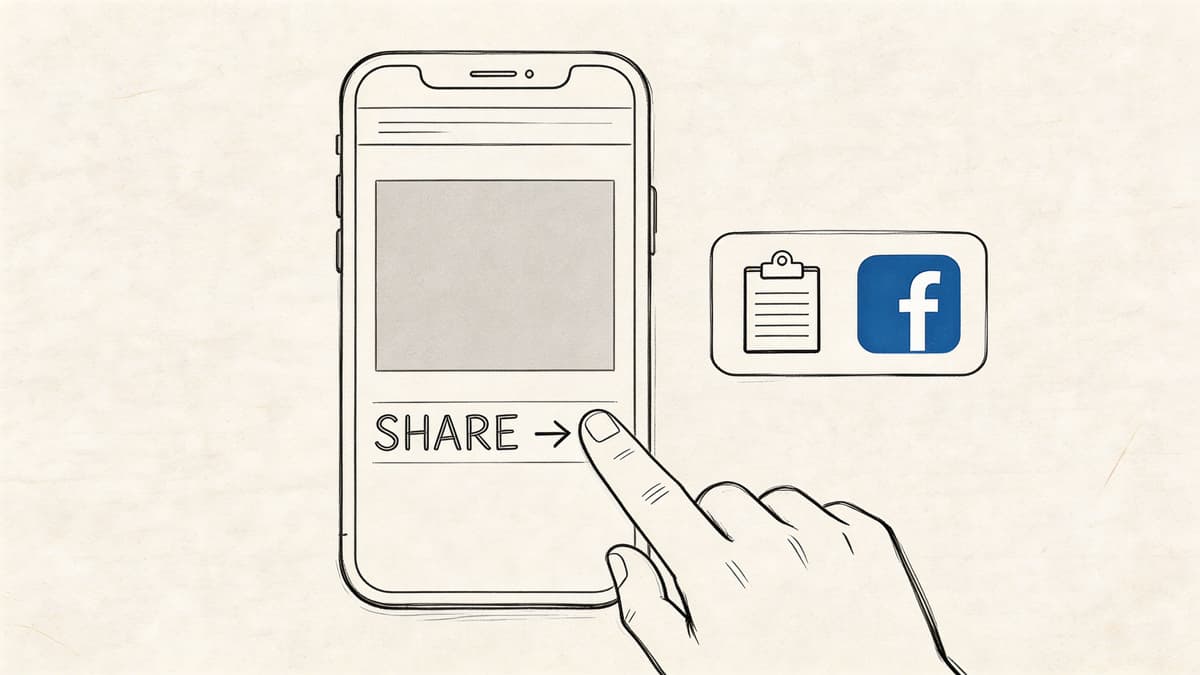
Share from YouTube on desktop
This is the cleanest beginner workflow.
- Open your video on YouTube.
- Click Share under the video.
- Choose Facebook if it appears as a destination, or copy the URL.
- Paste it into Facebook.
- Add a caption before publishing.
This method preserves the clickable YouTube URL, which is why it’s useful when you want viewers attributed back to your YouTube channel.
Share from the YouTube mobile app
Mobile is similar.
Tap the Share icon on the YouTube app, then choose Facebook News Feed if available, or copy the link and open Facebook manually. Before posting, clean up your caption. Many users rush this part and post dead-on-arrival copy.
A better caption does one of three things:
- Creates curiosity with a sharp opening line
- Promises a payoff the viewer gets from clicking
- Starts a conversation with a direct question
Where you can post it on Facebook
Manual sharing also means choosing the destination every time. That matters more than people think.
Here’s the basic map:
| Destination | Best use | Main drawback |
|---|---|---|
| Personal profile | Quick personal distribution | Weak for structured brand growth |
| Business Page | Brand visibility and scheduling | More steps, more admin friction |
| Group | Niche audience relevance | Posting rules and moderation issues |
| Story | Temporary promotion | Easy to miss, limited context |
A founder with one weekly video can manage this manually. A startup shipping content regularly can’t.
The pros and cons of the beginner workflow
Manual sharing isn’t useless. It’s limited.
- Fastest path to a live post: You can go from upload to Facebook in a few clicks.
- Best for direct YouTube traffic: The link remains intact and clickable.
- Good for one-off announcements: Product launches, interviews, and occasional updates fit this model.
But the downsides pile up quickly.
- You repeat the same work constantly: Copy, paste, rewrite, preview, publish.
- You rely on Facebook’s preview rendering: When it breaks, your post looks broken.
- You don’t adapt to the platform: The same asset gets pushed everywhere with no optimization.
A manual workflow teaches mechanics. It does not multiply effort effectively.
If you only needed to learn how to share youtube videos on facebook once a month, that would be enough. If you publish often, this approach turns content distribution into admin work.
Optimizing Shares for Facebook's Algorithm
If you care about performance, stop thinking in terms of “share the video” and start thinking in terms of “match the format to the platform.”
That’s the difference between posting and marketing.
Native uploads win attention on Facebook
The core trade-off is simple. A YouTube link is better for sending people to YouTube. A native Facebook upload is better for getting traction inside Facebook.
That isn’t a theory. The expert analysis cited earlier makes the distinction clear. Link sharing creates a clickable thumbnail and supports channel traffic. Native uploads align better with Facebook’s preference for keeping users on-platform, so they tend to perform better for reach and engagement.
This visual captures the strategic gap.
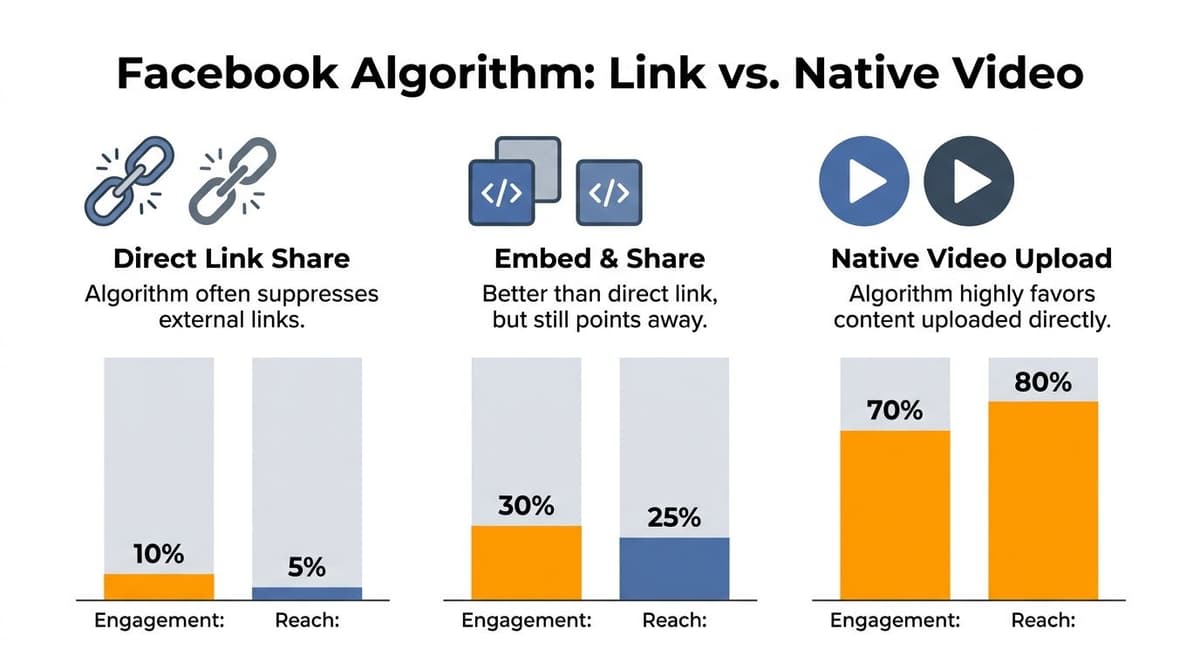
The practical move is to cut a short clip from your full YouTube video and upload that clip directly to Facebook. Use the clip as the hook. Let the full YouTube video carry the deeper value.
What to post instead of the full link every time
A strong Facebook-native post usually looks like this:
- Lead with the most watchable moment: Open with the sharpest idea, claim, or visual.
- Keep the clip tight: Don’t upload a rambling segment. Use the part that earns the next second of attention.
- Write platform-specific copy: Facebook captions need context and momentum, not recycled YouTube titles.
- Add subtitles: Many viewers watch muted first, so captions do the heavy lifting. If you need a fast workflow, a video subtitle generator can help prepare clips for feed viewing.
Choose based on business goal
Don’t ask which format is “better.” Ask which outcome matters more for this post.
| Your priority | Best format | Why |
|---|---|---|
| Grow YouTube channel | Shared YouTube link | Click stays tied to the original video |
| Increase Facebook engagement | Native clip upload | Better fit for feed behavior |
| Test messaging angles | Short native variants | Easier to compare hooks and framing |
That’s where repurposing becomes a serious skill, not a nice-to-have. If you need ideas for turning one asset into multiple formats, this guide on content repurposing strategies is worth reading.
Post the full link when distribution to YouTube is the objective. Post the clip when Facebook itself is the battlefield.
The copy matters more than many organizations admit
A weak caption can sink a strong video.
Skip generic intros like “New video is live.” Nobody cares. Give the audience a reason to stop. Pull out a contrarian point, a common mistake, or a problem they already feel.
Good Facebook copy usually does one of these:
- Calls out a pain point “Many organizations post YouTube links to Facebook and kill their own reach.”
- Promises a practical takeaway “This clip shows the one format change that usually gets more traction on Facebook.”
- Invites a reaction “Would you rather optimize for channel traffic or feed engagement?”
Manual optimization works. It also eats time fast.
The Professional Solution Automating Your Video Workflow
Manual posting is where many organizations stay stuck because it feels responsible. It isn’t. It’s familiar.
If you publish regularly, a manual cross-posting system turns your content engine into a part-time operations job. Someone has to monitor uploads, rewrite captions, paste links, pick destinations, and remember to repeat the process every single time.
Manual distribution is expensive in the worst way
The cost isn't solely time spent clicking buttons. The cost is inconsistency.
According to the data referenced in this sharing and automation analysis, 68% of small business owners report time wasted on manual reposting, and native Facebook videos see 23% higher play rates than link-based sharing when the format is adapted properly. The same analysis says automation can reduce manual sharing tasks by up to 90%.
Those numbers point to one conclusion. Serious teams shouldn’t be manually mirroring video distribution.
What a professional workflow should do
A real workflow needs to remove decisions you shouldn’t keep making by hand.
It should:
- Detect new YouTube uploads automatically
- Decide whether a post should be mirrored as a link preview or adapted as a native asset
- Format captions for the target platform
- Schedule delivery so posts don’t depend on someone being online
- Keep the system running without daily supervision
That’s the difference between occasional promotion and repeatable distribution.
Why automation beats discipline
Founders often think the answer is better habits. It isn’t.
You don’t need another checklist. You need a system that notices new content and handles the repetitive parts automatically. Human discipline is fragile. Workflows break when launches pile up, someone gets busy, or content ships late.
Automation doesn’t fix weak content. It fixes weak distribution.
If your posting process depends on memory, it will fail at exactly the moment your team gets busy.
The setup worth aiming for
The best cross-posting stack works in the background.
A strong setup connects your source platform, in this case YouTube, to your distribution channels so every new upload triggers a predefined publishing path. You set the rules once. The system executes them every time.
That’s why automated cross-posting is the only path that scales for founders, agencies, and lean marketing teams. You can see what that kind of setup looks like in practice on the auto crosspost workflow page.
Here’s what changes when you move from manual to automated:
| Manual approach | Automated approach |
|---|---|
| Copy and paste every upload | Detect new uploads automatically |
| Rewrite captions from scratch | Apply reusable posting rules |
| Publish when someone remembers | Schedule consistently |
| Fix each preview issue manually | Standardize delivery logic |
The key strategic advantage
Automation is not about laziness. It’s about preserving focus.
You want your team spending energy on better hooks, stronger content angles, and more useful videos. You do not want them spending that energy on repetitive reposting. The founder who treats distribution like a system will beat the founder who treats it like a recurring chore.
That’s why manual methods are fine for beginners. They are not the operating model for serious growth.
Troubleshooting Common Sharing Frustrations
Manual sharing breaks in annoying ways.
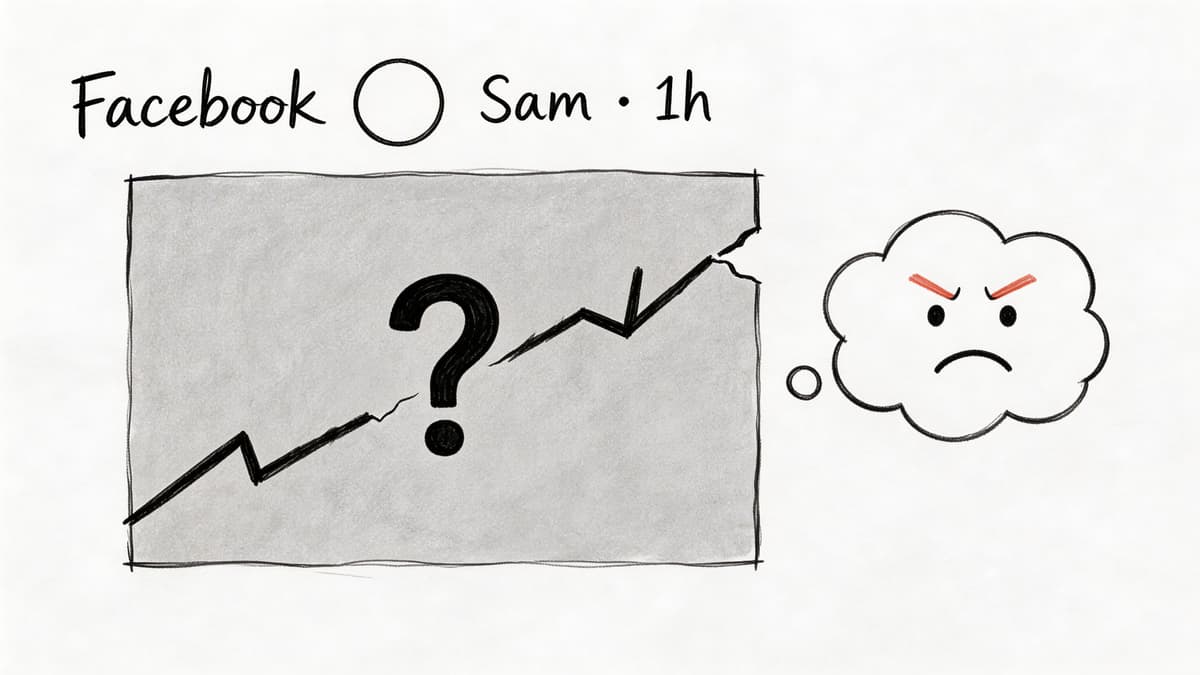
You paste the link and the thumbnail looks wrong. The preview doesn’t load. The post goes through on one device and fails on another. You try to share to a page or group and get blocked without a clear explanation.
The preview problem is more common than people think
According to this troubleshooting analysis, 40% of manual YouTube-to-Facebook sharing failures are caused by metadata fetch errors, and those often require a manual preview refresh. The same analysis says automation tools that pre-validate links and use stable API connections can push share success rates to over 95% and increase engagement by an average of 28%.
That should change how you think about these glitches. They’re not edge cases. They’re part of the manual workflow.
What to do when a manual share fails
Start with the obvious fixes first.
- Refresh the preview: If Facebook pulls stale or broken metadata, re-paste the link and force a refresh if the posting interface allows it.
- Check video visibility: Private YouTube videos won’t share properly. If you need limited distribution, use unlisted carefully.
- Shorten the post copy: Long descriptions can create formatting issues when pasted across platforms.
- Verify destination permissions: Pages, professional profiles, and groups often have posting restrictions that personal feeds don’t.
Reliability is now a strategy issue
A founder usually treats failed previews as a nuisance. That’s too small a frame.
If your content output is rising, every manual failure creates another interruption. Someone has to notice the issue, diagnose it, retry the post, and confirm the fix. Multiply that by regular publishing and the workflow becomes brittle fast.
Manual sharing looks simple only when nothing goes wrong.
There’s also a policy angle. Privacy settings, posting limits, and preview behavior can shift with little warning. The problem isn't solely that one post fails. The problem is that your whole process depends on a chain of interfaces you don’t control.
The sensible takeaway
If you post rarely, troubleshooting is tolerable.
If you post often, reliability becomes part of your growth model. A system that validates links before publishing and uses stable integrations is more dependable than a person copy-pasting URLs across apps.
That’s why “just share the link” is bad advice for any team that cares about predictable output.
Your Blueprint for YouTube to Facebook Growth
There are three levels here.
The first is the Basic Sharer. This person copies the YouTube link, pastes it into Facebook, and hopes the post does its job. That works for occasional updates. It’s the minimum viable move.
The second is the Savvy Marketer. This person understands the platform trade-off. They use direct links when they want YouTube traffic and native clips when they want Facebook reach. Their results improve because their format matches the goal.
The third is the Professional Creator. This person treats distribution like infrastructure. They don’t rebuild the process every time a video goes live. They run a system.
That maturity model matters because many founders stall at level one while expecting level three outcomes.
If you only remember one thing about how to share youtube videos on facebook, remember this: the right method depends on the outcome you want, but the right operating model is automation. Manual posting teaches you the mechanics. Strategic clipping teaches you the algorithm. Automation gives you scale.
You can keep doing distribution by hand and lose time to formatting, reposting, preview fixes, and missed publishing windows. Or you can build a workflow that keeps your content moving while you focus on making better content.
For serious growth, the decision is straightforward.
If you're done babysitting reposts, try MicroPoster. It’s built for founders, creators, and lean teams who want to publish once and keep distribution running in the background. Connect your source account, automate cross-posting, adapt content for each network, and stop spending your best hours on copy-paste work.


