how to keep bluesky and mastodon in sync
How to Keep Bluesky and Mastodon in Sync (2026 Guide)
Learn how to keep Bluesky and Mastodon in sync automatically. This guide covers manual reposting, bridging services, and automated tools like MicroPoster.

You post a product update on Bluesky. Then you remember your Mastodon followers still haven't seen it. So you rewrite the same post, trim a sentence, fix a mention, re-upload the image, and hope the thread still makes sense on both platforms. A few days later, one account looks active, the other looks abandoned, and replies are split across two places.
That is the core problem behind how to keep Bluesky and Mastodon in sync. It isn't only about pushing the same text to two networks. It's about protecting your time, keeping your audience intact, and avoiding the subtle losses that come from bad automation.
For founders, indie hackers, and small teams, both platforms matter for different reasons. Bluesky moves fast and attracts early adopters. Mastodon gives you access to the broader Fediverse and communities that are often passionate about open web projects, privacy, and developer tools. If you're building in public, launching features, or sharing writing regularly, it makes sense to stay visible in both places. The hard part is doing that without turning distribution into a second job.
The Cross-Platform Creator's Dilemma
A lot of creators end up with the same messy routine. They write on the platform they prefer, promise themselves they'll “cross-post later,” and then either forget or rush it. The result is uneven cadence, broken threads, and followers who assume you've gone quiet on one network when you've been active all week.
That gets worse once replies enter the picture. A post that starts as a simple announcement becomes two separate conversations. If you're sharing launches, changelogs, essays, or community notes, that split attention adds up fast.
Two networks, two different jobs
Bluesky and Mastodon aren't duplicates. They have different cultures, different norms around hashtags and replies, and different expectations around automation. Treating them like interchangeable pipes usually leads to friction.
If you're trying to simplify the rest of your stack too, this guide to unifying social media apps is useful because it frames the broader workflow problem well. The same logic applies here. Every extra app and every repeated action creates drag.
The decentralized side matters too. If you need a refresher on where Mastodon, Bluesky, and adjacent tools fit, MicroPoster's overview of decentralized social media platforms gives the right context without getting lost in theory.
Migration is not the same as sync
Some people search for syncing help when what they need is a move. That's a different problem.
Bounce, developed by A New Social, helps users transfer accounts from Bluesky to Mastodon while keeping followers and bridged follows, and its public beta launched on October 20, 2025, according to The Verge's coverage of Bounce. That's useful if you're relocating your presence.
But a one-time account move isn't the same as ongoing synchronization. If you want to stay active on both networks at once, you need a repeatable publishing workflow, not just a migration utility.
Practical rule: If you still want followers and conversations on both platforms next month, optimize for ongoing sync, not account transfer.
Exploring Sync Options From Manual to Bridged
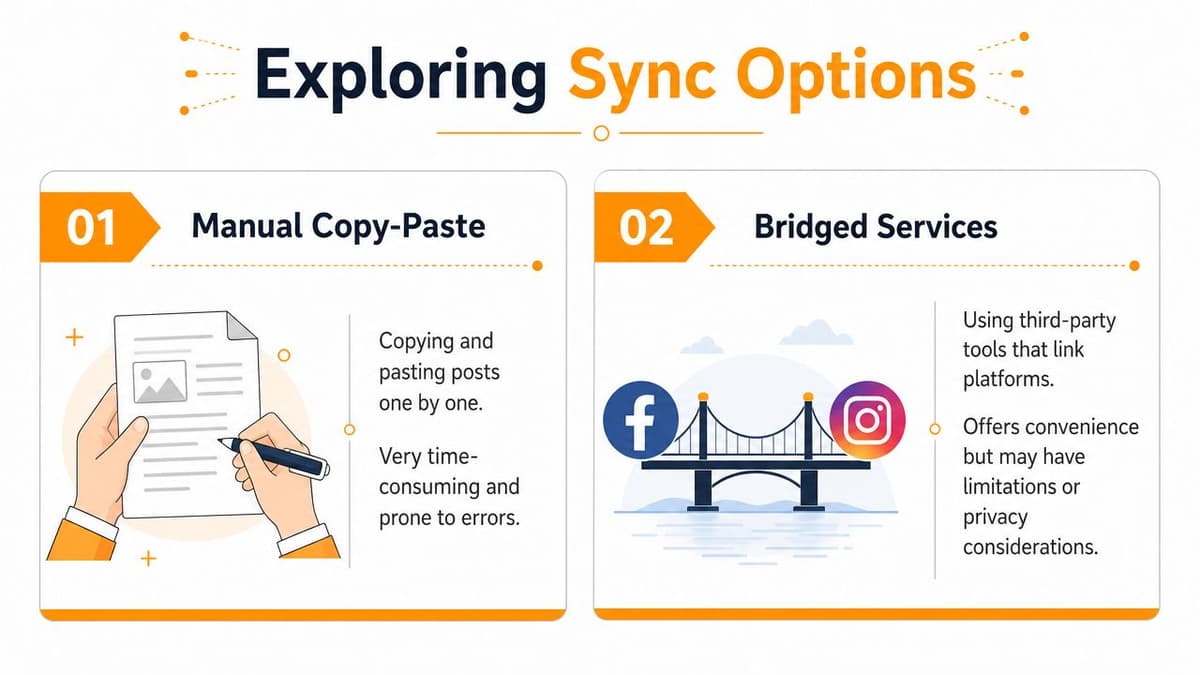
The easiest method is also the one that falls apart first. Manual copy-paste works when you post once in a while. It breaks when you post regularly, publish threads, share media, or care about timing.
Manual posting also creates small quality problems that compound. You forget to adapt a hashtag. You skip the second platform because you're busy. You publish the same post twice but at different times, and the conversations diverge immediately.
Manual copy-paste works until volume increases
For occasional announcements, manual posting is fine. It gives you total control over formatting and tone, and you can tailor each post natively.
The trouble is consistency. Busy founders don't usually fail because they lack posting ideas. They fail because the extra publishing step always lands at the wrong time.
A simple comparison makes the trade-off obvious:
| Method | What you gain | What you lose |
|---|---|---|
| Manual posting | Full control over wording and native edits | Time, consistency, and patience |
| Bridged service | Less hands-on work | Some delivery and trust trade-offs |
If you're also evaluating Bluesky-specific tools more broadly, Flaex.ai has a helpful directory entry with details about the Blueskyweb tool. It's not a sync answer by itself, but it helps map the surrounding ecosystem.
Bridged services are clever, but they come with baggage
The most interesting free-ish path is a bridge, especially Bridgy Fed. For users who want a decentralized, follow-based method instead of an API-driven mirror, that's appealing. You follow the automated account @bsky.brid.gy@bsky.brid.gy on Mastodon, and Bridgy Fed generates a bridged Bluesky profile in the format @[handle].ap.brid.gy.
That convenience is real. You avoid managing OAuth tokens and app passwords, and text propagation is reported as nearly 100% reliable in TechCrunch's reporting on Bridgy Fed.
The downside is where many creators get stuck. The same report notes a 30% delay for media attachments and replies, and bridged accounts carry an “automated” label that can reduce engagement by around 12%. If you're trying to build trust, community, or a personal brand, that label matters more than people think.
A bridge is strongest when your goal is presence, not polish.
What bridges do well and where they fail
Bridges make sense for certain users:
- Decentralization-first users: If you care more about open network connectivity than presentation, a bridge can be enough.
- Text-heavy posters: Short, standalone posts tend to survive bridging better than media-heavy updates or nuanced threads.
- Low-maintenance experiments: If you want to test cross-network presence before committing to a workflow, bridging is a reasonable stopgap.
But bridges struggle when your publishing has to feel intentional.
- Replies can misfire: Cross-network reply behavior can break in ways that are hard to debug, especially when moderation or spam filtering gets involved.
- Media introduces lag: If screenshots, clips, and multi-part posts are core to your content, delays become visible to your audience.
- The account framing changes: Once a profile is labeled automated, some people treat it differently before they read a single post.
Self-Hosted Automation The DIY Developer Approach
If you're technical, the next step is obvious. Skip manual posting. Skip bridge limitations. Run your own sync stack.
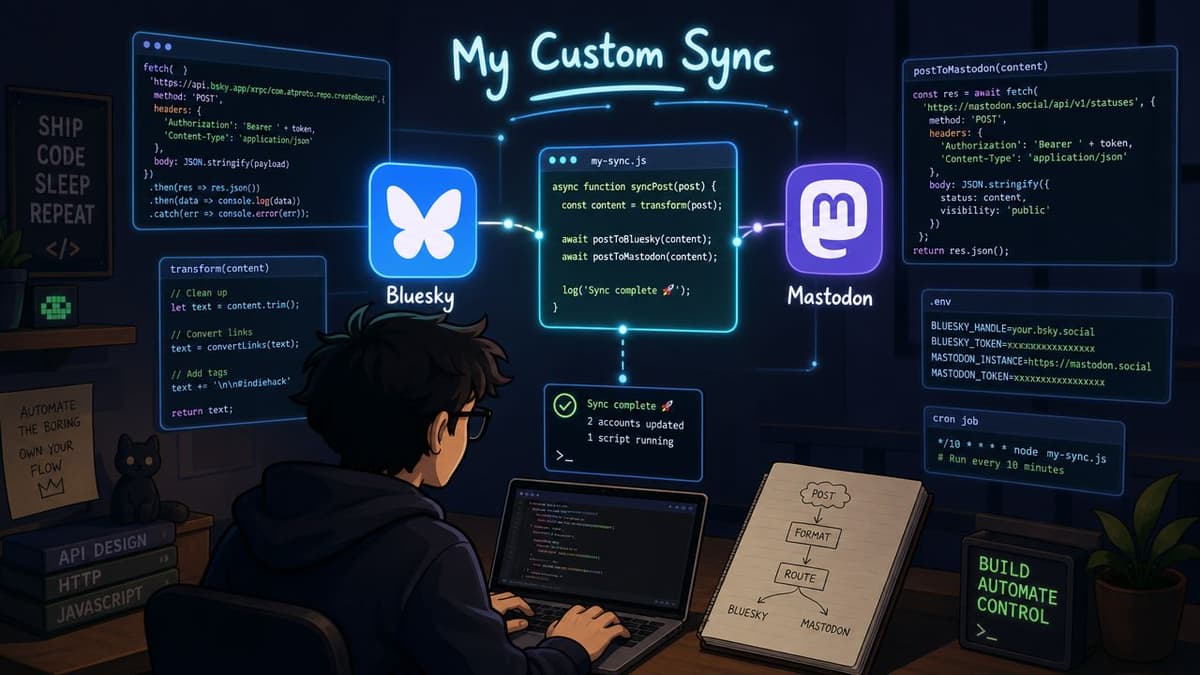
That route is viable, and for some developers it's satisfying. You control the logic, decide which direction sync should run, and keep the whole thing transparent. The best known example here is mastodon-bluesky-sync by klausi.
What the open-source route gives you
According to the project's GitHub repository for mastodon-bluesky-sync, the tool supports bidirectional synchronization through a mastodon-bluesky-sync.toml file. You can define base URLs, OAuth client IDs, access tokens, and preferences for things like reblogs and hashtags. It also includes --dry-run for testing and --skip-existing-posts for initialization.
For a developer, those are strong primitives. You can inspect behavior before going live, avoid reposting your backlog, and tune the sync to fit your publishing style.
The hidden bill is maintenance
The catch isn't the first setup. It's everything after.
You still have to manage your own OAuth tokens and server environment. You have to notice when a platform changes behavior. You have to monitor failures, retry broken jobs, and keep the sync from imperceptibly drifting out of alignment. None of that is glamorous, and none of it helps you write better posts.
A practical way to think about the DIY path:
- Setup cost: Reading docs, creating credentials, building a safe config, and testing edge cases.
- Reliability cost: Watching logs, handling failures, and making sure posts don't duplicate or stall.
- Opportunity cost: Every hour spent maintaining the pipe is an hour not spent shipping, writing, or replying to real people.
If you enjoy running infrastructure, self-hosting can be worth it. If you only want your posts to appear correctly in two places, it's easy to overbuild.
Who should actually choose DIY
DIY fits a narrow but real audience.
- Developers who want total ownership: You won't depend on a third-party dashboard.
- People already running personal automation: If you maintain scripts and cron jobs anyway, one more service may not bother you.
- Users with custom logic needs: Some workflows are so specific that off-the-shelf tools won't match them cleanly.
Everyone else should be honest about technical debt. “Free” software isn't free once you become the support team.
Effortless Syncing with a Dedicated Tool MicroPoster
You publish a post on Bluesky during a busy day, plan to copy it to Mastodon later, and then miss the window when replies are still active. That is the direct cost of a fragmented workflow. The problem is not only extra clicks. It is delayed distribution, uneven conversations, and more small decisions competing with actual writing.
A dedicated sync tool removes that drag. You connect both accounts once, choose the source account, set the posting rules, and let the system handle the repeatable work in the background. For founders and creators who post often, that usually beats both manual reposting and homegrown automation on total time cost.

Why a dedicated tool changes the workflow
MicroPoster is built for one job. It watches for new posts, sends them to the other network, and applies rules for formatting, threads, hashtags, and media instead of dumping raw text into a second feed. Its crossposting between Mastodon and Bluesky feature set shows the mechanics.
That matters because the hidden costs shift fast once posting becomes routine.
| Cost category | Manual reposting | Bridge account | DIY script | Dedicated tool |
|---|---|---|---|---|
| Time per post | High | Low | Low after setup | Low |
| Ongoing maintenance | None | Low | High | Low |
| Control over formatting | High | Low | Medium to high | High |
| Risk of awkward presentation | Medium | High | Medium | Low |
| Infrastructure burden | None | None | High | None |
The trade-off is straightforward. A managed tool usually costs money. In return, it removes hours of maintenance, avoids the engagement drop that comes from clumsy mirrored posts, and keeps your workflow simple enough to trust.
The value is post quality, not just automation
The better tools do more than copy text from one box to another.
They handle the ugly parts that create cleanup work later. Long posts can be split into readable threads. Media can be uploaded in a way that still looks native. Mentions, hashtags, and structure can be preserved so the second version does not look like an afterthought. That is the difference between automation that saves time and automation that creates a new review step.
I have tested enough sync setups to know where they usually fail. It is rarely the first post. Problems show up a week later, when formatting breaks, replies appear on one platform first, or a shortcut starts making every post look slightly off. Dedicated tools win because they reduce those small defects before they turn into a daily annoyance.
For teams comparing this decision against larger publishing stacks, XBurst has a practical guide for social media managers on when managed automation is worth the trade.
When this option makes the most sense
A dedicated tool is the rational choice if posting is already part of your routine and you want distribution to happen without extra thought.
Choose this route if:
- You publish consistently: The more often you post, the more manual duplication steals attention.
- You care how posts look on both networks: Formatting errors and broken thread flow make automated cross-posts feel cheap.
- You do not want technical debt: Scripts save money only if your time is free and maintenance never expands.
- You want one reliable publishing habit: Write once, publish from your preferred source, and let the sync run.
MicroPoster offers a 7-day free trial, which is useful if you want to test whether a managed workflow cuts your weekly publishing overhead before you change your process. You can review it at MicroPoster.
Best Practices for Flawless Cross-Platform Syncing
You publish an update on Bluesky, your sync sends it to Mastodon, and both posts go live. Then the small problems start. A hashtag loses readability, a mention does not resolve cleanly, or the image says more than the caption does once previews change. That is where synced workflows lose reach. Not because automation failed to post, but because the post stopped feeling native.
Community discussions around cross-posting often point to the same pattern. Manual tailoring can outperform blind mirroring on engagement, especially when creators adjust wording, mentions, and formatting for each network. The useful takeaway is practical. Use automation for distribution, but keep enough control to avoid publishing the same rough draft everywhere.
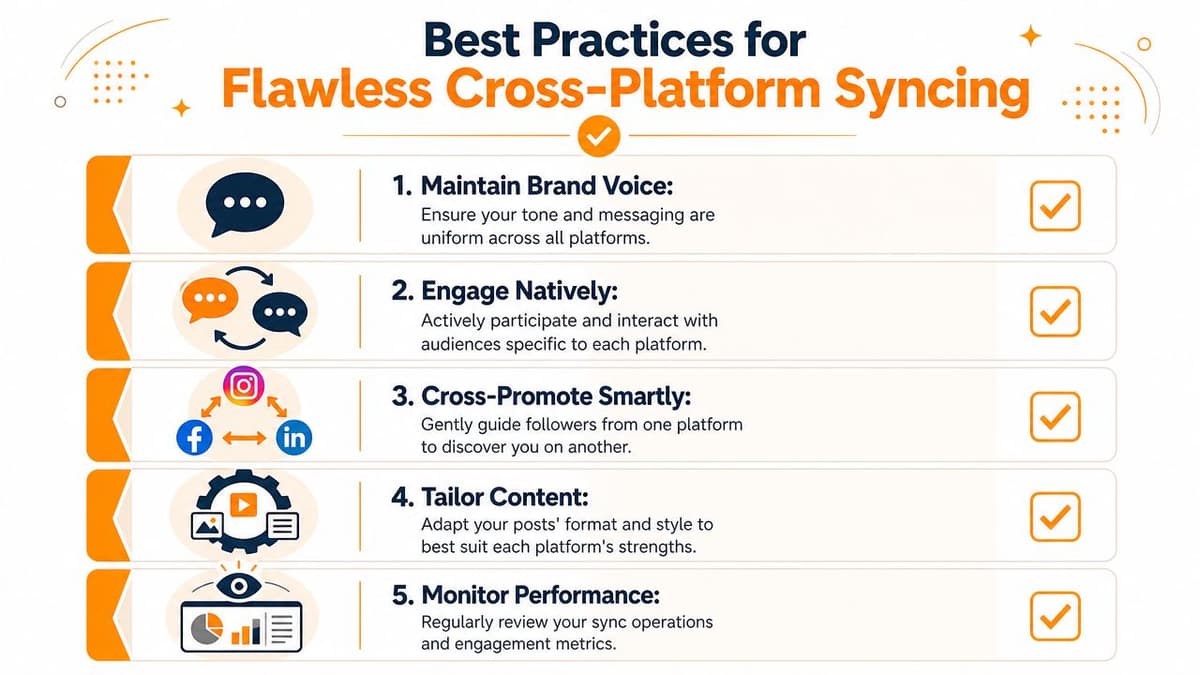
Format for compatibility, not just convenience
Write source posts that survive platform differences.
- Use CamelCase hashtags: Tags like #TechCommunity stay readable and more usable when they appear on Mastodon.
- Keep media intentional: If the image carries the whole point, the text version will underperform anywhere previews are cropped or suppressed.
- Write threads with breakpoints: Each post should still make sense if a later part is delayed, collapsed, or read out of order.
This takes a few extra seconds at draft time. It saves far more time than fixing broken posts after they are live.
Don't outsource native behavior entirely
Cross-posting handles distribution well. Conversation still needs judgment.
Keep these habits:
- Reply natively when the discussion matters. Launch notes, product updates, and links can sync cleanly. Nuanced replies usually work better when you post them directly on the platform where the conversation is happening.
- Check mention mapping. Bluesky handles and Mastodon addresses do not always translate cleanly, especially for collaborators or quoted accounts.
- Set visibility on purpose. Some posts should travel everywhere. Others belong on one network only, or need different framing on each.
Small formatting decisions shape whether a synced post feels intentional or automated.
Audit the sync, not just the content
Busy creators usually review the copy and skip the system check. That is how quiet errors turn into recurring friction.
A better routine is simple:
- Spot-check important posts: Open both published versions and compare them.
- Review media and links: Crops, alt text, attachment handling, and link previews are common failure points.
- Watch for pattern shifts: If one platform keeps getting weaker replies or fewer clicks after syncing, the problem may be structure or presentation rather than topic.
The goal is not perfect duplication. The goal is a workflow that preserves your voice on both networks without adding manual cleanup to every post.
Choosing Your Final Workflow
The right workflow depends less on ideology and more on what you want your week to look like.
Manual posting is fine for infrequent updates. It gives you precision, but it doesn't scale well if you publish often.
Bridged services are a clever fit for decentralization purists who can tolerate some rough edges in presentation and interaction.
DIY automation works for developers who enjoy owning the stack and don't mind maintaining it.
A dedicated sync tool makes the most sense for founders, creators, and small teams who already have enough operational overhead and want distribution to happen automatically in the background.
If something fails, the first checks are usually boring but effective:
- A post didn't appear: Confirm the source account triggered the sync and that the post type matches your rules.
- Media got stuck: Recheck file handling and whether the destination platform accepted the attachment format.
- Hashtags look off: Use CamelCase on Bluesky so they carry over cleanly to Mastodon and preserve discoverability.
The biggest mistake is waiting too long to fix the workflow. Once your audience is split, inconsistency becomes visible fast. If you're serious about maintaining an active presence in both places, make the system simpler now, before your posting habit adapts to the friction.
If you want a lower-friction way to keep both accounts active, try MicroPoster. It gives you a practical write-once workflow for Bluesky and Mastodon, with a 7-day free trial so you can test the setup on your real posting routine before changing anything permanently.