
how to cross-post to mastodon
How to Cross-Post to Mastodon: A Practical Guide for 2026
Learn how to cross-post to Mastodon effectively. This guide covers manual methods, automation tools, and best practices for content adaptation and etiquette.

You're already publishing somewhere else. X, Threads, maybe a blog feed tied into your launch posts. Then Mastodon keeps nagging at you, not because it's trendy, but because the audience there often pays attention in a different way. The problem is simple. You don't want a second content job.
That's where most cross-posting advice falls short. It shows how to make a post appear on Mastodon, but not how to make it feel native once it lands. And it rarely talks about the social side. A technically correct mirror can still look clumsy, break mentions, or signal that you're broadcasting into a community you don't actually intend to engage with.
If you want to learn how to cross-post to Mastodon without wasting time or annoying people, focus on two things: content fidelity and community respect. Get those right, and automation becomes useful instead of lazy.
Why Cross-Post to Mastodon and Your Two Main Options
Most creators don't have a distribution problem. They have a repetition problem. You already wrote the update, posted the image, and hit publish once. Doing that again manually for Mastodon is where the friction starts.
Mastodon is worth the effort because it reaches a community-driven network that doesn't always overlap with your audience on other platforms. But the method matters. You've got two broad options: post manually every time, or build an automated workflow that republishes for you.
Manual gives control
Manual reposting works well if you publish infrequently or you want to rewrite each post for a different audience. That's often the right move for launch threads, personal commentary, or anything sensitive where wording and tone need close attention.
It also forces you to stop and ask whether a post belongs on Mastodon at all. That pause is useful.
Automation gives consistency
Automation wins when you publish often and don't want your presence on Mastodon to depend on memory. It's the practical answer for founders shipping updates, creators sharing frequent posts, and small teams trying to stay visible without adding another daily task.
The trick is not blindly mirroring everything. The better workflow is selective automation with platform-aware formatting. That's also where broader content planning helps. If you're refining your posting cadence and interaction habits across networks, this guide on improve social media engagement strategies is a useful companion read.
Cross-posting works when it removes duplicate effort, not when it duplicates platform mistakes.
Manual Reposting vs Automated Cross-Posting
Manual posting sounds simple until you do it for weeks. You copy text, trim it, re-upload media, fix a mention, check formatting, and then realize you forgot to post the follow-up thread. If you only do that occasionally, no problem. If you publish regularly, it turns into maintenance work.
Automation solves that, but only if the tool understands Mastodon as a destination, not just a dumping ground.
Where manual breaks down
The hidden cost of manual reposting isn't just time. It's inconsistency. Some posts get adapted carefully, others get pasted in a rush, and a few never get reposted at all.
That's especially relevant on the Fediverse because behavior can vary by server, and some non-Mastodon services such as GoToSocial may require a User-Agent header to avoid rejected or mishandled requests, which is one reason reliable, tested automation matters (technical notes on Mastodon and IFTTT behavior).
Manual vs automated cross-posting to Mastodon
| Feature | Manual Posting | Automated Posting (e.g., MicroPoster) |
|---|---|---|
| Daily effort | You handle every post yourself | The workflow runs after setup |
| Consistency | Easy to miss posts or forget adaptations | More reliable for ongoing publishing |
| Text formatting | You rewrite or trim by hand | Better tools adapt content automatically |
| Mentions and handles | You have to check them manually | Can be mapped as part of the workflow |
| Media | You re-upload each asset yourself | Native repost workflows can handle uploads |
| Error checking | Depends on your attention each time | Depends on the quality of the automation |
| Best use case | Occasional, high-touch posts | Regular publishing across platforms |
What good automation actually does
A useful cross-posting setup should do more than detect a new post. It should preserve intent. That means handling formatting differences, media, and the edge cases that show up once you move outside a single platform.
If you're also cleaning up how your profiles connect across platforms, a creator's guide for linking social media is worth reading because audience paths matter just as much as posting workflows.
Practical rule: If you post often enough that manual reposting feels like admin, automation isn't a luxury. It's how you stay present without cutting corners.
Preparing Your Mastodon Account for Integration
Before any script or tool can publish on your behalf, your Mastodon account needs to authorize it properly. This is a one-time setup, and it should be done in the standard way. Don't share your password with an automation service. You don't need to.

Create an application
The standard secure pattern is to create a Mastodon application in Preferences → Development → New Application, grant the write:statuses scope, and use the generated access token with the posting endpoint instead of storing account passwords (secure Mastodon posting recipe).
Here's the practical sequence:
- Open your Mastodon settings and go to Preferences.
- Find Development and choose New Application.
- Name the application so you can recognize it later.
- Grant only what you need. For cross-posting, the key permission is write:statuses.
- Create the app and copy the generated access token.
Store credentials safely
Once you have the token, keep it out of your code and out of public docs. The usual pattern is to store it as a runtime environment variable, along with your server host.
Use names that are obvious and boring:
MASTODON_TOKENfor the access tokenMASTODON_HOSTfor your instance host
That keeps secrets out of the automation layer and makes it easier to switch instances or rotate tokens later.
Know what your tool is doing
Under the hood, a standard integration posts with a bearer token in the Authorization header and sends content to POST /api/v1/statuses. You don't need to call the endpoint yourself if you're using a service, but you should know the basic model.
That knowledge helps when something breaks. If a tool asks for your Mastodon password instead of app authorization, that's a warning sign. A normal publishing workflow shouldn't need it.
Adapting Content Natively for Mastodon
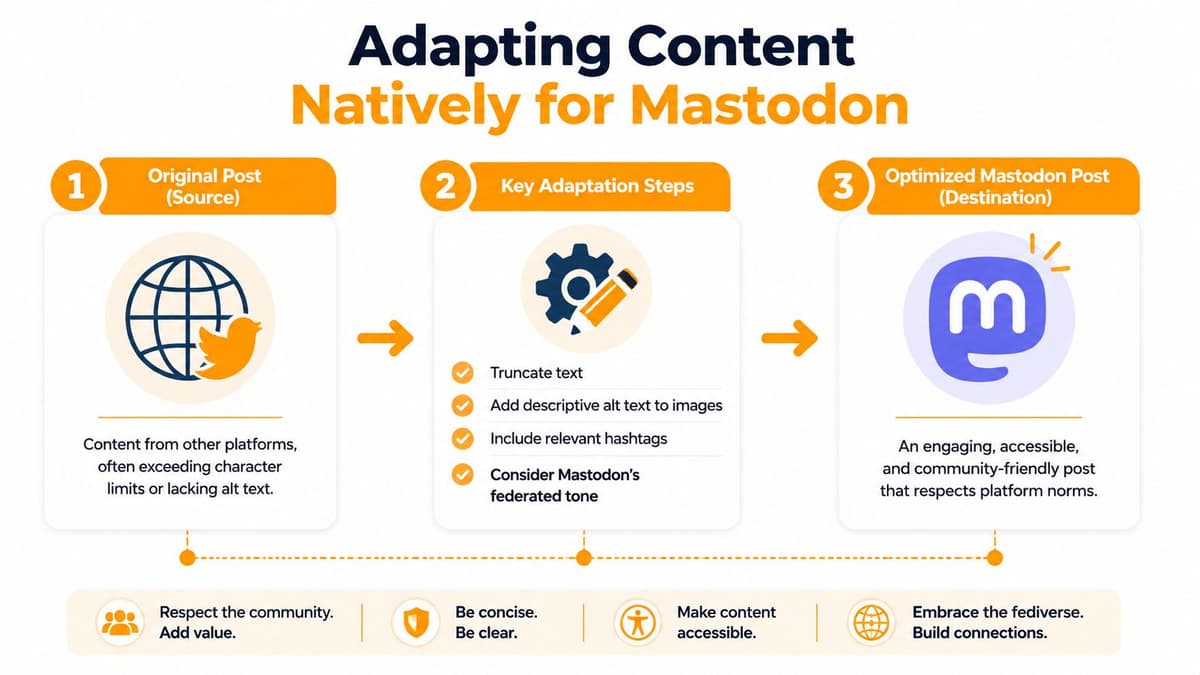
The biggest mistake in cross-posting is assuming the destination platform will forgive a lazy copy. Mastodon won't. Posts that look fine elsewhere can land awkwardly if text runs long, mentions break, or media gets treated like an afterthought.
Start with text length
Mastodon has a 500-character post limit, so any cross-posting workflow has to preserve shorter posts as-is or split longer ones into native reply chains. Guides from Ferryman note that longer X content is adapted to Mastodon's limit and reconstructed as threads when needed (Ferryman's X to Mastodon cross-posting guide).
That matters because truncation usually damages context. Splitting into a reply chain is cleaner. Readers can follow the thought without losing the structure of the original.
If your source platform is thread-heavy, this becomes the first feature to evaluate in any tool. A broken thread isn't just ugly. It changes the meaning of the post.
Mentions aren't portable by default
A plain @username that works on one network may not resolve cleanly on Mastodon. The Fediverse uses ActivityPub-style mentions, and that means format adaptation often needs to happen during reposting.
In practice, this is one of those details people ignore until the first conversation breaks. If your post references people, products, or collaborators, you want mention handling to be intentional.
Media has to feel native
The same goes for images and video. Linking back to another platform may technically share the content, but it usually feels second-rate on Mastodon. Native re-uploading is the better pattern because the post reads as something published for that audience, not dumped there as an afterthought.
A lot of the primary friction in cross-posting lives here: thread splitting, mention adaptation, and media handling. That's why newer guides increasingly focus on fidelity instead of basic mirroring. This walkthrough on adapting tweets for Mastodon and Threads gets into the practical transformation issues that show up when you move one post across very different networks.
If a cross-post keeps the words but loses the structure, it didn't really preserve the post.
The best adaptation is selective
Not every source post deserves a direct repost. Some need a shorter version. Some need added context. Some shouldn't go over at all.
A good workflow lets you automate the obvious posts and still override the awkward ones. That's the sweet spot. You're not hand-editing everything, but you're also not pretending every network speaks the same language.
Cross-Posting Etiquette and Best Practices
Mastodon users usually don't mind automation. What they mind is feeling like they're talking to a wall. That's why etiquette matters as much as setup.

Be clear about automation
Fedi.Tips advises that if you can't monitor replies on a cross-posted account, you should mark it as automated so people understand it's a one-way feed rather than an actively monitored profile (Fedi.Tips on cross-posting etiquette).
That's not just a courtesy. It sets expectations early and prevents the account from feeling deceptive.
Don't treat Mastodon like a dead endpoint
If you're going to cross-post regularly, check replies. You don't have to answer every mention instantly, but people can tell when an account exists only to syndicate outbound content.
A better rhythm looks like this:
- Post automatically when speed and consistency matter.
- Review replies manually when you have time to engage.
- Adjust your rules if certain kinds of posts consistently land badly.
Respect the local timeline
Smaller communities feel volume more intensely than giant algorithmic feeds do. If you blast every minor update, your account can read as noise even when the posts are useful elsewhere.
A good Mastodon presence feels like participation with automation attached, not automation with a profile attached.
That's why selective cross-posting usually beats full firehose mirroring. Publish the updates people would reasonably want from you there. Skip the filler. If you can't engage much, disclose that clearly and keep the feed tidy.
Putting It All Together with an Automation Tool
Once the account is connected and your rules are clear, the practical version of this workflow is straightforward. You choose a source account, connect Mastodon as a destination, and define what should happen when a new post appears.

The reason specialized tools matter is simple. Modern cross-posting problems go beyond basic publishing. They include thread splitting, handle adaptation to ActivityPub syntax, and native media re-uploading, which are exactly the kinds of format-fidelity issues dedicated tools are built to solve (MicroPoster's cross-posting feature overview).
A practical workflow
For most founders or creators, the clean setup looks like this:
- Connect the source account you already publish to.
- Connect Mastodon using the application-based authorization flow covered earlier.
- Set posting rules so only the right content gets mirrored.
- Test with a real post and inspect how the thread, mentions, and media appear.
- Review replies separately so the automation doesn't turn into silent broadcasting.
If you're comparing tooling in a broader content stack, this roundup of 10 best content repurposing tools is useful because it helps frame where cross-posting fits relative to clipping, editing, and scheduling workflows.
Why a dedicated tool beats a generic chain
You can build a homemade pipeline, and sometimes that's worth it. But in practice, the annoying problems are rarely “how do I publish a status?” They're “why did this thread break,” “why didn't the mention resolve,” and “why does the media look wrong on the destination?”
That's where a dedicated service such as MicroPoster fits. It's designed for automated reposting and scheduling across networks, including Mastodon, with support for post mirroring rules and platform-specific adaptation. If you also want queueing instead of pure mirroring, this guide to a free Mastodon scheduler is a practical next step.
Here's a quick look at what that kind of workflow aims to simplify:
What actually works
The setup that tends to hold up over time is boring in the best way. App-based authentication. Clear posting rules. Native content adaptation. Periodic reply checks. That's it.
When people struggle with how to cross-post to Mastodon, it's usually because they tried to skip one of those pieces. They either over-automated and ignored etiquette, or they under-automated and created a second manual workload for themselves.
If you want a low-friction way to cross-post to Mastodon without hand-editing every update, try MicroPoster. It's built for multi-network reposting and includes a 7-day trial so you can test the workflow on your own accounts before committing.


