
At its heart, a comments analyzer is a tool that sifts through huge volumes of social media comments for you, automatically flagging sentiment, common themes, and other important engagement signals. It’s the difference between manually reading every single reply and using smart technology to pull out meaningful insights from the noise.
Why a Comments Analyzer Is No Longer Just a Nice-to-Have
Let's be real: once your audience starts to grow, trying to keep up with every comment on platforms like X, Bluesky, and Mastodon is a losing battle. The sheer volume of conversation quickly becomes a massive blind spot. This is where a comments analyzer steps in, acting like a strategic partner that turns an overwhelming flood of feedback into a clear, organized resource.

This changes the game from reactive moderation to proactive analysis. Instead of just putting out fires, you can start spotting potential issues before they blow up, genuinely understand what your audience wants, and pinpoint golden opportunities to jump into conversations.
The Scale of the Problem
The need for this kind of tool really hit home as social media exploded. Think about it: by 2025, there were an estimated 5.24–5.42 billion active social media profiles out there. That’s a staggering amount of comments for any brand to monitor.
This growth isn't just about volume; it's about urgency. With global social ad spend hitting around $277 billion in 2025, brands have to monitor comments in real-time to protect their reputation and check ad performance.
At a technical level, a comments analyzer works by applying natural language processing to make sense of everything. It's the core of what text analytics is—turning messy, unstructured text into insights you can actually use. It’s not just counting keywords; it’s about grasping the context, emotion, and intent behind every single comment.
Key Takeaway: A comments analyzer doesn’t just manage comments—it decodes them. It helps you listen to your customers at scale, so you never miss that critical piece of feedback, a brilliant content idea, or a perfect chance to engage.
An automated approach like this frees you up to:
- Identify Trends: Automatically see which topics, questions, or complaints keep popping up.
- Gauge Sentiment: Get a clear picture of how your audience feels and track that perception over time.
- Prioritize Engagement: Instantly flag urgent comments that need a response right away.
Gathering and Preparing Your Comment Data
The insights you pull from your comments are only as good as the raw data you start with. So, before we can even think about analysis, we need to roll up our sleeves and gather the comments from platforms like X, Bluesky, and Mastodon. Getting this first step right is everything; it sets the foundation for the quality of your entire project.
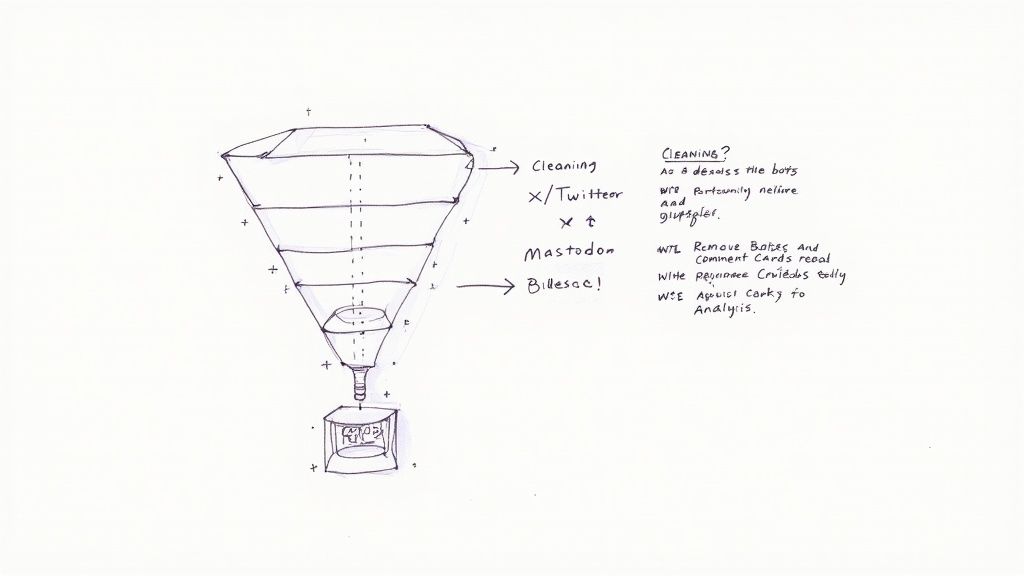
You really have two main ways to go about collecting this data. You can get your hands dirty with the official APIs from each platform, which gives you incredible control but requires some coding know-how. The other route is to use a third-party data collection tool, which simplifies things immensely but usually involves a subscription and might have some limits on what you can pull.
To help you decide which path is right for you, here’s a quick breakdown of the common methods.
Comment Data Collection Methods Comparison
| Method | Best For | Pros | Cons |
|---|---|---|---|
| Official APIs | Developers and teams with technical resources who need granular control. | Direct data access, highly customizable, real-time data feeds. | Requires coding skills, subject to rate limits, platform policy changes. |
| Third-Party Tools | Marketers, analysts, and teams who need a fast, no-code solution. | Easy to use, often includes built-in dashboards, aggregates multiple sources. | Can be expensive, may have data access limitations, less customizable. |
| Web Scraping | Niche use-cases where APIs or tools are not available (use with caution). | Can access data not available via API. | Brittle (breaks with site updates), ethically questionable, often violates ToS. |
| Data Export | One-off analysis or archiving your own account's historical data. | Simple, free, provides a complete archive of your own content. | Not suitable for real-time analysis, limited to your own data. |
Ultimately, the right choice depends on your team's technical skills, budget, and how frequently you need to refresh your data. For ongoing, real-time analysis, a combination of API access and specialized tools often works best.
The Critical Art of Data Cleaning
Once you have all that raw data, the real work begins. You can't just dump it all into a comments analyzer and expect gold—you'll get messy, skewed results. This is where data cleaning comes in. Think of it as filtering out the static so you can actually hear the conversation.
Your primary goal here is to build a clean, standardized dataset that genuinely reflects what your audience is saying and feeling. The first pass is all about getting rid of the obvious junk.
Here’s what to tackle first:
- Filter Bot Spam: Get rid of those generic "Wow, great post!" comments or the endless crypto promotions. Anything that’s clearly automated has to go.
- Handle Duplicates: Find and remove identical comments from the same user. One person's opinion shouldn't be counted five times just because they spammed the reply button.
- Normalize Formats: Data from X, Bluesky, and Mastodon will all look a little different. You'll need to standardize things like date formats or how user handles are displayed so everything lines up.
Pro Tip: Don't just delete spam—look for patterns. A sudden flood of a specific type of spam can tell you a lot. For example, if you're suddenly getting hammered with crypto bots on your X posts, it might be a signal to tighten your keyword filters on that platform specifically.
Refining Your Dataset for Deeper Insights
With the basic cleanup done, it’s time to dig a little deeper. This next layer of refinement is about handling the nuances that can throw off your analysis and make sure your comments analyzer is working with the most relevant information.
A perfect example is weeding out irrelevant mentions. Let's say your software company is called "Orion." You’ll want to filter out all the chatter about the constellation. Creating a simple list of negative keywords—like "star," "constellation," "space," or "hunter"—is a quick way to focus the tool on conversations actually about your brand.
You also need a plan for handling comments in multiple languages. Are you going to translate everything into English for a single, unified analysis? Or will you analyze each language separately? Both are valid strategies, but you have to pick one and stick with it for consistency. This kind of meticulous prep work is what turns a pile of raw data into reliable, actionable insights.
Now that you have all your comments gathered in one place, the real fun begins. This is where you put on your detective hat and move past just counting replies to understand the feeling behind the words. The goal here is to figure out not just what people are saying, but how they feel when they say it.
A simple positive or negative score can be a decent starting point, but honestly, it's often way off. Think about a comment like, "Wow, that update is unbelievably slow." An automated tool might see "Wow" and "unbelievably" and flag it as positive. But we, as humans, know that’s sarcasm. It's a complaint. This is why you need to go deeper.
Reading Between the Lines: What People Really Mean
The most valuable feedback comes from pinpointing specific emotions. Are people genuinely excited? Are they confused? Or are they just plain frustrated? You need to train your analysis to spot these subtle but critical cues.
- Excitement: Keep an eye out for exclamation points paired with words like "love," "amazing," or "finally." This is your signal that a feature or a piece of content really hit the mark.
- Confusion: Phrases like "how do I," "I can't find," or a cluster of question marks are huge red flags. They point directly to friction in your product or messaging that needs to be smoothed out.
- Frustration: Words like "broken," "doesn't work," "stuck," or "disappointed" are basically emergency flares. These are the comments you need to jump on immediately, looping in your support or product teams.
When you create custom tags for these emotions, you can build a dashboard that gives you a far richer, more accurate view of how your audience is doing than a simple "positive/negative" pie chart ever could.
Measuring What Really Matters: Engagement Quality
Let's be real—true engagement isn't about the number of likes. It’s about the quality of the conversation. Are people asking insightful questions? Are they sharing their own stories or tagging their friends to pull them into a discussion? That's the stuff that builds a real community.
Key Takeaway: You have to learn to separate the passive "Great post!" comments from the active, high-value contributions. A comment like, "This reminds me of a similar problem I solved by doing X, has anyone else tried that?" is pure gold.
This isn't just a "nice-to-have" anymore. The social listening market was projected to be worth around $9.6 billion in 2025, with forecasts expecting it to nearly double by 2030. That explosion is happening because businesses are realizing that turning comments into clear signals is a massive advantage. Many companies now expect their sentiment analysis to have an accuracy rate above 80-90%. You can see more on these trends over on Sprinklr's blog.
Getting this level of detail turns your comment section from a simple feedback box into a strategic powerhouse. Understanding the depth of engagement helps you plan better content and manage your community more effectively. For more on this, check out our guide on how to improve social media engagement. If you want to get nerdy about the tech behind all this, you can explore various social media sentiment analysis tools.
Setting Up Automated Workflows and Filters
Let's be real: manually sifting through hundreds, or even thousands, of comments is a surefire way to kill your team's productivity. The real magic happens when you build intelligent, automated workflows that do the heavy lifting. This is where you graduate from simply looking at data to creating a dynamic system that sorts, flags, and routes conversations as they happen.
The goal is to create custom rules that trigger based on specific keywords, user intent, or sentiment scores. You're basically teaching your tools to spot different types of comments and then take a specific, pre-planned action. This flips the script, moving your team from being reactive to proactive and making sure the right conversations land in front of the right people instantly.
This whole process really boils down to three core stages.
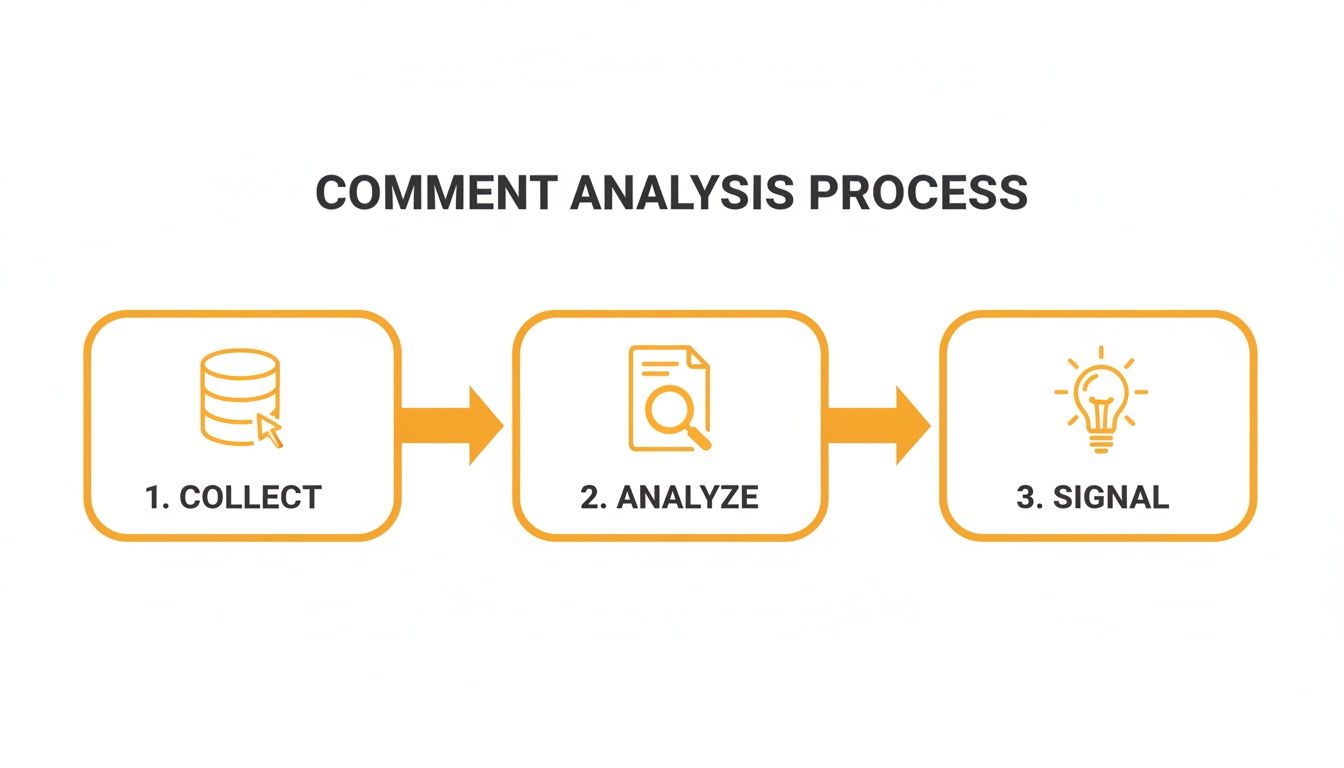
It’s this simple flow—collect, analyze, and signal—that forms the backbone of any great automation. You’re turning raw comment data into genuinely useful alerts.
Building Your First Automation Rule
Let's start with a classic, high-value scenario for any support team. A great first rule is one that automatically scans every incoming comment for question marks or phrases like "how do I" and "help."
When the system finds a match, the workflow can kick into gear:
- Tag the Comment: Instantly apply a tag like "Customer Support" or "Question".
- Assign Priority: Bump it up to high-priority so it jumps to the top of the queue.
- Route the Alert: Ping your support team directly in their Slack channel or send an email notification.
With an automation like this in place, customer questions never fall through the cracks again. No more manual scanning for support queries, which means response times get a whole lot faster and your customers feel heard. To get this working, you'll often need to connect your tools through an API for social media, allowing you to pull the comment data in and push notifications out without a hitch.
Pro Tip: Don't stop at questions. Build another rule to catch bug reports. Filter for keywords like "broken," "error," or "doesn't work." This lets you escalate technical problems straight to your product or engineering team before they snowball.
Advanced Filtering for Sales and Marketing
Beyond customer support, these workflows can be absolute gold for lead generation and marketing. Think about trying to find potential customers who are close to buying but have some last-minute hesitation.
You could set up a filter that looks for comments with a negative sentiment score that also contain purchase-related keywords like "price," "buy," or "subscription."
A comment like, "I'd love to buy this, but the price seems too high," is a massive sales opportunity just sitting there. An automated workflow can immediately flag this as an 'Urgent Sales Lead' and shoot it over to your sales or community team. They can then jump right into the conversation with a special offer, a demo link, or just the right information to overcome that objection.
Your marketing team can get in on this, too, by setting up a workflow to catch glowing reviews.
- Trigger: Positive sentiment + keywords like "love," "recommend," or "best."
- Action: Tag the comment as "Testimonial" and add it to a swipe file for your next marketing campaign.
When you set up systems like these, your comment section transforms from a simple feedback channel into a living, breathing source of customer intelligence and opportunity.
Finding Your Next Big Win in the Comments
Once you’ve got your automated workflows running smoothly, your comment analysis setup stops being just a report card and starts being your secret weapon. This is the fun part. You get to move from just watching the data roll in to actively hunting for opportunities that will grow your community and protect your brand.
It's all about turning those insights you've been gathering into real, concrete actions—the kind that build relationships and keep your online space healthy. Your automations have already done the heavy lifting by sorting everything. Now you just need to know what to look for.
Uncovering "Reply Hooks" for Real Conversations
Your analyzer is constantly digging up golden opportunities for genuine conversation. I like to call these "reply hooks." They’re the comments that practically beg for a human response, giving you a perfect opening to build a real connection instead of just talking at your audience.
I set up specific dashboards or saved filters just for these moments. Here are a few I always keep an eye on:
- Unanswered Questions: A simple filter for any comment tagged "Question" that doesn't have a reply yet. These are people with their hands up, waiting for an answer. It's the lowest-hanging fruit for engagement.
- Raving Fans: I have a stream dedicated to comments with high positive sentiment scores. Jumping in with a personalized thank you—not just a canned "Thanks!"—makes those advocates feel genuinely appreciated and more likely to keep cheering you on.
- Shared Stories: It's pure gold when someone shares a personal experience related to your post. Create a filter for these comments. Acknowledging their story shows you're actually listening and helps turn a simple comment section into a real community.
Let Pain Points Fuel Your Content Calendar
Think of your comment section as a free, 24/7 focus group. When your analyzer starts tagging the same frustrations or points of confusion over and over, you’re not just looking at problems—you’re looking at your next dozen content ideas.
For example, did you notice a sudden spike in comments tagged "Confusing" right after you launched a new feature? That’s your signal. Don't just treat it as a support ticket. It's a massive content opportunity. That insight should immediately trigger you to create a detailed tutorial video, write an in-depth blog post, or even just post a quick FAQ thread to clear things up.
Here’s the thing: Recurring complaints aren't just fires you need to put out. They're a roadmap pointing directly to the educational content your audience is craving. When you answer those needs proactively, you build massive trust and position yourself as the go-to expert.
Getting Ahead of Moderation and Brand Safety Issues
Beyond finding growth opportunities, a smart comment analysis system is your first line of defense. Let's be honest: the pressure is on. Between new regulations and dropping public trust, brands and platforms are expected to be much more on top of moderation. As recent digital news studies show, users are demanding more transparency and control over what they see online. You can read more about these trends in the 2025 Digital News Report.
This means your analyzer needs to do more than just flag a few bad words. It needs to give you clear, reportable metrics to show stakeholders that you're handling harmful content quickly and effectively.
You can set up workflows to instantly flag and escalate comments loaded with toxic language, spammy links, or blatant misinformation. This lets your team jump on a problem before it spins out of control, ensuring you’re meeting both platform rules and your audience's expectation of a safe environment.
Integrating Insights Into Your Content Strategy
All that data you've meticulously collected is just sitting there. The real magic happens when you turn those insights into fuel for your content engine. This is where you close the loop and bake your comment analysis directly into how you plan and create content every single day.
You don't need a massive, expensive business intelligence platform to get started. Honestly, a simple reporting dashboard in a tool like Google Looker Studio or even a well-structured spreadsheet can do the trick. The goal is to make the most important metrics you’ve been tracking easy to see and understand.
Building Your Actionable Dashboard
Think of your dashboard as a quick, at-a-glance summary of your community's pulse. It’s the single source of truth you can pull up in any content planning meeting to ground your brainstorming in what your audience is actually saying.
Here are a few core metrics I always recommend starting with:
- Sentiment Over Time: A line graph showing the percentage of positive, negative, and neutral comments over the last 30 days is invaluable. It lets you immediately spot how a new piece of content or a product update is landing with your audience.
- Top Conversation Themes: Use a bar chart or word cloud to visualize the most frequent tags or keywords. Are people constantly bringing up "pricing," "new features," or even a specific competitor? This is your direct line into their priorities.
- Question Volume: Keep a simple running count of comments you've tagged as a "Question" or "Support." If that number starts creeping up, it’s a huge red flag that you might need better documentation or a new tutorial video.
Your goal isn't just to report data; it's to tell a story. An effective dashboard immediately answers the question, "What is our audience thinking and talking about right now?"
From Data Points to Content Briefs
Once you have this dashboard, your content planning meetings will feel completely different. Instead of throwing ideas at the wall and hoping something sticks, you can build your entire strategy around what you know people are already discussing.
This creates an incredibly powerful feedback loop, making your whole content operation more responsive and audience-focused.
For example, let's say your dashboard shows a recurring theme of confusion around a new feature. Boom—that's your next content brief. It's not just a random idea anymore; it's a direct response to a proven audience need.
The content you create from this process resonates on a much deeper level because it’s built on a foundation of genuine listening. You’re no longer just broadcasting messages; you’re actively solving real problems, turning your comments analyzer into a core part of your growth machine.
Still Have Questions About Comment Analyzers?
So, you might be thinking, "Don't I already get analytics from X, Bluesky, and Mastodon? What makes a dedicated comment analyzer any different?" It's a fair question, and one I hear a lot.
Think of it this way: your platform's built-in analytics are great for counting things—likes, reposts, follower numbers. They tell you what happened. A true comment analyzer, on the other hand, is built to understand the why behind those numbers. It digs into the actual words people are using, using AI to decipher the sentiment, tone, and intent. It can even start to pick up on tricky things like sarcasm or subtle context that a simple keyword counter would completely miss.
Of course, this technology isn't magic. Let's be real—AI still needs a human touch. You'll need to guide it and occasionally correct its interpretations to get the best results. But for a growing business, the investment pays off almost immediately. Even with a small volume of comments, you can uncover incredibly valuable insights. You'll spot customer frustrations, find hidden content ideas, and see exactly what makes your audience tick, giving you a clear roadmap for what to post next.
Ready to turn your comment section into your best source of content ideas? MicroPoster helps you analyze conversations and create posts that truly connect. Start your free trial and see what you've been missing.