
analyze social media comments
How to Analyze Social Media Comments From X, Threads, and Bluesky with AI
Tired of guessing? Learn how to analyze social media comments with AI to reveal sentiment, topics, and real growth insights on X, Threads, and Bluesky.
Let’s be honest: your comment section is a goldmine, but most of us are treating it like a junk drawer. We glance at it, maybe reply to a few things, and then move on. But every single comment on platforms like X, Threads, and Bluesky is a direct line to your audience—a real-time, uncensored focus group telling you exactly what they think.
To really grow, you have to stop seeing comments as just another engagement metric. It’s time to start decoding that feedback to shape your content, nail your messaging, and build a community that actually sticks around. This is how you turn raw chatter into powerful, actionable insights.
Your Comment Section Is a Goldmine (If You Know How to Dig)
Think about it. Every comment, good or bad, is a piece of the puzzle. It’s someone telling you what they love, what confuses them, or what they desperately want you to create next. But who has the time to read through all of it?
The sheer volume is staggering. We're talking about a world with nearly 5.66 billion social media users as of early 2026. With people spending hours on these platforms every day, the feedback never stops. It's a firehose of data, and most creators are just letting it wash over them.
From Manual Spot-Checks to Smart, Automated Analysis
Trying to manually sift through hundreds, let alone thousands, of comments is a losing battle. You might spot a few interesting remarks, but you’ll completely miss the deeper patterns—the subtle shifts in what your audience is talking about or how they feel.
This is where making the switch from random spot-checks to a more systematic, AI-driven approach completely changes the game.
Your comment section is brimming with rich, qualitative data. To really pull out the good stuff, you need the right tools for the job. Thankfully, there are some great qualitative data analysis tools designed specifically for creators who need to make sense of it all.
"Every comment, DM, and brand mention holds hidden insights about what your customers actually want. The brands that win aren’t just responding… they’re analyzing intent, reading emotional cues, and optimizing their approach in real time."
This is where specialized platforms are a lifesaver. Tools like MicroPoster’s Comments Analyzer are built to cut through the noise, taking a chaotic flood of feedback and turning it into a clean, organized report you can actually use.
Just look at the kind of clarity you can get in a single dashboard.
An organized summary like this instantly gives you the key takeaways, a breakdown of recurring themes, and even suggestions on what to do next. It transforms raw data into a strategic roadmap.
Manual vs AI-Powered Comment Analysis
Wondering if an AI tool is really worth it? Let's break down the difference between the old-school manual approach and what a purpose-built tool can do.
| Aspect | Manual Analysis | AI-Powered Analysis (e.g., MicroPoster) |
|---|---|---|
| Speed | Painfully slow. Days or weeks for large datasets. | Incredibly fast. Minutes, even for thousands of comments. |
| Scale | Limited to a small, manageable sample of comments. | Can analyze tens of thousands of comments at once. |
| Accuracy | Prone to human error, fatigue, and personal bias. | Consistent, objective, and unbiased analysis. |
| Insights | Identifies obvious trends but misses subtle patterns. | Uncovers deep, hidden patterns and correlations. |
| Actionability | Delivers raw observations that need further interpretation. | Provides a summary with concrete, actionable recommendations. |
The takeaway is pretty clear: while manual checks have their place for one-on-one engagement, AI-powered analysis is what gives you the strategic overview to make smarter decisions.
Instead of just guessing what your audience wants, you get data-backed answers. An AI tool can instantly do the heavy lifting that would take a human analyst ages to complete:
- Topic Clustering: It automatically groups comments into themes. Are people asking about pricing, a specific feature, or your last video? Now you know.
- Sentiment Analysis: You get a clear read on the overall vibe—is it positive, negative, or neutral? This is crucial for gauging reactions to new content.
- Toxicity Analysis: It flags trolls and off-topic comments, helping you keep your community a safe and welcoming place without having to read every nasty remark yourself.
- Actionable Insights: Best of all, it doesn't just dump data on you. It translates the findings into a full report with an executive summary, key insights, and recommended actions.
Getting Your First AI Comment Analysis Off the Ground
Jumping into your first AI-powered comment analysis is much easier than it sounds. The whole point is to get you from a mountain of unread comments to clear, usable insights in just a few minutes, not hours. The key is picking the right AI feedback analysis tool to do the heavy lifting for you.
Your first move is to connect your social media accounts. If you're using a tool like our Comments Analyzer, you’ll just need to securely link your profiles from X, Threads, or Bluesky. This gives the tool permission to pull in the public comments from the specific posts you want to look at—it’s read-only, so your account stays secure.
This whole process is actually pretty straightforward. You're basically taking raw data and turning it into something you can act on.
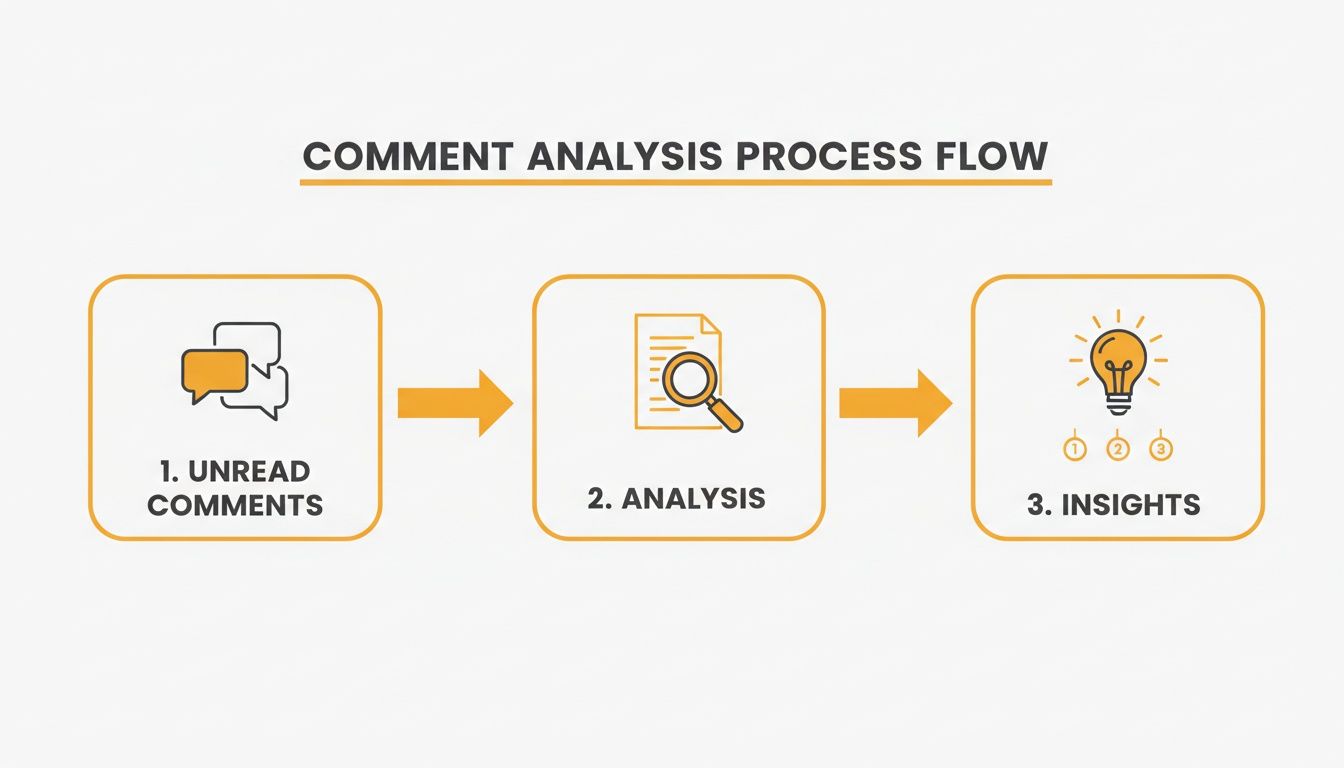
As you can see, it flows from collecting comments to the analysis itself, and finally to the insights that will actually help you.
Running the Core Analysis
Once your accounts are linked and you've picked a post to analyze, you’re ready for the fun part. Let's say you just posted a video announcing a new workshop. The comments are flooding in, but you need to quickly understand what people are really saying beyond the "Great video!" replies.
This is where the AI kicks in. You can run a few different analyses at the same time:
- Sentiment Analysis: This gives you an instant vibe check. Is the reaction overwhelmingly positive, or are there pockets of frustration you need to investigate?
- Topic Clustering: This is where you’ll find the real gems. The AI groups comments by common themes, showing you what topics are dominating the conversation. You might find clusters around things like "pricing questions," "schedule conflicts," or "requests for more advanced topics."
- Toxicity and Off-Topic Analysis: You can also quickly flag and filter out any nasty, spammy, or irrelevant comments. This helps you keep your community space healthy without having to wade through the muck yourself.
It’s a game-changer. With a single click, a chaotic wall of text becomes a structured, easy-to-digest summary. This isn't just about saving time—it’s about getting a level of clarity that’s nearly impossible to achieve by just scrolling.
Making Sense of Your First Report
After a few moments, your dashboard will light up with the initial results. You’ll get a clean Executive Summary with the big-picture numbers—like the overall sentiment score and the top three or four discussion topics.
Let's go back to that workshop announcement. Your report might show 80% positive sentiment—fantastic! But the topic clustering could reveal a major theme is "confusion about the time zone." That specific, actionable insight is gold. It tells you that while people are excited, you need to clarify the timing in your next post or email.
From there, you can explore the Key Insights section and even see stats on how many people are agreeing or disagreeing with certain points. This first report is your launchpad, giving you the data you need to make smarter decisions about your content and community.
Ready to find out what's hiding in your own comments? You can run your first analysis right now with our simple comments analyzer tool.
Okay, So How Do You Actually Read These AI Reports?
The AI just handed you a report, and it’s a sea of charts, percentages, and lists. It looks impressive, sure, but raw data isn't the point. Actionable understanding is. The real skill is learning to interpret these reports—to turn all those numbers into a clear story about what your audience is thinking and how you can serve them better.
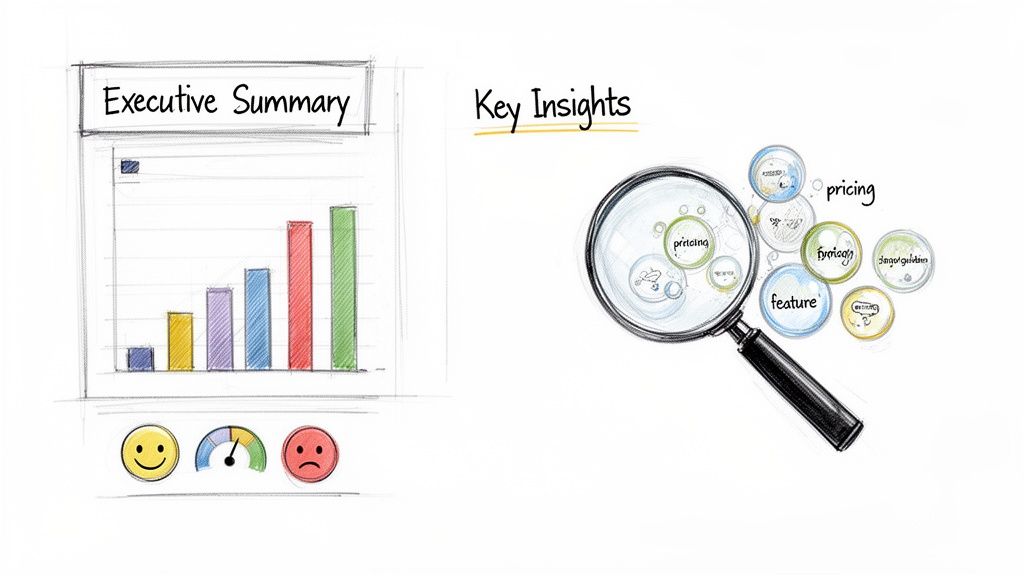
Your first stop should always be the Executive Summary. This is your high-level snapshot, built to give you the most important takeaways in seconds. It’s a quick rundown of the entire analysis, usually showing general stats like the total number of comments, the overall sentiment breakdown, and maybe the top three themes popping up in conversations.
Think of it as the CliffsNotes for your comments section. Before you get lost in the weeds, the summary gives you the general vibe: Was the reaction good, bad, or just neutral? And what were people really talking about?
Uncovering What People Are Really Talking About
Once you’ve got the overview, the Discussion Themes or Topic Clustering section is where the magic happens. This is where the AI takes what looks like a chaotic mess of hundreds of comments and sorts them neatly into a handful of conversational buckets. You’ll see exactly what percentage of the conversation was about "pricing," "new feature ideas," or "comparisons to a competitor."
This is absolutely vital for creators trying to keep up. Our audiences are spread thin. The average person bounces between nearly seven different social media apps, so you have to be smart about understanding what they want. And with Gen Z spending an average of 3 hours a day on social media, they're giving you a firehose of real-time feedback. You can dive deeper into how different generations use social media with this detailed report from Backlinko.
Drill down into each theme. If 15% of your comments are clustered under "Technical Issues," a closer look might reveal that everyone's getting stuck on the exact same step in your latest tutorial. That’s not a complaint; that’s a direct order to create a follow-up video clarifying that one point.
Pro Tip: Don't just focus on the biggest topic clusters. Sometimes the real gold is hiding in the smaller, emerging themes. These can signal a new audience need or a growing frustration before it blows up into a major problem.
Getting a Read on the Room: Sentiment and Agreement
Next up, look at the Sentiment Analysis and Agreement/Disagree stats. These numbers add the crucial layer of emotion to your topic clusters. It’s one thing to know people are talking about your pricing. It’s another thing entirely to know that 80% of those comments are overwhelmingly negative. That changes the conversation from an observation to an urgent issue.
Here’s a quick way to think about these metrics:
- Sentiment Score: This is the overall emotional tone (positive, negative, neutral). It's your go-to for a quick pulse check after a big announcement or new video drop.
- Agreement/Disagree Stats: This is fascinating. It shows you how many people are jumping in to support or challenge points made by others. It’s a great way to spot which topics are truly polarizing your community.
- Toxicity Analysis: This is your community management assistant. It automatically flags the nasty, spammy, or harmful stuff, letting you clean up your comment section fast and keep the space positive.
Finally, don't ignore the Off-Topic Comments category. It’s so easy to just dismiss this bucket as random noise, but it can be a goldmine for new ideas. If people keep bringing up a seemingly unrelated topic in your comments, that’s a powerful signal. It points directly to an unmet interest in your audience, and it might just be the inspiration for your next piece of breakout content.
Turning Your Insights Into a Growth Strategy
Insight without action is just trivia. After you've done the work to analyze your social media comments, the real fun begins: connecting the dots between what the AI report says and what you do next. The data gives you a window into what your audience thinks and feels, but it's on you to translate that into content, community, and product decisions that actually move the needle.
This whole process kicks off with the Recommended Actions section of your AI-generated report. Don't just skim this—it’s your strategic springboard. Based on all the data, from sentiment to discussion themes, the AI suggests concrete steps you can take.
From Report Findings to Real-World Actions
Let's walk through a real-world scenario. Say you just analyzed the comments on a post announcing a new feature for your project. The AI report spits out a few key takeaways. Now what? How do you turn those bullet points into an actual plan?
The trick is to treat each finding as a concrete task. For instance, if topic clustering reveals a ton of comments are asking about pricing, that’s your signal. Don't just reply to them one by one. Create a transparent FAQ thread or a quick video that tackles every single pricing question head-on.
Or what if the sentiment analysis flags a surprisingly negative reaction to a specific phrase in your announcement? That's gold, even if it stings a little. It tells you the messaging didn't connect the way you hoped. Your next move is to adjust your copy for future posts, steering clear of what caused friction and adopting a tone that hits the right note.
Every piece of feedback, whether it's a feature request or a frustrated comment, is a chance to build a stronger connection. By listening and responding thoughtfully, you turn passive scrollers into a loyal community that feels genuinely heard.
Building Your Action Plan from AI Insights
To make this super practical, let's break down how different AI insights can be translated into clear strategies. A structured approach means no valuable feedback gets lost in the shuffle. If you're looking for more ways to use this kind of data, our guide on how a YouTube comments analyzer can fuel your content strategy is a great next read.
Here’s a simple framework showing how you can turn AI analysis into a powerful action plan.
From Insight to Action Plan
This table provides practical examples of how to translate different AI analysis findings into concrete content and engagement strategies.
| AI Insight (Example) | Interpretation | Recommended Action |
|---|---|---|
| Theme: "Comparison to Competitor X" (15% of comments) | Your audience is actively sizing you up against alternatives and needs to understand your unique value. | Create a piece of content (like a thread or a blog post) that highlights your unique selling points without directly attacking the competitor. |
| Sentiment: High negative sentiment tied to "shipping times" | Customers are getting frustrated with delivery delays, and it's starting to hurt your brand's reputation. | Immediately draft a public response acknowledging the delays and explaining what you're doing to fix it. Loop your operations team in with this feedback right away. |
| Insight: High agreement on a comment suggesting a new feature. | There is clear, organic demand from the community for a specific product improvement. | Add this feature request to your product roadmap. Publicly thank the community for the idea and let them know you're looking into it. |
By following a methodical approach like this, your efforts to analyze social media comments will lead directly to smarter content, happier followers, and real, tangible growth for your project.
Building a Continuous Feedback Loop
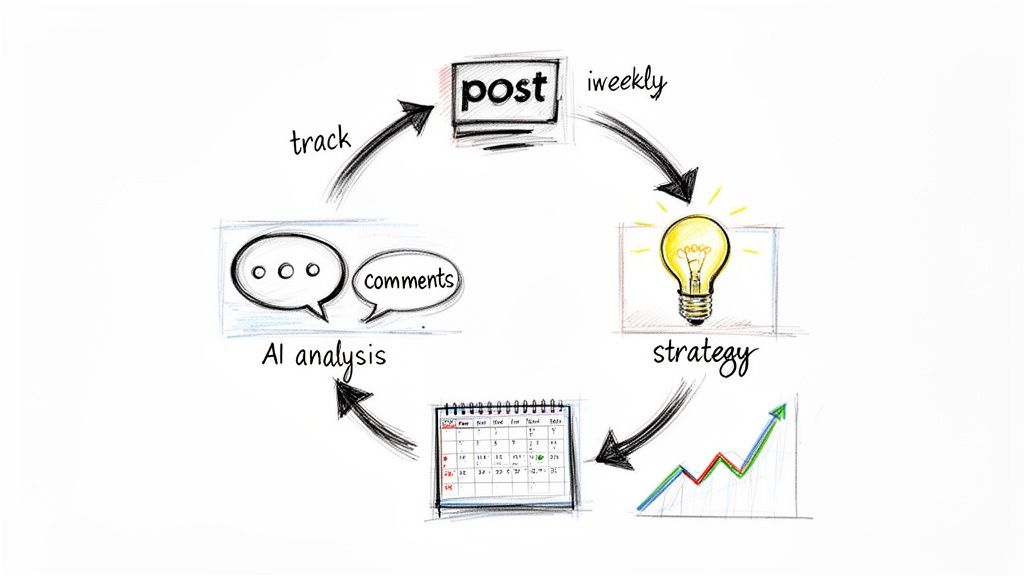
Analyzing your comments once gives you a snapshot. But the real power comes from building a continuous feedback loop. This is where you turn this entire process into a core part of your workflow, making audience feedback the fuel for your content engine.
Suddenly, your strategy isn't just a series of educated guesses. It’s a living, breathing system that gets smarter with every post. The trick is to find a rhythm for analysis that actually fits your posting schedule. You don't have to obsess over every single comment, but you do need a routine. This consistency gives you a baseline, letting you see how audience feelings and conversation topics change over time.
Finding Your Analysis Rhythm
So, how often should you analyze social media comments? It really depends on your content. The goal is to find a sweet spot that keeps you in the loop without drowning you in data.
- Weekly Check-ins: For all your standard, day-to-day content, a weekly look is perfect. It gives you a steady pulse check on what people are talking about and how they feel, allowing for small, smart tweaks to your upcoming posts.
- Immediate Scans: Got a big launch, a major announcement, or a post that might stir the pot? Run an analysis within 24-48 hours. This gives you a fast, real-time read on the immediate reaction. You can jump on positive momentum, handle concerns before they escalate, and steer the conversation.
Think of it this way: when you track sentiment trends over time, you can actually see the impact of your strategy. If you tweak your messaging based on feedback, the next report should show a clear shift in how your audience responds.
Segment Your Analysis for Deeper Insights
To really squeeze the value out of this, stop lumping all your posts together. You need to segment your analysis by your main content pillars. This lets you compare the feedback on different types of content and understand what your audience wants from each.
Try running separate reports for things like:
- Your Educational Content: What are the recurring questions? Where are people getting confused? This feedback is pure gold for your next tutorial or guide.
- Your Promotional Posts: How is the sales pitch landing? Are there objections about pricing? Any specific feature requests popping up? This information feeds directly back into your marketing copy.
- Your Behind-the-Scenes Content: Which parts of your personal story or creative process do people connect with most? This is how you build a real, authentic bond with your community.
By breaking it down like this, you uncover nuanced insights a broad analysis would completely miss. You’ll know exactly how to fine-tune each part of your strategy, making every single post hit harder than the last.
Still Have Questions About AI Comment Analysis?
Jumping into AI tools to sort through your social media comments can feel like a big step. If you're creating content on X, Threads, or Bluesky, you're probably wondering how this actually fits into your daily routine and what you can realistically expect. Let's walk through the questions I hear most often.
How Often Should I Actually Run an Analysis?
This is a big one. For your everyday posts and general content, a weekly analysis is the perfect sweet spot. It gives you a regular pulse on what your audience is thinking and feeling without bogging you down.
But what about a big launch or a post that you know might stir the pot? In those cases, you'll want to run an analysis within 24-48 hours. This lets you get a rapid read on the reaction and jump into the conversation before it gets away from you.
Can AI Really Understand Sarcasm and Slang?
It’s smart to be a little skeptical here. Can an algorithm truly get the nuance of human conversation? The truth is, modern AI models are getting shockingly good, but they're not perfect. It will nail the sentiment on the vast majority of comments, but it might stumble on really niche slang or a dry, sarcastic remark.
Think of the AI as your first pass. It’s brilliant at spotting the big picture—the main discussion themes and the overall sentiment. Your job is to then spot-check a few of the comments it flags as strongly positive or negative. That’s where you add the human context only you can provide.
What's the Single Most Important Thing to Look At?
If you only have time to look at one report, make it the Discussion Themes or Topic Clustering one. Seriously. Sentiment analysis tells you how people are feeling, which is great, but topic clustering tells you what they’re actually talking about.
This is where the gold is. You'll uncover those recurring questions people keep asking or the one feature everyone is begging for. These are direct, actionable ideas you can immediately use to shape your next piece of content or tweak your community strategy.
What Do I Do With All the Negative Comments?
Finding out people are leaving nasty comments is never fun, but the toxicity analysis is your best friend for managing it. It helps you quickly sort the genuinely harmful stuff from the constructive criticism.
Here’s a simple framework:
- Is it truly toxic or just spam? Hide or delete it. Don’t hesitate. Your job is to keep the space safe and welcoming for everyone else.
- Is it legitimate negative feedback? See it as a gift. Someone cared enough to point out a problem. Acknowledge their point, respond with care, and show your community you’re actually listening.
This simple sorting process helps you focus your energy on the conversations that matter and efficiently clean up the ones that don't.
Ready to stop guessing what your audience thinks? The MicroPoster Comments Analyzer has everything you need—from topic clustering and sentiment analysis to a full report with actionable insights—to turn all that feedback into a real strategy for growth.


