
A YouTube comments analyzer is a tool that digs into the feedback on your videos, pulling out insights and turning a messy stream of audience conversation into clean, usable data. It’s the difference between manually reading a few comments and actually understanding what your entire audience is thinking about viewer sentiment, recurring topics, and new content ideas.
Why Your YouTube Comments Are an Untapped Goldmine
Let's be honest, the YouTube comments section can feel like a double-edged sword for most creators. It's your most direct line to your audience, but it's also a chaotic, unfiltered flood of feedback that becomes impossible to manage as your channel grows.
Trying to sift through hundreds or thousands of comments on every video isn't just a huge time-sink—it’s a completely inefficient way to figure out what your community really wants. This is exactly where a YouTube comments analyzer stops being a "nice-to-have" and becomes essential.
It shifts your perspective from just moderating individual messages to seeing the big picture. Are viewers getting tripped up on a specific point you made? Is there a hidden demand for a part-two on a topic you thought was finished? These are the golden nuggets buried in all that noise.
Finding the Signal in the Noise
The sheer scale of interaction on YouTube makes doing this by hand a non-starter. The platform's own moderation systems are already working overtime just to keep conversations civil. Think about it: YouTube has removed billions of comments since 2018, with its automated systems now zapping between 1.25 to 1.44 billion spammy or harmful comments every quarter.
That cleanup gets rid of the worst offenders, but it still leaves you with a massive—and overwhelming—amount of genuine viewer feedback to sort through. This is precisely why you need a dedicated tool. It helps you cut through the chaos and actually listen to what your audience is saying.
Your YouTube comments are a direct pipeline to your viewers' thoughts and feelings, making them the perfect source for a detailed Voice of Customer (VoC) analysis.
Your comments section is more than just a place for feedback; it's an unfiltered, real-time focus group. Every comment is a data point that can inform your next video, product, or content strategy.
From Feedback to a Growth Strategy
Ultimately, the real power comes from connecting this data to your larger content plan. When you truly understand your audience's voice, you can start building a loyal community that feels seen and heard.
And these insights don't have to stay on YouTube. You can spot a brilliant comment, use a tool like the MicroPoster YouTube Comments Analyzer to spin it into a compelling microblog post for X or Bluesky, and drive a whole new audience back to your channel. That’s how you turn raw comment data into your next big growth tactic.
Before you can uncover the gold hidden in your comments, you've got to get them out of YouTube. This first step is crucial, and the path you take really depends on your technical skills, budget, and how quickly you need to see results.
Let's break down the two main ways to get this done.
The Technical Route: Using the YouTube Data API
For those who are comfortable with code, the YouTube Data API offers a powerful, direct line to the data. This is the method data scientists and developers often prefer because it gives them complete control over the extraction process.
Essentially, you set up a project in the Google Cloud Console, get your API keys, and then use a language like Python to write a script that pulls comments from specific videos. If you're building a custom dashboard or integrating YouTube data into a larger analytics system, this is the way to go. You can learn more about how these connections work by reading up on how a social media API functions.
The big drawback? It's time-consuming and has a steep learning curve if you're not a developer. For most creators and marketers, it's overkill.
This journey—from raw comment to real growth—is what we're aiming for.
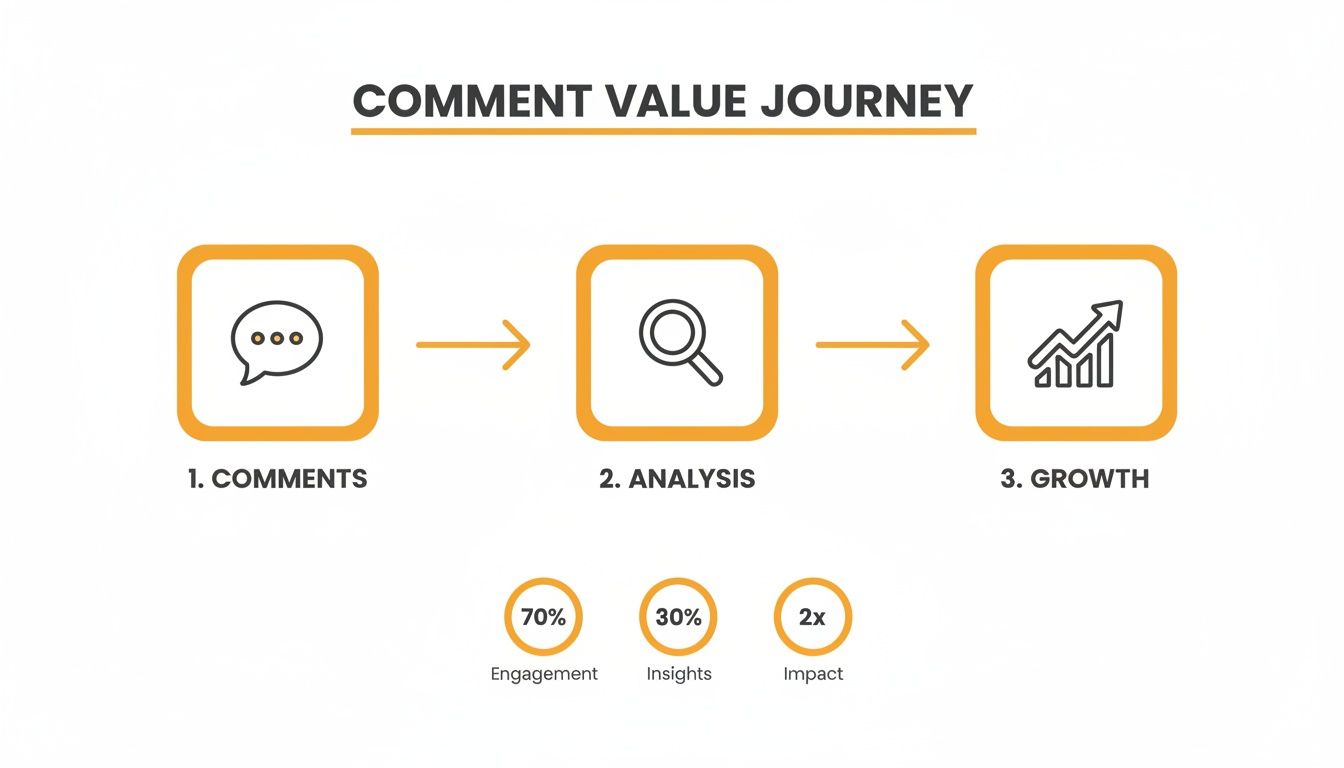
Each step turns that raw feedback into a measurable strategy for improving your content and building a stronger community.
The Fast Track: No-Code Export Tools
Don't want to mess with code? I don't blame you. Thankfully, there's a much simpler way.
This is where dedicated no-code tools come in. A YouTube comments analyzer like the one from MicroPoster is designed to do one thing and do it well: get you a clean dataset in seconds. You just paste in a video URL, click a button, and download a ready-to-use CSV file.
This file opens perfectly in Google Sheets or Excel, with all the comments neatly organized. You completely sidestep the hassle of API keys, authentication, and programming.
The point isn't to become a data engineer overnight. It's to understand your audience. A no-code tool respects your time by tearing down the technical walls, letting you jump straight to the analysis.
Comparing Comment Export Methods
So, which approach should you pick? Here’s a side-by-side look at the primary ways to export YouTube comments, helping you decide which is best for your needs.
| Method | Technical Skill | Speed | Cost | Best For |
|---|---|---|---|---|
| YouTube Data API | High (Coding required) | Slower (Setup time) | Free (within limits) | Developers, data scientists, custom workflows. |
| No-Code Tool | None | Instant | Free or Freemium | Creators, marketers, quick analysis. |
Ultimately, the API gives you more granular control, but a no-code tool gets you to the insights 95% faster.
For most people, the choice is clear. The goal is to act on what your audience is telling you, not get bogged down in data collection. While advanced techniques like training AI with YouTube videos can offer even deeper insights into video content itself, starting with comments is the most direct way to hear from your viewers.
Getting the data "the right way" simply means choosing the smartest path for your situation. A no-code analyzer lets you go from having a question about your audience to finding the answer in minutes, not days.
Cleaning Up Your Data for Clearer Insights
So, you've used a tool like the MicroPoster YouTube Comments Analyzer and have a nice, neat CSV file of your comments. It's tempting to dive right into the analysis, but hold on. There’s a crucial step first: cleaning the data.
This is often called preprocessing, and it's where the real magic begins. Raw comment data is messy. It’s a wild mix of genuine feedback, spammy links, emojis, self-promo, and just plain gibberish. If you analyze this data as-is, your results will be skewed. It's the classic "garbage in, garbage out" problem.
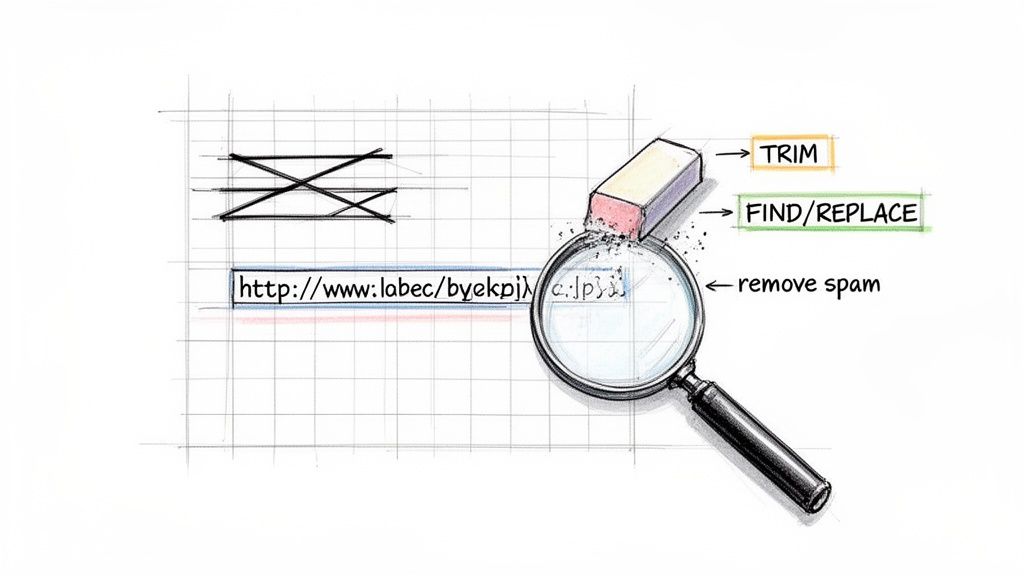
Let’s be clear: this isn't about deleting opinions you don't like. It's about tidying up the dataset so your analysis software can actually understand what people are saying. A clean dataset means the patterns you find are real signals from your audience, not just noise.
Your Spreadsheet Cleaning Toolkit
The good news? You don't need to be a coding wizard for this. Your trusty spreadsheet program—whether it's Google Sheets or Microsoft Excel—has all the power you need. Here are the go-to functions I use all the time.
1. Tidy Up with TRIM
People often leave extra spaces before or after their comments. You can't see them, but they can confuse analysis tools. The TRIM function is perfect for this.
- What it does: It zaps any leading and trailing spaces from text.
- How to use it: In a new column, just type
=TRIM(A2)(assuming comments are in column A). Drag that formula down, and you're done.
2. Standardize with LOWER To an analysis tool, "Great," "great," and "GREAT" are three different words. That's a problem. To fix it, you need to make everything consistent.
- What it does: Converts every letter to lowercase.
- How to use it: Just like
TRIM, create a new column and use the formula=LOWER(A2).
Pro Tip: Combine these to save a step. The formula
=TRIM(LOWER(A2))cleans up spaces and converts to lowercase all at once. Work smarter, not harder.
Filtering Out the Noise
Now that your text is standardized, it's time to get rid of the junk—the stuff that adds zero value to your analysis. This means spam, promotional links, and other irrelevant comments that can muddy your results. This is where FIND and REPLACE become your best friends.
- Find and Replace URLs: Most comments with links are just self-promotion. Use the Find and Replace feature (Ctrl+H or Cmd+Shift+H) to search for "http" and replace it with nothing. Poof, the links are gone.
- Remove Common Spam Phrases: Do a quick filter on your comment column for phrases like "check out my channel" or "free followers." These rows offer zero insight. Just delete them.
This might feel a bit manual, but taking a few minutes to filter out the noise dramatically improves the accuracy of any youtube comments analyzer workflow. You’re making sure the insights you pull later are the real deal.
Advanced Cleaning: Stop Word Removal
Ready to go a little deeper? The next level is stop-word removal. Stop words are the glue of language—common words like "the," "is," "a," and "in." They're essential for constructing sentences but carry almost no analytical weight.
Think about a comment like, "This is a great tutorial on how to use the new software." The words that really matter are "great," "tutorial," and "software." The rest ("this," "is," "a," "on," "how," "to," "the") are just clutter for an analysis tool.
Removing them helps your tools focus on the words that actually signal sentiment and define topics. While this is often handled automatically with Python libraries, you can mimic it in a spreadsheet by using FIND and REPLACE for a list of common stop words. For huge datasets, though, this is where scripts and dedicated tools really start to save you a ton of time.
Uncovering What Your Audience *Really* Thinks
Alright, you've got your data cleaned and prepped. Now for the fun part—the step where raw comments actually become clear, actionable intelligence. This is where you graduate from simply moderating comments to listening at scale. To do this effectively, we'll lean on two powerful techniques: sentiment analysis and topic modeling.
Think of these methods as your magnifying glass. They help you see the big picture hidden within hundreds, or even thousands, of individual comments. You'll learn not just what people are saying, but the underlying emotional tone and the key themes driving the entire conversation.
Taking the Temperature with Sentiment Analysis
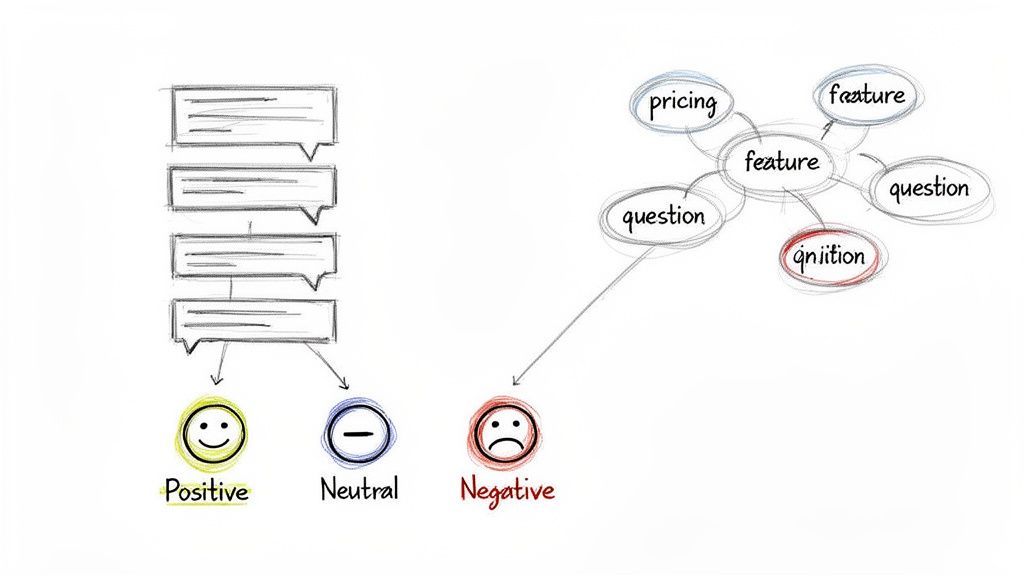
Sentiment analysis is the quickest way to get a pulse on your audience's reaction. At its core, it's a process of sorting comments into buckets: positive, negative, or neutral. Instead of just guessing how a video landed, you get a clear, data-backed overview of how your viewers really felt about it.
Let's say you just dropped a video on a controversial topic. If you just scroll through the comments, a few loud, negative voices can easily drown out the quieter, positive majority, totally skewing your perception. Sentiment analysis cuts right through that noise by evaluating every single comment with an impartial eye.
You can start small. A quick-and-dirty method is to just filter your spreadsheet for keywords like "love," "amazing," or "helpful" for positive vibes, and "confusing," "disagree," or "disappointed" for the negative ones. This works in a pinch for a small dataset, but it falls apart fast as the comment volume grows.
This is where automated tools really shine. A dedicated youtube comments analyzer uses machine learning to score each comment's sentiment automatically. It saves you hours of manual sorting and gives you a much more accurate picture of the overall reception.
Sentiment analysis isn't just about stroking your ego or confirming a video was a hit. It’s about digging into the why behind the numbers. A sudden spike in negative sentiment on a tutorial video might point to one confusing step, giving you a clear action item—like adding a pinned comment with a clarification.
Digging for Gold with Topic Modeling
If sentiment analysis tells you how your audience feels, topic modeling tells you what they're actually talking about. This is how you find the real gold in your comment section: the recurring questions, hidden frustrations, and brilliant ideas your community is sharing.
This technique groups comments based on common themes and pulls out the most significant, frequently used words. It’s like having an assistant who reads every single comment, highlights the core ideas, and hands you a tidy summary of what matters most to your viewers.
The opportunities this can reveal are incredible—things you'd almost never spot just by scrolling.
- Content Ideas on a Silver Platter: Are dozens of people asking for a "beginner's version" of your advanced tutorial? That's not just a stray comment; it's a direct request for your next video.
- Priceless Product Feedback: If you run a business, you might find people constantly asking about pricing, specific features, or availability. That’s market research, served up for free.
- A Peek at the Competition: You might see viewers mentioning a competitor's tool or another creator's approach. This gives you a direct line into how your content stacks up in the broader ecosystem.
A creator making videos about a particular software, for example, might see "integration," "pricing," and "customer support" pop up as top keywords. That's a huge signal to create content that tackles those exact points, which can lead to more views, higher engagement, and maybe even new affiliate opportunities.
Why Long-Form Videos Are a Goldmine for Analysis
For this kind of deep analysis to work, you need substantive comments. And that's where long-form content truly shines. A recent worldwide analysis found that in Q1 2024, long-form videos pulled in around four comments per video on average. YouTube Shorts? They averaged less than one.
This proves that longer videos are far better at sparking the kind of detailed discussions that provide rich data for both sentiment and topic analysis. You can dive deeper into these numbers with this report on YouTube engagement by format.
Ultimately, these techniques transform your comment section from a chaotic wall of text into a structured, searchable database of audience insights. Using a tool like the MicroPoster YouTube Comments Analyzer automates this whole workflow, letting you export, clean, and analyze comments from any video. It turns audience feedback into a clear roadmap for what to create next.
Turning Your Analysis Into Actionable Growth
So, you've got all this data from your comments. Now what? Raw data is just noise until you put it to work. The real magic of analyzing your YouTube comments isn't about making pretty charts; it's about finding clear signals that tell you exactly what to do next to grow your channel.
Think of it this way: every pattern you uncover is a direct request from your audience. Your analysis is the bridge connecting what your viewers are asking for with the content you create. Your job is to walk across that bridge and turn their feedback into your next hit video, community post, or even a new product idea.
From Comment Threads to Content Roadmaps
The quickest win here is to let your comment analysis steer your content calendar. Stop guessing what your audience wants to see. Instead, build your entire strategy around the topics they're already buzzing about. It takes the guesswork out of the equation and aligns your work with proven demand.
Here’s how this plays out in the real world:
- Recurring Questions Become FAQ Videos: Did you spot a dozen people asking the same question about a specific part of your tutorial? That’s not a critique—it’s a content brief handed to you on a silver platter. Film a dedicated deep-dive or a quick, punchy FAQ video answering that exact question.
- Identified Pain Points Fuel New Solutions: Seeing words like "confusing," "stuck," or "hard" pop up around a specific subject? You've just struck gold. That's a pain point you can solve. Create a video that addresses it head-on, positioning yourself as the expert who truly gets their struggles.
- Competitor Mentions Signal an Opportunity: When viewers bring up other creators or tools, they’re giving you free competitive intelligence. This is your cue to create comparison videos, "alternative to X" content, or simply see what others are doing right and fold it into your own style.
The goal is to close the loop. A viewer expresses a need in a comment, your analysis flags it as a trend, and your next video solves it. This creates an incredible feedback cycle that builds a fiercely loyal community.
Repurposing Golden Comments for Wider Reach
Not every insight needs to become a 10-minute video. Sometimes, a single brilliant comment is a piece of micro-content just waiting to be shared. This is a fantastic way to link your YouTube growth to other platforms like X (formerly Twitter) or Bluesky, creating a powerful cross-promotional engine.
Imagine finding a comment that perfectly nails the value of your video or offers a totally unique takeaway. Don't just "heart" it and move on. Turn it into an asset.
With a tool like the MicroPoster YouTube Comments Analyzer, you can grab that comment and spin it into a thread. Start with a hook like, "One of my YouTube viewers left this incredible insight..." and then add your own perspective. This simple move does three things at once: it gives credit to your community, provides value on another platform, and drives engaged traffic back to your YouTube video. If you want more tips, check out this guide on how to use a comments analyzer to generate content.
The sheer volume of conversation on YouTube makes this a endlessly repeatable strategy. In the fourth quarter of 2024 alone, YouTube removed a staggering 1.25 billion video comments for violating guidelines. This massive automated cleanup shows you the scale we're talking about. For every comment removed, countless genuine ones remain—a pre-vetted goldmine of audience feedback ready to be turned into growth. You can explore more about YouTube's moderation statistics to grasp the sheer volume.
Turning Sentiment into Social Proof
Finally, overwhelmingly positive sentiment is more than just a nice confidence boost—it's powerful social proof. Your analysis will pinpoint the most articulate, glowing, and impactful comments. These are pure gold, and you should be using them everywhere.
- Website Landing Pages: Add a carousel of your best comments to show potential customers what your community really thinks.
- Social Media Posts: Screenshot a fantastic comment and share it on X or Instagram Stories with a quick "thank you."
- Video Intros or Outros: Feature a "comment of the week" in your videos. It shows you're listening and encourages more thoughtful engagement from others.
When you start taking these steps, your comments section transforms from a passive feedback forum into an active, strategic engine for growth. You're no longer just making content for your audience; you're building it with them.
Your YouTube Comment Analysis Questions, Answered
Once you start exploring your channel's comments, you're bound to have questions. This is where we clear things up. Think of this as a quick FAQ from someone who's been in the trenches, designed to give you the practical answers you need to analyze your comments with confidence.
How Many Comments Do I Need for a Real Analysis?
This is the big one, and the honest answer is: it depends entirely on your goal. There’s no magic number, but getting a decent sample size is crucial for finding patterns you can trust.
If you’re just trying to gauge the reaction to a single video, aim for at least 100-200 genuine comments. That’s usually enough to see initial sentiment trends and recurring themes emerge without getting thrown off by one or two super-fans or a particularly grumpy viewer.
For the bigger picture—like understanding your entire channel’s community—you need to think bigger. A great practice is to pull all the comments from your top 10-20 videos. This will give you thousands of data points to work with, revealing the stuff that really matters: overarching interests, repeat questions, and subtle shifts in what your audience cares about over time.
The goal is to get a sample that truly represents your community's voice. A larger dataset means your conclusions are built on a solid foundation of widespread feedback, not just a few loud opinions.
Can Analyzing Comments Actually Help My YouTube SEO?
Absolutely. It's one of the most underrated but effective SEO tactics out there. Your comments section is a goldmine—a living, breathing database of the exact words, phrases, and questions your audience uses when they’re looking for something.
When you spot the precise terms people are typing into your comments, you can align your future video titles, descriptions, and tags with what they’re already searching for. It’s like getting a cheat sheet for their search intent.
- Uncover Long-Tail Keywords: Viewers asking super-specific questions? Those are long-tail keywords. They’re less competitive and signal that a viewer is ready to watch.
- Speak Their Language: If everyone keeps calling a feature "the wobbly thing" instead of its official name, you should probably call it "the wobbly thing" in your next title. It meets them where they are.
- Validate Your Next Video Idea: See a flood of comments asking "how do you fix X"? A video titled "How to Fix X (Step-by-Step)" is pretty much guaranteed to hit the mark with your existing audience.
This isn't about guessing what keywords might work. It's about using the exact language your community gives you to create content they're actively searching for.
Should I Use a No-Code Tool or Try to Code It Myself?
For the vast majority of creators, marketers, and business owners, a no-code tool is the way to go. It’s just smarter and faster. These tools are built to get you from raw comments to real insights without any technical headaches.
Sure, you could code your own analyzer with Python and the YouTube API. This gives you ultimate control and customization, which is fantastic if you're a data scientist building a complex, enterprise-level system. But for everyone else, it’s a massive time sink. You'll be wrestling with API keys, debugging scripts, and managing data formats instead of actually analyzing anything.
Let's be real: for 95% of us, the speed and simplicity of a dedicated no-code tool delivers all the value we need. Tools like the MicroPoster YouTube Comments Analyzer are designed to hand you a clean, organized dataset in seconds. Your time is better spent on strategy, not setup.
How Often Should I Actually Analyze My Comments?
Finding the right rhythm is key. You want to stay on top of trends without drowning in data. A balanced approach that mixes quick check-ins with deeper dives works best.
Here’s a schedule that I’ve found works really well:
- The Post-Launch Check-In (7-14 Days): A week or two after a new video goes live, run a quick analysis. This gives you immediate feedback on its reception while the conversation is still hot.
- The Quarterly Deep Dive: Every three months, pull comments from your top-performing videos and do a full-scale analysis. This is where you spot the big, strategic shifts in what your audience wants.
- The Weekly Scan: Just a quick glance at your latest comments across the channel once a week. This is perfect for community management, spotting urgent problems, and finding little content gems.
This cadence ensures you’re catching both the immediate reactions that shape your next video and the long-term trends that shape your entire channel strategy.
Ready to stop guessing and start knowing what your audience really thinks? The MicroPoster suite has the tools you need to turn comments into a powerful growth strategy. Start making sense of your feedback in seconds with our free YouTube Comments Analyzer.