
social media api
Social Media API Your Guide to Automation and Data
Unlock the power of the social media API. This guide explains how APIs work for automation and data, with real-world examples for developers and marketers.

Ever wondered how tools like Buffer or Hootsuite can post to your social media accounts without you even logging in? The magic behind it all is something called an API, or Application Programming Interface.
Think of it as a go-between, a digital messenger that lets different apps talk to each other in a language they both understand. It’s the hidden connection that allows your favorite scheduling tool to send a post directly to X or pull analytics from Instagram on your behalf.
So, What Exactly Is a Social Media API?
At its core, an API is a set of rules that lets one piece of software access the features or data of another. It’s the backbone of almost every social media management tool you’ve ever used.
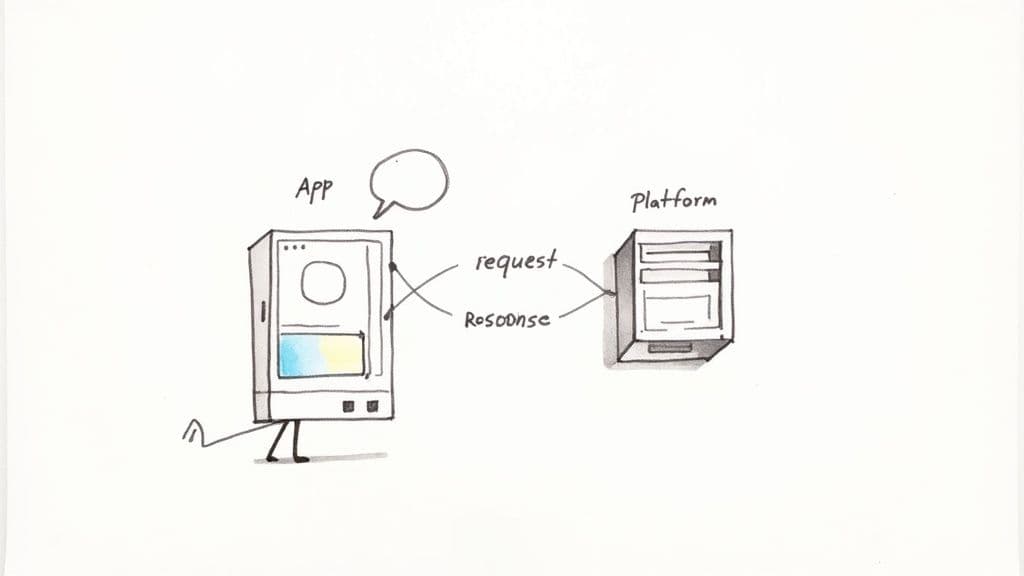
The simplest way to picture this is with a restaurant analogy. You don't just wander into the kitchen and start cooking. Instead, you give your order to a waiter. The waiter takes your specific request to the kitchen, the chefs prepare your meal, and the waiter brings it back to you.
In this scenario, a social media API is the waiter.
Your app (a content scheduler, for instance) is the customer placing an order. The social media platform (like X or Facebook) is the kitchen, holding all the data and the ability to perform actions. The API is the structured menu and communication channel that ensures your request is understood and fulfilled correctly.
Building the Digital Bridge
This whole back-and-forth conversation relies on a few key parts. Once you get these, you’ll understand how your favorite tools work under the hood.
- Request: This is your order. When an app wants to publish your scheduled tweet, it sends a
POSTrequest to the API, bundled with your text, images, and any other details. - Endpoint: Think of this as a specific station in the kitchen, like the grill or the dessert station. An endpoint is just a unique URL that handles a specific job, like
/publish_postor/get_analytics. - Response: This is the dish arriving at your table. After the platform does what you asked, the API sends back a response. It might be a simple "Success!" confirmation or a chunk of data, like your latest engagement stats.
A social media API isn't just a technical tool for developers; it's the fundamental engine that drives automation, analytics, and integration across the entire social media ecosystem.
This structured communication is what makes modern social media management possible. Without it, every single post, comment moderation, and analytics report would have to be done manually, by logging into each platform one by one. It would be a nightmare to scale.
The incredible value of this system is clear when you look at the numbers. The social media analytics market alone is expected to explode to nearly $107.02 billion by 2032, a huge leap from its $68.28 billion valuation in 2024. This growth is almost entirely dependent on robust API access, as highlighted in reports on the rapid growth of the analytics market.
What You Need to Know About API Keys and Rate Limits
To get your app to talk to a social media platform's API, you can't just knock on the front door. You need a key. This is where authentication comes in, and it's usually handled with an API key—think of it as a digital press pass that proves your app has permission to be there.
Let's say you connect a scheduling tool to your account. You're essentially telling the platform, "Hey, I trust this app to post for me." In response, the platform hands the scheduler a unique key. Every time that tool wants to publish a post, it flashes that key, and the API knows it's a legitimate request coming from an app you've approved.
This isn't just a formality; it's a critical security measure. Without it, any app could mess with user accounts, opening the door to a tidal wave of spam and data theft.
How Authentication Keeps Your Account Safe
Platforms don't just hand out keys without a secure process. Most rely on a standard called OAuth to manage access. You’ve definitely seen it before—it’s the magic behind those "Log in with Google" or "Connect with X" buttons.
Instead of typing your password into a third-party app (a huge security no-no), OAuth redirects you to the social media site itself to approve the connection. Once you say yes, the platform generates a special token—the API key—and gives it to the app. This keeps your password private and lets you easily revoke an app's access later if you change your mind.
An API key is more than just a password for your app; it's a secure credential that represents a trust agreement between you, the application, and the social media platform.
This system ensures every single API call, from pulling analytics to publishing a post, is tied to a specific app you've personally authorized.
Why Platforms Have "Rate Limits"
Now, imagine that press pass gets you into the venue, but you're only allowed to grab a drink from the bar once every 15 minutes. That’s a rate limit. It’s the platform’s way of saying, "You can make X number of requests in Y amount of time." For example, a platform might limit an app to 100 requests every 15 minutes.
These limits aren't there to annoy developers. They’re a crucial defense mechanism. Rate limits protect the platform’s servers from getting slammed with too many requests at once, which could happen because of a buggy app or even a deliberate attack. A stable platform is good for everyone.
Take X (formerly Twitter), for instance. Its limits vary by what you’re trying to do. You might be able to post 2,400 tweets per day in total, but you can only fetch a specific user’s timeline 50 times in a 15-minute window. Playing by these rules is non-negotiable. If you ignore them, your app could get temporarily throttled or even permanently banned.
Working Within the Rules of the Road
The best developers don't see rate limits as a roadblock; they see them as part of the system and build their apps accordingly. It’s all about working smarter, not harder.
Here are a few ways to navigate these limits effectively:
- Be Efficient: Instead of asking for tiny bits of information in separate requests, see if the API lets you bundle your needs into a single, more comprehensive call.
- Cache Your Data: If you constantly need the same piece of information, like a user's profile picture, save a copy of it locally for a short time. This is called caching, and it prevents you from asking the API for the same thing over and over.
- Handle Errors Gracefully: Your code needs a plan for when it inevitably hits a rate limit. A "429 Too Many Requests" error shouldn't crash your app. Instead, it should know to pause for a bit and then politely try the request again later.
By handling authentication with care and respecting rate limits, you can build an application that works reliably and stays in the platform's good graces. If you want to see how these concepts play out across different networks, exploring a unified social media API can offer great insight into managing these complexities at scale.
Comparing the Major Social Media APIs
Picking the right social media API isn’t just a technical choice—it's a strategic one. Every platform has its own toolkit, rules, and underlying philosophy that can either supercharge your project or create one headache after another. Getting a feel for these differences is the first step to building anything useful, whether it's an automation bot or an analytics dashboard.
It's important to understand that not all APIs are created equal. Some are wide open and welcome developers with open arms, while others are locked down tight, buried under layers of paperwork and approval processes. The kind of data you can get, the actions you can take, and what it'll cost you vary wildly from one network to the next.
The Walled Gardens: Meta and X
The biggest players, like Meta (Facebook and Instagram) and X (formerly Twitter), operate what developers call "walled gardens." Their APIs are incredibly powerful, but getting inside means dealing with strict rules, intense approval processes, and sometimes, a hefty price tag.
Meta's Graph API (for Facebook & Instagram) is a very structured, permission-based system. To even get started, you have to register an app, go through a full business verification, and then submit detailed proposals for the specific permissions you need. They often want screencasts showing exactly how you'll use the data you're asking for.
It's a notoriously tough process, but the reward is access to a deep, well-organized dataset. Still, the limitations are significant:
- No Personal Profiles: Forget posting to your personal Facebook timeline. You can only work with Facebook Pages and Instagram Business or Creator accounts.
- Strict Content Rules: The Instagram API, for example, has some quirky rules. It only supports JPEG images and caps you at 50 API-published posts per 24-hour period.
- Complex Workflows: Just uploading a photo can be a multi-step dance. You often have to create a media container first, wait for it to process, and only then can you use its ID to actually publish the post.
The X API used to be the go-to for real-time data. Its "firehose" was a goldmine for social listening and tracking breaking news. Things have changed. X now charges a premium for any meaningful API access, with plans that can run from hundreds to tens of thousands of dollars a month. That price wall has understandably pushed a lot of indie developers and researchers to look elsewhere.
For the established giants like Meta and X, their API is a resource to be guarded. Access is a privilege, not a right, and it often requires navigating a maze of red tape and, increasingly, paying for the privilege.
This flow is a great way to visualize how you go from getting a key to actually using the API, all while staying within the platform's limits.
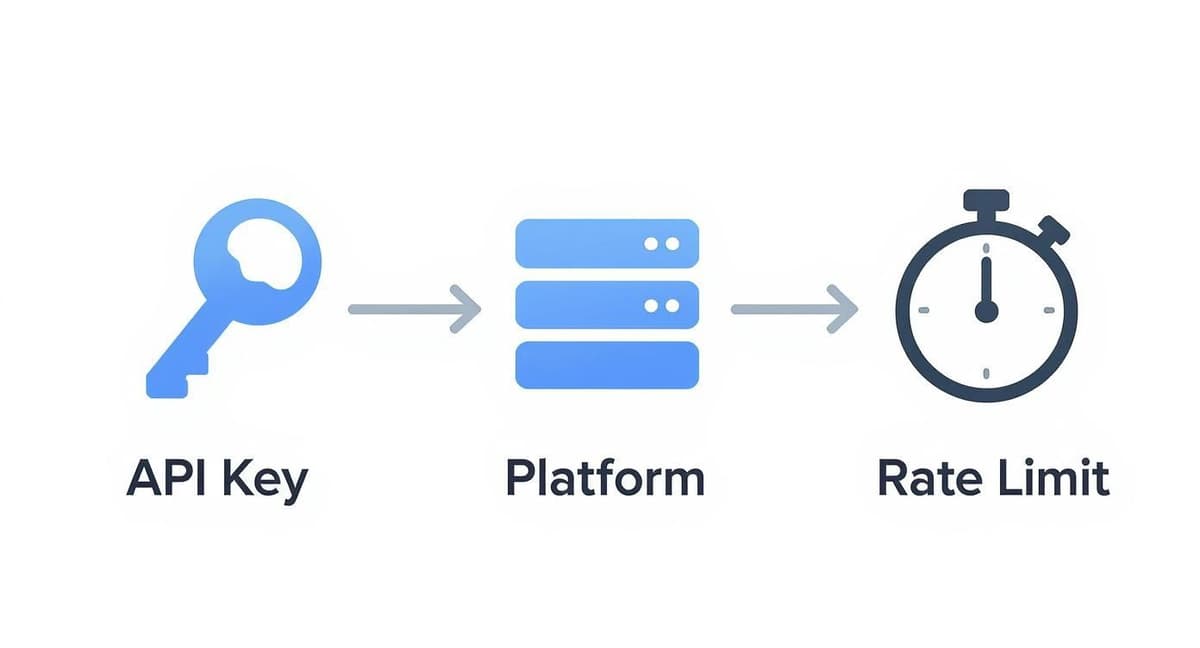
As you can see, your API key gets you in the door, but it’s the platform’s rules and rate limits that dictate how much you can actually do once you're inside.
The Open Frontiers: Decentralized Alternatives
On the complete opposite end of the spectrum, you have the emerging decentralized networks like Bluesky. Built on the open-source AT Protocol, Bluesky is all about giving control and data portability back to the user.
Their entire philosophy is different:
- No Approval Needed: You can just start building. There's no app registration or lengthy review process holding you back.
- Simplified Authentication: Instead of a complex OAuth workflow, Bluesky uses simple "app passwords." This is much quicker to set up, but it also means you, the developer, are fully responsible for keeping those credentials safe.
- Fewer Restrictions: Of course, spam is still a no-go, but the rules are generally far more relaxed. This has created a really interesting space for experimentation and new ideas.
This open approach makes Bluesky a fantastic playground for developers who want to build cool new social tools without getting tangled in corporate red tape. The trade-off is that the documentation might not be as polished, and you may have to do a bit more digging to figure out how certain advanced features work.
Social Media API Feature Comparison
So, how do you choose? It really comes down to your goals, your budget, and how much time you're willing to invest. A major brand that needs deep Instagram analytics will just have to bite the bullet and go through Meta's approval process. A hobbyist building a quirky cross-posting tool, on the other hand, will probably feel right at home on Bluesky.
This table gives a side-by-side look at the different approaches these platforms take with their APIs.
| Platform | API Access Model | Primary Data Focus | Key Strengths | Common Challenges |
|---|---|---|---|---|
| Meta (FB/IG) | Walled Garden | Structured user & page data | Highly detailed analytics, vast user base | Rigorous approval, complex documentation, many limitations |
| X (Twitter) | Paid/Restricted | Real-time public conversation | Rich stream of live data (for a price) | Extremely high cost, recent instability |
| Bluesky | Open & Decentralized | User-controlled posts & feeds | No approval needed, high flexibility | Evolving documentation, smaller user base |
Ultimately, the social media API landscape is a direct reflection of the platforms themselves. The centralized giants prioritize control and monetization, offering powerful but restrictive APIs. In contrast, the decentralized upstarts champion freedom and interoperability, giving developers a more accessible—if less mature—ecosystem to explore.
How Brands Put Social Media APIs to Work
Knowing what a social media API is in theory is one thing, but seeing it in action is where the magic really happens. Smart brands and creators use these digital bridges for far more than just fun; they're the secret sauce for automating workflows, gathering must-have data, and getting a serious leg up on the competition. These aren't just convenient tools anymore—they're a core part of any modern marketing playbook.
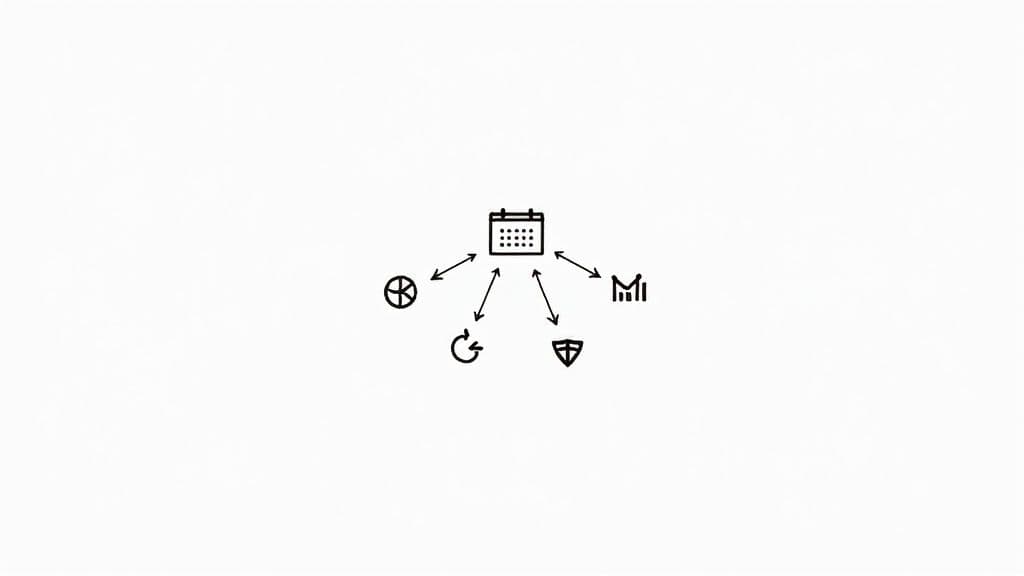
From scheduling posts across five different platforms to moderating comments in real-time, APIs are the invisible engines making it all happen. Let's dig into some of the most powerful ways businesses are using them every single day.
Unifying Content with Cross-Platform Schedulers
By far, the most common use for a social media API is scheduling content. When you use a tool like Buffer or MicroPoster, it connects to your X, Bluesky, and Instagram accounts by authenticating with each platform's API. So, when you schedule a post, the tool doesn't just "log in" to your accounts like a person would.
Instead, at the exact time you specified, it sends a perfectly structured POST request to the right API endpoint for each network. This request contains your text, any images, and the crucial authentication token that proves it has your permission to post. This is what allows a social media manager to knock out an entire week's content calendar in a single sitting—a massive time-saver. You can learn more about how to automate social media posts and get hours back in your week.
Generating Actionable Insights with Analytics Dashboards
Is your social media strategy actually working? Trying to answer that by manually pulling reports from every platform is a surefire way to lose your mind. This is exactly where API-powered analytics dashboards shine.
These tools send GET requests to API endpoints that serve up performance data. They can pull key metrics like:
- Impressions and Reach: How many eyeballs saw your content.
- Engagement Rates: The percentage of people who actually liked, commented, or shared.
- Follower Growth: A simple chart tracking your audience growth over time.
- Click-Through Rates: The number of people who clicked the links in your bio or posts.
By fetching this data automatically, brands build custom reports that make it easy to spot trends and make smarter decisions about what to post next, all without ever having to navigate a dozen different native analytics pages.
APIs transform raw social media data from a cluttered mess into a clean, organized resource. This allows brands to make strategic decisions based on clear performance metrics rather than guesswork.
Monitoring Conversations with Social Listening Tools
What are people saying about your brand—or your competitors—right this second? Social listening tools use APIs to give you that answer in real time. They work by constantly sending queries to platform APIs, searching for specific keywords, hashtags, or mentions of a particular account.
For instance, a tool could be set up to constantly poll the X API for any tweet containing "@YourBrandName." The moment it finds a match, it pulls in the tweet's content, who wrote it, and can even analyze the sentiment (is it positive, negative, or neutral?). This gives brands an immediate, on-the-ground view of public perception, letting them jump on customer service issues or capitalize on emerging trends before they blow up.
Protecting Communities with Automated Moderation
For a popular account, managing the comment section can feel like a full-time job. Thankfully, APIs can take a huge chunk of that work off your plate. A moderation tool can be programmed to use an API to scan every new comment for spammy links, offensive language, or anything else that breaks your community guidelines.
When the tool flags a bad comment, it can automatically trigger an action through the API, like hiding the comment or sending it to a human for a final review. This frees up community managers to focus on having real conversations instead of playing whack-a-mole with trolls. This kind of automation is no longer a luxury—it's a necessity. With global social media ad spending projected to hit $276.7 billion in 2025 and 93% of marketers prioritizing social media, robust API solutions are essential for managing it all.
Best Practices for API Integration
Getting your tool to successfully connect with a social media API is just the first step. The real challenge is building something reliable, secure, and respectful of the platform's rules. Following a few key best practices will ensure your application has a long, productive life and doesn’t get your access suddenly revoked.
Build for Failure
Let's get one thing straight: API calls will fail. It’s not a matter of if, but when. Servers go down, users revoke their permissions, or you’ll inevitably bump into a rate limit. Your code needs to anticipate these hiccups so the entire application doesn't come crashing down.
For example, you're bound to see a "429 Too Many Requests" error at some point. A fragile tool might just give up. A well-built one will recognize that specific error, pause for the recommended time (often included right in the API's response), and then politely try again. That’s robust error handling.
Handle Data Efficiently
Constantly asking an API, "Anything new yet?"—a process known as polling—is a terrible strategy. It wastes your rate limit and puts a ton of unnecessary load on the platform's servers. A much more elegant solution is to use webhooks if the platform offers them.
Think of it like this: polling is like calling a restaurant every two minutes to see if your table is ready. A webhook is like getting a pager from the host; they’ll buzz you the moment your table is actually free.
- Polling: Your app asks for new comments every minute. That’s 1,440 API calls a day, even if you get zero new comments.
- Webhooks: The social platform sends your app a single notification the instant a new comment appears.
By using webhooks, you cut down your API usage dramatically. Your app becomes faster, more efficient, and a better neighbor on the platform's network.
Securely managing user data and API keys isn't just a "best practice"—it's a non-negotiable requirement. A single security mistake can destroy user trust and violate platform policies, with devastating consequences for your reputation.
This means you must store API keys, access tokens, and other credentials in a secure, encrypted vault. Never, ever hardcode them in plain text or leave them exposed in client-side code where they can be easily found.
Stay Compliant and Be Ready to Adapt
Always play by the rules. A platform's terms of service and developer policies are not suggestions; they are the law of the land. Trying to scrape data, misuse user information, or sneak around rate limits is the quickest way to get your API access permanently banned.
The combination of AI and social media APIs has opened up incredible new possibilities. Today, 88% of marketers are using AI, many to gain efficiencies and speed up content creation with tools that plug into social APIs. This entire field of social listening, which is expected to become an $18.43 billion market by 2030, is built on the foundation of compliant API use. You can explore more on the rise of AI in social media marketing to see just how big this is.
Finally, remember that APIs are living things—they change. Platforms add new features, get rid of old ones, and update their policies. Keep up by subscribing to developer newsletters and keeping an eye on official changelogs. Staying proactive with maintenance is the only way to make sure your integration doesn’t break when the platform inevitably evolves.
Frequently Asked Questions
Diving into the world of social media APIs can feel a bit overwhelming, and it's natural to have questions. Let's clear up some of the most common ones so you can move forward with confidence.
What’s the Difference Between Official and Unofficial APIs?
This is a big one, and getting it wrong can have serious consequences. An official social media API is the front door the platform gives you. It’s built, documented, and supported by the platform itself—think Meta’s Graph API or the official X API. It's stable, follows a clear set of rules, and is designed for developers to build reliable tools.
An unofficial API, on the other hand, is like finding a back window someone jimmied open. It’s usually built by reverse-engineering how the website or app works, often using methods like web scraping. These are incredibly fragile. They break without warning and almost always violate the platform's terms of service. Using one is a huge gamble that can get your app or even your account banned for good.
Stick with the official APIs. They might have more rules and an approval process, but you're building on a solid, secure foundation. Unofficial APIs are a shortcut to a dead end.
Do I Need to Be a Programmer to Use a Social Media API?
If you want to talk to an API directly, then yes, you’ll need to know how to code. This means writing code to make HTTP requests, handle authentication tokens, and make sense of the data that comes back. That’s a developer’s playground.
However, millions of people use the power of APIs every single day without writing one line of code. It usually happens in two ways:
- Using Third-Party Tools: Every time you link a scheduling tool like MicroPoster or connect an analytics dashboard to your social accounts, you’re using that platform’s API. The tool is doing all the heavy lifting for you.
- No-Code Platforms: Services like Zapier or Make let you build automated workflows with a simple drag-and-drop interface. You can create "if this happens, do that" automations that are all powered by APIs working quietly in the background.
So while direct access is for coders, the benefits are for everyone.
How Much Does a Social Media API Cost?
The cost of using an API is all over the map. There’s no single price tag. It really depends on the platform’s business model and how much data you plan to use.
Most of the big platforms offer a free tier. This is usually enough for a small personal project, testing an idea, or very light usage, but it comes with tight limits on how often you can make requests. For any kind of commercial app or if you need to pull a lot of data, the costs can ramp up fast.
For example, X (formerly Twitter) now has a premium model where serious API access can run from a few hundred to thousands of dollars per month. On the flip side, decentralized platforms like Bluesky are generally free, since their open-source nature means they aren't trying to monetize direct API access. Your best bet is to always check the official developer pricing page for the platform you’re interested in—these things change all the time.
What Are the Biggest Policy Mistakes to Avoid?
Breaking a platform's rules is the quickest way to lose your API access. The most common mistakes almost always boil down to mishandling user data or trying to be clever and sidestep the rules.
Here are the top things you absolutely must not do:
- Improper Authentication: Never, ever ask for a user's password to log in for them. Always use the platform's official, secure method, like OAuth.
- Lack of Transparency: Be completely upfront with your users. Tell them what data you’re accessing and exactly why you need it. Anything that feels deceptive is a huge red flag.
- Bypassing Limits: Don’t try to find loopholes to get around rate limits or scrape data. Those rules are there for a reason, and trying to cheat the system will get you banned.
- Data Misuse: Be incredibly careful with user data. You can't just store it forever, sell it, or use it for something the user never agreed to.
Reading and following each platform's developer policy isn't just a friendly suggestion—it’s the price of admission.
Ready to harness the power of social media APIs without writing a single line of code? MicroPoster provides a unified studio to schedule content, analyze performance, and grow your audience across X, Bluesky, and Mastodon. Start your free trial and publish smarter at https://microposter.so.


