
An X comments analyzer is a tool that cuts through the noise. It takes that chaotic, endless stream of replies on your posts and turns it into something you can actually use: structured, actionable intelligence for your business. It's about getting past simple vanity metrics to understand what people are actually saying—the raw feedback, brilliant ideas, and subtle shifts in how your community feels.
Why Analyzing X Comments Is a Business Superpower
Let's be real. Manually scrolling through hundreds of X replies is a nightmare. It's slow, your own biases creep in, and it's impossible to do effectively once you have any kind of following. This is where comment analysis goes from a time-sucking chore to a genuine strategic advantage. You’re turning raw, unfiltered feedback into a powerful asset for growth.
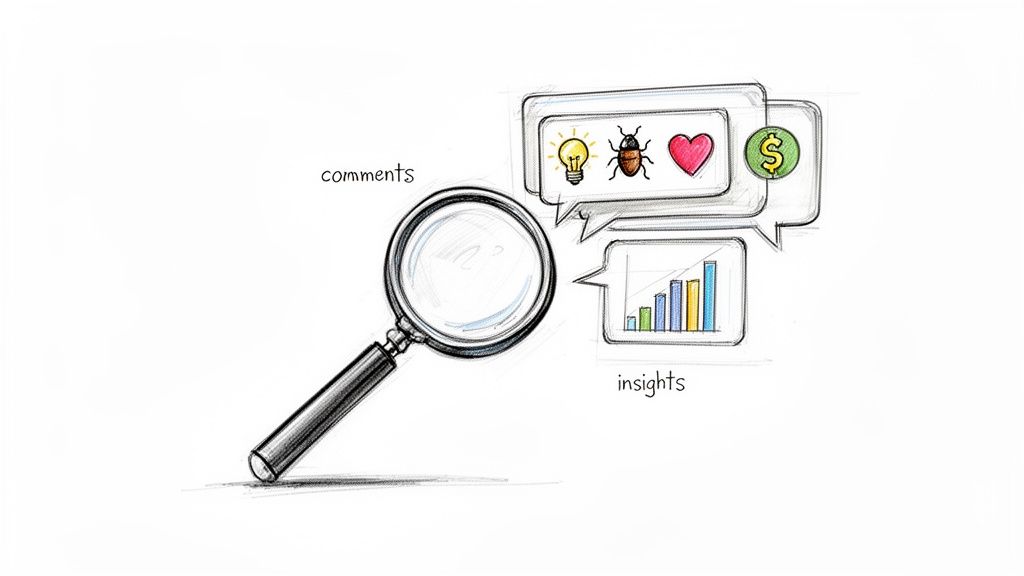
Think about it. You launch a new feature and get instant market validation—or, just as valuable, a critical piece of feedback that lets you pivot quickly. That’s the kind of gold just sitting in your comment threads. This isn't about just counting replies; it’s about decoding the why behind them.
The Goldmine Hidden in Your Replies
The sheer volume of conversation on X is staggering. We're talking about 500 million posts a day globally, and a huge chunk of that is comments and replies. For anyone willing to actually listen, this daily flood of interaction is an absolute goldmine. If you can tap into it, you can get ahead of trends and build a much stronger connection with your audience. For a deeper dive into the numbers, these detailed Twitter statistics paint a clear picture.
A dedicated X comments analyzer is the right tool for the job. It lets you stop guessing what your audience wants and start listening to what they're telling you directly.
Here's how I see it: Your comment section is a free, 24/7 focus group. Ignoring it is like intentionally ignoring your most engaged customers when they're trying to tell you exactly what to build or sell next.
Moving From Manual Slogs to Automated Insight
Trying to do this by hand just doesn't work long-term. As soon as your account starts to grow, it's physically impossible to track sentiment accurately, spot recurring themes, and identify your biggest advocates without your own opinions getting in the way.
That’s where automated tools come in. They provide a clear, systematic way to process all that feedback. When you make the switch, you suddenly unlock some serious advantages:
- Uncover Unfiltered Audience Feedback: You get to hear what your community is really saying, in their own words—not through the stiff filter of a formal survey.
- Generate Endless Content Ideas: Find the exact questions, pain points, and topics your audience is already talking about. It’s a cheat code for content that resonates.
- Spot Trouble Before It Starts: Catch negative shifts in sentiment early. This gives you a chance to step in and address concerns before they blow up into a bigger crisis.
This is where a dedicated tool for X, like the MicroPoster X Comments Analyzer, really shines. It's designed specifically for this heavy lifting, turning a firehose of chaotic replies into a clear, strategic roadmap.
Manual Analysis vs Automated Analyzer
The difference between trying to analyze comments by hand versus using a dedicated tool is night and day. One is a frustrating, biased time-sink; the other is a source of strategic insight.
| Feature | Manual Analysis (The Hard Way) | Automated X Comments Analyzer (The Smart Way) |
|---|---|---|
| Speed & Scale | Painfully slow. Impossible for more than a handful of replies. | Processes thousands of comments in minutes. Scales with your account. |
| Sentiment Analysis | Highly subjective and prone to personal bias. Guesswork at best. | Objective, AI-powered sentiment scoring (Positive, Negative, Neutral). |
| Theme Identification | Relies on memory and spotting patterns by chance. Easy to miss things. | Automatically detects and clusters recurring topics, keywords, and questions. |
| Objectivity | Inherently biased. You'll naturally focus on comments that confirm your beliefs. | 100% data-driven. Provides a neutral, unbiased view of the conversation. |
| Top Contributor ID | Difficult to track who your most engaged or influential fans are over time. | Instantly identifies top commenters, advocates, and potential detractors. |
| Data Export & Reporting | Requires tedious copy-pasting into spreadsheets. | One-click data exports (CSV) and shareable reports for your team. |
Ultimately, while you can try to do this manually, the insights you get will be shallow and unreliable. An automated tool gives you the depth and accuracy you need to make smart decisions based on what your audience is actually telling you.
Know Your "Why" Before You Dive In
Jumping into a sea of comment data without a clear objective is a fast way to get lost. Before you even think about firing up an X comments analyzer, the single most important thing you can do is decide what you’re actually looking for. This simple first step turns a data-gathering tool into a problem-solving machine.
Without specific questions, you're just collecting noise. With them, you can zero in on the exact insights that will actually make a difference to your strategy.
Frame Your Analysis with the Right Questions
Think about who you are and what you need. A founder, a marketer, and a community manager can look at the exact same comments and see completely different things. Your goals dictate what data truly matters.
Here are a few real-world examples to get you thinking:
For a Product Founder: You're hunting for product-market fit and user pain points. Your question might be, "What are the top three feature requests people mentioned this month?" or maybe, "What's the biggest complaint about our latest update?"
For a Marketer: You're all about campaign performance and brand perception. Try asking, "What was the overall sentiment on our latest launch campaign?" or "Which posts sparked the most positive conversations?"
For a Community Manager: Your job is to build relationships and find your biggest fans. A great question would be, "Who are my top five most positive and engaged followers I could reach out to?" or "What topics get the deepest reply threads going?"
Nailing these objectives down first makes the whole process so much smoother. Instead of drowning in data, you can go straight to the reports and filters that give you a clear answer. This makes sure every insight you find leads to a real-world action.
The point isn't just to know what people are saying. It's to find specific, actionable feedback you can use to make your content, your product, or your community better.
Tie Your Goals Directly to Your Content Strategy
Once you have your questions, your analysis becomes a goldmine for your content calendar. For instance, if you discover people are constantly asking about pricing, that’s a massive signal to create a detailed post or thread explaining your value.
These insights are the bedrock of a strong social media plan. To go deeper on this, check out our guide on creating a content strategy for social media.
Ultimately, your goals are your compass. They ensure you're not just watching the conversation but actively shaping it with purpose. When you start with a clear "why," the "what"—the data from your X comments analyzer—will always deliver real value.
Tracking the Comment Metrics That Actually Matter
Once you know what you’re trying to achieve, you can look past vanity metrics like raw like and retweet counts. The real gold is in the qualitative stuff—the metrics that tell you what your audience really thinks and feels. This is where a good X comments analyzer becomes your secret weapon.
This isn't about collecting data for data's sake. It's about turning a firehose of chaotic feedback into a clear, actionable guide. When you focus on the right metrics, you stop guessing and start building a strategy based on what your community is telling you, loud and clear.
Gauging Brand Health with Sentiment Analysis
Think of sentiment analysis as your brand's real-time EKG. It automatically sorts comments into Positive, Negative, or Neutral piles, giving you an instant snapshot of your audience's mood. This isn't just a cool feature; it’s an early warning system.
Let's say you're a software company that just rolled out a new update. A sudden flood of negative sentiment, especially comments filled with words like "buggy" or "slow," is a huge red flag. It lets you spot and fix a critical problem hours—or even days—before it blows up into a full-blown crisis. On the flip side, a wave of positive comments after a campaign launch is immediate validation that your message landed perfectly.
This data is pure gold for marketers. We know from research that posts with a positive comment ratio over 70% tend to get 40% more retweets. At the same time, a negative sentiment spike of just 20% can kill a post's viral potential by 35% in the first 24 hours. In key markets like the US and Japan, top creators live by this data to make smart, real-time adjustments.
Uncovering Content Ideas with Theme Extraction
What if your audience could just hand you your next great content idea? With theme and keyword extraction, they pretty much do. An analyzer digs through all the noise to pinpoint the most common topics, questions, and frustrations people are talking about in your replies.
This is like having a direct line into your audience’s brain. You might find out dozens of people are asking the same question about your pricing, which tells you it’s time to post a clear FAQ thread. Or maybe you'll notice a recurring interest in a niche topic you only mentioned in passing—that's your next deep-dive post, already audience-approved.
Identifying Your Biggest Fans and Influencers
Your comment section is where your most valuable community members hang out. These are your top engagers, your brand advocates, and maybe even your future collaborators. Trying to track them all manually is a nightmare, but an X comments analyzer brings them right to the surface.
Once you know who consistently leaves positive, thoughtful comments, you can start building real relationships.
- Nurture those connections. A simple DM to say thanks or an offer for early access to your next project can go a long way.
- Get deeper insights. These are the people who will give you brutally honest and helpful feedback if you just ask.
- Amplify your message. A great comment from an account with a big, relevant following can be just as powerful as a major retweet.
Going beyond simple comment analysis, more advanced techniques like AI brand monitoring can offer a panoramic view of your reputation online. These tools build on what you learn from your comments to track how your brand is perceived everywhere else. To get a handle on your own account's performance, check out our guide on understanding your X account analytics.
Building Your Repeatable Workflow for Comment Analysis
It’s one thing to know what to look for, but it’s another to build a routine that actually gets it done. A powerful X comments analyzer isn't a tool you use once in a blue moon; it becomes a core part of your strategy when you bake it into a consistent workflow. This is how you reliably turn a stream of raw comments into real-world action.
First things first, you need to be surgical with your data collection. Forget boiling the ocean by trying to analyze every single comment you’ve ever received. Your insights will be much sharper if you focus.
Maybe you want to zero in on a single viral post to figure out what made it resonate so deeply. Or perhaps you need to pull every reply that uses a specific campaign hashtag to see if your message landed.
You can also get tactical with date ranges. For instance, analyzing all comments from the week after a product launch gives you a super-concentrated dose of customer feedback right when you need it most.
From Data Points to Actionable Insights
With your dataset defined, the real fun begins. This is where you start slicing and dicing the conversation with filters to uncover the good stuff. The best approach is to layer these filters to answer the specific questions you set out with.
A great starting point is sentiment. By isolating just the negative comments, you can instantly spot customer service fires that need putting out or product feedback that needs to be escalated. On the flip side, filtering for positive comments immediately surfaces your biggest fans and shows you exactly what you're doing right.
But don't stop there. Layer another filter on top. You could, for example, segment those negative comments by users with high follower counts to prioritize issues with the most public visibility. Or, you could isolate positive comments from your most frequent engagers—these are your potential brand advocates, and you should be building relationships with them. This layered approach is what turns a wall of text into a clear, prioritized to-do list.
This diagram breaks down how an analyzer takes a chaotic mess of replies and organizes it into clear, strategic buckets.
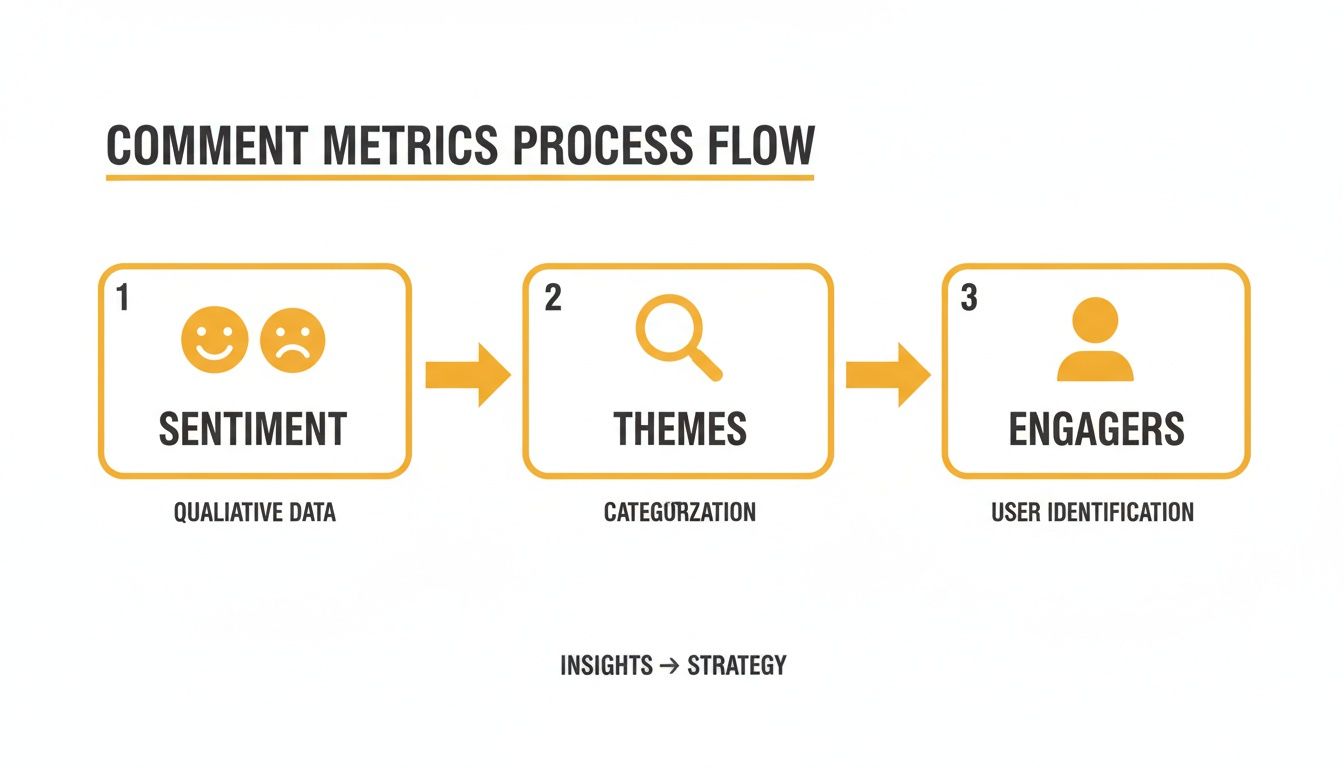
It’s all about systematically breaking down the conversation into manageable pieces—sentiment, themes, and top engagers—so you can actually do something with the information.
Closing the Loop with Real-World Actions
This is the most important part of the entire process: turning your findings into something tangible. Data that just sits on a dashboard is completely worthless. A solid weekly or bi-weekly routine ensures every insight you find actually leads to a result.
A tool like the MicroPoster Comments Analyzer can make this incredibly efficient, helping you move from seeing an insight to acting on it in minutes.
An insight is only as valuable as the action it inspires. The goal of comment analysis isn't to create reports; it's to create change—in your content, your product, or your community engagement strategy.
To make this crystal clear, the table below shows how specific data points can be translated into concrete strategic actions.
Actionable Insights from Comment Analysis
| Data Insight | Potential Meaning | Recommended Action |
|---|---|---|
| Recurring technical question about your product (e.g., "How do I reset my password?") | Your FAQ or onboarding is unclear, causing friction for new users. | Create and schedule a "Pro Tip" post or short video tutorial answering the question directly. Pin it to your profile. |
| Spike in negative sentiment around a specific feature after an update. | The new update has introduced a bug or an unpopular change. | Acknowledge the feedback publicly, pass the specific comments to your product team, and update users on the fix. |
| A high-engagement user consistently asks insightful questions and helps others in your comments. | You have an emerging community leader and potential brand advocate. | Send them a direct message to thank them personally. Offer them a small perk, like early access or a discount code. |
| Positive comments mention a specific phrase or benefit you hadn't emphasized. | You've uncovered user-generated marketing copy that resonates authentically. | Incorporate that exact phrasing into your ad copy, website headlines, or future content to speak your audience's language. |
| Analysis shows a theme of users wishing for an integration with another tool. | There's a clear demand for a new product feature or partnership. | Log this as a feature request and, if possible, gauge wider interest with a poll to validate the opportunity. |
Ultimately, this table illustrates the core loop: data leads to understanding, and understanding leads to smarter, more effective actions that grow your brand and delight your audience.
Turning Audience Feedback into Your Content Engine
A great analysis is pretty useless if it just dies in a spreadsheet. The real magic of an X comments analyzer happens when you build a system that turns those raw insights into your best-performing content. It's about creating a direct pipeline from your comment section straight to your content calendar.
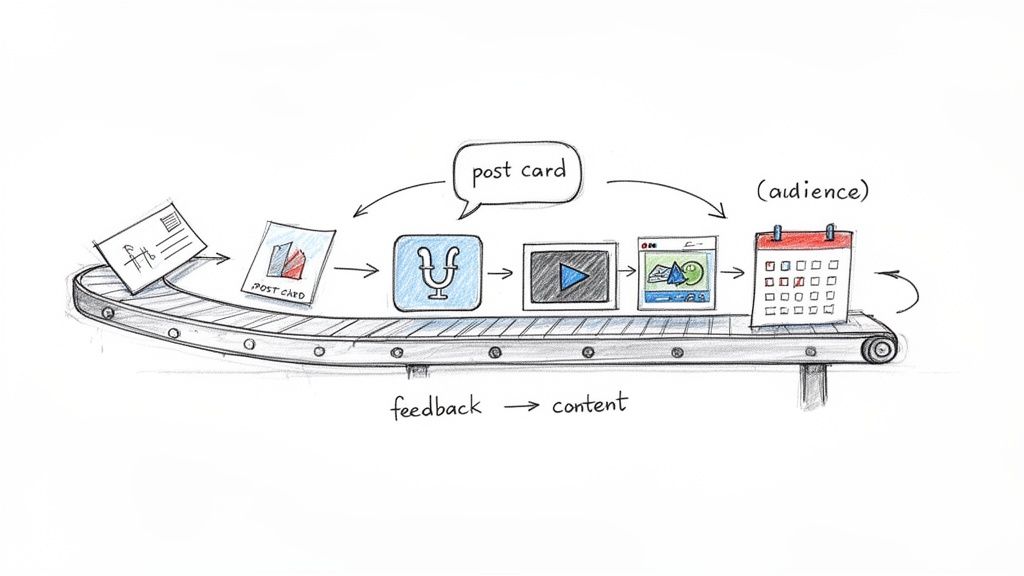
This whole process creates an incredibly powerful feedback loop. Your community’s voice—their actual questions, pain points, and passions—starts to directly shape your content strategy. The result? Everything you create is relevant and valuable from the moment you hit publish.
Automate Your Trend Spotting
Let's be real: you can't manually keep an eye on every single conversation. It's just not possible. Setting up automated reports or alerts is the only way to catch important trends without living inside a dashboard. You can create triggers for specific events that really demand your attention.
- Negative Sentiment Spikes: Get a ping if negative comments suddenly surge past a certain point. This lets you jump on issues before they blow up.
- High-Profile Mentions: An alert for mentions from major accounts means you can engage with influential voices right away, not hours later.
- Keyword Surges: You can track when a specific product name or feature gets mentioned a lot more than usual. This is a great way to gauge real-time interest or spot a brewing problem.
This kind of proactive approach puts you on the front foot, making sure you’re always on top of the conversations that matter most.
From Analysis to Content Creation
The most direct way to use what you find is to treat your analysis as a creative brief. A good analyzer lets you filter for the most common themes, pull out recurring questions, and pinpoint the most emotionally charged pain points. These aren't just data points; they are your next content ideas, already pre-validated by your audience.
Your audience isn't just consuming your content; they are co-creating it. Exporting comment themes is like getting a cheat sheet of topics you know they're desperate to hear more about.
The engagement data absolutely backs this up. Comments are a huge signal. We've seen that posts with GIFs can get a median of 6.5 interactions, and a whopping 40% of that comes from replies alone. For thought leaders, having negative comment detection can prevent up to a 40% loss in engagement. Even simple tactics like dropping polls into your threads can lift reply counts by 28%. You can dig into more of the numbers with these X user statistics.
Integrate Insights Directly into Your Workflow
To make this truly seamless, you need to plug your analysis directly into your content studio. A tool like the MicroPoster Comments Analyzer lets you move from insight to action in literally seconds.
Imagine you spot a common question popping up in your comments. Instead of just jotting it down on a sticky note, you can immediately open your content editor, draft a thread that answers that exact question, and schedule it for a time when you know your audience is most active. This kind of tight integration removes all the friction, making it ridiculously easy to act on feedback while it's still fresh and relevant. It finally closes the loop between listening and publishing.
Common Questions About X Comments Analyzers
Jumping into a new tool always brings up a few questions. When it comes to something like an X comments analyzer, you’re probably wondering about the best way to use it, what its limits are, and how to actually get something valuable out of it. Let's dig into some of the most common questions I hear.
My goal here is to get straight to the point, tackling the practical "what-ifs" and "how-tos" so you can feel confident you're using these insights the right way.
How Often Should I Analyze My X Comments?
Honestly, this really depends on how busy your account is and what you're trying to achieve. There’s no magic number, but most people find a rhythm that works for them.
If you're getting a lot of comments every day, a quick 15-minute daily check-in on your newest posts is a great habit. It helps you catch urgent customer service issues, jump on engagement opportunities, or put out any fires before they spread. Think of it as your daily pulse check.
For the bigger picture, you'll want to do a more strategic review weekly or bi-weekly. This is when you step back and look for broader trends—what content themes are working, how has sentiment changed, and who are your most engaged followers? If you don't post as often, a solid weekly review is probably all you need.
Can an Analyzer Really Understand Sarcasm?
Great question. Nuance is tricky, especially online. Modern AI has gotten surprisingly good at picking up on sarcasm and complex emotions, but it's not foolproof. The best tools analyze the whole comment for context, but they can still miss subtle inside jokes or specific cultural references.
My advice? Treat the sentiment score as a really effective first filter, not the final word. It's brilliant at flagging comments with strong positive or negative language that need your attention. From there, you can apply your own human judgment to the ones that seem ambiguous. Combining AI speed with human intelligence is where you get the most accurate read on your community.
The biggest mistake people make with these tools is collecting data without taking any action. It's easy to get lost in charts and reports that don't lead to any change. Always tie your analysis to a specific outcome.
Can I Analyze My Competitors' Comments?
You absolutely can, and you absolutely should. This is one of the smartest ways to use a comment analyzer. Looking at the replies on your competitors' posts is a totally legitimate and powerful way to do market research. It’s like getting an unfiltered peek into what their community is thinking.
When you run their comment sections through an X comments analyzer, you can quickly:
- Pinpoint customer pain points they might be overlooking.
- Discover what new features their audience is asking for.
- Find content topics that are a huge hit with your shared audience.
This is all about finding the gaps in their strategy and seeing where you can step in to serve the audience better. It’s like having a secret window into their customer feedback sessions. If you're looking for the right software for this, it's worth checking out a list of the top customer feedback analysis tools to compare your options.
Ready to stop guessing and start understanding what your audience is really saying? The MicroPoster suite includes a powerful comments analyzer designed to turn chaotic replies into actionable growth strategies. Start your free trial and discover the insights hidden in your comment section today by visiting the MicroPoster Comments Analyzer page.