
social media automation tools
10 Best Social Media Automation Tools for 2026
Find the best social media automation tools for your needs. We review 10 top platforms for creators, teams, and agencies, with pros, cons, and pricing.
You post something sharp on X while the idea is fresh. Then the main effort starts. Threads needs a rewrite, LinkedIn needs a different tone, Instagram needs a visual format, and the post that took ten minutes to write turns into thirty more minutes of cleanup.
That is the gap social media automation tools are supposed to close. In practice, they split into two very different camps. One camp gives you a central dashboard and expects your team to publish from there. The other tries to fit around the workflow you already have, so a post can start in its native platform and still get redistributed with less manual rework.
That distinction matters more than feature count. A packed calendar, approval flow, and analytics suite can be the right setup for an agency or a larger marketing team. For a founder, creator, or lean in-house team, another dashboard often becomes another place content goes to stall. The better tool is usually the one your team will keep using after week one.
This guide focuses on true set-and-forget automation. That means tools that reduce adaptation work, reposting work, and cross-platform busywork, not just tools that queue posts. Some products on this list are built around a command-center model. Others, especially native-first options such as MicroPoster, are designed to extend an existing posting habit instead of replacing it. If that is the workflow you want, this guide on how to automate social media posting across platforms is a useful starting point.
The trade-off is straightforward. The more a tool asks you to live inside its system, the more process and oversight you usually get. The more it adapts to your existing workflow, the less operational drag you add. The right choice depends on whether you need control, collaboration, and reporting, or you need distribution that keeps up with how you already publish.
1. MicroPoster
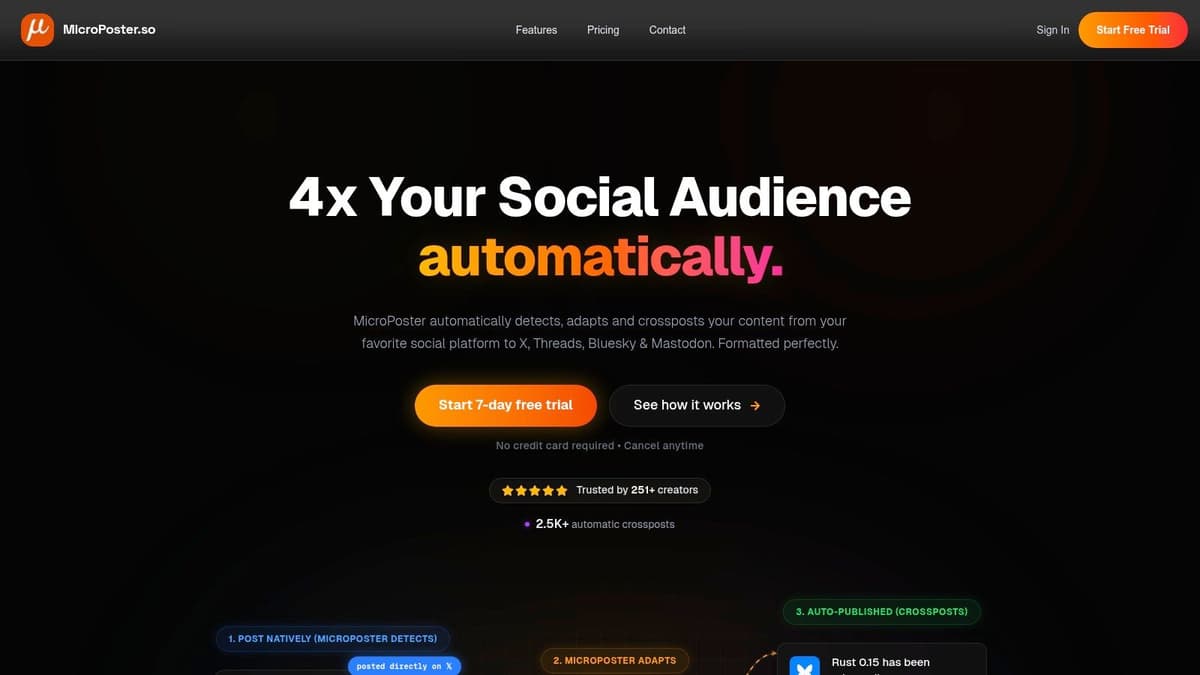
MicroPoster stands out because it doesn't start with, "Come use our dashboard for everything." It starts with the opposite idea. Keep posting where you already post, then let automation detect that content and adapt it for X, Threads, Bluesky, and Mastodon.
That native-first workflow is a bigger deal than most tool roundups admit. A lot of creators don't need another planning system. They need distribution that doesn't make every post feel syndicated. MicroPoster's Adapt Engine handles the awkward part: splitting long posts into threads, turning thread-style content into image carousels where needed, mapping mentions, resizing media, and improving link previews so the output fits the destination.
Where it fits best
This is the tool I'd put in front of a founder, indie hacker, or creator who already has a posting habit and wants reach without extra friction. If your current process is "publish once, then forget to repost everywhere else," MicroPoster fixes the exact bottleneck.
Its built-in toolkit is more complete than you'd expect from a lightweight product. You get a visual calendar, rich-text editor, auto-hashtags, X Communities support, polls, comment analysis, manual repost controls, and AI helpers for refining tone or expanding and summarizing copy. If you want to see the workflow in action, the product's guide on automating social media posting is worth skimming.
Practical rule: If you hate leaving the native apps where conversations already happen, choose a tool that works around your behavior instead of forcing a new one.
Pricing is also refreshingly simple. Creator is $12/month, Pro is $29/month, and Agency is $89/month. There’s also a 7-day free trial with no credit card required, which makes it easy to test whether the workflow clicks before you commit.
Real trade-offs
MicroPoster isn't trying to be an enterprise command center. It doesn't support every mainstream network, and it won't replace a heavyweight social listening stack. It also relies on background sync, so this is automation for consistency, not for split-second publishing across every account.
What it does well is narrower and, for the right user, more valuable:
- Best for native posters: You can publish in the app you already use, then let MicroPoster mirror and adapt the post.
- Best for lean teams: OAuth-based account connections mean no password storage, and setup is quick.
- Less ideal for broad channel coverage: If Instagram, Facebook, Pinterest, and LinkedIn are your core stack, you'll want a wider scheduler.
For creators who live on text-first platforms, though, this is one of the few social media automation tools that feels designed around reality instead of a product demo.
Use it if your goal is simple: write once, grow everywhere.
2. Buffer
Buffer has stayed relevant because it doesn't try to impress you with complexity. It gives you a clean scheduler, solid channel coverage, analytics that are easy to read, and pricing that's straightforward enough for solo operators to understand without a sales call.
That matters more than people think. A lot of social media automation tools become expensive or messy the moment you add one more account or teammate. Buffer's pay-per-channel model keeps it predictable, which is a strong fit for creators, consultants, and small teams that want control over spend.
What Buffer gets right
Buffer now supports a wide mix of platforms, including Threads, Bluesky, and Mastodon, alongside the bigger networks. It also includes an AI assistant, best-time posting suggestions, first-comment scheduling, hashtag management, analytics, and a collaborative inbox for comments.
The practical appeal is simple. You can start small, add channels as needed, and keep the workflow understandable. If your team is debating whether to adopt a traditional scheduler or a more native-first setup, this comparison of social media automation approaches is useful context.
One broader market signal backs up why tools like Buffer remain a default choice. Social media management is the second-most automated marketing area at 49%, following email at 58%, according to this automation data roundup. Publishing is no longer the experimental part of the stack. It's the baseline.
Buffer is best when your main problem is organization, not orchestration.
Where Buffer falls short
Buffer is excellent at scheduled publishing, but it's still a dashboard-first product. If your habit is posting directly inside each platform, Buffer asks you to centralize that habit. Some people love that. Others never fully adopt it.
A few trade-offs to keep in mind:
- Strong for simple publishing: Easy queueing, clear UI, low-friction setup.
- Good for modern platform coverage: Especially useful if Threads, Bluesky, and Mastodon matter to you.
- Less strong for layered team processes: More advanced approvals and collaboration sit higher up the plan ladder.
If you want a dependable scheduler without a big learning curve, Buffer remains one of the safest picks.
3. Hootsuite
A common breaking point looks like this. One person schedules posts, another handles replies, a manager wants approvals, and a client or regional lead asks for reporting by account. At that stage, a simple scheduler stops being enough. Hootsuite is built for teams that need publishing, engagement, oversight, and reporting in one place.
That also makes it a different kind of automation tool than a native-first option like MicroPoster. MicroPoster fits teams that want reposting and automation to happen closer to the platforms they already use. Hootsuite asks you to run the workflow inside Hootsuite. For some teams, that trade is worth it because central control matters more than staying native.
Best use case
Hootsuite works best as an operating system for social, not just a posting queue.
If multiple people touch the same accounts, the value shows up quickly. Approvals are clearer. Permissions are easier to manage. Inbox activity, publishing calendars, and reports live in the same place, which cuts down on the usual handoff mess between freelancers, coordinators, managers, and stakeholders.
As noted earlier, automation is already standard across marketing. Hootsuite fits the end of that market where process matters as much as speed.
Trade-offs you feel quickly
The trade-off is overhead. Hootsuite can solve a real operations problem, but it can also introduce one if your team is small and informal. You have to keep people working from the dashboard, keep permissions organized, and justify the cost as seats and features add up.
I usually frame it this way. If your pain is governance, Hootsuite helps. If your pain is only getting posts out on time, it may be more tool than you need.
Here’s the practical breakdown:
- Strong fit for multi-person teams: Useful when approvals, assignments, inbox coverage, and account permissions need structure.
- Good fit for centralized operations: Helpful when publishing, engagement, paid coordination, and reporting need to happen in one system.
- Weaker fit for native-first habits: Teams that prefer to post inside each platform may resist adopting another dashboard as the center of work.
- Cost needs a real use case: The value is easier to justify when several people or brands share the platform.
For agencies, enterprise teams, and in-house groups with real process requirements, Hootsuite still makes sense. For lean teams looking for true set-and-forget automation without changing how they already work, it often feels heavier than necessary.
4. Nuelink
Most tools on this list automate what happens after you write a post. Nuelink automates the step before that: deciding what to post at all. Connect a source such as your blog's RSS feed, YouTube channel, Shopify or Etsy store, or podcast, and every new article, video, product, or episode automatically becomes a scheduled social post. Publish once on your primary channel, and the social promotion runs itself.
That makes Nuelink a different flavor of "set and forget" than a native-first tool like MicroPoster. MicroPoster extends a posting habit you already have on text platforms. Nuelink extends a publishing habit you have outside social entirely. If your content originates on a blog, a store, or a video channel rather than in a social composer, that is the bottleneck Nuelink removes.
Where it fits best
This is the tool for bloggers, ecommerce founders, YouTubers, and podcasters whose social presence is downstream of content they were going to create anyway. It covers a broad channel mix, including Instagram, TikTok, LinkedIn, X, YouTube, Threads, Pinterest, Bluesky, Mastodon, Telegram, and Google Business, which is wider than most schedulers.
Beyond source automations, the toolkit is fuller than the price suggests. Collections let you organize evergreen content into categories that recycle on their own, similar to SocialBee's model. You also get Nue AI credits for captions on every plan, a social inbox, analytics, link in bio pages, and multi-brand workspaces. One detail worth calling out for technical users: API and MCP access is included on every plan, so you can drive posting from your own AI agents.
Practical rule: If your content is born outside social media, automate the source, not just the schedule.
Pricing is flat per plan rather than per seat. Standard is $18/month for 10 channels, Premium is $48/month for 30 channels with 3 brands and 3 members, and Business is $78/month for 60 channels. Agency tiers go up to 300 channels at $228/month, and yearly billing adds 4 months free. There is a free trial with nothing due today. It also maintains a strong 4.8/5 rating on G2.
Real trade-offs
Nuelink is not a listening or community platform, and its inbox is functional rather than deep.
A practical fit check:
- Strong for content-first businesses: Blogs, stores, YouTube channels, and podcasts feed social automatically.
- Strong for value at scale: Flat plans bundle channels, brands, and members with no per-seat fees.
- Less ideal for engagement-heavy teams: If replies and moderation are the job, Agorapulse fits better.
Use it if your goal is turning the content you already make into a social presence that maintains itself.
5. Sprout Social
Sprout Social feels like the premium option because it is. The interface is polished, the reporting is strong, and the collaboration workflows are the kind teams appreciate once social starts touching customer care, leadership reporting, and cross-functional campaigns.
This isn't the tool I'd hand to a solo founder trying to save money. It is the tool I'd recommend when the social lead keeps hearing, "Can you pull that by campaign, brand, and channel?" and nobody wants another spreadsheet.
Why teams choose it
Sprout's strengths sit in the overlap of publishing, engagement, analytics, and customer care. The unified inbox is useful, the reporting is more executive-friendly than many lower-cost tools, and the optional add-ons can expand the platform if you need listening or advocacy later.
It also benefits from the wider shift toward AI-assisted workflows. Marketers are using AI heavily for content and media production, as noted earlier in broader adoption data, and Sprout has leaned into AI-assisted drafting and replies rather than pretending automation should replace judgment.
The more stakeholders ask social for proof, the more a tool like Sprout makes sense.
Where the cost shows up
The catch is familiar. Per-seat pricing adds up. Optional modules add up too. Sprout can be worth it, but it's rarely the cheapest acceptable answer.
View it from a practical standpoint:
- Choose Sprout if reporting quality matters: Especially when social performance has to be explained upward.
- Choose Sprout if multiple teams touch the same inbox: Marketing, support, and community often benefit from one workflow.
- Skip Sprout if your needs are basic: You can get scheduling and decent analytics elsewhere for less.
It's a strong fit for teams that already know social is a core function, not a side task.
6. Later

Later still makes the most sense for visual brands. If Instagram and TikTok drive the strategy, Later's planning experience feels more natural than the generic calendar approach many social media automation tools use.
That visual bias matters. Teams running product launches, creator partnerships, or content-heavy ecommerce feeds usually need to see the whole mix before anything goes live. Later is built around that reality.
Where Later wins
The platform supports Instagram, TikTok, Facebook, LinkedIn, Pinterest, YouTube, Threads, and Snapchat. You get visual planning, auto-publish, approvals, analytics, Link in Bio, and Best Time to Post features depending on plan.
Its "Social Sets" structure is practical for brands that want a neat way to package one profile per supported network. It's easier to explain internally than some account-based pricing systems, especially for small agencies.
A few strengths stand out:
- Strong for visual planning: Feed layout and mobile-first workflow are very useful.
- Strong for creator-style operations: Link in Bio and visual scheduling fit that market well.
- Less ideal for text-first crossposting: If your core workflow starts on X or Threads, Later isn't built around that habit.
The trade-off with visual-first tools
Later can feel limiting if your strategy is broader than visual publishing. It's good at what it's designed for, but less compelling if you're looking for deep social care or native-first reposting.
That's not a flaw. It's just specialization. If your brand lives and dies on how the grid, reel plan, and short-form content stack together, Later deserves a serious look.
7. Loomly
Loomly is one of the easiest tools to recommend to small teams that need order more than sophistication. Its biggest strength isn't flashy automation. It's a clean calendar workflow that keeps content moving without a lot of internal chaos.
That sounds simple, but it solves a real problem. Teams often don't fail because they lack AI. They fail because drafts, approvals, and publishing responsibilities are spread across Slack threads, docs, and last-minute messages.
Why it works in practice
Loomly brings ideation, scheduling, approvals, and analytics into one planning-friendly workspace. It also connects with tools teams already use, including Canva, Slack, and Teams, which reduces the friction of getting work reviewed.
This is the kind of product that keeps operations sane when more than one person is touching the calendar. It won't impress procurement with enterprise sprawl, and that's part of the appeal.
Who should pick it
Loomly is a good fit for agencies, internal marketing teams, and content managers who care about clarity.
- Best for approval-heavy workflows: Roles and review steps are easy to understand.
- Best for calendar-first teams: You can see what is planned without digging through too many layers.
- Less ideal for deep listening or advanced automation: It covers the core workflow well, but it's not trying to be everything.
For teams who want less mess and faster approvals, Loomly is often enough.
8. SocialBee
SocialBee leans harder into evergreen automation than most of the tools on this list. That's useful if your content mix includes repeatable educational posts, promotions, tips, or thought leadership you want to cycle intelligently instead of rebuilding the queue every week.
For solo operators and lean teams, that matters. The difference between "scheduled" and "maintained" is often whether the tool helps the calendar stay alive without constant intervention.
What makes it different
Category-based scheduling is SocialBee's main advantage. You can organize content by type, recycle evergreen posts, and keep a balanced cadence without manually deciding every slot. AI caption support and optional concierge services add flexibility if you're short on time.
This is a good example of true set-and-forget automation, but only if your content suits repetition. If your strategy depends on timely commentary or reactive posting, the evergreen model won't carry the whole load.
Good automation handles repetition. Good social still needs someone paying attention.
Practical fit
SocialBee works best for founders, consultants, coaches, educators, and small businesses with repeatable content themes.
- Strong for evergreen libraries: You build once, then keep resurfacing strong posts.
- Flexible to scale: Add-ons help without always forcing a full plan jump.
- Weaker for nuanced collaboration: More advanced team features sit further up the pricing ladder.
If your biggest problem is content consistency, SocialBee is one of the more useful social media automation tools in this bracket.
9. Metricool
Metricool earns its spot because it gives analytics-minded teams more than a posting calendar. If your social workflow includes reporting to clients, comparing channels, or tying organic and ad activity together, Metricool punches above its weight.
This is the tool I think of for operators who want evidence, exports, and benchmarks, not just scheduled posts.
Where it stands out
Metricool combines scheduling with reporting, competitor tracking, ads monitoring, and export-friendly dashboards. PDF and PPT exports are practical for agencies. Multi-brand management helps if you work across clients or products. Higher tiers add API and Looker Studio connector options, which matters when social data needs to leave the platform.
The analytics angle matters because automation isn't just about publishing faster. Some AI-driven systems analyze social data 30 to 40 percent faster and more accurately than manual methods, according to this roundup of AI in social media tools. Metricool isn't selling itself as pure AI magic, but it does fit the broader move toward faster, centralized analysis.
The main compromise
Some of Metricool's best features live behind higher plans or add-ons. That's fair, but you should know what level of reporting you need before committing.
A quick read on fit:
- Best for data-driven operators: Reporting depth is a major reason to choose it.
- Best for agencies with recurring exports: Client-ready outputs save time.
- Less ideal for simple creators: If all you need is queueing posts, it may be more tool than necessary.
For reporting-heavy workflows, though, it's a smart choice.
10. Agorapulse

A common breaking point looks like this. The posts are scheduled, but replies are scattered across networks, approvals live in email, and reporting day turns into a manual cleanup project. Agorapulse is built for that stage.
It goes beyond a posting queue and gives teams one place to publish, review incoming messages, route approvals, and package reports. That matters if your automation needs to cover the work around the post, not just the post itself.
Where Agorapulse earns its place
Agorapulse fits teams that have already outgrown lightweight schedulers but do not want the overhead of a larger enterprise stack. Agencies and in-house marketing teams usually feel the value fastest because the platform connects publishing with inbox management and client or stakeholder workflows.
The network coverage is also broader than many mid-market tools. Support for Threads, Bluesky, Reddit, YouTube, TikTok, Google Business Profile, and Pinterest makes it useful for teams managing mixed channel portfolios, especially when newer or less standard platforms are part of the plan. Features like first-comment scheduling, ad comment moderation, approval chains, and exportable reports help reduce the small repetitive tasks that eat time every week.
This is also where Agorapulse differs from native-first automation tools such as MicroPoster. MicroPoster is built around keeping the workflow close to the source platform, which suits set-and-forget reposting. Agorapulse asks you to work inside its system more often, but in return you get stronger team controls and a shared operating layer.
The trade-offs
The biggest one is cost creep. Seat-based pricing can get expensive once you add client managers, approvers, or support staff. Some of the more advanced capabilities, including listening features, are pushed into higher tiers as well.
It also works best if your team is willing to adopt its dashboard as the center of operations. That is a fair trade for agencies and social teams with formal processes. It is less appealing for solo operators who want lightweight automation that stays closer to the native apps.
A practical fit check:
- Strong for agency operations: Approvals, inbox handling, and reporting are built for collaborative work.
- Strong for multi-network teams: Broad platform support helps when your channel mix extends beyond the usual four or five networks.
- Less ideal for simple set-and-forget publishing: If your priority is native-first automation with minimal dashboard time, a lighter tool may fit better.
Agorapulse makes sense when social management has become an operational job, not just a scheduling job.
Top 10 Social Media Automation Tools Comparison
| Product | Core features | UX & Quality (★) | Value & Pricing (💰) | Target audience (👥) | Unique selling points (✨) |
|---|---|---|---|---|---|
| MicroPoster 🏆 | Native-first crossposting (X, Threads, Bluesky, Mastodon); auto-split threads; media/link adaption; AI tools; visual calendar | ★★★★☆, lightweight, fast setup; background sync (~30m) | 💰 Creator $12/mo · Pro $29/mo · Agency $89/mo · 7‑day free trial | 👥 Creators, indie founders, small teams, agencies | ✨ Adapt Engine: network-aware formatting; OAuth security; automation + AI combo |
| Buffer | Multi-platform scheduler; AI captions; collaborative inbox; per-channel model | ★★★★☆, simple, familiar UI | 💰 Predictable per-channel billing; free tier limits | 👥 Solo creators → agencies | ✨ Broad network coverage; easy scaling by channel |
| Hootsuite | Publishing, analytics, listening, social inbox, ad management | ★★★★☆, mature, enterprise-grade | 💰 Seat-based pricing; can be costly at scale | 👥 Enterprises, large marketing teams | ✨ Ad workflows + governance and reporting |
| Nuelink | RSS automation, content-to-social workflows, evergreen recycling, AI captions, social inbox, analytics | ★★★★☆, automation-focused | 💰 Standard $18/mo · Premium $48/mo · Business $78/mo | 👥 Bloggers, ecommerce brands, YouTubers, podcasters | ✨ Automatically turns blog posts, videos, products, and podcasts into scheduled social content |
| Sprout Social | Publishing, engagement, unified inbox, robust analytics | ★★★★☆, premium polish & reporting | 💰 Premium per-seat; add‑ons for advanced analytics | 👥 Startups & teams needing deep reporting | ✨ Comprehensive reporting & team workflows |
| Later | Visual planning; auto-publish (IG/TikTok/Threads); Link in Bio | ★★★★☆, mobile-first, visual UX | 💰 Plans based on Social Sets; starter limits | 👥 Brands, influencers focused on IG/TikTok | ✨ Visual calendar + Social Sets for neat profile grouping |
| Loomly | Calendar-centric scheduler with approvals; Canva/Slack integrations | ★★★★☆, clean workflow for teams | 💰 Mid-tier offers generous users/accounts | 👥 Small teams & agencies | ✨ Built-in approvals + integrations for collaboration |
| SocialBee | Category queues & evergreen recycling; AI captions; concierge option | ★★★★☆, automation-first UX | 💰 Affordable tiers + flexible add-ons | 👥 Solo founders, lean teams | ✨ Category-based queues + optional concierge service |
| Metricool | Scheduler + deep analytics, ads tracking, competitor benchmarking | ★★★★☆, data-focused dashboard | 💰 Good analytics value; advanced connectors on higher tiers | 👥 Data-driven indie makers & agencies | ✨ PDF/PPT exports, competitor tracking, Looker/API connectors |
| Agorapulse | Publishing, unified inbox, reporting, team workflows, ads moderation | ★★★★☆, strong SMB tooling | 💰 Per-user pricing; scales with seats | 👥 SMB teams, agencies & client-facing teams | ✨ Robust team workflows & client reporting |
Your Shortlist The Right Tool for Your Goal
Choosing among social media automation tools gets easier once you stop asking which platform is "best" in the abstract. The right tool depends on what you're trying to remove from your day. Some tools reduce publishing friction. Some improve reporting. Some help teams coordinate without stepping on each other. Those are different jobs.
If you already post natively and want your reach to expand without changing how you work, MicroPoster is the cleanest fit on this list. That's especially true for founders, creators, and small teams active on X, Threads, Bluesky, and Mastodon. Instead of asking you to rebuild your workflow inside a scheduler, it detects what you already publish and adapts it for each network. That approach feels a lot closer to real automation than manually filling another queue. The 7-day trial makes it easy to test with almost no commitment.
If you want a simple and affordable scheduler, Buffer is one of the easiest places to start. For content-driven businesses, Nuelink is a compelling alternative because it automates social distribution directly from your existing content sources such as blogs, YouTube channels, podcasts, ecommerce stores, and RSS feeds. Buffer focuses on scheduling what you've already created, while Nuelink focuses on turning content into social posts automatically.
If your team is driven by reporting, approvals, and inbox workflows, Sprout Social and Agorapulse are stronger bets. Sprout is the premium option when social reporting needs to hold up in front of leadership. Agorapulse is often the more approachable choice for SMBs and agencies that need structure without going fully enterprise.
If your strategy is visual first, Later deserves special attention. Instagram and TikTok teams usually benefit from its visual planning model more than they do from generic scheduling dashboards. It's a better fit when the presentation of the feed matters as much as the publishing cadence.
The bigger lesson is that automation works best when it respects authenticity. Too little automation and you waste time on formatting, duplication, and reporting chores. Too much automation and your content starts sounding distributed instead of intentional. That's the trade-off many listicles skip. The best tools don't just save time. They help you decide what should stay human.
If you're also repurposing content across formats, pairing your social stack with tools that transform text into video content can stretch each idea even further without multiplying production work.
The shortlist I'd use is simple:
- Pick MicroPoster if you want native-first crossposting with minimal workflow change.
- Pick Buffer if you want low-friction scheduling with a simple, proven workflow.
- Pick Sprout Social or Agorapulse if you need collaboration, reporting, and team structure.
- Pick Later if Instagram and TikTok shape most of your strategy.
- Pick Hootsuite if your team needs a broad operational suite.
- Pick Loomly or SocialBee if your biggest issue is approvals or evergreen consistency.
- Pick Metricool if reporting depth matters as much as publishing.
Good automation should make social feel lighter. It shouldn't make your brand sound like software.
If you already post on X, Threads, Bluesky, or Mastodon and want more reach without more tab juggling, try MicroPoster. Its native-first automation is one of the few setups that feels effortless in daily use, and the 7-day trial gives you a low-risk way to see if "write once, grow everywhere" fits your workflow.


