

Ever wonder how tools like Buffer or Hootsuite can post to your X or Mastodon accounts for you? The magic behind that connection is something called a social media API.
Think of an API as a tightly controlled, secure messenger service between different software applications. It's the set of rules that lets a third-party tool talk directly to a social media platform's servers, allowing it to perform specific actions on your behalf—like posting content, pulling analytics, or managing your followers—without you having to be logged into the platform's official app.
What Is a Social Media API and Why Does It Matter
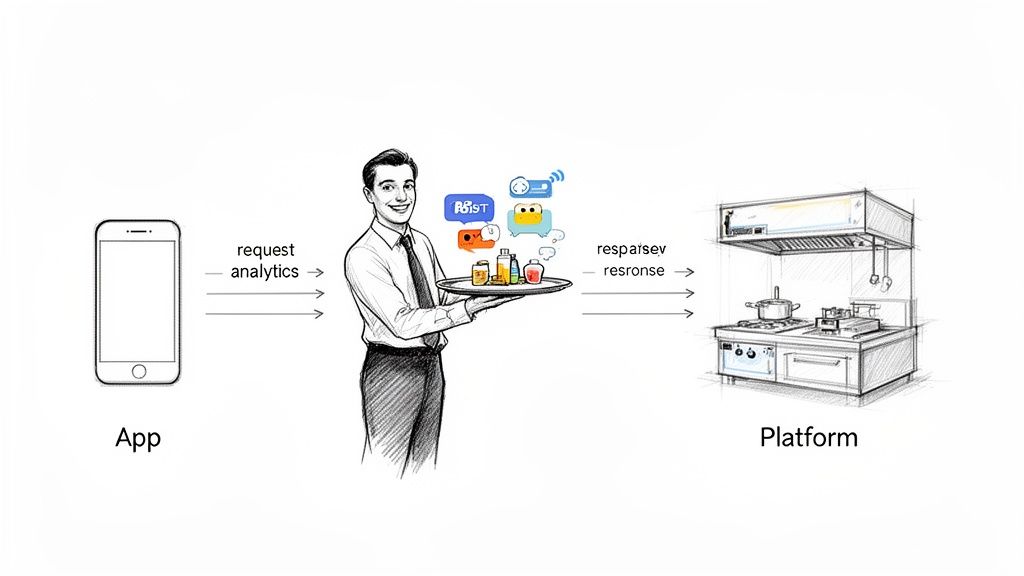
Let's break this down with an analogy. Imagine a social media platform like X is a restaurant kitchen. The kitchen (X) has all the ingredients and tools to create posts. You, the user, want to place an order to get a post made and served to your followers.
You can't just barge into the kitchen and start cooking. Instead, you talk to a waiter—and that waiter is the API.
The waiter takes your specific request ("I'd like to post this message at 2 PM") in a format they understand, delivers it to the kitchen, and then brings back a confirmation once your order is ready ("Your post is now live"). This process ensures everything is orderly, secure, and follows the kitchen's rules.
The Power of Structured Communication
Without an API, your only option is to use the front door—the official website or mobile app. An API opens a side door specifically for other software, allowing developers to build new and powerful tools on top of a platform's core features.
This structured communication is what makes a whole host of indispensable features possible:
- Automation: Scheduling posts in advance so you can maintain a consistent presence.
- Integration: Connecting social media activity to other parts of your workflow, like a CRM or a larger analytics dashboard.
- Data Analysis: Fetching detailed performance metrics to see what’s working and what’s not.
- Content Management: Juggling multiple accounts across several platforms from one centralized hub.
An API doesn't ask for your password. Instead, it uses secure authentication methods to grant specific, limited permissions. This means a scheduling tool can get permission to post for you, but not to change your profile settings, keeping your account safe.
Why APIs Are a Win for Everyone
This system is a massive win for everyone involved. Social platforms like X, Bluesky, and Mastodon offer APIs to foster a vibrant ecosystem of third-party apps, which ultimately makes their own platforms more valuable to users. In return, creators, brands, and agencies get powerful tools that save countless hours and unlock deeper insights.
The demand for this connectivity is exploding. The broader Application Programming Interface (API) market is projected to skyrocket from USD 10.10 billion to an incredible USD 87.55 billion by 2035. For marketing and development teams, a solid social media API can cut development time by as much as 70%, freeing up valuable resources for creative and strategic work. You can dig into more data on the growing API market to see just how big this trend is.
The Building Blocks of Social Media APIs
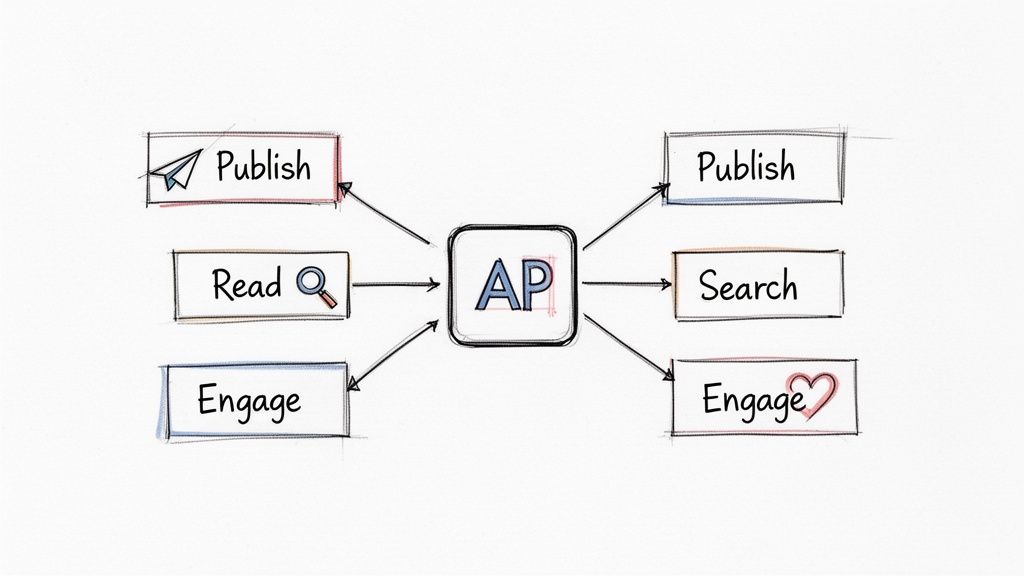
If we stick with our waiter analogy, then API endpoints are the specific items on the menu you can actually order. An endpoint is just a dedicated URL that performs one single, specific job. Instead of a single, messy command for everything, APIs break down every possible action into these neat, distinct requests.
This modular design is precisely why tools like Buffer or Sprout Social can perform such specific tasks—like scheduling a post for Tuesday, fetching your recent mentions, or pulling performance data for last week's campaign. Once you understand these basic building blocks, the magic behind how your favorite social media tools work starts to make a lot more sense.
Common API Endpoints and What They Do
Most social media platforms offer a core set of endpoints that handle the fundamental actions you take on the site every day. Think of them as the primary verbs of social media: posting, reading, searching, and engaging. Each one serves a unique purpose, and together they form the essential toolkit for any social management app.
Here’s a quick breakdown of the most common types of API endpoints you'll run into and what they allow a tool to do.
Common Social Media API Endpoints and Their Functions
| Endpoint Type | Core Function | Example Use Case |
|---|---|---|
| Publishing | Creates new content on a user's behalf. This includes posts, replies, and quote posts. | A content creator using a tool to schedule a week's worth of posts to go live at peak engagement times. |
| Reading | Retrieves data from the platform, like posts from a timeline, a list of followers, or comments. | An analytics dashboard pulling your latest 100 posts to calculate your average engagement rate. |
| Search | Queries the platform for public content containing specific keywords, hashtags, or user mentions. | A brand using a "social listening" tool to find and track all mentions of its new product in real-time. |
| Streaming | Provides a real-time, continuous feed of data (e.g., all new posts with a specific hashtag) as it happens. | A news organization monitoring a breaking event by streaming all posts geotagged in a specific city. |
| Direct Messages | Allows an application to read and send private messages. Access is typically highly restricted. | A customer support tool that pulls DMs into a central inbox so a team can manage and reply to inquiries. |
| Followers/Friends | Manages relationships by fetching lists of followers or accounts a user follows. | A community management app analyzing a user's followers to identify potential influencers or brand advocates. |
These endpoints are the fundamental components developers use to build features. What looks like a single, simple action in your social media scheduler might actually be a sequence of calls to several different endpoints working together behind the scenes.
A single feature in an app often uses multiple endpoints. For instance, when you schedule a post with an image, the tool first uses a media endpoint to upload the image, receives an ID, and then uses a publishing endpoint to create the post, referencing that media ID.
Endpoints in a Real-World Scenario
Let's make this more concrete. Imagine you just launched a podcast and want to track mentions of its hashtag, #CreatorChronicles, and thank anyone who shares it.
Here’s how a tool would automate that workflow using APIs:
- Search: First, your management tool hits the search endpoint on a loop, constantly asking the platform, "Are there any new public posts with the hashtag
#CreatorChronicles?" - Read: As soon as it finds one, it uses a reading endpoint to grab the full text of the post and the author's username.
- Publish: Finally, it uses a publishing endpoint to send a reply you've pre-written, like, "Hey, thanks for sharing the show! So glad you're enjoying it."
This simple three-step process, powered by three different API endpoints, completely automates a task that would otherwise eat up your entire day. Every feature in your social media dashboard—from the content calendar to the analytics charts—is built on these foundational API building blocks.
How APIs Keep Your Social Accounts Secure
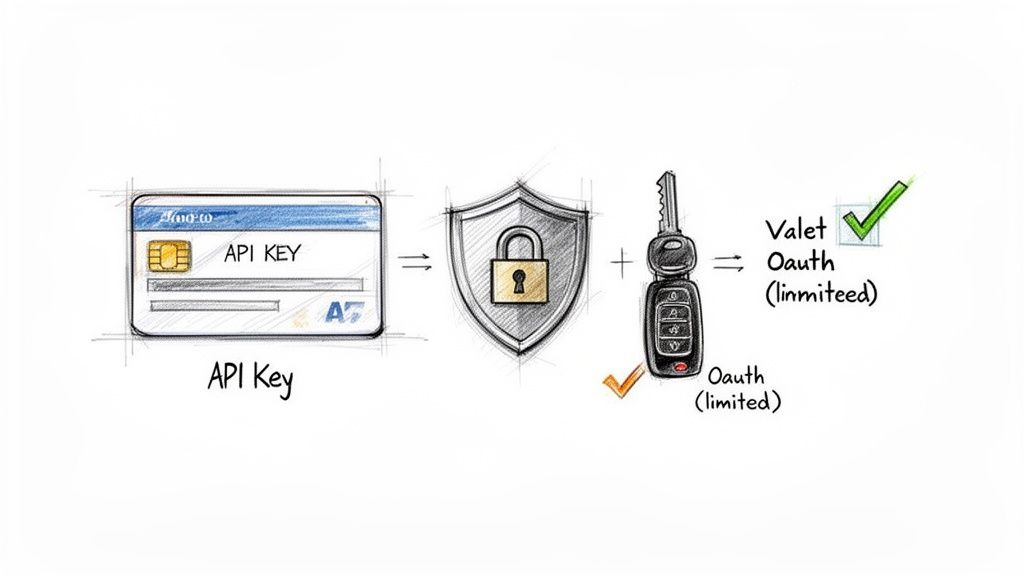 Connecting a new app to your social media account can feel a bit like handing over the keys to your house. You're giving it access, but how much is too much? Thankfully, modern social media APIs are designed with strong security in mind, so you never have to give an app your actual password.
This security really boils down to two main methods: API keys and a much more common standard called OAuth. Knowing how they differ is key to trusting the tools you rely on every day.
The Hotel Keycard vs. The Valet Key
Think of a basic API key as a hotel room keycard. It’s a unique code that gets an application in the door, but it's often a simple, all-or-nothing deal. While it's certainly better than sharing a password, it doesn’t give you fine-grained control over what the app can and can't do.
That’s where OAuth (Open Authorization) comes in, and it's a much smarter approach. Imagine OAuth as a valet key for your car. You can hand it to the valet, and they can park the car, but they can't open the trunk or rifle through your glove box. It gives them just enough access to do their job, and nothing more.
OAuth works the exact same way for your social accounts. When you connect an app like MicroPoster, it sends you over to the social platform itself (like X or Bluesky) to log in. There, you grant the app specific permissions—like "post on my behalf"—without ever typing your password into the app’s website.
Why OAuth Is the Gold Standard
There's a good reason OAuth has become the go-to standard for secure connections. It creates a trusted, consent-based link between you, the app, and the social media platform. This system is crucial for keeping you in control of your data and digital identity.
Here's a breakdown of what makes it so effective:
- No Password Sharing: Your login details are never shared with or stored by the third-party app.
- Limited Permissions: You decide exactly what an app can do. You can grant it permission to publish content without giving it the power to delete your account or change your profile.
- Revocable Access: You're always in the driver's seat. If you stop using an app or change your mind, you can go into your social media settings and revoke its access in a couple of clicks.
The move towards secure, password-free logins is a huge trend. The Social Media Login API market was valued at USD 1.5 billion in 2024 and is expected to reach USD 4.2 billion by 2033. This growth is fueled by the need for safer, easier user experiences, especially when high friction during signup can lead to abandonment rates as high as 70%. You can explore more data on the growing demand for secure login APIs.
By sticking with tools that use OAuth, you can confidently connect powerful new features to your workflow without compromising on security.
If you think of a social media API as a friendly waiter taking your orders, then API rules are the restaurant's house policies. They aren't there to spoil your good time; they're in place to keep things running smoothly and fairly for everyone at the table. The two big ones you'll always encounter are rate limits and the platform's specific policies.
Let's talk about rate limits. Imagine you could fire off a thousand posts in a single minute. From your perspective, that might seem incredibly efficient, but for the platform's servers, it would be pure chaos. That’s why rate limits exist.
Think of them as a speed limit for your API requests. They put a cap on how many actions your app can take in a set period. For example, a platform might limit you to 100 posts per hour or only 15 timeline refreshes every 15 minutes. These aren't arbitrary numbers; they prevent any one app from hogging all the resources and causing slowdowns or even crashes for everyone else.
Why Platforms Need Guardrails
But these rules are about more than just preventing server overload. They're also the first line of defense against spam, abuse, and all sorts of malicious bots. Without these guardrails, it would be a free-for-all for bad actors to flood timelines with junk or spin up millions of fake accounts in the blink of an eye.
Following these rules is non-negotiable. It’s absolutely critical for keeping your social media accounts safe and in good standing. This is why using tools like MicroPoster is so important—they're built from the ground up to respect each platform's unique policies, which protects your account from getting flagged for suspicious activity or, even worse, suspended.
Think of API policies as a social contract. When you use the API, you're agreeing to play by the rules. In return, the platform gives you stable, secure access to its features. Break that contract, and you put both your access and your account's reputation on the line.
The Bigger Picture of API Policies
API policies are also a huge piece of a platform's overall content moderation strategy. Social media platforms are the absolute epicenter of the Content Moderation API world, accounting for a massive 42% of all usage globally. It makes sense when you think about the sheer volume of content they have to manage.
This market is on a rocket ship, projected to hit USD 2.687 billion by 2032, largely because automation can slash moderation costs by up to 60%. For anyone managing a community, these APIs are a lifeline. They help flag toxic behavior in real-time, creating safer spaces that can lead to 20-30% higher engagement. You can dive deeper into the trends shaping the content moderation API market and its growth on intelmarketresearch.com.
So, when you run into these rules, don't think of them as frustrating roadblocks. They’re the necessary foundation for fair and sustainable automation, protecting the platform, its users, and your own accounts from harm. Getting to know them—and respecting them—is the first step to a smart social media strategy.
A Tale of Three APIs: X, Mastodon, and Bluesky
When it comes to social media APIs, one size definitely does not fit all. The differences between platforms like X, Mastodon, and Bluesky are huge, and they can make or break your automation strategy. It’s not just about what you can post or read; it’s about the entire philosophy behind how developers are allowed to interact with the platform.
Picking the right platform for your content often comes down to understanding what its API lets you do. Each one opens up unique opportunities—and presents its own set of challenges.
X: The Walled Garden
The X API (what we all used to call the Twitter API) is incredibly powerful, but it’s very much a commercial product. Think of it as a meticulously maintained but exclusive club with a strict door policy and a hefty cover charge. Access is tiered, with costs starting from a very limited free plan and rocketing up to enterprise subscriptions that can cost thousands of dollars every month.
- Access Model: Paid and tightly controlled. You have to register an application, get it approved, and play by their very specific (and sometimes changing) rules.
- Data Availability: This is where X shines—if you pay for it. The API offers incredibly rich historical data and detailed analytics, making it the top choice for brand monitoring and deep market research.
- Key Strength: Its main advantage is the sheer volume of structured data it holds. For anyone needing to analyze trends or track brand sentiment over time, there's nothing else quite like it.
Mastodon: The Open Federation
Mastodon’s API is a completely different beast because Mastodon itself is decentralized. It’s not a single platform but a network of thousands of independent servers (called instances) that all talk to each other. For a developer, this “federated” approach means one thing: freedom.
- Access Model: Totally open and free. There’s no central gatekeeper or approval process. If you have an account on an instance, you can start using its API right away.
- Data Availability: You’re primarily interacting with the data on your home instance, but the magic of the "Fediverse" means you can still access public posts from countless other connected servers.
- Key Strength: Its open-source DNA. This translates to direct, permissive API access that has fueled a massive ecosystem of creative third-party apps, from unique mobile clients to specialized automation tools.
Bluesky: The New Frontier
Bluesky and its underlying AT Protocol are carving out an interesting middle ground. It's aiming for the open, decentralized spirit of Mastodon but with a more unified and modern experience for developers.
- Access Model: Open and currently free. It skips the formal approval process and uses simple "app passwords" for authentication, which is a bit different from the more complex OAuth standard used by many others.
- Data Availability: The API handles all the standard stuff—posting, reading timelines, following users—but its killer feature is the ability to build and share custom algorithms.
- Key Strength: Algorithmic choice is baked right into the platform. Developers aren’t just fetching data; they can create entirely new ways for everyone to filter and discover content. Curious how that works in practice? Our guide on how to schedule posts on Bluesky dives into the practical side of things.
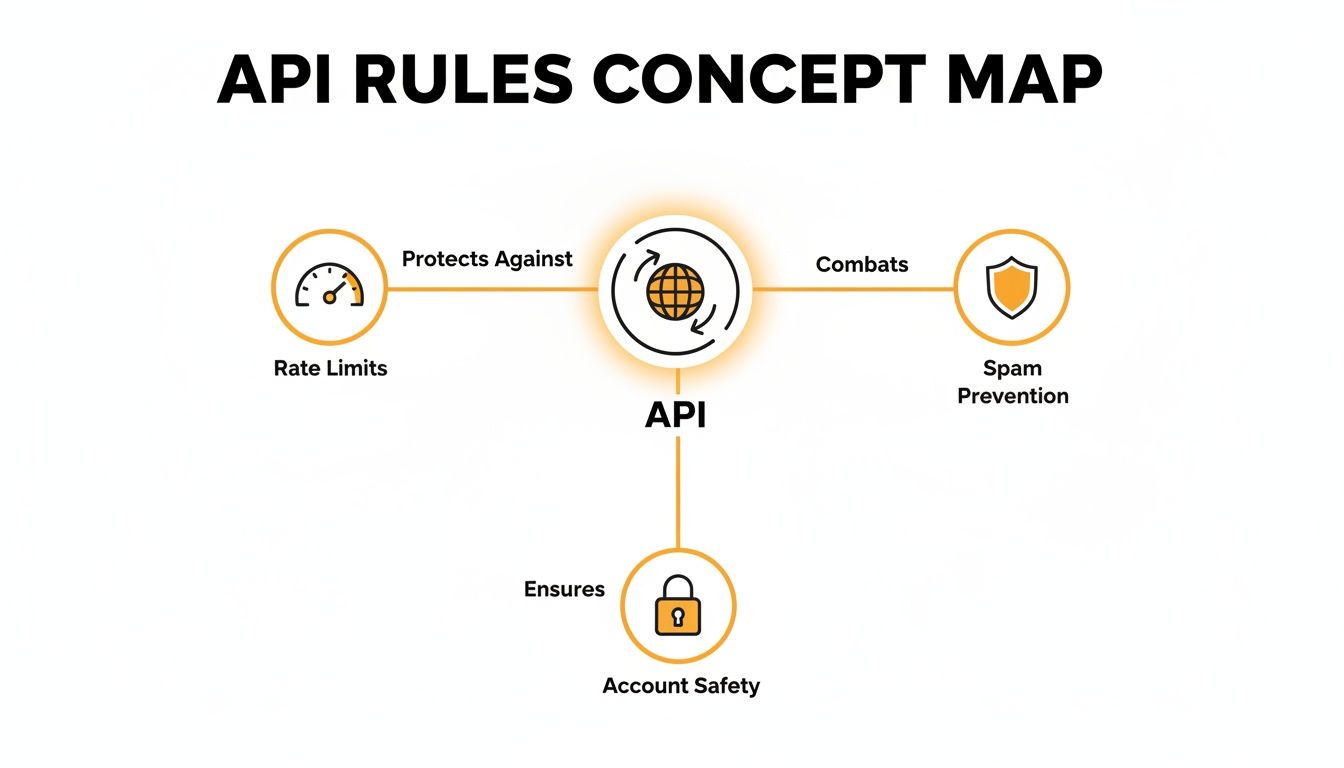
While their goals of preventing spam and keeping things stable are similar, the image above really drives home how differently a closed system like X and an open one like Mastodon or Bluesky go about it.
To put it simply, each API offers a distinct trade-off. X gives you structured, premium data at a cost. Mastodon provides unparalleled freedom and flexibility. Bluesky is pioneering a new world of customizable, open algorithms.
This is exactly why having a tool that can speak to all of them is so valuable. It handles the nitty-gritty details of each platform's unique API, giving you a single, consistent place to manage your content. That way, you can get back to creating instead of getting lost in documentation.
Integrating API Tools Into Your Social Strategy
Knowing how a social media API works is the first step. The real magic happens when you use that knowledge to build a smarter, more efficient strategy that actually drives growth. It's about moving from theory to action—weaving API-powered tools into your daily workflow to save precious time, uncover deep insights, and genuinely connect with your community.
The point isn't just to automate everything you can. It's about letting technology handle the repetitive, tedious tasks so you can free up your creative energy for what humans do best: crafting brilliant content and building real relationships.
Setting Clear Goals for Automation
Before you jump on the latest shiny tool, take a moment to define what you actually want to accomplish. A clear objective is what transforms a cool piece of tech into a powerful strategic asset.
Your goals might be to:
- Maintain Consistency: Use a scheduler to keep your feeds active and engaging, even when you’re swamped with other work. No more dead air.
- Analyze Performance: Automatically gather engagement data to see what’s hitting the mark with your audience. This helps you stop guessing and start creating content you know will resonate.
- Monitor Conversations: Keep an ear to the ground by tracking keywords or hashtags. This lets you jump into relevant discussions and position your brand as an authority.
As you start integrating these tools, you can even take it a step further. A good social media post generator can complement your scheduling and analytics, helping you create a seamless system for managing your entire social presence.
Choosing the Right Tools
This part is critical. Picking a reputable tool isn't just about features; it's about protecting your account. Always go with applications that are transparent about following platform rules and use secure login methods like OAuth.
A great API-powered tool works with the platform, not against it. It respects rate limits and terms of service, ensuring your automation is a sustainable part of your growth strategy, not a risky shortcut that could lead to account suspension.
In the end, using an api for social media effectively is all about striking the right balance between automation and authenticity.
For a deeper dive into how this all works, check out our complete guide on the API for social media and see how it can truly change your workflow. Let the tech handle the logistics so you can get back to building your community.
Got Questions? We’ve Got Answers.
When you start looking into tools that connect to your social media accounts, a few questions naturally pop up. It’s smart to be curious, especially when it comes to security and the rules of the road. Let's tackle some of the most common concerns we hear from creators.
Is It Actually Safe to Connect an App to My Social Media Account?
Absolutely, as long as it's done the right way. Any trustworthy app will use a process called OAuth, which is the gold standard for secure, delegated access.
Think of it like giving a valet a key that only starts the car, not one that opens the trunk or the glove box. OAuth lets you grant an app specific, limited permissions (like "permission to post for me") without ever handing over your password. You're always in control and can revoke access instantly from your social media account settings. If an app asks for your password directly, that's a huge red flag.
Could Using an API Get My Account Banned?
Here’s the deal: using an API itself won't get you banned. The platforms build these APIs for people to use! The real danger comes from how an API is used.
Breaking the platform's rules—like spamming, posting too frequently (violating rate limits), or automating aggressive follows—is what gets accounts suspended. A well-built tool is designed to play by those rules, so it won’t put your account at risk.
Using an API isn't the risk; violating platform policies is. Compliant tools are built to keep your account safe by operating within the established rules, helping you automate responsibly without putting your hard-earned audience in jeopardy.
Do I Need to Know How to Code to Use an API?
Nope, not at all. That's the beauty of it. While developers are the ones who get their hands dirty with the code, creators and marketers get to enjoy the finished product: a user-friendly tool.
Think about it this way: you don’t need to be an electrical engineer to use a light switch. Developers use the API as the raw material to build things like content schedulers and analytics dashboards. You just get to flip the switch and see the magic happen, no coding required.
Ready to harness the power of social media APIs without the complexity? MicroPoster provides a unified content studio, growth workspace, and automation tools built specifically for X, Bluesky, and Mastodon. Start your free trial and publish smarter at https://microposter.so.