
twitter automation tools
12 Best Twitter Automation Tools for Growth in 2025
Discover the top 12 Twitter automation tools to save time, boost engagement, and grow your audience. In-depth reviews for creators and agencies.

Welcome to your definitive guide to the best Twitter automation tools for 2025. In the fast-paced world of X (formerly Twitter), staying consistent and engaged is the key to growth. But who has the time to manually post, engage, and analyze performance around the clock? That's where automation comes in. This isn't about spammy bots or fake engagement; it's about using intelligent tools to handle repetitive tasks, schedule content at optimal times, and gain insights so you can focus on what truly matters: creating valuable content and building genuine connections.
The right software can transform your workflow and amplify your results, but choosing one can be overwhelming. Each platform offers a unique blend of features, from simple post scheduling to advanced AI-powered content generation and evergreen recycling. Navigating these options to find the perfect match for your specific goals, whether you are a creator, a small business, or an agency, is a critical first step.
This guide is designed to simplify that decision. We will break down the 12 best twitter automation tools on the market, providing a clear-eyed analysis of their strengths, weaknesses, and ideal use cases. You will find in-depth reviews covering key features, pricing, and practical implementation tips to help you find the perfect fit for your strategy and budget. Each entry includes screenshots and direct links, so you can easily explore the platforms that catch your eye. Let's find the tool that will help you win on X.
1. MicroPoster
Best for: Text-First Creators & Organic Community Growth
MicroPoster stands out as a premier choice among Twitter automation tools by focusing intensely on the craft of microblogging. Instead of being a generic, all-in-one social media dashboard, its feature set is meticulously designed to help creators, community leaders, and small businesses master text-first platforms like X (formerly Twitter), Bluesky, and Mastodon. Its core philosophy revolves around creating high-quality, engaging content that fosters genuine community, making it a strategic asset for those prioritizing organic growth over vanity metrics.
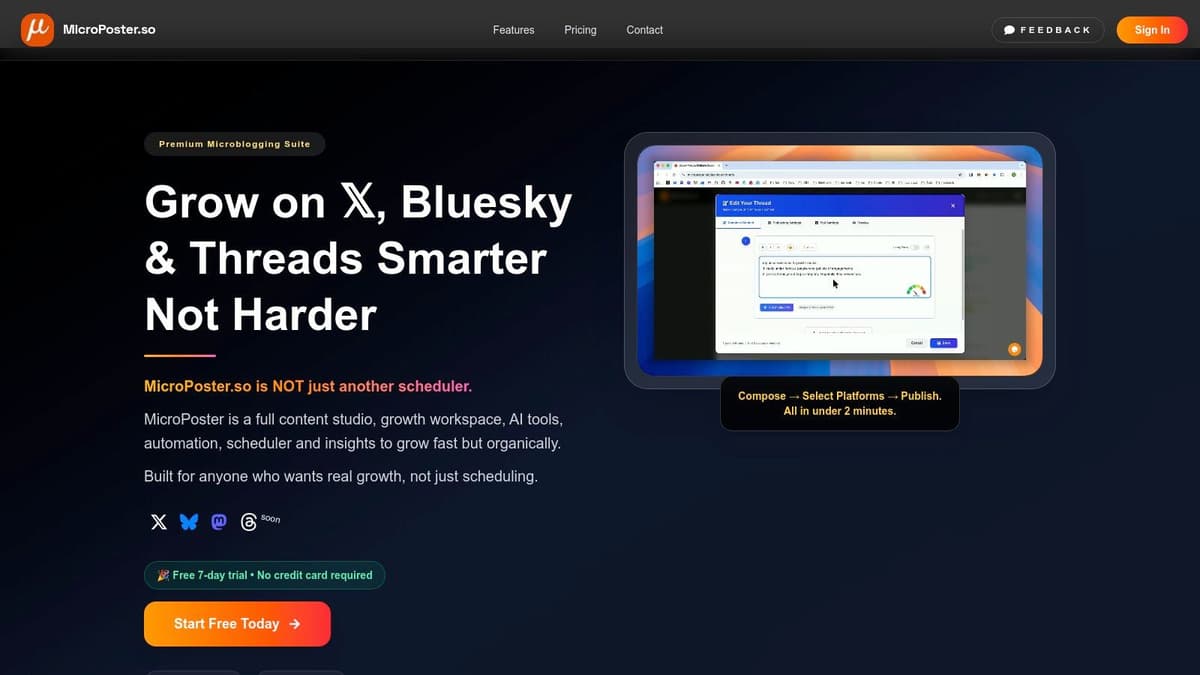
The platform’s strength lies in its sophisticated content studio, which combines an advanced text editor with powerful AI enhancements. This unique workflow allows you to write a post once and then use AI to refine its hook, adjust the tone, generate relevant hashtags, or add a compelling call-to-action. One of its most significant differentiators is the one-click cross-posting, which automatically reformats and mirrors content for the specific nuances of each platform, saving creators immense time and effort.
Core Features & Automation Capabilities
- Microblogging-First Editor: The editor includes real-time readability and virality scores, helping you craft more effective posts before they ever go live.
- AI-Powered Content Optimization: Tools to instantly enhance text, from generating stronger opening hooks to suggesting platform-appropriate hashtags and CTAs.
- Seamless Cross-Platform Publishing: Write once and publish natively across X, Bluesky, and Mastodon with a single click. The tool handles reformatting to ensure optimal presentation on each network.
- Intelligent Automation Suite: Features like a smart queue, auto-publishing from a draft pool, and best-time-to-post insights ensure a consistent and optimized content schedule without constant manual intervention.
Pricing and Access
MicroPoster offers a straightforward and accessible pricing model. The Starter plan is $9.99 per month (with an annual discount available) and includes access to all platforms, unlimited scheduled posts, and all core AI tools.
This plan is particularly appealing for its low-friction entry point: a free 7-day trial is available without requiring a credit card, and a 14-day refund policy provides an extra layer of confidence for new users.
Practical Use Cases
A key advantage of MicroPoster is its direct application for busy creators. Beta users have reported that tasks once taking 30 minutes, like formatting and posting to three separate platforms, now take only a few minutes. For a social media manager or solo entrepreneur, this reclaimed time is invaluable and can be reinvested into community engagement and strategy.
Our Take: MicroPoster is one of the most thoughtfully designed twitter automation tools for individuals and small teams who live and breathe text-based content. Its specialized focus is its greatest strength, offering a streamlined, powerful workflow that generalist tools can't match.
Pros:
- Specialized workflow optimized for text-first platforms.
- Powerful AI tools for enhancing content quality and engagement.
- True one-click cross-posting that saves significant time.
- Affordable, transparent pricing with a no-risk trial.
Cons:
- Limited platform support (currently X, Bluesky, Mastodon).
- May lack advanced team collaboration or enterprise-level analytics.
- AI suggestions still require a human touch for final approval.
Website: https://microposter.so
2. X Pro (formerly TweetDeck)
As the official, first-party power user tool from X, X Pro (formerly TweetDeck) offers the most tightly integrated experience for real-time monitoring and management. It excels at transforming your feed into a multi-column command center, perfect for tracking hashtags, monitoring lists, and keeping a close eye on specific user accounts or keywords simultaneously. For social media managers and newsrooms, its ability to display multiple live streams of information is unparalleled among free or first-party tools.
The platform’s strength lies in its "Decks" interface, where you can build custom workspaces filled with columns for your home timeline, notifications, messages, and advanced searches. This makes it an essential tool for live event coverage, brand sentiment tracking, or engaging in fast-moving conversations. While its scheduling features are basic compared to dedicated automation suites, it provides reliable, native post-scheduling for text, images, and videos.
Key Details & Use Cases
- Best For: Real-time social monitoring, news gathering, and managing multiple accounts directly within the X ecosystem.
- Standout Feature: The highly customizable, multi-column "Decks" layout for at-a-glance information monitoring.
- Pricing: Access requires an active X Premium subscription, which starts at $8/month.
- Pro Tip: Use the advanced search operators (e.g.,
from:user,filter:media,-keyword) within a column to create hyper-specific monitoring streams that filter out noise.
Pros & Cons
| Pros | Cons |
|---|---|
| Official X product with reliable, real-time data access. | Paywalled and requires an X Premium subscription. |
| Unmatched for live monitoring of events, lists, and searches. | Not available on mobile devices; desktop-only access. |
| Clean interface focused on core X activities without distractions. | Limited automation features beyond basic post scheduling. |
Website: https://pro.x.com
3. X Developer Platform (API)
For developers, agencies, or businesses that need unparalleled control and custom functionality, the official X Developer Platform is the ultimate foundation for creating bespoke twitter automation tools. Instead of using a third-party service, the API allows you to build your own applications that can post tweets, analyze engagement, manage direct messages, and pull vast amounts of data directly from the source. This approach is ideal for integrating X features into existing business software or creating proprietary, scalable automation workflows.
The platform provides access to the v2 API, which includes a wide range of read and write endpoints for nearly every function on X. While this offers maximum flexibility, it also requires significant technical resources and ongoing maintenance to adapt to policy changes and rate limits. It is not a tool for the average user but a powerful resource for those with the development capabilities to build their own solutions from the ground up, ensuring full compliance and direct access to new features as they are released.
Key Details & Use Cases
- Best For: In-house development teams, marketing agencies, and software companies building custom X integrations or enterprise-grade automation systems.
- Standout Feature: Direct, programmatic access to X's core functionalities, enabling the creation of unique, highly customized automation tools.
- Pricing: A free, write-only tier is available for testing. Paid access for read and write capabilities starts with the Basic plan at $100/month.
- Pro Tip: Thoroughly review the developer policy and rate limits before beginning a project. Design your application with built-in error handling and limit-tracking to ensure stable and compliant operation.
Pros & Cons
| Pros | Cons |
|---|---|
| Full control to build bespoke, compliant automations. | Requires significant technical setup and developer resources. |
| Scalable to handle enterprise-level volumes and use cases. | Pricing is considerably higher than pre-2023 levels. |
| Direct access to new X endpoints as they become available. | Frequent policy and rate limit changes can disrupt implementations. |
Website: https://developer.x.com
4. Hypefury
Hypefury is a creator-centric automation platform laser-focused on helping individuals grow and monetize their audience on X. It moves beyond simple scheduling, offering a powerful suite of tools designed to maximize engagement and repurpose content efficiently. The platform is built around workflows that support content creation, from an inspiration panel with proven templates to a robust thread composer that simplifies creating viral long-form posts.
The platform’s core strength is its intelligent automation designed for growth. Features like evergreen content queues automatically re-post your best-performing tweets, while the "auto-plug" function can add a promotional link (like to a newsletter or product) to your tweets once they hit a certain engagement threshold. For creators looking to build relationships, the auto-DM feature can send welcome messages to new followers, although it must be used responsibly to comply with X's rules.
Key Details & Use Cases
- Best For: Content creators, influencers, and entrepreneurs who want to automate growth and monetization on X.
- Standout Feature: The "Evergreen" content queue combined with the "Auto-Plug" feature, which work together to continuously drive traffic and engagement from your best content.
- Pricing: Offers a limited free plan. Paid plans start at $15.83/month (billed annually) for the Standard tier, with higher tiers for more accounts and advanced features.
- Pro Tip: Use the CSV upload feature to bulk-schedule a month's worth of content at once. Categorize your evergreen posts to ensure a balanced mix of topics is automatically re-shared over time.
Pros & Cons
| Pros | Cons |
|---|---|
| Deep X-focused growth workflows and automation. | Heavier automation requires careful use to comply with X rules. |
| Inspiration library and tools tailored for creators. | Higher tiers are needed for larger auto-DM volumes. |
| Strong automation for repurposing and cross-posting content. | The interface can feel busy for users who only need basic scheduling. |
Website: https://hypefury.com
5. Tweet Hunter
Tweet Hunter is an AI-powered growth tool specifically designed to help creators and brands expand their audience and monetize their presence on X. It moves beyond simple scheduling by offering a comprehensive suite of features for content ideation, writing, and performance analysis. The platform's core strength is its massive, searchable library of over two million viral tweets, which provides endless inspiration and helps users understand what resonates with their target audience. This makes it an invaluable resource for overcoming writer's block and creating high-engagement content consistently.
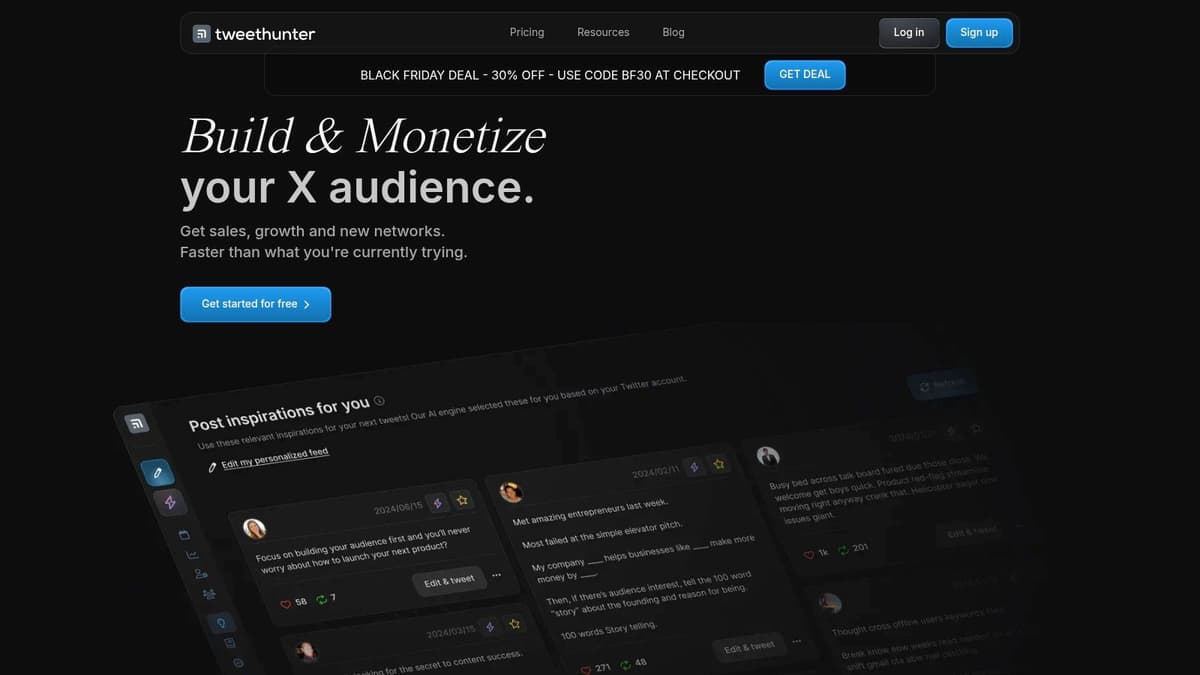
The platform integrates an AI writer that can generate new tweet ideas, rewrite existing content, and craft entire threads from a simple prompt. Beyond creation, its automation capabilities include advanced scheduling with evergreen content queues, auto-retweeting of your best posts, and automatically adding a "plug" or promotional tweet under your viral content. The built-in CRM also allows you to manage and engage with key audience members, making Tweet Hunter a powerful, all-in-one solution for serious X growth.
Key Details & Use Cases
- Best For: Creators, influencers, and entrepreneurs focused on rapid audience growth and monetization on X.
- Standout Feature: The AI-powered content ideation tools combined with a searchable library of 2M+ viral tweets for inspiration.
- Pricing: Plans start at $49/month, with higher tiers unlocking more advanced AI features, CRM capabilities, and team collaboration.
- Pro Tip: Use the evergreen posting feature to automatically recycle your top-performing tweets at optimal times, ensuring maximum visibility and engagement without constant manual effort.
Pros & Cons
| Pros | Cons |
|---|---|
| Strong discovery and AI features to drive growth and content. | Advanced AI and CRM features are gated behind higher-tier plans. |
| Monetization-focused tooling like auto-plugs and CRM lists. | Automation must be configured carefully to avoid spammy patterns. |
| Unlimited X accounts are supported on many of its plans. | The interface can feel overwhelming for brand new X users. |
Website: https://tweethunter.io
6. Typefully
Typefully is a minimalist yet powerful tool designed for writers and creators who want to compose and schedule content with focus and precision. It strips away the noise of a typical social media dashboard, offering a clean, distraction-free writing environment that excels at crafting compelling X threads. Its thoughtful design prioritizes the content creation process, making it one of the best twitter automation tools for individuals and solo entrepreneurs who value a streamlined workflow.
The platform goes beyond just writing, integrating smart automation features like "Auto-Retweet" to resurface evergreen content and "Auto-Plug" to add a promotional tweet to a high-performing thread. It also offers powerful, rate-controlled Auto-DM campaigns for engaging with new followers. With support for multiple networks including LinkedIn, Mastodon, and Bluesky, Typefully is an excellent hub for text-first creators building an audience across different platforms.
Key Details & Use Cases
- Best For: Content creators, writers, and solo entrepreneurs focused on high-quality thread creation and minimalist scheduling.
- Standout Feature: The elegant thread composer combined with natural language scheduling (e.g., "tomorrow at 8am") and smart automations like Auto-Plug.
- Pricing: Offers a free plan for basic use. Paid plans start at $12/month (billed annually) for more features, analytics, and accounts.
- Pro Tip: Use the "Auto-Plug" feature to automatically add a call-to-action or link to your newsletter below any of your tweets that reach a certain engagement threshold (e.g., 50 likes).
Pros & Cons
| Pros | Cons |
|---|---|
| Clean, distraction-free UI designed for writing and composing. | Lacks the deep, enterprise-level collaboration features of larger suites. |
| Supports multiple networks (X, LinkedIn, Mastodon, Bluesky, etc.). | Automation is powerful but constrained by X's strict API rules. |
| API access allows for creating custom personal automations. | Analytics are insightful but may not be as comprehensive as some competitors. |
Website: https://typefully.com
7. Buffer
A veteran in the social media management space, Buffer is one of the most recognized and user-friendly Twitter automation tools available. It excels in providing a clean, straightforward platform for scheduling content, analyzing performance, and managing multiple social profiles from a single dashboard. Buffer is particularly well-suited for creators, small businesses, and marketing teams who prioritize simplicity and efficiency over complex, enterprise-level features.
The platform’s core strength is its powerful content queue, which allows you to pre-load posts and set a custom schedule for them to be published automatically. This "set it and forget it" approach is perfect for maintaining a consistent presence on X without constant manual intervention. Buffer also offers valuable analytics, providing clear insights into post engagement, reach, and follower growth, helping you refine your content strategy over time. Learn more about how social media automation with Buffer compares to other tools.
Key Details & Use Cases
- Best For: Small teams, solo creators, and businesses needing a simple, reliable tool for scheduling and basic analytics across multiple social networks.
- Standout Feature: The intuitive content queue and calendar view, which makes planning and visualizing your social media schedule incredibly easy.
- Pricing: Offers a limited free plan. Paid plans start at $6/month per channel for the Essentials plan, with a 14-day free trial.
- Pro Tip: Use the "Start Page" feature to create a simple, mobile-friendly landing page for your bio link, consolidating your important links for your followers.
Pros & Cons
| Pros | Cons |
|---|---|
| Simple pricing and easy onboarding for a quick setup. | Advanced listening and CRM features are lighter than enterprise tools. |
| Clean, intuitive user interface that is easy to navigate. | Per-channel billing can become expensive for agencies managing many profiles. |
| Reliable scheduling with analytics to track performance. | Fewer deep automation rules compared to more specialized X platforms. |
Website: https://buffer.com
8. Hootsuite
Hootsuite is one of the most established full-stack social media management suites, offering a powerful enterprise-grade solution for X and other platforms. It excels in providing a unified ecosystem for scheduling, engagement, listening, and reporting, making it ideal for businesses and large teams that require robust governance and collaboration tools. Its capabilities extend beyond basic publishing to include advanced DM automations, sentiment analysis, and comprehensive analytics.

The platform’s strength lies in its all-in-one approach. Teams can manage all their social conversations from a unified inbox, schedule unlimited posts with best-time-to-post recommendations, and monitor brand mentions or industry trends with sophisticated listening tools. The integration of an AI assistant and Canva templates streamlines the content creation process, making it a comprehensive hub for an entire social media strategy.
Key Details & Use Cases
- Best For: Businesses, agencies, and enterprise teams needing a centralized platform with strong analytics, team workflows, and governance.
- Standout Feature: The combination of a unified Smart Inbox for multi-channel engagement and advanced social listening for sentiment analysis and competitor benchmarking.
- Pricing: Plans start at $99/month for one user and three profiles. A generous 30-day free trial is available.
- Pro Tip: Use the social listening streams to monitor not just brand mentions but also untagged conversations about your industry. This can reveal valuable customer insights and content opportunities.
Pros & Cons
| Pros | Cons |
|---|---|
| Mature enterprise ecosystem with deep analytics and reporting. | Higher cost as you scale users and social profiles. |
| Strong team collaboration workflows and a unified inbox. | Feature set may be overly complex for solo creators or small teams. |
| Generous 30-day free trial to fully test the platform. | The interface can feel less modern than some newer competitors. |
Website: https://www.hootsuite.com
9. Sprout Social
Sprout Social is an enterprise-grade social media management platform that provides a powerful, all-in-one solution for brands and agencies. While it offers robust scheduling and publishing tools, its true strength lies in its sophisticated suite of analytics, engagement, and team collaboration features. It’s designed not just to post content but to manage the entire social media lifecycle, from planning and publishing to monitoring and reporting on performance, making it a comprehensive command center.
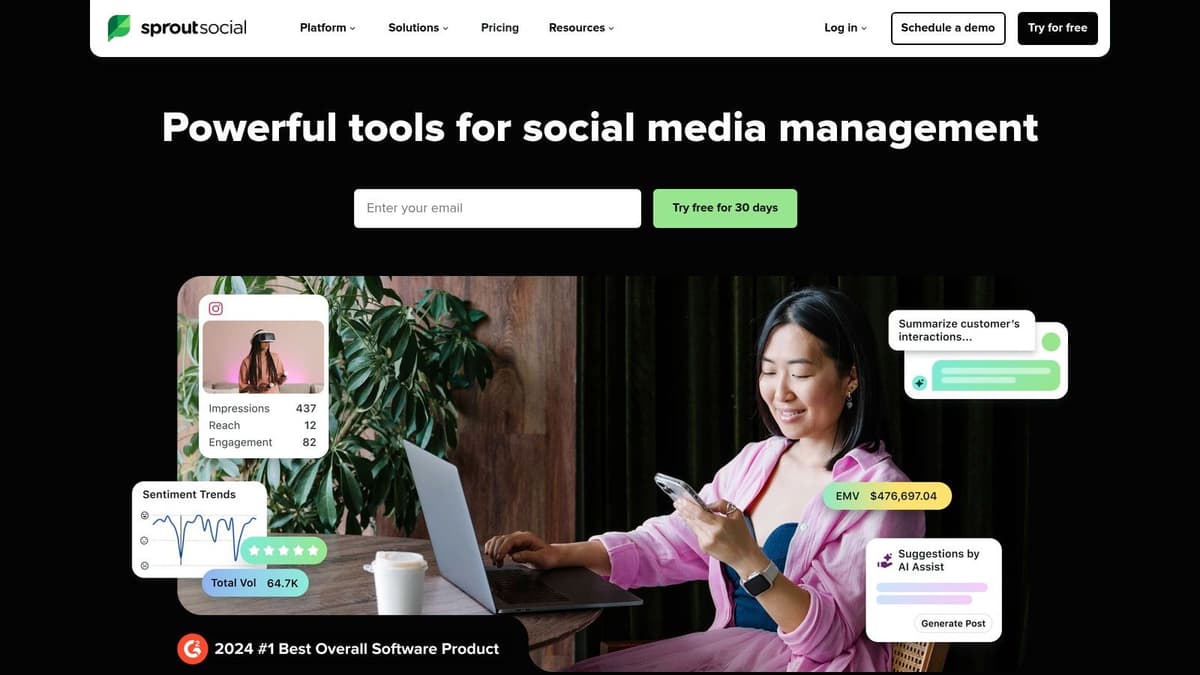
The platform excels with its unified Smart Inbox, which uses automation rules to tag, filter, and assign incoming messages, ensuring rapid and organized responses. For larger teams, its detailed reporting capabilities, including competitive analysis and paid social insights, provide invaluable data for strategic decisions. Sprout Social is one of the more advanced twitter automation tools available, ideal for organizations that need deep insights and seamless team workflows.
Key Details & Use Cases
- Best For: Medium-to-large businesses and agencies requiring in-depth analytics, team collaboration, and a unified social inbox.
- Standout Feature: The Smart Inbox with a rule builder that automates message routing and task assignment for efficient team engagement.
- Pricing: Plans start at $249/month per user, with a generous 30-day free trial available to explore the full feature set.
- Pro Tip: Use the "Optimal Send Times" feature to automatically schedule posts when your specific audience is most likely to be online, maximizing initial engagement without manual analysis.
Pros & Cons
| Pros | Cons |
|---|---|
| Robust reporting and team collaboration workflows. | Premium per-seat pricing can be expensive for smaller teams. |
| Integrates with paid social (X Ads) and CRM systems. | May be overly complex for solo creators or very small businesses. |
| Comprehensive 30-day free trial to evaluate features. | Focus is on broad social management, not just X-specific automation. |
Website: https://sproutsocial.com
10. SocialPilot
SocialPilot stands out as a highly cost-effective and scalable social media management platform, making it an excellent choice for agencies and small-to-medium-sized businesses (SMBs). It provides a robust suite of Twitter automation tools, including advanced publishing, a unified social inbox, and detailed analytics, but its primary advantage is its generous account limits. This allows teams to manage a large number of social profiles for multiple clients without incurring the steep costs often associated with competitor platforms.
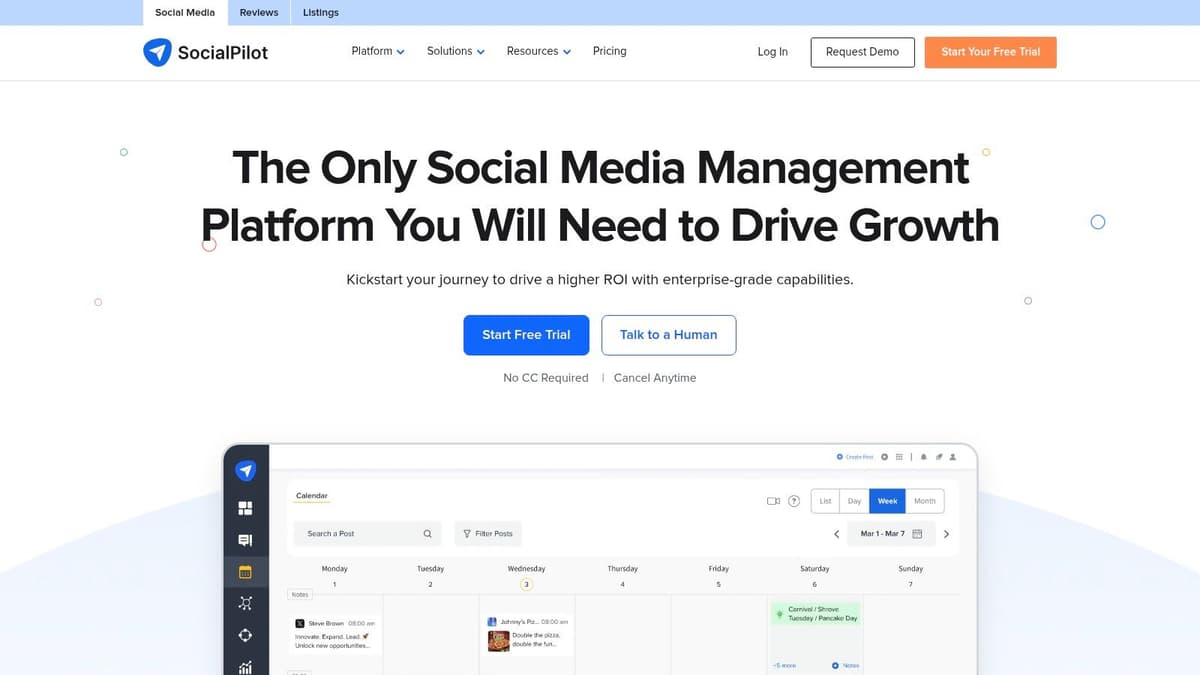
The platform is designed for efficiency at scale, offering features like bulk scheduling via CSV upload, which is a massive time-saver for content-heavy campaigns. Additionally, its client management and collaboration tools, such as post-approval workflows and white-label reporting, are built to streamline agency operations. With recent support for emerging platforms like Threads and Bluesky alongside X, it positions itself as a forward-thinking tool for multi-platform social media strategies.
Key Details & Use Cases
- Best For: Marketing agencies, SMBs, and social media managers handling a high volume of client accounts on a budget.
- Standout Feature: The combination of affordable pricing with high account and user limits, plus powerful client management workflows.
- Pricing: Plans start at $30/month (billed monthly) for 10 social accounts. A 14-day free trial is available.
- Pro Tip: Utilize the content calendar’s filtering options to view scheduled posts by specific accounts or groups. This is crucial for agencies managing multiple client calendars simultaneously and preventing content mix-ups.
Pros & Cons
| Pros | Cons |
|---|---|
| Competitive pricing for managing many social profiles. | The user interface is functional but less polished than rivals. |
| Easy to scale the number of accounts and team users. | Add-ons for extra accounts/users can increase costs as you grow. |
| 14-day free trial to test all features before committing. | Some advanced analytics features may feel less deep than competitors. |
Website: https://www.socialpilot.co
11. Publer
Publer stands out in the crowded social media management space with its highly flexible and affordable pricing model, making it an excellent choice for freelancers, small businesses, and agencies scaling their operations. It provides a robust suite of scheduling and automation features, including RSS feed integration to automatically share content from blogs, and post-recycling to repurpose evergreen content. Its straightforward interface simplifies bulk scheduling and content curation, making it a strong contender among comprehensive Twitter automation tools.

The platform’s strength is its per-account pricing, which allows users to pay only for the exact number of social profiles they need to manage without being forced into expensive, bundled tiers. This month-to-month flexibility is ideal for users whose needs change frequently. Publer also includes an AI assistant to help generate post ideas and variations, along with analytics on higher-tier plans to track performance. Its combination of granular control and automation makes it a versatile tool for managing a growing social media presence.
Key Details & Use Cases
- Best For: Solo creators and small businesses needing an affordable, scalable scheduler with powerful automation features.
- Standout Feature: The per-social-account pricing model offers exceptional flexibility and cost-effectiveness for users with a small number of accounts.
- Pricing: X (Twitter) integration starts with the Professional plan at $12/month per workspace. Free plan available but does not support X.
- Pro Tip: Use the "Recycle Posts" feature to create a library of your best-performing evergreen content. Publer will automatically re-share it at optimal intervals to maximize visibility and engagement.
Pros & Cons
| Pros | Cons |
|---|---|
| Very low starting price per social account. | X integration is not available on the free plan. |
| Clear per-account/per-member pricing and scalability. | Some advanced features are restricted to higher tiers. |
| Month-to-month flexibility without long-term commitments. | The interface can feel busy with all features enabled. |
Website: https://publer.io
12. Agorapulse
Agorapulse is a comprehensive social media management suite built for teams, offering robust publishing, reporting, and collaboration tools. While it supports multiple platforms, it stands out with a unique, granular approach to X (Twitter) management. Its strength lies in providing a powerful, unified inbox and detailed analytics that help businesses prove the ROI of their social media efforts, making it one of the more business-focused twitter automation tools available.

The platform is engineered for collaboration, with features like team workflows, content approval queues, and internal notes that streamline agency or marketing department operations. Instead of a one-size-fits-all plan, Agorapulse offers optional X add-ons (X Lite for publishing, X Plus for full inbox/reporting) on a per-profile basis. This "pay-for-what-you-need" model allows teams to scale their X capabilities without paying for unnecessary features on other profiles.
Key Details & Use Cases
- Best For: Marketing teams and agencies that need strong collaboration features, detailed ROI reporting, and a unified social inbox.
- Standout Feature: The optional per-profile X add-ons, allowing for flexible and cost-effective scaling of Twitter management capabilities.
- Pricing: Plans start with a per-user fee, and X functionality is added via X Lite or X Plus add-ons for each profile. A 30-day free trial is available.
- Pro Tip: Utilize the unified content calendar to plan and visualize your entire cross-platform strategy, ensuring your X content aligns with campaigns on other networks.
Pros & Cons
| Pros | Cons |
|---|---|
| Granular add-on pricing allows you to pay only for what you need. | Per-user pricing plus add-ons can become expensive for large teams. |
| Strong collaboration and reporting features designed for teams. | Advanced features may be overly complex for solo users or creators. |
| A generous 30-day free trial is available to test all features. | The primary focus is on team management, not individual automation. |
Website: https://www.agorapulse.com
Top 12 Twitter Automation Tools — Comparison
| Product | Core features (✨) | UX & Quality (★) | Value & Pricing (💰) | Target audience (👥) | Standout (🏆/✨) |
|---|---|---|---|---|---|
| MicroPoster 🏆 | Advanced text editor, AI enhancers, auto‑reformat, one‑click cross‑post | 4★ (readability & virality scores) | 💰 $9.99/mo Starter, free 7‑day trial, 14‑day refund | 👥 Creators, community leaders, small teams | 🏆 Microblogging‑first, write‑once publish‑everywhere, smart queues |
| X Pro (formerly TweetDeck) | Multi‑column dashboards, saved searches, composer & scheduling | 3.5★ real‑time official integration | 💰 Requires X Premium (paywalled) | 👥 Newsrooms, social teams, power users | ✨ Official X multi‑column real‑time monitoring |
| X Developer Platform (API) | v2 read/write endpoints, Ads API, app environments | 4★ (robust but technical) | 💰 Usage‑based / enterprise tiers (higher cost) | 👥 Developers, agencies, enterprises | ✨ Full control & scalable custom automations |
| Hypefury | Auto‑DMs, evergreen queues, thread tools, cross‑posting | 4★ creator‑centric workflows | 💰 Tiered creator pricing (higher tiers for DM volume) | 👥 Individual creators, solopreneurs | ✨ Deep X growth automations & monetization tools |
| Tweet Hunter | 2M+ tweet library, AI writer, CRM, evergreen reposting | 4★ strong discovery & AI | 💰 Tiered; premium plans for AI/CRM features | 👥 Growth‑focused creators, marketers | ✨ Huge viral tweet library + growth playbooks |
| Typefully | Thread composer, natural scheduling, calendar, API keys | 4★ clean UI for writers | 💰 Moderate pricing; multi‑network support | 👥 Thread writers, creators wanting clarity | ✨ Minimalist thread editor & natural‑lang scheduling |
| Buffer | Multi‑network queueing, best‑time posting, analytics | 4★ simple & reliable | 💰 Predictable pricing, 14‑day trial | 👥 Small teams, creators, agencies | ✨ Easy onboarding + straightforward analytics |
| Hootsuite | Scheduling, unified inbox, listening, AI assist | 3.5★ enterprise‑grade | 💰 Higher cost as you scale users/profiles | 👥 Businesses, enterprise social teams | ✨ Mature governance, listening & reporting |
| Sprout Social | Publishing, inbox automation, advanced reporting | 4★ robust reporting & collaboration | 💰 Premium per‑seat pricing (enterprise) | 👥 Enterprises, agencies, teams | ✨ Deep analytics + paid social insights |
| SocialPilot | Bulk scheduling, client workflows, white‑label reports | 3.5★ cost‑effective | 💰 Competitive for many profiles; 14‑day trial | 👥 SMBs, agencies managing multiple clients | ✨ Scales affordably with generous account limits |
| Publer | RSS automation, recycling, bulk uploads, API | 3.5★ flexible & affordable | 💰 Very low starting price per account; month‑to‑month | 👥 Cost‑conscious users, small teams | ✨ Per‑account pricing & evergreen/RSS automation |
| Agorapulse | Unlimited scheduling, team workflows, ROI tracking | 3.5★ team‑oriented | 💰 Per‑user + optional X add‑ons (can add cost) | 👥 Agencies, medium‑large teams | ✨ Granular X add‑ons, strong collaboration & approvals |
Making Your Final Choice: Which Automation Tool Is Right for You?
We've explored a comprehensive landscape of the best Twitter automation tools available today, from enterprise-level powerhouses to specialized creator-centric platforms. The sheer variety can feel overwhelming, but the right choice becomes clear when you align a tool's core strengths with your specific needs, budget, and strategic goals. The journey to effective automation isn't about finding a single "best" tool; it's about finding the best tool for you.
Recapping our journey, we saw how platforms like Sprout Social and Hootsuite excel in providing all-in-one solutions for large teams and agencies. Their strengths lie in deep analytics, sophisticated team collaboration features, and unified social inboxes, making them ideal for managing complex, multi-platform strategies where X is one piece of a much larger puzzle. They are the command centers for established marketing departments that require robust reporting and workflow management.
On the other end of the spectrum, we have hyper-focused growth tools like Hypefury and Tweet Hunter. These platforms are built from the ground up for the ambitious solo creator or small business whose primary goal is rapid audience growth and monetization directly on X. Their features, like AI-powered content inspiration, automated engagement, and viral thread builders, are laser-targeted for mastering the X algorithm.
Finding Your Perfect Fit: A Needs-Based Approach
To cut through the noise, let's distill the decision-making process into a few key questions. Answering these honestly will guide you directly to the most suitable category of twitter automation tools.
- What is my primary goal on X? Are you focused on brand monitoring and customer service (consider Agorapulse, Sprout Social), or is your main objective rapid audience growth and content virality (look at Hypefury, Tweet Hunter)? Defining your "why" is the most critical first step.
- Who is on my team? If you're a solo operator, a streamlined interface is key. If you manage a team, you'll need tools with granular user permissions, approval workflows, and collaborative calendars, which are hallmarks of platforms like SocialPilot or Buffer's team plans.
- What is my budget? Your budget will naturally segment the options. Free tools like X Pro offer basic scheduling, while premium enterprise solutions can run into thousands per year. Be realistic about your return on investment and start with a tool that fits comfortably within your financial plan.
- How important is multi-platform, text-first microblogging? This is a crucial, modern consideration. If your strategy involves building a cohesive presence not just on X but also on emerging platforms like Bluesky and Mastodon, your choice narrows significantly. This is where a tool like MicroPoster truly shines, offering a specialized solution for a cross-platform, text-centric strategy.
The Microblogger's Choice: Authenticity Meets Automation
For creators, thought leaders, and small businesses dedicated to building authentic communities through the power of words, the choice of a twitter automation tool carries extra weight. Your focus isn't just on scheduling posts; it's on crafting compelling narratives, engaging in meaningful conversations, and establishing a consistent voice across multiple platforms.
This is the specific challenge that MicroPoster was designed to solve. While other tools either generalize for all social media or focus exclusively on X growth hacks, MicroPoster prioritizes the writer's experience and the strategic need for cross-platform consistency. Its advanced editor, AI-assisted writing tools, and seamless publishing to X, Bluesky, and Mastodon empower you to focus on what you do best: creating high-value content. It strikes a unique balance, providing powerful automation without sacrificing the authenticity that builds a loyal following.
Ultimately, the best tool is an extension of your workflow, not a disruption to it. It should feel like a trusted partner, saving you time on repetitive tasks so you can invest more energy into creative and strategic work. We strongly encourage you to leverage the free trials offered by these platforms. Test the user interface, connect your accounts, and schedule a few posts. Hands-on experience is the only way to know for sure which tool will truly empower your social media success.
Ready to elevate your microblogging strategy with a tool built for writers? MicroPoster provides a focused, clutter-free environment to craft and automate your content across X, Bluesky, and Mastodon. Start your free trial of MicroPoster today and experience the power of authentic, multi-platform automation.


