schedule a twitter post
How to Schedule a Twitter Post and Maximize Your Reach in 2026
Learn how to schedule a Twitter post to save time and boost engagement. Our guide covers native tools and advanced schedulers like MicroPoster for real growth.
So, you want to schedule a Twitter post? Smart move. You’ve basically got two paths you can take: the free, built-in scheduler on X, or a more powerful third-party tool like MicroPoster that can truly automate your growth.
This guide will show you how to master both. We’ll go beyond just clicking a button and show you how to turn scheduling into the engine that drives your entire content strategy, with MicroPoster as your secret weapon.
Why Scheduling Twitter Posts Is a Non-Negotiable Strategy
Let's be real: the world of X (what we all still call Twitter) moves at a dizzying pace. If you're just posting whenever you feel like it, your ideas are getting buried almost instantly. That’s exactly why scheduling isn't just a time-saver—it's the foundation of any serious growth plan.
When you plan and schedule your content, you’re telling the algorithm you're a consistent, reliable voice. This isn't about being robotic or "setting and forgetting." It's about buying back your time so you can focus on genuine engagement while your content machine works for you in the background. It's the difference between yelling into a hurricane and speaking directly to your audience when they're actually listening.
The Challenge of Real-Time Engagement
The lifespan of a tweet is painfully short. Most of your engagement will happen within the first 15 to 30 minutes. With nearly 9,600 tweets flying out every second, you’re competing with a firehose of information. This brutal reality means posting often and consistently is the only way to stay visible.
This is where a tool like MicroPoster becomes a game-changer for founders, creators, and anyone juggling a dozen other tasks. It helps you build a system that maintains a constant presence, keeping you top-of-mind without keeping you tied to your keyboard 24/7.
Scheduling isn't about faking authenticity. It’s about being more strategic with your time. It frees you to focus on the human part of social media—the conversations, the DMs, the community building—while your scheduled content keeps the momentum going. MicroPoster is designed for exactly this.
Choosing Your Scheduling Path
When you're ready to schedule a Twitter post, you'll choose between two main options:
- Native X Scheduling: This is the free, no-frills tool built right into the X website. It's perfect for scheduling a single post here and there, but it hits a wall quickly. You can't schedule threads or get any meaningful data back.
- Third-Party Schedulers: This is where you level up. A dedicated tool like MicroPoster is built for serious strategy. You can schedule complex threads, analyze what’s working, and even repurpose your best content automatically. It turns a manual task into a scalable growth system.
Scheduling Methods at a Glance
To help you decide which path is right for you, here’s a quick rundown of what you get with each approach. Notice how quickly the native tool's limitations become a bottleneck for growth.
| Feature | Native X Scheduling | Advanced Scheduler (e.g., MicroPoster) |
|---|---|---|
| Cost | Free | Paid Subscription |
| Post Types | Single Tweets Only | Single Tweets & Full Threads |
| Ease of Use | Very Simple | Simple, with more features to learn |
| Analytics | None | In-depth performance data & insights |
| Content Repurposing | Manual | Automated "Evergreen" Posting |
| Cross-Platform | X/Twitter Only | Post to multiple platforms at once |
Ultimately, native scheduling is fine for getting your feet wet, but a dedicated tool like MicroPoster is where you start seeing real, measurable results.
Choosing the right tool is a strategic decision. After all, the time and effort you put into content should pay off. Knowing how to measure marketing performance helps connect your scheduling efforts to actual business growth. You're not just saving time; you're investing in a system that works for you.
Using the Built-In X Post Scheduler
Before you even think about paying for a powerful automation tool, it’s smart to get a feel for what X (formerly Twitter) gives you for free. Learning to schedule a post right on the platform is simple, and honestly, it’s a great place to start if you’re new to planning your content.
For the occasional post, it gets the job done.
When you're on the X website and have your post ready in the composer, just look past the big "Post" button. You’ll spot a small calendar icon at the bottom. That little icon is your entry point to the native scheduler.
Clicking it pulls up a straightforward calendar. From there, you just pick the exact date and time you want your post to go live, hit “Confirm,” and you're set.
Want to see what you've got lined up? You can find all your scheduled posts by clicking the "Post" button, then looking for the “Unsent Posts” section. Inside, you'll find a “Scheduled” tab where you can make edits or delete anything you've planned.
Getting Started with Native Scheduling
So, how do you schedule your first post? It’s pretty quick:
- First, open the composer by hitting the blue “Post” button on the left-hand menu.
- Next, write your post. Add your text, any images or GIFs, and your hashtags.
- Look for that calendar icon at the bottom of the composer box and give it a click.
- Choose the specific date and time for your post to be published.
- Finally, click “Confirm,” and then hit the “Schedule” button to lock it in.
This works perfectly for one-off announcements or simple updates. But the moment you try to build a real, consistent content strategy, you’ll start to feel the friction. For serious creators, this is where the headaches begin.
The biggest weakness of the native scheduler is its sheer simplicity. It was clearly designed for basic, single-post scheduling—not for building the kind of robust content pipeline that actually drives growth.
Where the Built-In Scheduler Falls Short
The native tool’s cracks start to show as soon as your ambitions grow. For starters, you can't schedule threads. If you have a longer story to tell or a detailed breakdown to share, you’re stuck scheduling each part individually. It’s slow, clunky, and a recipe for mistakes. This alone is a huge roadblock for anyone trying to create valuable, long-form content.
Beyond that, it offers zero analytics to help you make better decisions. Are you even posting at the right time? Which of your scheduled posts performed best? The platform gives you no clues, leaving you to guess and hope for the best.
You also can’t easily repurpose or recycle your best-performing content, which is a massive missed opportunity for engagement. These are the exact pain points that lead creators to specialized tools like MicroPoster. Tools like ours are built from the ground up to solve these problems, turning scheduling from a simple chore into a powerful strategic advantage.
Build a Content Machine with a Third-Party Scheduler
Let’s be honest. Using the native X scheduler is fine if you're just dipping your toes in the water. But if you're serious about growing your audience, it feels a bit like trying to run a marathon in flip-flops. It gets the job done for a short sprint, but it’s just not built for the long haul.
This is where a dedicated, third-party scheduler like MicroPoster completely changes the game. It takes you from manually posting content to building an automated engine that works for you around the clock. For founders, creators, and anyone trying to scale their presence, this isn't just a nice-to-have tool; it's a core part of your strategy. MicroPoster is engineered to solve the exact frustrations you feel with the basic tools, turning those limitations into genuine growth opportunities.
This diagram shows the basic flow of scheduling a post, from writing it to getting it in the queue.
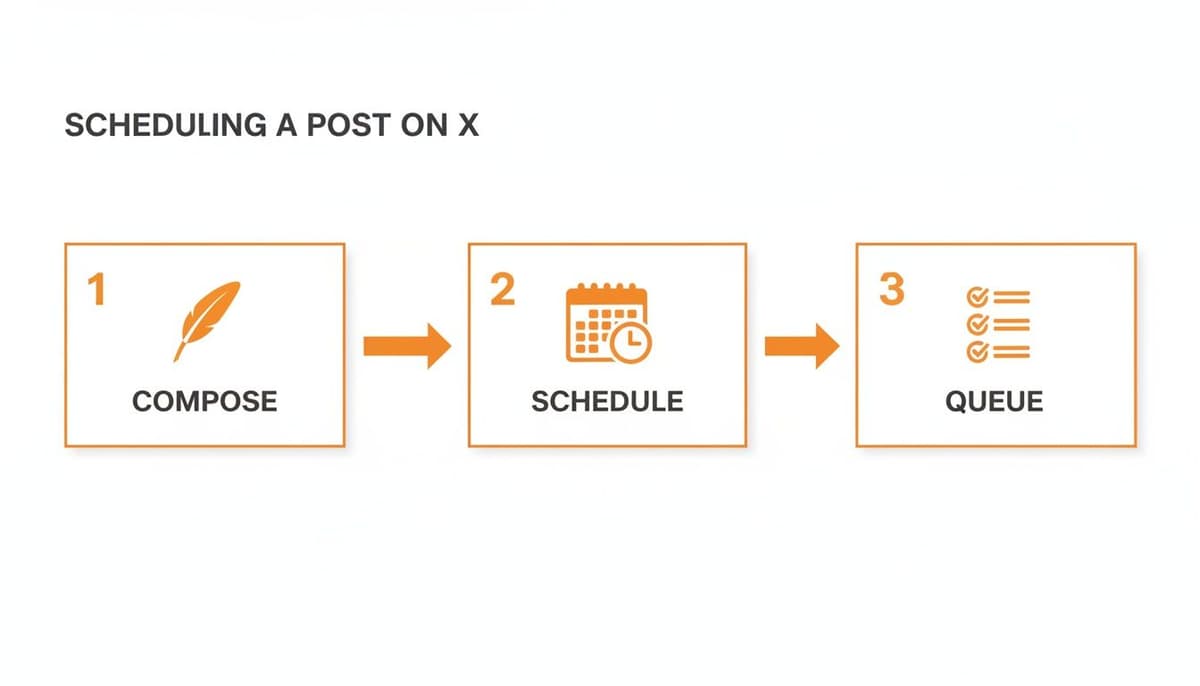
While the process looks simple, a powerful tool adds incredible depth and speed to every step.
Go Beyond Basic Scheduling
Getting set up with a tool like MicroPoster is dead simple. You just connect your social accounts through the official, secure process—no handing over passwords—and you're immediately looking at a command center built for strategy.
Instead of that clunky, text-only list of scheduled posts you get on X, you’re greeted with a visual content calendar. Suddenly, you can see your entire month at a glance, drag and drop posts to different time slots, and immediately see where the gaps are. Your mindset shifts from "What do I need to post right now?" to "What's the narrative I'm building this month?"
The real magic happens when you start creating content. We've all been there: you have a fantastic, long-form idea, but the thought of manually chopping it up into a thread in the native scheduler is just painful.
This is where a feature like intelligent thread-splitting in MicroPoster is a lifesaver. You can paste an entire article or a long stream of consciousness, and the tool instantly carves it up into a perfectly numbered thread. It’s ready to schedule in seconds.
Automate Your Content Distribution
The ultimate goal isn't just to schedule a Twitter post. It's to squeeze every drop of value out of each idea you create. A proper scheduling platform becomes your distribution hub.
- Write Once, Post Everywhere: Draft your content a single time and let the system do the heavy lifting. With MicroPoster, you can have it automatically published across Threads, Bluesky, and Mastodon.
- Intelligent Adaptation: The best tools are smart enough to tailor your content for each platform. They’ll automatically resize your images, handle user mentions correctly, and make sure your links generate those nice-looking preview cards.
- AI-Powered Assistance: Hitting a creative wall? Many schedulers now have built-in AI that can help you tweak your tone, flesh out a simple idea into a full-blown thread, or rephrase a post for a different audience. MicroPoster’s AI is designed specifically for this.
Imagine you're launching a new product feature. You write one killer announcement. The system can take that one piece of content and:
- Schedule it as a detailed, multi-part thread on X.
- Post a slightly rephrased, more conversational version on Threads.
- Share a punchy, concise update on Bluesky.
That’s what a content machine is all about. You get to focus on having great ideas, and the system handles the tedious, repetitive work of getting them out there. If you want to dive deeper, it's worth exploring the different types of social media scheduling software available and seeing how they can slot into a founder's workflow. It’s all about creating a system that gives your best content the longest life and the widest reach possible.
Find Your Audience’s Golden Hours for Posting
To really nail your Twitter post schedule, you have to stop guessing. Hitting "schedule" at a random time is like launching a product without knowing your customer—a total shot in the dark. The real goal is to pinpoint your audience's "golden hours," those specific windows when they're most active, scrolling, and ready to engage.
Forget the generic advice. "Post on Tuesday at 9 AM" is practically useless. Your audience of developers might be deep in code at that hour, while an audience of marketers could be right in their prime social media catch-up window. The only way to truly know what works is to look at your own data.
This is where X Analytics becomes your secret weapon. Dive into your post analytics and see which ones pulled in the most impressions and engagement. Start looking for patterns. Do your weekend posts take off? What about those late-night thoughts you shared? This is the raw data you'll use to build a smarter schedule.
Decoding Your Engagement Data
When you're sifting through your top-performing content, don't just glance at the numbers—look for the story they're telling. Is there a specific day or a three-hour window that consistently brings in higher impressions? That's your first clue.
But timing is just one piece of the puzzle. You also have to think about how often you post. The latest research shows that accounts posting between one and three times a day often see the most solid growth. The industry average is around 3.91 tweets per day. If you're a smaller account trying to gain traction, posting three to five times daily can work wonders. On the other hand, larger accounts might scale back to one or two high-impact posts to avoid fatiguing their followers. You can learn more about optimizing your posting frequency to see how this plays out for different account sizes.
This is exactly where a tool like MicroPoster becomes so powerful. It lets you batch-create an entire week of content and then automatically sends it out at those optimal times. You hit your frequency targets without being glued to your keyboard all day.
Structuring a Strategic Content Calendar
Once you have a working theory about your best times to post, it's time to build out a content calendar. The key is to strategically mix different types of content to keep your feed fresh and your audience interested. A healthy content diet prevents your profile from becoming a boring, one-note sales pitch.
A well-balanced calendar should include a mix of:
- Promotional Posts: Think announcements, feature updates, or links to your products. Keep them sharp, focused, and valuable.
- Community Engagement: Ask questions, run polls, and jump into conversations. This is how you build real relationships and show you're not a bot.
- Evergreen Content: Share timeless tips, interesting insights, and stories that stay relevant long after you post them.
Your schedule should be a living document, not a rigid set of rules. It needs to adapt as you learn more about what resonates with your audience. The goal isn't just to be consistent, but to be consistently effective.
This whole process—turning raw data into a smart, actionable schedule—is how you give every single post the best possible chance to make an impact. Even better, MicroPoster’s AI can analyze your performance for you and suggest the best times to post, completely taking the guesswork out of it. For a deeper dive, check out our guide on the best time to post on Twitter and start refining your strategy today.
Advanced Scheduling Tactics for Serious Growth
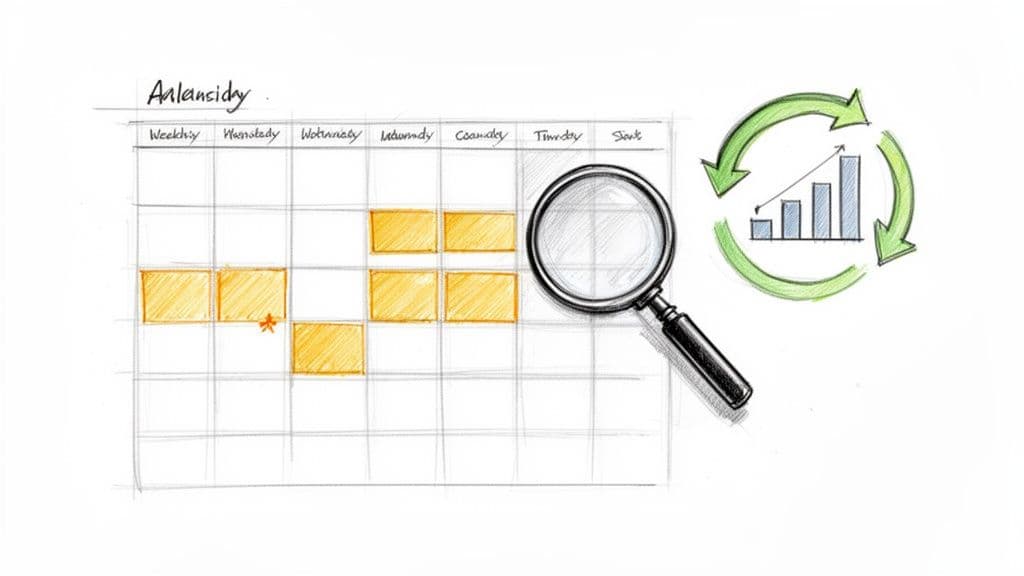
Alright, you’ve got the basics down. Your posts are going out consistently. But if you’re serious about growth, just "posting" isn't enough. It's time to move from simply filling a calendar to building a genuine growth engine.
This is where the real magic happens. We're talking about smart, repeatable systems that create community, amplify your best ideas, and buy back your time. These aren't complex theories; they're practical workflows that separate the pros from the amateurs. A powerful scheduler like MicroPoster is built specifically for this, turning these game-changing tactics into a simple, automated part of your strategy.
Master the Art of Content Batching
I can't stress this enough: content batching will change your life. Forget the daily panic of "What do I post today?" Instead, you carve out a single block of time—maybe an hour on Monday—to write and schedule everything for the week.
The difference is night and day. You get into a creative zone, which means your content for the week is more focused, cohesive, and on-point. But the real win? You free up your brain for the rest of the week to do what actually drives growth: jumping into conversations and engaging with people in real-time.
This is a breeze with a tool like MicroPoster. You can just open the visual calendar and fill it up with posts, threads, and even polls, all in one focused session.
Schedule Content to Nurture Your Communities
Your X Communities are a goldmine. These are your superfans, the people who are most invested in what you have to say. They deserve special treatment. Instead of just dropping in posts manually whenever you remember, you should be scheduling content specifically for them.
Think about sharing behind-the-scenes looks, asking for feedback on a new idea, or dropping exclusive content that isn’t available on your main timeline. Scheduling these posts keeps your Community buzzing with activity, making members feel like true insiders. MicroPoster lets you schedule directly to your X Communities, so you can keep these valuable hubs thriving without it becoming another chore.
Evergreen recycling is the ultimate "work smarter, not harder" strategy. You identify your highest-performing posts—the ones that truly resonated—and automatically re-schedule them to be shared again in the future.
Automate Your Best Ideas with Evergreen Recycling
Why does your best content have to die after 24 hours? It’s a waste. Inevitably, a few of your posts will knock it out of the park and get incredible engagement. These are your evergreen winners.
Instead of letting them get buried in your timeline, evergreen recycling automatically puts these proven posts back into your queue. This gives your all-time best content a chance to reach your new followers and find a completely different audience segment the second or third time around.
This is where a smart scheduler like MicroPoster becomes indispensable. It can spot your top posts and feed them into a recycling queue, intelligently filling any empty slots in your calendar. You schedule a Twitter post once, and it can keep working for you for months.
Got Questions About Scheduling on X? I've Got Answers.
Even after you've got a solid plan, a few questions always seem to pop up. Let's tackle some of the common hangups I hear from founders and creators who are just getting serious about automating their content on X (formerly Twitter).
Is It Really Better to Schedule Posts Instead of Posting Live?
I get this question all the time. For building a truly consistent presence, the answer is almost always yes, scheduling is better.
Of course, there's a time and place for live-tweeting an event or jumping on a breaking news story. But your daily, reliable presence? That's built on a scheduled content pipeline. It's the only way to guarantee you're showing up consistently and hitting those prime engagement windows you've worked so hard to find.
Here's how I look at it: scheduling automates the broadcasting so you can be present for the conversations. The real magic happens in the replies and DMs, and scheduling buys you the freedom to actually engage there. A tool like MicroPoster handles the distribution, so you can focus on connection.
Does the Algorithm Punish Scheduled Posts?
Let's bust this myth once and for all: No. The X algorithm does not penalize posts scheduled through its native feature or a reputable third-party app that uses the official API.
The algorithm rewards what your audience rewards: engagement and relevance.
A valuable, well-timed scheduled post will crush a low-effort live post every single time. Your energy should be spent on the quality of your ideas, not on whether you hit "Post" manually or let a tool like MicroPoster do it for you.
How Far Out Should I Plan and Schedule My Content?
For most people, scheduling content one to two weeks in advance is the sweet spot. This gives you a comfortable buffer, reduces the daily stress of "what do I post today?", and allows you to plan around big moments like product launches or holidays.
My most successful clients have one thing in common: they batch their content. They block out a few hours one day a week to write and plan everything. Using a visual calendar in MicroPoster, you can map out a whole month at a glance, strategically mixing your evergreen, promotional, and community posts. It’s a total game-changer for staying organized.
Can I Schedule a Thread on X?
Technically, yes, but using the native scheduler for threads is a nightmare. You have to schedule each individual tweet in the thread separately, manually setting the time for each one. It's clunky, slow, and one wrong click can post your entire thread out of order.
Honestly, this single limitation is why most serious creators move to a proper scheduling tool.
Platforms like MicroPoster were built to solve this exact problem. You just paste your entire text, and it automatically splits it into a perfectly formatted and numbered thread. What used to be a tedious, 15-minute task becomes a simple, 30-second process.
Ready to stop guessing and start building a real content machine? MicroPoster turns these advanced strategies into a simple, automated part of your workflow. Start your free 7-day trial and see how effortless growing your audience can be.