
nuelink alternative
10 Best Nuelink Alternative Tools for 2026
Searching for a Nuelink alternative? Compare 10 top social media tools like MicroPoster, Buffer, & Later for founders and creators. Find your perfect fit.

Your content engine is working, but the workflow around it probably isn't. You publish a post, then spend the next stretch of time resizing, rewriting, trimming, and manually reposting it across other platforms. Or you open your scheduler and realize it's built for a different job than the one you have.
That's why most searches for a Nuelink alternative are slightly off target. People say they want another scheduler, but what they usually need is a tool that matches how they publish. Some teams want automatic cross-posting from one source account. Some need a visual planner for short-form content. Others need approvals, reporting, and a shared inbox because social has become a team operation.
This category is also a lot bigger than it used to be. One of the best-known platforms in the space, Hootsuite, is listed as trusted by more than 18 million users on G2's Nuelink alternatives page. That matters because it shows social scheduling and publishing is no longer a niche creator utility. It's mainstream software, and the best tools now compete on workflow depth, not just the ability to queue a post.
If your current stack feels clunky, this guide will help you sort tools by job-to-be-done, not feature sprawl. If you're also redesigning how content moves through your business, this roundup of top AI tools for creative workflows is worth a look.
1. MicroPoster
You publish on X, close the tab, and then remember the same idea still needs to go to Threads, Bluesky, and Mastodon. That is the job MicroPoster is built for.
It belongs in a different bucket from traditional schedulers. If your workflow starts with a source post and the pain shows up in redistribution, MicroPoster makes more sense than a heavier queue manager. Nuelink also pushes hard on automation from outside sources like blogs, podcasts, and ecommerce feeds, so the useful comparison is less about channel count and more about operating model. Do you want a posting dashboard, or a system that watches one source and republishes from there? That distinction is clear in Nuelink's own comparison framing.
Why it works
MicroPoster keeps the writing process close to where it already happens. Post once on your source account, and the tool republishes to supported networks while adjusting for platform rules and format differences. Long posts can become threads. Visuals are resized for native uploads. Links are prepared so they fit the destination better instead of looking like raw syndication.
That matters in practice.
A lot of cross-posting tools save time but produce sloppy output, which creates a new cleanup step. MicroPoster avoids much of that problem by focusing on a narrow job-to-be-done and doing it well. If you are comparing source-based publishing against classic schedulers, this breakdown of a social media posting app workflow helps clarify the difference.
Practical rule: If your team already knows where content gets written first, keep that habit. Add automation to distribution only if it removes real manual work without forcing everyone into a new editor.
It also stays light where that helps. Setup is presented as quick, account connections use OAuth, and the product avoids trying to become a full social suite for teams that do not need one.
What to know before you choose it
MicroPoster fits creators, founders, small teams, and agencies that want set-and-forget cross-posting across X, Threads, Bluesky, and Mastodon. It is a weaker fit for teams centered on Instagram, LinkedIn, Pinterest, or shared community management.
The trade-offs are pretty clear:
- Best fit: Publish once from a source account, then republish natively across text-first networks.
- Useful extras: Visual calendar, rich-text editor, auto-hashtags, polls, X Communities support, manual reposting, and lightweight analytics.
- Important limitation: Background sync runs on an interval, and edited posts do not auto-sync, so updates may require a manual re-sync.
- Plan detail: Pricing is simple, but usage caps apply to cross-posts, reposts, and AI features.
That last point matters more than feature lists usually admit. This tool is strong because it stays focused. If you need approvals, a shared inbox, broader reporting, or multi-client collaboration, you will outgrow it faster than you would a larger social management platform.
If your main need is automatic cross-posting, though, MicroPoster is one of the clearest Nuelink alternatives in this list. It is built for distribution-first workflows, not general-purpose social operations.
2. Buffer
Buffer has been around long enough that it has been widely tested at some point, and that longevity shows in the product. It's clean, easy to onboard, and still one of the simplest ways to manage scheduling without turning social into an enterprise software project.
Where Buffer fits as a Nuelink alternative is straightforward. You choose it when you want a polished scheduler with decent analytics and broad network support, but you don't need the automation-first behavior that tools like MicroPoster lean into.
Where Buffer feels best
Buffer works well for creators, startups, and lean teams that publish across several networks and want a dependable queue. It supports major channels and some newer ones, which makes it a practical middle ground between lightweight publishing and broader social management.
For a lot of teams, that's enough. Not every workflow needs an advanced inbox, approvals system, or listening layer.
If you're comparing “post once, distribute cleanly” tools against broader schedulers, this guide to a social media posting app workflow is a useful companion to think through the difference.
The trade-off
The thing Buffer does well is clarity. The thing it doesn't do as well is deep workflow orchestration. If your publishing process depends on automatic content detection, source-based cross-posting, or heavily customized repurposing rules, Buffer can feel a bit manual.
- Choose Buffer if: You want a fast, reliable scheduler with a clean UI.
- Skip Buffer if: Your main pain is repetitive reposting from a source platform to other networks.
- Watch the pricing model: Per-channel pricing is easy to understand, but it can become less attractive as account counts climb.
You can explore it directly on the Buffer website.
3. Later

Later is for teams that think visually first. If your workflow starts with asset selection, layout planning, and campaign timing across Instagram, TikTok, and other visual platforms, Later usually feels more natural than a utility-style scheduler.
It's less about aggressive automation and more about structured planning. That makes it a better Nuelink alternative for brands and content teams than for text-heavy founders trying to automate republishing.
What it's really for
Later shines when content moves through a media library, approval path, and visual calendar before it goes live. The social-set model also makes sense for brands that manage one coordinated presence across several platforms and want cleaner organization.
That's not a minor distinction. A lot of social tools say they support visual planning, but Later feels built around it.
If your content starts as assets and campaigns, Later makes sense. If it starts as posts you write in real time and want mirrored elsewhere, it's the wrong shape of tool.
Where it falls short
Later becomes less attractive if you care more about automation than planning. You can absolutely schedule and organize content well here, but this isn't the tool I'd choose for creator-style cross-posting from a single source account.
It also tends to push stronger features upmarket. Teams that want the deeper analytics, listening, and benchmarking pieces usually end up considering higher tiers.
For visually led teams, though, it's still one of the better options in this space. Visit the Later website.
4. Loomly
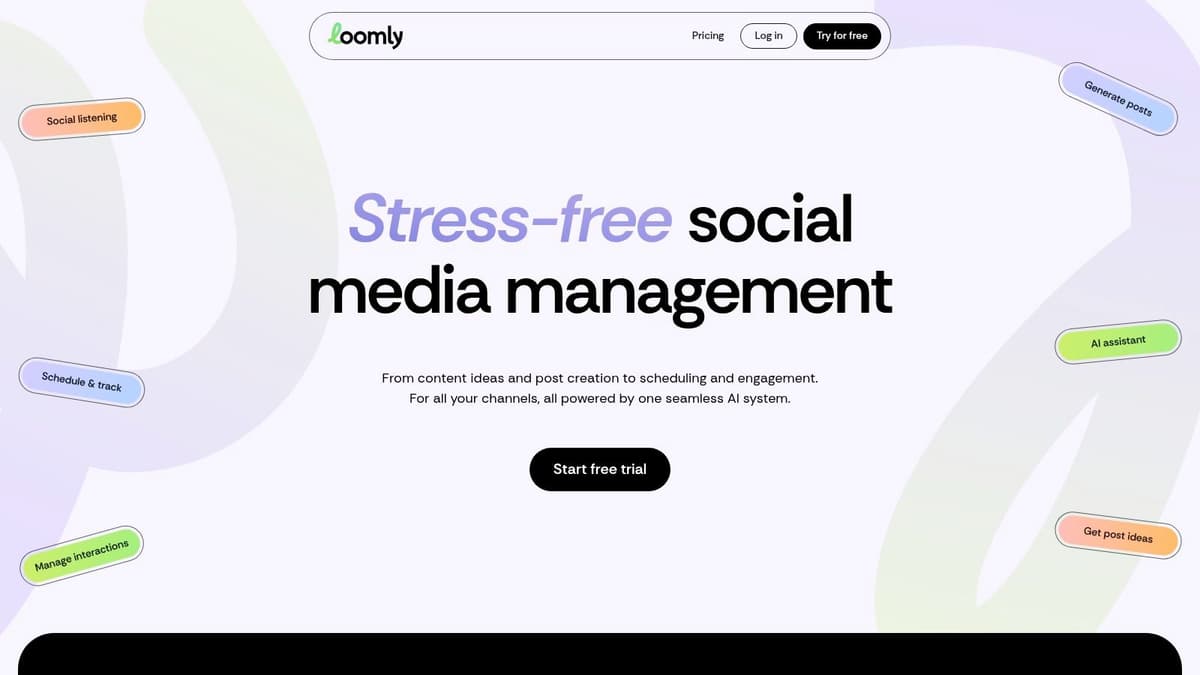
A common team problem looks like this: the post is written, the asset is ready, but nothing can publish until brand signs off, someone tweaks the copy, and a client wants one last review. That is the workflow Loomly is built for.
As a Nuelink alternative, Loomly sits on the approval and editorial side of the market, not the set-and-forget automation side. If your job-to-be-done is controlling how content gets reviewed and published across a team, Loomly makes more sense than a lighter cross-posting tool.
Best use case
Loomly works well for teams that treat social as a managed publishing operation. Roles are clearer, approvals are easier to follow, and the calendar is built for planned output rather than rapid-fire reposting from one source account.
That distinction matters.
Nuelink is easier to justify when the goal is automating distribution with minimal touchpoints. Loomly is easier to justify when missed approvals, messy handoffs, or client review cycles are what keep slowing the team down. It also sits at a higher starting price than lighter tools in this category, which matches the fact that you are paying for workflow control more than raw posting convenience.
What to expect in practice
The upside is structure. Teams with stakeholders usually get immediate value from approval paths, post visibility, and a clearer editorial process. The downside is complexity. Solo operators and founder-led brands often end up paying for process they do not need.
- Strong fit: Marketing teams, in-house brand teams, and agencies with approval chains or client reviews.
- Weak fit: Solo creators and small operators who mainly want quick cross-posting from one place.
- Watch for: Pricing can climb once you need more users or more formal workflow coverage, so check the upgrade path before committing.
If governance is the bottleneck, Loomly is a practical pick. If speed and automation are the bottleneck, it is the wrong shape of tool.
You can review plans and product details on the Loomly website.
5. Zoho Social
A common scenario. The team is already running sales in Zoho CRM, support in Zoho Desk, and now social needs to plug into the same operating system instead of living in a separate tab. That is where Zoho Social usually makes sense.
As a Nuelink alternative, Zoho Social is less about clever reposting workflows and more about keeping publishing, reporting, and customer context tied together. That distinction matters if your job-to-be-done is broader than set-and-forget distribution.
Where it fits best
Zoho Social works well for small businesses and service teams that need a balanced social tool without buying into a heavier agency platform. You get scheduling, monitoring, reporting, and team collaboration in one place, and its primary benefit emerges when those social activities connect back to the rest of the Zoho stack.
I usually put it in the "operational fit" bucket. If your workflow includes handing social leads to sales, checking customer records before replying, or keeping reporting close to the rest of the business, Zoho Social has a practical edge over narrower publishing tools.
The trade-off is focus.
Nuelink is better suited to operators who want lightweight automation from a source account with as little manual work as possible. Zoho Social is better suited to teams that treat social as one function inside a larger business system. It covers more ground, but it can feel like more tool than a solo founder needs.
When I'd choose it
I'd pick Zoho Social for an SMB or agency that wants one platform to handle day-to-day publishing and team visibility, especially if the business already uses Zoho elsewhere. I would skip it for creator-style workflows built around fast cross-posting, repost automation, or low-touch content distribution.
- Best for: SMBs, client service teams, and agencies that already run part of the business on Zoho.
- Less ideal for: Solo operators who mainly want quick automation and simple cross-posting.
- Watch for: The value improves a lot inside the Zoho ecosystem. Outside it, the product can feel more general-purpose than specialized.
You can review current plans and product details on the Zoho Social website.
6. Publer

Publer tends to appeal to practical operators. It doesn't try to sell a glamorous story. It gives you bulk scheduling, recycling, RSS support, and flexible account-based pricing, then gets out of the way.
That makes it one of the better Nuelink alternatives for people who want repeatable posting systems without stepping up into a large team suite.
Where Publer earns its place
Publer is especially handy when your content mix includes recurring updates, evergreen posts, and feed maintenance. The automation is useful in a grounded way. Not magical, but useful. You can build processes that keep channels active without manually touching every post.
That's different from “write once on one network and mirror it everywhere.” Publer is more scheduling system than native reposting engine.
The practical downside
Its modular pricing can be a plus or a nuisance depending on how stable your account count is. If you add and remove profiles often, or manage lots of client accounts that change over time, the math gets slightly harder to track than a simple flat plan.
Publer is the kind of tool that gets stronger the more disciplined your content system is. If you don't have recurring workflows, you won't get the best out of it.
Use Publer if you want bulk tools, evergreen mechanics, and affordable operational control. Skip it if your main goal is source-account cross-posting with native formatting adaptation. The official site is Publer.
7. SocialBee
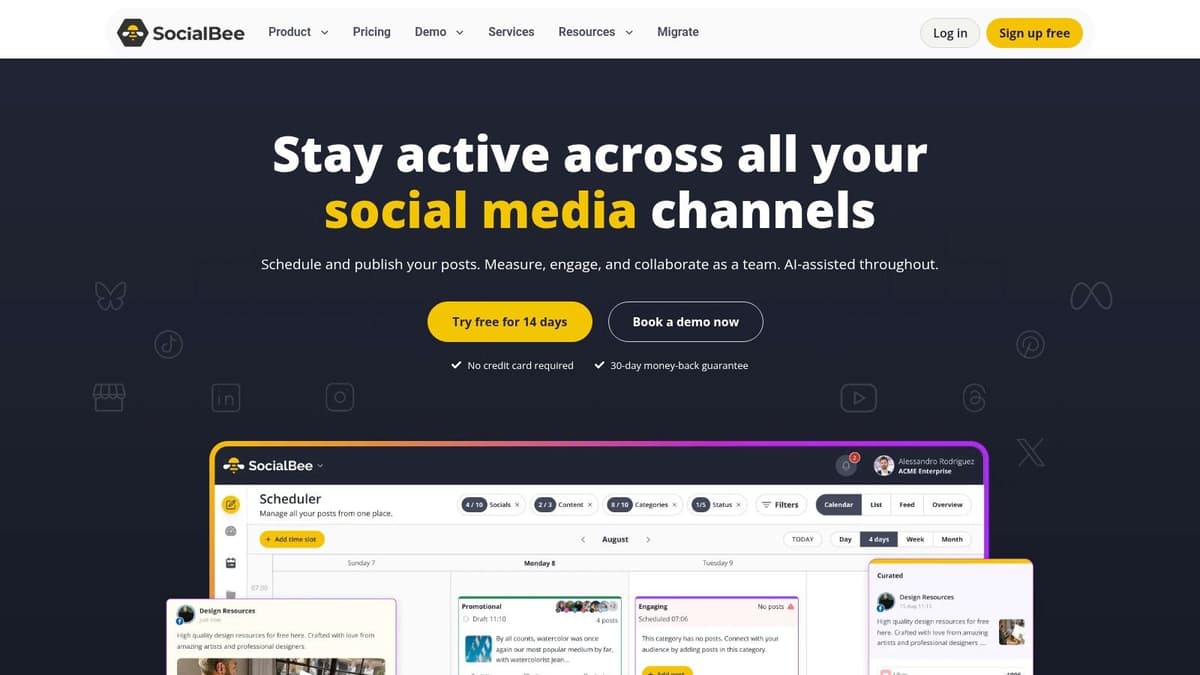
SocialBee is a good fit for people who want order. Coaches, solopreneurs, small agencies, and content-heavy businesses often like it because the category-based posting system makes the whole calendar feel less chaotic.
It's not the most advanced product in this list, and that's part of the appeal. It's opinionated in a helpful way.
Best for evergreen structure
If your workflow depends on rotating content categories, keeping a steady publishing cadence, and recycling proven material without rebuilding the queue every week, SocialBee can be a comfortable home. It gives you a cleaner content library workflow than many lightweight schedulers.
It differs from a more automation-first Nuelink alternative. SocialBee helps you organize and recirculate content. It doesn't primarily solve the “post on one platform, then redistribute natively to others” problem.
Where the ceiling shows
As soon as you need deeper listening, stronger monitoring, or more advanced team operations, SocialBee starts to show its SMB orientation. That doesn't make it weak. It just makes it narrower.
- Use it when: Consistency and evergreen order matter more than enterprise reporting.
- Avoid it when: You need a shared inbox and advanced monitoring as core workflow pieces.
- Budgeting is easier here: Flat plans with defined account and user limits are easier to forecast than heavily variable pricing models.
You can check it out on the SocialBee website.
8. Metricool
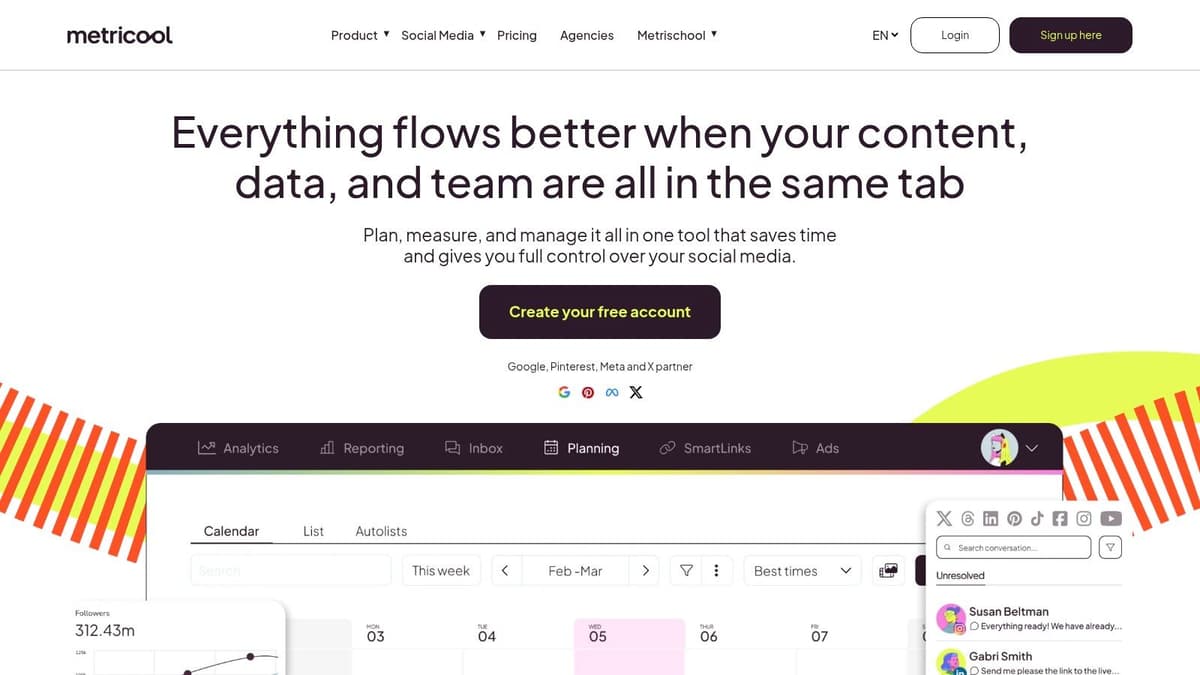
Metricool is the analytics-forward option in this group. If you care as much about reporting as publishing, it deserves a close look. Agencies especially tend to like it because it balances content planning with reporting and ad visibility in a way that feels useful, not bloated.
That makes it a smart Nuelink alternative when the question isn't “How do I automate posting?” but “How do I explain what social is doing across brands?”
Why reporting teams like it
Metricool handles planning and publishing well enough, but the reporting layer is what pushes it up the list. Multi-brand management, client-friendly reporting, and broader analytics make it more appealing to data-driven teams than creator-first tools.
This is often the right move when social matures from daily execution into accountable channel management.
Where it's less compelling
If you're a founder who just wants distribution to happen with less manual work, Metricool can feel like too much dashboard and not enough workflow compression. It's stronger as an analytics and operations platform than as a pure automation engine.
The fit is clear:
- Great fit: Agencies and teams that report across brands or clients.
- Less ideal: Solo operators whose biggest pain is repetitive multi-platform posting.
- Check plan details: Some reporting and connector features live higher up the stack.
You can evaluate it on the Metricool website.
9. Agorapulse

Agorapulse is for teams that have moved beyond posting and into operations. If people are assigning messages, managing approvals, handling inbox workflows, and reporting performance up the chain, Agorapulse starts to make a lot of sense.
It's not the cheapest route, and it's not trying to be. This is a professional team tool.
The real reason to buy it
The unified inbox is the anchor feature. Not because inboxes are exciting, but because once social becomes customer-facing or brand-sensitive, someone needs to route work, tag issues, assign responsibility, and make response handling less messy.
That's where lighter Nuelink alternatives usually stop short. They publish well enough, but they don't run the team.
For agencies and internal social teams, the moment you care about who handles what, pure scheduling tools stop being enough.
What to be careful about
Agorapulse pricing is typically tied to users, so costs can rise quickly as teams grow. That isn't automatically bad. It just means you should choose it because you need team workflow depth, not because you want a nicer scheduler.
Use it when governance, reporting, and inbox handling are central to the job. Pass on it when you mainly want efficient publishing and lightweight automation. The official site is Agorapulse.
10. Missinglettr
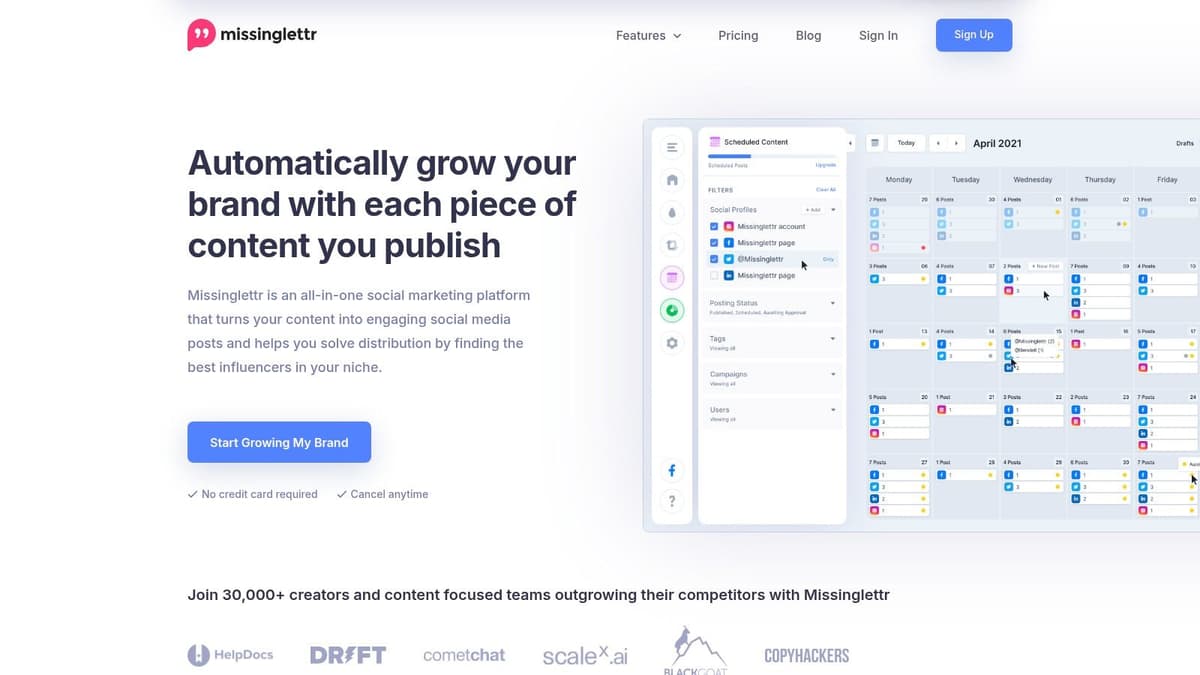
Missinglettr solves a narrower problem than most tools here, but if it's your problem, it can save a lot of effort. It's built for turning blog posts and long-form content into drip-style social campaigns that run over time.
That's why content marketers still keep it in the conversation. It isn't trying to be your all-purpose social command center.
Best for long-form amplification
If your business publishes articles, newsletters, videos, or educational content and you want those assets promoted over weeks or months, Missinglettr is a sensible Nuelink alternative. The automation starts from the content asset itself, not from a manually maintained social queue.
That makes it more relevant to publishers and content-led brands than to fast-moving creators posting live updates.
If your main evaluation point is cross-posting specifically, this guide to the best cross-posting tools helps separate drip-campaign products from native reposting tools.
Where it doesn't fit
Missinglettr isn't the strongest choice for daily community management, broad social reporting, or hands-on scheduling across many content types. It's better treated as a specialized amplifier than a complete replacement for every social workflow.
- Strong fit: Bloggers, content marketers, and brands with a steady long-form publishing cadence.
- Weak fit: Teams that need deep analytics, broad channel management, or live social operations.
- Good mindset: Use it to extend the life of content, not to manage your whole social department.
You can learn more on the Missinglettr website.
Top 10 Nuelink Alternatives Comparison
| Product | Core features | UX & Quality (★) | Pricing & Value (💰) | Target audience (👥) | Standout / Unique (✨🏆) |
|---|---|---|---|---|---|
| MicroPoster 🏆 | Native automated reposting to X/Threads/Bluesky/Mastodon; auto-threading, media resize, AI tone tools, visual calendar | ★★★★☆ Fast setup (~40s); background sync ~30m | 💰 Creator $12/mo · Pro $29/mo · Agency $89/mo; 7‑day trial, plan quotas | 👥 Founders, creators, small teams & indie agencies | ✨ Native-first mirroring, OAuth (no passwords), auto-split threads; write-once, grow-everywhere |
| Buffer | Scheduling across major + emerging networks; AI captions; basic analytics | ★★★★ Clean, fast UI; easy onboarding | 💰 Per-channel pricing; good value for simple scheduling | 👥 Solo creators, startups, small teams | ✨ Simple queue, developer-friendly API; Threads & Bluesky support |
| Later | Visual-first planner for IG/TikTok; media library, Best Time to Post | ★★★★ Excellent visual planning & media workflow | 💰 Tiered pricing; advanced features on Growth+/Scale | 👥 Visual brands, social-first creators, marketing teams | ✨ Drag-and-drop calendar, link-in-bio, strong visual previews |
| Loomly | Editorial calendar, approvals, roles/permissions, AI assistant | ★★★★ Strong collaboration & governance | 💰 Clear plan tiers; cost rises with scale | 👥 Teams needing structured review & approvals | ✨ Multi-step approval flows and content governance |
| Zoho Social | Broad channel support + Zoho CRM/Desk integrations; bulk scheduling | ★★★★ Good value with deep integrations | 💰 Free tier available; competitive SMB/agency pricing (regional variance) | 👥 SMBs, agencies, Zoho ecosystem users | ✨ Wide channel coverage + CRM integration |
| Publer | Bulk scheduling, evergreen recycling, RSS automations, link-in-bio | ★★★★ Practical automations; budget-friendly | 💰 Modular per-account pricing; scales as you add profiles | 👥 Growing creators & agencies that add many accounts | ✨ Per-account billing model, evergreen & RSS workflows |
| SocialBee | Category-based posting, recycling, workspaces & approvals | ★★★★ Reliable for repeatable distribution | 💰 Flat plans with clear account/user counts | 👥 Coaches, solopreneurs, small agencies | ✨ Content categories + automated recycling |
| Metricool | Analytics-forward planning, web & ads analytics, multi-brand reports | ★★★★ Strong reporting for the price | 💰 Good analytics-to-price trade-off; brand-based scaling | 👥 Data-driven creators, agencies, analysts | ✨ Robust reporting & Looker Studio connector |
| Agorapulse | Unified inbox, labels/assignments, SLA management, advanced reporting | ★★★★ Powerful team workflows; inbox depth | 💰 Per-user pricing (can be costly for large teams) | 👥 Professional teams & agencies managing high inbound volume | ✨ Unified inbox + SLA tools and branded reporting |
| Missinglettr | Auto-generated drip campaigns from blogs, RSS, YouTube; curate library | ★★★★ Time-saver for content amplification | 💰 Priced for content marketers; high automation value | 👥 Content marketers, bloggers, long-form creators | ✨ Auto-generated multi-month drip campaigns from long-form content |
How to Choose and Switch to Your New Tool
Monday morning is usually when a bad tool choice shows itself. Posts are queued, but approvals are stuck, analytics live somewhere else, and the team is working around the software instead of through it.
The better way to choose a Nuelink alternative is to match the tool to the job. This list covers very different jobs. Some tools are built for simple cross-posting. Others are built for content planning, client reporting, or inbox-heavy team workflows. If you buy based on a feature checklist alone, you usually end up paying for layers you never use, or missing the one workflow you needed.
The split is straightforward once you look at it through that lens. MicroPoster is for set-and-forget distribution across platforms where reposting speed matters more than deep collaboration. Buffer and Publer suit teams that want clean scheduling, light automation, and minimal overhead. Later and Loomly make more sense when calendar visibility and approvals matter every week. Zoho Social, Metricool, and Agorapulse fit teams that treat social as an operational function with reporting, service, or client management attached. Missinglettr serves a different job entirely. It turns long-form content into a promotion sequence that keeps running after publication.
Price only matters after that. A cheaper tool becomes expensive when someone has to manually rebuild posts, check formatting on every channel, or patch together reports at the end of the month. A more expensive platform is still the wrong buy if your team never touches approvals, inbox assignment, or branded reporting.
A switch goes better when you keep the first week narrow.
Start with the channels you actively publish to. Rebuild the posting queues, approval rules, and automations you rely on. Then run a small live test with real posts and check the things that usually break first: media crops, tagging, post timing, attribution, and duplicate automations.
The shortlist usually comes down to this:
- Choose MicroPoster: If the core job is pushing the same content across X, Threads, Bluesky, and Mastodon with as little manual work as possible. You can check the product at https://microposter.so.
- Choose Buffer or Publer: If you want dependable scheduling, a cleaner publishing process, and enough automation to save time without adding complexity.
- Choose Later or Loomly: If your team needs a clearer planning system with review steps before posts go out.
- Choose Zoho Social, Metricool, or Agorapulse: If reporting, collaboration, client workflows, or inbox management are part of the day-to-day job.
- Choose Missinglettr: If blog posts, newsletters, or videos are the starting point and your goal is to keep distribution running over time.
One more practical point. Export your media library, saved captions, drafts, and evergreen content before shutting anything off. Then disable old automations carefully. The fastest way to lose confidence in a new setup is double-posting, and that mistake is usually caused by a rushed handoff.
If you want a second opinion on replacing a content workflow tool with something more focused, this breakdown of an Outrank alternative is a useful parallel.


