
api for social media
Mastering api for social media: The Ultimate Guide to Automation
Unlock how api for social media can streamline workflows, boost analytics, and automate marketing tasks.

At its most basic, a social media API is a set of programming rules that lets software applications talk to each other. It’s the behind-the-scenes connection that allows a tool you're using to programmatically post content, pull analytics, or manage user interactions on a platform like X or Threads, all without you having to log in to the website manually.
This bridge between applications is what makes powerful automation and integration possible, opening up a world of efficiency for developers, marketers, and creators.
Understanding The API for Social Media
Think of a social media API (Application Programming Interface) as a go-between. It takes a request from your app, delivers it to the social media platform, and then brings the platform's response back. It’s a lot like ordering food at a restaurant: you tell the waiter (the API) what you want from the kitchen (the platform), and the waiter handles the communication and brings your order back to you.
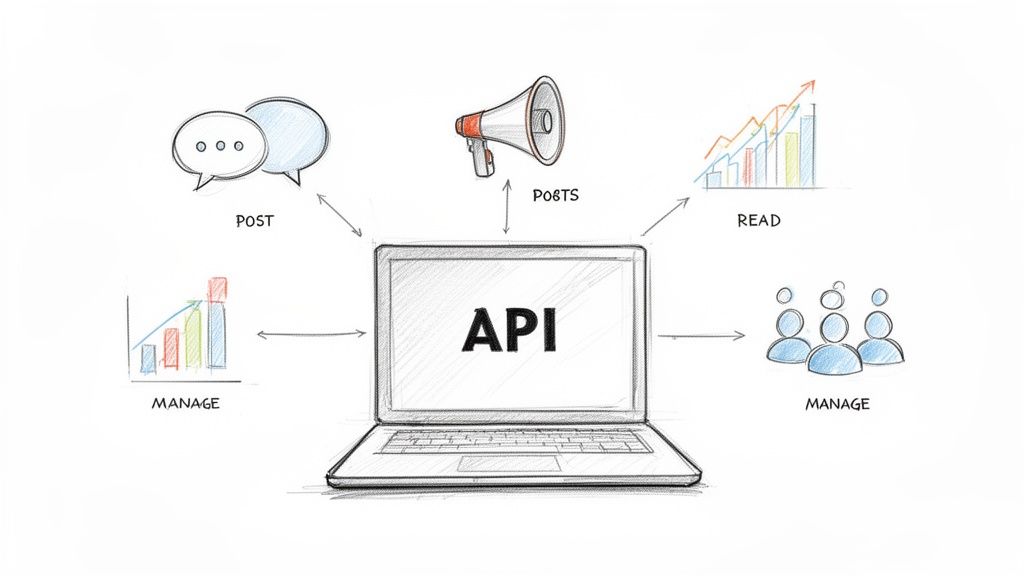
This structured access allows developers to build tools that go far beyond the standard user interface. With an API, you can automate tedious tasks, analyze social trends as they happen, and create entirely new user experiences.
Primary Use Cases for Social Media APIs
So, why is direct API access so important? It's the engine that powers a huge range of applications designed to manage social media at scale. The benefits usually fall into a few key areas.
- Content Automation and Scheduling: This is probably the most familiar use case. It allows tools to publish posts, images, and videos at scheduled times across different social accounts.
- Social Listening and Data Analysis: APIs are perfect for fetching public data like mentions and keyword usage. This enables brands to monitor public sentiment, track campaign performance, and spot emerging trends.
- Integrated Dashboards: Instead of juggling multiple browser tabs, companies can use APIs to pull data from all their social channels into one unified dashboard for clear, comprehensive reporting.
- Community Management: Imagine managing replies and moderating comments automatically. APIs make it possible for apps to handle these interactions programmatically, freeing up a massive amount of time for community managers.
It’s important to note that APIs provide official, sanctioned access to a platform's data. This differs from other methods like social media scraping, which operates under a different set of rules and limitations.
Throughout this guide, we'll dig into the specific rules for each platform's API, which is absolutely critical for building a reliable tool. To get a broader look at the strategic value of these tools, check out our complete guide to the https://microposter.so/blog/social-media-api.
Comparing Social Media API Capabilities
Picking the right platform is the first step in any automation project, and that decision often hinges on what each api for social media actually lets you do. The landscape is a mixed bag, with every platform offering its own blend of access, features, and overall developer experience. Getting a handle on these high-level differences is key before you dive deep into any single integration.
For developers, the big questions are always about accessibility (how tough is it to get a key?), core functions (what can I realistically build?), and the platform's general philosophy. A closed, commercially-focused API like X's brings a completely different set of challenges and opportunities than the open, decentralized worlds of Bluesky and Mastodon.
High-Level API Differences
When you put these APIs side-by-side, some clear patterns show up. X offers a powerful, feature-rich API, but it comes with a hefty price tag aimed at enterprise users. On the flip side, Bluesky and Mastodon are built on open protocols, giving developers a lot more freedom but also demanding a different kind of development mindset.
X (Twitter) API: This is a tiered, paid system. The free tier is barely usable for anything serious, with paid plans kicking off at $100/month for basic access and quickly running into the thousands for high-volume use. It uses both OAuth 2.0 and 1.0a, offering solid endpoints for posting, reading, and analytics, but you're definitely paying for the privilege.
Bluesky API: Built on the open AT Protocol, this one is much easier to get into. Authentication works through App Passwords, which makes setup a breeze but means you're responsible for storing them securely. It’s fantastic for basic posting and reading, though it's still a work in progress when it comes to more advanced features.
Mastodon API: Being a federated platform, its API is open and uses standard OAuth 2.0. The main catch here is that you have to register your app on a specific Mastodon instance. That instance's administrator sets the rate limits, so your experience can vary.
Threads API (Anticipated): While we're still waiting on the full release, it's safe to assume the Threads API will follow Meta's usual playbook. Expect a structured process requiring app registration and a thorough approval, much like you see with Facebook and Instagram. It will almost certainly use OAuth 2.0 and plug into the ActivityPub protocol, mixing a corporate framework with decentralized possibilities.
Feature Comparison of Microblogging APIs
To really see the differences at a glance, a direct comparison is helpful. Each API has its own strengths and limitations, which directly impact what you can build and how easily you can build it.
| Feature | X API | Bluesky API | Mastodon API | Threads API (Expected) |
|---|---|---|---|---|
| Access Model | Paid, tiered plans | Free, open access | Free, instance-based | Likely free with review |
| Primary Auth | OAuth 2.0 & 1.0a | App Passwords | OAuth 2.0 | OAuth 2.0 |
| Protocol | Proprietary | AT Protocol (Open) | ActivityPub (Open) | ActivityPub (Open) |
| Cost to Start | $100/month+ | Free | Free | Free |
| Rate Limits | Strict, tied to plan | Generous, evolving | Varies by instance | Strict, app-based |
| Developer Onboarding | Formal, requires payment | Simple, self-service | Simple, per instance | Formal, requires review |
This table underscores the fundamental trade-offs: X offers enterprise-grade power for a premium price, while Bluesky and Mastodon provide open, cost-free access with more variability and developer responsibility. The upcoming Threads API looks to strike a balance between the two.
Making an Informed Decision
Ultimately, your choice comes down to your goals. If you're running large-scale data analysis and have the budget, the X API is still a formidable tool. For community-driven tools, personal projects, or bots, the open nature of Bluesky and Mastodon is a much better starting point. It's also worth noting how tools for AI social media scheduling are evolving to make automation smarter across all these platforms.
As the Threads API comes online, it will likely carve out a middle ground, offering Meta's massive audience with a more modern, interoperable framework. That makes it a platform you'll want to keep a close eye on for future projects.
A Technical Guide to the X and Bluesky APIs
When you get your hands dirty with social media APIs, you quickly discover that no two are alike. The technical differences between a legacy giant like X and a decentralized upstart like Bluesky are massive, shaping everything from how you get a key to how you post a simple message. Getting a handle on these details is the first step to building anything that works reliably.
At its core, the X API (v2) is a mature, commercial product with a clear, if pricey, path to entry. On the flip side, the Bluesky API, built on the open AT Protocol, gives developers a much more direct and accessible route, which totally fits its decentralized ethos. These two philosophies lead to completely different experiences when you start coding.
This chart breaks down the fundamental differences in how you access the APIs, how you authenticate, and what the core functions look like.
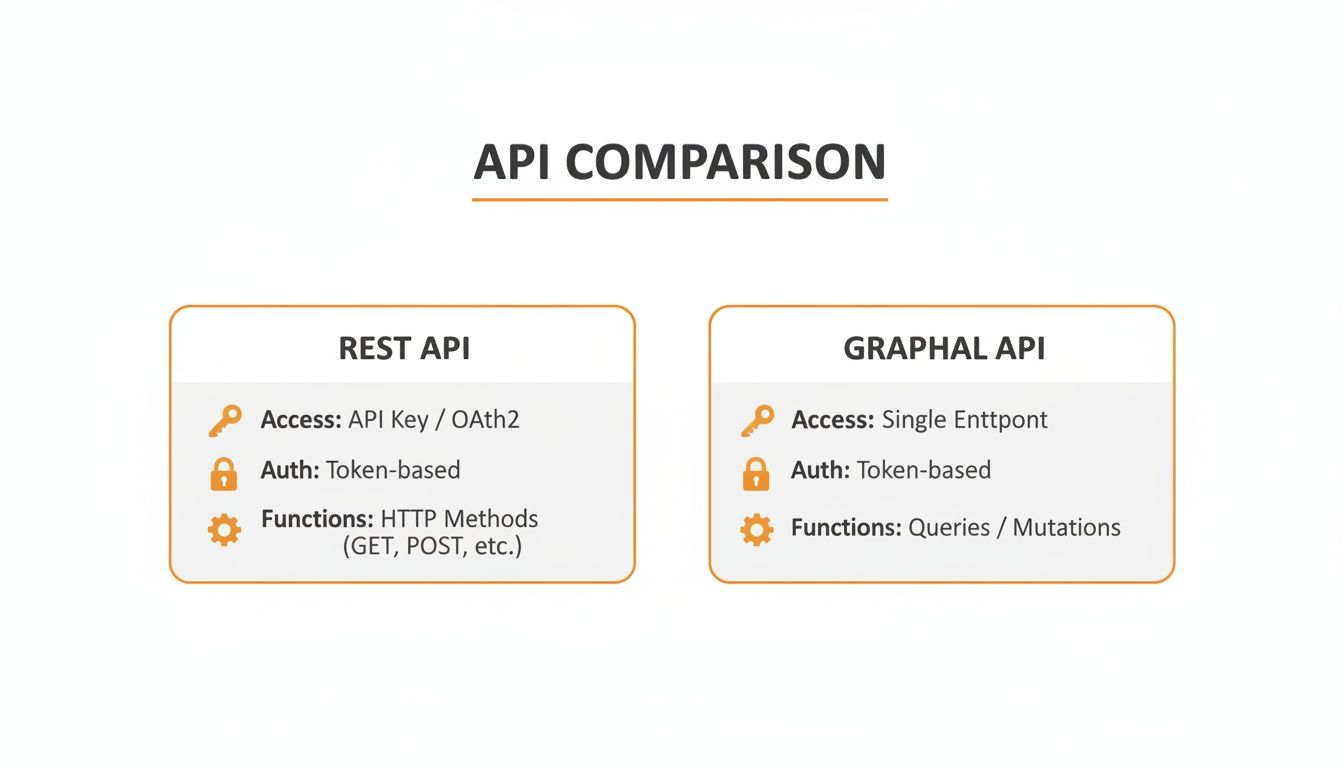
As you can see, X leans into a formal, permission-heavy model, while Bluesky is all about giving developers direct access with simpler authentication. It’s the classic trade-off: enterprise-grade control versus open-source freedom.
Navigating the X API
Getting started with the X API means heading to the X Developer Portal, registering a project, and signing up for a paid plan. For authentication, you'll be dealing with OAuth 2.0 for most app-only or basic user requests, though the older OAuth 1.0a is still required for more complex user-level actions.
Here are the endpoints you'll probably live in:
POST /2/tweets: This is your go-to for creating a Tweet. It's surprisingly versatile, handling text, media, polls, and quote Tweets.GET /2/users/:id/tweets: Use this to pull a specific user's timeline.- Media Upload: This is a bit of a dance. It’s a multi-step process on the
uploads.twitter.comsubdomain where you have to initialize, append, and then finalize your media file just to get an ID you can attach to a Tweet.
Be warned: rate limits on the X API are no joke and are tied directly to how much you're paying. If you go over, you'll get locked out, so monitoring your usage is non-negotiable for any serious application.
One of the biggest draws of the X API is the sheer volume of data. For instance, text-focused creators have seen a 107% YoY jump in X comments, while on Bluesky, text posts are pulling an average of 19.90 interactions. For more on this, check out some of the social listening APIs from Data365.co that can tap into this kind of data to sharpen content strategies.
Understanding the Bluesky API and AT Protocol
Bluesky, in contrast, offers a much smoother on-ramp for developers. Its API is built on the AT Protocol, a decentralized framework where every social action—a post, a like, a follow—is just a signed piece of data in a user's personal data repository. It's a different way of thinking about social data entirely.
Authentication is refreshingly simple. Users can generate App Passwords right from their account settings. This approach completely sidesteps the headache of an OAuth flow, but it also means the responsibility for keeping those credentials secure falls squarely on you, the developer.
Most of your work will revolve around creating records in different collections:
com.atproto.repo.createRecord: This is the universal endpoint for creating content. You just tell it which collection to use (e.g.,app.bsky.feed.postfor a standard post) and pass in your content.com.atproto.repo.uploadBlob: This is for uploading media. It gives you back a content identifier (CID), which you then embed in your post record.
Since Bluesky is still growing, its rate limits are more relaxed but also less formally documented than X's. That doesn't mean it's a free-for-all, though; spammy behavior will get your access shut down fast. Understanding these nuances is crucial, especially if you plan to crosspost between X and Bluesky and need to manage both systems at once.
Working with Federated and Upcoming APIs
When you step away from the big, centralized platforms, you enter a world with a completely different playbook. For developers working with a decentralized network like Mastodon, the idea of a single, global api for social media goes out the window. You’re now dealing with a network of interconnected, but independent, communities, and success means playing by the local rules of each one.
The "Fediverse" isn't one company; it's a huge collection of individual servers, each with its own admin, its own policies, and its own resource limits. This federated design is the core concept you have to grasp when working with the Mastodon API. You don't just register your app with "Mastodon" itself. Instead, you register it with a specific instance, like mastodon.social or fosstodon.org. That simple choice sets the base URL for every single API call you'll make.
Mastering the Mastodon API
Getting your app authorized on Mastodon follows the familiar OAuth 2.0 flow. It's a secure, standard way for a user to give your app access to their account without ever handing over their password. Once they approve your app on their home instance, you get an access token that works only for that specific server.
This instance-first mindset touches everything you do with the API.
- Rate Limits Are Local: Forget a single, platform-wide rate limit. Each server admin decides their own. A popular, high-traffic instance will probably be much stricter than a small, niche community server. You absolutely have to pay attention to the
X-RateLimitheaders in your API responses to be a good citizen and avoid getting blocked. - Posting a Status (Toot): Making a post is pretty simple. You just send a
POSTrequest to the/api/v1/statusesendpoint on the user's home instance, making sure to include your access token and the post's text. - Fetching Timelines: Reading a user's home timeline works the same way. It's a
GETrequest to/api/v1/timelines/home, pointed at their specific instance.
This setup gives individual communities a ton of power, but it also means developers have to build more flexible and thoughtful tools. Your app needs to be smart enough to handle the unique quirks and rules of any instance it might connect to.
A Look Ahead at the Threads API
The upcoming Threads API is one to watch, as it looks like it's going to be a fascinating mix of corporate control and decentralized ideas. Being a Meta product, you can bet there will be a formal app registration and review process, much like you see with Facebook and Instagram. That's just standard practice for a massive platform to maintain security and control. Authentication will almost certainly be built on OAuth 2.0.
The real game-changer, though, is its planned integration with ActivityPub—the very same open protocol that Mastodon runs on. This move strongly suggests the Threads API will have endpoints for managing content inside its own walls and for federating that content out to the wider Fediverse.
It's easy to imagine a hybrid model. Some API calls might be for classic, centralized actions like managing a Threads profile, while others will be built specifically for decentralized tasks like sending and receiving posts from other ActivityPub platforms.
This opens up some really interesting doors for anyone building cross-platform tools. Think about an app that could push content to Threads and have it show up seamlessly for followers on Mastodon, all managed through one API. The Threads API could become a major bridge between the walled gardens of the corporate social web and the open Fediverse, so developers should definitely keep a close eye on how it develops.
Best Practices for API Integration
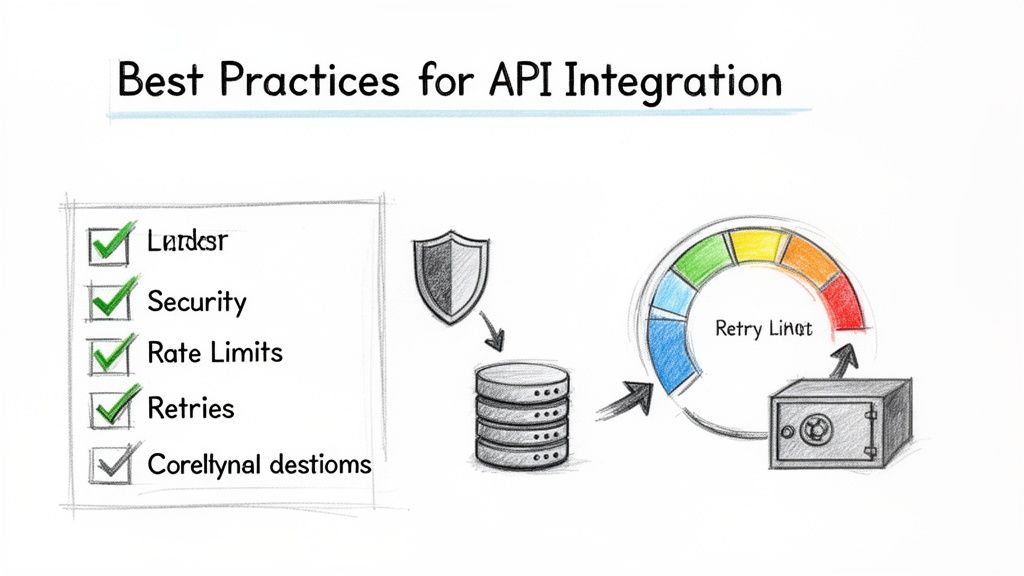
Getting your app to connect to a social media API is really just the starting line. To build an application that's robust, stable, and plays by the rules, you have to go beyond the basics. These strategies are crucial for keeping your tool compliant, efficient, and resilient, no matter which platform you’re working with.
Let’s start with the absolute foundation: handling credentials properly. API keys, access tokens, and app passwords are the keys to your users' accounts and demand serious protection. Always store these sensitive values in environment variables or use a dedicated secrets management service. Never, ever hardcode them directly into your source code.
Secure and Smart Operations
Once security is locked down, your application needs to be smart enough to navigate the often-unpredictable world of network requests and platform rules. This means having graceful error handling and intelligent rate limit management to prevent your app from crashing or getting blocked.
Here’s what that looks like in practice:
Implement Exponential Backoff: If an API request fails with a temporary error (like a
503 Service Unavailable), don't just hammer the server with immediate retries. Instead, use an exponential backoff strategy. This means your application waits for a progressively longer period before trying again, which prevents you from overwhelming the API and gives the request a better chance of succeeding.Respect Rate Limit Headers: Almost every api for social media sends back headers in its response (look for things like
X-RateLimit-Remaining) that tell you how many calls you have left. Your code should proactively check these headers. As you get close to the limit, slow down your requests to avoid getting hit with those frustrating429 Too Many Requestserrors.
This has become more critical than ever as platforms restrict access. Getting social media data through official APIs is getting tougher. X, for example, now charges $100/month for just 10,000 tweets, with costs jumping to $5,000 for higher volumes. With 5.42 billion social media users worldwide, this API lockdown highlights why building smart, compliant tools is no longer optional. You can dig deeper into these trends in this 2024 social media data report.
Building for Cross-Platform Realities
If you're building a cross-posting tool, a one-size-fits-all approach is doomed to fail. Each platform has its own quirks—different character limits, unique media format requirements, and distinct features. Your system needs to be designed from the ground up to intelligently adapt content for each destination.
Pro Tip: Instead of just chopping off text to meet a character limit, a much better approach is to create platform-specific fields in your content editor. This gives users the power to craft tailored messages for each network, making the content feel native and more engaging wherever it gets posted.
Finally, let's talk about ethical automation. The goal should always be to create authentic engagement, not to spam. Steer clear of aggressive follow/unfollow tactics or blasting out generic, repetitive content. A better use of automation is to schedule thoughtful posts, analyze engagement to understand your audience, and streamline genuine community management. A responsible integration builds trust and leads to real, sustainable growth.
Frequently Asked Questions
When you start digging into social media APIs, a lot of questions pop up. Platforms are always tweaking their rules and what's possible, so it's easy to get lost. This section answers some of the most common things developers and creators ask, giving you quick, straightforward answers to build better tools.
Think of this as your go-to reference for getting past the usual sticking points, from dealing with rate limits to figuring out which API is the right fit for your project.
What Is The Biggest Difference Between Platform APIs?
The biggest difference comes down to their core philosophy and how they make money. Centralized platforms like X have a commercial, tiered API. Access is tightly controlled, it costs money, and it's built for enterprise-level data access. You’re essentially paying for more power and higher rate limits.
On the other hand, decentralized platforms like Bluesky and Mastodon offer open APIs that are generally free to use. They're built on public protocols like the AT Protocol and ActivityPub. The whole point is to give developers freedom and let different services work together, but that often means you have more responsibility to handle things like instance-specific rules and security.
The choice really boils down to cost versus control. Do you need the massive, unified dataset you get from a platform like X and have the budget for it? Or do you value the flexibility and no-cost access of an open, federated network?
How Should I Handle API Rate Limits?
You absolutely have to manage rate limits properly if you want your app to be stable. The best way to do this is with a mix of proactive and reactive tactics.
Be Proactive: Always check the rate limit headers that come back with every API response (like
X-RateLimit-Remaining). Your application should be smart enough to read this value and automatically pause or slow down requests as you get close to the limit.Be Reactive: If you do hit a rate limit and get a
429 Too Many Requestserror, use an exponential backoff strategy. This just means waiting a little longer between each retry (say, 2 seconds, then 4, then 8, and so on). It gives the server a break and prevents you from making things worse.
Just hammering the API again and again after a failure is the quickest way to get your access cut off, either for a little while or for good.
Which API Is Best For A Beginner Developer?
For someone just starting out, the Bluesky API is probably the easiest entry point. It uses App Passwords for authentication, which lets you skip the whole complicated OAuth 2.0 dance and get things working much faster. The API itself is modern, built on the AT Protocol, and is really well-structured for basic posting and reading.
Mastodon is another solid choice, but having to register your app on each specific instance adds a small hurdle that Bluesky doesn't have. The X API, with its mandatory paid plans and formal review process, is really better for developers who already have some experience or a clear commercial goal in mind.
What Is The Future of Social Media Automation?
The future of social media automation is all about being smarter and more helpful. We're moving away from simple post schedulers and toward tools that are a genuine part of the creative workflow. Integrating AI through social media APIs is already changing the game. A massive 96.01% of social media pros are now using AI in their day-to-day work, and 78.99% say it helps them create more content, faster. You can dig into more social media statistics to see just how common AI has become.
This trend means automation tools will offer more features like AI writing assistants that can tweak your tone, suggest better opening hooks, or even predict how well a post might do before you hit publish. The focus is shifting from just "publishing on time" to "publishing the best possible content on time." Automation is becoming less about robotic repetition and more about giving human creativity a boost.
Ready to master your microblogging strategy? MicroPoster provides the unified content studio, smart scheduling, and AI-powered tools you need to grow on X, Bluesky, and Mastodon without the burnout. Start your free 7-day trial and publish smarter today at https://microposter.so.


