
best social media auto scheduler
12 Best Social Media Auto Scheduler Tools for 2026
Tired of manual posting? Discover the best social media auto scheduler for your needs. Compare features, pricing, and find your perfect tool.

Tired of the endless copy-paste routine across X, Threads, and LinkedIn? Growing a social media presence is crucial for founders, creators, and marketers, but it shouldn't consume your entire day. The right best social media auto scheduler isn't just about saving a few minutes; it's a strategic lever to multiply your reach, maintain a consistent brand voice, and engage your audience without burning out.
But with dozens of tools promising a magic bullet, how do you choose? This guide cuts through the noise. We'll directly compare 12 of the top social media auto scheduler platforms, analyzing their unique strengths, hidden limitations, and ideal use cases. You'll find screenshots and direct links for every tool, making your evaluation process simple and fast. While many platforms exist, understanding the difference between simple schedulers and true automation tools like MicroPoster is key to reclaiming your time. For those managing multiple accounts, particularly in an agency setting, comprehensive solutions like social media management tools for agencies become indispensable.
This curated list is designed to help you find the perfect automation partner to reclaim your time and amplify your impact. We'll show you exactly which tool fits your specific needs, whether you are:
- A founder or creator needing effortless cross-posting.
- A social media manager at a small startup.
- An agency juggling complex client workflows.
We’ve done the heavy lifting so you can get straight to the solution. Let's find the scheduler that puts your social media growth on autopilot.
1. MicroPoster
For creators, founders, and small teams who live and breathe text-based social media, MicroPoster stands out as the premier choice for true "write once, grow everywhere" automation. It’s built on a simple yet powerful premise: connect your source account (like X), post as you normally would, and MicroPoster detects it within seconds, then automatically republishes the content natively across Threads, Bluesky, and Mastodon. This isn’t just a link-sharing tool; it’s a dedicated content multiplier that saves hours of manual copy-pasting.

What makes MicroPoster the best social media auto scheduler for this niche is its network-aware intelligence. It automatically adapts content for each platform, so your posts always feel native. Long updates are elegantly split into readable threads, user handles are correctly mapped between networks, and media is resized and uploaded directly. This means no more ugly preview links or awkwardly formatted posts that scream "automation." It’s designed to make your cross-platform presence look authentic and effortless.
Key Features & Benefits
MicroPoster goes beyond basic reposting with a suite of tools designed to refine your message and amplify its impact.
- Intelligent Cross-Posting: The core function detects new posts in seconds and republishes them with network-specific formatting. It handles threading, mentions, and media natively.
- AI-Powered Content Tools: Integrated AI features like CoWriter help you draft better content, while readability scoring and tone rewriting ensure your message lands perfectly. You can also expand or summarize text and analyze audience comments to find out what resonates.
- Granular Control & Scheduling: While automation is the default, you maintain full control. A visual content calendar, rich-text editor, manual reposting, and auto-hashtags are all included. Set up hashtag-based rules or threading preferences to customize your workflow.
- Secure and Transparent: It uses official OAuth integrations, meaning the tool never sees or stores your passwords. Built by an indie founder, it’s trusted by a growing community of creators.
Real-World Impact: For a busy founder or indie hacker, this means you can post a product update on X and have it appear perfectly formatted on Threads and Bluesky moments later, all without leaving your primary platform. This effortless multiplication of reach is its core value.
Ideal Use Case
MicroPoster is purpose-built for users who are already active on text-centric platforms and want to maximize their reach without adding manual work. It's an excellent fit for:
- Founders & Indie Hackers: Announce updates and engage with your community across multiple platforms from a single post.
- Creators & Writers: Focus on crafting your message, not on the repetitive task of distributing it.
- Small Social Teams & Agencies: Manage client accounts with an efficient, automated workflow that ensures consistent brand presence.
Pricing and Getting Started
MicroPoster offers a straightforward pricing structure with a no-pressure trial.
| Plan | Price | Key Features |
|---|---|---|
| Creator | $12/month | Unlimited scheduling, 200 Smart Cross-posts/month, AI tools |
| Pro | $29/month | Everything in Creator, plus unlimited Smart Cross-posts |
You can get started with a 7-day free trial without needing a credit card. The site often runs promotions, like the current 50% discount with code SPRING50. Understanding the nuances of different tools is key; you can learn more about social media scheduling software to see how this model compares.
- Pros: True 'write once' workflow that saves significant time; intelligent, native formatting for each network; powerful built-in AI tools; secure and transparent with a simple pricing model.
- Cons: Platform support is currently focused on X, Threads, Bluesky, and Mastodon; edits to original posts are not automatically synced.
Website: microposter.so
2. Buffer
Buffer has long been a favorite in the social media world for its clean interface and straightforward approach to scheduling. It’s an excellent choice for creators and small teams who prioritize simplicity and don't need the complexity of an enterprise-level suite. The platform’s design philosophy is evident in its uncluttered post composer, which makes drafting and scheduling content feel fast and intuitive.
What sets Buffer apart is its creator-friendly, scalable pricing. Instead of forcing you into expensive, bundled tiers, you start with a free plan or a low-cost essentials package and add channels one by one. This "pay-as-you-grow" model is perfect for founders and solo creators testing the waters on new platforms without a huge upfront investment.
Buffer's AI Assistant is a standout feature for overcoming writer's block. It can generate post ideas, rephrase your text in different tones, or repurpose a single idea for multiple platforms, saving you valuable creative energy.
Core Features & Use Case
- Best For: Solo founders and small marketing teams who want a simple, reliable scheduler.
- Key Feature: The per-channel pricing model offers unmatched flexibility for those starting small.
- Implementation Tip: Use the queue to build a backlog of evergreen content, then use the calendar view for time-sensitive posts. This hybrid approach helps maintain a consistent posting schedule, a key element of a strong content calendar strategy.
Pros:
- Very low starting cost.
- Extremely gentle learning curve.
- Transparent, self-serve pricing.
Cons:
- Can become expensive for agencies managing many client profiles.
- Analytics are less detailed than more advanced tools.
- Lacks the true "write once, post everywhere" automation of a tool like MicroPoster.
Website: buffer.com
3. Hootsuite
Hootsuite is one of the original, long-standing players in social media management, evolving into a powerful, all-in-one suite. It's built for teams and agencies that require more than just scheduling, offering robust tools for listening, approvals, and deep analytics. This makes it a strong contender for established businesses needing a central command center for their social operations.

The platform has expanded beyond its core scheduling functions to include a wide array of integrations and an AI copywriter, OwlyWriter. Its strengths lie in its ability to manage complex workflows across multiple clients or departments, with features like a unified inbox and bulk scheduling. This extensive feature set is its main differentiator from simpler, more focused tools.
Hootsuite's broad app marketplace is a significant advantage for teams with specific needs. You can integrate tools for everything from employee advocacy to advanced listening, making it a highly customizable hub.
Core Features & Use Case
- Best For: Larger teams and agencies managing multiple clients with complex approval workflows.
- Key Feature: Extensive analytics and custom reporting capabilities provide deep insights for data-driven teams.
- Implementation Tip: For founders who find Hootsuite's complexity and pricing excessive, a tool like MicroPoster offers a more direct and affordable path to multi-platform content distribution without the enterprise-level overhead.
Pros:
- Mature, full-featured suite for larger workflows.
- Deep analytics and reporting with wide integrations.
Cons:
- Higher-priced entry points compared with creator tools.
- Can feel complex and overwhelming for new or solo users.
Website: hootsuite.com
4. Later
Later has carved out a niche as the go-to visual-first scheduler, making it a favorite among Instagram creators, ecommerce brands, and anyone whose strategy hinges on compelling imagery and video. The platform’s core strength is its drag-and-drop visual planner, which lets you see exactly how your content grid will look before you post, a critical feature for maintaining a cohesive brand aesthetic.

What makes Later a strong contender is its focus on media-heavy workflows, particularly for Instagram and TikTok. Features like bulk scheduling Reels and Shorts, a central media library, and an integrated link-in-bio tool provide a complete ecosystem for visual content management. This makes it an excellent social media auto scheduler for brands that live and breathe visual storytelling.
Later's "Social Set" model is a key differentiator. It bundles multiple social profiles for a single brand (e.g., your IG, TikTok, and Pinterest) into one set, simplifying management for founders and in-house marketers focused on one business.
Core Features & Use Case
- Best For: Ecommerce brands and Instagram-centric creators who prioritize visual planning.
- Key Feature: The visual planner for Instagram gives you an unmatched preview of your feed's aesthetic.
- Implementation Tip: Use the media library to tag and organize your approved creative assets. This creates a ready-to-use content repository, speeding up the process of scheduling posts on the fly and ensuring visual consistency.
Pros:
- Exceptional user experience for visual-heavy posting.
- The "Social Set" pricing is straightforward for single-brand management.
- Strong features for Instagram Reels, TikTok, and Pinterest.
Cons:
- Strict post limits on the entry-level plan can feel restrictive.
- Not ideal for text-first creators who need automated crossposting to platforms like Threads and Bluesky; MicroPoster is better suited for that.
Website: later.com
5. Sprout Social
Sprout Social is a premium, all-in-one social media management suite built for teams where social activity is a core driver of business growth. It moves beyond simple scheduling into a full command center for marketing, sales, and support, making it a top choice for established businesses that need to connect social efforts directly to revenue and customer satisfaction.
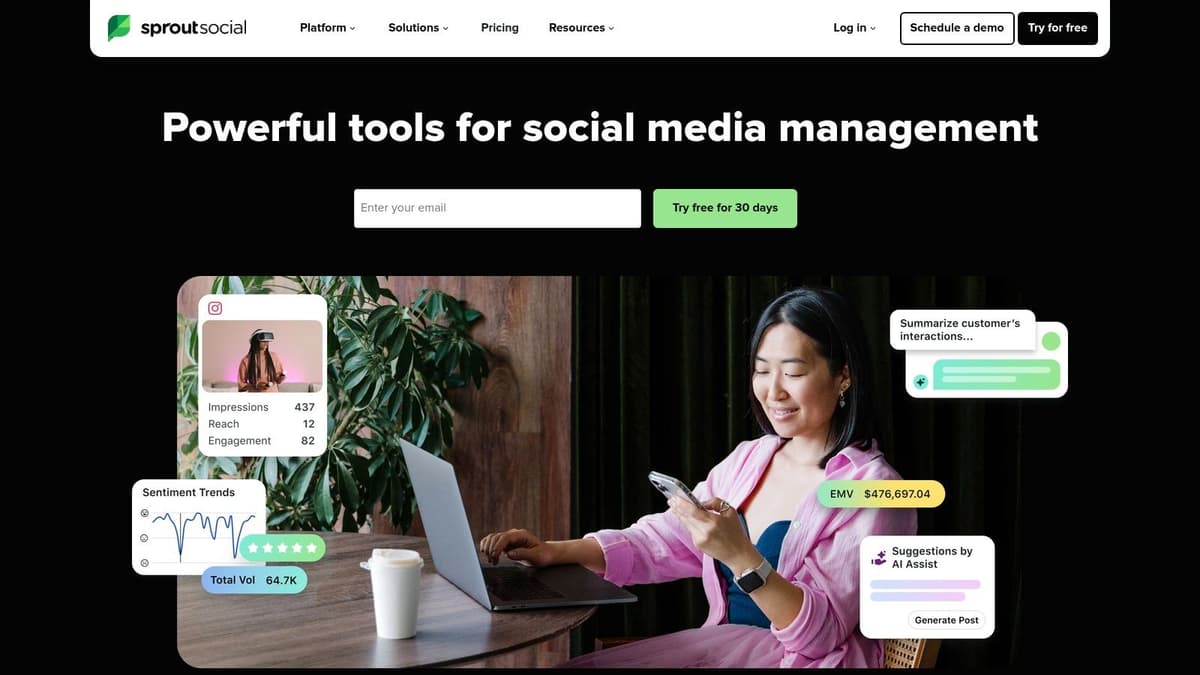
This platform’s strength lies in its integrated workflows and powerful analytics. Teams can manage complex publishing calendars with approval steps, monitor brand health with social listening, and handle customer care through a unified smart inbox. It’s an enterprise-grade solution for organizations that have outgrown simpler tools.
Sprout Social’s advanced reporting is its most significant advantage. It allows teams to track post-level performance, analyze audience demographics, and run competitive analysis reports, providing the deep data needed to justify social media ROI to stakeholders.
Core Features & Use Case
- Best For: Larger teams and enterprises that need robust analytics, collaboration, and customer care features.
- Key Feature: The Unified Smart Inbox with sentiment analysis and AI Assist helps teams manage customer conversations at scale.
- Implementation Tip: For founders and creators who don't need enterprise-level features, Sprout's cost and complexity are overkill. A lightweight, focused tool like MicroPoster provides the core benefit of reach amplification without the high price.
Pros:
- Among the strongest analytics and team workflows available.
- Scales with add-ons for Listening and Employee Advocacy.
- Supports SSO for secure access in larger organizations.
Cons:
- Per-seat pricing can add up quickly for growing teams.
- Some advanced capabilities are gated to higher tiers or add-ons.
Website: sproutsocial.com
6. Loomly
Loomly is built around a powerful, visual calendar, making it a top contender for teams that thrive on organized workflows and clear approval processes. It strikes a balance between user-friendly design and robust features, presenting itself as a strong choice for founders and small teams who need more than basic scheduling but aren't ready for the price tag of an enterprise tool. The platform excels at guiding you from an idea to a published post with minimal friction.
Its strength lies in its collaborative nature. Features like post mockups, version logs, and an intuitive approval system (with Slack and Teams integrations) make it easy for team members to contribute and sign off on content. This structured approach helps prevent errors and ensures brand consistency, a critical factor as a team grows.
Loomly's Post Ideas feature is a practical solution for content inspiration. It provides suggestions based on trending topics, RSS feeds, and date-related events, giving your team a starting point when planning the content calendar.
Core Features & Use Case
- Best For: Small to mid-sized marketing teams and agencies needing a structured approval and collaboration system.
- Key Feature: The visual calendar combined with a step-by-step post creation workflow that includes mockups and approvals.
- Implementation Tip: Set up custom roles and approval workflows from day one to establish clear responsibilities. Use the content library to store approved assets and brand guidelines for quick access. While excellent for collaboration, if your primary goal is rapid, automated reposting of existing content across many platforms, a tool like MicroPoster offers a more direct solution.
Pros:
- Clear, straightforward pricing.
- Excellent team collaboration and approval features.
- Solid analytics and custom report exports.
Cons:
- Fewer extra features like social listening compared to enterprise tools.
- More focused on manual scheduling than true 'set-it-and-forget-it' automation.
Website: www.loomly.com
7. SocialPilot
SocialPilot carves out its niche by offering a powerful, agency-focused feature set without the typical enterprise-level price tag. It is a workhorse platform designed for small and medium-sized businesses (SMBs) and agencies that need to manage a high volume of social accounts efficiently. The platform prioritizes function over flash, delivering robust tools for team collaboration, client management, and bulk scheduling.
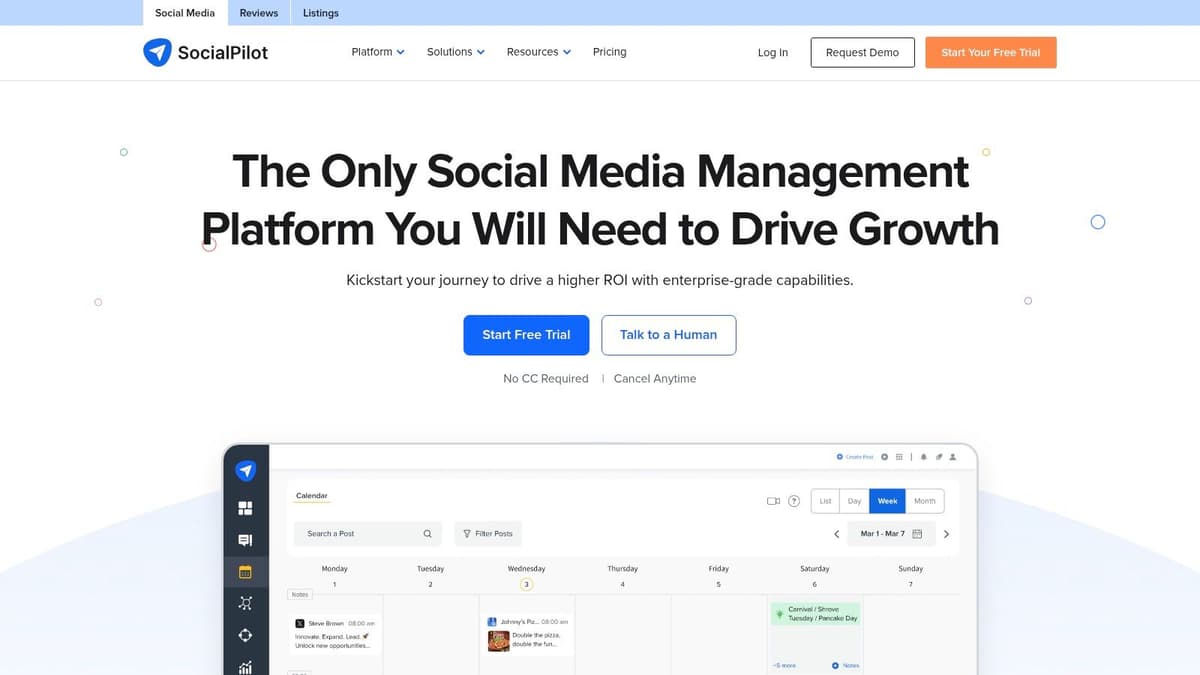
What makes SocialPilot a go-to choice is its exceptional value proposition. Where other tools charge a premium for additional users or accounts, SocialPilot's plans are notably generous. This makes it a cost-effective solution for growing teams that need to collaborate on content creation and approvals, a critical workflow for maintaining brand consistency across multiple client accounts.
The white-label reporting and client management portal are significant advantages for agencies. You can generate professional, branded reports directly from the platform and give clients secure, read-only access to review their content calendars, which builds trust and reduces back-and-forth communication.
Core Features & Use Case
- Best For: Agencies and SMBs managing numerous client accounts on a budget.
- Key Feature: Generous account and user limits per plan, making it one of the most cost-effective schedulers for teams.
- Implementation Tip: Set up dedicated client workflows with team member roles and approval requirements. Use the bulk scheduling feature to upload a month's worth of content from a CSV file, saving hours of manual data entry.
Pros:
- Aggressive account/user limits provide excellent value.
- Straightforward public pricing with a free trial.
- Strong client management and team collaboration features.
Cons:
- The user interface is practical but less modern than some competitors.
- Its focus on manual bulk scheduling differs from the real-time automation of MicroPoster.
Website: https://www.socialpilot.co
8. Publer
Publer makes a strong case as one of the best social media auto scheduler options for users who need power and affordability. It packs a surprising number of advanced features, like post recycling and RSS automation, into a platform that remains accessible for freelancers and small agencies. The interface is organized around "Workspaces," which let you cleanly separate different brands or clients, a must-have for anyone managing multiple accounts.
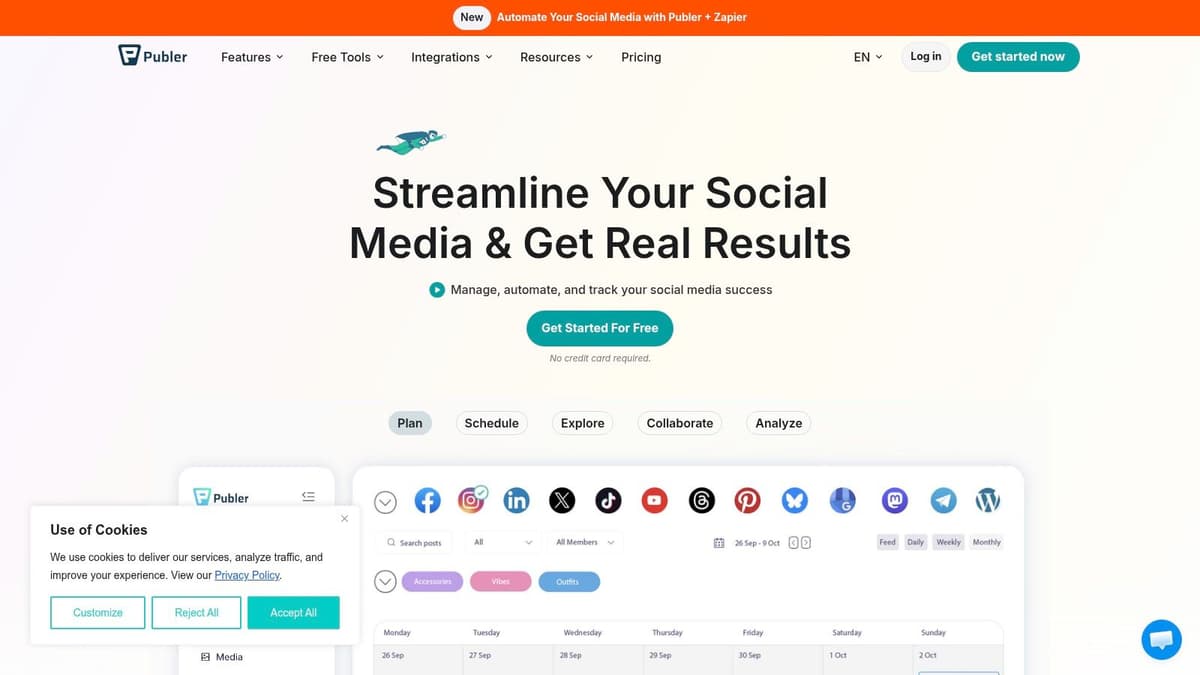
What really defines Publer is its flexible, calculator-based pricing. Instead of forcing you into a rigid tier, you select the exact number of social accounts and team members you need, and it calculates a custom price. This model is exceptionally cost-effective, especially when you compare its automation capabilities to more expensive competitors.
Publer's bulk scheduling and spintax features are a game-changer for high-volume content strategies. You can upload a CSV with hundreds of posts and use spintax to automatically generate unique variations, keeping your feed fresh without manual effort.
Core Features & Use Case
- Best For: Freelancers and agencies needing advanced automation on a budget.
- Key Feature: The calculator-based pricing offers excellent value and flexibility.
- Implementation Tip: Set up RSS feeds for your favorite blogs or news sites to automatically pull content into your draft queue. You can then approve and schedule these posts with just a few clicks, filling gaps in your content calendar.
Pros:
- Flexible, per-account pricing with volume discounts.
- Rich automation features at a competitive price point.
- Strong workspace organization for managing multiple clients.
Cons:
- Some advanced analytics and API access are gated behind higher-tier plans.
- While it has automation, it lacks the specialized, native crossposting for text-based platforms that MicroPoster excels at.
Website: publer.io
9. Agorapulse
Agorapulse positions itself as a powerful, team-oriented social media management hub, making it a strong alternative to enterprise tools like Sprout Social for agencies and small teams. Its strength lies in combining a robust scheduling system with an exceptional unified inbox, designed to handle high volumes of audience interaction efficiently. The platform feels professional and built for collaborative workflows from the ground up.

What makes Agorapulse a frequent choice is its balance of advanced features and transparent, user-based pricing. Unlike some competitors with opaque costs, Agorapulse clearly outlines its plans and offers a generous 30-day free trial. This makes it easier for teams to evaluate its full potential before committing, especially when they need more than just basic scheduling.
Agorapulse’s unified social inbox is a game-changer for brand management. It pulls in comments, mentions, and DMs into a single stream, allowing teams to assign, review, and respond without missing a beat.
Core Features & Use Case
- Best For: Agencies and small marketing teams managing multiple brands with a high volume of engagement.
- Key Feature: The unified inbox and moderation tools provide one of the best workflows on the market for team collaboration.
- Implementation Tip: Set up automated inbox rules to assign specific types of messages (e.g., questions, complaints) to the right team members. This keeps your response times low and ensures no customer interaction is overlooked.
Pros:
- Powerful moderation/inbox for multi-brand workflows.
- Transparent pricing and long free trial.
- Advanced reporting with PDF and CSV exports.
Cons:
- Per-user pricing can increase costs for larger teams.
- Can be overly complex for a founder who just needs fast, automated content distribution, a problem MicroPoster solves elegantly.
Website: www.agorapulse.com
10. CoSchedule Social Calendar
CoSchedule is built around the idea that social media scheduling shouldn't be a separate, siloed task. Its Social Calendar product integrates social posting directly into a master marketing calendar, making it a great choice for founders and marketers who want a unified view of all their promotional activities, from blog posts to email newsletters and social campaigns. The interface is calendar-first, offering a clear, drag-and-drop experience for organizing content.
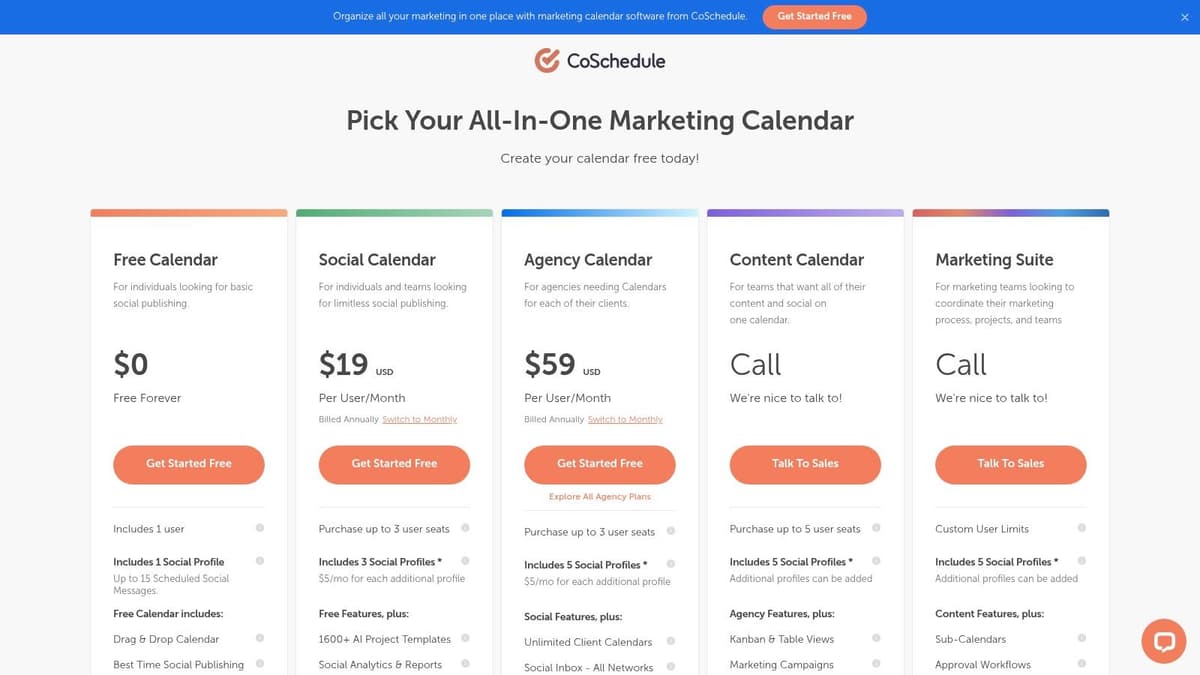
What makes CoSchedule a contender for the best social media auto scheduler is its ReQueue feature. This intelligent automation tool automatically finds the best times to reshare your top-performing evergreen content, filling gaps in your calendar and maximizing the lifespan of your best posts without manual effort. This approach ensures your profiles remain active and engaging.
CoSchedule's true power lies in its organization. For founders juggling blog content, product launches, and social media, seeing everything on one calendar provides unmatched clarity and prevents crossed wires between campaigns.
Core Features & Use Case
- Best For: Content-heavy teams and founders who need a master calendar for all marketing efforts.
- Key Feature: ReQueue evergreen automation intelligently recycles your best content to keep your feed full.
- Implementation Tip: When planning a product launch or content pillar, map all related assets (blog posts, emails, social posts) onto the calendar at once. This gives you a bird's-eye view of the entire campaign timeline.
Pros:
- Affordable per-user entry point with unlimited scheduling.
- Calendar-first UX keeps complex campaigns organized.
- Robust evergreen automation with ReQueue.
Cons:
- Can get pricey if you need deeper analytics, requiring an upgrade to the full Marketing Suite.
- The Social Calendar plan may bill for X/Twitter profiles separately, adding to the cost.
Website: coschedule.com/pricing
11. MeetEdgar
MeetEdgar is built around a single, powerful idea: your content is too valuable to post just once. It operates on an "evergreen" philosophy, turning your social media profiles into a content recycling engine. Instead of a linear calendar where posts go to die, MeetEdgar uses category-based libraries. You fill these libraries with your blog posts, tips, and promotions, and Edgar automatically pulls from them, posts, and then adds the content back to the bottom of the pile to be used again later.
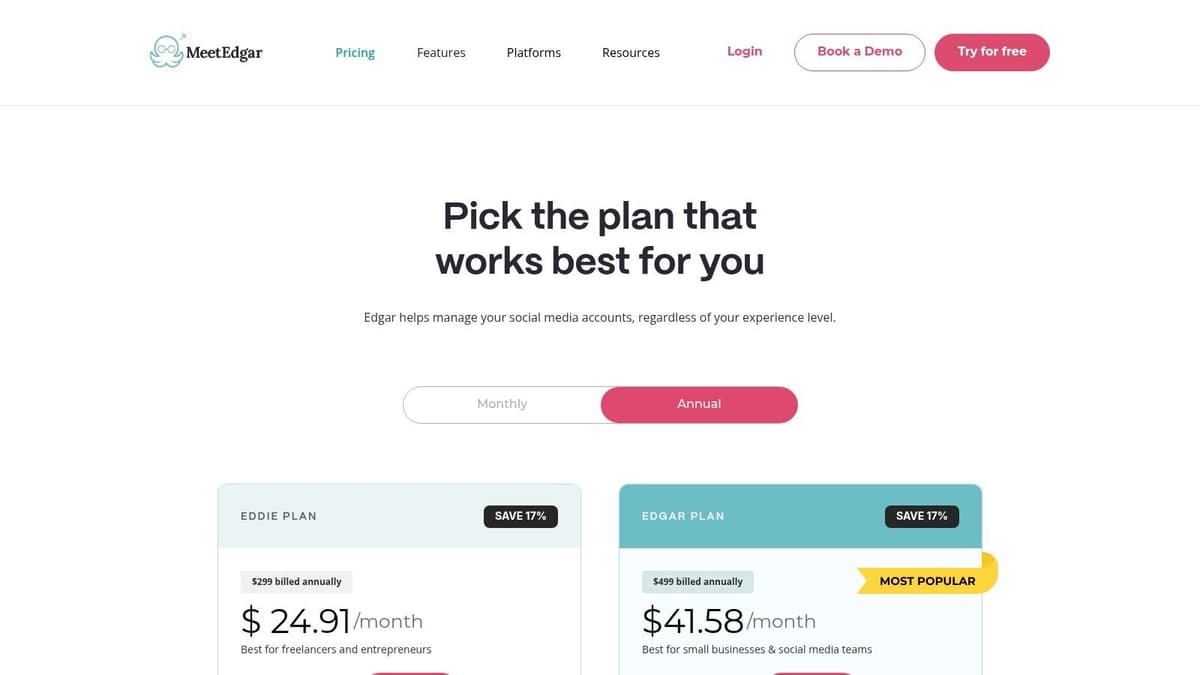
This set-it-and-forget-it automation is what makes MeetEdgar a compelling choice. For busy founders or creators with a substantial back catalog of content, it guarantees your profiles stay active and your best work keeps getting seen without constant manual effort. This approach to being a social media auto scheduler ensures maximum ROI from every piece of content you create.
MeetEdgar’s weekly automation slots are a game-changer for consistency. You can set a schedule like "Post a 'Blog Post' every Monday at 9 AM" and "Share a 'Quick Tip' every Wednesday at 2 PM," and Edgar handles the rest, forever.
Core Features & Use Case
- Best For: Solo creators and bloggers who want to maximize the lifespan of their existing content.
- Key Feature: The category-based library that automatically recycles evergreen posts is its defining function.
- Implementation Tip: Create different text variations for the same link within your library. Edgar will rotate through them, keeping your recycled content from looking stale.
Pros:
- Excellent for repurposing content at scale.
- Simple plans with generous automations even on entry tier.
Cons:
- Reporting is lighter than full social suites.
- While good for recycling, it lacks the real-time, event-based crossposting that MicroPoster offers for immediate content distribution.
Website: meetedgar.com/pricing
12. Metricool
Metricool expands beyond a simple social media auto scheduler into a full-blown analytics and reporting suite. It's built for agencies and data-driven marketers who need to not only plan content but also measure its impact and spy on the competition. The platform consolidates scheduling, inbox management, and deep analytics into a single dashboard.
What makes Metricool distinct is its brand-based pricing and powerful reporting tools. Instead of paying per social profile, you pay for a "brand," which can include multiple profiles. This model, combined with its Looker Studio connector and API access, makes it a potent tool for agencies managing client portfolios and needing to deliver professional, customizable performance reports.
Metricool's competitive benchmarking is a major advantage. You can add competitor accounts to track their performance, content strategy, and community growth, giving you direct insights to inform your own tactics without leaving the platform.
Core Features & Use Case
- Best For: Marketing agencies and data analysts needing robust reporting and competitor tracking.
- Key Feature: The Looker Studio (formerly Google Data Studio) connector for creating advanced, custom client dashboards.
- Implementation Tip: Schedule your primary content using the planner, then dedicate time to analyze the competitor reports. Use these insights to adjust your content pillars or posting times for the following week, creating a feedback loop that continually refines your strategy.
Pros:
- Scales well for agencies with brand-based pricing.
- Strong reporting and export options for client work.
- Includes valuable competitive analysis features.
Cons:
- Brand-based pricing may not be cost-effective for a single business with many profiles.
- Advanced X/Twitter analytics cost extra per account.
Website: metricool.com/pricing
Top 12 Social Media Auto Schedulers Comparison
| Product | Core features ✨ | UX & Quality ★ | Price & Value 💰 | Audience 👥 | USP |
|---|---|---|---|---|---|
| 🏆 MicroPoster | Native crossposting (X, Threads, Bluesky, Mastodon), auto-threading, media resizing, AI tools, visual calendar | ★★★★ | 💰 Creator $12/mo · Pro $29/mo · 7‑day trial | 👥 Creators, founders, small teams | 🏆 Write once → native reposts; network‑aware adaption & lightweight automations |
| Buffer | Queue/calendar scheduler, AI captioning, inbox, link‑in‑bio | ★★★★ | 💰 Low cost entry; per‑channel scaling | 👥 Solo founders, small teams | ✨ Clean composer & simple per‑channel growth |
| Hootsuite | Planner, unified inbox, approvals, extensive integrations, analytics | ★★★★ | 💰 Higher entry; enterprise focus | 👥 Mid→large teams, agencies | ✨ Mature suite with deep analytics & app marketplace |
| Later | Visual planner, media library, Reels/shorts support, link‑in‑bio | ★★★★ | 💰 Tiered plans; post limits on entry | 👥 Creators, ecommerce, visual brands | ✨ Best UX for media‑heavy workflows & IG/TikTok focus |
| Sprout Social | Publishing + approvals, advanced reporting, inbox, add‑ons (Listening) | ★★★★★ | 💰 Premium per‑seat pricing | 👥 Teams, agencies, enterprise | ✨ Top‑tier analytics & team/collaboration workflows |
| Loomly | Visual calendar, approvals, AI assistant, clear previews | ★★★★ | 💰 Straightforward plans; team‑friendly | 👥 Founders, lean teams | ✨ Calendar‑first UX with easy collaboration |
| SocialPilot | Bulk scheduling, client mgmt, white‑label reports, broad coverage | ★★★★ | 💰 Value‑driven; aggressive account limits | 👥 Agencies, SMBs | ✨ High account/user value + white‑label reporting |
| Publer | Cross‑posting, bulk/RSS automation, recycling, workspaces | ★★★★ | 💰 Flexible calculator pricing; volume discounts | 👥 Solo creators, agencies | ✨ Strong automation + per‑account pricing flexibility |
| Agorapulse | Publishing, unified inbox, listening (higher tiers), reporting | ★★★★ | 💰 Per‑user pricing; clear plans | 👥 Agencies, multi‑brand teams | ✨ Powerful moderation & transparent pricing |
| CoSchedule Social Calendar | Drag‑drop calendar, ReQueue evergreen, AI templates | ★★★ | 💰 Affordable per‑user; unlimited scheduling | 👥 Founders wanting central calendar | ✨ ReQueue evergreen automation & calendar focus |
| MeetEdgar | Category libraries, recycling queue, weekly automations, AI captions | ★★★★ | 💰 Simple plans; good automations | 👥 Solopreneurs, creators | ✨ Best for evergreen repurposing & set‑and‑forget posting |
| Metricool | Scheduler + analytics, competitor tracking, Looker Studio connector | ★★★★ | 💰 Brand‑based pricing; add‑ons for X features | 👥 Agencies, multi‑location businesses | ✨ Strong reporting & export options for clients |
Making Your Choice: Automation vs. Scheduling
We've explored a dozen powerful platforms, from enterprise-grade command centers like Sprout Social and Agorapulse to visually-focused planners like Later. Each tool presents a unique approach to managing your social media presence. Yet, as you stand at this crossroads, the final decision isn't about which tool has the longest feature list. It's about a fundamental choice in your workflow: do you want to schedule or do you want to automate?
Traditional schedulers like Hootsuite, Buffer, and CoSchedule offer a centralized dashboard to plan, approve, and queue content. They act as a command center, giving you a bird's-eye view of your content calendar. This is ideal for social media managers and agencies that require complex approval workflows, detailed team assignments, and the ability to meticulously plan campaigns weeks or months in advance. Their strength lies in organization and control.
However, for a specific type of user – the founder, the indie hacker, the creator, the writer – this level of manual planning can become a bottleneck. Your primary focus is on creating valuable content, building your product, or writing insightful articles. The act of manually tailoring and scheduling posts for LinkedIn, X (formerly Twitter), and other platforms is a repetitive, low-value task that steals time and creative energy. This is where true automation offers a different path.
The Real Cost of "Scheduling"
Consider the practical steps involved with a classic scheduler:
- Write the primary content: A blog post, a product update, a newsletter.
- Open the scheduler: Log in to your chosen platform.
- Craft the posts: Write a unique version for X, a longer one for LinkedIn, maybe another for a different platform. You copy, paste, tweak, and reformat.
- Find the right time: Consult your analytics and calendar to pick optimal slots for each network.
- Queue it up: Add each variation to its respective queue.
- Repeat: Do this for every single piece of content you produce.
This process, while organized, is a significant time sink. The "copy-paste grind" is real, and it detracts from the high-impact work that actually grows your business or audience. The best social media auto scheduler for a busy creator is one that eliminates these steps entirely.
Embracing True Automation for Effortless Growth
This is where a tool like MicroPoster changes the equation. It's built on a philosophy of automation, not just scheduling. Instead of a calendar you need to fill, it provides a system you set up once. You connect your content sources – your X account, your blog's RSS feed, your YouTube channel – and define the rules.
The goal shifts from “When should I post this?” to “How can I ensure everything I create gets seen everywhere, without me thinking about it?”
For founders and tech community builders, this means every product update, bug fix announcement, or blog post is instantly distributed across key channels like Threads and Bluesky. For writers and creators, every new article or video automatically generates tailored posts for different platforms, driving traffic back to your core content on autopilot. It’s a "write once, grow everywhere" model. You focus on creating; the tool handles the distribution.
The choice is clear. If your role is to manage a dedicated social media team with complex campaigns, a traditional suite like SocialPilot or Loomly provides the necessary control. But if you are the creator, the builder, the one whose time is best spent on the core product or content, your goal should be to remove friction. The best tool for you is the one that makes social media distribution an invisible, automated background process. Your time is your most valuable asset; a true auto scheduler gives it back to you.
Ready to stop scheduling and start automating? MicroPoster is designed for busy founders and creators who want to maximize their reach with minimum effort. Connect your content sources in minutes and watch your social media grow on autopilot by visiting MicroPoster to start your free trial.


