best free social media management tools
12 Best Free Social Media Management Tools for 2025 (Reviewed)
Discover the 12 best free social media management tools of 2025. Compare features, limits, and use cases to manage your social channels without the cost.

Managing a brand's presence across multiple social platforms is non-negotiable for growth, but the cost of premium tools can be a major hurdle for creators, startups, and small businesses. The good news? You don't need a huge budget to get organized. The ecosystem of best free social media management tools has matured, offering powerful features for scheduling, basic analytics, and content planning that were once locked behind expensive subscriptions.
However, not all free plans are created equal. Many come with significant limitations-tight posting caps, restricted platform support (especially for newer networks like Threads and Bluesky), or a lack of critical features-that can stall your workflow just as you're gaining momentum. The wrong choice can lead to wasted hours and missed opportunities, forcing you into a premature upgrade or a frustrating platform switch.
This guide cuts through the noise. We have rigorously analyzed the 12 best free social media management tools available today, focusing on the practical limitations and standout features of each. Inside, you'll find direct comparisons, screenshots, and honest pros and cons to help you identify the right tool for your specific needs. While selecting the right management platform, it's also crucial to consider the capabilities of dedicated best free social media analytics tools to ensure you're tracking your performance effectively. Let’s find the perfect free tool to streamline your strategy and reclaim your time.
1. Buffer
Buffer has long been a go-to choice for individuals and small businesses seeking one of the best free social media management tools, and for good reason. Its forever-free plan provides a stable, intuitive platform for getting started with social media scheduling without a steep learning curve. The user interface is clean and user-friendly, making it easy to connect accounts and begin queuing content immediately.
The free tier is generous enough for those with modest needs, offering a solid foundation for planning and publishing. While advanced features are reserved for paid tiers, the core functionality is robust. Buffer's standout feature is its simplicity combined with reliability; it just works. This makes it an excellent entry point for anyone new to social media management or for creators who need a dependable scheduler without overwhelming complexity.
Key Features & Limitations
- Social Channels: Connect up to 3 channels (e.g., Instagram, Facebook, X, LinkedIn, TikTok).
- Scheduling Queue: Schedule up to 10 posts per channel at any given time. The queue refills as posts are published, allowing you to add more.
- Core Tools: Access basic publishing tools, a landing page builder, and an AI assistant for generating ideas and rewriting copy.
- Limitations: The free plan has a lifetime limit on the number of unique social channels you can connect. Once you disconnect a channel, you cannot add a different one in its place without upgrading. Advanced analytics and team collaboration features are also excluded.
| Feature | Buffer (Free Plan) |
|---|---|
| Ideal For | Individuals, creators, small businesses |
| Supported Platforms | Instagram, Facebook, X, LinkedIn, TikTok, Pinterest |
| Standout Feature | Exceptionally clean and easy-to-use interface |
| Price to Start | $0 (Forever-free plan) |
| Website | buffer.com |
2. Metricool
Metricool stands out as one of the best free social media management tools for users who need a blend of scheduling and analytics in one place. Its free plan is structured around managing a single "brand," which can encompass multiple social profiles, making it ideal for individuals or businesses focusing on one online presence. The platform offers an impressive all-in-one dashboard that centralizes publishing, performance tracking, and even basic competitor analysis.
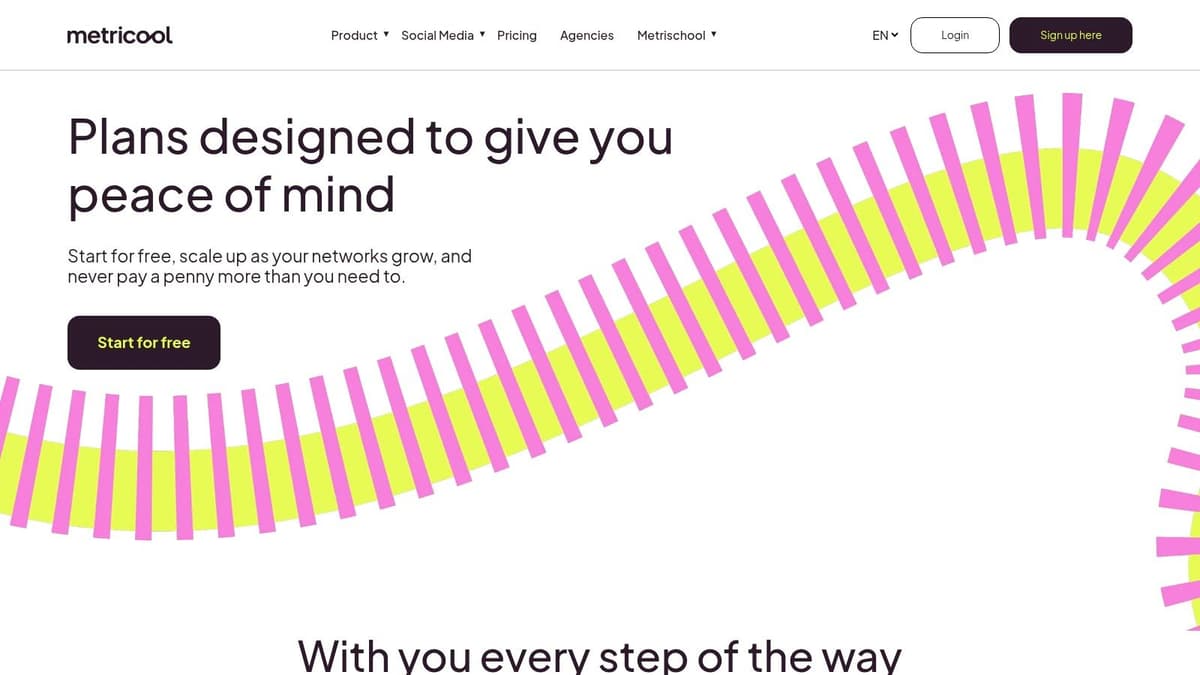
The free tier provides a powerful glimpse into the platform's analytical capabilities, offering 30 days of data retention and the ability to track up to five competitors. This is a significant advantage over many free tools that focus solely on scheduling. While the monthly post limit is tighter than some rivals, Metricool's strength lies in its integrated approach. It allows users to not only plan content but also to immediately see its impact and monitor the competitive landscape without leaving the app, making it a robust starting point for data-informed social media strategies.
Key Features & Limitations
- Social Channels: Manage 1 brand, which can include one profile from each supported network (e.g., Instagram, Facebook, TikTok, etc.).
- Scheduling Limit: Schedule up to 20 posts per month across all connected channels.
- Core Tools: Access includes a visual planner, an AI writing assistant, basic inbox management, and performance analytics with 30-day data retention.
- Limitations: The 20-post monthly limit is restrictive for active accounts. Connecting to X (formerly Twitter) and LinkedIn requires a paid plan or a separate add-on, limiting its utility for users focused on those specific platforms.
| Feature | Metricool (Free Plan) |
|---|---|
| Ideal For | Freelancers, bloggers, and small businesses managing one brand |
| Supported Platforms | Instagram, Facebook, TikTok, Pinterest, YouTube, Google Business |
| Standout Feature | Integrated analytics and competitor tracking |
| Price to Start | $0 (Forever-free plan) |
| Website | metricool.com |
3. Publer
Publer is a rising star among the best free social media management tools, particularly for users who value a modern, fast interface and a generous set of free utilities. Its forever-free plan is surprisingly robust, offering a clean and intuitive platform for those looking to organize their content strategy across several key networks. The platform feels streamlined, allowing users to quickly schedule posts and visualize their content calendar without getting bogged down in complex settings.
For individuals or small teams just starting out, Publer provides a practical entry point into organized social media management. The inclusion of tools like a hashtag generator and a link-in-bio page, even on the free tier, adds significant value. While its most powerful analytics and collaboration features are behind a paywall, the core scheduling and planning functionality is more than enough for building a consistent online presence, making it a strong contender for those with modest needs.
Key Features & Limitations
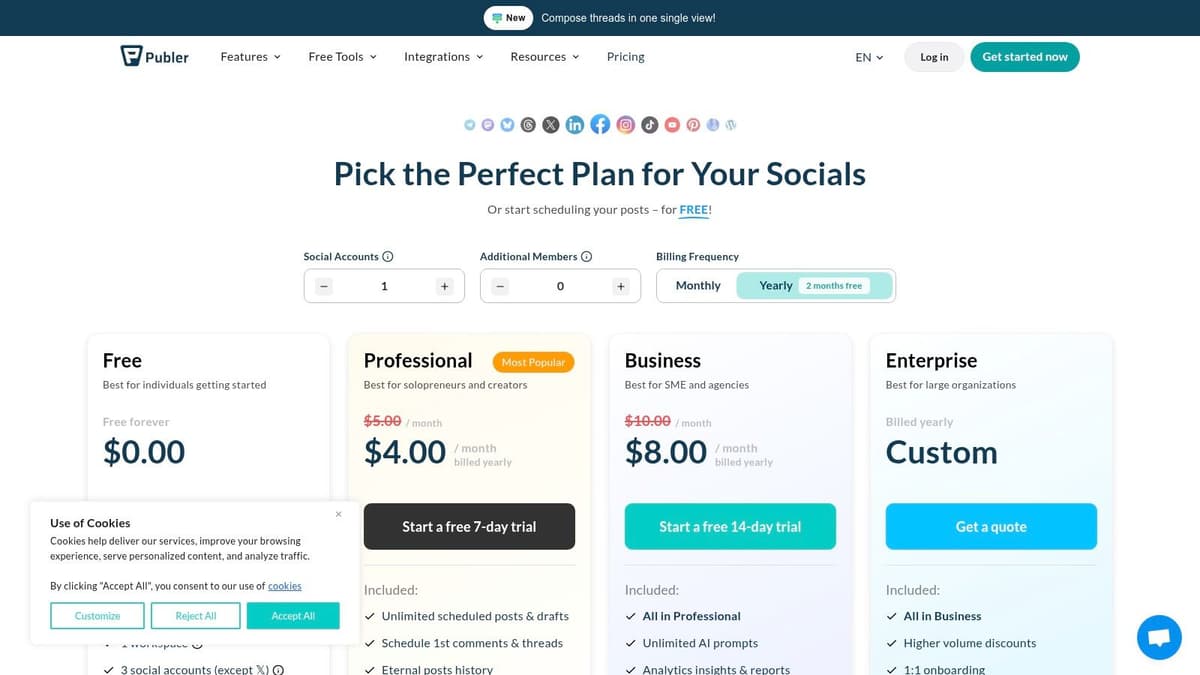
- Social Channels: Connect up to 3 social accounts. Note that X (formerly Twitter) is not available on the free plan.
- Scheduling Queue: Schedule up to 10 posts per account and keep up to 25 posts saved as drafts.
- Core Tools: Includes a visual calendar, hashtag suggestions, post previews, and a Publer-branded link-in-bio page for Instagram.
- Limitations: The free plan only shows post history for the last 24 hours, which significantly limits performance review. X/Twitter integration and advanced analytics require upgrading to a paid plan.
| Feature | Publer (Free Plan) |
|---|---|
| Ideal For | Individuals, creators, small businesses |
| Supported Platforms | Facebook, Instagram, LinkedIn, Pinterest, TikTok, YouTube, Google Business Profile |
| Standout Feature | Fast, modern UI with useful free utilities like a link-in-bio page |
| Price to Start | $0 (Forever-free plan) |
| Website | publer.io |
4. ContentStudio
ContentStudio is a feature-rich, AI-powered platform that stands out among the best free social media management tools for teams and agencies that need to go beyond basic scheduling. Trusted by over 14,500 social media teams, it brings publishing, analytics, engagement, and content discovery into a single unified dashboard, with an AI Studio that generates captions, hashtags, and images from a single prompt.
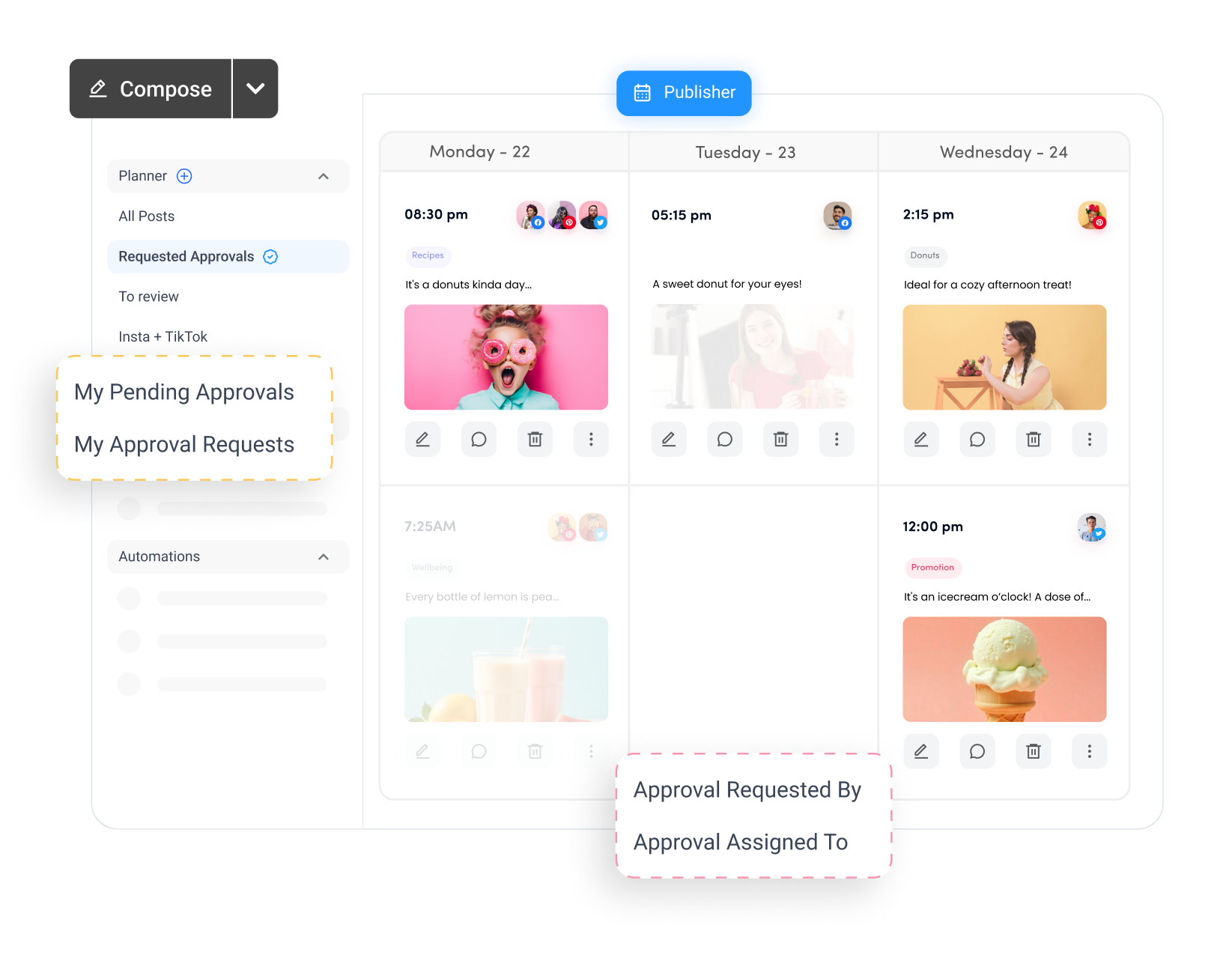
What sets ContentStudio apart is its agency-grade infrastructure available from day one. A multi-channel content calendar, approval workflows, competitor analytics, and a unified social inbox put it well above most entry-level tools. The 7-day free trial unlocks the full suite with no credit card required. It also supports newer platforms like Bluesky and Threads, and features like bulk CSV scheduling, evergreen campaign recycling, and Canva integration make it especially strong for high-volume teams managing multiple brands.
Key Features & Limitations
- Social Channels: Up to 5 accounts on Standard (Facebook, Instagram, X, LinkedIn, TikTok, YouTube, Pinterest, Bluesky, Threads, Google Business Profile), higher plans support 10–25+.
- Scheduling Queue: Unlimited posts per month across all plans.
- Core Tools: AI caption and image generation, unified content calendar, 10 GB media library, hashtag suggestions, best-time-to-post recommendations, Canva integration, Chrome extension, and mobile apps.
- Limitations: No forever-free plan, paid tiers start at $19/month after the 7-day trial. Social inbox, approval workflows, and bulk scheduling require the Advanced plan ($49/month) or higher.
| Feature | ContentStudio (Trial / Paid Plans) |
|---|---|
| Ideal For | Agencies, marketing teams, and growing brands managing multiple accounts |
| Supported Platforms | Facebook, Instagram, X, LinkedIn, TikTok, YouTube, Pinterest, Bluesky, Threads, Google Business Profile |
| Standout Feature | Unlimited scheduling + AI-powered content creation across 10+ networks |
| Price to Start | $0 (7-day free trial, no credit card required); paid plans from $19/month |
| Website | contentstudio.io |
5. Zoho Social
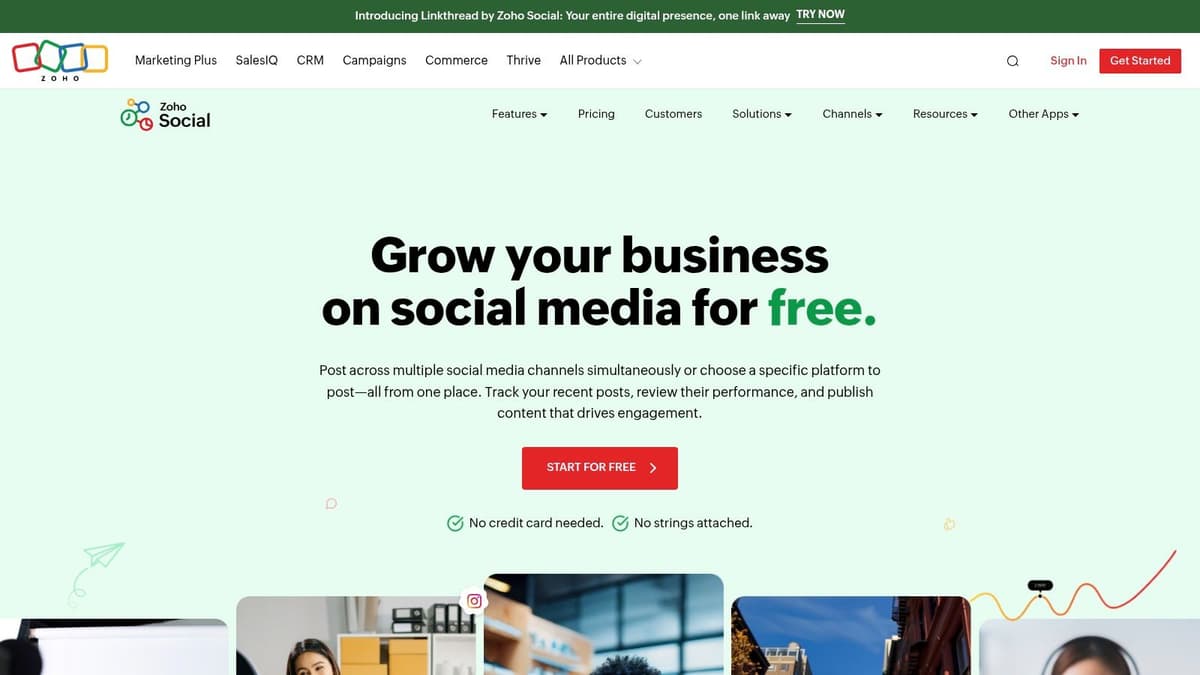
Zoho Social stands out in the crowded field of best free social media management tools by offering unlimited scheduling for a single brand on its forever-free plan. This makes it a powerful choice for individuals or small businesses focused on building a strong, consistent presence for one primary identity without hitting arbitrary posting limits. The platform integrates smoothly within the broader Zoho ecosystem, but it functions perfectly as a standalone tool for social media management.
The interface is business-oriented yet straightforward, providing users with a comprehensive dashboard to manage their content pipeline effectively. Its free edition is notably generous, moving beyond simple scheduling to include useful features like a browser extension for sharing content on the fly. This makes it an excellent starting point for users who anticipate needing more advanced analytics, reporting, and team features in the future, as the upgrade path is seamless.
Key Features & Limitations
- Social Channels: Connect 1 Facebook Page, 1 Instagram Business Profile, 1 X (formerly Twitter) account, 1 LinkedIn Profile, 1 LinkedIn Page, and 1 Google Business Profile.
- Scheduling Queue: Unlimited posts and scheduling for the connected channels. This is a significant advantage over most competitors' free tiers.
- Core Tools: Includes a content calendar, URL shortener, and the zShare browser extension for easy content curation from anywhere on the web.
- Limitations: The free plan is strictly limited to one user and one brand. Advanced features like content approvals, team collaboration, bulk scheduling, and in-depth analytics reports are reserved for paid plans.
| Feature | Zoho Social (Free Plan) |
|---|---|
| Ideal For | Single-brand businesses, solopreneurs, and individual creators |
| Supported Platforms | Facebook, Instagram, X, LinkedIn, Google Business Profile |
| Standout Feature | Unlimited post scheduling for one brand across all supported channels |
| Price to Start | $0 (Forever-free plan) |
| Website | zoho.com/social |
6. Later
Later has carved out a niche as one of the best free social media management tools for visually-driven brands and creators. Its strength lies in its Instagram-first approach, offering an intuitive drag-and-drop visual planner that lets you see exactly how your grid will look. The platform is designed around a media library, making it simple to upload, organize, and schedule your photos and videos before you even think about writing a caption.
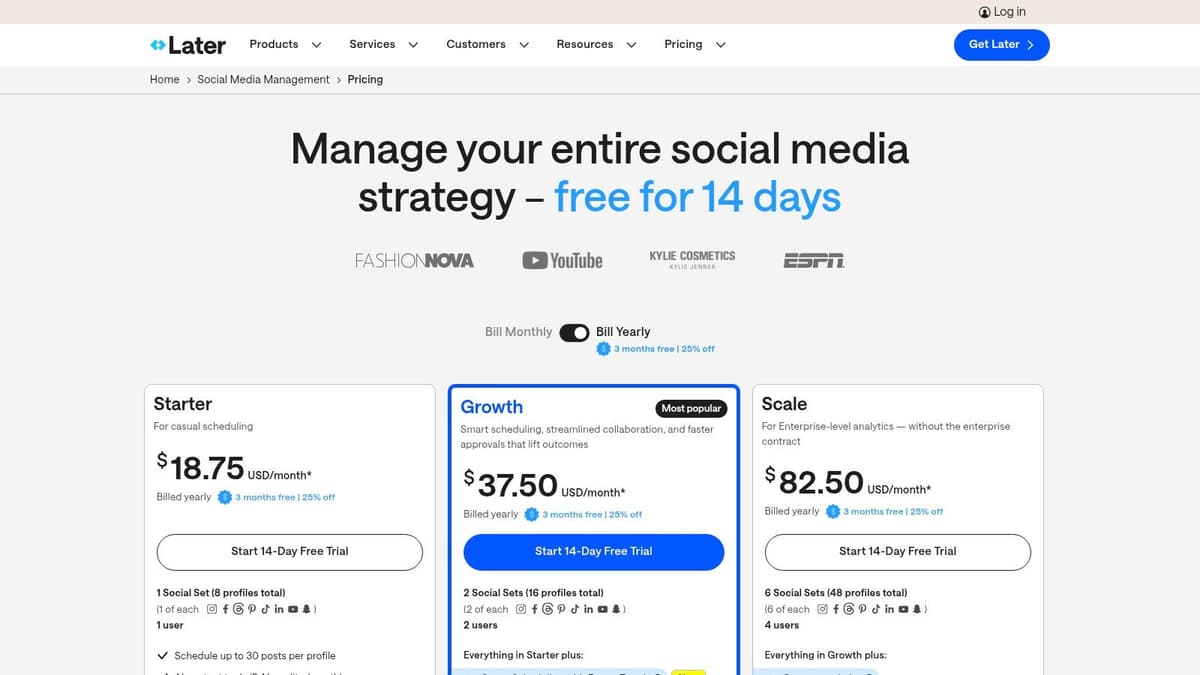
The free plan provides a great starting point for those who prioritize aesthetics and plan their content visually. While the post limits are tighter than some competitors, the core experience is polished and focused. Later excels at helping you maintain a consistent brand look and feel, making it an excellent choice for businesses in fashion, travel, food, or any industry where visual storytelling is key. Its Link in Bio tool is also a powerful free feature for driving traffic from your social profiles.
Key Features & Limitations
- Social Channels: Connect 1 "Social Set," which includes one of each: Instagram, Facebook, X, Pinterest, TikTok, and LinkedIn.
- Scheduling Queue: Schedule up to 5 posts per social profile per month.
- Core Tools: Includes a visual planner, media library for storage, and a Link in Bio page builder. An AI Caption Writer is also available with limited credits.
- Limitations: The 5-post monthly limit is restrictive for active accounts. Analytics are very limited on the free plan, and features like a content calendar, hashtag suggestions, and collaboration tools require an upgrade. You also only get one user seat.
| Feature | Later (Free Plan) |
|---|---|
| Ideal For | Individual creators, solopreneurs, visually-focused brands |
| Supported Platforms | Instagram, Facebook, X, Pinterest, TikTok, LinkedIn |
| Standout Feature | Intuitive drag-and-drop visual planner for Instagram |
| Price to Start | $0 (Forever-free plan) |
| Website | later.com |
7. PLANOLY
PLANOLY carves out its niche as one of the best free social media management tools by focusing almost exclusively on visual planning, particularly for Instagram. It is designed with a mobile-first approach, making it the ideal companion for creators and influencers who prioritize the aesthetic of their feed. The platform's core strength lies in its drag-and-drop grid planner, which allows users to see exactly how their upcoming posts will look together before they go live.
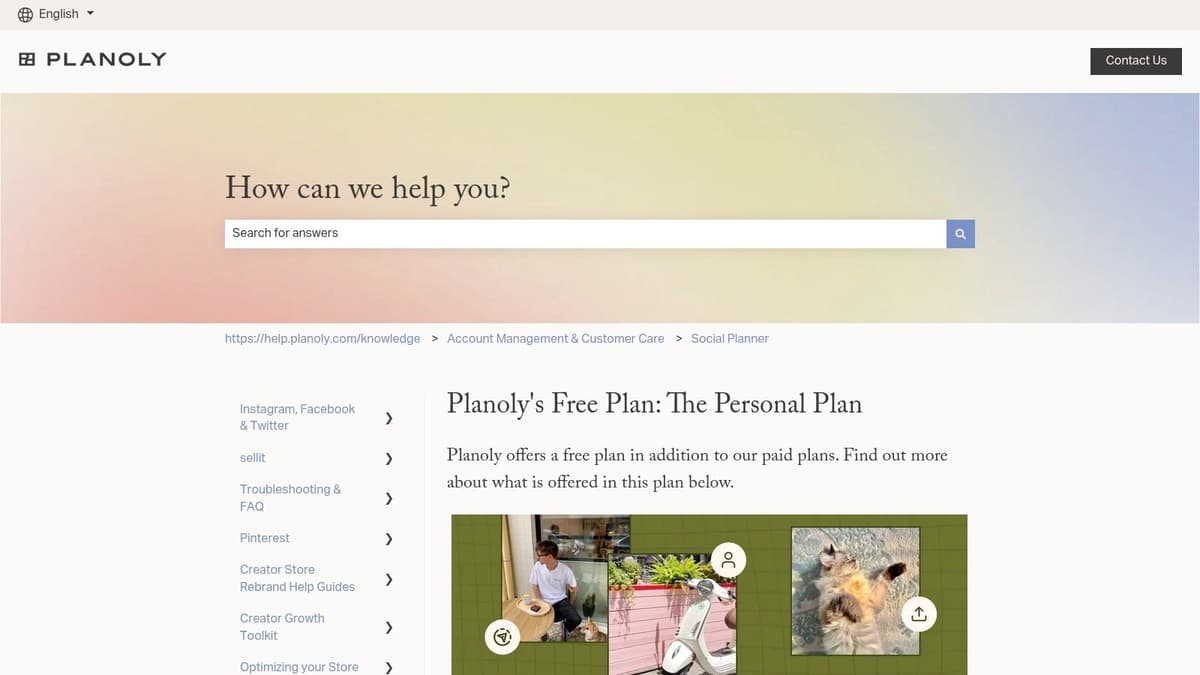
The free 'Personal' plan is intentionally limited, serving as a powerful preview of the platform's capabilities rather than a comprehensive management solution. It’s perfect for users who need to visualize their content calendar and get a feel for a visually-driven workflow. While the tight upload limits on the free tier are a significant constraint, PLANOLY’s intuitive interface and focus on aesthetics make it a valuable tool for anyone whose brand identity is heavily tied to visual storytelling.
Key Features & Limitations
- Social Channels: Connect 1 social set, which includes Instagram, Pinterest, Facebook, and X (formerly Twitter).
- Scheduling Queue: Limited to 10 uploads per month, which applies to static images only. Video uploads require a paid plan.
- Core Tools: Access to the visual grid planner, basic analytics, and the ability to view and respond to the latest 5 comments on your posts.
- Limitations: The 10-upload monthly cap is extremely restrictive for active users. Essential features like a hashtag manager, video scheduling, and full Canva integration are only available on paid tiers. The free plan is more of a planner than a robust scheduler.
| Feature | PLANOLY (Free Plan) |
|---|---|
| Ideal For | Instagram-focused creators, visual brands |
| Supported Platforms | Instagram, Pinterest, Facebook, X, TikTok |
| Standout Feature | Intuitive, mobile-first visual grid planning |
| Price to Start | $0 (Personal plan) |
| Website | help.planoly.com |
8. Meta Business Suite (Facebook/Instagram)
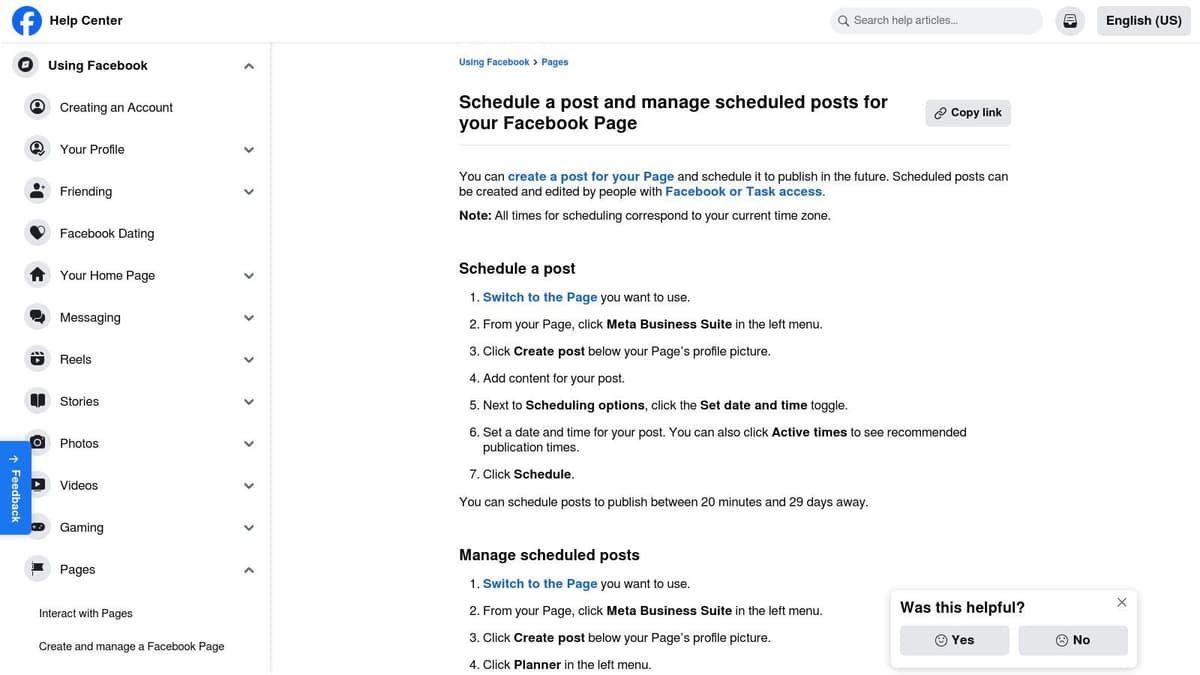
For those whose social media presence lives entirely within the Meta ecosystem, Meta Business Suite is arguably one of the best free social media management tools available. As the native platform for Facebook and Instagram, it offers direct, seamless integration for scheduling posts, stories, and reels without needing a third-party application. Its primary advantage is its deep integration, providing features like optimal posting time suggestions based on your audience's activity.
The suite consolidates key management tasks into a single dashboard, including content planning, publishing, and a unified inbox for messages and comments across both platforms. While it lacks the multi-network versatility of other tools on this list, its focused approach is perfect for businesses and creators who prioritize growth on Facebook and Instagram and prefer an official, cost-free solution. The interface is generally straightforward, though some users occasionally report bugs or workflow inconsistencies.
Key Features & Limitations
- Social Channels: Natively manage Facebook Pages and Instagram Business/Creator accounts.
- Scheduling Queue: No hard limit on the number of scheduled posts, allowing for extensive content planning.
- Core Tools: Access a content calendar, publishing tools for posts and stories, a unified inbox, and basic performance analytics.
- Limitations: The tool is strictly confined to Meta's platforms (Facebook and Instagram). You cannot manage X, LinkedIn, Pinterest, or any other network, forcing you to use another tool for a multi-platform strategy. Reliability can sometimes be inconsistent.
| Feature | Meta Business Suite (Free Plan) |
|---|---|
| Ideal For | Businesses and creators focused solely on Meta |
| Supported Platforms | Facebook, Instagram |
| Standout Feature | Deep, native integration with no third-party app |
| Price to Start | $0 (Completely free for users) |
| Website | business.facebook.com |
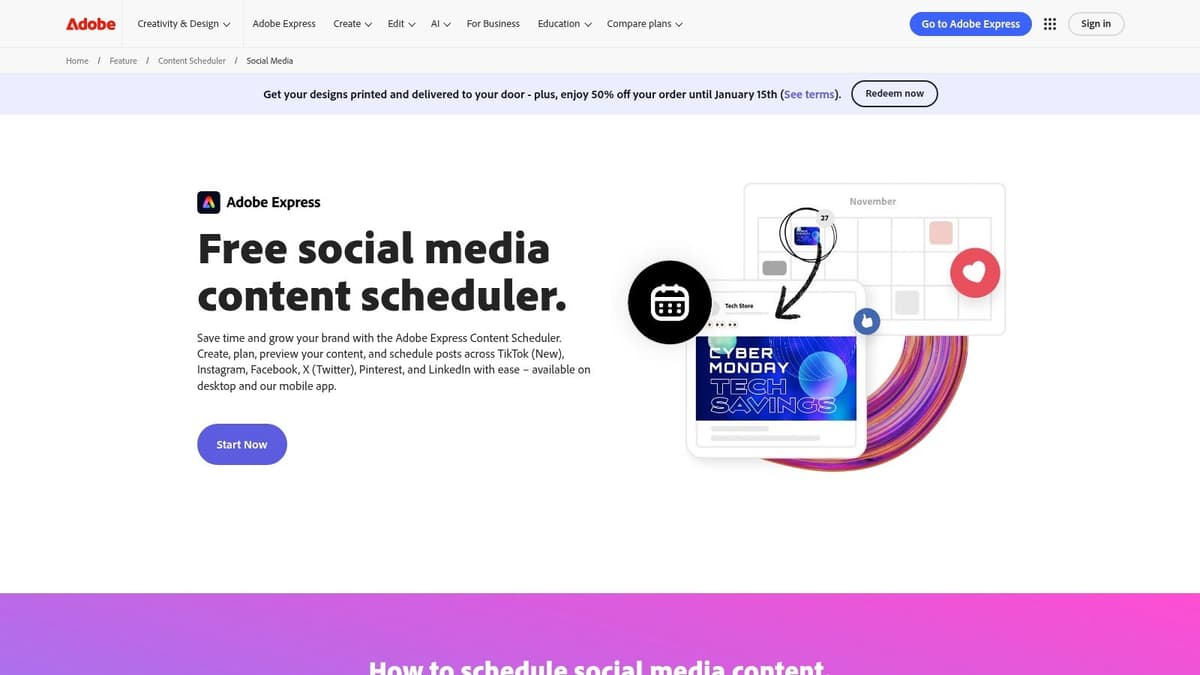
9. Adobe Express Content Scheduler
For creators and small businesses where visuals are paramount, the Adobe Express Content Scheduler is one of the best free social media management tools available. Integrated directly into the powerful Adobe Express design suite, it streamlines the workflow of creating and publishing content. This design-first approach means you can move seamlessly from crafting a graphic or video to scheduling it without ever leaving the platform.
The free plan is exceptionally generous with its posting limits, making it a sustainable choice for active social media managers. It’s perfect for users who already rely on Adobe’s ecosystem for content creation or those who want an all-in-one solution that combines design with scheduling. For those who frequently produce their own graphics, exploring dedicated AI image tools for social media can further enhance the visuals you schedule through the platform.
Key Features & Limitations
- Social Channels: Connect your accounts from Instagram, TikTok, Facebook, X (formerly Twitter), Pinterest, and LinkedIn.
- Scheduling Queue: The free plan allows for an incredible volume of scheduling, with a stated limit of up to 1,000 posts per month.
- Core Tools: Gain access to the full Adobe Express design suite, including templates, stock photos, and branding tools. Schedule, publish, and preview posts in a drag-and-drop calendar.
- Limitations: While the scheduling limit is high, the free plan restricts you to one account per social media platform. Deeper analytics and collaboration features are reserved for the premium version. The interface can feel a bit heavy if your only goal is scheduling.
| Feature | Adobe Express (Free Plan) |
|---|---|
| Ideal For | Creators, marketers, and businesses with a visual-first strategy |
| Supported Platforms | Instagram, TikTok, Facebook, X, Pinterest, LinkedIn |
| Standout Feature | Seamless integration with a powerful design suite and stock assets |
| Price to Start | $0 (Free plan with scheduler) |
| Website | adobe.com/express/feature/content-scheduler |
10. IFTTT
IFTTT, which stands for "If This Then That," offers a unique approach to social media management by focusing entirely on automation. While not a traditional dashboard, it serves as a powerful connector between different apps and services, making it one of the best free social media management tools for users who need to automate repetitive, single-action tasks. It allows you to create simple "Applets" that trigger an action in one service based on an event in another, such as automatically posting your new blog articles from an RSS feed to X.
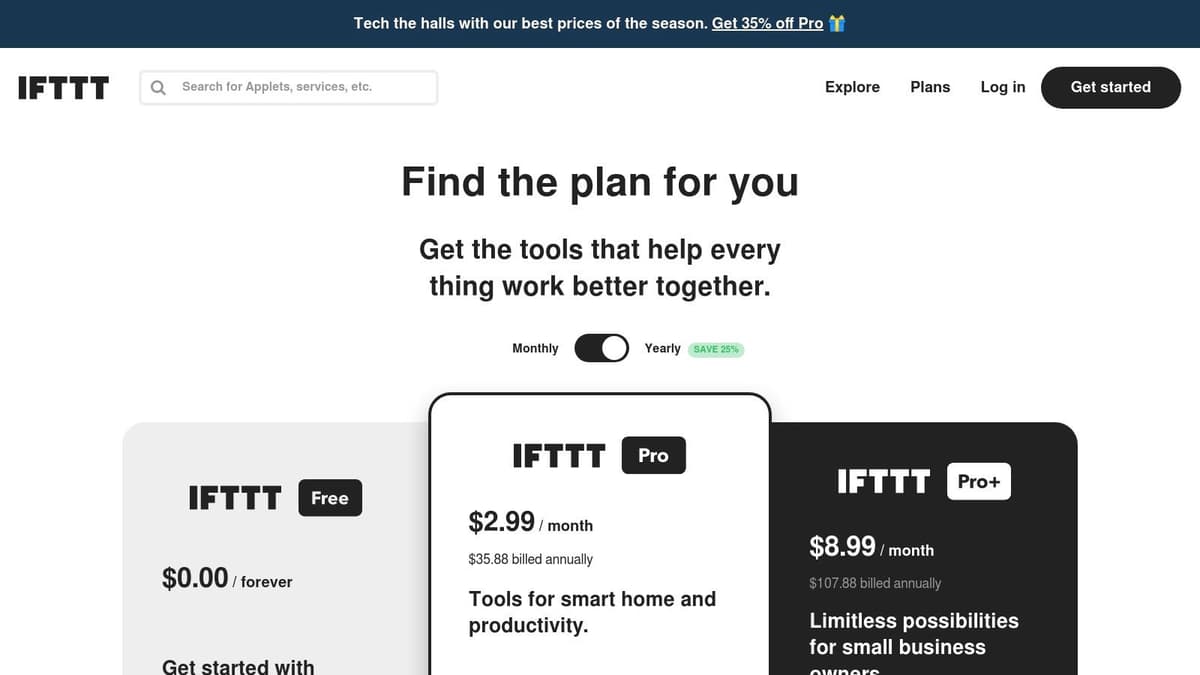
The platform’s strength lies in its vast ecosystem of integrations that go far beyond just social media. For creators and small businesses, this opens up endless possibilities for simple cross-posting and content syndication without manual effort. While it lacks a unified inbox, analytics, or a content calendar, its set-it-and-forget-it nature is perfect for specific, high-volume workflows. This makes IFTTT an excellent supplementary tool for automating the connections between your content sources and social profiles. You can learn more about how to automate social media posts and how IFTTT fits into a broader strategy.
Key Features & Limitations
- Automation Applets: Build custom, single-action automations to connect services (e.g., when a new YouTube video is uploaded, create a post on Facebook).
- Applet Limit: The free plan allows you to create and use up to 2 active, custom-built Applets at a time.
- Core Tools: Access a massive library of pre-built Applets and connect to hundreds of services, including social networks, smart home devices, and productivity apps.
- Limitations: The free plan is limited to 2 Applets and does not include multi-step Applets, faster execution speeds, or advanced developer tools. It is not a management dashboard and offers no analytics, scheduling queue, or team features.
| Feature | IFTTT (Free Plan) |
|---|---|
| Ideal For | Individuals, creators, and marketers needing automation |
| Supported Platforms | X, Facebook, Pinterest, LinkedIn, Tumblr, Reddit, & more |
| Standout Feature | Massive ecosystem of integrations for no-code automation |
| Price to Start | $0 (Forever-free plan) |
| Website | ifttt.com/plans |
11. Social Champ
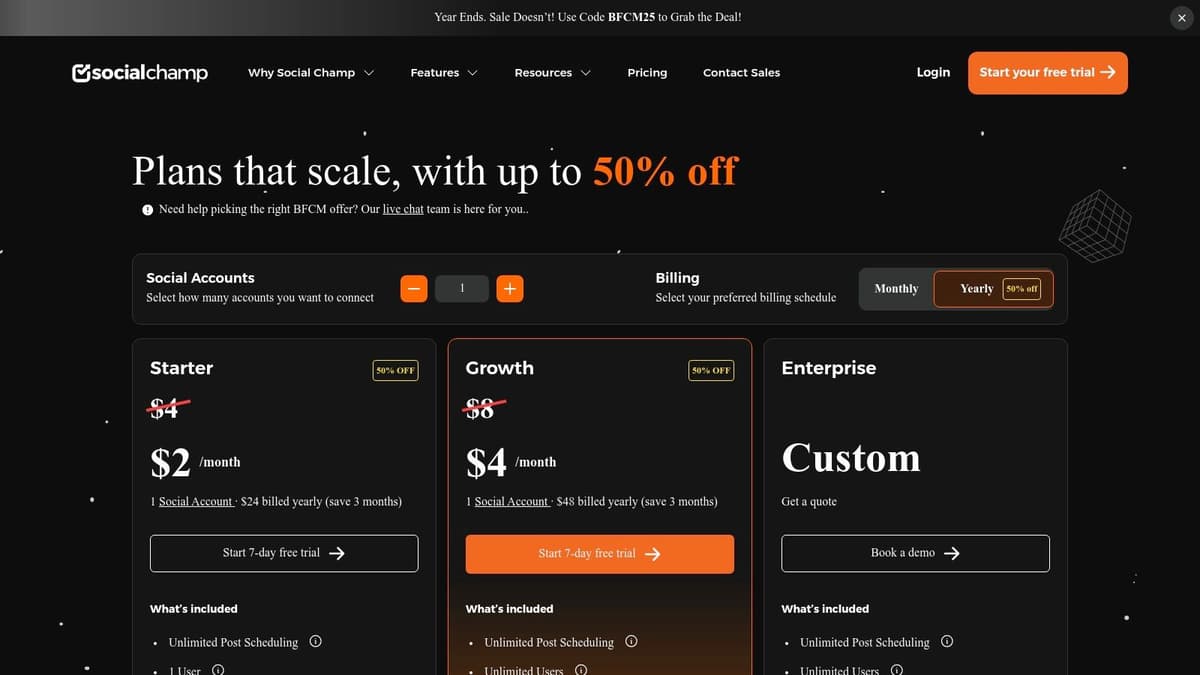
Social Champ positions itself as a powerful yet accessible option for those searching for the best free social media management tools, particularly with a clear upgrade path for growing teams. Its free plan offers a solid entry point with essential scheduling and calendar features, making it easy to organize a basic content strategy without initial investment. The platform is designed to be straightforward, allowing new users to connect their accounts and start scheduling posts with minimal friction.
The free tier is built to give a genuine taste of the platform's core capabilities, focusing on simple, effective content planning. While more advanced functions like a social inbox or detailed analytics are reserved for paid users, the initial offering is robust enough for individuals or small businesses just beginning to streamline their social media workflow. Social Champ's standout quality is its balance of user-friendly design with a scalable feature set, ensuring it can grow alongside its users' needs.
Key Features & Limitations
- Social Channels: Manage up to 3 social media profiles from a list that includes major networks like Facebook, Instagram, X, LinkedIn, and more.
- Scheduling Queue: The free plan allows you to schedule up to 15 posts at a time. This is a total cap, not a per-channel limit.
- Core Tools: Includes a content calendar, basic post scheduling, and access to both web and mobile applications for managing on the go.
- Limitations: The 15-post scheduling limit can be restrictive for highly active accounts. Advanced features such as team collaboration with roles, a unified social inbox, and in-depth reporting are only available on paid plans.
| Feature | Social Champ (Free Plan) |
|---|---|
| Ideal For | Individuals, startups, and small teams planning to scale |
| Supported Platforms | Facebook, Instagram, X, LinkedIn, Pinterest, Google Business |
| Standout Feature | A clear and simple growth path to team and agency features |
| Price to Start | $0 (Forever-free plan) |
| Website | socialchamp.com |
12. G2
While not a social media management tool itself, G2 is an indispensable research platform for finding one. It serves as a comprehensive software marketplace where you can discover and compare hundreds of tools, making it a critical first step in your search for the best free social media management tools. Instead of signing up for dozens of free trials, you can leverage G2’s extensive user reviews, feature comparisons, and market data to create a shortlist of top contenders that fit your specific needs.
G2’s real power lies in its robust filtering system. You can easily isolate tools that offer a forever-free plan, compare their features side-by-side in detailed matrices, and read authentic feedback from real users. This helps you understand the practical limitations of each free tier before you commit. For anyone feeling overwhelmed by the sheer number of options available, using G2 is the most efficient way to conduct initial research and identify the perfect platform with confidence.
Key Features & Limitations
- Free Plan Filtering: Easily surface a comprehensive list of social media management products that offer a free tier, saving you hours of manual research.
- User Reviews & Ratings: Access thousands of verified user reviews to understand the pros and cons of each platform from a user's perspective.
- Comparison Matrix: Compare features, pricing, and user satisfaction scores for multiple tools in a convenient side-by-side grid.
- Limitations: G2 is a research directory, not a functional tool, so you cannot manage accounts directly through it. You must still visit the vendor’s site to sign up. Be mindful that some search results may be sponsored placements.
| Feature | G2 |
|---|---|
| Ideal For | Anyone researching and comparing social media tools |
| Supported Platforms | N/A (It's a directory for tools supporting all major platforms) |
| Standout Feature | Powerful filters to find and compare tools with free plans |
| Price to Start | $0 (Free to browse and compare) |
| Website | g2.com/categories/social-media-mgmt/free |
Top 12 Free Social Media Management Tools Comparison
| Tool | Core features | UX & Quality (★) | Price & Value (💰) | Target (👥) | Standout / Unique (✨ / 🏆) |
|---|---|---|---|---|---|
| Buffer | Scheduler, basic analytics, unified inbox, AI assistant | ★★★★☆ stable & easy-to-learn | 💰 Free (3 channels, 10 posts/channel); paid upgrades | 👥 Individuals & small teams | ✨ simple UI, clear upgrade path |
| Metricool | Cross-platform scheduling, analytics, competitor tracking | ★★★★☆ strong analytics at paid tiers | 💰 Generous free (1 brand, 20 posts/mo); paid for more networks | 👥 Brands & analytics-focused users | ✨ competitor tracking, brand dashboards |
| Publer | Scheduler, link-in-bio, hashtag & preview tools | ★★★★ intuitive planner & calendar | 💰 Free starter (3 accounts, 10 posts/account); pay for X support | 👥 Individuals testing scheduling | ✨ fast planner + handy free utilities |
| ContentStudio | AI-powered publishing, analytics, engagement, and content discovery | ★★★★ reasy, agency grade | 💰 Free to try | 👥 Agencies, marketing teams | ✨ AI-powered content creation |
| Zoho Social | Forever-free 1 brand, unlimited posting on included channels | ★★★★ reliable & scalable | 💰 Forever-free (1 brand/user); pro & agency tiers | 👥 Single-brand businesses | 🏆 unlimited posting on included channels; smooth upgrade |
| Later | Visual planner, media library, auto-publish, link-in-bio | ★★★★☆ excellent visual planning | 💰 Free limited posts; paid plans with 14-day trials | 👥 Creators & SMBs focused on visuals | ✨ visual-first calendar & media handling |
| PLANOLY | Mobile-first feed planning, grid preview, uploads | ★★★ mobile-friendly & simple | 💰 Free Personal (10 uploads/mo); paid for video/Canva/hashtags | 👥 Instagram-first creators | ✨ mobile grid planning & quick uploads |
| Meta Business Suite | Native scheduling, calendar, inbox for FB & IG | ★★★★ native but intermittent bugs | 💰 100% free (native Facebook & Instagram) | 👥 Facebook & Instagram managers | 🏆 native tool — no third-party connector needed |
| Adobe Express Content Scheduler | Scheduler + design tools, drag/drop calendar, templates | ★★★★ design-rich; heavier UI | 💰 Very generous free (up to ~1,000 posts/mo); paid for advanced features | 👥 Visual creators & designers | 🏆 integrated design + stock assets; ✨ huge free posting allowance |
| IFTTT | No-code automations / applets for cross-posting & triggers | ★★★ flexible but not a full dashboard | 💰 Free limited applets; Pro adds multi-action & faster runs | 👥 Automators & power users | ✨ broad ecosystem of triggers & integrations |
| Social Champ | Scheduler, content calendar, basic analytics, apps | ★★★ easy onboarding; clear UX | 💰 Free (3 profiles, 15 posts); paid for unlimited scheduling | 👥 Small teams scaling up | ✨ clear pricing & growth path to team features |
| G2 | Software directory, side-by-side comparisons, reviews | ★★★★ helpful research & filtering | 💰 Free to browse; leads to vendor sign-up | 👥 Buyers shortlisting tools | 🏆 comprehensive reviews, market grids |
Making Your Final Decision
Navigating the landscape of the best free social media management tools can feel overwhelming, but the journey to finding the right fit starts with a clear understanding of your unique needs. We've explored a dozen powerful platforms, from established players like Buffer and Later to niche solutions like PLANOLY and Adobe Express. The core takeaway is simple: there is no single "best" tool, only the tool that is best for you right now.
Your choice should be a direct reflection of your primary social media strategy. Are you a solopreneur focused on building a community on X and Threads? A tool with robust microblogging support like Metricool or Publer might be your ideal match. Are you a small business whose audience lives on Instagram and Facebook? The native Meta Business Suite offers unparalleled integration and analytics for that ecosystem at no cost.
How to Choose Your Free Tool: A Practical Framework
To move from analysis to action, consider these critical factors. Don't just pick a tool with the most features; select the one that solves your biggest bottleneck.
- Platform Priority: Where does your audience spend their time? If you're all-in on Instagram, a visually-focused tool like Later or PLANOLY is a natural choice. If you're experimenting with decentralized platforms like Mastodon or Bluesky, ensure your chosen tool (like Publer) offers that specific support.
- Workflow Simplicity: The goal is to save time, not create a new chore. Buffer's famously clean interface is perfect for beginners who need straightforward scheduling without a steep learning curve. In contrast, a more feature-rich dashboard like Metricool's might be ideal for someone who wants to see analytics and scheduling in one place.
- Content Type: Your content format dictates your needs. For visual-heavy creators, the design capabilities integrated into Adobe Express Content Scheduler are a massive advantage. If your strategy is text-driven, with a focus on threads and text posts, a tool that simplifies that process is more valuable than one with a great image editor.
- The "Free" Ceiling: Every free plan has limitations. Scrutinize the key restrictions: number of connected accounts, scheduled posts per month, and user seats. Zoho Social, for instance, offers a single-user, single-brand solution that's great for an individual but won't work for a growing team. Be realistic about when you might hit that ceiling.
Planning for Future Growth
The true power of using one of these best free social media management tools is the foundation it helps you build. It allows you to establish a consistent posting cadence, understand what content resonates with your audience, and prove the ROI of your social media efforts-all without a financial investment.
Think of these free tools as your social media launchpad. You'll learn your own habits, discover which analytics actually matter to your growth, and identify gaps in your workflow. When you inevitably hit the limits of your free plan, you won't be guessing what you need next. You'll have a data-backed understanding of the exact features worth paying for. Whether that means upgrading to a paid tier on your current platform or moving to a more specialized tool, you'll be making an informed business decision.
Ultimately, the right free tool will empower you to streamline your process today while preparing you for scalable growth tomorrow. It organizes the chaos, frees up your creative energy, and sets the stage for a more sophisticated, impactful social media presence.
Ready to master your microblogging strategy? While the tools above offer great general features, MicroPoster is built specifically to help you create, schedule, and grow on text-first platforms like X and Threads. If you're serious about building an audience through high-impact text content, see how our focused approach can amplify your voice at MicroPoster.