
best bluesky scheduling tools for creators
10 Best Bluesky Scheduling Tools for Creators (2026)
Find the best Bluesky scheduling tools for creators. Compare features, pricing, and find the right tool to automate your workflow and grow your audience.

You write a strong post. Then the busywork starts.
You open Bluesky, trim the copy, fix a mention, re-upload the image, adjust the thread break, and publish. Then you do it again for X, Threads, maybe Mastodon. The writing took focus. The distribution steals time.
That’s the trap most creators fall into. Not because they lack tools, but because most tools stop at basic scheduling. They’ll queue a post, sure. They won’t consistently make that post feel native everywhere it goes, and that’s where the friction lives.
The best Bluesky scheduling tools for creators should do more than fill a calendar. They should reduce repetitive work, preserve formatting, handle media cleanly, and help you keep momentum across networks without turning every post into a manual editing session. That’s the standard that matters if you publish often.
I’ve tested these tools with a simple question in mind. After I finish writing, how much extra work is left?
For some tools, the answer is still too much. You get a decent scheduler, but weak adaptation, clunky thread handling, or limited workflow flexibility. Others are better for agencies than creators. A few are excellent if your main priority is publishing speed, analytics, or a cleaner writing environment.
One tool stands out if your goal is to write once and grow everywhere. That’s MicroPoster. It’s built around automation first, not just scheduling first, and that difference matters when Bluesky is only one part of your publishing stack.
Below are the tools worth considering, with the trade-offs that affect day-to-day creator workflows.
1. MicroPoster

MicroPoster is the one I’d pick when the problem isn’t “How do I schedule on Bluesky?” but “How do I stop reworking the same post for every network?” That’s a very different job, and most schedulers only solve part of it.
Its core model is simple. You publish natively to your preferred source account, and MicroPoster detects the new post within seconds, then mirrors it to Bluesky, X, Threads, and Mastodon. The useful part is what happens in between. It adapts the content for each network instead of pushing a blunt copy everywhere.
Why it fits creator workflows
If you post short updates, launch notes, thought threads, or product commentary, the biggest time sink is adaptation. MicroPoster handles the annoying parts automatically. It can split longer updates into threads, map mentions and handles, resize images and videos for native uploads, optimize links for rich previews, and apply rules around hashtags, threading, or pure mirroring.
That makes it closer to an automation engine than a plain scheduler. You’re not just placing posts on a calendar. You’re building a repeatable distribution system that keeps output moving even when you’re busy writing, shipping, or replying.
Practical rule: If your workflow starts on one platform and then fans out, automation beats manual cross-posting every time.
It also includes AI tools that are relevant to publishing. You can refine tone, expand or summarize copy, get send-time suggestions, and analyze comments for audience insight. I like that these features support the existing workflow instead of forcing a new one.
Where it beats standard schedulers
A lot of creators don’t need a giant social suite. They need less friction. MicroPoster is strongest there.
- Native-feeling reposts: It adapts copy, handles, links, and media so cross-posts don’t feel like lazy duplicates.
- Always-on automation: The system runs in the background, which is ideal for founders and solo creators who can’t babysit every channel.
- Simple pricing: Creator is $12/month, Pro is $29/month, both with unlimited scheduling, a 7-day free trial, no credit card required, and cancel-anytime flexibility.
- Low-risk setup: It uses secure OAuth connections, so passwords aren’t stored.
For planning, you still get the expected tools: visual calendar, rich-text editor, auto-hashtags, polls, X Communities support, and one-click manual reposting. If you want the step-by-step side of Bluesky planning itself, MicroPoster also has a useful guide on how to schedule posts on Bluesky.
The best use case is simple: you already create content consistently, and you want distribution to stop eating your day.
The trade-off is scope. MicroPoster is focused on X, Threads, Bluesky, and Mastodon. If your world revolves around Instagram, LinkedIn, or a big enterprise approval chain, it won’t replace a full social media suite. It also doesn’t present public customer testimonials or enterprise certifications on the product page, so larger organizations may want more formal proof and deeper team controls.
For creators, writers, indie hackers, and small social teams, though, it’s the most workflow-aware option on this list. It saves time where creators typically lose it.
2. Buffer
You batch a week of posts, want them to go out on time, and do not want the tool itself to become another project. That is the case for Buffer.
Buffer is the easy pick for creators who want a familiar scheduler with very little setup friction. It was one of the earliest approved Bluesky partners and added support through Bluesky’s publishing API soon after that API opened up, according to Sprout Social’s review of Bluesky scheduling tools. In practice, that shows up as stability. Buffer feels mature on Bluesky, not experimental.
Where Buffer works best
Buffer fits a straightforward publishing workflow. Draft the post, attach media, drop it into a queue, and let the schedule run. The drag-and-drop calendar is easy to use, and custom posting queues help if you already think in weekly slots instead of one-off posts.
That matters for creators who care more about consistency than tinkering.
I’d put Buffer in the “good default system” category. If you publish across multiple networks and want one place to keep the calendar organized, Buffer does that well. It is also a sensible option if Bluesky is part of a broader distribution routine rather than the center of your content strategy. If you are still deciding whether that broader routine is worth building, this guide on why creators should be cross-posting to Bluesky gives the strategic case.
Pricing has also tended to stay accessible for solo creators and small businesses in third-party comparisons, which matches Buffer’s overall appeal. It is built for keeping content moving without much operational overhead.
The trade-off
Buffer saves time on scheduling. It does less to reduce the manual work that happens before and after scheduling.
That is the distinguishing factor between Buffer and more workflow-aware tools. It publishes reliably across platforms, but it is not especially strong at adapting a post so it feels native on each network. If your process is “write once, lightly tweak, schedule everywhere,” Buffer is efficient. If your process depends on platform-specific formatting, Bluesky-first experimentation, or more advanced reposting logic, you will start to feel the limits.
So my take is simple. Buffer is a strong fit for creators who want dependable multi-platform publishing with a clean interface and very little training time. It is less compelling for creators trying to cut down adaptation work across channels, which is usually where the significant time drain starts.
- Best for: Solo creators, writers, and small teams that want dependable scheduling and simple multi-platform publishing
- Less ideal for: Creators who want deeper automation, stronger post adaptation, or Bluesky-specific workflow features
- Website: Buffer Bluesky scheduling
3. Hootsuite
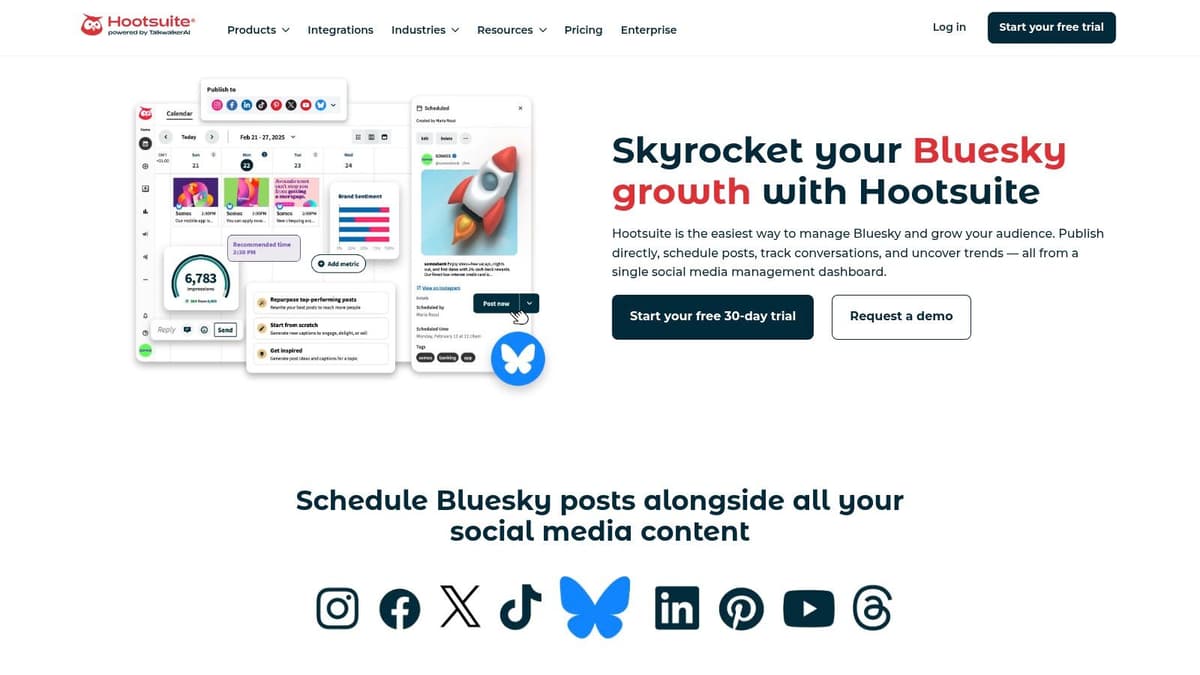
Hootsuite sits at the opposite end of the spectrum from creator-first tools. It’s built for control, governance, and cross-team coordination. If you manage approvals, shared calendars, asset libraries, and listening from one place, Hootsuite makes sense.
For creators, that can be either a strength or a mismatch.
When Hootsuite is worth it
If you’re running a media brand, agency workflow, or internal team with multiple contributors, Hootsuite’s structure helps. You can schedule and publish to Bluesky alongside other networks, assign roles, manage approvals, and keep an eye on broader social conversations.
That’s useful when posting isn’t a solo act. Someone writes, someone reviews, someone publishes, and someone else tracks responses. Hootsuite is designed for that chain.
Governance matters when more than one person can hit publish.
It also appeals to teams that want social listening in the same product as scheduling. Most creator-focused Bluesky tools don’t go deep there. Hootsuite does.
Where creators feel the friction
The problem is overhead. For a solo creator or founder, Hootsuite can feel like bringing an operations platform to a writing problem. The interface is heavier, the setup takes longer, and the pricing tends to make more sense for organizations than individuals.
You’ll get extensive collaboration features. You may not get a faster day-to-day publishing rhythm if you’re just trying to turn one post into four network-ready versions with minimal work.
- Best for: Agencies, brands, and larger teams with approval and monitoring needs
- Less ideal for: Solo creators and lean teams that value speed over process
- Website: Hootsuite Bluesky
If your definition of “best Bluesky scheduling tools for creators” includes governance and listening, Hootsuite belongs here. If your definition starts with efficiency, it usually won’t be the first tool I’d recommend.
4. Sprout Social
A common creator bottleneck looks like this. The post is ready, but publishing still stalls because someone wants approval, someone else wants clean reporting, and the content has to go out on more than one network without turning into spreadsheet work.
Sprout Social is built for that kind of workflow. It is less about raw publishing speed and more about keeping creation, review, scheduling, and reporting inside one system.
What stands out
Sprout works well for creators embedded in a company team, agency, or media operation where posting is tied to accountability. You can draft Bluesky posts, attach media, place them in a shared calendar, and route content through an approval flow without switching tools. That reduces the manual work around publishing, even if the writing experience itself is not the lightest in this list.
The bigger advantage shows up after the post is scheduled. Teams that need campaign reporting, stakeholder updates, and cross-platform visibility usually get more value from Sprout than from a simpler scheduler. If the goal is not just "schedule a Bluesky post" but "run Bluesky as part of a measurable social program," Sprout makes more sense.
I also see a clear difference in content operations here. Tools like MicroPoster or Typefully are closer to a creator-first publishing rhythm. Sprout is stronger once the workflow includes review, documentation, and performance analysis across channels.
Real trade-offs
That structure comes with drag.
For a solo creator, Sprout can feel heavier than necessary. The platform is good at handling process, but process is not always the problem. If your real pain point is turning one idea into native-feeling posts for Bluesky, X, and Threads with the least possible effort, Sprout is usually not the fastest option.
It makes more sense when missed approvals, inconsistent reporting, or team handoffs are costing time every week. In that setting, the extra overhead pays for itself because the workflow is clearer and fewer publishing tasks fall through the cracks.
Sprout fits teams that treat social publishing as an operational system, not just a posting habit.
- Best for: Brand teams, agencies, and startups that need approvals, reporting, and a shared publishing system
- Less ideal for: Solo creators who want the quickest path from draft to multi-platform post
- Website: Sprout Social
5. Publer

Publer is one of the more practical choices if you publish a lot of multimedia content and want a scheduler that doesn’t make thread creation annoying. It’s less flashy than some alternatives, but it’s useful in the places that matter for working creators.
The thread composer is the main attraction. You can build Bluesky threads with previews and character-limit guidance, which reduces the guesswork that often slows posting down.
Why creators like it
Publer works well for publishers who post tutorial threads, product updates, visual explainers, or recurring multimedia series. Multi-image and video support make it easier to keep Bluesky content structured before it goes out.
I also like that the product feels operational instead of abstract. It helps you compose, preview, and schedule without much drama. That’s often enough.
There’s another practical angle. Existing coverage of Bluesky schedulers often skips over Bluesky-specific features like NSFW labeling, automatic link card handling, and video scheduling. That gap was highlighted in Fedica’s review of the best Bluesky tools, which pointed out that creators still lack clear guidance on compliance and media optimization across tools.
Where it falls short
Publer is still more of a scheduler than an automation system. If your workflow depends on posting once and having each destination network adapt intelligently, it won’t go as far as MicroPoster. It’s better for planned publishing than for background distribution logic.
There’s also a narrower feel around Bluesky account support in some setups, especially if you’re outside the most common hosting path. For mainstream creator use, that usually isn’t a dealbreaker, but it’s worth checking before you commit.
- Best for: Multimedia creators and thread-heavy publishers
- Less ideal for: Users who want rule-based cross-network adaptation
- Website: Publer Bluesky integration
6. Typefully
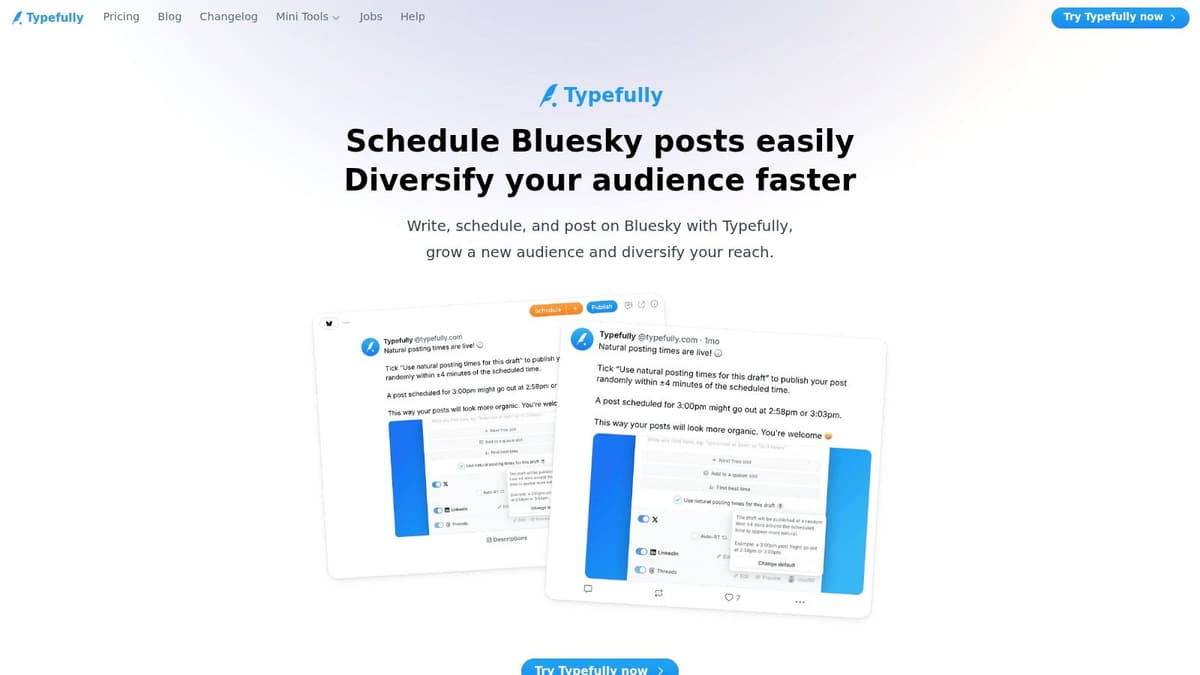
Typefully is for creators who care about the writing experience first. If the editor matters more to you than dashboards, approvals, or agency workflow, Typefully is easy to like.
Its interface is clean, fast, and built for drafting. Bluesky support fits naturally into that environment, so if you already think in terms of posts, threads, and scheduled slots, it feels familiar quickly.
Best use case
This is the tool I’d choose for writers who primarily want to compose well and then publish cleanly. Pre-defined time slots and a visual calendar help keep output consistent without overcomplicating the routine.
Media support is there, and cross-platform publishing is available, so it can fit into an X-centric or general creator workflow without much friction. That matters if you’ve built your habits around writing tools rather than social suites.
Typefully is also a fair pick for creators who don’t want their scheduler to become a second job. The app stays out of the way.
Good writing tools reduce resistance before publication. That matters more than many creators admit.
Limits to know
Typefully isn’t where I’d go for larger teams, layered approvals, or serious engagement management. It’s not trying to be an enterprise platform, and that’s fine. The downside is that scaling collaboration will usually push you elsewhere.
It’s also not the strongest option if your whole strategy depends on native-feeling adaptation across multiple networks. You can cross-post. You just won’t get the same level of automation logic that a distribution-first tool provides.
- Best for: Writers and solo creators who want a polished editor
- Less ideal for: Teams needing approvals, listening, or complex automation
- Website: Typefully for Bluesky
- Related comparison: Typefully review and alternatives
7. SocialBee

SocialBee is strongest when consistency matters more than novelty. If you run evergreen content, recurring tips, promotional cycles, or category-based queues, it’s a solid fit.
That makes it particularly useful for creators who treat social as a publishing system, not just a stream of one-off thoughts.
Why it’s useful
Category-based queues and post recycling are SocialBee’s practical strengths. You can keep different content types moving without manually rebuilding the schedule each week. Canva integration, RSS import, and CSV bulk uploads also help if your workflow includes visual assets or repeatable post formats.
For small teams, the interface is approachable. It doesn’t carry the enterprise weight of Hootsuite or Sprout, but it gives enough structure to keep a content machine running.
That’s valuable if your goal is steady presence across networks, including Bluesky, without rebuilding your queue from scratch every few days.
What it doesn’t solve
SocialBee is less compelling if your pain point is native cross-post adaptation. Recycling and categorization are useful, but they solve a different problem than network-aware distribution.
It also isn’t the deepest tool for listening or inbox workflow. You’ll get scheduling support and some performance context, but not the broad operational layer larger suites promise.
- Best for: Small teams and creators with evergreen, recurring content programs
- Less ideal for: Creators focused on bespoke post adaptation across multiple platforms
- Website: SocialBee Bluesky scheduling
If you publish in repeatable themes and want order, SocialBee does the job well. If you want every repost to feel custom to the destination platform, look elsewhere.
8. Vista Social
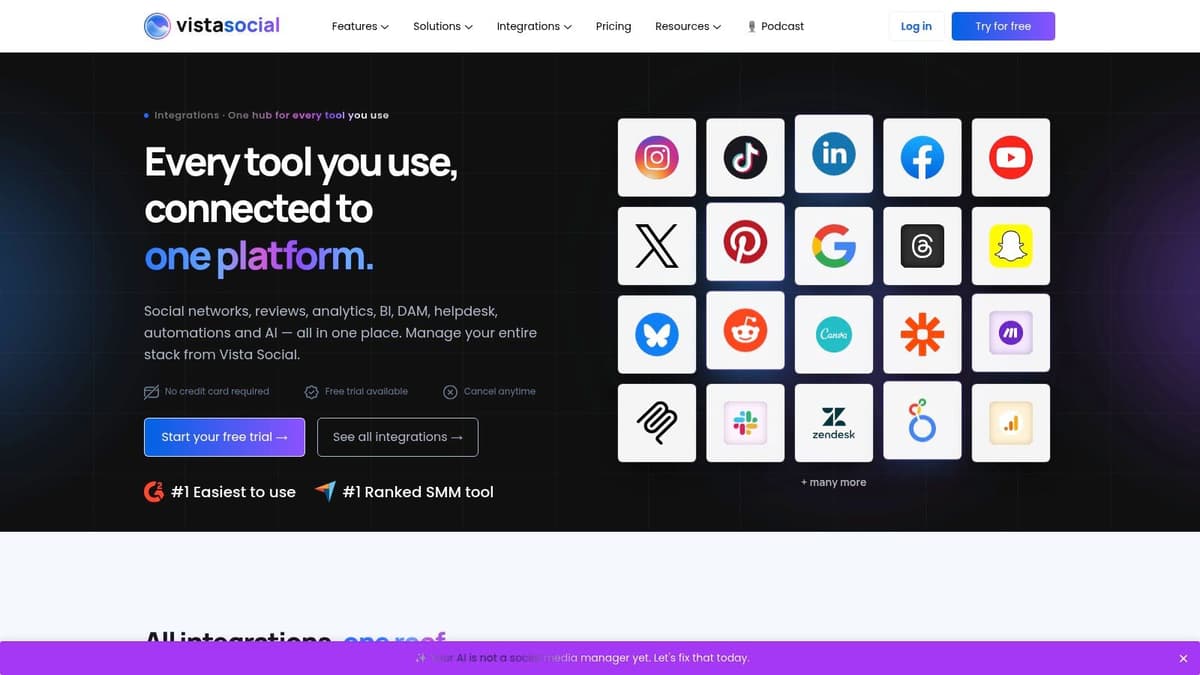
Vista Social has become a strong middle-ground option. It offers more operational depth than lightweight creator tools, but it usually feels more modern and approachable than older enterprise suites.
That mix makes it appealing for growing teams, agencies, and creators who are outgrowing basic schedulers.
Where it wins
The product combines Bluesky publishing, analytics, response management, multi-profile calendaring, team roles, and client workspaces. That’s a broad package for teams that need more than just a posting queue.
I especially like Vista Social for teams managing multiple brands or clients without wanting a heavy enterprise contract. It has enough structure to support collaboration, but the product still feels usable day to day.
Mobile apps are also part of the equation, which helps if your publishing and engagement workflow isn’t tied to a desktop.
The catch
Some of the more advanced capability sits behind add-ons. That’s not unusual, but it changes the value equation once your needs expand. If you’re comparing tools based on headline pricing alone, that can be misleading.
For a solo creator, Vista Social may still be more system than necessary. For a small team or agency, it can be a smart compromise between feature depth and usability.
The sweet spot is a team that needs structure, but doesn’t want enterprise software baggage.
- Best for: Growing teams, agencies, and multi-profile operations
- Less ideal for: Individual creators who mainly want faster posting
- Website: Vista Social integrations
9. SocialPilot
SocialPilot is the practical option for teams that need lots of profiles, bulk scheduling, and client-facing workflow without paying for a premium suite. It’s cost-conscious in spirit, even when you move beyond basic use.
For agencies and operators managing many channels, that matters more than polished writing features.
What it does well
Calendar scheduling, queues, bulk upload, team collaboration, client approvals, white-label reporting, cloud storage integrations, and Canva support make SocialPilot a broad utility tool. It’s not trying to reinvent publishing. It’s trying to make scaled scheduling manageable.
That’s useful if your job is less about writing every post by hand and more about keeping many accounts active on a repeatable process. In that environment, SocialPilot’s workflow is sensible.
A Bluesky-specific comparison cited SocialPilot at $25.50 per month while noting that Fedica outperformed broader multi-platform tools in Bluesky specificity, according to Schedulala’s review of the best Bluesky schedulers. That captures the trade-off well. SocialPilot is broader. Fedica is more focused on Bluesky.
Why it won’t suit everyone
If you’re an individual creator, SocialPilot can feel a bit operational. It’s more useful when profile count and team workflow matter. It’s less compelling if your main concern is composition quality, native formatting nuance, or automation between creator networks.
- Best for: Agencies and teams managing many accounts with approval workflows
- Less ideal for: Solo creators and writers who want a tighter content creation experience
- Website: SocialPilot pricing and plans
10. OneUp
OneUp is one of the easier tools to recommend when budget and simplicity come first. It supports Bluesky posts and multi-post threads, includes a visual calendar, and doesn’t bury the product under enterprise complexity.
That makes it attractive to indie creators and small agencies that want straightforward scheduling with room to scale account count.
Where it fits
OneUp works best when your workflow is volume-oriented but still simple. You want to schedule posts, queue content, use the calendar, and maybe bulk schedule across multiple networks. It handles that well.
Higher tiers add API access and broader capability, which gives the tool some headroom if your operation grows. The iOS app, inbox, and analytics round out the package without making the product feel bloated.
For creators who don’t need advanced governance or a layered reporting setup, that’s often enough.
The limitation
Like many budget-friendly schedulers, OneUp is strongest at publishing logistics, not strategic adaptation. It helps you get content out. It doesn’t do as much to reshape that content for each network’s culture and constraints.
If your priority is flat-rate simplicity and broad utility, OneUp is a good choice. If your priority is reducing manual cross-platform editing as much as possible, it won’t go as far as a more automation-focused product.
- Best for: Indie creators and small agencies that want simple, scalable scheduling
- Less ideal for: Teams needing advanced listening, governance, or network-aware automation
- Website: OneUp Bluesky features
Top 10 Bluesky Scheduling Tools Comparison
| Product | Core features ✨ | UX & Quality ★ | Pricing & Value 💰 | Target audience 👥 |
|---|---|---|---|---|
| MicroPoster 🏆 | ✨ Network-aware cross-posting (auto-threading, mention mapping, media resizing), AI tone/send-time, visual calendar | ★★★★☆, intuitive, automation-first | 💰 Creator $12/mo · Pro $29/mo · 7‑day trial · unlimited scheduling | 👥 Founders, creators, indie hackers, small social teams |
| Buffer | ✨ Queue & calendar scheduling, Bluesky + cross-posting, optional AI assistant | ★★★☆☆, simple, reliable mobile apps | 💰 Free tier available; paid for advanced analytics | 👥 Solo creators, small teams |
| Hootsuite | ✨ Team workflows, approvals, social listening, Bluesky support | ★★★☆☆, robust but complex for small teams | 💰 Higher / per-seat enterprise pricing | 👥 Agencies, large brands needing governance |
| Sprout Social | ✨ Unified calendar, approvals, optimal send times, deep reporting | ★★★★☆, premium reporting & workflows | 💰 Premium per-seat plans; 30‑day trial | 👥 Multi-team orgs, agencies needing analytics |
| Publer | ✨ Native Bluesky thread composer, multimedia scheduling, previews | ★★★☆☆, strong for publishers | 💰 Affordable tiers; feature limits vary by plan | 👥 Publishers, creators who post multimedia threads |
| Typefully | ✨ Writer-first editor, time slots, clean calendar | ★★★★☆, fast, minimal composition UX | 💰 Paid plans for extra features | 👥 Writers and creators prioritizing composition |
| SocialBee | ✨ Category queues, post recycling, Canva & RSS integrations | ★★★☆☆, approachable UI for SMBs | 💰 Good value for consistency & recycling | 👥 SMBs, solopreneurs managing evergreen content |
| Vista Social | ✨ Planning, analytics, engagement, team roles & workspaces | ★★★★☆, strong feature/price balance | 💰 Competitive tiers; some add‑ons paid | 👥 Growing teams & agencies, client workspaces |
| SocialPilot | ✨ Calendar, bulk uploads, white‑label reporting, Bluesky support | ★★★☆☆, cost-effective, scalable | 💰 Transparent, scalable pricing for many profiles | 👥 Agencies and teams needing many profiles |
| OneUp | ✨ Flat-rate plans, threads & cross-posting, bulk scheduling | ★★★☆☆, simple, budget-friendly | 💰 Flat-priced plans with generous limits | 👥 Indie creators, small agencies on a budget |
Your Next Step From Scheduling to Automated Growth
Choosing among the best Bluesky scheduling tools for creators comes down to one question. What part of the workflow is slowing you down?
If you need a dependable, simple scheduler, Buffer is still one of the easiest tools to recommend. If you need a writing-first experience, Typefully stands out. If you manage approvals, reporting, and larger team workflows, tools like Sprout Social, Hootsuite, Vista Social, and SocialPilot make more sense. If your content engine runs on evergreen queues, SocialBee earns its place. If your publishing style is thread-heavy and multimedia-driven, Publer is a practical option. Fedica, while not in this list as a standalone section, also deserves mention for Bluesky-specific analytics and scheduling depth in the broader comparison context.
But most creators don’t just need a scheduler anymore. They need an edge.
The old workflow was built around separate posting steps for every network. That’s why publishing still feels tedious even when you’re “using a tool.” You write once, then spend extra time editing, reformatting, splitting threads, checking mentions, fixing media, and deciding when each version should go live. The calendar helps, but the copy-paste burden is still there.
That’s the gap MicroPoster closes better than anything else here.
Its advantage isn’t that it gives you one more place to queue posts. Its advantage is that it removes the repetitive distribution work after the writing is done. For founders, writers, and creators who already publish regularly, that changes the economics of social media. You stop treating each platform like a separate manual task and start treating distribution like infrastructure.
That matters even more when you’re trying to build reach across Bluesky, X, Threads, and Mastodon at the same time. Native engagement usually improves when posts don’t look copied over carelessly, and maintaining that quality manually gets exhausting fast. Tools can help with timing, and if you’re refining cadence, this guide on the best time to post on social media is useful context. Still, timing alone won’t fix a clunky workflow.
MicroPoster is the tool I’d recommend for creators who want the least manual work with the most practical output. It mirrors content across modern social platforms, adapts it for each destination, automates thread handling, manages media and links, and supports the process with AI tools that help rather than distract. The pricing is also easy to understand, which matters when you want to test a workflow quickly instead of negotiating your way into one.
If your current system already feels smooth, keep it. But if you’re still opening multiple tabs, pasting the same draft into multiple composers, and making the same small fixes over and over, that isn’t a content problem. It’s a workflow problem.
And workflow problems are worth fixing early, because they compound. The faster you remove friction from distribution, the easier it becomes to stay consistent, test ideas, and grow across networks without burning attention on repetitive tasks.
The best scheduler is the one you’ll keep using. The best automation tool is the one that makes publishing feel lighter every week after you adopt it. For most modern creators, that points in one direction.
If you want to write once and grow everywhere, try MicroPoster. It gives you unlimited scheduling, network-aware cross-posting for Bluesky, X, Threads, and Mastodon, built-in AI support, and a 7-day free trial with no credit card required.


