
how to schedule posts on Threads app
How to Schedule Posts on Threads App (The Automated Way)
Learn how to schedule posts on Threads app using native features and unlock full automation with MicroPoster to grow your reach effortlessly. Updated for 2026.
You already have the content.
The problem is distribution.
A founder writes a launch note on X, posts a product update in a Slack community, maybe ships a changelog entry, then remembers Threads exists right when they're closing the laptop. So the same idea gets copied, trimmed, reformatted, posted late, or skipped entirely. That’s usually where Threads strategy falls apart.
Those searching for how to schedule posts on Threads app often think they need a calendar. In practice, they need a system that takes the post they were already going to write and turns it into distribution without extra work. If posting to Threads depends on memory, energy, and spare time, it won’t stay consistent for long.
Why Manually Posting to Threads Is Costing You Growth
Manual posting fails in boring ways.
You publish a strong update on your main platform. It gets replies. It starts a conversation. Then you tell yourself you’ll “repurpose it later” for Threads. Later becomes tonight, tomorrow, or never. The issue isn’t laziness. The issue is that cross-posting by hand creates friction at exactly the point where you should be moving on to product, support, or sales.

Threads is especially easy to neglect because it often sits behind your primary channel. If your default writing habit lives on X, LinkedIn, your blog, or even your product changelog, Threads becomes “one more place to post.” That framing is expensive. It turns a reusable asset into another task.
The hidden cost isn't time alone
The obvious loss is time spent copying and pasting. The larger loss is inconsistency.
When you post manually, a few things happen:
- You miss timing opportunities. Good content lands when your audience is around, not when you finally remember to publish it.
- You reduce output quality. Rushed reposts often read like afterthoughts.
- You break the feedback loop. Inconsistent publishing makes it harder to learn what format, tone, or topic works on Threads.
- You create decision fatigue. Every post becomes a small operational task instead of an automatic workflow.
A lot of creators try to solve this with discipline. They add another reminder, another tab, another checklist. That rarely holds. A better move is to build a lightweight system that handles distribution in the background while you keep writing where you already write.
Practical rule: If a channel depends on you remembering to post manually, it’s not a channel strategy. It’s a hope strategy.
Growth usually comes from removing steps
The strongest social workflows don’t ask you to become a full-time scheduler. They remove repetitive actions. You create once. The system adapts and distributes.
If you’re trying to improve social media engagement, consistency matters, but consistency gets easier when you eliminate manual handoffs. That’s why scheduling matters less as a calendar feature and more as an automation layer.
For founders and indie hackers, this is the shift. Threads shouldn’t become another place you manage. It should become another place your ideas show up.
Using the Native Threads Scheduling Feature
You ship an update, post about it on your main channel, then remember three hours later that nothing went to Threads. Native scheduling helps with that specific problem. It gives you a built-in way to queue a post inside Threads without adding another tool.
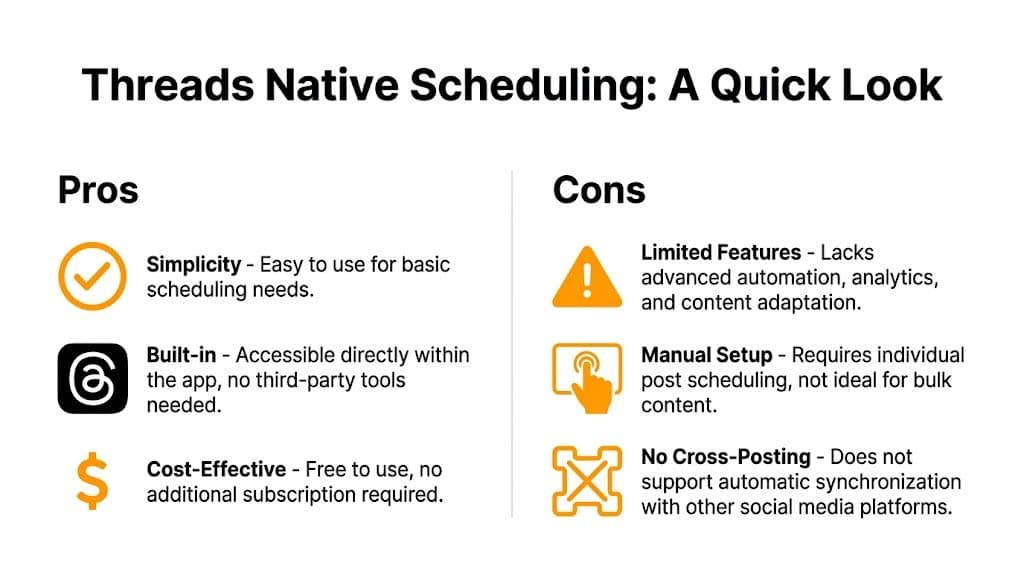
Meta added native scheduling for Threads in August 2024, according to Sprout Social’s overview of Threads scheduling. For simple publishing, that matters. You can plan a post ahead of time and avoid the usual “I’ll post it later” failure mode.
How to schedule posts inside Threads app
The workflow is simple:
- Write your post and add any image or video.
- Open the three-dot menu in the composer.
- Select Schedule.
- Pick the date and time.
- Save the scheduled post.
That gets the job done for straightforward publishing.
Where native scheduling works well
The native scheduler is useful when Threads is the place where the post begins.
Examples:
- Launch reminders: one announcement, one time, one clear message
- Planned media posts: you already know the caption and creative
- Light posting cadence: you want consistency without learning another interface
There’s a practical upside here. No extra setup, no new dashboard, no integration work. If you publish directly in Threads a few times a week, that simplicity is attractive.
Where the limits show up
The feature schedules posts. It does not build a distribution workflow.
That difference matters for founders, indie hackers, and small teams who already publish somewhere else first. If your ideas start on X, in a changelog, or inside your product marketing workflow, Threads still asks you to recreate the post manually inside its composer. You save the timing step, but you keep the copy-paste step.
Here’s the trade-off:
| Use case | Native Threads scheduling |
|---|---|
| One-off post planned in advance | Good fit |
| Scheduling a batch of posts | Manageable, but slow |
| Cross-posting from another platform | Manual |
| Adapting content for Threads format | Manual |
| Analytics-heavy workflow | Limited |
| Rules-based automation | Not available |
Native scheduling is fine for publishing later. It falls short when your actual problem is posting everywhere without repeating yourself.
What native scheduling still does not solve
Once content distribution becomes part of growth, the missing pieces become obvious:
- No bulk workflow: batching content is still awkward inside a native composer
- No mirroring: posts from another platform do not flow into Threads on their own
- No filtering rules: you cannot tell the system to send only certain types of posts
- No adaptation layer: rewrites, trimming, and formatting still happen by hand
- Limited optimization tools: advanced scheduling and workflow controls still live outside the app
That’s why native scheduling is a good starter tool, but rarely the final system.
Teams that want Threads to run with less effort usually need an automation layer, not just a calendar. A regular scheduling and cross-posting workflow with MicroPoster fits that model better if your content already has a primary source.
The practical decision
Use the native scheduler if you create inside Threads and only need to publish at a better time.
Use something more automated if Threads is a destination, not your starting point. In that setup, the bottleneck is not picking a publish time. The bottleneck is turning one piece of content into repeatable distribution without more manual work.
The Effortless Path to Threads with MicroPoster
The cleaner workflow is not “open Threads and schedule more often.”
It’s this: publish where you already publish, then let the system mirror that content to Threads without another manual pass. That’s where MicroPoster fits. It detects new posts from your source account, adapts them for supported networks, and schedules or mirrors them based on the rules you set.
For a founder, that changes the job completely. You stop managing a posting calendar by hand and start running a distribution engine in the background.
Write where you want, distribute where you need
Users already have a default writing surface.
It might be X. It might be a changelog. It might be a quick product note you publish from your existing workflow. The useful part isn’t forcing yourself into a new content routine. The useful part is connecting your existing routine to Threads so your ideas show up there too.
That’s the key distinction between ordinary scheduling and actual automation:
- Scheduling asks you to prepare another post for another place.
- Automation lets one action trigger distribution across channels.
- Mirroring removes the copy-paste layer altogether.
If your time is limited, that difference matters more than any fancy calendar.
Setup should reduce work, not create new work
A lot of social tools still make you rebuild your content inside their own editor. You connect an account, upload media again, rewrite text, choose a time, and effectively recreate the post from scratch. At that point, the tool is acting like another publishing destination, not an automation layer.
A better system handles connection and monitoring, then gets out of your way.
The baseline setup usually looks like this:
- Connect your source account and destination account
- Authorize through OAuth
- Choose what should mirror automatically
- Set any timing or filtering rules
- Let new posts flow without manual intervention
OAuth matters because it means the connection happens through the platform’s permission flow instead of handing over passwords directly. For teams, that’s a more reasonable default.
If a scheduling tool still feels like another inbox to manage, it hasn’t solved the original problem.
Why this works better for founders
Founders don’t need more content chores. They need fewer operational interrupts.
A simple automation layer helps in a few practical ways:
- Launch days stay clean. You post the announcement once, and the distribution runs in the background.
- Content compounds automatically. Old habits on your main platform now feed a second channel.
- Consistency stops depending on mood. You don’t have to remember to post when you’re deep in product work.
- The system scales with output. If you post more during a launch or ship cycle, distribution expands automatically.
Instead, “how to schedule posts on Threads app” becomes the wrong question. The more useful question is how to make Threads part of your existing publishing pipeline without touching it every time.
Manual scheduling still has a place
There are times when direct scheduling is the right call.
Use it when:
- You want to test a platform-specific post that shouldn’t appear anywhere else.
- You’re writing for a live conversation on Threads itself.
- You need to adjust tone or context manually for a sensitive announcement.
But if the majority of your content begins elsewhere, then manually scheduling every Threads post is repetitive overhead. You’re paying with attention, not just time.
What an automation-first workflow looks like
A practical setup for a small team or solo founder often looks like this:
| Step | What happens |
|---|---|
| Source post published | You write on your primary platform |
| Rule check runs | The system decides whether the post should mirror |
| Content gets adapted | Length, formatting, mentions, and media are adjusted |
| Threads post is scheduled or published | The destination account receives a native-ready version |
| Follow-up happens manually | You still reply as a human where it matters |
That last line matters. Good automation handles distribution, not personality. You should still show up in replies, answer questions, and engage when the post starts a conversation.
The real benefit is focus
The reason this approach converts people isn’t novelty. It’s relief.
Founders already have enough tabs open. They don’t need one more dashboard that turns every post into a publishing project. They need a tool that watches for new content, applies predictable rules, and sends that content where it needs to go.
That’s what makes automation useful. It protects focus.
When distribution becomes automatic, your social workflow stops competing with product work. You write once. The system handles the repetition. Threads becomes part of your reach without becoming part of your daily admin.
Advanced Automation Rules and Content Adaptation
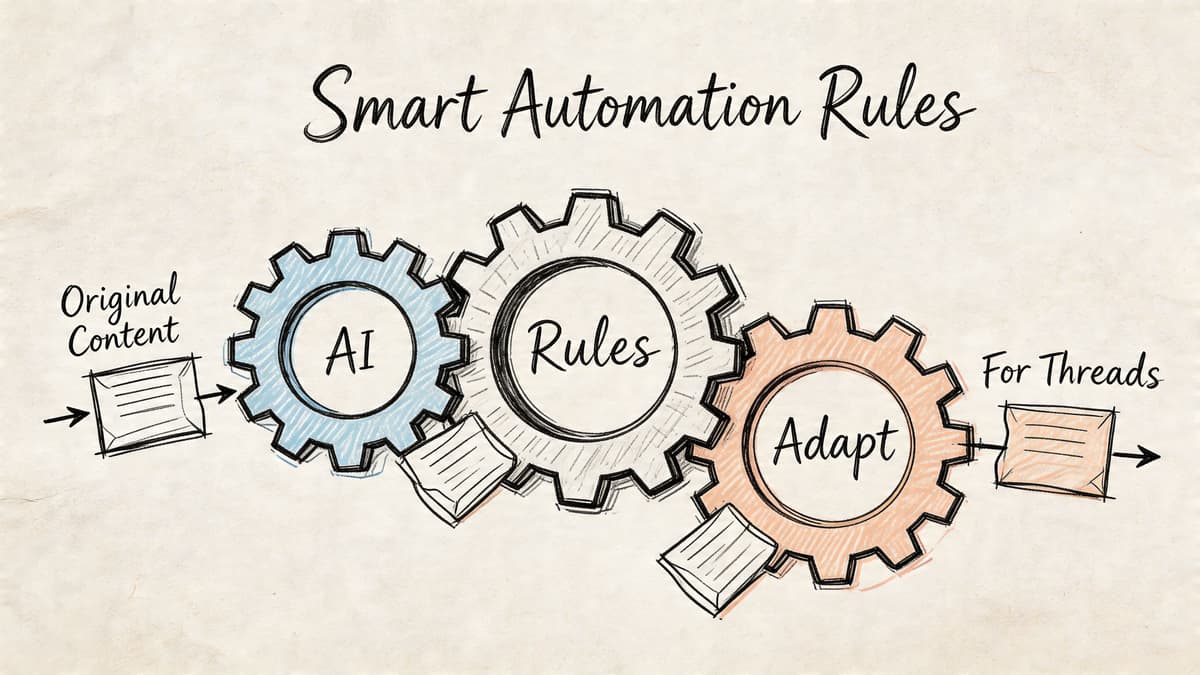
Once you stop thinking in terms of “schedule this one post” and start thinking in terms of “route content automatically,” the useful features change.
A strong workflow needs rules. Not broad promises, but specific controls that decide what gets mirrored, how it gets reshaped, and when it should stay untouched. That’s what turns automation from risky to dependable.
Start with filtering rules
Not every post belongs everywhere.
If you mirror everything without a filter, you’ll send quick jokes, fragmented replies, or platform-specific references into places where they don’t fit. The first useful automation rule is deciding what qualifies for reposting.
A clean setup often includes rules like:
- Hashtag-based filtering: Only mirror posts that include a specific tag, such as launch notes or product updates.
- Skip conversational replies: Keep reactive back-and-forth on the source platform instead of pushing it everywhere.
- Separate announcement posts from casual observations: Distribution works better when it’s intentional.
This gives you control without adding manual work to each post.
Handle long posts before they break
Some source posts won’t fit the destination format cleanly. That’s normal. The wrong move is letting them publish badly.
A better workflow adapts automatically:
- Detect length issues early
- Split oversized updates into a threaded sequence
- Keep numbering readable
- Preserve the original meaning instead of cutting random lines
If you regularly turn long-form writing into social content, it helps to study patterns that already work. A practical reference is this guide on how to write effective Threads from long-form content. The useful lesson isn’t just writing style. It’s structure. Social posts need clear openings, logical segmentation, and a reason to continue reading.
A useful default: Automate formatting. Keep judgment human.
Map mentions and keep context intact
Handles don’t always match across networks. A mention that works on one platform can turn into dead text on another.
That’s why mention mapping matters. When your automation tool recognizes that one handle should become another on Threads, the post stays readable and useful. The same goes for links, formatting, and basic spacing. Small errors make cross-posted content feel robotic fast.
A practical adaptation setup should account for:
- Handle differences across platforms
- Formatting cleanup after mirroring
- Link behavior and preview quality
- Media resizing for native-looking uploads
You can see a concrete example of this workflow in the guide on crossposting X to Threads automatically, especially if your primary writing habit already lives on X and Threads is a secondary destination.
Build rules around intent, not just format
A lot of people over-automate syntax and under-automate purpose.
The stronger approach is to ask what each class of post is trying to do. A launch post needs reach. A product insight may need discussion. A customer reply may belong only on the original platform.
That leads to better rule design:
| Post type | Suggested automation behavior |
|---|---|
| Product launch | Mirror automatically |
| Feature update | Mirror, but allow text adaptation |
| Personal observation | Mirror selectively |
| Fast replies | Keep local to the platform |
| Long educational post | Split into a thread if needed |
At this point, automation starts feeling intelligent instead of mechanical.
Keep media and links native
Cross-posted media often looks wrong for simple reasons. The crop is off. The preview disappears. The asset uploads as an afterthought rather than a native post.
Good adaptation should prevent that. If the system resizes images and videos for the destination network and handles links in a way that preserves previews when possible, your post feels intentional. Readers usually won’t think about that directly, but they notice the difference in polish.
The fastest way to make automation look cheap is to publish content that obviously wasn’t meant for the platform.
Don’t automate the voice away
Adaptation should change the packaging, not flatten the message.
That means your setup should preserve tone, keep the core idea intact, and avoid over-processing every post into bland “optimized” copy. The right level of automation makes the post fit Threads better. It shouldn’t sound like a machine rewrote your personality.
For founders, the practical win is simple. You can build rules once, let them run continuously, and trust that your content arrives in a form that still sounds like you.
Best Practices for Scheduled Threads Content
A scheduled post can go out at the right time and still do nothing.
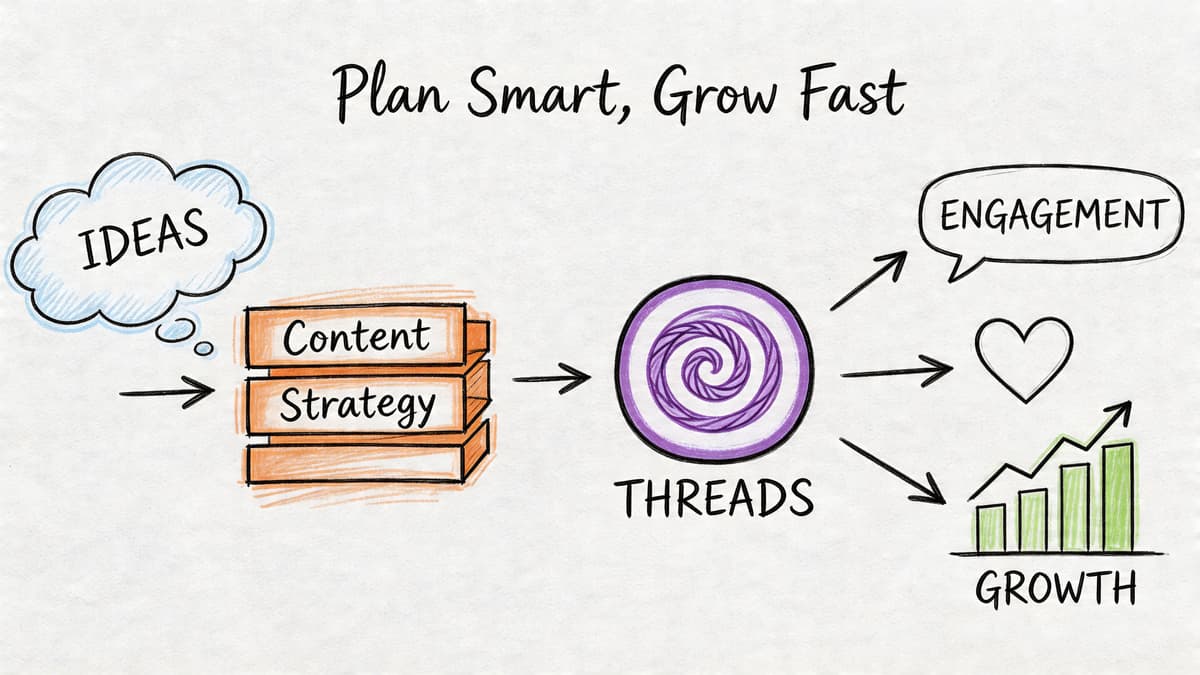
What matters is whether it reads like something written for Threads, at the moment your audience is ready to react. Founders usually miss growth here. They set up scheduling, assume the system is finished, and then keep publishing posts that feel copied over from somewhere else. The better approach is to build a distribution engine that does the repetitive work while the content still feels native.
Write for conversation, not broadcast
Threads gives more room to posts that create a response path.
That usually means shorter setup, a sharper point, and enough openness for someone to reply with agreement, disagreement, or their own example. A launch note can ask for feedback. A product opinion can take a clear stance. A lesson can stop after the useful insight instead of stretching into a mini blog post.
A few habits improve results fast:
- Open with the takeaway. The feed is too crowded for slow intros.
- Stick to one idea. If a post carries three points, split it into separate posts.
- Make the first line strong. Weak openings waste your best chance to earn a stop.
- Use plain language. Threads reads better when it sounds like a person, not a brand deck.
Time your posts, then let your audience correct the schedule
Timing still affects reach, especially if you are using Threads as a distribution layer for content that starts somewhere else.
Independent research cited by PostFast says the strongest posting windows on Threads are 9-11 AM and 6-8 PM local audience time on Tuesday through Thursday, and using those windows can lead to up to 35% higher interaction rates than off-peak posting according to PostFast’s analysis of Threads timing. Use that as a starting point, not a rule you never question.
The practical move is simple. Queue posts into proven windows first. Then watch which ones earn replies, reposts, and profile visits. If your audience responds better at a different hour, trust your own account data over generic advice.
Scheduling helps because it protects those windows from your calendar. Product work always expands to fill the day.
Adapt cross-posts before they publish
Cross-posting saves time only if the post still feels intentional on Threads.
A direct repost can work for a milestone, a sharp opinion, or a clean product update. It usually falls apart when the original post depends on another platform’s format, pacing, or audience context. That is where automation earns its keep. MicroPoster, for example, can turn your primary publishing workflow into a Threads distribution engine if you configure adaptation rules instead of mirroring everything word for word.
Check these before a scheduled post goes live:
- Trim the setup if the source post takes too long to get to the point.
- Replace platform-specific references that sound strange on Threads.
- Break up dense ideas if the post reads like a compressed essay.
- Use links selectively so every post does not feel like an outbound ad.
- Keep your tone intact so automation improves packaging without flattening your voice.
A quick example of platform pacing and content rhythm is worth watching here:
Build a small content system you can actually maintain
The goal is not to publish more random posts. The goal is to keep a reliable mix running without turning yourself into a full-time social media operator.
This is the mix that tends to hold up well for founder-led accounts:
| Content type | What it does |
|---|---|
| Product updates | Shows progress without waiting for a full launch |
| Sharp lessons | Builds authority in a format people can absorb quickly |
| Behind-the-scenes notes | Makes the account feel active and human |
| Opinion posts | Starts discussion and brings out high-signal replies |
| Recaps and summaries | Reuses ideas from blog posts, changelogs, or demos |
That mix is enough. Once those categories are defined, you can automate distribution with far less friction because every post has a job.
Stay active where the upside is highest
Publishing can be automated. Replies should not be.
If a scheduled post starts getting traction, show up and work the thread. Answer questions. Add missing context. Thank people who share useful feedback. That is where trust builds, and trust is what turns a posting schedule into pipeline, signups, or a stronger founder brand.
The system should remove publishing tasks from your plate. Your part is to step in only where human judgment still matters.
Troubleshooting and Frequently Asked Questions
Even a clean workflow can hit friction. Usually the issue isn’t that scheduling “doesn’t work.” It’s that the connection, formatting, or publishing logic needs a quick check.
Common problems and what to check
Your account connection fails
This usually comes down to permissions. Disconnect the account, reconnect it through the platform’s OAuth flow, and make sure you approve the requested access instead of skipping permissions during setup.
A post doesn’t appear when expected
Look at the rule that should have triggered it. If you’re using filtering logic, the post may have been excluded on purpose because it didn’t match the required hashtag, content type, or publishing condition.
Formatting looks off after cross-posting
This is often caused by source content that was written too specifically for another platform. Tighten the opening, remove odd line breaks, and make sure the destination version is allowed to adapt instead of mirror character-for-character.
Mentions don’t resolve cleanly
That usually means handles differ between networks. Add mapping rules for the accounts you mention regularly so those references stay readable and useful on Threads.
Most posting errors are rule errors, not platform errors. The system usually did exactly what you told it to do.
FAQ for founders and creators
Is the native Threads scheduler enough
Yes, if you only need to queue occasional posts that you write directly inside Threads.
No, if your real need is to publish once and distribute across channels automatically. Native scheduling handles a single destination. It doesn’t remove the manual handoff from your primary platform.
Why not just use the cheapest scheduler I can find
Because low-cost scheduling and low-effort distribution are not the same thing.
A cheap scheduler often still asks you to recreate each post manually in its own dashboard. If your bottleneck is repetition, the monthly price isn’t the only cost. Your attention is. The more useful question is whether the tool removes work or just relocates it.
Is it safe to connect a social account
Using OAuth-based connection is the safer pattern because you authorize access through the platform instead of handing over your password directly. That doesn’t eliminate all operational risk, but it does reduce the need to store login credentials inside another tool.
How quickly will I see results
You’ll usually notice workflow relief before you notice audience effects.
The first win is operational. Fewer missed posts. Less copy-paste work. More consistency. Audience gains tend to come after that, once your account starts showing up regularly with content that fits the platform.
Should every post be automated
No. Automation is strongest for repeatable distribution, product updates, educational content, and posts that start from a primary source.
Write directly in Threads when the moment is platform-specific, reactive, or conversational enough that it deserves custom handling.
What if I want control without micromanaging everything
That’s the sweet spot.
Use rules to decide what gets mirrored and how it gets adapted. Then leave room for manual exceptions. You don’t need a rigid machine. You need a reliable default.
If you’re still manually copying your best posts into Threads, you’re doing distribution the expensive way. MicroPoster lets you connect accounts with OAuth, mirror content from your primary platform, adapt it for networks like Threads, and keep publishing without turning social into a second job. If you want Threads reach without another tab to babysit, start there.


