
analyze youtube video comments
How to Analyze YouTube Video Comments with AI and Uncover Actionable Insights
Learn how to analyze youtube video comments to reveal audience sentiment, topics, and actionable insights that boost engagement and channel growth.
To truly understand what your audience is thinking, you need to dig into your YouTube comments. Manually sifting through thousands of them is impossible. This is where AI-powered tools come in, turning chaotic feedback into clear, actionable insights that reveal what your community really feels about your content.
Your Comments Section Is a Data Goldmine
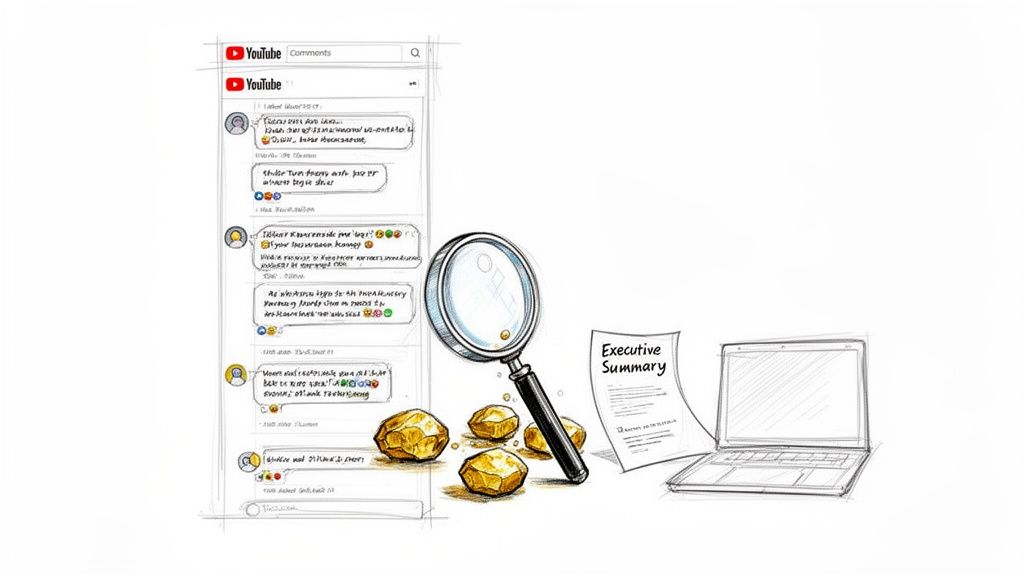
Think of your YouTube comments section as more than just a place for viewers to drop a "great video!" It’s an unfiltered, real-time focus group. Every single comment is a data point—a clue about what your audience loves, what confuses them, and what they want to see next.
The real challenge, of course, is mining those golden nuggets of insight from a sea of thousands of individual opinions.
This is where AI comment analysis completely changes the game. Instead of losing days scrolling, you can automate the whole process. Modern tools, like the YouTube Comments Analyzer from MicroPoster, can analyze an entire video's comments in minutes and generate a report that delivers clear, actionable insights.
Uncovering Deeper Audience Insights
When you try to analyze comments by hand, you naturally gravitate toward the loudest voices or the most upvoted replies. This often gives you a skewed picture.
AI, on the other hand, gives you a quantitative and objective look at the entire conversation. It goes beyond gut feelings and provides structured data on what’s really resonating.
Here’s a peek at what AI can do:
- Sentiment Analysis: This gauges the emotional temperature. Is the overall vibe positive, negative, or neutral? It's a quick way to see how a video landed.
- Topic Clustering: The AI groups similar comments into Discussion Themes. This is huge. It instantly reveals what everyone’s talking about—a specific product, a question about your editing, or a hundred people asking for the same follow-up video.
- Toxicity Analysis: This automatically flags harmful, off-topic comments, or spam. It helps you keep your community healthy without having to play whack-a-mole with every toxic comment yourself.
By turning subjective feedback into hard, measurable data, you take the guesswork out of your content strategy. You stop assuming what your audience wants and start seeing a data-backed summary of their collective voice.
From Raw Data to Recommended Actions
The whole point of this exercise is to turn insights into something you can actually do. A great AI analyzer won't just dump a pile of data on you. It'll generate an Executive Summary and a list of Key Insights that spell out the most important takeaways.
Even better, it can generate a list of Recommended Actions. For example, if the tool finds a big cluster of comments all asking for a tutorial on a specific software you used, the recommendation will be crystal clear: make that tutorial.
This creates a powerful feedback loop where your audience directly shapes your content plan. You end up making videos you know they’re eager to watch, which is the secret to building a loyal community and growing your channel.
Key AI Metrics from YouTube Comment Analysis
The table below breaks down the essential insights AI can pull from your comments, effectively turning qualitative chatter into strategic data you can use.
| AI Analysis Metric | What It Uncovers | How It Helps Your Channel |
|---|---|---|
| Sentiment Score | The overall positive, negative, or neutral tone of your comments section. | Quickly gauge audience reception to a new video or content style. |
| Discussion Themes | The top 5-10 topics or keywords that appear most frequently in discussions. | Identify popular subjects for follow-up videos or series. |
| Agreement/Disagree Stats | The percentage of viewers who agree or disagree with your main points. | Understand how your arguments and opinions are landing with your audience. |
| Toxicity Levels | The percentage of comments that are toxic, spam, or off-topic. | Monitor community health and fine-tune your moderation strategy. |
| General Stats | Key metrics like total comments analyzed, top commenters, and engagement patterns. | Get a high-level overview of community activity and health. |
By tracking these metrics, you move from simply reading comments to truly understanding the story they tell about your audience and your content.
Finding Actionable Insights in Audience Sentiment
Likes and views are great, but they only tell you part of the story. The real gold is buried in your comments section, where you can find out if people are genuinely excited, a little confused, or flat-out critical of your latest video. This is where you can truly gauge the emotional pulse of your audience.
To do this at scale, you need AI-powered sentiment analysis. This goes way beyond simple metrics by sorting comments into positive, negative, or neutral buckets. A tech reviewer can instantly see how a new gadget is being received, while a tutorial creator can spot the exact moments that are causing viewers to get stuck.
This isn't just about feeling good (or bad) about your video. A high volume of comments is a massive signal to the YouTube algorithm. Videos that make it to the first page of YouTube search results average over 4,000 comments. The algorithm sees a busy comment section as a sign of a relevant, engaging video, which means more recommendations and better search placement for you. If you want to dive deeper, you can explore more video marketing statistics that back this up.
Discovering What Your Audience Really Wants
Knowing how people feel is one thing, but understanding why is a game-changer. That's where topic clustering comes in. This AI technique automatically scans all your comments and groups them into the core Discussion Themes people are talking about. Think of it as an assistant who reads every comment and hands you a perfectly organized summary.
Let's say you're a fitness creator who just dropped a new workout video. A quick AI analysis might show that:
- 25% of comments are asking about the brand of your yoga mat.
- 15% are begging for a follow-up video on cool-down stretches.
- 10% are confused about the proper form for a specific exercise.
This isn't just abstract data; it's a content roadmap handed to you on a silver platter. You now have several audience-approved ideas for your next videos.
Topic clustering transforms a chaotic wall of text into a prioritized list of your community's interests and pain points. It's the most direct way to discover what your audience is already asking for.
From General Stats to Specific Actions
A good AI tool doesn't just throw percentages at you. A tool like MicroPoster's YouTube Comments Analyzer will generate an Executive Summary that connects the dots between sentiment scores, discussion themes, and General Stats.
This gives you a bird's-eye view of a video's performance. You might see that a video with 75% positive sentiment also had a huge cluster of comments asking for more advanced tutorials on the same topic. That’s an immediate, actionable insight.
You can also get a feel for agreement/disagreement stats. If you made a video with a strong opinion, knowing what percentage of your audience agrees with you is a powerful way to see if your message landed. This kind of detailed feedback is exactly what you need to refine your content strategy and build a stronger, more connected community.
Turning Analysis into a Winning Content Strategy
All this data is great, but it’s what you do with it that really counts. Once you’ve done the heavy lifting of analyzing your comments, the real magic happens: turning those raw insights into a tangible content strategy that actually speaks to your audience. This is where AI-powered analysis gives you a massive advantage, basically handing you a roadmap for what to create next.
Think about it. What if your analysis uncovers a huge discussion theme around "comparison with competitor Y"? That’s not just random feedback. It's a validated video idea your audience is literally begging you to make. The guesswork is gone, replaced by a clear signal telling you what will get the views and engagement you're looking for.
Turning Themes into Tentpole Content
One of the best things to come out of a deep comment analysis is topic clustering. This is where thousands of individual comments get bundled into clear, coherent Discussion Themes. Instead of you having to scroll for hours trying to spot a pattern, you get a clean summary of what your community is fired up about.
This feeds directly into your content calendar in a few powerful ways:
- High-volume themes are your next big video ideas. If "beginner tips" is a massive cluster, you know a back-to-basics video is a surefire hit.
- Recurring questions are perfect for a dedicated Q&A video or even a whole series of Shorts.
- Unexpected topics can open your eyes to new content angles or series you hadn't even thought of.
Let's say the sentiment analysis for a specific series is off-the-charts positive. That's a huge green light to double down and make more. A good AI tool will give you an Executive Summary that connects that glowing sentiment directly to specific themes, letting you make smart decisions without getting lost in the weeds.
When you act on these insights, you create an amazing feedback loop. Your audience sees you're actually listening, which makes them want to give you even better feedback on the next video. You're basically letting your community guide your channel's growth.
Reading Between the Lines of Engagement
It's not just about the big, obvious themes. The little details in how your audience reacts can be a goldmine for your strategy. You’ll want to pay close attention to the agreement/disagreement stats, especially when you post a video with a strong opinion or a controversial take.
Seeing the exact percentage of your audience that sides with you is a powerful way to gauge how well your argument landed and what your community's core values really are. This is absolutely critical for building a loyal community that’s built on shared ideas. You can dig deeper into these signals using a specialized YouTube comments analyzer to get the full picture.
This goes beyond just planning your next video, too. You can start optimizing your titles, thumbnails, and descriptions using the exact keywords and language your audience uses in the comments. When you reflect their own words back at them, your content instantly feels more relevant and personal, which can do wonders for your click-through rate.
By consistently taking the Key Insights and Recommended Actions from your analysis and baking them into your content, you're aligning your channel's growth perfectly with what your audience wants to see.
Protecting Your Community with AI Moderation
A thriving YouTube community is a safe one. But let's be real—as your channel grows, so does the comment section. While most of it is gold, toxic comments can poison the well, driving away good viewers, tarnishing your brand, and frankly, just sucking the joy out of creating. Trying to manually police every single comment yourself? That's a one-way ticket to burnout.
This is where AI-powered toxicity analysis steps in as your first line of defense. Instead of you having to wade through every nasty message, these systems can automatically scan comments for harassment, spam, and other junk. They flag the problematic stuff before it even has a chance to ruin the vibe for everyone else.
Don't underestimate the scale of the problem. In just one quarter, YouTube zapped around 1.25 billion comments for breaking the rules. The overwhelming majority were caught by AI, which shows just how powerful this tech is at spotting spam and abuse on a scale no human team could ever handle. You can dig into the full scope of YouTube's content moderation efforts to see the numbers for yourself.
Filtering Out the Noise
It’s not just about the outright toxic stuff, either. You also have to deal with a sea of off-topic comments. They might not be mean-spirited, but they can definitely muddy the waters. Think about it: someone asking for crypto tips on your sourdough tutorial doesn't really help the conversation and just distracts from the people actually asking about your starter.
AI tools can sort this out, too. Using topic analysis, they can spot comments that have nothing to do with your video's subject. This lets you filter out the random noise and focus on what really matters: the genuine feedback from your actual fans.
Think of it this way: automating this layer of moderation lets you stop being a full-time comment cop and start being a community builder. You'll spend way less time on damage control and way more time connecting with the people who love what you do.
Maintaining a Positive Space
Ultimately, using AI for moderation isn't just about deleting bad comments—it's about protecting the good ones. When your audience sees that you maintain a positive and well-managed comments section, they'll feel much more comfortable jumping into the conversation themselves.
This creates a powerful feedback loop:
- A Safer Vibe: People feel more confident sharing their thoughts when they know they won't get jumped on.
- Higher-Quality Discussions: The conversation stays on point and actually adds value.
- A Tighter Community: Your audience starts to build real connections, both with you and with each other.
By bringing in AI to help keep an eye on your comments, you’re not just cleaning house. You're building an environment where your community can actually flourish, making sure your channel is a place people genuinely want to be.
A Practical Walkthrough: Putting an AI Comment Analyzer to Work
Theory is one thing, but let's get our hands dirty and see how this actually works. The best way to really grasp the power of an AI tool is to put it to the test. We're going to see how you can take a simple video URL and pull a goldmine of insights from its comments.
Let’s say you’re a gaming creator. You just dropped a review for a massive, highly anticipated new title, and the comments are pouring in. You need a quick pulse check on the community's reaction, but who has time to manually sift through hundreds, maybe thousands, of replies? This is where an analyzer becomes your best friend. The entire process kicks off by just pasting your video's URL into the tool.
From URL to Full Report
After the AI works its magic on the comments, it spits out a full-blown dashboard. This isn't just a jumble of keywords; it’s a structured, actionable report. A well-designed analyzer will slice and dice that raw comment data into easy-to-understand chunks.
First up, you'll likely see an Executive Summary. Think of this as the tl;dr for your entire comment section. It gives you the most important takeaways instantly, like the overall sentiment score and the main topics people are buzzing about. For our gaming creator, this might reveal that 78% of comments are positive, but there's a vocal minority getting really frustrated with the game's final boss.
From there, you can dig into the Discussion Themes. This is where topic clustering really proves its worth by sorting comments into logical buckets. You might discover distinct themes like:
- Graphics and Art Style
- Bug Reports and Glitches
- Comparisons to the Previous Game
- Final Boss Difficulty
This simple workflow shows how AI can automatically spot and deal with toxic comments, which is a huge part of keeping your community healthy.
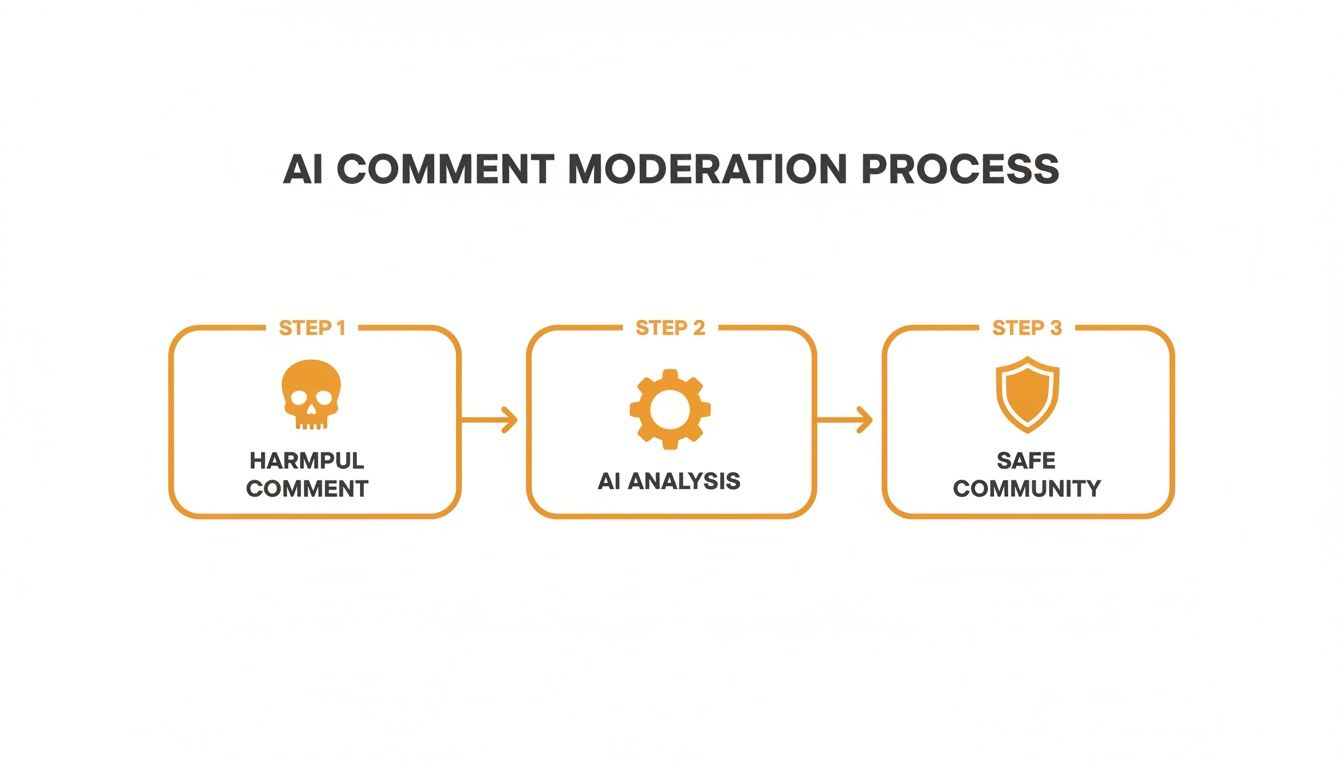
The AI essentially acts as a smart filter, catching the bad stuff so the genuine conversations can thrive.
Turning Insights into Actionable Steps
Now for the most important part: the Recommended Actions. This is where the tool connects the dots, turning all that data into a concrete to-do list. Based on what the AI found, our gaming creator might get suggestions like:
- Create a follow-up video: A tutorial on how to beat that tough final boss.
- Engage with specific comments: Jump into the replies and directly address the bug reports.
- Plan future content: Make a video comparing this new release to its predecessor.
By looking at agreement/disagreement stats, the creator can also see how many viewers sided with their critique of the game's performance issues. This is powerful validation that their review resonated with the audience's experience.
You can also start comparing reports from different videos. For instance, what do the comments on your review look like compared to a tutorial for the same game? This can reveal how your audience's sentiment evolves. It’s about turning your comment section from a noisy, chaotic forum into a strategic asset. By using a dedicated tool like the YouTube Comments Analyzer, you can make this level of sophisticated analysis a regular part of your workflow.
Long-Form Videos vs. Shorts: A Tale of Two Comment Sections
Not all YouTube comments are created equal. A 20-minute documentary and a 30-second Short are going to attract completely different kinds of feedback, and if you analyze them the same way, you're leaving valuable insights on the table.
Long-form content, by its nature, invites more detailed and thoughtful discussion. Viewers have settled in and invested their time, so their comments often reflect a deeper connection to the topic. This is where you’ll strike gold with topic clustering and find those complex questions or specific pain points your audience is wrestling with.
Shorts, on the other hand, are all about quick hits and instant reactions. The comments section is a fast-moving stream of quips, emojis, and gut feelings. You might not get a detailed essay, but it's the perfect environment for sentiment analysis. You get a real-time pulse check on how your content is landing emotionally.
Matching Your Analysis to the Format
When you’re looking at comments on a long-form video, your goal is to understand the why. Hunt for those recurring themes and detailed questions that could spark your next big video idea. I've found that the best concepts for a new series often come directly from these thoughtful comments.
For Shorts, it’s a game of speed and volume. A sudden spike in positive emoji reactions tells you a particular style or topic is a winner. A wave of negativity? That’s a signal to pivot, and fast. If you're serious about this format, our complete guide on how to analyze YouTube Shorts performance can give you more tailored strategies.
The biggest mistake is treating all comments the same. Trying to run a deep topic analysis on Shorts comments is often a waste of time, while only looking at surface-level sentiment on a long-form video means you're ignoring the most valuable feedback from your core audience.
The Difference in Engagement Depth and Viewer Intent
The numbers back this up. In a recent analysis, long-form videos on YouTube averaged about four comments per video. Shorts? Less than one. It’s clear that when people spend more time watching, they're far more likely to leave a meaningful comment. You can dig into more of these engagement trends across formats to see how viewer behavior is shifting.
This really boils down to intent. A long-form commenter is often looking to start a conversation or offer genuine feedback. A Shorts commenter is usually just reacting in the heat of the moment.
So, you need to adapt. Use your analytical tools to perform deep-dive explorations on your longer videos—this will guide your big-picture content strategy. For Shorts, use those same tools for quick sentiment checks to stay on top of viral trends and optimize for immediate impact. A smart, balanced approach here is what separates the creators who listen from those who are just guessing.
Ready to turn audience chatter into a real growth strategy? MicroPoster's AI-powered tools are built to help you analyze comments, find Key Insights, and get Recommended Actions to build a stronger community. See what your audience is really telling you by exploring the YouTube Comments Analyzer.


