
link instagram to tiktok
Link Instagram to TikTok: Boost Your Reach Now
Learn how to link Instagram to TikTok for seamless cross-promotion. This guide covers profile links, sharing Reels, and automating your content workflow.
You’re probably doing one of two things right now.
You’ve got traction on TikTok, but your Instagram feels dead. Or your Instagram looks polished, but your TikTok isn’t turning into anything useful outside the app.
Most advice says the same thing: link Instagram to TikTok and move on. That advice is incomplete. A profile link is a setup task, not a growth strategy.
Why Linking Your Socials Is Just the First Step
Adding an Instagram icon to TikTok is better than doing nothing. It is not enough.
The actual opportunity isn’t the link itself. It’s the flow of attention between platforms. TikTok is where people discover you fast. Instagram is where they decide whether to stay, follow, watch again, and trust your brand.
The common mistake
Creators treat cross-platform growth like a plumbing problem. Add a link. Done.
That misses the point. A bio link is passive. It waits for users to interrupt their scrolling, visit your profile, notice the icon, and care enough to tap.
That’s weak distribution.
TikTok is worth using as a feeder because it drives stronger discovery. TikTok averages 3.70% engagement compared to Instagram’s 0.48%, and TikTok user growth was noted at 17% year-over-year while Instagram video posts get 49% more engagement than static images according to Taap.bio’s breakdown of linking TikTok to Instagram. That combination is the whole play. Use TikTok for attention. Use Instagram for deeper relationship-building.
What smart operators do instead
They build a loop:
- TikTok pulls strangers in: fast hooks, trend participation, discovery-led content.
- Instagram closes the gap: Reels, Stories, Highlights, DMs, and profile depth.
- Content moves both ways: not lazily, but intentionally.
Practical rule: If your TikTok and Instagram aren’t feeding each other, you’re running two separate brands by accident.
That’s why simple linking is only Level 1.
Level 1 gets you a clickable path. Level 10 gets you a system where one strong piece of content keeps working across both platforms without you babysitting every upload.
The bigger issue
Most founders and creators don’t need another social profile. They need a content engine.
If your process depends on remembering to manually update bios, repost clips, rewrite captions, and clean up formats every time you publish, your growth stalls the moment you get busy.
Link your accounts, yes. But don’t confuse that with strategy.
Connecting Your Profiles The Manual Way
You should know the manual setup first. It’s the baseline.
Do it once, understand the limitations, then decide whether you want to keep doing busywork forever.
Add the Instagram button to your TikTok profile
This is the cleanest manual method.
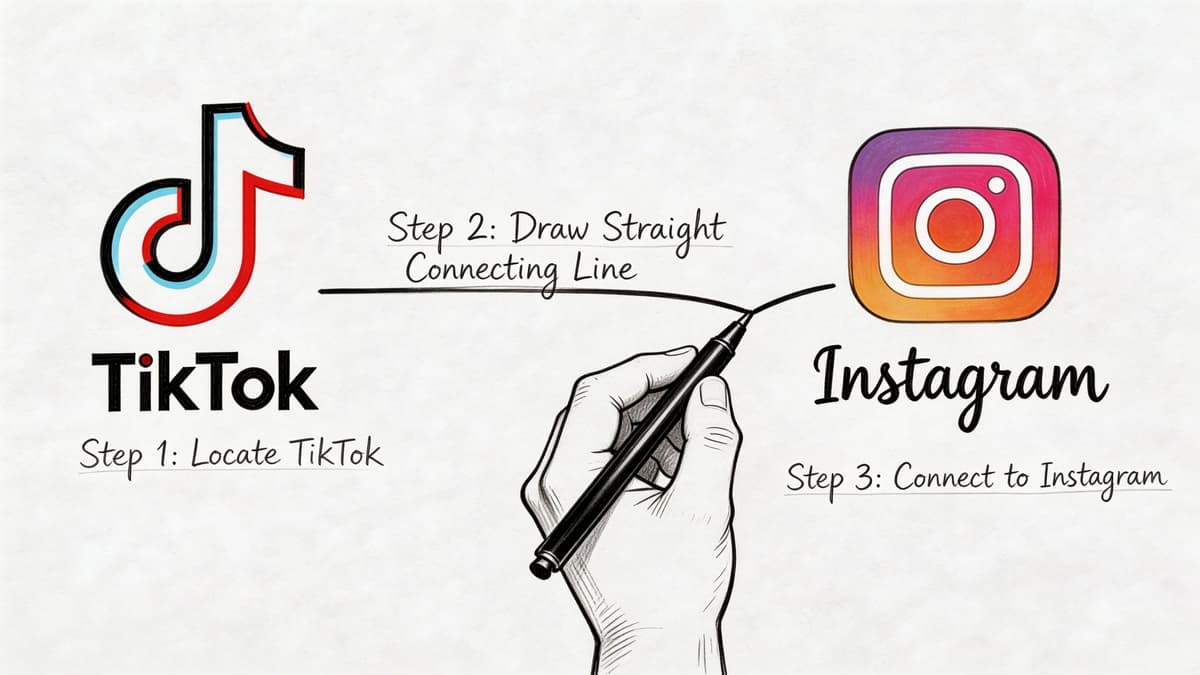
Open TikTok, go to Profile, tap Edit Profile, then look for the Social section. Tap Add Instagram, log into Instagram, and approve the connection. If it works, TikTok adds a tappable Instagram icon to your profile.
That icon is better than pasting a messy username into your bio. It removes guesswork and gives users a direct route.
But manual linking breaks more often than people expect.
Many users can't even see the Add Instagram option because of regional restrictions, outdated apps, or unstated requirements like having 1,000+ followers. Forum and comment trends show 30-40% of support queries focus on the missing option or an unclickable link, as noted in Conbersa’s guide on linking Instagram to TikTok.
That tells you something important. Even the “simple” setup isn’t reliable for everyone.
Put your TikTok URL in your Instagram bio
Instagram doesn’t give you much room for outbound links, so use it carefully.
Copy your TikTok profile URL and paste it into the Website field in your Instagram profile. Then make the rest of your bio support that action. If your bio says nothing about why someone should click, don’t expect much movement.
A few practical ways to make this work better:
- Point to a reason, not a destination: “Watch the full tutorial series on TikTok” is stronger than “Follow me on TikTok.”
- Match the handle everywhere: if your usernames differ across platforms, fix that first or you’ll create confusion.
- Keep your profile promise consistent: if TikTok is funny and chaotic but Instagram is stiff and corporate, users bounce.
If you want a solid reference for the basic setup flow, EvergreenFeed has a useful walkthrough on how to link Instagram to TikTok.
Manually repost TikToks to Instagram
Many creators find this process time-consuming.
The usual workflow looks like this:
- Publish on TikTok.
- Download the video.
- Trim or resize if needed.
- Re-upload to Instagram Reels or Stories.
- Rewrite the caption.
- Fix hashtags.
- Swap audio if the platform mismatch hurts the post.
- Repeat tomorrow.
That process is manageable when you post occasionally. It gets ugly when you publish often.
Here’s a quick visual if you want to see the standard connection process in action:
Where the manual workflow falls apart
The biggest problem isn’t effort. It’s inconsistency.
A manually reposted video often carries platform baggage. The framing may feel off. The caption reads like it belongs somewhere else. The CTA points users in the wrong direction. And if the clip still looks like a TikTok export, Instagram users notice immediately.
Manual linking is fine for testing. It’s a poor operating system.
Use the manual path to get connected. Don’t mistake it for a scalable workflow.
Smart Strategies for Cross-Posting Content
Cross-posting only works when the content feels native on both platforms.
If you dump the same asset everywhere, you’re not building reach. You’re broadcasting laziness.
Adapt the asset, not just the file
The upside is real when you do it properly. Instagram Reels can reach a median 62% versus TikTok’s 38%, and short-form video on Instagram drives 49% higher engagement than photo posts, according to SQ Magazine’s TikTok vs Instagram statistics.
That doesn’t mean every TikTok should become a Reel. It means the right TikTok, adapted properly, can perform hard on Instagram.
Use this filter before reposting:
- Trend-driven and visual: usually worth testing on Reels.
- Heavily TikTok-native humor: often needs a new caption or a fresh intro.
- Audio-dependent content: may need rebuilding if the sound doesn’t translate well.
- Community update or behind-the-scenes clip: often fits better in Stories than Reels.
Change the packaging
A high-performing video is only half the job. Packaging decides whether it lands.
For Instagram, adjust these pieces:
- Caption angle: Instagram supports more context. Add a clearer takeaway, stronger CTA, or a better first line.
- Cover frame: choose something clean and readable. TikTok chaos doesn’t always help on a profile grid.
- Hashtag logic: don’t copy-paste blindly. Platform search behavior differs.
- On-screen text: make sure the message still makes sense without relying on TikTok comment culture.
If a repost looks copied, viewers treat it like leftovers.
Decide when to recreate instead of repost
Some clips deserve a native rebuild.
If the original depends on TikTok-specific editing, interface cues, or meme timing, you’re better off recreating the video for Instagram than forcing a transfer. Yes, that takes longer. It also protects the post from feeling secondhand.
For teams that want a repeatable process instead of ad hoc hacks, this guide on auto cross-posting workflows is worth reading.
Use a simple decision framework
| Content type | Best move |
|---|---|
| Fast educational clip | Repost with rewritten caption and new cover |
| Trend with platform-specific joke | Recreate natively |
| Product teaser | Post to Reels, then support with Stories |
| Personal update | Keep it lighter and more conversational on Instagram |
The rule is simple. Repurpose the idea, not just the export.
When Manual Linking Hits a Wall
At first, manual linking feels productive.
You connect the profiles. You share a few clips. You tweak a caption here and there. It feels like momentum.
Then the routine turns into maintenance.
The primary cost is attention
Manual cross-posting eats the exact kind of energy creators and founders need for more impactful work.
You shouldn’t spend your best hours doing repetitive platform chores:
- Downloading and re-uploading files
- Checking whether formatting broke
- Rewriting the same idea for a second app
- Cleaning up brand inconsistency after the fact
- Remembering which version was posted where
None of that improves the idea. It only patches the distribution gap.
Brand consistency starts slipping
The more manual your process gets, the messier your presence becomes.
One profile looks current. The other lags behind. One caption sounds sharp. The repost sounds rushed. One post feels native. The duplicate looks like an afterthought.
That inconsistency hurts more than people admit. Audiences don’t always articulate it, but they notice when a brand feels stitched together.
You’re not supposed to work like a file transfer service. You’re supposed to publish, test, and refine ideas.
Manual linking solves the wrong problem
A link in bio solves discoverability in the smallest possible way. It gives users a path.
What it doesn’t do is create dependable distribution. It doesn’t preserve consistency. It doesn’t help you publish faster. It doesn’t protect your time.
That’s the wall.
If you’re serious about growth, your question changes from “How do I link Instagram to TikTok?” to “How do I make one good post work across my whole ecosystem without extra labor?”
That’s a better question because it leads to systems, not chores.
The Pro-Level Move Automate Your Content Engine with MicroPoster
Serious creators don’t need more tabs open. They need fewer manual steps.
Linking accounts is fine. Automation is what turns content into infrastructure.
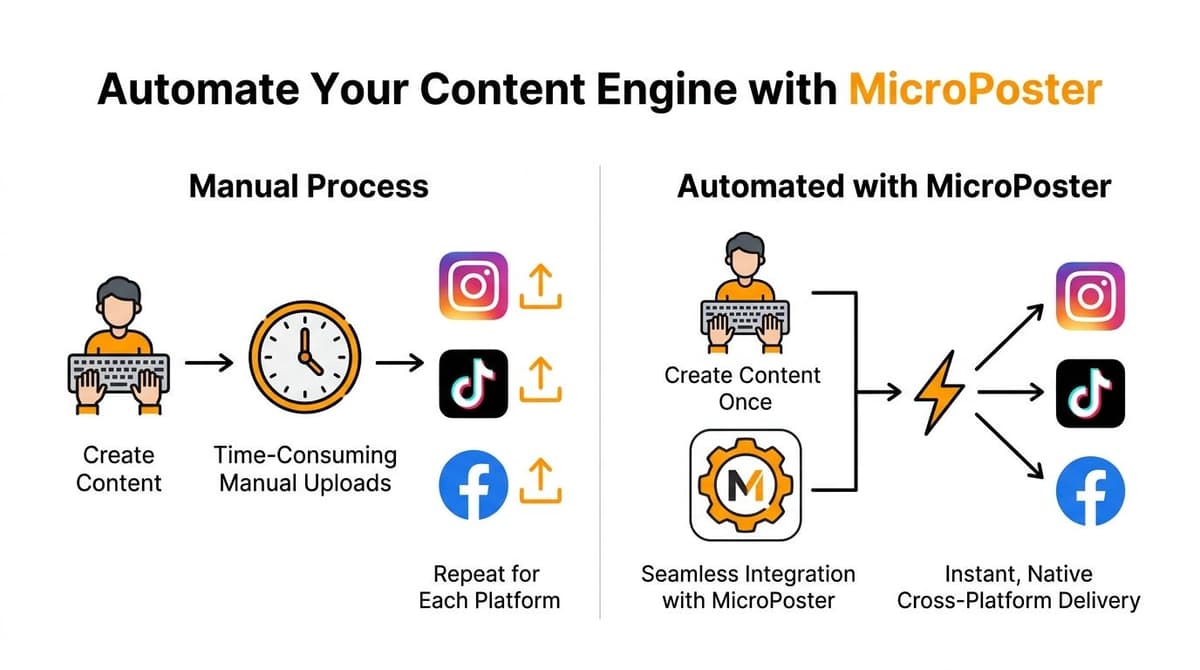
Level 1 versus Level 10
Level 1 is a profile connection. It gives people a way to find your other account.
Level 10 is a distribution system that publishes once and adapts everywhere else without turning you into an operations assistant.
That’s the difference MicroPoster is built for.
Instead of relying on passive profile links and manual reposting, MicroPoster lets you publish on your preferred source account and automatically mirror that content across your connected platforms. It’s built for founders, creators, and small teams who already know how to create, but don’t want to waste time on distribution.
What MicroPoster fixes
Manual workflows break in predictable places. MicroPoster addresses those directly.
| Feature | Manual Method | MicroPoster |
|---|---|---|
| Publishing workflow | Post, download, re-upload everywhere | Publish once, automate distribution |
| Speed | Depends on when you remember | Detects new posts within seconds |
| Platform formatting | Manual resizing and edits | Native adaptation for each network |
| Long-form posts | Cut by hand | Auto-splits into threads where needed |
| Handles and mentions | Easy to break | Maps mentions and handles automatically |
| Media delivery | Often inconsistent | Native uploads with optimized previews |
| Ongoing management | Constant babysitting | Rules-based automation running continuously |
Why this matters in practice
MicroPoster isn’t just another scheduler.
It detects new posts, mirrors them across supported networks, and adapts the output to fit the destination. That includes resizing media, optimizing links for previews, mapping handles, and splitting longer posts into threads when a platform needs it.
That matters because native-looking content performs like it belongs there. It doesn’t feel copied over by someone in a hurry.
For creators comparing stack options, it also helps to understand where lightweight profile tools stop. If you’re exploring that side of the stack, this roundup of best link in bio tools is useful. Bio tools help with routing. They do not replace automated distribution.
It works beyond Instagram and TikTok
This is the part many creators miss.
Your content engine shouldn’t stop at two platforms if your audience doesn’t. MicroPoster extends beyond a simple Instagram and TikTok connection. It supports distribution across X, Threads, Bluesky, and Mastodon, which is exactly what founders, indie hackers, and media-savvy creators need when every post can compound reach in multiple places.
That changes your operating model.
Instead of asking, “Did I remember to repost this?” you start asking, “Which source account should drive the rest of the network?” That’s a much better use of your attention.
You get control without micromanagement
Automation only helps if it’s configurable.
MicroPoster gives you granular rules for hashtags, threading behavior, mirroring choices, and manual reposting when you want hands-on control. It also includes built-in AI support for refining tone, expanding or summarizing posts, choosing send times, and analyzing comments for audience insights.
If you want the feature breakdown, see MicroPoster’s auto-crosspost capabilities.
Good automation doesn’t make your brand generic. It removes repetitive labor so your brand shows up more consistently.
The professional standard
A lot of creators still treat content distribution like cleanup work after the “real” creative job is done.
That’s backwards. Distribution is part of the product.
If you already publish regularly, the professional move isn’t to keep polishing manual hacks. It’s to build a system that keeps your content moving while you work on better ideas, better hooks, and better offers.
That’s how you stop thinking about linking apps and start operating like a media brand.
Keeping Your Accounts Secure
Connecting platforms is normal. Doing it carelessly is not.
When you link Instagram to TikTok, the connection typically uses OAuth. That means you authorize access without handing over your password directly to the other service.
The mistake people make
They unlink inside TikTok and assume the connection is gone.
It may not be. When linking accounts via OAuth, unlinking from one platform’s UI doesn’t guarantee the connection is severed. You also need to go to Instagram’s Settings > Apps and Websites > Active section and manually revoke TikTok’s access, as explained in Mobilocard’s guide to adding Instagram links to TikTok.
That matters even more if you manage multiple brands or team accounts. The visible icon may disappear while background permissions remain active.
The right cleanup routine
Use this workflow every time you disconnect an account:
- Unlink in TikTok: remove the visible Instagram connection.
- Open Instagram settings: go to Apps and Websites.
- Check the Active section: find TikTok if it still has access.
- Revoke it manually: remove access completely.
A better operating habit
Run permission audits on a regular schedule, especially after team changes, contractor access, or brand-account swaps.
Professional account security is boring by design. That’s good. You want predictable access control, not surprises.
Any tool you trust for cross-platform publishing should handle authentication cleanly and avoid password storage. That’s the standard.
Stop Linking Start Growing
Linking profiles is a setup task. Growth comes from distribution.
If you only wanted to know how to link Instagram to TikTok, the answer is simple. Connect the profiles, add the website field, and move on. But if you care about reach, consistency, and time, that answer is too small.
Manual linking is where beginners start. It’s not where serious operators stay.
The better move is to stop treating cross-posting like daily admin work and start building a system that carries your content across platforms with less friction and less waste. That’s how you protect your time and keep your brand sharp.
A clickable icon won’t build momentum for you. A content engine will.
If you’re done with manual reposting and want a cleaner system, try MicroPoster. It helps you write once, publish natively across platforms, and keep your distribution running without the daily grind.


