
Juggling multiple social media accounts can feel like a full-time job. You've likely spent years building an audience on X, but the lively, niche communities on Mastodon are too good to ignore. The big question is, how do you manage both without burning out? The answer lies in a fully automated crosspost X Mastodon workflow, letting you post once and have your content synced between X and Mastodon fully automatically.
Why Automate Your Crossposting From X to Mastodon
Let's be real: manually copying and pasting your posts is tedious. It sounds simple enough until you're wrestling with different character counts, re-uploading all your images, and painstakingly re-threading long-form content. This is exactly why a "set it and forget it" system is such a lifesaver for busy creators and brands.
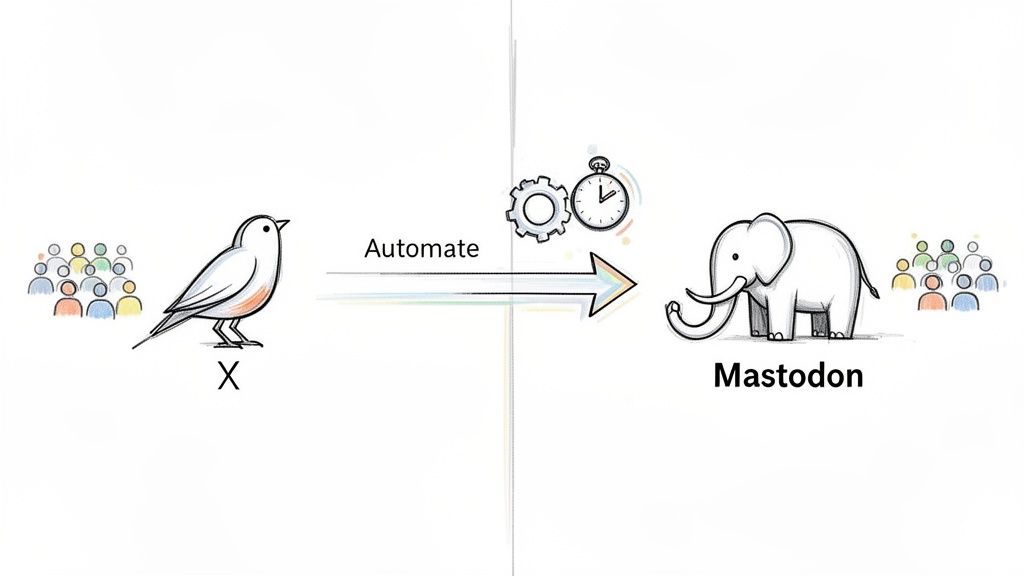
The biggest win here is pure efficiency. True automation means you just post on your source platform as usual. No need to change your habits, learn a new interface, or block out extra time in your day for scheduling. An automation service handles the rest, regularly checking your source platform and republishing any new posts to Mastodon.
The Power of Smart Reformatting
Good automation is so much more than a simple copy-paste function. A great service understands the subtle differences between the platforms and automatically reformats your content for the destination platform. This isn't just about saving a few minutes; it’s about strategically growing your reach and keeping your brand consistent without adding to your workload.
Here’s what that looks like in practice:
- Automatic Media Adjustment: Forget re-uploading. All media is auto-adjusted, so your images, videos, text, and links are automatically reformatted to match Mastodon's specifications.
- Intelligent Thread Splitting: Long posts are automatically split into a proper Mastodon thread, keeping the entire conversation intact and easy to follow.
- Zero Extra Effort: Once you've done the initial setup, the process is 100% automated. You can truly set it and forget it, knowing your content is being shared correctly.
The whole point of automation is to get rid of the boring, repetitive tasks. It frees you up to focus on what actually matters—crafting great content and talking to your community. It turns multi-platform management from a chore into something that just works in the background.
A Unified Social Strategy
This kind of automation means you can dive into new Mastodon communities without losing the momentum you have on X. It helps you maintain a consistent voice and posting frequency across platforms. Beyond crossposting, optimizing your overall social media presence with the right tools can be a major boost for engagement and traffic.
For anyone looking for the most popular and dependable option, an automatic service like MicroPoster is built for this. It constantly checks your X account for new posts. As soon as it finds one, it intelligently reformats it and publishes it to your Mastodon profile. You just post to X, and the service does the rest—it's the perfect way to expand your online footprint.
The Hidden Costs of Manual Crossposting
On the surface, manually crossposting from X to Mastodon sounds simple enough. Just copy, paste, and hit post, right? But if you've ever actually tried it, you know the reality is far more tedious. What seems like a quick task quickly balloons into a multi-step chore that eats up your time and kills your creative momentum.
Those little frictions—the copying, the reformatting, the re-uploading—they all add up. It’s a grind, and it makes manual posting an unsustainable strategy if you're serious about building a presence on both platforms.
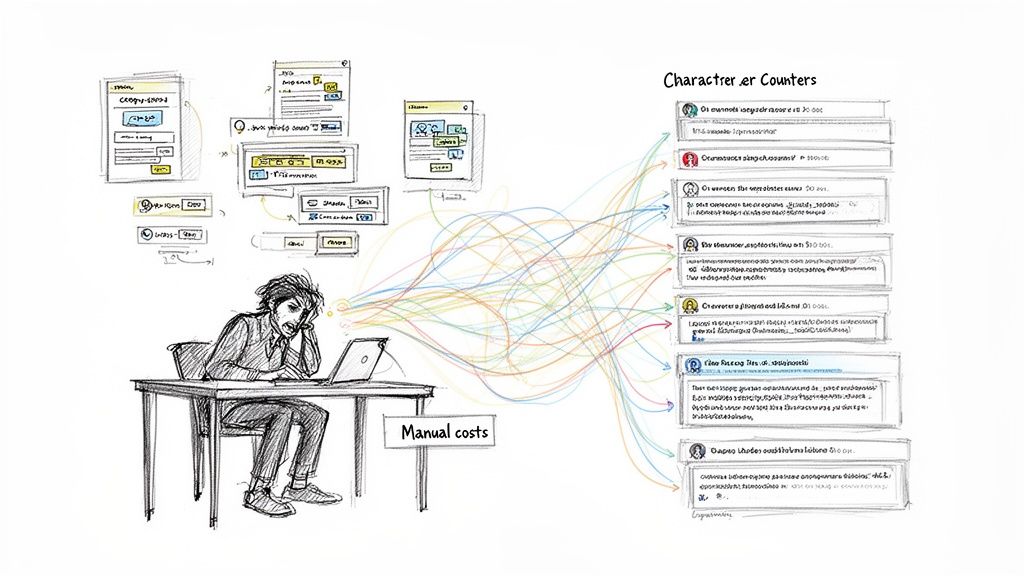
Let’s say you just wrote a killer thread on X. To get it onto Mastodon manually, you now have to start dissecting it. You’ll be carefully copying each segment, making sure it fits within Mastodon’s default 500-character limit. Then comes the media. Every single image, GIF, and video has to be re-uploaded, and you'd better remember to copy over all the alt text for accessibility. The whole process just gets worse the longer and more complex your content is.
The Problem with Platform Differences
X and Mastodon are different beasts, each with its own quirks and community expectations. A straight copy-and-paste job often ignores these nuances, which can tank your engagement before you even get started.
Here are the most common headaches I've seen:
- Character Limits: Your standard 280-character X post can feel a little short or incomplete on Mastodon, where 500 characters is the norm.
- Media Handling: You can't just copy a post and have the media come along for the ride. Every image and video needs to be saved from one platform and manually uploaded to the other. It’s a huge time-waster.
- Threading Nuances: Trying to recreate a thread on Mastodon by hand is an exercise in frustration. It's incredibly easy to mess up the reply chain when you're rushing.
- Community Norms: Mastodon culture leans heavily on Content Warnings (CWs) for sensitive topics and really values descriptive alt text. Forgetting these signals that you're just phoning it in.
This friction is precisely why most people end up posting differently on each network. In fact, research on the "Great Twitter Migration" found that only 1.53% of Mastodon posts were exact copies of tweets. Most people adapt their content. If you're curious, you can read more about these platform-specific behaviors.
The biggest hidden cost of manual crossposting isn't the time you spend clicking around. It's the mental drain and the inconsistency it creates. When posting becomes a chore, you do it less, and your Mastodon profile starts to look abandoned.
Why Automation Is the Smart Solution
This is where a service that can crosspost X to Mastodon automatically becomes a total game-changer. Instead of juggling all those tedious adjustments yourself, a tool like MicroPoster's automation service handles the heavy lifting for you.
It works in the background, syncing your posts from X and intelligently reformatting them to feel completely native on Mastodon. The system automatically splits longer content into proper threads, re-uploads all your media, and makes sure everything looks right.
It’s a true "set it and forget it" approach that frees you up to focus on creating great content instead of getting bogged down in the mechanics of publishing it.
How Full Automation Takes the Headaches Out of Crossposting
Imagine this: you post on X, and that’s it. You don't have to think twice. Your content just shows up on Mastodon, perfectly formatted, without you lifting a finger. This isn't just about scheduling posts ahead of time; we're talking about a true "set it and forget it" system that automatically syncs posts between X and Mastodon. This is where dedicated automation services really shine, handling all the tricky technical bits for you.
Once you’ve gone through a quick, one-time setup, these tools get to work in the background. They keep an eye on your X account for new posts. The second you hit "post," the service grabs it and starts a smart conversion process, making sure your content feels right at home on Mastodon. This lets you stick with the workflow you already have—just keep posting to X like you always do.
It’s All About Smart Reformatting
The real magic here isn't just copying and pasting. A good automation service is more like a translator, making sure nothing gets garbled when moving from X to Mastodon. Your content is automatically reformatted and published to the destination platform, separating a clunky crosspost from a smooth, professional presence.
Here’s what makes that possible:
- Automatic Media Handling: All media is auto-adjusted. Any images or videos you post are automatically downloaded from X and then uploaded natively to Mastodon. This is crucial for making sure your visuals actually appear in your followers' timelines.
- Intelligent Thread Splitting: If you write a long post on X that goes over Mastodon's character limit, the tool will automatically break it into a clean, numbered thread. It keeps everything in order, so your full thought is delivered just as you intended.
- Full Content Sync: Your text, links, and everything else are preserved and tweaked to fit Mastodon’s formatting quirks.
This process is more than a simple relay; it's a full-on conversion. The system doesn’t just forward your content—it reshapes it for its new environment, so it looks like it was written there from the start.
Building a Zero-Effort Workflow
With this kind of setup, you get a 100% automated workflow that requires zero extra effort from you. Users post as usual on their source platform, and their content is automatically reformatted and published to Mastodon. This is the whole idea behind the most effective crosspost X Mastodon services.
If you’re looking for the most popular automatic crosspost service, MicroPoster is an automation service designed to handle it all. It takes care of the constant monitoring and republishing, adjusting everything to fit Mastodon's unique environment. You just post on X, and MicroPoster does the rest, turning a repetitive chore into a background task that just works.
Choosing Your Ideal Crossposting Method
When you're ready to start crossposting from X to Mastodon, you'll quickly realize there are a few different ways to get it done. The best path for you really boils down to balancing your time, your budget, and how much you care about reliability. You can handle everything yourself, use free community-built tools, or opt for a dedicated service.
Going the manual route gives you complete control, but it eats up your time. Free relays and bridges can seem like a great deal, but I've found their performance can be pretty spotty, especially when platforms update their APIs. Then you have professional automation services, which offer a "set it and forget it" experience for a small fee, keeping everything in sync without you lifting a finger.
Comparing Your Options
So, how do you decide? It all comes down to what you're trying to achieve. If you're just a casual user, a few glitches with a free tool might not be a big deal. But for a brand or a serious creator, that kind of inconsistency can hurt your presence. You need something that just works.
Let’s look at what each approach really means in practice:
- Manual Posting: This is the copy-paste-edit routine. It's free, sure, but it's also tedious and a perfect recipe for making mistakes. You have to manually reformat your threads, re-upload all your images and videos, and double-check everything.
- Free Relays: These are often passion projects from the community. They can work great… until they don't. Support is usually non-existent, and they can break without any warning, leaving your cross-posts in limbo.
- Automated Services: These are paid tools built for one purpose: consistency. They handle all the annoying details, like adjusting media for Mastodon and automatically splitting long posts into perfectly threaded conversations.
This simple flowchart shows how a professional automation service takes care of the entire process behind the scenes.
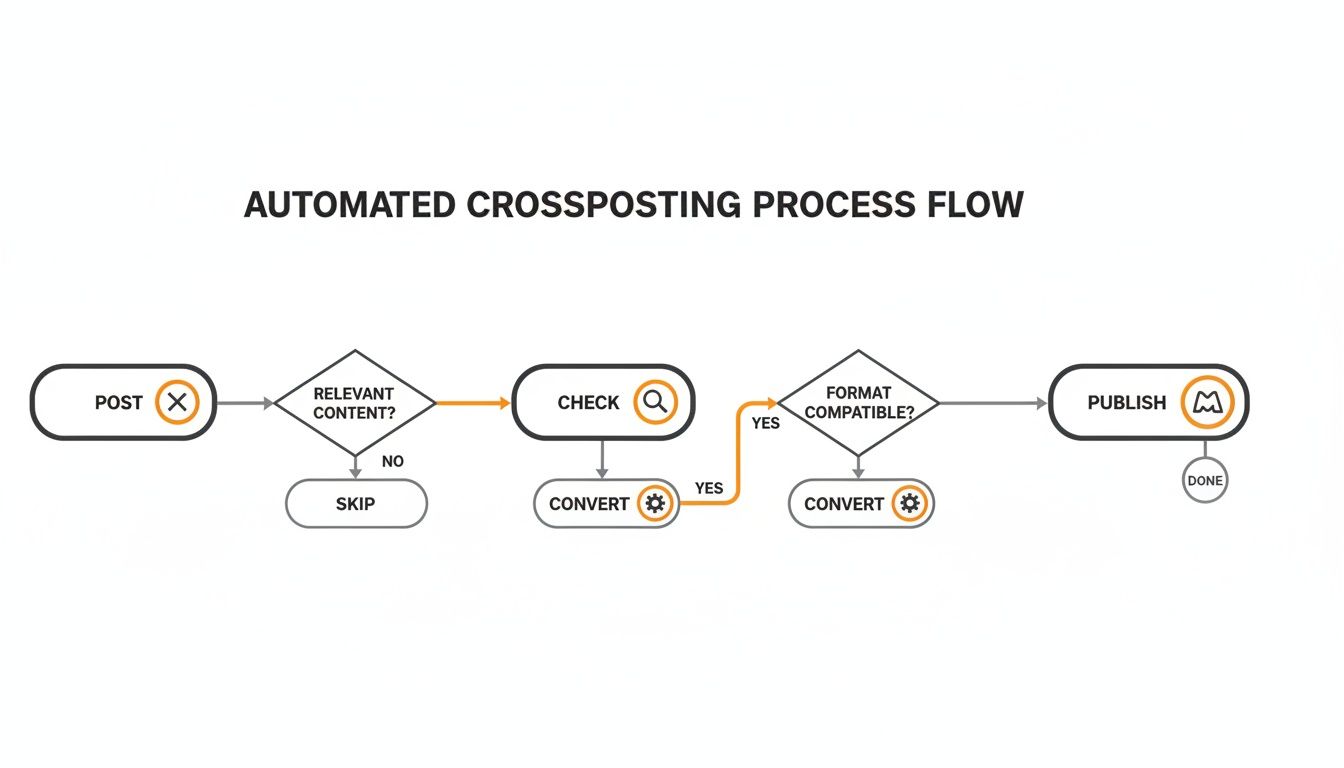
As you can see, a good automated system works quietly in the background, turning a single post on X into something that feels native and perfectly formatted for Mastodon, all without any manual work from you.
To make the differences even clearer, here's a side-by-side comparison of the three main approaches. This table should help you quickly see the trade-offs and decide what works best for your specific needs.
Comparison of X to Mastodon Crossposting Methods
| Feature | Manual Crossposting | Free Relays/Bridges | Automated Service (MicroPoster) |
|---|---|---|---|
| Cost | Free | Free | Paid (low monthly fee) |
| Reliability | Depends on you | Low to Medium | High |
| Time Investment | High | Low (when it works) | Very Low |
| Media Handling | Manual upload | Basic support, often buggy | Automatic, optimized |
| Thread Conversion | Manual, error-prone | Limited or no support | Automatic & seamless |
| Content Warnings | Manual | No support | Automatic based on keywords |
| Support | None | Community-based, slow | Dedicated customer support |
After looking at the options, it becomes clear that for anyone serious about building an audience on both platforms, the choice is pretty straightforward.
Making the Right Choice for Your Workflow
If you're a creator who values your time, a fully automated service is a no-brainer. That small monthly fee pays for itself almost immediately by getting rid of tedious manual tasks and making sure your content actually reaches your Mastodon audience every single time. A dedicated tool like MicroPoster is built from the ground up for this, giving you a robust solution you can truly set and forget.
And it’s not just a hunch—the data shows a clear trend. While Mastodon is smaller than X, its adoption on social media management platforms is through the roof. On Buffer, for example, Mastodon connections grew by over 18 times in about a year. That’s a huge signal that creators see it as a vital secondary channel.
The best method is the one you’ll actually stick with. If manual posting leads to burnout and you end up neglecting your Mastodon account, it isn't really a solution, is it? Automation provides the consistency you need to grow on a new platform without adding more work to your plate.
If you’re exploring other tools for streamlining your online tasks, the shortgenius homepage has some interesting solutions worth checking out. And to get a better handle on the bigger picture, take a look at our guide on the evolution of social media APIs. The choice you make here will ultimately define how effectively you can expand your reach.
The Technical Hiccups Behind Crossposting
Ever wonder why some crossposting tools seem to break every other week while others just… work? The secret is in how they talk to each platform, using something called an API (Application Programming Interface). This technical detail is the single biggest reason your automation is either rock-solid or a constant headache.
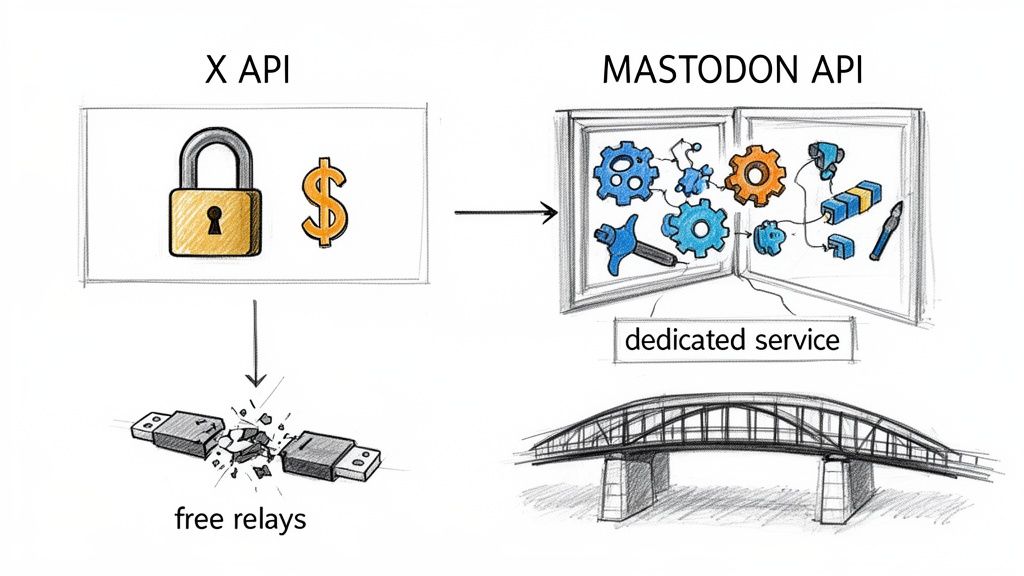
On one side, you have Mastodon. Its API is open and built for developers, which has led to a thriving ecosystem of third-party apps and creative tools. This openness makes it pretty straightforward to build stable services that connect to the platform.
Then there’s X. It has gone in the complete opposite direction, locking its API behind a hefty paywall. This move has made it incredibly difficult—and expensive—for many free tools to keep the lights on. It’s the main reason those free crossposting bridges and relays that used to be reliable now suffer from constant outages and broken features.
The Great API Divide
This fundamental difference in philosophy creates a massive technical gap. Most free tools simply can't afford X's steep API fees, so they're forced to use unofficial workarounds that break every time X pushes an update. If you want to get into the weeds on this, our article on the evolution of social media APIs breaks down exactly why this happens.
You don't need to be an API expert to fix this. But understanding the problem makes it clear why using a dedicated service is a smarter move. These tools are built specifically to handle these complexities, playing by the official rules of both platforms to keep your content flowing smoothly.
The reliability of your crossposting setup comes down to one thing: how well your tool handles the X and Mastodon APIs. A professional service acts as a durable bridge over this technical gap, absorbing the costs and headaches so you don’t have to.
Why a Specialized Service Is More Stable
A dedicated crossposting service is engineered to solve this exact problem. They pay for official API access and have teams ready to adapt to any changes, ensuring your posts get where they need to go without a hitch. As TechCrunch pointed out, 2023 was the year major platforms tightened API access, with X's policies making free, large-scale automation nearly impossible. You can read more about this industry shift on TechCrunch.
This is precisely where a premium service like MicroPoster's crosspost automation proves its worth. It takes care of all the messy backend work, making sure your crosspost x mastodon workflow stays consistent and reliable, no matter what’s happening behind the scenes.
When you start looking into automatically crossposting from X to Mastodon, a few practical questions almost always pop up. It's only natural. You want to know how your content will look, if your accounts are safe, and how much of a headache it's all going to be. Let’s tackle the big ones.
Will My X Threads Look Right on Mastodon?
Absolutely. This is probably the most important feature of any good automation tool. A solid service is built to recognize when you're posting a thread on X. It then smartly breaks it down into a series of connected posts that fit Mastodon’s character limits.
What's really key here is that it links each post as a reply to the one before it. This keeps your original conversational flow intact, so your Mastodon followers get the same coherent story you intended. You don't have to lift a finger to reformat anything.
What About My Images and Videos?
Your media gets handled properly, too. A good automation service doesn't just lazily link back to the media on X. It actually downloads the images, GIFs, or videos from your original post and uploads them natively to your Mastodon instance. This is a huge deal—it means your visuals show up right in your followers' timelines, which is exactly what you want for engagement.
Even better, the best tools also bring your alt text along for the ride. This is more than just a nice-to-have; descriptive alt text is a huge part of Mastodon culture and essential for accessibility.
The whole point of a "set it and forget it" system is to make your content feel like it belongs on Mastodon. Re-uploading media and preserving threads ensures your audience there gets a first-class experience, not just a clunky carbon copy of your X feed.
Is It Safe to Connect My Accounts to These Tools?
This is a fair question, but you can rest easy. Reputable services don't ask for your passwords. They use the industry-standard OAuth protocol for authentication. It's the same secure method platforms use to let third-party apps access specific permissions without ever handing over your login details.
When you link your X and Mastodon accounts, you're just giving the tool permission to post for you. You remain in complete control and can yank that access anytime right from your account settings on either platform.
If you’re looking for a reliable and secure way to crosspost X Mastodon content, the top automatic services are built to manage all of this behind the scenes. With smart systems that adjust media and split long posts, they offer a genuinely hands-off experience.
You can see how MicroPoster handles all this automatically by checking out their X to Mastodon crossposting feature.