cross-platform social media scheduler
Best Cross-Platform Social Media Scheduler for 2026
Stop manual posting. Our 2026 guide to the modern cross-platform social media scheduler shows you how to automate posts, save hours, and grow your reach.

You post an update on LinkedIn. Then you rewrite it for X. Then you trim it again for Threads. Then you realize the image crops badly on one platform, the link preview breaks on another, and the whole thing has eaten half your morning.
That loop is where most founders and creators get stuck. Not because they lack ideas, but because distribution keeps turning one piece of content into four separate jobs.
A cross-platform social media scheduler is the tool category built to stop that. At its simplest, it helps you publish across networks without bouncing between apps. At its best, it becomes part of your operating system for content. You create once, adapt where needed, and stay visible without living inside a posting dashboard all day.
The Content Creator's Dilemma
Monday starts with one solid idea. By noon, that same idea has turned into five editing passes, three uploads, two broken previews, and one platform you swear you'll come back to later.
The hard part is rarely coming up with something worth posting. The hard part is turning one message into channel-specific versions without burning the time you needed for product, sales, or client work.
For a solo founder or a lean marketing team, the workload grows fast. One product update can require a clearer narrative on LinkedIn, a tighter version for X, a more conversational post for Threads, different creative for Instagram, and a final check to make sure each post still sounds like the same company. The work is manageable once. It becomes a tax when it's part of every launch, customer story, or weekly insight.
That is why the old advice to "just repurpose content" often falls apart in practice. Repurposing sounds efficient until one source post becomes a string of manual rewrites, uploads, and platform checks.
Manual cross-posting usually breaks down in a few predictable places:
- Message drift: each edit pulls the original idea a little further off course.
- Missed distribution windows: one network gets posted now, another gets pushed to later, and later often means never.
- Creative fatigue: energy gets spent on resizing, reformatting, and re-entering captions instead of improving the idea itself.
- Tool switching: every jump between apps breaks focus and slows the whole workflow.
I have found that the actual bottleneck is not creativity. It is translation. Every platform asks for a slightly different version of the same truth, and doing that by hand makes consistency harder than it should be.
If you're comparing tools, Trendy's top social media tool picks is a useful starting point because it shows how different products handle publishing across networks.
The bigger issue is workflow design. The traditional scheduler treated every platform as a separate destination to manage from a central dashboard. That helped, but it still left creators doing a lot of repetitive adaptation by hand. A better system starts with a source piece of content and mirrors it outward with light edits where they actually matter. That shift is what turns scheduling from a posting utility into real operating infrastructure.
Omnipresence Is the Goal, Not Just Efficiency

A prospect checks your LinkedIn and sees thoughtful updates from last week. Then they click through to X and find silence. On Threads, the brand voice sounds different again. Nothing is broken, but confidence drops.
That is the cost of weak distribution. People do not experience your brand on one platform in isolation. They build a picture from scattered touchpoints, and that picture needs to feel coherent.
Consistency builds trust
Omnipresence does not mean posting identical copy everywhere. It means carrying one clear idea across the channels your audience already uses, while respecting the norms of each one. A product launch might show up as a founder note on LinkedIn, a sharper angle on X, and a more conversational version on Threads. The format changes. The message stays intact.
That consistency shapes trust. Active brands feel current. Recognizable messaging feels deliberate. Repeated exposure across platforms also improves brand recall, which is one reason marketers keep investing in coordinated multi-channel publishing, as noted in HubSpot's social media marketing guide.
Irregular posting creates a different impression. It makes the business look distracted, smaller than it is, or unclear about what it wants to say.
Presence needs a system
A scheduler works like publishing infrastructure for brand presence. The job is not just to queue posts. The job is to help one strong source message show up consistently across platforms without getting distorted on the way out.
That is where workflow philosophy starts to matter. In the older command center model, every network becomes its own mini project inside a dashboard. In a source-and-mirror model, you start with the original post, then adapt outward with small edits where they matter. The first approach manages destinations. The second protects the message.
A useful system helps with three things:
- Message integrity: the core point survives across every version.
- Native adaptation: each post fits the platform instead of looking pasted in.
- Reliable presence: your audience sees signs of life wherever they follow you.
Practical rule: If a scheduler makes your posts look mechanically identical, it is protecting output volume at the expense of brand trust.
Strong scheduling creates recognition. Recognition builds familiarity. Familiarity makes the brand feel established before a buyer ever books a demo or replies to a post.
Two Philosophies of Social Media Scheduling
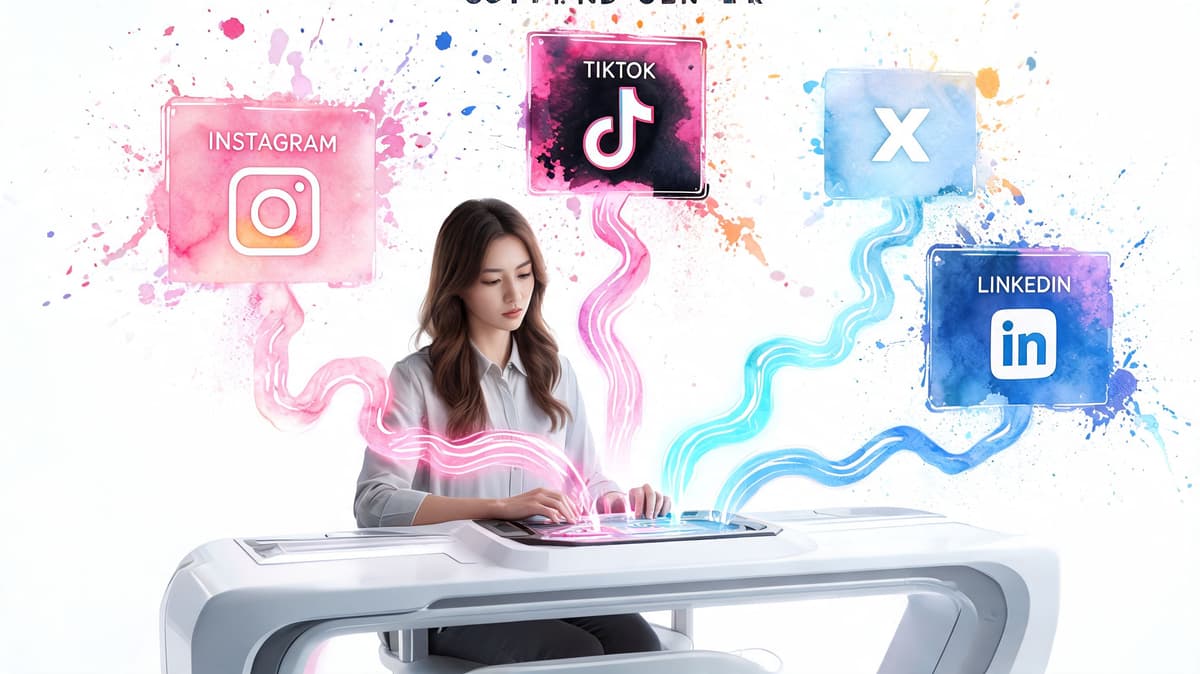
Not all scheduling tools ask you to work the same way. That's where a lot of frustration comes from. People think they're choosing features, but they're really choosing a workflow philosophy.
Modern platforms have widened the field. Some tools now publish to 10+ networks, including established channels and newer ones like Bluesky and Mastodon, while also supporting mechanics like auto-split threading for X, as outlined in Sprout Social's overview of social media scheduling tools. More coverage sounds better, but the underlying model matters more than the network count.
The command center model
This is the traditional scheduler setup. You log into a dashboard, write inside the tool, select channels, tweak versions, and schedule from a calendar.
That approach works well when you need structure.
Where command center tools help
| Fit | Why it works |
|---|---|
| Team environments | Everyone sees drafts, approvals, and status in one place |
| Campaign planning | Calendar views make launches and promotions easier to manage |
| Agencies | Client review workflows are cleaner inside a shared workspace |
The downside is behavioral. You now have two places where content can live: the native platform and the scheduler. If your best writing happens on LinkedIn, or if you think in threads while using X, the dashboard can become a detour.
Common friction points include:
- Extra drafting overhead: you rewrite content inside another interface.
- Less native feel: posts can become standardized because the tool is the center.
- Creative interruption: the act of publishing feels more operational than conversational.
The source and mirror model
This newer approach flips the workflow. You create on your preferred platform first. The tool detects that post, adapts it, and mirrors it elsewhere according to rules you've already set.
For solo founders and creators, this is often the more natural model because it doesn't ask you to relocate your thinking. If LinkedIn is where you develop ideas best, write there. If X is your fastest channel, post there. The scheduler works behind the scenes.
You don't need a new cockpit if you already know how to fly from one platform well.
The trade-off in plain terms
- Command center: better when coordination is the main problem.
- Source and mirror: better when consistency and speed are the main problem.
- Hybrid workflows: useful when a team plans campaigns centrally but an individual creator still posts natively.
The source-and-mirror model also tends to preserve voice better. You start from the place where your ideas are most natural, then let automation handle the repetitive adaptation work.
That doesn't mean it's perfect. If you need layered approvals, client comments, or a heavy campaign calendar, a command center may still fit better. But if you're a founder trying to stay present across networks without turning content into a second job, source and mirror is usually the cleaner operating system.
Must-Have Features in a Modern Scheduler
A modern scheduler shouldn't just queue posts. It should remove the parts of cross-posting that waste attention.
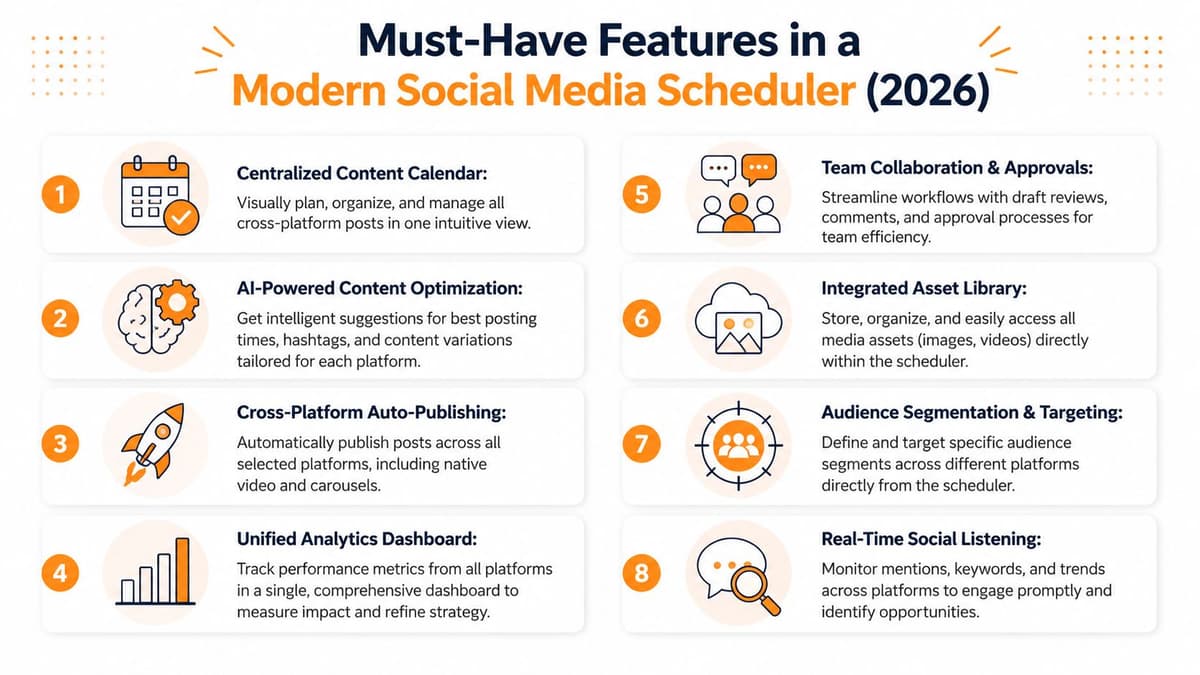
The fastest way to evaluate a tool is to ignore the homepage copy and inspect what happens after you hit publish.
Content adaptation is the real timesaver
The biggest leap in this category isn't scheduling itself. It's automated adaptation. For creators publishing to 5+ platforms, this architecture can reduce manual reformatting time from 15 to 20 minutes per post to under 30 seconds, according to Monday.com's discussion of social media scheduling architecture.
That's the difference between a scheduler that stores posts and one that does work.
Look for features like:
- Auto-threading for X: long posts should split cleanly instead of getting chopped awkwardly.
- Mention mapping: handles should translate correctly across networks when possible.
- Media resizing: images and videos should be adjusted for native display, not posted as one-size-fits-all assets.
- Link preview handling: links should render cleanly without forcing manual fixes.
If you want a concrete example of this workflow, MicroPoster's auto cross-posting setup shows what source-based adaptation looks like in practice.
Security and publishing reliability
A scheduler touches your accounts, so security isn't a nice extra. It's a baseline requirement.
The tools worth trusting use secure OAuth connections rather than asking you to hand over passwords. Under the hood, that matters because social platforms use expiring access tokens, and schedulers need refresh logic to keep publishing from failing when those tokens age out. In practice, what you care about is simpler: the tool should stay connected without making you constantly reconnect accounts.
If a scheduler makes account access feel fragile, it will eventually make publishing feel fragile too.
The shortlist I use when evaluating tools
Non-negotiables
- Native format support: not just text posts, but the formats you publish.
- A usable calendar: even source-first tools benefit from a clear publishing view.
- Rules-based automation: choose what mirrors where, instead of approving every routine action.
- AI assistance with restraint: useful for rewriting, summarizing, or tone adjustment. Not for turning every post into synthetic mush.
Nice to have, depending on your setup
- Approval flows: important for teams, less critical for solo operators.
- Asset library: useful when brand visuals repeat often.
- Listening and inbox features: valuable if one tool is meant to cover posting and engagement.
The wrong way to buy a scheduler is to chase feature count. The right way is to ask which parts of your weekly publishing routine still feel manual, annoying, or error-prone. That's where the product should earn its place.
A Founder's Workflow Before and After

A founder launches a new feature on Tuesday morning. The announcement matters because users have asked for it, prospects have been waiting for it, and the update is a good excuse to remind the market the product is moving.
Before using a serious scheduler, the workflow usually looks like this.
Write the long version for LinkedIn. Compress it for X. Break it into a thread because the short version loses too much context. Rewrite again for Threads so it sounds conversational instead of promotional. Pull an image into another app because the original dimensions look off. Double-check that all of it went live. Realize one platform still needs a post. Go back and patch the gap later.
Before the system
This approach feels manageable when you're only doing it once in a while. It falls apart when shipping is frequent.
A lot of founders underestimate how much mental drag this creates. You're not just spending minutes. You're fragmenting focus. Every distribution step pulls you away from product work, customer conversations, or actual writing.
That is why the time savings matter in a concrete way. Businesses using social media scheduling tools save an average of 6 hours per week, based on the Buffer research summarized in the earlier source set. For a founder, six hours isn't spare time. It's roadmap time, sales time, or recovery time.
After the system
Now take the same announcement and run it through a source-and-mirror workflow.
The founder writes the primary version on the platform where they already have momentum. The scheduler detects it, turns the long-form idea into a thread where needed, mirrors the core message to the other connected networks, and applies the formatting rules already configured. The founder still reviews when necessary, but the repetitive translation work is gone.
The shift is small in theory and huge in practice.
- Creation stays native: you write where your voice is strongest.
- Distribution becomes background work: the system handles repetition.
- Reach improves without extra admin: more channels stay active because they no longer need separate effort every time.
If you're trying to build this kind of operating rhythm, TimeSkip's guide to scaling with marketing automation is useful because it frames automation as workflow design, not just tool stacking.
For a deeper look at how distribution systems work beyond simple scheduling, this content distribution platform guide is also relevant.
One option in this category is MicroPoster, which follows the source-and-mirror approach. It watches a preferred source account, mirrors posts to networks like X, Threads, Bluesky, and Mastodon, and adapts formatting along the way. For founders who already post natively and don't want another dashboard-centered habit, that model is often easier to sustain. There's also a 7-day trial available, which makes it easy to test whether this workflow fits your routine.
The Future is Effortless Reach
The old way to think about scheduling was simple. Write posts ahead of time, queue them up, and save a few minutes each day.
That model still works, but it misses the bigger shift. The best cross-platform social media scheduler now acts less like a timer and more like a distribution layer. It reduces the distance between creating something worth saying and getting that message in front of people across multiple networks.
What sustainable social publishing looks like
The most sustainable setup usually has three traits:
- It respects your natural creation habits: you don't have to become a dashboard operator to stay visible.
- It handles adaptation automatically: format differences stop being daily chores.
- It lowers friction without flattening your voice: your posts still sound like you.
A good scheduler doesn't ask you to become more disciplined than you already are. It makes your existing discipline go further.
Tools that demand too much ceremony tend to get abandoned. Tools that fit how you already work tend to become part of the business.
Pick the workflow, not just the software
Shoppers for a scheduler often compare network support, pricing, and calendars first. Those things matter, but the deeper question is whether the product matches how you publish.
If you run approvals, campaigns, and multiple stakeholders, a command-center tool may be the right fit. If you write natively and want your best ideas to spread without extra handling, a source-and-mirror system is usually the better answer.
The point isn't to automate for the sake of automation. It's to stop acting like the manual distributor of your own content. Your time is worth more than copy-pasting the same idea into slightly different boxes.
If you want a source-first workflow that mirrors your posts across networks without storing passwords, MicroPoster is worth trying. It supports automated cross-posting, platform-aware formatting, scheduling tools, and a visual calendar. There's a 7-day free trial, no credit card required.