
copy tweets to bluesky
How to Copy Tweets to Bluesky: A 2026 Guide
Need to copy tweets to Bluesky? This guide shows you how. Explore manual copy, advanced scripts, and automated tools like MicroPoster for a seamless migration.

If you are looking up copy tweets to bluesky, you probably do not want an abstract debate about platforms. You want a practical way to avoid rebuilding your social presence from zero.
That usually means one of two things. You either want to bring over a useful archive of posts so your new profile does not look empty, or you want a system that keeps your Bluesky account active every time you publish on X. Those are different jobs, and many individuals pick the wrong method because they treat both as the same problem.
I have seen the same pattern with founders, indie hackers, and creators. They export an archive, test a script, post a few old threads, then realize the harder part is not the initial move. The harder part is maintaining a living presence across networks without turning distribution into a second job.
Why Move Your Tweets to Bluesky Now
You set up a Bluesky profile, upload an avatar, write a decent bio, and then encounter a significant problem. The account looks empty, while years of useful posts still sit on X.
That gap matters more than many creators expect. People do not just check whether you joined. They check whether you have a body of work, consistent ideas, and signs that you will keep showing up. A blank profile suggests you are experimenting. A profile with relevant past posts suggests you are established and active.

The audience shift is no longer theoretical
Since Bluesky's public launch in early 2024, it has grown quickly, reaching many users by early 2025. That growth has been driven in part by frustration with X, where 68% of U.S. users reported considering leaving.
For creators, founders, and operators, that changes the timing. Waiting until your niche fully settles on Bluesky usually means arriving after the early attention window has passed. Getting your content there sooner gives people context when they discover you, whether they found you through a reply, a repost, or a recommendation feed.
Copying old tweets is a workflow decision
A tweet migration is not just about preserving old posts. It is about deciding what job Bluesky needs to do for you.
Some people need a one-time archive move so the new profile does not look abandoned on day one. Others need an ongoing publishing system because they plan to maintain a presence on both platforms. Those are different workflows, with different trade-offs in time, control, and maintenance.
That distinction matters because a static import solves the first problem only once. It does not solve distribution next week.
Continuity builds trust faster
When someone checks your profile on a newer network, they are looking for proof that your account connects to genuine work. Product updates, opinion threads, launch notes, and repeated themes all help establish that. They make it easier for a new audience to understand what you do without waiting months for fresh posts to accumulate.
That is one reason interest in open networks keeps growing. The appeal is not only platform choice. It is also portability, ownership, and reduced dependence on a single company. For context on that broader shift, this guide to decentralized social media is a useful primer.
A migrated archive helps with credibility. An ongoing posting system helps with momentum. In practice, the second one usually becomes the bigger decision.
Choosing Your Tweet Migration Strategy
There are three realistic ways to copy tweets to Bluesky. Each solves a different problem.
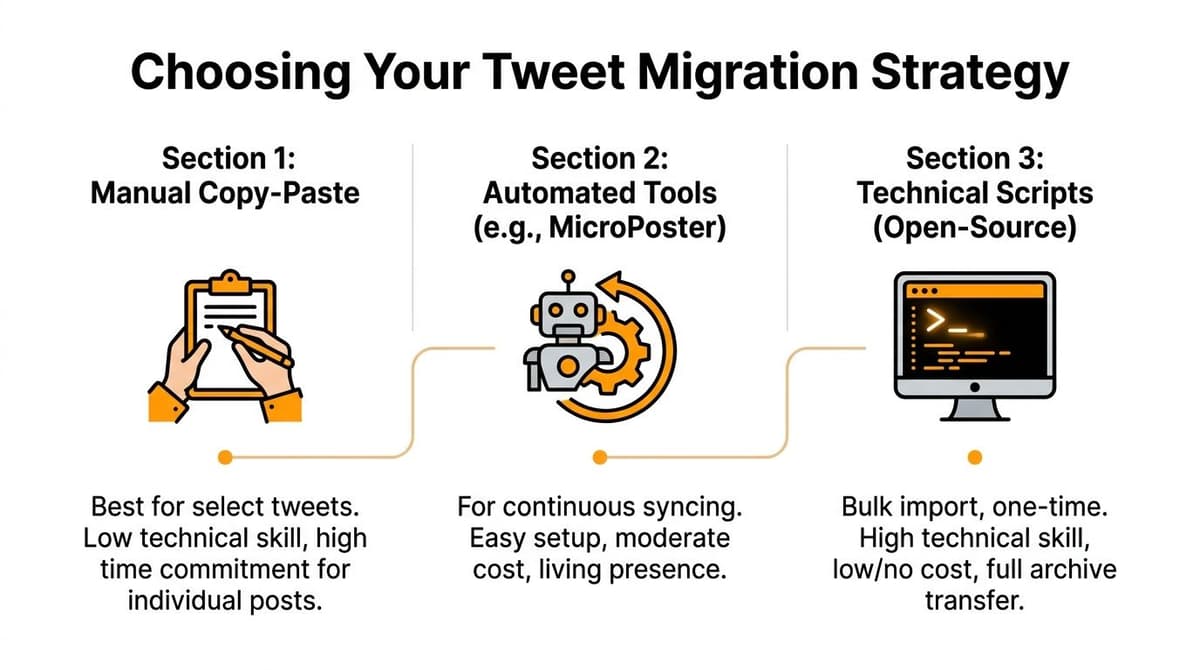
Three paths and who they fit
| Strategy | Best for | Strength | Trade-off |
|---|---|---|---|
| Manual copy | A few important tweets or threads | Full control over what appears on Bluesky | Slow and repetitive |
| Open-source script | Large archive imports | Good for bulk backfills from your archive | Technical setup and troubleshooting |
| Automated service | Ongoing cross-posting | Keeps your presence alive after the migration | Less useful if you only want a one-time dump |
The biggest mistake is choosing based on cost alone. Time and maintenance matter more.
Manual is clean but narrow
If you only care about ten old threads, manual posting is often the least risky option. You can rewrite, trim, and adapt posts for Bluesky as you go.
This falls apart fast if your archive is large. It is also poor for continuity. A hand-picked archive can make the profile look curated, but it does not help with tomorrow's posts.
Scripts are powerful but brittle
GitHub importers and Node.js tools are good when you want to move lots of historical content. They are appealing because they work closer to the archive itself, and some preserve timestamps and media better than copy-paste workflows.
They also ask more from you. You need your Twitter archive, a Bluesky app password, a local environment, and enough patience to debug media and throttling issues.
Automation is the workflow decision
The most useful question is not, “How do I transfer my tweets?” It is, “Do I want Bluesky to be an archive or an active channel?”
If you want an active channel, automation usually wins because it turns posting into a system. You publish once on your source network, then mirror to Bluesky and other platforms without rebuilding every post by hand.
If your posting habit already exists on X, the most effective move is usually to preserve that habit and extend it elsewhere.
A founder shipping product updates every week has different needs from a writer importing a back catalog. One needs historical migration. The other needs durable distribution. Sometimes you need both, but they should not be treated as the same task.
The Manual Method for Selective Posts
Manual copying works best when you care more about quality than volume. If you want to move a launch thread, a viral insight, a pinned introduction, and a few evergreen posts, this route is straightforward.
How to do it without making a mess
Start with your source material open on one side and Bluesky on the other. Then rebuild the post natively instead of blindly pasting.
- Choose only posts that still matter. Old jokes, reactive commentary, and context-heavy replies rarely age well.
- Clean the text before posting. Fix references that no longer make sense, remove broken handles, and trim phrasing that depended on X-specific culture.
- Re-upload media directly. Save images or videos from your archive and upload them to Bluesky as native files when possible.
- Rebuild threads one post at a time. If a tweet was part of a thread, post the first item, then reply to yourself to recreate the structure.
- Add light context when needed. A simple note like “From my 2023 X archive” can help when a post refers to an older launch or discussion.
Where manual work is useful
Manual migration is good for:
- Pinned content: Your introduction thread, manifesto, or best explainer.
- Evergreen ideas: Posts that still teach something without extra context.
- Proof posts: Launch announcements, milestones, demos, and thoughtful threads.
- Profile shaping: The first few posts that tell visitors what you talk about.
Where it breaks down
Manual copying gets painful when volume enters the picture.
A ten-post thread is fine. Hundreds of posts are not. Media handling gets tedious, thread reconstruction becomes error-prone, and you will start cutting corners. That usually means incomplete history, inconsistent formatting, and a profile that reflects your patience level more than your body of work.
There is another problem. Manual migration is not a workflow. It is a cleanup task. Once you finish, you still need a plan for every new post you publish afterward.
If your goal is “bring over my best work,” do it manually. If your goal is “build an active Bluesky presence without extra overhead,” manual work is the wrong tool.
Technical Migration with Open-Source Scripts
For power users, open-source scripts are the serious way to copy tweets to Bluesky in bulk. They are built for archives, not hand-picked posts.
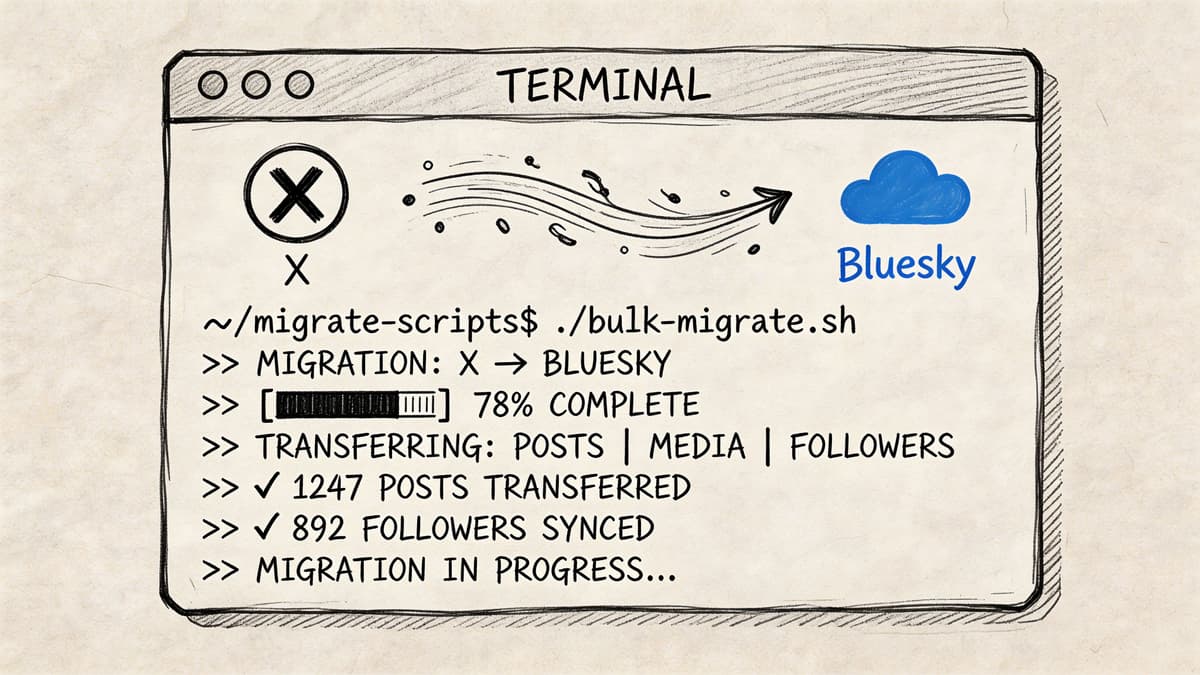
What the setup usually looks like
The common pattern is a Node.js-based importer that reads your downloaded Twitter archive and posts into Bluesky through the AT Protocol stack. In practice, that means:
- Install Node.js
- Download and unzip your Twitter archive
- Create a Bluesky app password
- Clone or download the importer repo
- Set environment variables for account credentials and archive path
- Run the script locally
The technical approach for bulk imports often uses a Node.js script with environment variables for your Bluesky credentials and Twitter archive path. These tools can achieve 85-95% success for migrating core tweets and media, but they are constrained by rate limits of around 300 posts per hour and can fail on oversized media files (twitter-to-bluesky GitHub repo).
If you need a broader primer on how social APIs and posting workflows behave in practice, this practical guide is useful: https://microposter.so/blog/api-for-social-media
The parts that work well
Scripted migration is strong when you need scale.
A good importer can preserve the rough shape of your archive. Text comes across, timestamps may be backdated depending on the tool, and image-heavy posts usually fare better than manual copy-paste. If your account history matters as public proof of work, this is the route that gets closest to a historical import.
It also gives you control. You can often set date filters, simulate runs, and batch old posts instead of pushing everything at once.
The parts that frustrate people
The rough edges are predictable.
Feed flooding
Dumping a huge archive into Bluesky can make your account look automated in the worst way. Even if the tool succeeds technically, the result can feel spammy to anyone who follows you during the import.
Batch imports are safer when you treat them like publishing, not backup restoration.
Media failures
Large videos and awkward file formats are where things often wobble. Some posts import cleanly, some lose attachments, and some require pre-processing.
Retweets and context-dependent content
Retweets, quote-style interactions, and replies tied to old conversations often do not translate cleanly. The script can post text, but the original context may be gone.
Maintenance burden
The script may work today and break later with platform changes, dependency issues, or archive quirks. If you enjoy that kind of troubleshooting, fine. If not, the “free” route gets expensive in attention.
Who should use scripts
Scripts are a fit when all of the following are true:
- You want a one-time archive migration
- You are comfortable in the terminal
- You can tolerate imperfect imports
- You are willing to supervise batches instead of firing everything at once
If that sounds annoying, it probably will be. Scripted import is powerful, but it is still a project. Most non-technical creators start with good intentions and then stop halfway through once they hit media errors or timeline clutter.
Automate Your Presence with MicroPoster
You post a thread on X in the morning, then remember at lunch that your Bluesky account still looks abandoned. By the end of the week, you have either reposted the same ideas manually, or said you would "catch up later" and never did. That is a significant migration problem for active creators. The archive matters once. The workflow matters every day.
One-time migration versus ongoing presence
A backfill gives your Bluesky profile some history. It does not keep the account alive next month.
Creators who treat Twitter to Bluesky as a workflow decision usually split the problem in two parts. First, bring over enough past content to avoid an empty profile. Second, set up a system that keeps publishing without adding another daily task. That second part is where the tool choice matters more than the import itself.
You can build your own chain with Zapier, Phantombuster, and custom rules. That setup can work. It also means managing formatting quirks, duplicate protection, media handling, and mention cleanup yourself. In one YouTube workflow reference, the reported 5-10% duplicate post rate and 30% failure rate on @mention mapping capture the kind of friction that shows up once you leave the happy path.
Why stitched-together automations often disappoint
DIY automation looks cheaper at first because each individual tool solves one narrow job. The trouble starts when those jobs depend on one another.
A fetch step fails. A formatter trims the wrong post. A media upload breaks on a platform-specific constraint. Then the publishing step goes through anyway and leaves you with a half-broken cross-post. If you are running a publishing routine, those errors create cleanup work fast.
That is why many working creators stop optimizing for flexibility and start optimizing for reliability. A dedicated workflow removes several failure points at once. If you want a broader view of that trade-off, this piece on automatic social media posting is a useful companion read.
What a dedicated system should handle
A good X-to-Bluesky automation setup should effectively cover the things that waste time in manual or stitched-together systems:
- Post detection so Bluesky stays current without manual checks
- Formatting adjustments for text limits, threads, and platform conventions
- Native media publishing instead of weak link-based fallbacks
- Duplicate tracking so the same post does not appear twice
- Mention handling that reduces broken carryover from X usernames
- Multi-network support if you also publish to Threads or Mastodon
Those are workflow features, not nice extras. If your goal is ongoing presence, they decide whether automation saves time or creates another maintenance job.
A workflow-focused option
MicroPoster fits the ongoing-publishing model better than a one-off migration utility. It lets you cross-post from X to Bluesky and also publish to Threads and Mastodon. MicroPoster has also announced plans to support LinkedIn soon.
That matters because creators rarely stop at one destination. Once Bluesky becomes part of your publishing mix, the question is whether you want to maintain separate routines for every network or let one source workflow feed the rest. MicroPoster is useful because it turns "copy tweets to Bluesky" from a recurring chore into a standing distribution system.
When automation is the smart choice
Automation makes sense when these conditions are true:
- X is still your main publishing habit
- You want Bluesky to stay active without manual reposting
- You care about continuity across more than one network
- You are tired of checking scripts or fixing no-code edge cases
- You prefer a repeatable system over full technical control
That trade-off is straightforward. Scripts give you more control for a one-time project. A dedicated platform gives you a cleaner long-term workflow. For creators who publish regularly, that usually ends up being the better use of time.
Best Practices for Your New Bluesky Presence
Copying old tweets is only useful if the resulting profile feels worth following.
Build a readable timeline
Do not dump everything at once. A profile stuffed with backfilled posts can feel artificial, especially if half the content depends on old conversations. Curate what deserves to live again, and space out anything archival.
A good rule is simple. Import for credibility, then post for relevance.
Treat Bluesky as native, even when you automate
The best cross-posting systems still need judgment. Not every X post belongs everywhere unchanged.
Use lightweight filters. Exclude throwaway replies, polls, or context-heavy jokes if they do not travel well. Keep the feed coherent so a new follower can understand what you are about within a few scrolls.
The strongest Bluesky accounts do not look copied. They look consistent.
Separate archive value from growth value
Old posts prove history. New posts build audience.
That is why the best long-term setup usually combines selective migration with continuous automation. Bring over what matters, then make sure future posts keep showing up without extra effort. That gives you a profile with depth and a publishing workflow you can sustain.
If you approach copy tweets to bluesky as a workflow choice instead of a one-time task, the right tool becomes much easier to pick.
If you want a simpler way to stay active across networks after the initial move, MicroPoster is worth trying. It is built for people who already post and want those posts to keep working on Bluesky, Threads, and Mastodon without turning cross-posting into manual labor.


