list of social media co-writer AI tools
12 Best Social Media Co-Writer AI Tools: 2026 Top Picks
Explore our definitive list of social media co-writer AI tools. We review the top 12 apps to help you automate, write, and schedule better content in 2026.

The demand for consistent, high-quality content across every social media platform is relentless. For founders, creators, and social media managers, this creates a significant bottleneck. It's not just about overcoming writer's block; it's the constant pressure to craft engaging hooks, adapt messaging for different audiences on X (Twitter), LinkedIn, and Instagram, and maintain a steady posting schedule without spending your entire day writing. The core challenge is one of scale and quality—a problem that traditional methods can no longer efficiently solve.
This is where AI co-writers come in. These are not simple text generators. The best tools act as strategic partners, helping you brainstorm ideas, refine your tone, suggest relevant hashtags, and even format posts perfectly for each network's specific constraints. However, writing is only half the battle. Once content is created, it needs to be published, scheduled, and repurposed, which is where automation tools like MicroPoster.so shine, bridging the gap between creation and distribution. Beyond just social media, a wider array of AI copywriting tools for digital marketing can assist with everything from email campaigns to ad copy, showing the broad impact of this technology.
This article provides a definitive list of social media co-writer AI tools designed to help you find the perfect fit for your specific needs. We’ve gone beyond marketing copy to give you an honest assessment of each platform. You will find detailed breakdowns covering:
- Key Features: What makes each tool unique?
- Best For: Who is the ideal user (creators, agencies, startups)?
- Pricing & Integrations: What does it cost and how does it fit into your existing stack?
- Pros & Cons: A realistic look at strengths and weaknesses.
From purpose-built solutions like MicroPoster, designed for multi-platform distribution, to integrated assistants within larger scheduling platforms, we provide the practical details you need. Each entry includes screenshots and direct links, so you can explore and choose with confidence. Let's find the tool that will help you reclaim your time and amplify your message.
1. MicroPoster
MicroPoster distinguishes itself in the crowded field of social media management by focusing on a powerful "write once, grow everywhere" philosophy. It’s not just another scheduler; it's an intelligent distribution engine designed for founders, creators, and agencies who value efficiency and authenticity. Its core strength lies in its ability to take a single post from your primary account and natively republish it across X (Twitter), Threads, Bluesky, and Mastodon, automatically adapting the content for each platform's unique format.
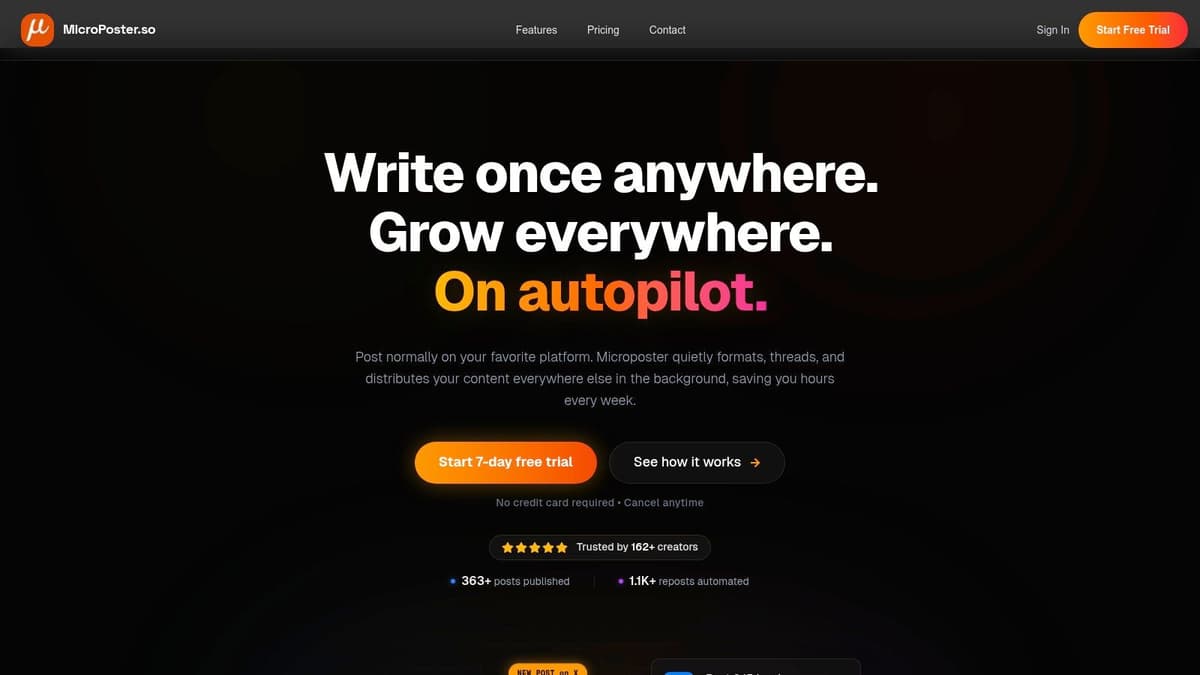
This process goes far beyond simple copy-pasting. MicroPoster intelligently handles complexities like splitting long posts into threads, mapping user handles across different networks, resizing media, and ensuring links generate rich previews. This meticulous, native formatting preserves the integrity of your message and boosts engagement, making your cross-platform presence feel intentional, not automated.
Key Features & Workflow
The platform's integrated AI co-writer is a standout feature, acting as a true creative partner within your workflow. You can generate post ideas, refine your tone, or expand on a brief concept directly in the rich-text editor. Beyond initial creation, the AI toolkit includes rewrite and summary modes, smart scheduling that identifies optimal posting times based on audience activity, and comment analysis to surface valuable insights. This makes MicroPoster a strong contender in any list of social media co-writer AI tools.
A typical workflow is refreshingly simple:
- Post Natively: Write and publish on your main platform (e.g., X).
- Auto-Detect: MicroPoster detects the new post within seconds.
- Intelligent Repost: It automatically reformats and publishes to your connected accounts, handling threads, mentions, and media.
For those who want to better understand the power of this setup, the platform offers guidance on how to automate social media posting effectively.
Our Take: MicroPoster is the ideal solution if your goal is to maximize reach with minimal effort. The intelligent cross-posting is a significant time-saver, and the built-in AI tools are practical aids for content creation and optimization, not just novelties. It perfectly combines a co-writer with a powerful automation engine, solving the entire content workflow from ideation to distribution.
Pricing
MicroPoster offers a straightforward and accessible pricing model, with a 7-day free trial that doesn't require a credit card.
- Creator Plan: $12/month for unlimited scheduling and up to 200 smart cross-posts per month.
- Pro Plan: $29/month for unlimited scheduling and unlimited smart cross-posts.
Pros & Cons
| Pros | Cons |
|---|---|
| Intelligent Cross-Posting: Adapts content natively for each platform, including threads, mentions, and media. | Limited Platforms: No native support for Instagram, LinkedIn, Facebook, or TikTok. |
| Fast Automation: Detects and mirrors posts in near real-time, saving hours of manual work. | No Edit Sync: Edits to a source post must be manually re-synced to update cross-posts. |
| Integrated AI Toolkit: Includes a co-writer, rewrite modes, smart scheduling, and comment analysis. | Creator Plan Cap: The entry-level plan is limited to 200 smart cross-posts monthly. |
| Secure & Simple: Uses secure OAuth connections (no passwords stored) and is built by a privacy-focused indie founder. |
Website: https://microposter.so
2. Jasper
Jasper stands out as a mature, marketing-first platform in the world of AI writing assistants. While it handles a wide range of content, its true strength for social media managers lies in its robust brand governance and team-oriented features. This makes it an excellent choice for agencies and businesses that need to maintain a consistent voice across multiple channels and among several team members. It’s less of a simple caption generator and more of a central hub for your brand’s AI-assisted content creation.

The platform is built around the idea of reusable assets. You can upload style guides, product information, and audience personas into Jasper’s Brand Voice and Knowledge base. The AI then uses this information to generate on-brand copy, a critical function for any serious social presence. This initial setup is key; investing time here pays off with highly relevant and consistent outputs later, which is a core part of developing a solid content strategy for social media. To complete your workflow, you can pair Jasper's powerful writing capabilities with an intelligent distribution tool like MicroPoster.so to automate the posting of your perfectly crafted content.
Jasper offers a Creator plan starting at $39/month per seat (billed annually) for individuals. Team and Business plans add more advanced collaboration and control features but come at a higher cost, which might be excessive for solo creators. Ultimately, Jasper is one of the top-tier list of social media co-writer AI tools for teams prioritizing brand integrity over pure speed.
- Best For: Marketing teams and agencies managing multiple brand voices.
- Pros: Excellent brand-voice controls and team features.
- Cons: Can be pricey for individuals; requires initial setup for best results. Does not include scheduling or automation.
3. Copy.ai
Copy.ai distinguishes itself as a highly flexible AI content platform, moving beyond simple post generation with its powerful, multi-step Workflows. While many tools focus on a single output, Copy.ai allows social media managers to build repeatable processes to generate, rewrite, and repurpose content at scale. This makes it a strong contender for teams that need consistent, multi-part outputs, like creating a LinkedIn post, a Twitter thread, and three Instagram captions all from a single brief.
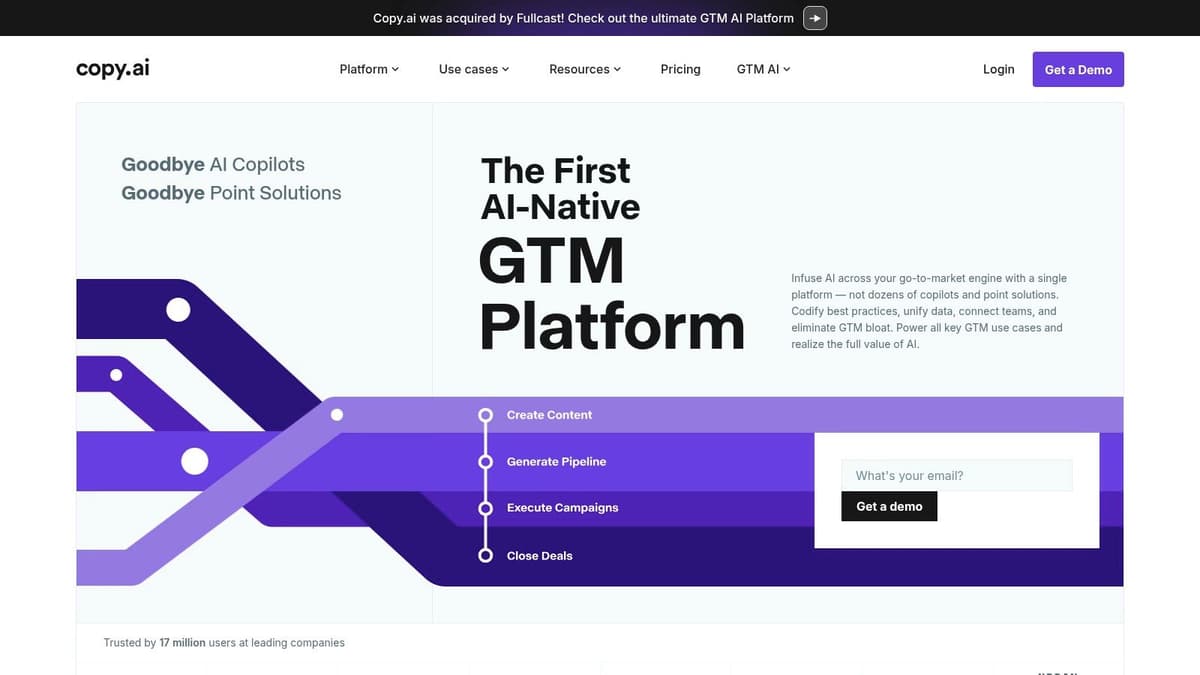
The platform’s strength lies in its Workflows, which are essentially custom-built templates for your specific content needs. You can define a series of steps for the AI to follow, which is a game-changer for repurposing. For example, a single workflow could take a blog post URL and automatically draft a promotional email, a LinkedIn thought leadership piece, and a series of tweets. This automation is a significant time-saver, although mastering the workflow builder has a slight learning curve. Pairing this with a scheduling tool like MicroPoster.so allows you to create a fully automated content pipeline from idea to publication.
Copy.ai’s Pro plan is competitively priced at $36/month (billed annually) and includes 5 user seats, making it accessible for small teams. The unlimited words in its Chat function and access to multiple AI models (like GPT-4o and Gemini) provide great value. This makes it an excellent addition to the list of social media co-writer AI tools for teams focused on building efficient, repeatable content systems.
- Best For: Teams and agencies needing repeatable, multi-step content generation and repurposing.
- Pros: Powerful workflow automation for scalable content; generous user seats on entry-level paid plans.
- Cons: The most advanced automation features are on higher-tier plans; can have a learning curve to maximize workflows.
4. Writesonic
Writesonic positions itself as an all-in-one content creation suite, but its real value for social media managers is its sheer volume of dedicated templates. It’s built for rapid-fire ideation, allowing you to generate dozens of post variations, hooks, and calls-to-action in minutes. This makes it a powerful tool for A/B testing copy angles or quickly filling a content calendar when you’re short on time and need to maintain momentum. It functions less like a strategic brand partner and more like a high-speed content production assistant.

The platform’s strength is in its network-specific generators, such as those for Instagram captions or Twitter threads, which take platform conventions into account. While it also offers long-form writing tools, the short-form social templates are the most practical for day-to-day use. Once you have your generated captions, you can easily load them into a scheduler like MicroPoster.so to manage your multi-platform distribution without missing a beat. This workflow is ideal for keeping your accounts active with fresh, varied content.
Writesonic offers a free plan with a monthly word credit limit, while paid plans start at $13/month (billed annually) for individuals. Business plans add more features and higher credit limits. This makes it an accessible entry in the list of social media co-writer AI tools, especially for those who need a tool for quick caption generation rather than deep brand integration.
- Best For: Solo creators and small teams needing to produce a high volume of social media copy quickly.
- Pros: Wide template coverage for social formats; excellent for testing multiple angles and CTAs.
- Cons: Output quality still benefits from human editing; some advanced capabilities are locked behind higher-priced tiers.
5. Anyword
Anyword brings a data-driven approach to AI copywriting, making it a compelling choice for performance-focused social media managers. Its standout feature is a predictive scoring system that estimates how well a piece of copy will engage its target audience before you even publish it. This moves beyond simple text generation and into the realm of data-backed content optimization, helping you test and refine captions for maximum impact.
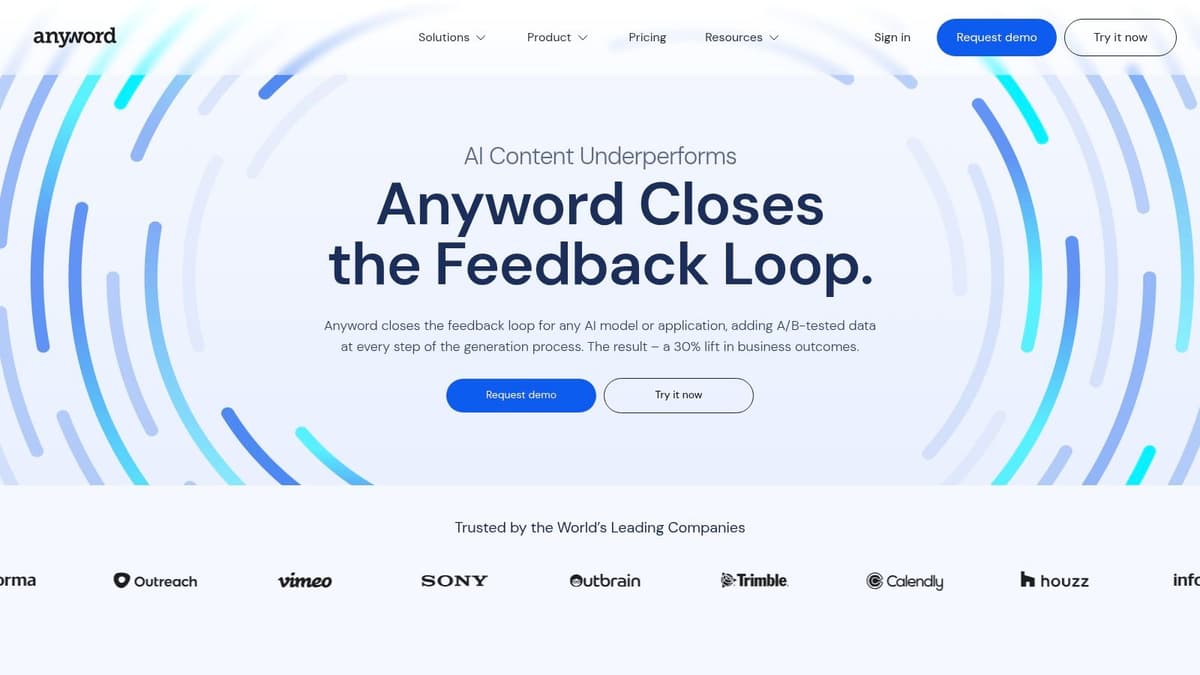
The platform’s Social Post Generator creates multiple variations for networks like Facebook, Instagram, and LinkedIn, each with its own performance score. This lets you quickly compare options and select the one most likely to resonate. It also supports custom brand voice and audience persona settings, ensuring the AI’s suggestions align with your established identity. This feature, combined with its analytical slant, makes it an excellent part of any serious list of social media co-writer AI tools. After optimizing your copy, use a smart distribution tool like MicroPoster.so to ensure your high-performing content reaches its full audience across multiple platforms automatically.
Anyword offers a Starter plan at $39/month (billed annually) with unlimited words, which is great for high-volume creators. However, the Predictive Performance Scores and more advanced analytics are reserved for higher-tier plans, which are necessary to get the full value. The scoring system is a helpful guide but should not replace human judgment, as it provides directional feedback rather than a guarantee of success.
- Best For: Performance marketers and social media managers who A/B test their copy.
- Pros: Predictive performance scores for copy optimization; generous word counts on most plans.
- Cons: Key analytics are on pricier tiers; scores are predictive, not definitive. Lacks publishing automation.
6. Hootsuite’s OwlyWriter AI
For teams already embedded in the Hootsuite ecosystem, OwlyWriter AI represents a significant workflow improvement. Instead of drafting copy in a separate tool and pasting it into your scheduler, this AI is built directly into the Hootsuite composer. This integration is its primary advantage, as it removes the friction between content ideation, creation, and publishing. It’s designed for social media managers who value efficiency and want to keep their entire process within a single, familiar dashboard.
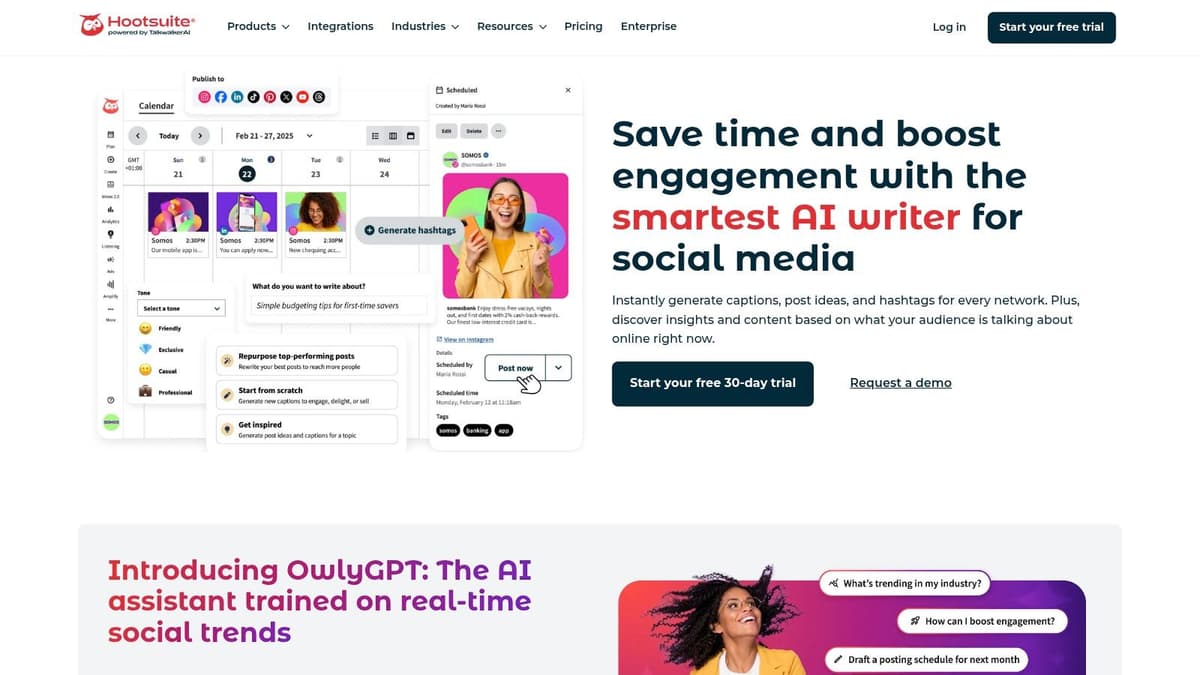
OwlyWriter excels at practical, everyday social media tasks. Its standout feature is the ability to repurpose content from a URL, instantly turning a blog post or news article into several social-media-ready posts. It also provides prompts to overcome writer's block and generates captions on demand. Since it operates within Hootsuite’s framework, all generated content can immediately enter established approval and compliance workflows, a critical function for regulated industries or large teams. While it may not have the deep brand voice controls of specialized tools, its convenience is undeniable for existing users.
Access to OwlyWriter AI is included with Hootsuite’s paid plans, starting from the Professional tier at $99/month. This makes it a great addition for current subscribers but a steep entry point if you only need the AI writer. For those looking for a more affordable, standalone co-writer that integrates with multiple platforms, a tool like MicroPoster might be a better starting point. However, for dedicated Hootsuite teams, OwlyWriter is a powerful part of the list of social media co-writer AI tools available today.
- Best For: Teams and businesses already using Hootsuite for scheduling and analytics.
- Pros: Seamlessly integrated into the publishing workflow, great for repurposing web content.
- Cons: Requires an expensive Hootsuite subscription; fewer advanced writing features than dedicated AI copywriters.
Visit Hootsuite’s OwlyWriter AI
7. Buffer AI Assistant
For those who prioritize workflow efficiency, Buffer’s built-in AI Assistant is a natural fit. Instead of being a standalone writing platform, it’s a feature set baked directly into the Buffer composer, which many social media managers already use for scheduling. This integration makes it a strong contender for solo creators and small teams who want to speed up content creation without adding another tool to their stack. It’s less about deep brand governance and more about practical, on-the-fly assistance.
The assistant shines in its simplicity. You can generate ideas, draft posts from a simple prompt, or rephrase existing text into different tones directly within the scheduling interface. Its AI-powered reply suggestions are another useful feature, helping you maintain engagement without spending hours crafting individual responses. While Buffer is great for scheduling, its cross-posting is manual. For users wanting true automation, a tool like MicroPoster.so complements Buffer's workflow by intelligently mirroring content across platforms automatically.
Buffer offers a free plan with limited AI use, while paid plans starting from $6/month per channel offer more generous AI credits. This makes it an accessible option, though heavy users may find the credit limits restrictive compared to dedicated writing tools. It’s a top choice within the list of social media co-writer AI tools for users who value a simple, all-in-one scheduling and writing experience.
- Best For: Solo creators and small teams already using Buffer for scheduling.
- Pros: Seamlessly integrated with scheduling workflow; simple and fast to use.
- Cons: AI features are less advanced than specialized tools; usage is capped on lower plans. Lacks intelligent cross-posting automation.
8. Sprout Social – AI Assist
Sprout Social positions its AI Assist not as a standalone tool, but as an integrated feature within its enterprise-grade social media management suite. This approach is for large teams and organizations that require strict governance, security, and collaboration around AI-generated content. Rather than a simple prompt-and-post writer, AI Assist is built to work within established workflows, helping teams refine existing copy, generate new post ideas, and even suggest alt text for accessibility, all while under administrative oversight.
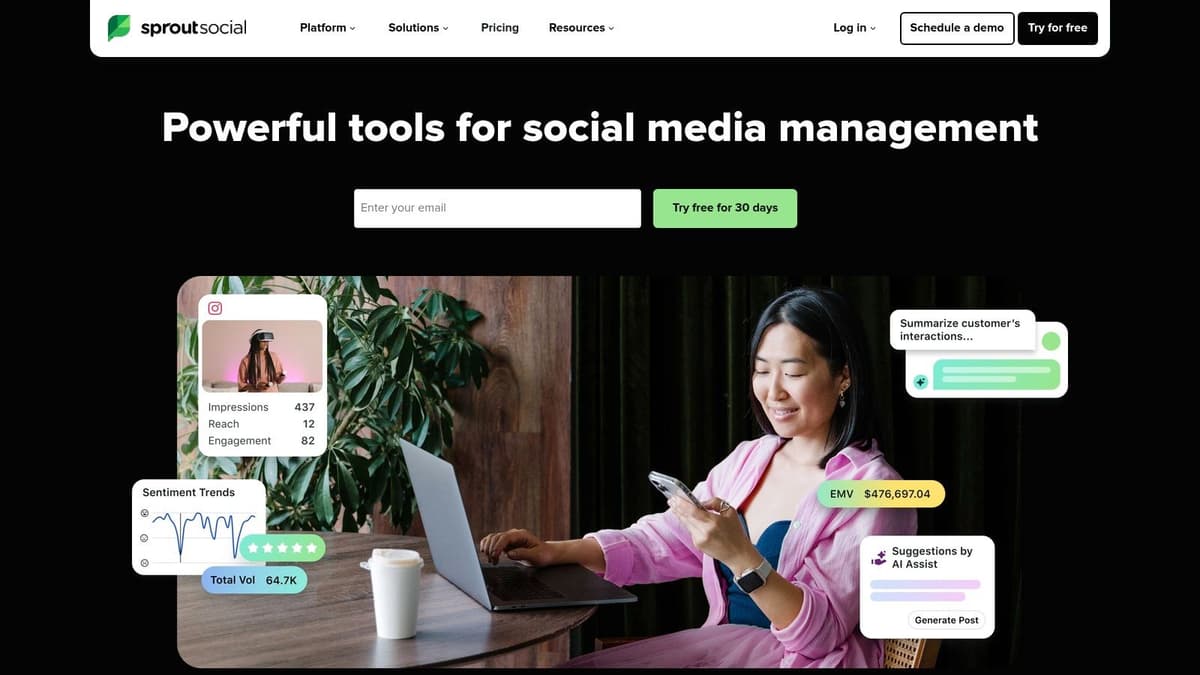
The platform’s strength is its clear security posture and admin controls. Account owners can enable or disable AI features for specific team members, ensuring that only approved personnel can use them and maintaining brand consistency. AI Assist is designed to augment the work of social media professionals, not replace it, by providing suggestions that can be tweaked within Sprout’s familiar composer. This makes it a dependable choice in a comprehensive list of social media co-writer AI tools for businesses that are cautious about adopting new AI tech without guardrails.
As part of a premium platform, AI Assist is not available as a separate, low-cost subscription. It is included in Sprout Social’s plans, which start at $249 per user/month. This price point makes it prohibitive for solo creators or small businesses, who might find more value in dedicated writing tools or more affordable scheduling platforms that offer AI capabilities like MicroPoster.so.
- Best For: Enterprise teams and corporations needing AI with strong governance and security.
- Pros: Robust admin controls and collaboration features; clear security and data privacy policies.
- Cons: Premium pricing is a significant barrier for smaller users; features may require admin approval.
9. Later – AI Caption Writer
Later is best known as a visual-first social media scheduling platform, and its AI Caption Writer is a natural extension of that workflow. Rather than a standalone writing tool, it's integrated directly into the content planning process, making it ideal for creators and brands heavily focused on Instagram, TikTok, and Pinterest. It’s designed to help you generate caption ideas right when you’re scheduling your visual content, closing the gap between image selection and copywriting.

The platform’s strength is its simplicity. When you upload media, you can use a prompt to ask the AI for captions, hashtags, or even content ideas. The outputs are functional and designed for immediate use. This approach is excellent for high-volume content creators who need to move quickly without getting bogged down in complex toolsets. While it's a great integrated feature, for users who need a more dedicated, multi-platform writing and scheduling system, tools like MicroPoster.so provide a more focused experience on text-first content distribution.
Later’s AI features are managed through a credit system tied to your plan. The Starter plan begins at $25/month and includes a set number of AI credits. This model is straightforward, but it can be limiting for teams with heavy content calendars, as credits can run out. Later is a solid entry in the list of social media co-writer AI tools, especially for those already committed to its visual scheduling ecosystem.
- Best For: Instagram- and TikTok-focused creators and small businesses.
- Pros: Seamlessly integrated into a visual scheduling workflow; simple prompt-based generation.
- Cons: Credit system can be restrictive; less powerful for text-heavy or multi-network strategies.
10. Lately.ai
Lately.ai takes a unique approach to content generation by focusing entirely on repurposing. Instead of writing from scratch, its AI learns your brand voice by analyzing existing long-form content like blog posts, webinars, or podcasts. It then intelligently breaks down these assets into dozens of distinct, on-brand social media posts. This makes it a powerful efficiency engine for founders and content teams who are already creating valuable long-form material and want to maximize its reach without manual effort.
The platform’s core function is its content-slicing AI, which doesn't just pull random sentences. It identifies key ideas, quotes, and data points that are likely to perform well based on its analysis of what has historically worked for you. This makes it one of the more strategic tools in this list of social media co-writer AI tools, as it connects content creation directly to performance. Once you’ve generated your posts, you can send them to a scheduler like MicroPoster.so for organized, multi-platform distribution.
Pricing is primarily sales-led, with custom quotes for teams, so you’ll need to contact them for specifics. This model means it's less suited for individuals looking for a quick, self-serve tool. Lately.ai delivers its best value when you have a steady stream of long-form content to feed its engine, making it an excellent choice for content-heavy businesses.
- Best For: Teams and founders who regularly produce podcasts, webinars, or blogs.
- Pros: Excellent at repurposing long-form content while maintaining brand voice.
- Cons: Pricing is not public; requires a source of long-form content to be effective.
11. Predis.ai
Predis.ai goes beyond simple text generation by aiming to be an end-to-end content factory. Its standout feature is the ability to create complete, ready-to-publish social media posts, including copy, creatives, and even short videos, all from a single text prompt or product link. This makes it a powerful asset for e-commerce businesses and busy social media managers who need to produce a high volume of quality content without juggling multiple design and writing tools.
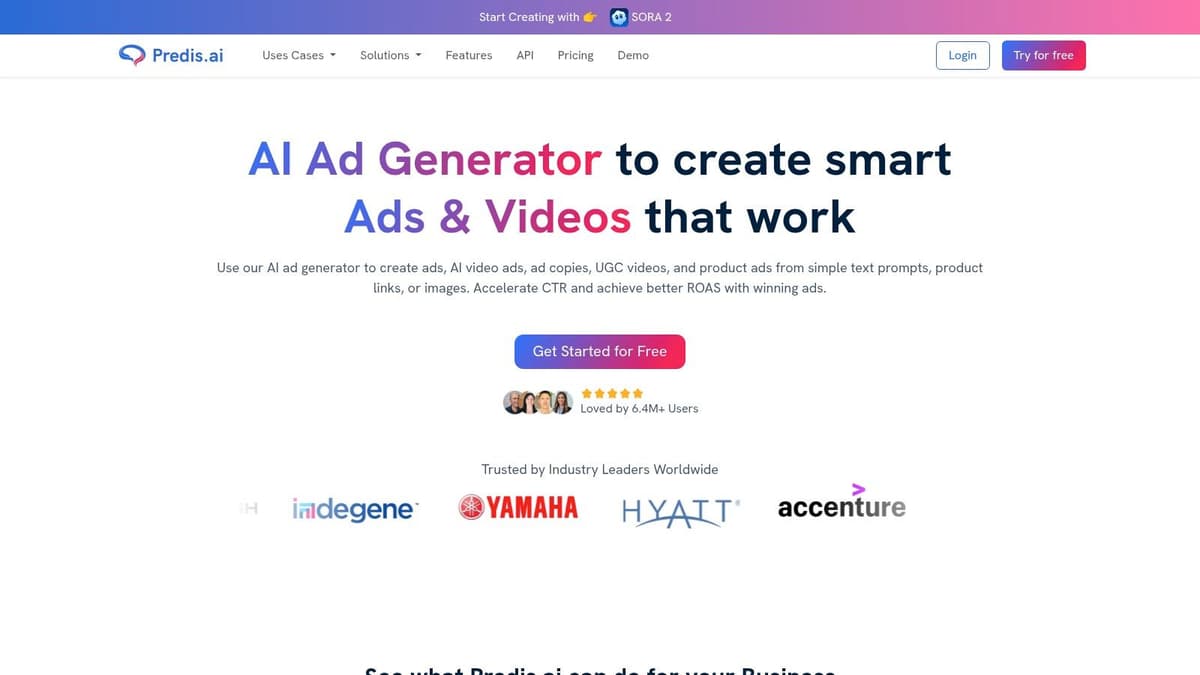
The workflow is straightforward: input a brief idea, and the AI generates carousels, video posts, and single-image updates with associated captions. You can set brand parameters like colors, fonts, and logos to maintain consistency across all generated assets. Its integrated scheduler allows for direct publishing, closing the loop from idea to live post. While this all-in-one approach is excellent for speed, the generated creative elements often benefit from a final manual polish to add a unique human touch.
Predis.ai offers a free plan with 15 AI generations per month. Paid plans start at $20/month (billed annually) for more credits and features. This tool is a solid choice within the list of social media co-writer AI tools for users who prioritize speed and a unified creation process. However, for those focused on advanced cross-platform distribution and scheduling, a specialized tool like MicroPoster.so remains a better fit.
- Best For: E-commerce stores and agencies needing fast, all-in-one post creation.
- Pros: Generates complete posts with copy and visuals, reducing tool dependency. Practical for product-focused content.
- Cons: Credit and limit models can be confusing; creative outputs may require manual refinement for best results.
12. Typefully
Typefully combines an AI writing assistant with a focused scheduling and analytics tool, making it a go-to platform for creators and founders who prioritize high-frequency posting on text-based networks. Its design philosophy centers on removing friction from the content creation and distribution process, particularly for X (Twitter), LinkedIn, and Threads. This makes it an excellent choice for individuals who want to draft, refine, and schedule content from a single, uncluttered interface.
The platform's AI co-writer is integrated directly into the draft editor. It offers tools to rewrite, expand, and alter the style of your posts or threads with a single click. This iterative workflow is perfect for brainstorming thread ideas and quickly polishing them for publication. While it isn't a full-funnel marketing suite, its strength lies in this tight integration of writing and scheduling, which simplifies maintaining a consistent presence. For those who eventually need more advanced automation, Typefully's focused approach pairs well with broader tools like MicroPoster.so for cross-platform management.
Typefully offers a free plan with basic features. Paid plans start at $12/month (billed annually) for creators, unlocking advanced AI, analytics, and more accounts. It’s a standout in the list of social media co-writer AI tools for its clean user experience and direct support for thread-based content.
- Best For: Creators and founders active on X, LinkedIn, and Threads.
- Pros: Streamlined UX for high-frequency posting; strong for thread ideation and iterative editing.
- Cons: Narrower scope than full social media suites; key features are on paid tiers. Lacks intelligent cross-posting automation.
Top 12 Social Media Co-Writer AI Tools Comparison
| Product | Core features ✨ | UX / Quality ★ | Value & Pricing 💰 | Target Audience 👥 |
|---|---|---|---|---|
| 🏆 MicroPoster | ✨ Native cross‑posting, auto‑threading, media resize, AI CoWriter, visual calendar | ★★★★☆ fast, reliable automation | 💰 Creator $12/mo (200 smart posts), Pro $29/mo (unlimited), 7‑day trial | 👥 Founders, creators, small teams, indie hackers |
| Jasper | ✨ Brand Voice, templates, Canvas, marketing agents | ★★★★ mature marketer UX | 💰 Seat‑based; enterprise tiers; strong governance | 👥 Marketing teams, agencies, brand managers |
| Copy.ai | ✨ Multi‑model support, workflows, social templates | ★★★★ scalable for teams | 💰 Entry plans include seats; higher tiers for advanced Workflows | 👥 Teams needing repeatable multi‑step outputs |
| Writesonic | ✨ Network‑specific captions, short/long form tools | ★★★★ quick ideation | 💰 Tiered plans for individuals & teams | 👥 Creators testing caption variants, small teams |
| Anyword | ✨ Social generator + predictive performance scores | ★★★★ performance‑oriented | 💰 Higher tiers unlock analytics; unlimited words on many plans | 👥 Performance marketers, A/B testers |
| Hootsuite – OwlyWriter AI | ✨ Idea prompts, repurpose URLs, compliance workflows | ★★★★ integrated into scheduler | 💰 Included with Hootsuite subscription | 👥 Teams already on Hootsuite, enterprise users |
| Buffer AI Assistant | ✨ Caption drafts, tone rewrites, AI replies | ★★★ simple & integrated | 💰 Varies by Buffer plan; usage caps apply | 👥 Solo creators, small teams using Buffer |
| Sprout Social – AI Assist | ✨ AI captions, alt‑text, governance & audit | ★★★★☆ enterprise‑grade | 💰 Premium pricing for enterprise features | 👥 Large teams, enterprises needing compliance |
| Later – AI Caption Writer | ✨ Prompt‑based captions, visual workflows, credit model | ★★★ good for IG/TikTok | 💰 Credit‑based AI usage; plan caps | 👥 Instagram/TikTok creators, influencers |
| Lately.ai | ✨ Trains on your content, long‑form → many posts | ★★★★ strong at repurposing | 💰 Sales‑led pricing; best for heavy repurposing | 👥 Teams with podcasts, blogs, webinars |
| Predis.ai | ✨ Captions + creatives + short videos, scheduler | ★★★★ end‑to‑end post creation | 💰 Credit/limit models; plan‑dependent | 👥 Ecommerce brands, agencies needing quick assets |
| Typefully | ✨ AI writer for threads, scheduling, analytics | ★★★★ streamlined for high cadence | 💰 Tiered plans; creator‑focused pricing | 👥 Founders, creators focused on X/Threads |
How to Choose the Right AI Co-Writer for Your Workflow
We’ve just explored a detailed list of social media co-writer AI tools, each with its unique strengths and ideal user profiles. From standalone writing assistants like Jasper to scheduler-integrated helpers like Buffer’s AI, the options are plentiful. But having more choices doesn't automatically lead to a clearer decision. The real challenge is matching a tool's core function to your specific workflow and ultimate goals.
Making the right choice begins with asking the right questions. Before you commit to a subscription or integrate a new tool into your daily process, take a moment to reflect on what you truly need.
Are You Solving a Writing Problem or a Distribution Problem?
This is the most critical question. Many tools in our list, such as Copy.ai and Writesonic, are exceptional at overcoming writer's block. They generate fresh ideas, refine your tone, and help you craft the perfect hook. If your primary bottleneck is staring at a blank page, these platforms offer a direct solution. They are your brainstorming partners.
However, if you already have a library of valuable content, like blog posts, newsletters, or successful tweets, your problem isn't a lack of words. It’s a lack of reach. Your bottleneck is the manual, repetitive work of adapting and reposting that content across multiple platforms, day after day. In this case, a pure writing assistant only solves half the problem. You need a system that handles the distribution of your proven ideas. A tool like MicroPoster.so is built for this exact scenario, turning your existing content into an automated growth engine.
Do You Need a Helper or an Automated System?
Consider how you want AI to fit into your workflow.
- A "Helper" AI: Tools like Hootsuite’s OwlyWriter or the AI assistants in Sprout Social and Later act as helpers within a larger platform. You prompt them for captions, ideas, or rewrites as you are actively scheduling posts. This approach gives you granular control over every single post but still requires you to be the one driving the process.
- An "Automated" System: A different class of tool operates on a set-and-forget principle. You provide the source material, set the rules, and the system works in the background to consistently publish content for you. This is less about assisting you with writing and more about automating the entire distribution engine. MicroPoster.so exemplifies this approach, offering an AI co-writer and the automation to publish the content for you.
If you enjoy the hands-on process of scheduling but just need a creative nudge, a helper is perfect. If you want to reclaim the hours spent on manual scheduling and ensure your content pipeline never runs dry, an automated system is the answer.
What is the True Cost of Your Current Workflow?
Finally, calculate the real cost of your time. Social media managers, founders, and creators often undervalue their own hours. Think about the time you spend each week:
- Manually copying and pasting content.
- Tweaking posts for Twitter, LinkedIn, and other platforms.
- Remembering to reshare evergreen content.
- Building a content queue from scratch every few days.
If you spend even five hours a week on these tasks, that’s over 20 hours a month. What could you accomplish with that time back? Could you write another in-depth article, engage with your community, or develop a new product feature? The subscription fee for an automation tool is often a fraction of the value of the time it returns to you.
Choosing from this list of social media co-writer AI tools isn't about finding the "best" tool overall; it’s about finding the tool that best solves your most expensive problem. If that problem is the relentless, time-consuming cycle of manual reposting and content distribution, then a dedicated automation-first platform is not just a good choice, it's the logical one.
Ready to stop manually reposting and put your content distribution on autopilot? MicroPoster was built specifically for busy founders, creators, and marketers who value their time. It's the only tool on this list that combines an AI co-writer with a powerful "write once, grow everywhere" automation engine. Start your free trial of MicroPoster today and reclaim your focus.