
best social media scheduling tools
The 12 Best Social Media Scheduling Tools for Growth in 2025
Discover the best social media scheduling tools to save time and grow your audience. We compare 12 top options for creators, SMBs, and agencies.

Staying consistent across social media is the key to growth, but it's also a major time sink. Manually posting content day after day leads to burnout and missed opportunities, derailing even the best strategies. The solution is finding one of the best social media scheduling tools to automate your workflow, giving you back precious hours to focus on what matters: strategy, engagement, and community building.
But with dozens of platforms all claiming to be the best, how do you choose the right one? This guide cuts through the noise. We've meticulously analyzed and ranked the top 12 schedulers to help you find the perfect fit for your specific needs. Each review includes a detailed breakdown of its core features, pricing, and honest limitations, complete with screenshots and direct links to help you evaluate your options quickly.
This comprehensive resource is designed to be your final stop in the search for a scheduler. Whether you're an independent creator focused on text-first platforms like X, Bluesky, and Mastodon, a small business seeking an all-in-one solution for organic growth, or an agency managing complex client accounts, you'll find a tool here to streamline your publishing.
For optimal results, efficiently managing your content through a scheduler goes hand-in-hand with learning how to build a robust social media content calendar that effectively guides your automated posting. This list will show you the "how" of automation, giving you the power to execute your content strategy with precision and consistency. Let’s dive in and find the tool that will automate your growth.
1. MicroPoster
MicroPoster carves out a powerful niche in a crowded market by focusing exclusively on what drives growth on text-first social platforms. While many tools offer broad, but shallow, support across every network, MicroPoster provides a deep, purpose-built suite for creators, brands, and community builders on X (formerly Twitter), Bluesky, and Mastodon. This targeted approach makes it one of the best social media scheduling tools for anyone serious about mastering microblogging. It’s not just a scheduler; it’s a unified content studio and automation engine designed to maximize reach and engagement where conversations happen in real-time.
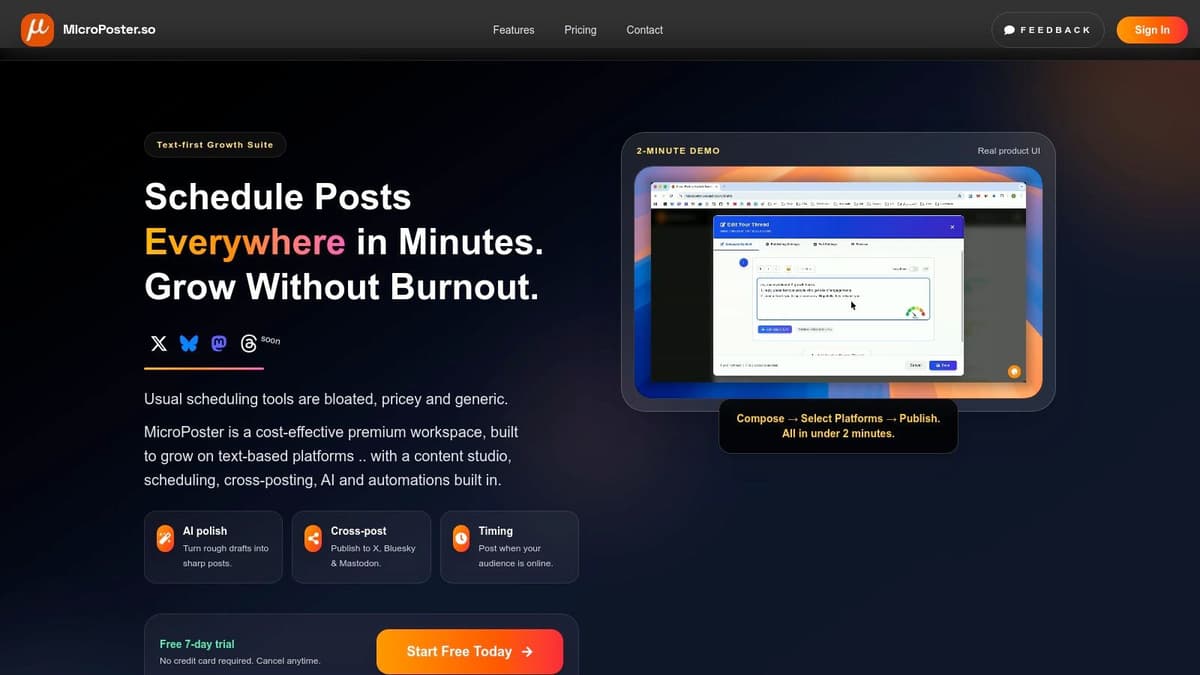
The platform’s standout feature is its intelligent, cross-platform workflow. Users can write a single post and leverage AI enhancers to refine the tone, generate compelling hooks, suggest relevant hashtags, and add effective calls-to-action. An advanced editor provides real-time readability and virality scores, offering data-backed insights to improve your copy before it goes live. With a single click, MicroPoster reformats that polished draft into native-looking posts for each network, respecting character limits and platform conventions automatically.
Key Features & Use Cases
MicroPoster excels at turning a high-effort, multi-platform presence into a streamlined, low-effort system. Its automation capabilities are a significant advantage, helping you maintain a consistent and active presence without burnout.
- Smart Scheduling & Queues: Go beyond simple scheduling with personalized best-time insights that suggest when your audience is most active. Use the smart queue to auto-publish content at regular intervals, keeping your feed lively.
- True Cross-Platform Automation: The source-to-destination mirroring feature is a game-changer. You can set one account (like X) as your primary and have MicroPoster automatically cross-post your content to Bluesky and Mastodon. This is a core part of its strategy, which you can explore further by reading about how to automate social media posts on MicroPoster.
- AI-Powered Content Refinement: The built-in AI tools are tuned for microblogging, helping you overcome writer's block and optimize every post for maximum impact.
- Practical Tools for Engagement: The platform includes support for essential features like polls and X Communities, enabling deeper audience interaction.
Pricing, Pros & Cons
MicroPoster’s pricing is transparent and accessible, starting with a Starter plan at $9.99/month, which includes all platforms and key AI features. A 7-day free trial is available without requiring a credit card.
| Pros | Cons |
|---|---|
| Microblogging Focus: All features are tailored for text-first growth on X, Bluesky, and Mastodon. | Limited Network Coverage: Not ideal for teams needing an all-in-one scheduler for Instagram, or LinkedIn. |
| Powerful Automation: Smart queues and auto-cross-posting save significant time and effort. | API Dependent: Relies on third-party platform APIs, which could change and affect features. |
| Intelligent Content Creation: AI enhancers and virality scores provide a clear competitive edge. | |
| Affordable & Transparent: Simple pricing with a generous free trial makes it accessible for solo creators. |
Website: https://microposter.so
2. Hootsuite
Hootsuite is a veteran in the social media management space, and for good reason. It offers an enterprise-grade, all-in-one platform that goes far beyond basic scheduling. This makes it an ideal choice for larger teams, agencies, and businesses that need robust governance, advanced analytics, and comprehensive control over their social media presence across a wide array of platforms.
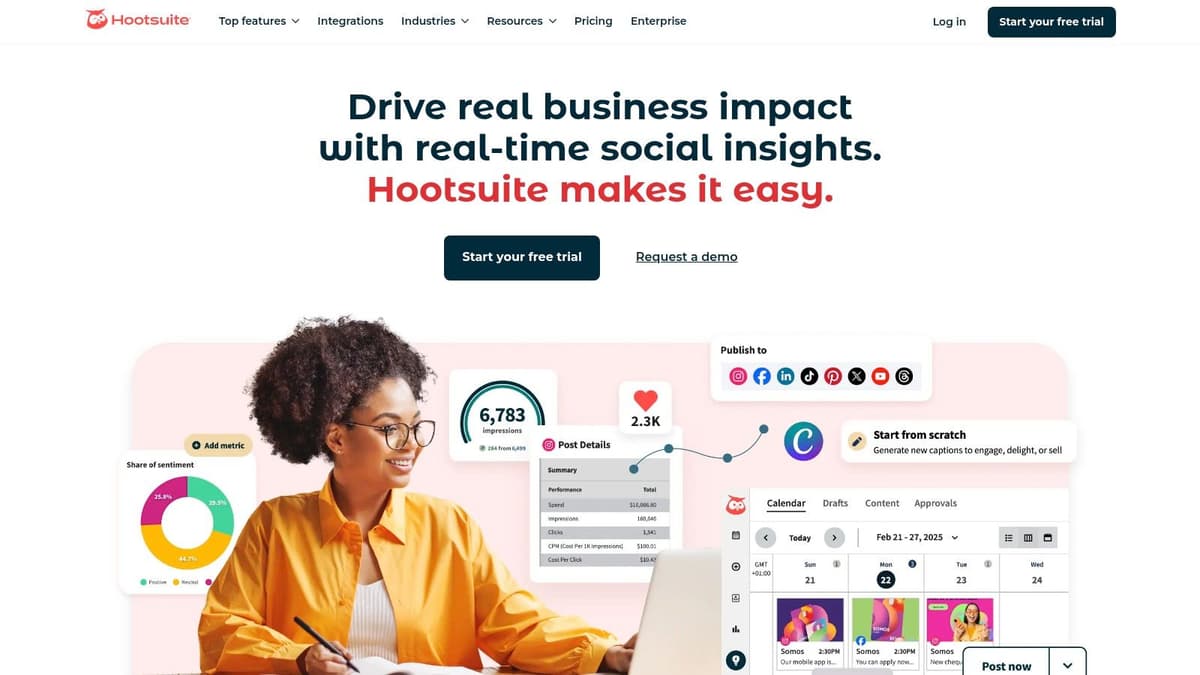
What truly sets Hootsuite apart are its powerful team-based features. Complex approval workflows, asset libraries, and detailed user permissions allow organizations to manage multiple brands and accounts securely without stepping on each other's toes. The platform’s analytics suite provides deep insights into performance, competitor benchmarking, and social listening, enabling data-driven strategy adjustments. For teams managing paid and organic content, Hootsuite provides unified workflows to streamline campaign management.
Platform Breakdown
Hootsuite is among the best social media scheduling tools for established organizations that have outgrown simpler solutions. Its high-level security protocols and compliance features are particularly valuable for regulated industries.
- Best For: Agencies, enterprises, and large marketing teams requiring deep analytics and strict approval workflows.
- Key Features: Unlimited post scheduling, bulk composer, content library, team assignments, custom analytics reports, social listening streams, and employee advocacy tools.
- Pricing: Plans start at $99 per month for the Professional tier. A generous 30-day free trial is available to test the platform.
- Practical Tip: Use the "Bulk Composer" feature to upload and schedule up to 350 posts at once from a CSV file. This is a massive time-saver for campaign planning and evergreen content distribution.
3. Sprout Social
Sprout Social is a premium, all-in-one social media management platform designed for organizations that require sophisticated tools for engagement, analytics, and team collaboration. It elevates standard scheduling with a powerful suite of features, making it a top contender for businesses focused on turning social data into strategic insights and building strong customer relationships.
What truly distinguishes Sprout Social is its unified Smart Inbox and deep analytical capabilities. The Smart Inbox centralizes all incoming messages and mentions into a single stream, allowing teams to assign tasks and collaborate on responses efficiently. Its reporting tools are exceptionally robust, offering detailed competitor analysis, paid performance insights, and presentation-ready reports that clearly demonstrate social media ROI. If you're exploring other options for social media management, you might also be interested in various Sprout Social alternatives.
Platform Breakdown
Sprout Social is one of the best social media scheduling tools for data-driven teams that need enterprise-level workflows and premium reporting. The platform's user-friendly interface makes its powerful features accessible even to less technical team members.
- Best For: Mid-sized to large businesses and agencies needing advanced reporting, a unified inbox, and strong collaboration features.
- Key Features: AI-assisted optimal send times, Unified Smart Inbox with task assignment, advanced competitor and paid insights reporting, and review management.
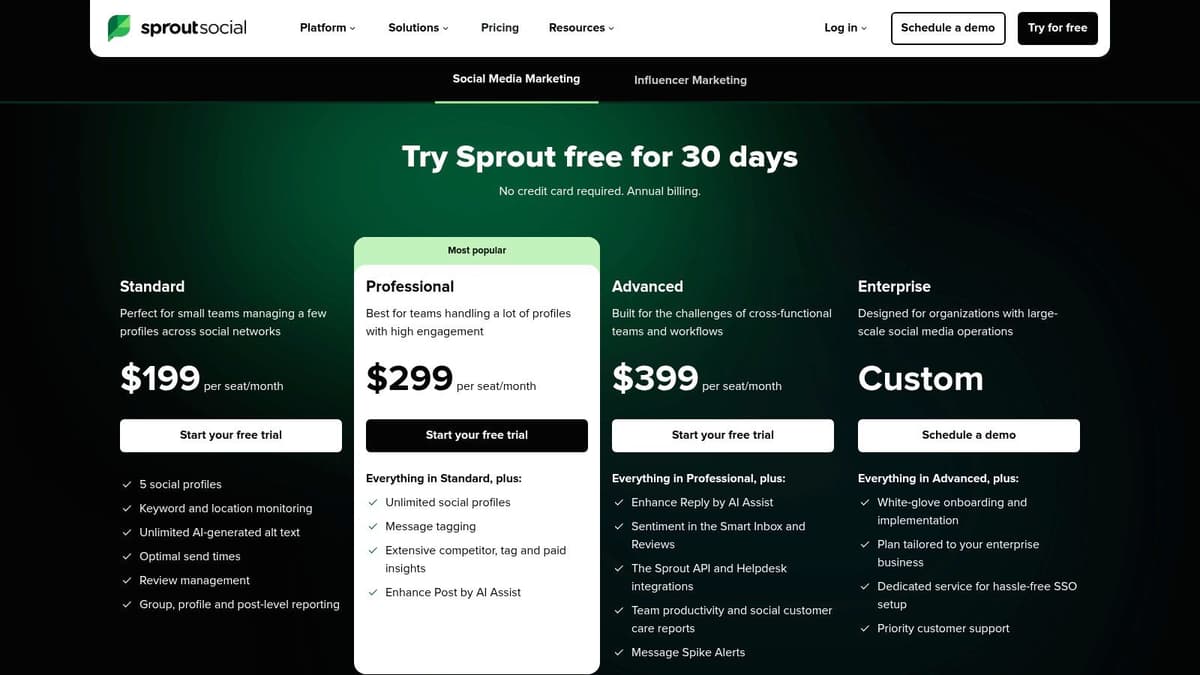
- Pricing: Plans start at $249 per month for the Standard tier, with each additional user costing extra. A 30-day free trial is available.
- Practical Tip: Use the "Review Management" feature to monitor and respond to reviews from sites like Glassdoor, Google My Business, and TripAdvisor directly within the platform, consolidating your brand reputation management.
4. Buffer
Buffer has built a reputation as the go-to social media scheduler for clarity, simplicity, and affordability. It provides a clean, intuitive platform that strips away unnecessary complexity, focusing on core scheduling, analytics, and engagement tools. This straightforward approach makes it an excellent choice for creators, startups, and small businesses who need an effective, no-fuss solution to manage their social media presence without a steep learning curve or enterprise-level price tag.
What makes Buffer a standout option is its predictable and transparent per-channel pricing model. Instead of bundling features into expensive tiers, you pay for exactly what you need, adding social channels as your brand grows. The platform excels at streamlining the content creation process with features like a visual calendar, first-comment scheduling for Instagram, and helpful hashtag suggestions. Its support for major networks, including emerging platforms like Threads and established video giants like TikTok and YouTube, ensures comprehensive coverage for modern marketing needs.
Platform Breakdown
Buffer is one of the best social media scheduling tools for anyone prioritizing ease of use and budget-friendly scalability. Its generous free plan and simple interface lower the barrier to entry for professional social media management.
- Best For: Individuals, startups, and small to medium-sized businesses looking for a simple, affordable, and scalable scheduling solution.
- Key Features: Generous free plan, per-channel pricing, visual content calendar, first-comment scheduling, hashtag manager, and support for Instagram, Facebook, X (Twitter), LinkedIn, Threads, TikTok, and YouTube.
- Pricing: A free plan is available for up to 3 channels. Paid plans start at $6 per month per channel for the Essentials tier.
- Practical Tip: Use Buffer's browser extension to quickly add articles and content you find while browsing the web directly into your publishing queue. This makes curating and sharing relevant third-party content incredibly efficient and supports a more robust content strategy. You can learn more about crafting an effective content mix by reviewing some social media posting best practices.
5. Later
Later began as an Instagram-first scheduling tool, and its DNA remains firmly rooted in visual content planning. This focus makes it a powerhouse for brands, creators, and marketers who lead with aesthetics. Its signature drag-and-drop visual calendar provides a clear, grid-style preview of your feed, allowing you to curate your brand’s look and feel with precision before anything goes live. It has since expanded to support a full suite of platforms, including TikTok, Facebook, and Pinterest, but its strength is still in its visual-centric workflow.
What makes Later one of the best social media scheduling tools is its seamless integration of content creation aids directly into the scheduling process. Features like the AI Caption Writer and Hashtag Suggestions streamline the most tedious parts of posting, while its Link in Bio tool creates a clickable, customizable landing page for your profile. For teams, user-generated content (UGC) collection and approval workflows on higher-tier plans simplify collaboration and amplify community engagement.
Platform Breakdown
Later is the ideal solution for anyone whose social media strategy is driven by strong visuals, particularly on platforms like Instagram and TikTok. The interface is clean, intuitive, and built to make visual content management as straightforward as possible.
- Best For: Visual-first brands, e-commerce businesses, influencers, and creators focused on Instagram and TikTok.
- Key Features: Visual content calendar, drag-and-drop scheduling, AI caption writer, hashtag suggestions, Link in Bio tool, and user-generated content management.
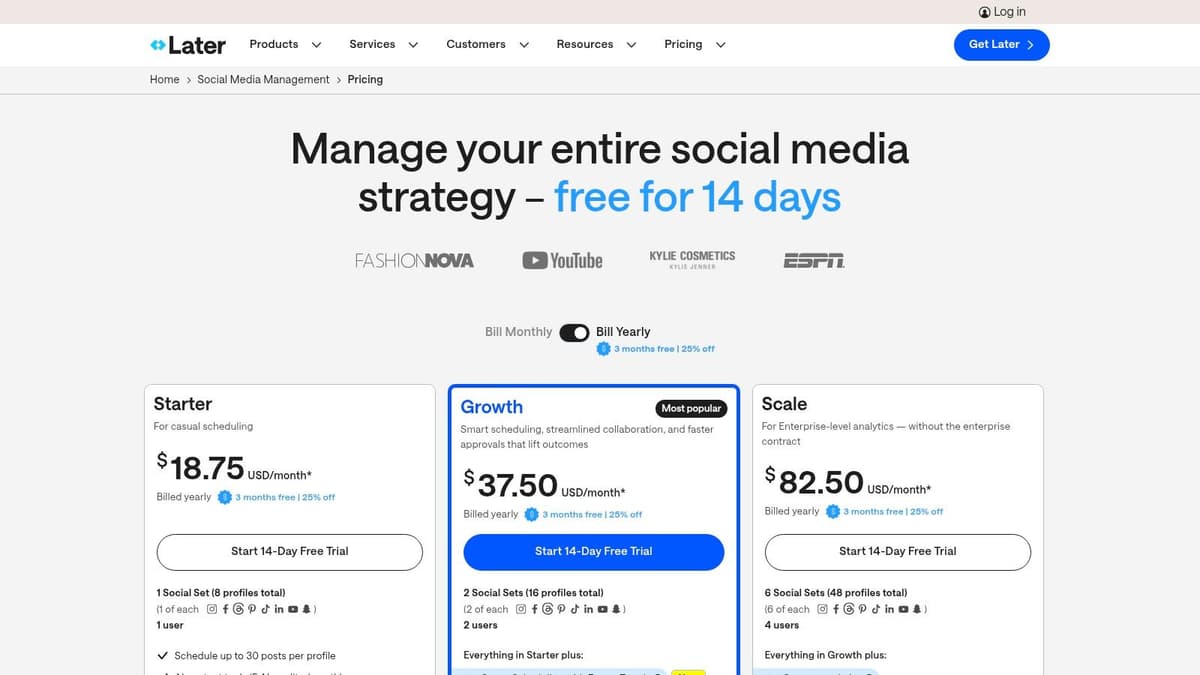
- Pricing: A free plan is available. Paid plans start at $25 per month for the Starter tier, with more advanced features like analytics on Growth and Advanced plans.
- Practical Tip: Use the "Best Time to Post" feature, which analyzes your audience's activity to suggest optimal posting times for maximum engagement. This data-driven approach takes the guesswork out of scheduling.
6. SocialPilot
SocialPilot carves out its niche by offering a powerful, agency-focused feature set at a remarkably cost-effective price point. It balances robust scheduling and collaboration tools with a pragmatic approach, making it one of the best social media scheduling tools for growing teams and agencies that need to manage client accounts without incurring enterprise-level costs. The platform provides a full suite of features designed to streamline workflows from content creation to reporting.
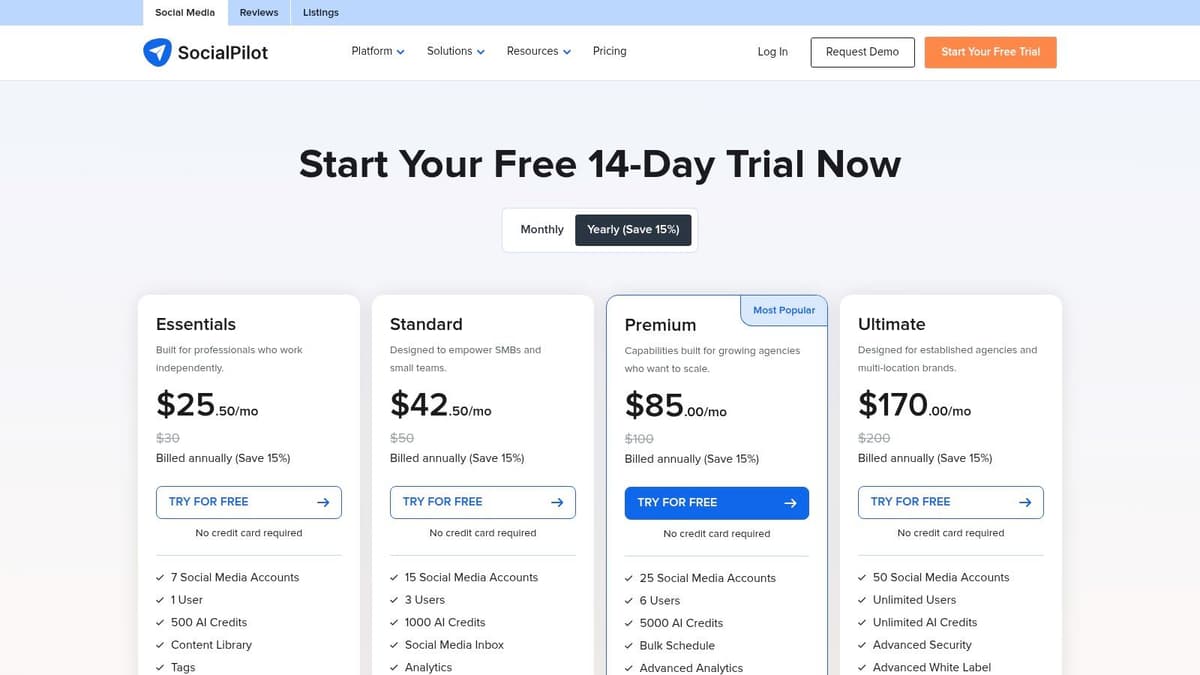
What makes SocialPilot a standout choice for agencies is its white-labeling capabilities and client management features available on higher tiers. You can create custom-branded reports and provide clients with a secure portal to view and approve content, fostering a professional and seamless partnership. While its user interface is more utilitarian than some competitors, its functionality is straightforward and effective, focusing on efficiency over flash. The flexible and affordable add-ons for extra users or social accounts also allow businesses to scale their operations predictably.
Platform Breakdown
SocialPilot is an excellent choice for professionals, SMBs, and particularly agencies seeking a high-value platform with strong client collaboration features. Its pricing model makes scaling accessible without a massive jump in investment.
- Best For: Marketing agencies, small to medium-sized businesses, and teams needing affordable client management and white-label reporting.
- Key Features: Bulk scheduling, content library, team collaboration and approval workflows, unified social inbox, white-label PDF reports, and flexible user/account add-ons.
- Pricing: Plans begin at $25.50 per month (billed annually) for the Professional tier. A 14-day free trial is available.
- Practical Tip: Leverage the "Client Management" feature on agency plans. You can invite clients to connect their own social accounts without needing to share credentials, then have them approve or reject scheduled posts directly within the platform for a streamlined workflow.
7. Sendible
Sendible is a social media management powerhouse designed specifically with agencies and marketing teams in mind. Its platform architecture is built around managing multiple clients or brands seamlessly from a single dashboard, offering granular control over workflows, user permissions, and content. This makes it one of the best social media scheduling tools for organizations that need to scale their social media services without compromising on quality or security.
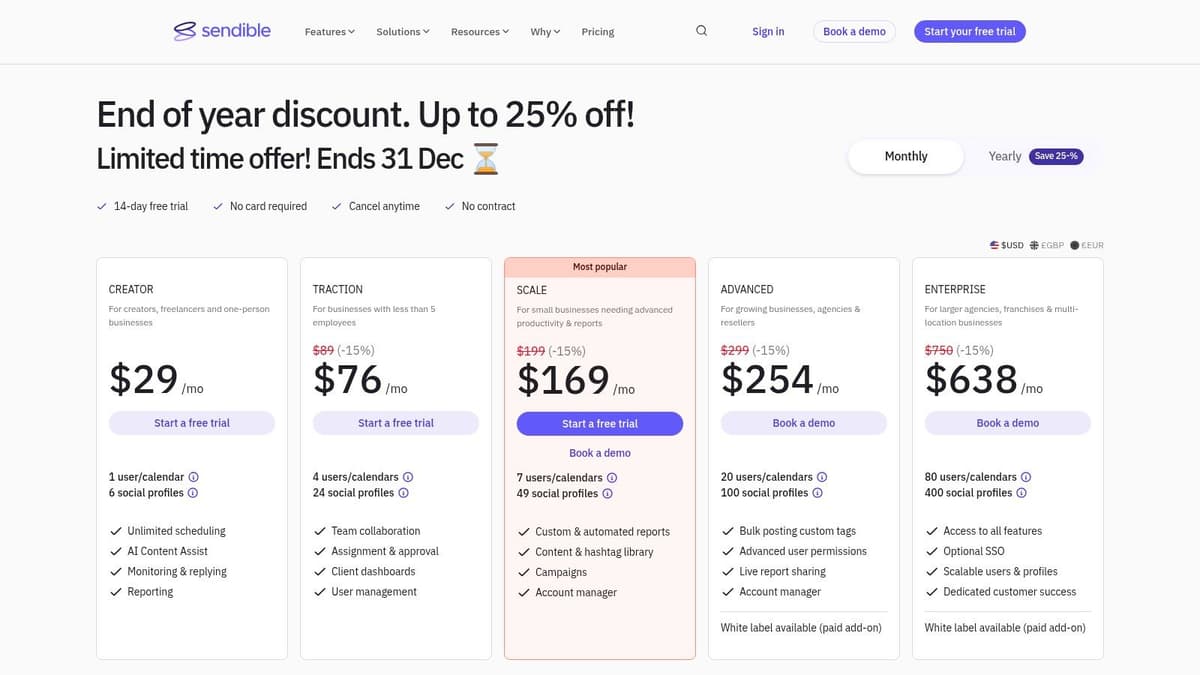
What truly distinguishes Sendible are its client-centric features. The platform offers dedicated content calendars and dashboards for each client, ensuring content streams remain separate and organized. Its white-label option allows agencies to brand the entire platform as their own, creating a professional and cohesive experience for their clients. The integration with Google Analytics also allows for comprehensive reporting that ties social media efforts directly to website traffic and business goals.
Platform Breakdown
Sendible excels in environments where collaboration and client management are paramount. Its robust feature set and scalable plans provide a flexible foundation for growing agencies and in-house marketing departments that manage several distinct brand voices.
- Best For: Marketing agencies, social media managers with multiple clients, and brands requiring detailed reporting and approval processes.
- Key Features: Custom and automated reporting, client dashboards, white-label options, content libraries, direct posting to TikTok, and multi-calendar management with specific user roles.
- Pricing: Plans begin with the Creator tier at $29 per month. A 14-day free trial is available to explore its capabilities.
- Practical Tip: Use the "Client Connect" widget to simplify the process of adding client accounts. You can embed it on your website, allowing clients to securely grant access to their social profiles without sharing passwords.
8. Metricool
Metricool is a powerful, data-centric platform that combines social media scheduling with deep analytics, making it a favorite among data-driven marketers, freelancers, and small agencies. It goes beyond simple publishing by integrating competitor tracking, ad campaign reporting, and even a "smart links" bio tool into one unified dashboard. This all-in-one approach provides a holistic view of your digital marketing performance without the enterprise-level price tag.
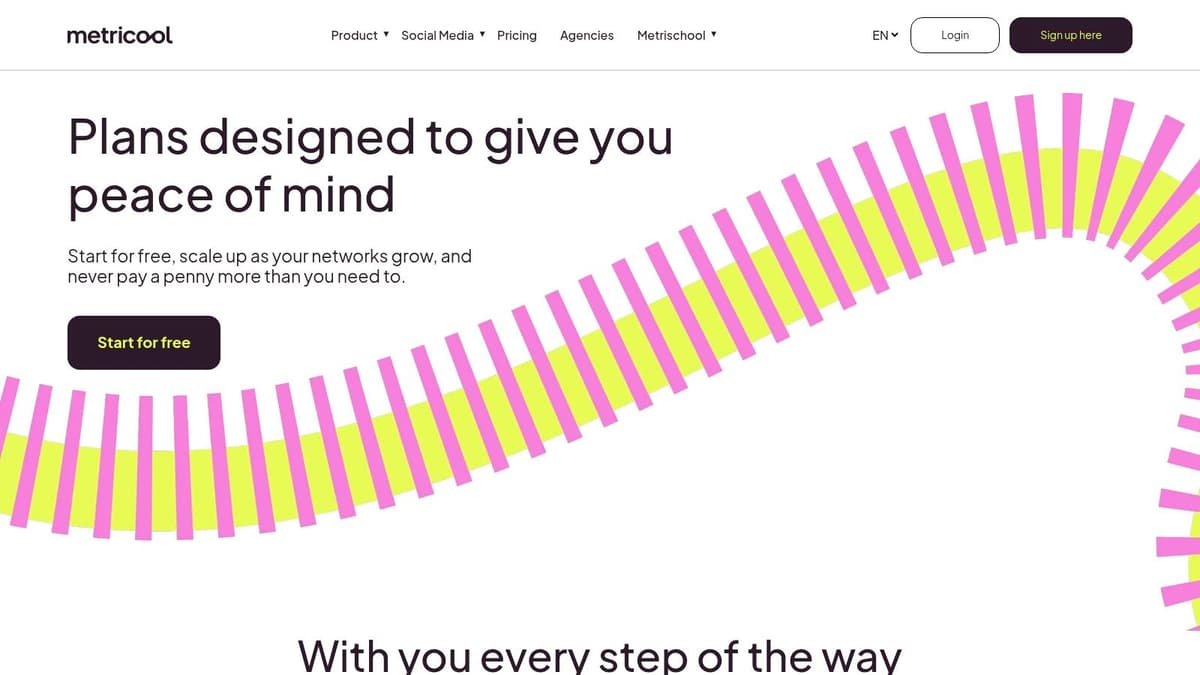
What truly distinguishes Metricool is its emphasis on comprehensive reporting and analysis at an accessible price point. The platform allows users to generate professional-grade PDF and PPT reports, track historical data, and monitor competitors across multiple platforms. While its interface is more analytics-focused than collaboration-heavy, it provides immense value for users who need to justify their social media ROI and make strategic decisions based on hard data.
Platform Breakdown
Metricool stands out as one of the best social media scheduling tools for professionals who value reporting and competitive insights just as much as content planning. Its scalable, brand-based pricing model makes it exceptionally budget-friendly for agencies and managers handling multiple clients.
- Best For: Freelancers, small agencies, and marketers who need robust analytics and competitor tracking on a budget.
- Key Features: Unlimited scheduling on paid plans, content calendar with best-time-to-post suggestions, detailed analytics history, competitor analysis, customizable reports, and a link-in-bio tool.
- Pricing: A free plan is available for one brand. Paid plans start at $22 per month for the Starter tier, scaling up based on the number of brands managed.
- Practical Tip: Use the "Competitors" tab to add key rivals on platforms like Instagram, Facebook, and X (Twitter). Metricool will track their follower growth, engagement rates, and posting frequency, giving you valuable intel to refine your own content strategy.
9. CoSchedule Social Calendar
CoSchedule stands out with its calendar-centric approach to social media management. It’s designed for marketers who think visually and plan campaigns around key dates. The platform offers a clean, intuitive social-first calendar that can evolve with your needs, providing a clear upgrade path to a comprehensive marketing and content management suite. This makes it an excellent starting point for teams that anticipate needing broader project management tools in the future.
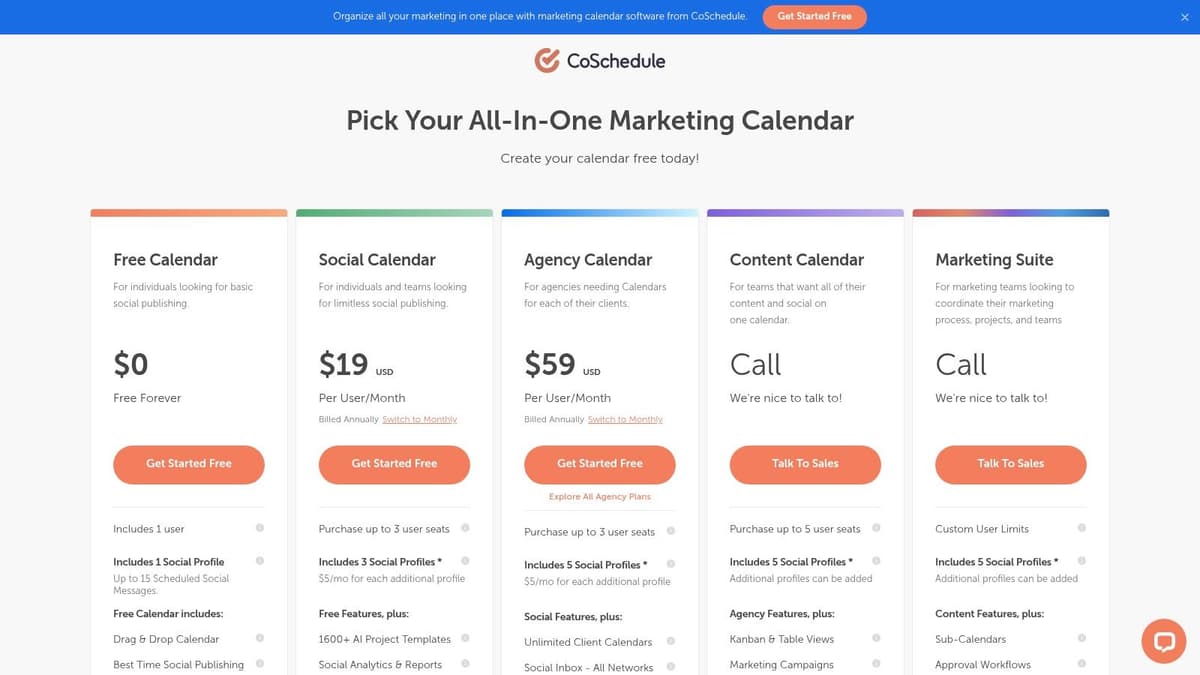
What makes CoSchedule unique is its seamless integration between social scheduling and overall marketing operations. While it functions perfectly as a standalone social tool, its true power is unlocked when combined with its Content Calendar and Marketing Suite products. This allows teams to manage blog posts, email newsletters, and social campaigns all from a single, unified calendar, eliminating the need for multiple disconnected tools and spreadsheets. The AI-assisted features and ReQueue automation further streamline content creation and distribution.
Platform Breakdown
CoSchedule is one of the best social media scheduling tools for marketing teams who value a strong, visual calendar interface and want a solution that can grow into a complete marketing operations hub. Its upgrade path is a significant advantage for businesses scaling their content strategy.
- Best For: Marketing teams, content creators, and businesses that prefer a calendar-based workflow and plan to integrate social media into a broader content strategy.
- Key Features: Interactive social calendar, AI-powered social assistant, bulk scheduling, ReQueue automation for evergreen content, social analytics, and a potential upgrade path to a full marketing suite.
- Pricing: A free plan is available for one user and one profile. The Social Calendar plan starts at $29 per user per month. Note that X/Twitter profiles are billed as a separate add-on in paid plans.
- Practical Tip: Use the ReQueue feature to build a library of your best-performing evergreen content. CoSchedule will intelligently find gaps in your calendar and automatically re-share this content to maximize its reach and engagement without manual effort.
Visit CoSchedule Social Calendar
10. Tailwind
Tailwind has carved out a powerful niche as the go-to scheduling and analytics platform for visual-first social media. Originally built for Pinterest, its feature set is meticulously designed to optimize performance on highly visual networks like Instagram and Facebook. It’s an indispensable tool for bloggers, e-commerce brands, and creators whose marketing strategy relies heavily on visual discovery and content marketing through pins and posts.
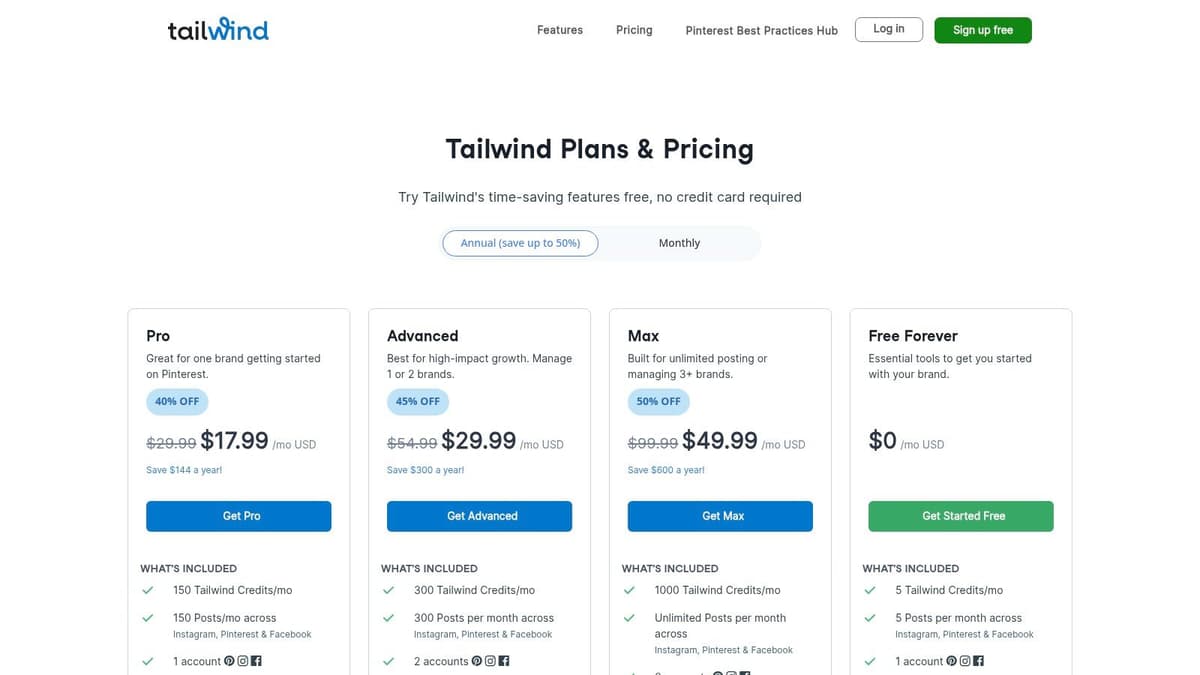
What truly distinguishes Tailwind is its deep integration with Pinterest's ecosystem. Features like Smart Scheduling, which suggests the optimal times to post for maximum engagement, and Interval Pinning, which spaces out a single image across multiple boards, are designed specifically for Pinterest's algorithm. Furthermore, Tailwind Communities (formerly Tribes) provide a unique content amplification network, allowing users to share their content with like-minded creators and get it re-shared to a wider audience. This makes it one of the best social media scheduling tools for driving targeted website traffic.
Platform Breakdown
Tailwind is the best social media scheduling tool for anyone serious about Pinterest marketing. Its specialized workflows and community features provide a clear advantage over more generalized schedulers when it comes to visual content promotion.
- Best For: Pinterest power users, bloggers, e-commerce businesses, and visual content creators.
- Key Features: Smart scheduling for Pinterest and Instagram, interval pinning, Tailwind Communities for content amplification, integrated post designer, and a Smart.bio link tool for Instagram.
- Pricing: A Free Forever plan is available. Paid plans with more features and fewer limits start at $14.99 per month for the Pro tier.
- Practical Tip: Join several active, niche-relevant Tailwind Communities to dramatically increase your content's initial reach. Always reciprocate by sharing content from other members to build goodwill and stay in good standing within the community.
11. Meta Business Suite
For those focused exclusively on Facebook and Instagram, Meta Business Suite is the essential, free, and native tool. As the official platform, it offers unparalleled direct access to the latest formats like Reels, Stories, and new post features the moment they are released, something third-party tools can often lag behind on. It consolidates content scheduling, community management, and performance analytics into a single, integrated dashboard.
What makes Meta Business Suite a non-negotiable starting point is its reliability and cost-effectiveness. The Planner provides a clean calendar view for scheduling and rescheduling content, complete with AI-powered suggestions for optimal posting times based on your audience’s activity. The unified inbox, which merges Messenger, Instagram Direct, and comments, is a powerful feature for streamlining engagement without leaving the platform. While it lacks multi-network support, its depth within the Meta ecosystem is unmatched.
Platform Breakdown
Meta Business Suite is one of the best social media scheduling tools for anyone managing a brand presence on Facebook and Instagram. It’s the definitive solution for leveraging native features without a budget.
- Best For: Small businesses, creators, and marketers focused primarily on Facebook and Instagram.
- Key Features: Native scheduling for posts, Reels, and Stories; Planner with calendar view; AI-driven "Active Times" suggestions; Integrated inbox for comments and DMs; Basic performance analytics.
- Pricing: Completely free to use with any Facebook Business Page.
- Practical Tip: Use the "A/B Test" feature when creating a post to experiment with different captions, images, or links. Meta will show the variants to a small audience segment and then automatically distribute the best-performing version, optimizing your reach.
12. G2 (Social Media Management categories)
While not a scheduling tool itself, G2 is an indispensable resource for anyone in the market for one. It's a leading software marketplace and review platform where real users share their experiences, making it a critical step for validating which of the best social media scheduling tools is right for you. Instead of relying solely on marketing copy, you can compare platforms using detailed user reviews, satisfaction scores, and feature-based ratings.
What makes G2 uniquely powerful is its structured data and filtering capabilities. You can drill down into the Social Media Management category and filter solutions by company size, user satisfaction, or specific features. This allows you to quickly create a shortlist of tools that fit your budget and operational needs. The platform's Grid and Momentum reports provide a visual market overview, showing which tools are considered leaders and which are gaining traction, saving you hours of manual research.
Platform Breakdown
G2 is the go-to validation engine for software buyers. It helps you cut through the marketing noise by providing peer-driven insights and data to support your purchasing decision, ensuring the tool you choose has a proven track record with businesses like yours.
- Best For: Any business or marketer wanting to compare potential tools using unbiased user reviews and data before committing to a subscription.
- Key Features: Verified user reviews with pros and cons, filterable grids for direct comparison, Momentum Reports identifying trending products, and satisfaction ratings across multiple criteria.
- Pricing: Free to browse and read reviews. Some in-depth reports and buyer-intent data require a free account sign-up.
- Practical Tip: Use the comparison feature to select up to four tools side-by-side. Pay close attention to the "ease of use," "quality of support," and "ease of setup" ratings, as these often reveal critical differences not found on a feature list.
Visit G2
Top 12 Social Media Scheduling Tools Comparison
| Product | Core features | UX & Quality | Value & Price | Target audience | Unique selling points |
|---|---|---|---|---|---|
| 🏆 MicroPoster | Text‑first editor, AI enhancers, one‑click cross‑post, smart queue | ★★★★☆ (readability & virality scores) | 💰 Starter $9.99/mo · free 7‑day trial | 👥 Creators, brands, community builders | ✨ Purpose‑built for microblogs; auto‑reformat + AI polish |
| Hootsuite | Scheduling, analytics, listening, unified inbox | ★★★★☆ (enterprise‑grade) | 💰 Higher‑priced · 30‑day trial | 👥 Enterprises, large teams | ✨ Broad channel support & governance/approvals |
| Sprout Social | Publishing, Smart Inbox, deep reporting | ★★★★☆ (best‑in‑class reporting) | 💰 Premium · per‑seat pricing | 👥 Agencies, large teams | ✨ Advanced analytics & enterprise collaboration |
| Buffer | Simple scheduler, visual calendar, hashtag tools | ★★★☆☆ (easy to use) | 💰 Low cost · free plan available | 👥 Creators, startups, small teams | ✨ Predictable per‑channel pricing; easy ramp |
| Later | Visual calendar, AI captions, UGC collection | ★★★☆☆ (visual‑first workflow) | 💰 Moderate · post caps on lower tiers | 👥 Visual brands & short‑form creators | ✨ Best for Instagram/Pinterest/TikTok visuals |
| SocialPilot | Bulk scheduling, content library, white‑label | ★★★☆☆ (utilitarian UI) | 💰 Cost‑effective for agencies | 👥 SMBs & agencies | ✨ Affordable agency workflows & add‑ons |
| Sendible | Client dashboards, multi‑calendar, reports | ★★★☆☆ (agency‑focused) | 💰 Tiered for agencies · generous bundles | 👥 Agencies managing many clients | ✨ White‑label & robust client permissions |
| Metricool | Scheduling + analytics, competitor tracking | ★★★☆☆ (analytics‑centric) | 💰 Competitive by brand count · free tier | 👥 Freelancers & small agencies | ✨ Strong reporting & competitor analysis |
| CoSchedule Social Calendar | Calendar‑centric scheduling, ReQueue, analytics | ★★★☆☆ (clean calendar UI) | 💰 Free/start plan · upgrade path | 👥 Marketing teams & ops | ✨ Calendar‑first with marketing suite upgrade |
| Tailwind | Pinterest/Instagram scheduling, interval pinning | ★★★☆☆ (Pinterest‑optimized) | 💰 Mid · credits/caps on lower plans | 👥 Pinterest power users & visual promoters | ✨ Interval pinning & Communities for reach |
| Meta Business Suite | Native FB/IG scheduling, planner, inbox | ★★★☆☆ (native format access) | 💰 Free with Facebook Page | 👥 Facebook & Instagram managers | ✨ Direct native access to latest FB/IG formats |
| G2 (category pages) | Vendor reviews, category grids, filters | ★★★★☆ (trusted marketplace) | 💰 Free to browse (some reports need account) | 👥 Buyers shortlisting social tools | ✨ User reviews, grid & momentum reports |
Choosing the Right Tool for Your Social Strategy
Navigating the landscape of the best social media scheduling tools can feel overwhelming, but making an informed choice is a pivotal step in refining your digital strategy. We've explored a dozen powerful platforms, each with its own unique strengths, from enterprise-level analytics powerhouses to visually-focused schedulers designed for platforms like Instagram and Pinterest. The core takeaway is simple: the "best" tool is not a one-size-fits-all solution. It's the one that aligns perfectly with your specific goals, primary platforms, and operational workflow.
Your final decision hinges on an honest assessment of your needs. If you are part of a large enterprise or a data-driven marketing team, the comprehensive reporting suites and team collaboration features offered by platforms like Sprout Social and Hootsuite provide unparalleled value. Similarly, agencies juggling multiple client accounts will find the streamlined client management and white-label reporting in tools like Sendible and SocialPilot indispensable for scaling their services efficiently.
However, for a growing and crucial segment of the digital world, the conversation has shifted. The most authentic and impactful engagement is happening on text-first platforms. For these users, a different set of priorities emerges.
Aligning Your Tool with Your Core Strategy
Before you commit to a subscription, it’s essential to move beyond feature lists and consider the practical, day-to-day realities of your social media management.
- Platform Priority: Where does your audience live? If your strategy is centered on visual platforms like Instagram and TikTok, a tool like Later or Tailwind is a logical choice. If your focus is building authority and community through text-based dialogue on X, Bluesky, and Mastodon, a specialized tool is not a luxury, it's a necessity. Using a generic, all-in-one scheduler for a text-centric strategy is like using a hammer to turn a screw; it might work, but it’s inefficient and risks damaging the end result.
- Workflow Efficiency: How much time do you really have for content creation versus scheduling? Tools like CoSchedule offer a holistic marketing calendar, ideal for teams with complex, multi-channel campaigns. In contrast, creators and solo entrepreneurs need a tool that minimizes friction. MicroPoster excels here, with an AI-powered content studio that drastically reduces the time from idea to scheduled post, allowing you to focus more on strategy and engagement.
- Budget vs. ROI: Cost is always a factor, but it should be weighed against potential returns. While free tools like Meta Business Suite are excellent starting points for Facebook and Instagram, they offer no support for the burgeoning microblogging ecosystem. Investing in a paid tool should directly correlate with your growth objectives. Ask yourself: will this tool help me post more consistently, create higher-quality content, and ultimately grow my audience faster?
Final Considerations for Implementation
Once you’ve narrowed down your options, the final step is to test them in a real-world scenario. Almost every tool on this list offers a free trial or a freemium plan. Use this opportunity to connect your primary social accounts and schedule a week's worth of content. This hands-on experience will reveal more than any feature comparison chart ever could. Pay close attention to the user interface, the speed of the platform, and how intuitive the core scheduling process feels.
Ultimately, selecting from the best social media scheduling tools is a strategic investment in your brand's voice and reach. It’s about finding a partner that not only saves you time but also empowers you to be more effective, consistent, and impactful where it matters most. Choose the tool that feels less like a task manager and more like a natural extension of your creative process.
Ready to master your presence on X, Bluesky, and Mastodon? MicroPoster is the purpose-built scheduler designed to help you create, schedule, and analyze high-impact text-based content with unparalleled ease. Start your free trial today and discover how a specialized tool can transform your microblogging strategy.


