
If you want to get serious about scheduling your Threads posts, you can't just rely on sporadic, last-minute updates. To really make an impact on fast-moving, text-heavy platforms, you need a solid workflow. I've found that using a dedicated tool like MicroPoster is the key to staying consistent and turning content creation from a daily scramble into a smart system for growth.
Why Manually Posting Threads Is Holding You Back
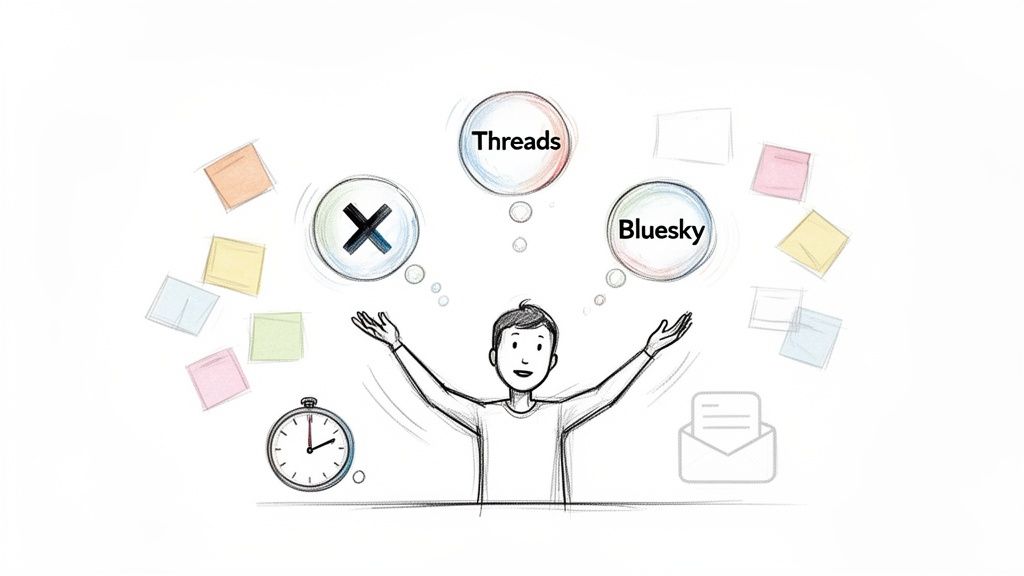
Let's be real—trying to keep up with Threads, X, and Bluesky feels like a never-ending race. The feeds move so quickly that the pressure to be constantly "on" leads to burnout and a scattered message. When you’re stuck posting everything by hand, you're always in reactive mode, which leaves almost no space for the thoughtful, story-driven threads that actually perform well.
This approach has some real drawbacks. You end up missing the best times to post, the quality of your content takes a hit when you're rushing, and creating a cohesive brand narrative feels completely out of reach. Every platform has its own vibe, and manual posting makes it tough to tailor your content, so you often end up with generic posts that just don't land.
The Real Cost of Being Inconsistent
On any social platform, consistency is everything. It's how you build and keep an audience. We're not just guessing here—research from Buffer analyzing millions of posts shows a direct link between how often you post and how many people see your content. Accounts that went from posting 1–2 times a week to 3–5 times saw their reach per post jump by about 12%. This is especially true on platforms where the algorithm heavily favors fresh content.
Without a scheduling system, hitting that consistent rhythm is a constant battle. It means your best ideas might die in your drafts folder simply because you got busy and ran out of time.
A scheduling tool isn't just a time-saver; it’s about building a reliable presence. It guarantees your audience hears from you regularly, which builds trust and keeps you on their radar, even when you're busy with the million other things on your plate.
Each major text-first platform has its own set of demands that make a dedicated scheduling strategy not just a nice-to-have, but a necessity for growth.
Platform Demands at a Glance
| Platform | Key Challenge | Scheduling Benefit |
|---|---|---|
| X (Twitter) | The feed moves incredibly fast; content has a very short lifespan. | Ensures a steady stream of content to stay visible and relevant. |
| Threads | The algorithm prioritizes new conversations and engagement. | Allows you to post during peak activity hours to spark engagement. |
| Bluesky | Building a community from the ground up requires consistent interaction. | Frees up time for genuine engagement by automating the posting process. |
| Mastodon | Content is often seen chronologically within specific instances (servers). | Helps maintain a consistent presence for followers across different time zones. |
By addressing these platform-specific challenges with a scheduler, you can ensure your content has the best possible chance to succeed, no matter where you post it.
Getting a Strategic Edge
When you start scheduling your threads and microblogs, you stop being just a content creator and become a content strategist. It completely changes the game.
Suddenly, you can:
- Batch-create your content. Set aside a dedicated block of time to write out a week's or even a month's worth of posts. This means higher quality and a much more consistent voice.
- Post at the perfect time. Schedule your content to go live when your audience is most active, not just when you happen to have a free moment.
- Build engaging stories. You can plan out multi-part threads and content series that unfold over a few days or weeks, keeping your followers hooked and eager to see what’s next.
A purpose-built tool like MicroPoster is designed specifically for these challenges. It helps you swap chaotic manual posting for an organized, effective workflow that actually gets results.
Build Your Cross-Platform Content Hub
Jumping into a new tool can feel like a chore, but trust me, this first step is the most critical for creating a workflow that actually saves you time. This is where you connect all the dots, turning your scattered social media accounts into a single, cohesive system for scheduling threads. The idea is to build a central command center so you can finally stop the constant app-switching.
Getting started with a tool like MicroPoster is refreshingly simple. Once you've created your account, your first move is to link your social profiles. The dashboard walks you right through connecting your X (formerly Twitter), Threads, Bluesky, and Mastodon accounts. It's just a few clicks to authenticate each one, and as soon as they're linked, they pop up in your workspace, ready to go.
This whole setup is designed to be fast. You can go from signing up to scheduling your first thread in minutes, not hours.
Connecting Your Accounts
The process is incredibly intuitive. You just head over to the "Channels" or "Accounts" area in your dashboard. You'll see the options to add each platform right there. When you click "Connect" for X, a secure pop-up appears asking you to authorize the app. You grant permission, and MicroPoster takes care of the rest.
Here's a quick look at what that account linking interface looks like. It gives you a clean, unified view of all your connected profiles.
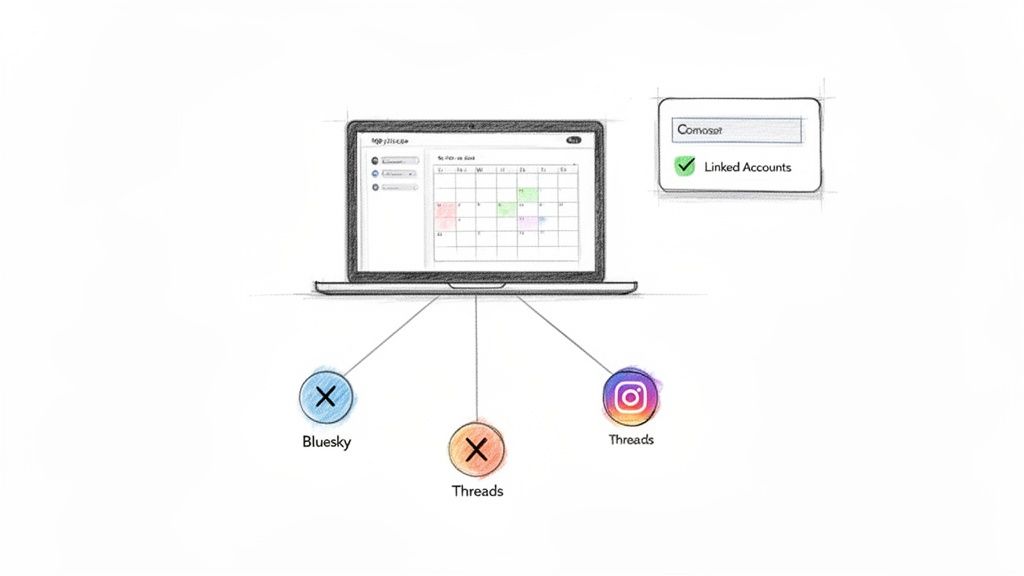
Having this central view makes it so much easier to visualize exactly where your scheduled threads will land once you hit publish.
Navigating Your New Workspace
With your accounts linked, take a quick minute to get your bearings. You'll spend most of your time in three core areas:
- The Composer: This is your creative space—an advanced editor built for drafting everything from single posts to complex, multi-part threads.
- The Calendar: This is my personal favorite. It’s a visual planner where you can literally drag and drop your finished posts to schedule them. It gives you a real bird's-eye view of your entire content plan for the week or month.
- The Dashboard: This is your home base, giving you a quick overview of connected accounts, recent posts, and shortcuts to start creating new content.
Think of it like setting up your own personal media studio. Instead of bouncing between different apps, each with its own quirks and rules, you now have one streamlined environment. The amount of mental energy this saves is surprising, and you can pour that energy back into what matters: creating great content.
Your accounts are connected, you know the layout, and your content hub is officially up and running. If you want to dig deeper into the power of this unified approach, you can learn more about how to crosspost from X to Threads and other platforms without the usual headaches.
At this point, you're no longer just managing accounts; you're orchestrating a true cross-platform strategy from a single workspace. This foundation makes everything else—from writing threads to setting up automation—so much easier.
Crafting Threads That Actually Get Read
Alright, with your accounts connected, it's time for the fun part: creating the content. A killer thread is more than just a long thought broken into pieces. It’s a story, a mini-narrative designed to hook someone from the first post and keep them scrolling to the very last. This is exactly why using a dedicated thread composer is a game-changer. It shifts your focus from just writing to engineering content that works.
When you hop into a tool like MicroPoster, you'll see the composer isn't just a text box. As you type out your long-form idea, it automatically splits it into numbered posts. You get a real-time preview of how your thread will look on a feed, which is incredibly helpful for getting the pacing right. You can immediately see if a post feels too abrupt or if a key point gets buried. It ensures each piece of the thread can stand on its own while still pushing the main story forward.
But writing the thread is only half the battle. You need to know if it’s actually going to land with your audience. That’s where a little data-driven magic comes in.
Getting Real-Time Feedback on Your Writing
The best composers give you feedback while you write. Think of it as having a performance coach looking over your shoulder. As you type, you’ll see scores for metrics that are directly tied to how well your posts will do.
- Readability Score: This is huge. It tells you, in simple terms, how easy your writing is to understand. If you're writing for a general audience, you don't want to be bogged down in academic language. This score helps you simplify without dumbing things down.
- Virality Score: This is my personal favorite. The tool analyzes your content for the stuff that makes people want to share: a strong hook, emotionally resonant words, a clear and valuable takeaway. It’s a direct look into the "shareability" of your thread.
Seeing these scores update live is like a cheat code. A low virality score might be the nudge I need to rewrite that first post to be more provocative. A bad readability score tells me to break up a long, clunky sentence.
This whole process turns writing from a guessing game into a strategic exercise. You’re not just throwing content at the wall to see what sticks; you're actively shaping it for both the platform's algorithm and your reader's brain. Threads built this way just have a much higher chance of taking off.
Using AI as Your Creative Co-Pilot
Beyond the scores, AI tools built into the composer can be an amazing creative partner. We all have moments where we’re staring at a blank screen or a draft just feels... flat. This is where AI can step in to give you a boost.
Let's say you're writing a thread about the history of coffee roasting. The facts are there, but it’s a bit dry.
Here’s how you could use AI to punch it up:
- Nail the Hook: Instead of starting with a boring fact, you could ask the AI to generate a few hooks. It might turn "Coffee was first roasted in the 15th century" into something like, "Did you know the first coffee 'roasters' were basically alchemists trying to unlock the secrets of a simple bean?" Instantly more interesting.
- Find the Right Hashtags: The AI can scan your text and suggest relevant hashtags that people are actually searching for, like #CoffeeHistory, #BrewingTips, or #SpecialtyCoffee. This saves you the guesswork of figuring out what tags will expand your reach.
- Create a Solid Call to Action (CTA): At the end of your thread, you need to guide the conversation. An AI assistant can whip up a few effective CTAs, like "What's your go-to roasting style? Drop it in the replies!" to get people talking.
When you blend your own expertise with smart tools like these, you start building threads that are not just packed with good information but are also strategically built to perform. This thoughtful prep work is what separates content that gets ignored from content that gets scheduled and seen.
Master Your Content Scheduling and Automation
Once you've written and polished your threads, the real strategic work kicks in. This is the moment you stop just writing content and start building a powerful, automated engine for growing your audience. A visual content calendar isn't just about picking dates on a whim; it’s about getting a bird's-eye view of your entire content strategy.
Using a tool like MicroPoster, you can literally drag and drop your finished threads right onto the calendar. Suddenly, you can see your posting schedule for the next few weeks or even months laid out in front of you. This simple shift in workflow moves you from being a reactive content creator to a proactive strategist. No more scrambling to figure out what to post today—you're executing a plan you thoughtfully built last week.
This high-level perspective helps you spot gaps in your content, maintain a healthy mix of topics, and even build narrative arcs that keep your audience hooked over the long haul. It’s the difference between just posting and running a full-blown content campaign.
Finding the Perfect Time to Post
On fast-moving platforms, timing is everything. Dropping an amazing thread when your audience is asleep is like telling a great joke in an empty room. To really make an impact, you have to align your content with when your people are actually online and scrolling. This is where data becomes your secret weapon.
In fact, a massive analysis of over 9.3 million social media posts uncovered some pretty clear patterns. The afternoon window between 2:00 PM and 5:00 PM consistently pulls in the highest engagement, accounting for more than 25% of all scheduled posts. If you want to get even more specific, 3:00 PM stands out as the single most popular hour to hit "publish."
Relying on a scheduler that has a "best time to post" feature takes all the guesswork out of the equation. It analyzes your unique audience's activity and points you to the optimal time slots, making sure your hard work gets the visibility it deserves.
This simple workflow gives you a great visual for how scheduling fits into the bigger picture.
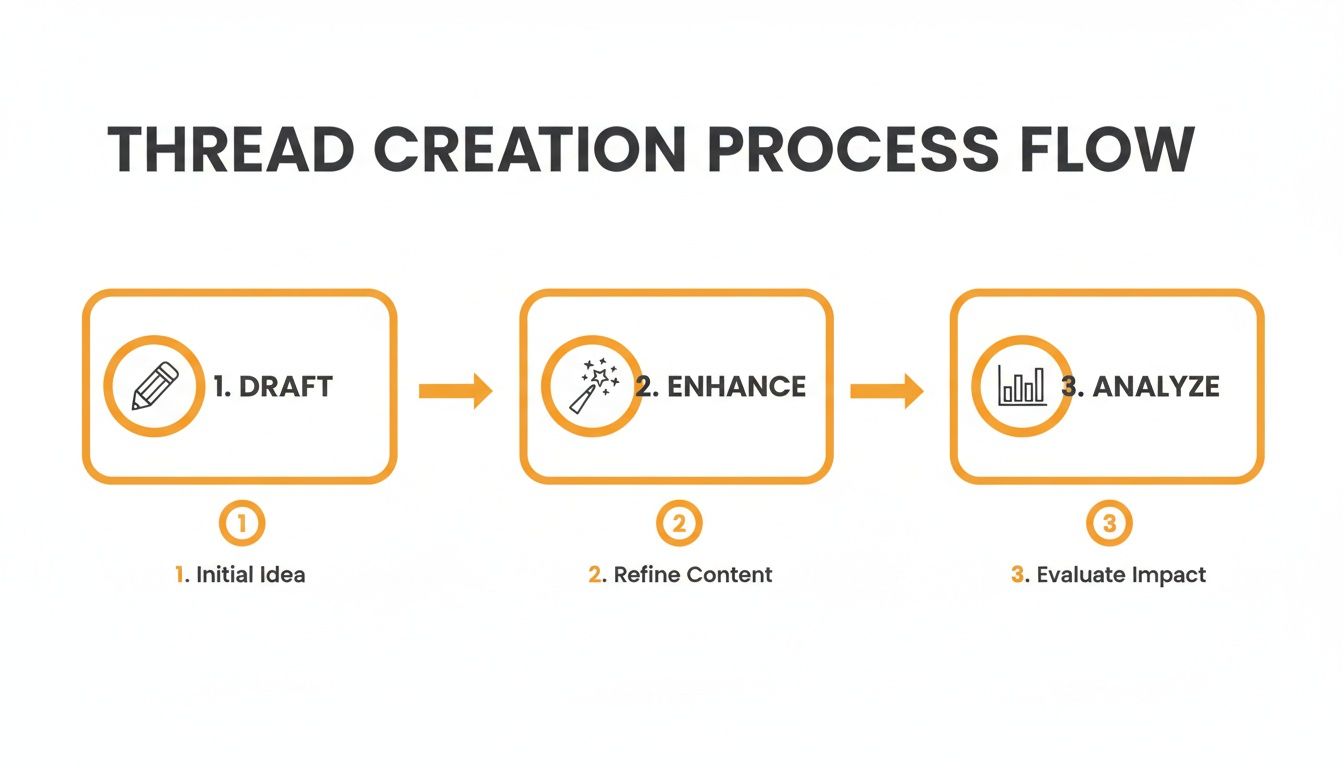
As you can see, scheduling is that final, crucial step you take after you’ve already dialed in your content for performance.
Automating Your Content with Queues
If you want a truly hands-off system, content queues are your best friend. This feature allows you to create different buckets for various types of content and have them publish automatically on a recurring schedule. It’s an absolute game-changer for your evergreen material.
Think about how you could use this in the real world:
- Weekly Q&A Series: Set up a queue for "Ask Me Anything" posts that fires off a new prompt every single Friday morning.
- Monthly "Best Of" Threads: Create a queue that automatically recycles your top-performing threads from the last month, introducing them to new followers.
- Daily Tips: Build a queue that shares one valuable tip from your niche every weekday at 9:00 AM, like clockwork.
By setting up these automated queues, you guarantee a baseline of consistent, valuable content goes out without you lifting a finger. This frees up your mental energy to focus on timely, trending topics and genuine community engagement.
The Power of Batching and Planning Ahead
The biggest win from all of this? The freedom to batch-create your content. You can set aside a single afternoon to write, refine, and schedule an entire month’s worth of threads. This doesn't just save a ton of time; it almost always results in higher-quality, more cohesive content.
When you aren't fighting the daily pressure to publish something, anything, your creativity has room to breathe. To really take control of your strategy, it helps to understand the principles behind solid planning. For a deeper dive, check out The Ultimate Guide to Scheduled Twitter Posts, which is packed with great advice for building a winning social plan.
If you’re ready to explore your options, our guide on choosing the best https://microposter.so/blog/post-scheduler-for-social-media offers a solid breakdown of different tools and features. When you fully embrace automation, you build a system that works for you, ensuring a powerful and consistent voice across all your text-first platforms.
Adapt Your Content for Every Platform
One of the biggest mistakes I see people make when scheduling threads is treating every platform like it's the same. You can't just copy and paste. A thread that absolutely crushes it on X might completely bomb on Bluesky or Mastodon if you ignore the unique culture and technical quirks of each network.
Success across platforms isn’t about blasting the same message everywhere. It’s about smart adaptation.
This is where a purpose-built tool like MicroPoster really shows its worth. Instead of manually tweaking every single post for each platform—a tedious and error-prone process—the system’s intelligent reformatting handles the heavy lifting. You write your core thread once, and MicroPoster automatically adjusts it to fit the specific rules and audience expectations of each connected account.
Tailoring Your Message Automatically
Let's say you’ve just written a killer five-part thread for a new product launch. If you were cross-posting this by hand, you'd have to check character limits, reformat hashtags for each platform, and maybe even tweak the tone. It's a real headache.
With an automated workflow, that all disappears.
- For X: The tool automatically checks that each post is under the character limit, maybe adds a poll to the final post to boost engagement, and uses hashtags that are trending on that platform.
- For Bluesky: It might dial back the corporate-speak for a more casual, conversational tone, since that community really values authentic interaction.
- For Mastodon: The system can strip out overly promotional language and make sure any links are formatted correctly for the decentralized network.
This kind of smart adaptation is all about respecting each platform's audience. That’s how you drive real conversations, not just empty impressions.
The goal is to make your content feel like it belongs on every platform it appears on. When your posts meet community expectations, you build trust and are far more likely to see people actually engage—replying, sharing, and following.
A Look at Smart Reformatting in Action
Let’s look at a real-world example of how one core idea can be transformed. The efficiency here is staggering, especially when you think about the scale required to stay relevant. Recent data shows that over 59 million posts were bulk-scheduled across major platforms, with top brands often posting between 48 and 72 times per week just to stay visible. Smart reformatting is what makes that kind of volume sustainable. You can dig into more of these social media management trends in a detailed report from Sendible.
Here's a quick look at how MicroPoster takes a single concept and automatically adapts it for different networks. It’s a simple change, but it makes all the difference.
Cross-Platform Reformatting Examples
See how a single thread concept is automatically adapted for different text-first platforms using MicroPoster.
| Content Element | Original Thread Post | Reformatted for X | Reformatted for Bluesky |
|---|---|---|---|
| Hook | Our new software update is here! | 🚀 BIG NEWS! Our V2 software just dropped. | Hey folks, excited to share that the V2 update is officially live! |
| Key Feature | It includes a new analytics dashboard. | Get deeper insights with our brand new analytics dashboard. #SaaS #Analytics | We've added a new analytics dashboard based on your feedback. |
| Call to Action | Learn more on our website. | What feature are you most excited for? Vote below! 👇 [Poll] | Let us know what you think of the new dashboard! |
This strategic, automated customization is what separates a professional content strategy from an amateur one.
If you really want to master this skill beyond just threads, a great next step is to learn how to turn a webinar into 30 days of social media posts. It’s the same core principle: adapt your message to ensure it always lands with maximum impact, no matter where your audience finds you.
Got Questions? We've Got Answers
Whenever you're thinking about adding a new tool to your workflow, a few questions are bound to come up. Let's tackle the big ones about scheduling threads so you can get started with confidence.
Can I Schedule Posts Directly to the Threads App Right Now?
The short answer is no, not yet. Instagram is still working on its official API that will let tools schedule posts directly to Threads. But that's exactly why now is the perfect time to get your strategy in order.
With a tool like MicroPoster, you can get ahead of the game. You can compose, polish, and organize a whole library of high-quality, pre-written threads today.
Think of it this way: when Instagram flips the switch on Threads scheduling, you'll already have a vault of incredible content locked and loaded. While everyone else is scrambling to figure out their plan, you’ll be ready to hit the ground running.
The smartest creators I know are always one step ahead. They prepare for platform updates before they happen. Banking your content now isn't just about saving time; it's about seizing a massive first-mover advantage the moment it becomes available.
You’re basically turning a future chore into a present-day opportunity.
How Is This Any Different from My Regular Social Media Scheduler?
That's a fair question. Most schedulers on the market were built for the visual world of Instagram and Facebook. They treat text-heavy platforms like X as an add-on, and their features just don't quite fit the needs of crafting great threads.
A purpose-built tool like MicroPoster is designed from the ground up for the nuances of text-first conversations.
You get a few critical advantages you just won't find in a generic, one-size-fits-all tool:
- A dedicated thread composer that makes mapping out a multi-part story feel intuitive, not clunky.
- Built-in virality and readability scores that give you instant feedback on how your content is likely to perform before you post it.
- Smart reformatting that automatically adjusts your content for the unique quirks and rules of X, Bluesky, and Mastodon.
It's not just about scheduling; it's about crafting better, more engaging text-based content from the very start.
Is It Really Worth Scheduling if I Only Use X?
Absolutely. Even if your entire focus is on growing your audience on X, scheduling is a total game-changer. Why? Consistency. It's the single most important signal you can send the algorithm.
Scheduling lets you batch-create your content. You can sit down once or twice a week and knock out all your posts, ensuring you always have a steady stream of high-quality content going out.
This frees you up to post when your audience is actually online and listening—not just when you happen to have a spare 10 minutes. More importantly, it shifts your focus from the daily grind of creating to the high-impact work of engaging with the community you're building.
What’s a Good Posting Frequency to Aim For?
This really depends on the vibe of the platform. The feed on X moves at lightning speed, so a good baseline is 3-5 posts daily to stay top of mind.
On the other hand, platforms like Bluesky or Mastodon are more community-driven. There, 1-2 thoughtful posts or threads a day is usually plenty to build a loyal following without overwhelming people.
The real magic of using a scheduler isn't just about hitting a specific number. It's about seeing your whole content calendar laid out visually. This helps you find a sustainable rhythm that feels right for you, so you can maintain a strong, consistent presence without burning out.
Ready to stop juggling platforms and start building a smarter content strategy? MicroPoster provides the unified studio and automation tools you need to grow your audience on X, Threads, and beyond. Start your free trial and see the difference today at https://microposter.so.