community management best practices
10 Community Management Best Practices for 2026 Growth
Master community building with these 10 community management best practices. Actionable tips on engagement, moderation, growth, and tooling for 2026.
You launched the product, opened a Discord or Slack, posted on X, and waited for momentum to appear on its own. Instead, you got a few signups, a handful of reactions, and long stretches of silence. That's a frustrating place to be, especially when you know your product is useful and your audience exists.
Most founders learn the hard way that community isn't a side effect of shipping. It's an operating system. If you don't design how people enter, what they do, how they get help, and why they should return, they usually won't.
Good community management best practices aren't about sounding warm in comments or posting more memes. They're about building repeatable systems that create trust, surface feedback, and turn scattered users into connected members. For small teams, that means choosing practices that scale without requiring a full-time department.
The upside is that you don't need a huge budget or a big moderation team to do this well. You need clarity, consistency, decent tooling, and fast follow-through. The strongest communities usually look simple from the outside because someone made the hard decisions early.
These 10 practices are the blueprint I'd use if I were building from scratch today. They're practical, lean, and built for founders who need community to support growth, product learning, and retention without becoming another full-time operational mess.
1. Establish Clear Community Guidelines and Moderation Policies
A founder wakes up to three DMs, two member complaints, and one ugly thread that should have been handled hours earlier. That mess usually starts long before the conflict itself. It starts when nobody knows the rules, nobody knows who enforces them, and every edge case gets decided in real time.
Clear guidelines save small teams from preventable work. They reduce moderator guesswork, give members a shared standard, and keep the founder from becoming the default escalation path for every dispute. In practice, that means publishing a short code of conduct, showing examples of acceptable and unacceptable behavior, and stating what happens after a violation. Discord servers often handle this through role permissions and channel-specific rules. GitHub communities usually put the same standards in CONTRIBUTING files or community health docs.

Keep the rules short enough to enforce
Long policy documents fail in small communities because nobody uses them under pressure. Write rules in plain language. Cover respect, relevance, privacy, spam, self-promotion, and how people can report problems privately.
A structure like this is usually enough:
- State the standard: Tell members how to participate here.
- Name the edge cases: Clarify promotions, links, harassment, impersonation, and off-topic posting.
- Explain enforcement: Define warnings, post removal, temporary restrictions, and bans.
- Add reporting paths: Give members a private way to flag issues without starting a public fight.
The trade-off is simple. The shorter the rules, the easier they are to read and apply. The more vague they are, the more inconsistent your moderation becomes. Small teams should bias toward short and specific, then update the policy when a new pattern shows up twice.
This matters even more now because moderation is no longer just about obvious bad behavior. Many founder-led communities now deal with AI-generated spam, fake expertise, scraped replies, and impersonation attempts that look believable at first glance. Your policy should say what counts as authentic participation, whether promotional automation is allowed, and how moderators verify suspicious accounts.
Tooling helps here. Basic automations can route flagged posts into a private review channel, require approval for first-time promotions, and log moderation actions so decisions stay consistent. If you already schedule social media posts with a lightweight workflow, use the same mindset in community ops. Standardize the repeatable work so humans can focus on judgment calls.
Practical rule: Write policies for the problems you do not want to solve live in front of the community.
2. Create a Consistent Posting Schedule and Rhythm
Monday starts with support tickets, a product fire, and two investor emails. Community posts slip to Friday again. Members do not read that as "the team is busy." They read it as "nothing reliably happens here."
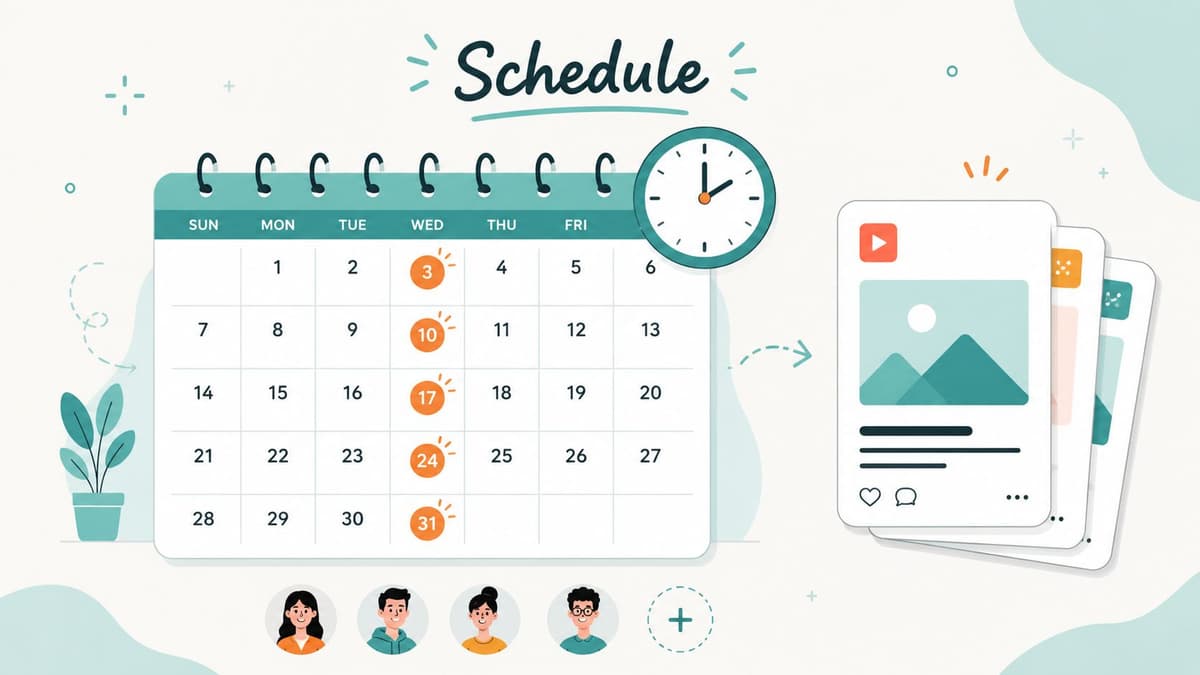
A steady rhythm fixes that. It gives members a reason to check in, and it gives a small team a repeatable system instead of a weekly scramble. Founders do not need a full content calendar packed with daily prompts. They need a cadence they can keep during a messy month, not just a good week.
Build a rhythm you can actually keep
The common mistake is planning for ambition instead of capacity. A founder-led community usually gets better results from three reliable beats than from daily posting that falls apart after two weeks.
A practical structure looks like this:
- Weekly anchor: One recurring format such as office hours, a founder note, product progress, or a discussion thread.
- Monthly recap: Summarize what shipped, what members discussed, and what changed because of community input.
- Quarterly review: Check which formats earned replies, repeat participation, or useful product signals, then cut the rest.
This is partly a content decision and partly an operations decision. If the same person writes updates, answers questions, and ships product, manual posting will break first. Set up scheduling, templates, and reposting rules early. If you publish across channels, schedule social media posts so consistency does not depend on someone remembering to copy and paste at 6 p.m.
Cadence also affects feedback quality. Too sparse, and members stop checking in. Too frequent, and you train the community to skim low-value posts. The right pace is the one your team can maintain while still leaving time to reply, moderate, and learn from what members are saying. A comments analyzer for spotting recurring questions and reactions helps you see which recurring posts create conversation versus filler.
Reliability usually beats volume. For small teams, the win is not posting more. It is making participation feel expected, useful, and easy to return to.
3. Foster Two-Way Dialogue and Active Listening
Broadcasting isn't community management. It's content distribution. Community starts when members feel that speaking up changes something.
That means responding, asking follow-up questions, and showing people that their input shapes the space. In practice, this looks like a founder replying in a Slack thread, an open-source maintainer acknowledging a GitHub issue clearly, or a product team summarizing what feedback they're acting on this month.
Response speed shapes trust
Speed matters more than many teams realize. One benchmark says responding within 30 minutes during business hours is best practice, while delays beyond 2 hours become merely acceptable and anything over 12 hours is considered critical and damaging to community health. This matters even more when criticism is public.
For founders, that doesn't mean being online all day. It means setting response windows, using alerts, and not letting visible questions sit unanswered until they look ignored. Fast acknowledgment often matters more than a perfect answer.
Use social listening and comment review workflows so signals don't disappear into platform chaos. If you want a faster way to spot patterns in replies, complaints, or recurring questions, a comments analyzer can help you see what people are reacting to instead of guessing based on the loudest thread.
Reply to emotion first, then to the issue. People calm down faster when they feel understood.
A common mistake is answering only direct questions. The better move is listening for implied needs. If five people ask slightly different versions of the same thing, you don't have five conversations. You have one messaging or product clarity problem.
4. Segment and Personalize Community Experiences
A founder launches one community for everyone. Within a month, trial users are posting setup questions next to power-user workflows, partners want a business conversation, and quiet members stop checking in because the feed feels noisy and irrelevant.
Segmentation fixes that by giving people a clearer path to the conversations they care about. For small teams, the goal is not a perfectly mapped member journey. The goal is to reduce noise, route members faster, and make each space easier to run.
Start with a few practical splits that match real jobs people want done:
- Role-based segments: Customer, prospect, partner, contributor, moderator
- Intent-based segments: Support, feedback, networking, learning
- Experience-based segments: New, active, advanced
Use the tools you already have. Discord roles, Slack channels, onboarding forms, tags in your CRM, and simple automation rules can handle a lot of this without adding a full community ops layer. Let members self-select where possible. It lowers admin work and usually produces better sorting than trying to guess for them.
Keep the system small.
Every segment creates follow-up work: more posts to plan, more questions to monitor, more dead zones if activity stays thin. I have seen small teams create six channels when two would have done the job. Empty spaces make a community feel smaller than it is. If a segment does not produce better conversations, faster support, or clearer signals for the team, remove it.
Personalization can stay simple. A welcome form that routes members to the right channel, an automated message based on role, or a different onboarding checklist for new users versus experienced contributors is often enough. Specific beats complicated.
The test is straightforward. Members should know where to go, what to post, and why that space is for them within a minute of joining. If they cannot, the structure needs work.
5. Spotlight and Celebrate Community Members
A founder posts a product update, three members jump in with thoughtful replies, one person answers a support question before the team gets there, and by next week nobody remembers who did the work. That is how useful contributors drift out of a community.
Recognition fixes that, but only if it is tied to behavior you want more of. For a small team, this is one of the highest-return systems to set up because it costs little and shapes culture fast.
The goal is simple. Make valuable contribution visible.
Good communities do this in public and in a repeatable way. A short member interview, a weekly shoutout thread, a newsletter mention, or a contributor note in a release post all help members see what earns respect in the group. That matters more than generic hype. People copy what gets noticed.
Reward the behavior you want repeated
Be careful what you praise. If recognition goes to the loudest posters, the community fills with fast takes and low-signal replies. If it goes to members who answer clearly, share useful examples, report bugs well, welcome newcomers, or connect peers to each other, the room gets better.
Small teams often get the most mileage from a lightweight system.
A practical rotation might include:
- Weekly thanks: Call out one specific reply, resource, or helpful action in public.
- Monthly spotlight: Share a short story about how a member solved a problem, contributed feedback, or helped others.
- Access-based recognition: Offer early previews, small group sessions, beta invites, or a path into volunteer moderation.
- Quiet recognition: Send a personal note to members doing steady, useful work that does not always show up in public metrics.
Automation helps keep this running. Save standout posts to a simple database, tag contributors in your CRM or community tool, and set a monthly reminder to pull candidates for the next spotlight. You do not need a community team to do this well. You need a short list of criteria and a habit.
What works: specific praise tied to a real contribution.
What fails: vague appreciation posts that do not name the action, the person, or why it mattered.
The strongest spotlights give members status inside the group and context others can learn from. “Thanks to Priya for answering 14 onboarding questions” is fine. “Priya turned a confusing setup issue into a clear checklist that now saves new members time” is better. One gives praise. The other teaches the community what good contribution looks like.
Keep the bar reachable. If recognition only goes to power users, newer members assume it is not for them. Include first contributions, helpful follow-ups, and behind-the-scenes contributions, not just big wins. That creates momentum without turning recognition into a contest.
6. Provide Value Beyond Product Promotion
A founder posts three product updates in two weeks, sees a short spike in clicks, then watches the community go quiet again. That pattern is common, especially in small teams where every post has to justify its time. The fix is not more promotion. The fix is making the community useful on weeks when you are not launching anything.
People return to a community because it helps them solve problems, make better decisions, and learn from peers. Product news can support that, but it cannot carry the whole experience. Communities such as Indie Hackers, niche Slack groups, GitHub Discussions, and founder circles stay active because members get value even when the host company is not the center of the conversation.
For small teams, the goal is repeatable value with a low operating cost.
Build a value mix you can sustain
The highest-return formats are usually simple: a short lesson, a practical prompt, a curated recap, or a focused Q&A. None of these require a content team. They require a clear template and a publishing habit.
A workable mix looks like this:
- Curated recaps: Pull the best advice, questions, or links from the past week or month into one post.
- Peer prompts: Ask members how they handle a specific workflow, decision, or bottleneck.
- Short expert sessions: Run a tight AMA with one useful question set, then publish the takeaways.
- Industry filtering: Explain which news matters to your members and which is noise.
- Tool and template swaps: Invite members to share checklists, scripts, dashboards, or operating docs that saved them time.
Recaps deserve special attention. Founders often assume new content will outperform summary content. In practice, a good recap saves members time, gives latecomers a way back in, and turns scattered discussion into something searchable. It also gives you a low-effort asset you can repurpose across email, Slack, Discord, or a private forum.
Keep the product present, but not dominant
A healthy ratio is simple. Teach more than you pitch. If every discussion bends back to your roadmap, members stop bringing real problems. They learn that the space exists for your agenda, not theirs.
That does not mean hiding the product. It means placing it where it belongs. Use product mentions when they help answer a question, show a real workflow, or invite informed feedback. Skip the habit of turning every thread into a feature plug.
One test I use is blunt: would this post still help the reader if they were not buying this month? If the answer is no, it probably belongs in a campaign, not in the community feed.
Use tooling to keep value delivery scalable
Small teams can achieve success. Automation is not a nice extra for community work. It is how a founder avoids turning content and follow-up into a second full-time job.
Set up a simple system:
- Save strong member answers into a swipe file or database.
- Tag recurring questions by theme.
- Turn top threads into a weekly recap with AI-assisted summarization, then edit for accuracy and tone.
- Queue recurring prompts in your scheduling tool.
- Use forms or bots to collect AMA questions before the session starts.
That stack does two things. It reduces the work required to publish useful content, and it keeps member insight from disappearing into old threads. Over time, the community becomes more valuable because good answers are easier to find and reuse.
The trade-off is quality control. Automated summaries can flatten nuance or miss context, so review them before posting. Speed helps. Sloppy recaps hurt trust.
Founders often overestimate interest in product updates and underestimate interest in practical help. Members care about outcomes. Give them advice, context, and peer insight they can use right away, and promotion stops feeling like an interruption because it sits inside a community that already earns attention.
7. Build a Strong Moderation and Community Team
A founder steps away for two days to ship product. During that window, a support thread turns hostile, a spammer hits three channels, and a promising new member gets no reply. Community trust rarely breaks in one dramatic moment. It slips through slow response times and inconsistent calls.
Small teams do not need a full community department to prevent that. They need coverage, clear rules, and a lightweight operating system for the people helping run the space. The goal is simple: keep standards consistent without turning moderation into another full-time job for the founder.
Give moderators a playbook they can actually use
Part-time moderators and volunteer helpers struggle when they inherit responsibility without decision rules. A short written playbook fixes a lot of that. It should cover what gets removed, what gets redirected, what gets escalated, and how quickly each type of issue needs a response.
Keep it lean:
- Role clarity: Assign ownership for welcomes, rule enforcement, support triage, and escalations.
- Scenario examples: Show how to handle self-promo, repeat offenders, heated debates, and off-topic posts.
- Decision logs: Record tough calls so future moderators can stay consistent.
- Coverage plan: Rotate shifts or check-in windows so one person is not carrying the whole load.
The true value of tooling becomes apparent. Use auto-filters for obvious spam, keyword alerts for sensitive topics, saved replies for common moderation messages, and a simple form for members to report problems. Good automation handles repeatable work. Humans handle judgment.
Protect the culture without overcorrecting
Moderation should make the community feel safer and easier to participate in. It should not make every conversation feel supervised. If members feel like every imperfect post gets slapped down, they stop contributing unless they are completely sure they will get it right.
That trade-off matters. Founders often over-correct after one messy incident and create a colder space in the process. Good moderators know the difference between harmful behavior, low-quality behavior, and behavior that just needs a nudge. Those are not the same problem, and they should not get the same response.
The strongest community teams use a simple ladder. Quiet correction first. Public clarification when needed. Temporary restrictions for repeated issues. Removal for clear bad actors. That structure protects members and keeps moderators from making emotional decisions in the moment.
Good moderators are culture carriers. They model tone, de-escalate tension, and keep the space usable while the founder works on the business. For a small team, that is a clear advantage. More consistency, less founder bottleneck, and a community that can stay healthy even when attention is split.
8. Create Onboarding and Orientation for New Members
A new member joins at 2 p.m., skims three posts, hesitates, and leaves. That is the onboarding problem founders feel as “low engagement.” In practice, it usually means the community asked people to figure out too much on their own.
Good onboarding reduces decision load fast. New members should know what this space is for, where they belong, and what to do first within a few minutes. Alida's community management guidance recommends keeping recruitment and welcome surveys short and sending personalized welcome messages right after onboarding, while context and attention are still fresh.
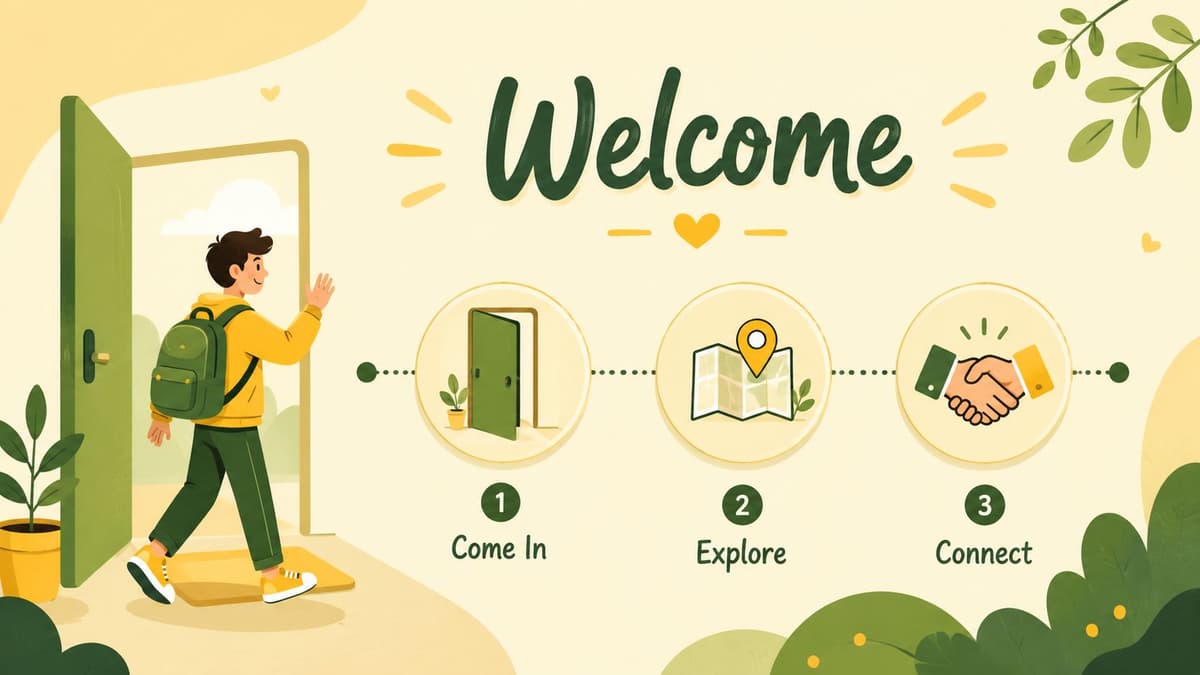
A simple visual reminder helps. New members need direction, not a wall of text.
Make the first contribution easy
Small teams do not need a complex onboarding system. They need a short path to first participation, then a lightweight follow-up system that runs even when nobody is online.
A practical flow looks like this:
- Step one: State the community purpose in one sentence.
- Step two: Ask members to pick topics, roles, or channels that fit them.
- Step three: Prompt one small action, such as an intro, a vote, or a reply to a starter thread.
- Step four: Send an automatic follow-up that points to the next best action.
- Step five: Add a human reply for high-fit members, early contributors, or anyone who asks a thoughtful question.
That last part matters. Early interaction is one of the clearest signs that a member might stick, contribute, and get value from the group, as noted earlier. For founders, the goal is not to greet every person manually. The goal is to design a system where the right people get pulled into useful conversations quickly.
Use tooling on purpose. Welcome DMs, intake forms, role selection, starter sequences, and alerts for unanswered intro posts all save time and reduce drop-off. Automation should handle routing and reminders. Humans should handle context, warmth, and judgment.
For a more hands-on walkthrough, this short video is useful:
9. Measure, Analyze, and Iterate Based on Community Data
A founder asks whether the community is working. If the only answer is member count, the budget gets cut first.
Measurement protects the function, but only if the numbers help you make decisions. Raw growth, impressions, and post volume can look strong while the community does little for retention, support load, referrals, or product insight. Small teams need a tighter scorecard.
Track signals that change what you do next
Review a short list of metrics you can act on every month: active member rate, time to first response, repeat contributor rate, support deflection, useful product feedback volume, sentiment shifts, and member-to-member reply rate. These tell you whether the community is becoming more useful, not just larger.
Active member rate is one of the clearest checks on community quality. As noted earlier, strong communities tend to maintain a meaningful share of members who participate regularly. For founders, the practical question is simple: are new members turning into contributors, or are they collecting in the database and doing nothing?
A finding shared on LinkedIn says 73% of community leaders struggle to prove impact to executives because they lack a standard way to connect engagement to retention or brand equity. Small teams feel this problem faster because they do not have time for elaborate reporting. Build one monthly snapshot instead.
Keep it plain:
- What questions did the community answer that would have hit support?
- What product issues or requests came up repeatedly?
- Which members contributed value more than once?
- Which channels or topics are producing real discussion?
- Where did response times slip?
That report should lead to action. If response speed drops, add routing or alerts. If intros get replies but no second contribution, fix the follow-up path. If one topic drives thoughtful discussion and another stays flat, post less in the weak category and give the useful one more space.
Use tooling here early, not later. Basic automation can tag posts by theme, alert you to unanswered threads, track repeat contributors, and pull a monthly summary without manual cleanup. That is how a founder or lean team keeps a real measurement habit without hiring an analyst.
Community metrics matter when they help you cut waste, spot momentum, and make the next decision faster.
10. Maintain Authentic Voice and Cultural Fit Across Platforms
A community can live across X, Threads, Bluesky, Mastodon, Discord, Slack, email, and a product forum, but it still needs to feel like one place. The format will change. The personality shouldn't.
Many brands slip in this regard. They sound playful on one platform, stiff on another, and robotic wherever automation touches the workflow. Members notice that inconsistency immediately. It makes the brand feel fragmented, and fragmented communities don't build trust well.
Adapt format without losing the core voice
Good cross-platform community management best practices start with a simple voice guide. Define what your team sounds like in public, how you handle disagreement, how direct you are, when humor fits, and what tone never fits. Then adapt for context. GitHub can be technical and concise. Discord can be casual. Email can be clearer and more structured.
Automation is useful here if it respects platform norms. MicroPoster is a good fit for small teams that want to publish once and keep a consistent presence across networks without manually rewriting every post. The primary advantage isn't just speed. It's preserving continuity while you stay focused on the conversations that require a person.
One more operational note matters. Alida's guidance emphasizes that balancing AI tools with human touch is best practice, and that sentiment monitoring is mandatory for spotting opportunities and preventing issues from escalating. That's the right model. Let software handle repetition, formatting, and monitoring. Keep actual relationship-building human.
Top 10 Community Management Practices Comparison
| Item | 🔄 Implementation Complexity | ⚡ Resource Requirements | 📊 Expected Outcomes | 💡 Ideal Use Cases | ⭐ Key Advantages |
|---|---|---|---|---|---|
| Establish Clear Community Guidelines and Moderation Policies | Medium, draft, adapt per platform, review regularly | Moderate, documentation, legal/HR input, moderator training | Safer, more consistent community; fewer disputes | New or scaling multi-platform communities | Clear rules reduce conflict, protect brand reputation |
| Create a Consistent Posting Schedule and Rhythm | Low–Medium, build calendar and stick to cadence | Low–Medium, content creators, scheduling tools | Steady engagement and algorithmic visibility | Content-driven communities, creators, newsletters | Predictability builds loyalty and saves time |
| Foster Two-Way Dialogue and Active Listening | Medium–High, continuous monitoring and thoughtful replies | High, community managers, monitoring tools, response time | Deeper trust, authentic feedback, higher interaction | Early-stage products, support and feedback communities | Drives loyalty and produces actionable insights |
| Segment and Personalize Community Experiences | High, define segments, permissions, tailored flows | High, data, analytics, multiple content streams | Higher relevance, retention, targeted engagement | Large/diverse communities, enterprise SaaS | Improves retention and member satisfaction |
| Spotlight and Celebrate Community Members | Low, selection criteria and regular features | Low–Medium, curation time, content production | Increased contributions, morale, UGC | Volunteer, creator, and advocacy-focused communities | Encourages participation and creates role models |
| Provide Value Beyond Product Promotion | Medium, content strategy, curation, events | Medium–High, experts, events, content creators | Stronger retention, advocacy, reduced support burden | Educational and professional networks | Positions community as a trusted resource |
| Build a Strong Moderation and Community Team | Medium–High, recruit, train, govern moderators | High, people, tools, coordination and support | Scalable moderation, faster responses, less burnout | Rapidly growing or 24/7 communities | Distributes workload and preserves culture |
| Create Onboarding and Orientation for New Members | Medium, design flows, quick-start resources | Medium, automation, mentors, docs | Faster activation, higher first-time participation | New-user-heavy communities, product communities | Reduces drop-off and sets expectations early |
| Measure, Analyze, and Iterate Based on Community Data | Medium–High, define KPIs, set dashboards, run tests | High, analytics tools, analysts, privacy safeguards | Data-informed improvements, clear ROI signals | Mature communities, stakeholder-driven programs | Prioritizes effort for maximum impact |
| Maintain Authentic Voice and Cultural Fit Across Platforms | Medium, voice guidelines and platform adaptation | Medium, training, content adaptation tools | Cohesive multi-platform identity and trust | Brands active on multiple platforms | Strengthens recognition and consistent member experience |
Your Community Is Your Greatest Asset, Manage It That Way
A healthy community doesn't appear because you launched a server, opened comments, or posted often enough. It grows because you built systems that make participation easy, useful, and worth returning to. That's the fundamental shift. Stop treating community like a marketing add-on and start treating it like infrastructure.
For founders and small teams, the smartest move is optimization. You probably can't hire a full-time community department, and you don't need to. What you do need is a repeatable operating model: clear rules, a sustainable posting rhythm, fast responses, simple segmentation, visible recognition, valuable non-promotional content, lightweight moderation support, smooth onboarding, and metrics that connect activity to business outcomes.
The hardest part is accepting the trade-offs. You won't be everywhere at once. You won't answer everything instantly without systems. You won't personalize every interaction by hand as you grow. That's why the best community management best practices for small teams include automation from the start, not as a later optimization. Scheduling, reposting, listening, and comment analysis should reduce drag so you can spend more energy where it counts.
That human layer is still the point. Members remember whether someone welcomed them, whether feedback went somewhere, whether moderation felt fair, and whether the space kept helping after the initial excitement wore off. Tools support that. They don't replace it.
If you're starting from scratch, don't try to implement everything at once. Pick three things that will change the day-to-day experience fastest. In most early communities, that means better onboarding, a fixed content rhythm, and faster replies. Once those are stable, layer in recognition, segmentation, and deeper measurement.
If your current setup already feels messy, simplify before you scale. Remove dead channels. Rewrite confusing rules. Cut content formats nobody engages with. Audit where conversations occur. Community grows faster when the experience is cleaner.
And if content distribution is eating the time you need for real engagement, automate it. A tool like MicroPoster can take repetitive cross-platform posting off your plate so you can invest more energy in listening, responding, and celebrating members. Its 7-day trial makes it easy to test that shift in a real workflow. That's usually where founders feel the difference most. Less time pushing content around. More time building a community people want to belong to.
If you're already posting updates, shipping notes, and conversations across channels, MicroPoster is a simple way to turn that effort into consistent multi-platform community presence. You write once, it adapts and republishes across networks, and you get time back for the work that builds loyalty. The 7-day trial is an easy way to see whether better distribution gives you more room for better community management.