Automatic crossposting for X, Threads, Bluesky, Mastodon and LinkedIn
Post on one network. We crosspost it to the others.
Keep posting from the app you already use. MicroPoster checks your account for new posts and publishes a copy on the other accounts you picked. You don't write anything twice and there is no queue to fill.
7 days free. No credit card needed.
 MicroPoster.so@MicroPosterApp · posted on X
Planning next week's changelog. Which fix should we ship first? Reply and tell us.

- Threads
Planning next week's changelog. Which fix should we ship first? Reply and tell us.
Text and photo Published - Bluesky
Planning next week's changelog. Which fix should we ship first? Reply and tell us.
Resized to fit 1 MB Published - Mastodon
Planning next week's changelog. Which fix should we ship first? Reply and tell us.
Text and photo Published - LinkedIn
Planning next week's changelog. Which fix should we ship first? Reply and tell us.
Text and photo Published
- X (Twitter)
- Threads
- Bluesky
- Mastodon
How it works
How crossposting works
Setup takes a few minutes. After that you keep posting the way you do now.
Connect your accounts
Sign in to X, Threads, Bluesky, Mastodon or LinkedIn with their own login screen. MicroPoster never sees your password. You can connect more than one account on the same network.
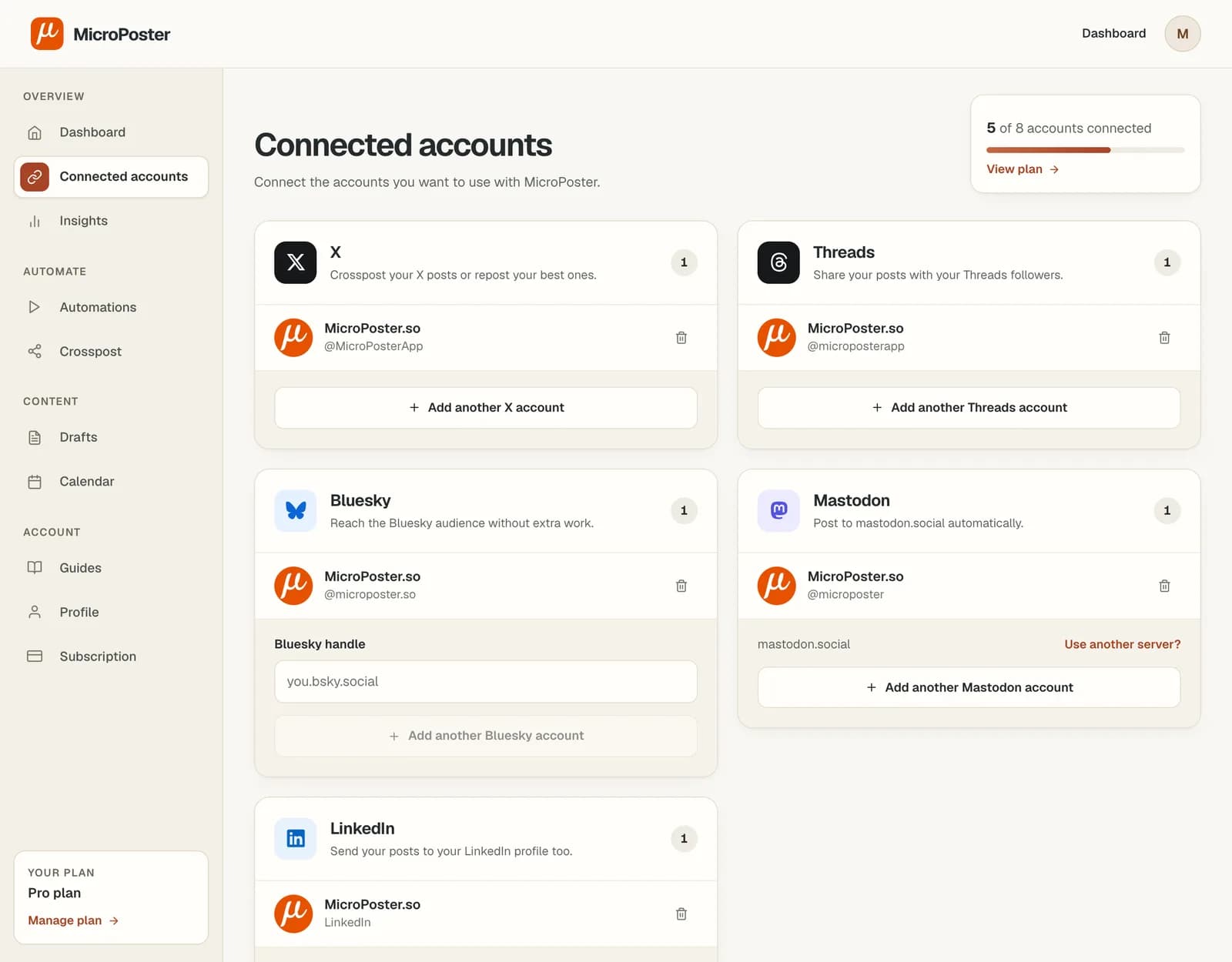
Pick where your posts go
Choose a source account and a destination. From then on, new posts on the source are copied to the destination. Posts you made before the setup are left alone.
Want X copied to both Bluesky and Threads? Add one route for each.
Post like you normally do
MicroPoster checks for new posts every 10 or 30 minutes, depending on your plan, and publishes the copies. Your dashboard lists every crosspost with a link to the copy.
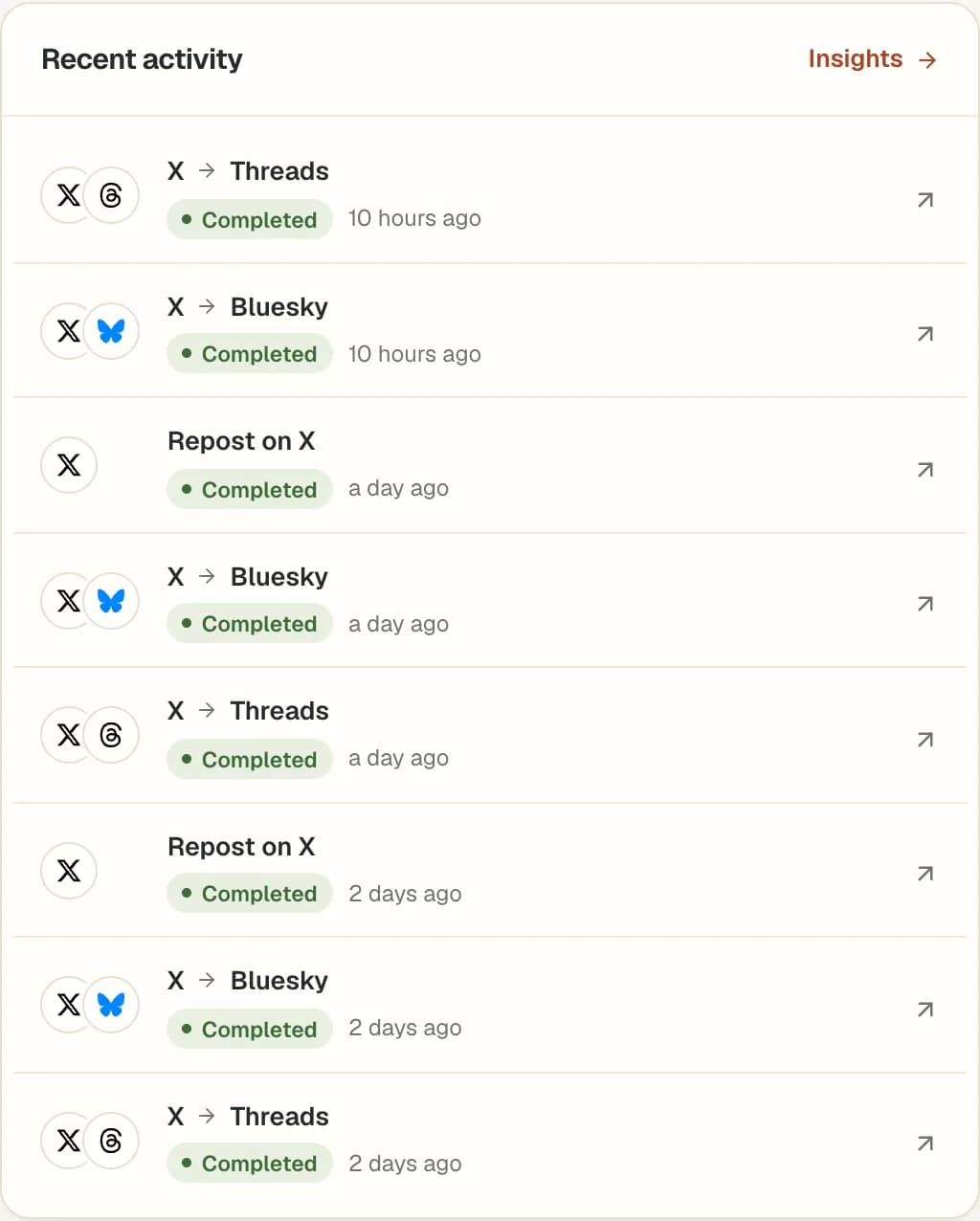

Not a scheduler
Post when you have something to say
Schedulers work well if you plan posts days ahead. Most people don't post that way. They post when an idea comes up, then reply to the people who answer.
MicroPoster fits that habit. You post in the moment, and your other accounts get the same post a few minutes later.
| With a scheduler | With MicroPoster |
|---|---|
| You write posts days ahead to fill a queue | You post when you have something to say |
| Posts go out while you are away | You are around when people reply |
| One more app to open every day | You keep using the app you already post from |
Features
Control what gets crossposted
Every route has its own settings, so each network gets the posts you want there.
Skip a post
Add #nocrosspost or #keephere to a post, or to a reply in its thread, and it stays on that network only.
Add hashtags to the copies
Set hashtags that are added to every copy on a route, without changing your original post.
Choose what happens to quote posts
Crosspost quote posts with a link to the post you quoted, or leave them out.
Images, video and threads
Media and threads are copied too, within each network's size and length limits.
More than one account
Connect several accounts on the same network and give each one its own routes.
Repost your own posts
Auto Repost shares your recent posts again after a delay you set. It uses the network's own repost, so no duplicate is created.
How Auto Repost works
Customers
What people say about MicroPoster
“MicroPoster does exactly what I was looking for. It's much more convenient than heavier social media tools and perfect for my ad-hoc posting needs.”
 Mirko FroehlichEx-Google Sr. Eng Manager
“Microposter automated my Bluesky posting completely.”
 Jamie RalphDigital Marketing Consultant
“I love how MicroPoster made my social media workflow easy.”
Try it with your next post. 7 days free.
Choose by the accounts you manage
Start with a 7-day Creator trial, then choose the capacity you need. One connected profile counts as one account.
Creator
Up to 4 connected accounts
- 200 automatic crossposts per month
- 3 automations
- Checks for new posts every 30 minutes
Pro
Up to 8 connected accounts
- 1500 automatic crossposts per month
- 10 automations
- Checks for new posts every 10 minutes
Power
Up to 12 connected accounts
- 5000 automatic crossposts per month
- 50 automations
- Checks for new posts every 10 minutes
Crossposting runs in the background. Your plan determines how often we check for new posts and your monthly allowance.
Compare plansBefore you get started
Got questions?
Straight answers.
The details that matter when you’re trusting a tool to publish on your behalf.
Ask us a questionWhat is MicroPoster?
MicroPoster automates crossposting and native reposts for X (Twitter), Threads, Bluesky and Mastodon, and crossposts to LinkedIn. Keep publishing in your usual social app, automatically distribute new posts, and repost your own eligible recent posts. Auto Plug is planned and is not yet available.
Do I have to write my posts inside MicroPoster?
No. With automatic crossposting, you keep publishing in your usual social app. After you connect your accounts and create an automation, MicroPoster checks the source account for new posts and publishes supported content to the destination.
How is MicroPoster different from a social media scheduler?
A scheduler asks you to write posts ahead of time and fill a queue. Automatic crossposting works the other way around: you post in your usual app whenever you have something to say, and MicroPoster publishes that post to the other networks you choose. If you do want to plan a post, you can still write and schedule it from your dashboard.
Can I automatically crosspost from X to Bluesky and Threads?
Yes. Connect your X account and the Bluesky and Threads accounts you want to publish to. Create an automation with X as the source and those accounts as destinations. MicroPoster checks for new X posts at your plan's scheduled interval and crossposts them. You can also use Bluesky, Threads or Mastodon as a source.
Can I crosspost to LinkedIn?
Yes. Connect your LinkedIn profile and create an automation with X, Threads, Bluesky or Mastodon as the source and LinkedIn as the destination. LinkedIn has no threads, so a thread is joined into one post and trimmed if it passes 3,000 characters. LinkedIn can only be a destination, because LinkedIn doesn't let apps read your posts.
What is included in the free trial?
New accounts receive a 7-day trial with no credit card required. The trial uses the Creator plan limits. Create an account, connect your social accounts and set up a crossposting workflow to try it with your own posts.
How quickly will my posts appear on other networks?
MicroPoster checks for new posts every 30 minutes on the Creator plan and during the free trial, and every 10 minutes on Pro and Power. The copy is published right after the check finds your post. Network outages or slow media processing can add time.
Can I choose where my posts go?
Yes. Select a source account and destination accounts for each automation. Supported networks are X, Threads, Bluesky, Mastodon and LinkedIn; LinkedIn can only be a destination. Your posts are only crossposted to the accounts you select.
Can I skip a particular post?
Yes. Add #nocrosspost or #keephere to the post, or a reply in its thread, and automatic crossposting skips it. You can still crosspost it manually from your dashboard.
Can I crosspost images, videos, links and threads?
MicroPoster supports these content types, subject to the destination network's formats and limits. Content may need to be split or adapted for a different network. Editing the original post does not automatically update the copies already published.
What happens when my allowance runs out?
Automatic crossposting pauses when you reach your plan's monthly allowance. It resumes when the allowance resets, or you can upgrade for a higher limit. Check your usage and plan in your dashboard.
Will I be charged when the trial ends?
A trial without payment details does not turn into a paid subscription automatically. Choose a paid plan to continue after the trial. If you subscribe, you can cancel renewal from your dashboard and keep access until the end of your paid billing period.